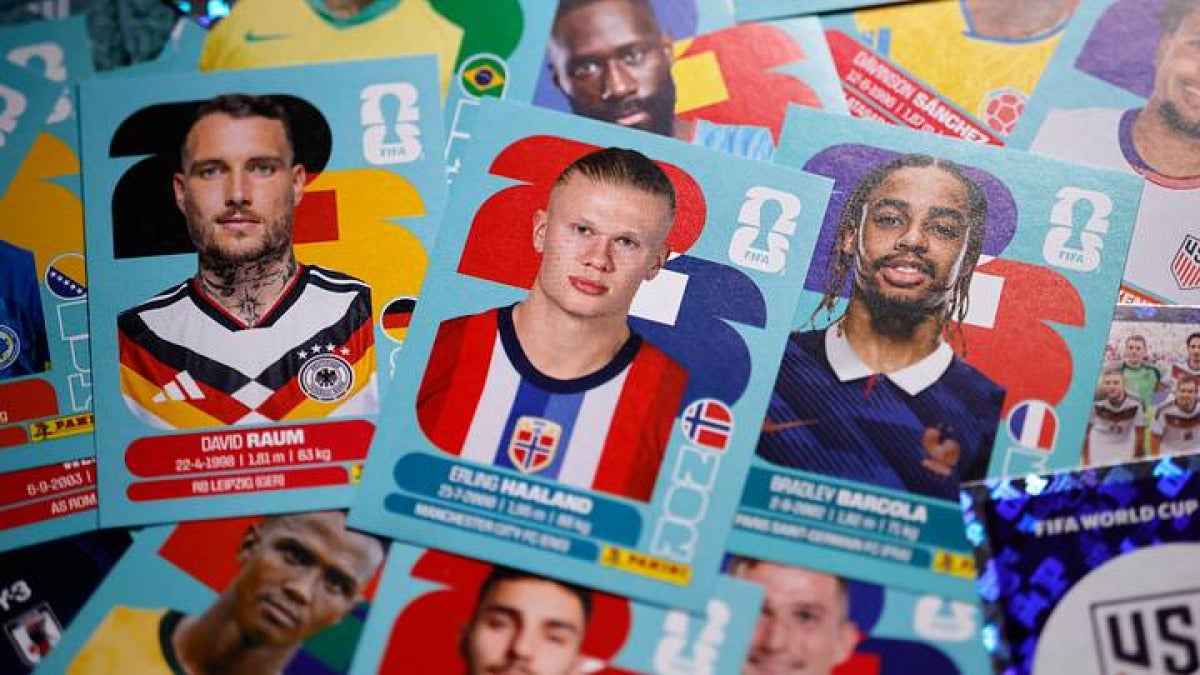
Sticker albums used to mean paper packs, stacks of duplicates, and trading face to face with whoever happened to have the player you were missing. Now all of that can live on a phone or tablet: daily packs, trades, rewards, and, now and then, the kind of technical hiccup every app runs into.
This guide answers the questions people ask most about Panini Digital Collections. What the app is for. How packs work. How trading works. What happens when you finish an album. And what to look at first when logins, scanners, or loading screens start misbehaving.
Quick facts at a glance
Before the full FAQ, here are the basics most people want right away:
- Panini Digital Collections is a mobile app for phones and tablets.
- The iOS version needs iOS 15.0 or later and was updated to version 1.13.0 on March 23, 2026.
- The Android version was updated on March 20, 2026.
- Digital packs mainly come from two places: in-app coins and redemption codes included in eligible physical Panini products.
- Registered accounts usually receive daily free packs and can pick up more rewards through in-app challenges and events.
- Digital stickers can be traded with friends or other collectors.
- Finishing an album can unlock the option to order a printed version of your digital stickers.
- The most common issues are login problems, blank screens, freezing, internet connection errors, and scanner failures.
What is the app for the Panini album?
When people ask this, they’re usually talking about Panini Digital Collections, the app that hosts Panini’s virtual sticker albums along with other digital collecting campaigns.
Here’s what you can actually do in it:
- open digital packs
- add stickers to an album
- collect duplicates
- trade with other collectors
- complete limited-time collections tied to tournaments or other releases
So no, it isn’t just a viewer for a paper album. It’s the collecting experience itself, only in digital form, with its own packs, account system, events, and rewards.
If you’re on Apple devices, the current requirements are fairly recent. The iOS app needs iOS 15.0 or later. Android is still getting active support too, with an update recorded in March 2026.
What are Panini digital cards?
People use “digital cards” and “digital stickers” as if they mean exactly the same thing. Sometimes they do. Sometimes they don’t.
Inside Panini’s setup:
- digital stickers usually belong to a virtual album, where you collect them and place them to complete pages
- digital cards can be a broader label for collectible items inside a digital collection, depending on how that campaign is built
For most collectors, the part that matters is simple enough: if the collection is album-based, you’re usually filling empty slots the same way you would with physical stickers.
How do sticker albums work?
If you haven’t used a virtual collection before, the process is pretty straightforward.
A digital sticker album usually works like this:
1. You create an account or sign in. 2. You join an active collection or album. 3. You open packs and get random stickers. 4. You place new stickers into the album, either automatically or manually, depending on how that collection is set up. 5. You keep duplicates for trades. 6. You swap missing items with friends or other collectors. 7. You finish pages, then finish the whole album.
That loop is basically the same one people already know from paper sticker albums. What changes is the setting. The packs are digital. The duplicates are digital. The trades happen there too.
Is this the same as a free digital sticker book or planner sticker app?
No, and this is where search results start to get confusing.
If you’re searching for terms like:
- digital sticker book free
- digital sticker book planner
- digital sticker book printable
- digital sticker book PDF
- free digital planner stickers
- free digital stickers
you’re often looking for something completely different. Those searches usually lead to one of these:
- planner stickers, meant for note-taking apps and digital journals
- printable sticker files, often shared or sold as PDFs or templates
- photo sticker apps, which add cute stickers or decorations to images
Panini Digital Collections isn’t made for decorating photos or building a planner spread. It’s a virtual collectible album system.
So when someone asks, “What is the app that puts cute stickers on photos?”, the answer usually isn’t this one.
How do I get the Panini virtual album?
This question comes up constantly, including searches like ¿Cómo puedo obtener los álbumes virtuales de Panini? and ¿Cómo tener el álbum virtual?
The short version: the virtual album lives inside the Panini Digital Collections app. Once you’ve got an account and access to an active campaign, that album appears there.
In most cases, it goes like this:
- install the app on a supported phone or tablet
- register or sign in
- choose the active collection available in your region or during that campaign period
- start opening packs
Not every album stays up forever. Tournament and event-based digital albums are often tied to a release window, so older searches like online sticker album 2022 can send you to collections that aren’t active anymore.
That’s why current album availability depends on the campaign, the country, and the time period.
Where can I get sticker albums?
That depends on what you mean: a physical album or a digital album.
For digital albums
Access comes through the mobile app, not through a separate paper product.
For physical albums
Availability changes by country and by release. Physical Panini albums are usually distributed through regional retail and publishing channels, while the digital version lives inside the app.
That difference matters because people often expect one to automatically include the other. Sometimes physical products include codes for digital content, but the paper album and the digital album are still separate things.
Where can I buy the Panini album 2026?
For the 2026 physical album, availability depends on your market and on whether stores in your area have received the release yet. For the digital 2026 album, the place that matters is the app, not a separate standalone purchase.
There’s also a useful 2026 detail collectors should know about: the Update Edition for the FIFA World Cup 2026 digital album, released around June 2026, added 96 new stickers, with two new stickers per country.
So if you started collecting earlier in the campaign and later noticed the checklist had changed, that’s why.
What are Panini digital packs?
Searches like ¿Qué son los digital pack de Panini? are really asking how the pack system works.
A digital pack is just the virtual version of a sticker packet. You open it and get a random set of stickers for the active collection.
The usual ways to get packs are:
- daily free packs, usually for registered accounts
- reward packs earned through in-app challenges or events
- packs bought with in-app coins
- packs unlocked by redeeming codes found in eligible official physical Panini products
That mix matters. Free packs, earned packs, and code-based packs make a digital album feel different from a paper-only one.
Do you get free packs every day?
Usually, yes, as long as you’re registered.
Panini Digital Collections typically gives registered accounts daily free packs. Beyond that, extra rewards can come from:
- limited-time events
- in-app challenges
- special campaign tasks
- promotional tie-ins
The exact reward setup can change from one collection to another, so daily packs may stay fairly steady while bonus events come and go.
Can you trade digital stickers?
Yes. Trading is a big part of the whole experience.
Digital stickers can be swapped with friends or with other collectors to fill the gaps in your album. That gets especially useful once the duplicates start piling up.
In most virtual sticker albums, trading matters for the same reason it always has. Random packs are fun, but they’re not the quickest way to finish a collection. Swaps are what usually get you over the line.
What happens if I complete the Panini digital album?
This comes up a lot too, including ¿Qué pasa si completo el álbum digital de Panini?
Finishing the album usually means:
- your collection is marked as complete inside the app
- you may become eligible for completion-related rewards, depending on the campaign
- you can, in supported collections, order a printed version of your digital stickers
That last part is one of the more distinctive pieces of Panini’s digital setup. Completing the album isn’t only an in-app milestone. In some cases, it can also turn into a physical printed keepsake based on the stickers you collected digitally.
The exact reward or print option can change from one album to another, so completion won’t always lead to the same result in every campaign.
Are Panini sticker albums worth anything?
That depends a lot on what kind of value you mean: financial value, collector value, or just personal enjoyment.
Physical albums
Some physical Panini albums can have collector value, especially if they’re:
- tied to major tournaments
- older or harder to find
- complete and in strong condition
- in demand among collectors
Still, not every album becomes valuable. A lot of modern mass-release albums end up meaning more emotionally than financially.
Digital albums
Digital Panini collections usually have value inside the app experience, not as open-market collectibles in the same way physical stickers sometimes do. Most of that value is tied to:
- completing the collection
- taking part in events
- trading with other collectors
- accessing any album-specific rewards
So if the question is, “Are they worth anything?”, the fair answer is this: physical albums can sometimes have resale value, while digital albums are usually worth more as collectibles and completion goals than as standalone financial assets.
What is the best free sticker app?
That depends on what kind of “sticker app” you have in mind.
Here’s the easiest way to sort it out:
If you want a virtual collectible album
You’re looking for an album app with packs, duplicates, trades, and event-based collecting. Panini Digital Collections fits here.
If you want planner stickers
You’re probably after a note-taking or journaling setup, with reusable sticker sheets, PDFs, or templates.
If you want photo stickers
You need an image-editing app that adds decorative elements, frames, emojis, or cute stickers to pictures.
Three categories. Same word. Very different uses.
That’s where most of the confusion comes from.
Why can’t I log in to Panini Digital Collections?
Login problems are one of the most common complaints. People usually report things like:
- blank screens during sign-in
- freezing after launch
- internet connection errors
- the app refusing to move past the login screen
These are the first basic checks we’d try:
- make sure the app is updated
- confirm that your device meets the current OS requirements
- check that your internet connection is stable
- close the app and open it again
- sign out and sign back in, if you can still reach that menu
- restart the device
On iPhone and iPad, compatibility matters more than many people expect. The current iOS app needs iOS 15.0 or later, so older devices or outdated system software can cause trouble before you even get into the collection itself.
If the app opens to a blank page or freezes after an update, that often points to a temporary app-side issue, a cache problem, or a bad network handshake, not necessarily anything wrong with your collection data.
Why is the app freezing or showing a blank screen?
These symptoms usually fall into three main buckets.
1. The app needs an update
The current iOS version was updated on March 23, 2026 and Android on March 20, 2026. If your device is still running an older build, a mismatch between the app and the live service can trigger freezing or loading failures.
2. The device software is out of date
Again, iOS devices need iOS 15.0 or later. Even if the app installed earlier, a newer release may stop working properly on an older OS version.
3. There’s a temporary service or connection issue
If the app suddenly starts hanging on Wi-Fi or mobile data after working fine before, the issue may be temporary rather than tied to your account.
When this happens on a wider scale, people tend to describe it almost the same way every time: the app opens, a loading screen appears, and then nothing moves.
Why does it say there’s an internet connection error?
Sometimes that message is accurate. Sometimes it’s just the generic error the app throws when it can’t properly reach its servers.
We’d break the problem into two quick checks.
Check your connection
- switch between Wi-Fi and mobile data
- make sure other apps are working normally
- disable any network filtering or VPN for a moment, if one is active
Check whether the problem is really the app
If everything else online is working and the error appeared out of nowhere, it may be a service problem rather than an issue with your signal.
This kind of message often shows up during login trouble, event changes, or right after app updates.
Why isn’t the scanner working?
Scanner problems are another common complaint, especially when people are trying to redeem physical product codes or scan QR-related material.
If the scanner fails, the usual reasons are:
- poor lighting
- camera focus problems
- glare on the code
- an app bug after an update
- the code belongs to a promotion that has ended or is restricted
Problems with physical-product scanning are especially frustrating because people often assume the code itself is bad. Sometimes the cause is much simpler, like poor camera focus or a temporary scanner bug inside the app.
If the scan feature suddenly stops working after it worked before, that points more to app behavior than to the printed code itself.
Why won’t my code or promotion work?
Not every code, event, or partner campaign works for every collector in every region.
Some promotions tied to specific products or partnerships can be:
- time-limited
- region-limited
- collection-specific
- valid only for certain editions
That matters because a code can look completely legitimate and still fail if the campaign window has already closed or if the offer doesn’t apply to your local version of the app.
This shows up a lot in big sports campaigns, where digital rewards may be linked to a particular release, retailer, or partner promotion.
Can you use physical Panini products with the digital album?
Often, yes, but only in certain ways.
Eligible physical Panini products can include redemption codes that add digital content to your account. Usually that means digital packs, not a full album unlock. The app is still where the actual collecting happens, including sticker placement and trading.
So the relationship works like this:
- the physical product may include a code
- the digital app is where that code gets redeemed
- the album progress stays tied to your account
That’s why some collectors use both formats at the same time.
Is Panini Digital Collections free?
The app itself is generally free to access, but the collecting system has both free and paid parts.
You can usually expect:
- free access to the app
- daily free packs for registered accounts
- extra rewards through challenges and events
- optional in-app coin purchases for more packs
So yes, it fits the general idea behind an online sticker album free search, but only up to a point. You can take part for free, though the fuller collecting experience can also involve paying for more pack access.
Why do older search results point to albums that no longer work?
Because a lot of digital albums are tied to events.
Searches like:
- online sticker album Panini
- online sticker album 2022
- online sticker album FIFA Panini
can lead to pages, references, or community posts from campaigns that have already ended. A digital tournament album isn’t always a permanent feature inside the app. It may only stay live for a specific season or event window.
That’s normal for this kind of platform. The app stays. Individual albums rotate in and out.
So what it comes down to
Panini Digital Collections is a virtual sticker album app for phones and tablets, built around digital packs, duplicates, trading, event rewards, and time-limited collections. Once that clicks, most of the common questions stop feeling confusing. You can see how packs work, how albums get completed, why trading matters, and why login errors, blank screens, and scanner trouble are usually the first problems people run into.
And if you’re sorting through mixed search results, keep one distinction in mind: this is a collecting app. It isn’t a planner sticker tool, and it isn’t a photo decoration app. Get that part straight, and the rest is much easier to follow.
