 Adobe have finally released a beta version of Adobe Audition for Mac in Adobe Labs. Adobe Audition started life as a simple audio editor on Windows called Cool Edit Pro until Adobe saw that the big money was in music creation software. It’s taken almost 7 years for it to reach Mac though.
Adobe Audition is a multi-track recording studio that offers all the refinement you expect in Adobe products, but may leave beginners floundering in technical jargon.
The new Mac version features almost everything available in the Windows version including audio editing, multitrack mixing plus greater workflow flexibility and new features such as native 5.1 surround support and special sound effects. One of the other big bonuses for users of Adobe Premiere Pro is that Adobe Audition now integrates better with it meaning you can make soundtracks and audio that can be imported more easily into your video creations.

However, some features, such as MIDI support, are not included because Adobe say other tools in the market offer those capabilities and “they are not part of the core audio post-production workflows that are at the heart of Audition’s strengths”. Others, like CD Burning, are also not included for similar reasons.
The beta version is available as a 30 day free trial here. There’s a forum for new users to discuss and report issues related to the beta release here.
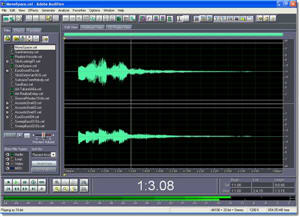 Adobe Audition started life as a simple audio editor until Adobe saw that the big money was in music creation software. The program is now part of the Creative Suite line as a multi-track recording studio that offers all the refinement you expect in Adobe products but leaves beginners floundering in technical jargon.