Google Chrome beta gets interactive notifications

chrome headerGoogle is experimenting with richer, interactive notifications within its beta Chrome browser and Chrome OS. Those using the Chrome beta channel will get a glimpse into the future of notifications for the browser. Chrome OS users will have to enable the notifications in the settings. Currently, Google Chrome has very basic notifications for things like chat alerts, music, and 3rd party apps. These work well if you just want a quick notification but they don’t let you interact with the content. That changes today.
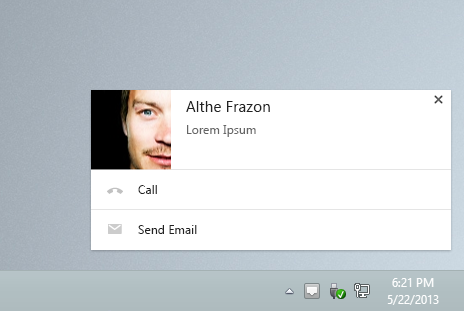
google chrome rich notifications

There’s also more evidence that Google Now will be coming to Chrome soon, since there’s now a setting in Chrome OS to enable it, but the feature doesn’t work yet.
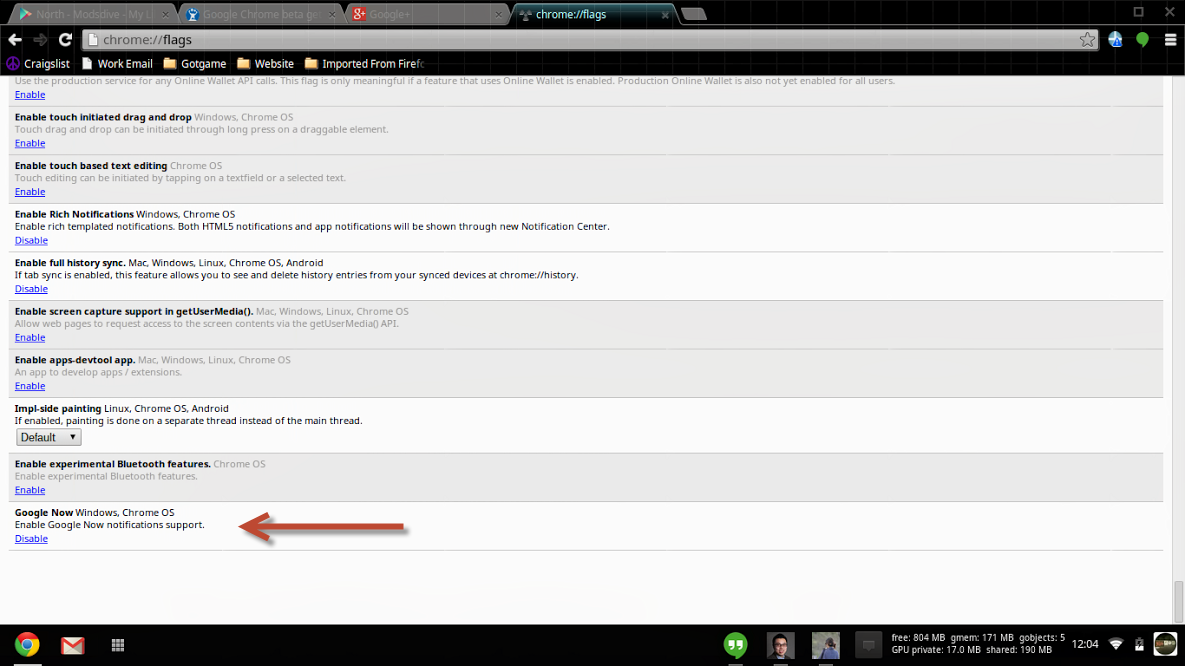
chrome os google now

With the richer notifications in Chrome, you can now respond immediately. For example, if a contact calls you using Google Voice or tries to chat with you on Hangouts, you will get a notification with the person’s profile picture, information, and the ability to call/email them right from the notification.
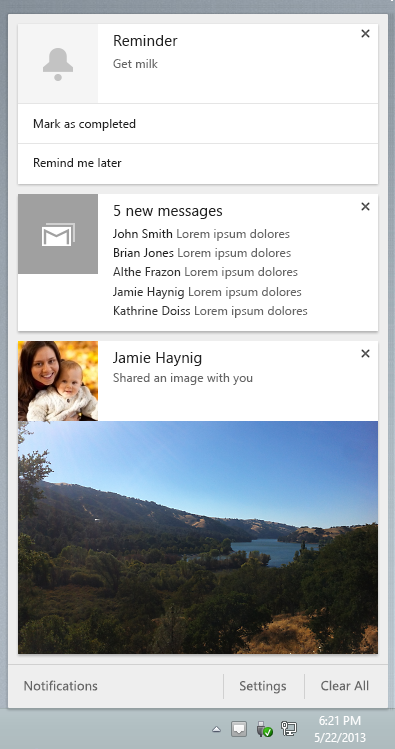
google chrome notification center

If you’re away while a notification is displayed, you can go into the notification center to see them all at once. The notification center bears a striking resemblance to Android’s own notification shade. Emails will be grouped together in the same “card.” Users will also find settings that allow them to choose which applications and extensions are allowed to give notifications.

If you want to try out the notifications yourself, you can download the Chrome Beta below.

[Source: Chrome Blog | Download: Softonic]

Google Chrome beta for Android updated with data compression and password sync

Google just updated the stable version of Chrome for Android with background audio, but the development of the mobile browser hasn’t stopped. The latest Chrome beta for Android has updated with data compression and password syncing.

This update comes hot on the heels of Opera’s newly launched Opera beta for Android. Opera was one of the first mobile browsers to integrate data compression to save bandwidth usage. Google and Opera’s implementation of data compression is similar, both utilizing server-side compression. Webpages will be compressed at Google’s servers before being fed to users on their mobile devices. HTTPS requests will ignore being compressed so private information doesn’t reach Google’s compression servers.

Google claims that their compression method will reduce bandwidth by over 60%. The company achieves this by transcoding images from their native formats to the smaller and optimized WebP format.

Other updates in this beta release password and autofill syncing, which is super handy. This feature is being rolled out slowly so it may be a day or two until all Chrome beta users on Android get the functionality.

To get the latest version of the Chrome beta for Android, click here.

Source: Chromium Blog

Google Chrome Beta for Android and Chrome 24 released

Google released two Chrome-related product updates today. The first release was Google Chrome Beta for Android 4.0 and above. Designed for both tablets and phones, the beta channel currently features updates that already exist on the desktop versions of Chrome like Octane performance improvements and HTML5 features like CSS Filters for developers.

The Chrome Beta is a little unstable and does feature bugs so it’s not the best browser to use for everyday web browsing. Since Chrome Beta is designed for both phones and tablets, trying it on different hardware should provide the same experience, but it’s possible that some bugs effect platforms differently.

The second update was to the desktop version of Chrome, which updated to version 24. The included improvements include faster boot and automatic updates. These updates don’t really change the normal experience that you have with Chrome and shows that Google is still working on improving the browser’s usability.

The Chrome Beta for Android is a great sign that Google is working on unifying Chrome across all platforms, rather than testing on the desktop version before pushing updates to the mobile browser.

You can download Chrome Beta here and try it out yourself.

Chrome for Windows and Mac should update automatically when you launch the browser.