Stop wasting time on social networks and procrastinate productively in 4 steps

Social networks are an endless source of knowledge and a way of connecting with others, but above all, they’re a huge waste of time. Extensions like Facebook Runner let you know how much time you spend on Facebook and other superfluous activities. After installing it, you’re sure to hang your head in shame by seeing all that lost time when you should be working or studying.

In an ideal world, you wouldn’t ever open Facebook, Instagram or other social apps during your responsibilities. In fact, if you take a look on the Internet, you’ll find a myriad of articles with tricks to avoid using them. The issue is: Aren’t we already in an ideal world? Is it really necessary to be so dramatic with them? Can’t we procrastinate a little?

procrastinate

Well it’s clear we can, in fact I believe that procrastinating (that is, putting off an important activity to do another less relevant or more pleasant one) once in while is not bad at all and is a way to release stress and return to our responsibilities happier. How? Why am I encouraging you to use Facebook and other sites during work when we both know how bad that is? Yeah, don’t make that face!

It’s all about having mechanisms of self-control and following a few simple steps, so within reason and by acknowledging you’re not doing what you should, you make the most of the time you spend (i.e. waste) on social networks and enjoy what I call “quality procrastination.”

Step 1: Keep your cell phone at a safe distance

A survey done by Connected Life estimates that on average we spend 3 hours a day looking at our smartphones and tablets. How many of these hours are worthwhile? An easy way to find out is to install an app that monitors your habits, such as Quality Time for Android or Moment for iOS… Even if the results scare you, don’t be alarmed.

A group of executives standing in line and looking at their smartphones

Getting rid of this habit during work or study hours is complicated, but there are ways, such as setting your phone to only notify you of what’s really important during working hours. To do so, smartphones have modes that are less dramatic than the legendary “Airplane mode” and prevent you from checking your phone at the slightest buzz.

For both Android and iOS, your best bet would be “Do not disturb.” This mode is found under the menu Settings > Do not disturb. Within this mode, you can configure different features. For example, you can active it instantly or set what time it should activate. Also, you can decide which calls you want to ring (ideal if you’re expecting an important call from a specific contact.)
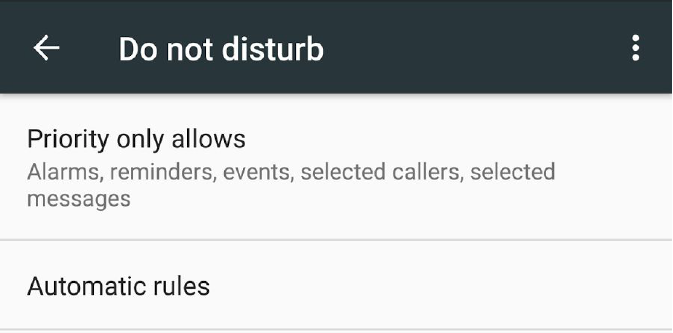
disturb-2

If you don’t see this option on your cell phone (especially on Android), check that it’s not under the option Sound, since depending on the operating system version it may be in another place.

If you want extra control, there are very useful apps that bolster the “Do not disturb” mode. Silence, do not disturb! for Android, allows new layers of configuration.

Step 2: Clean without mercy!

Now that you’re free of the burden of constantly looking at your phone, you’ve already gotten rid of part of the problem, but not all of it: Instagram or Snapchat are out of the equation, but not Facebook. If you work in an office or study with a PC, you still keep it open on a browser tab, am I right?

The idea is not to say goodbye to FB during working hours, but rather use it within reason (ahem, and not all the time, of course!).

For this “method” to work, first you must toss out tact. Look over your list of friends: are you really interested in what the 667 people you’ve added post? Consider that many people are losing time like you (until now), so it’s likely what they post is of little to no interest.

Illustration by Jennifer Daniel for Sunday Styles section 05/30/2010

These days it’s very trendy to learn to discard material objects, but we also shouldn’t be afraid to eliminate friends that add nothing but noise. Without a second thought, delete all those friends of friends and people that you only follow as an obligation.

It’s even more important that you stop being a “fan” of so many pages. At some point, you must have given a “like” to a certain page because you thought it was funny or because somebody invited you, but it’s very possible that you’ve already forgotten it and now it doesn’t interest you. So, periodically look over all your likes and with the option “Review the pages that you like” select everything that’s no longer relevant in one swoop. While writing this article, I deleted my membership to 40 pages, thinking “at what blasted moment of my life did I ‘like’ this?”

pages-you-liked

Step 3: Say goodbye to noise!

Alright, let’s assume that you’ve cleaned up your friends and pages. Doing so, you’ve already deleted the most awkward noise, but healthier procrastination also involves having a healthier news sections. You know, the main page of Facebook or “News Feed” is the place where interactions between your friends and pages you follow are collected.

top-stories

By editing your preferences for the “Latest news” section you can have total control of what you see and don’t see. I admit, there are friends that I love to death but who I don’t understand: they always complain that they don’t have time for anything and I always see them posting on Facebook! This kind of friendship is the first that I would hide from your news, without mercy, they’re so annoying!
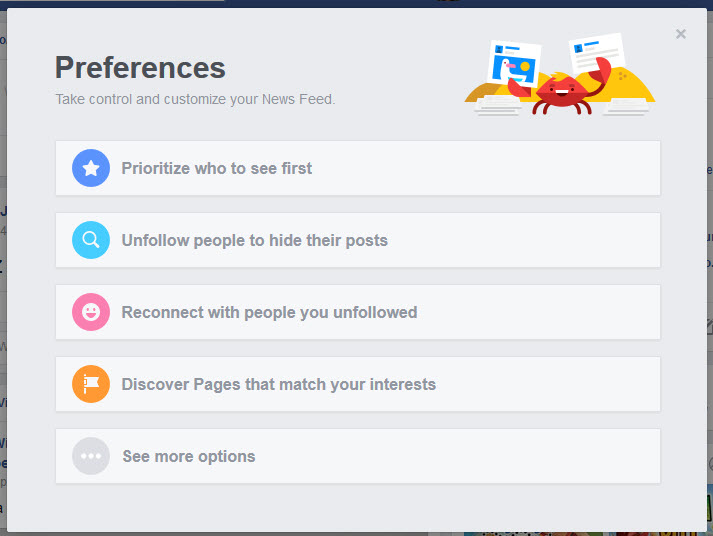
preferences

You can hide these friends from your News Feed using your preferences or by simply clicking the little arrow in the upper right-hand corner of any of their posts: this gives you several options for seeing fewer posts from the contact or page in question.
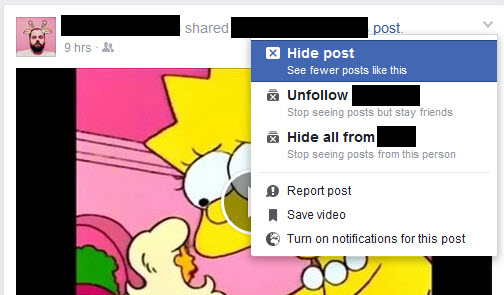
hide-post

Want to see things that you actually care about? Then, also within your preferences for “Latest news,” use the option “Prioritize who to see first” so that Facebook shows you posts from them before anybody else. Careful, don’t abuse this option and make it so you see memes or humor pages first. We all like to laugh, but there’s nothing that kills productively more that starting to look at a photo album of memes: they are like the famous potato chips, “once you pop, you can’t stop.”

Another recommended habit is to deactivate Facebook chat. Many friends, if they see you connected with the little green light, will certainly message you… they are experts in unproductive procrastination! To do so, in the lower right-hand corner of the screen, click on the wheel icon and “Deactivate chat.” The message will continue arriving, but are only accessible in your inbox or if you use Facebook Messenger from your cell phone.

Notice that during this entire time I haven’t mentioned games. Although Facebook games aren’t as popular as the past (admit it, you too were stressed when your Farmville crops went spoiled) we can’t forget that they still exist and are included in the colorful Gameroom section. Stay far away! Play only in your free time, never during a dull moment in the middle of an assignment, or you’ll fall into a very dark hole that not even the most experienced fireman could save you from. Believe me, I know what I’m talking about.
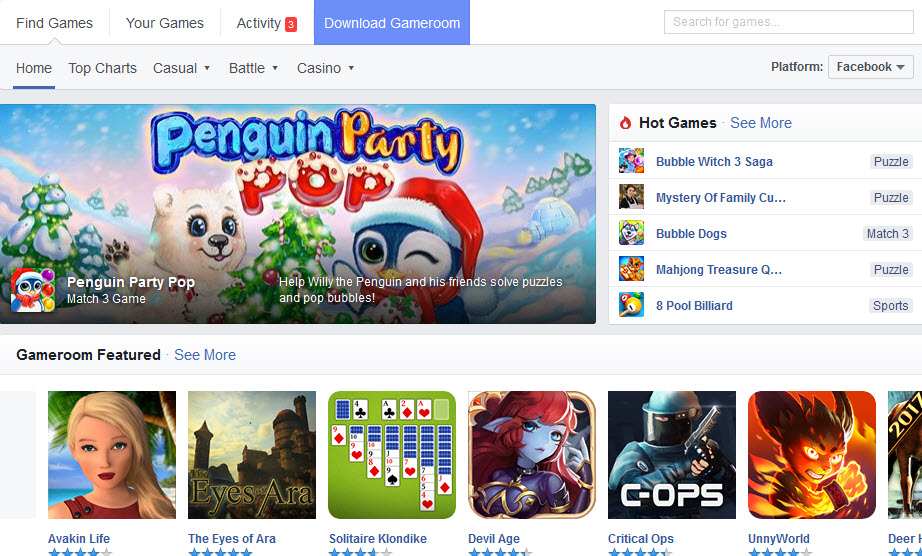
games-fb

Step 4: Alright, now what? Enjoy!

The steps I’ve previously mentioned take some time, but if you’ve done them well (and without getting carried away by nostalgia or shame) you’ll avoid being annoyed in the future. And this is what I wanted to get at: now you have a cleaner and lighter Facebook that lets you concrete on what’s truly important… Congratulations, you’re closer to Facebook nirvana!

Now you’ve resolved part of the problem of what it means to use Facebook conscientiously, making the time you spend on it relatively constructive. Now I’ll give you some ideas for healthy activities that you can do on this social network.

  • Search for media pages in tune with your ideas and follow them. You’ll be more than up-to-date. I’ll clarify a bit: if you have a political leaning, don’t become a fan of a different political view, the debates in the comments that occur always end with pitched battles and many injured. If you meet a troll, don’t feed it. You know what they say: “Never argue with stupid people, they will beat you with their experience.”
  • Search for and follow informative pages, without realizing it you’ll learn new things. Science, history, literature… The best thing to find interesting pages is to dedicate some time using Facebook’s search engine, looking at the first results, going to the pages and quickly scanning what they have… Do you like what you see? Follow them!

science

  • Search for a Facebook group in your professional or academic field. Facebook is full of great groups for any area. In these groups, people often share useful links, ask questions or even joke about aspects of their profession. Dedicating a part of your day to answering questions about your profession or career will make you feel better and you’ll also learn.

Of course, groups also receive notifications and appear in the News section, so once you’re in one, use the settings options to assure, for example, that they notify you of the most important and not everythinggg that is written there. Oh, and don’t join just any group you see… One for every topic is enough.

students-1024x733

  • When you see funny content, save it for later. If you just saw on your News Feed something cool but you don’t think it’s worth more than a few laughs, click on the little arrow icon to save it for later. So, when you have free time you can access your saved elements.

save-post

    • Offers, promotions, etc… Save them for later too. Just saw a spectacular offer or an incredible coupon on the brand page you follow? It’s bad to get mixed up with shopping during work, so save the offer to check out later.
  • Avoid irrelevant ads. Facebook has an option where you can configure the type of ads it shows you. Click here, in this article I explain how to easily configure them.

One final tip: encouraging you to use Facebook during working hours does not mean the tab should be constantly open in your browser. What if you open it at specific times, when your productivity levels are the lowest? I’ll leave it to you when and how many times a day.

7 TED talks to help turn you into a great conversationalist

Since childhood, they taught us how many rivers our country has, how to solve for that dang X in equations or how to conjugate verb tenses like mad. But our teachers forgot to teach us something crucial for our daily lives.

They never taught us to speak in order to understand others. Nor listen in order to learn.

Being a good conversationalist is key for anybody’s development, wherever you may be from and whatever your purpose in life may be. After all, it’s the primary way we understand other human beings.

If you want to improve your abilities as a conversationalist, I’ve chosen seven great TED talks (a non-profit organization whose mission is to highlight ideas worthy of being spread), which will help you enjoy your next conversations with anybody (family, friends and even strangers).

Some talks focus specifically on helping you have better conversations. Other talks address non-dialectical elements that still affect conversation such as our prejudices or body language.

All TED talks are in English with available subtitles. If subtitles don’t appear by default, go to the wheel icon (“Settings”) and then search for your language in “Subtitles.” I hope you enjoy them!

1. 10 ways to have a better conversation

Celeste Headlee, radio commentator at Georgia Public Broadcasting and a soprano, not only makes good on the title of her talk but also reflects on the current lack of communication that prevails in our society; “Is there any 21st-century skill more important than being able to sustain coherent, confident conversation?” asks Headlee in her introduction.

One of the details I love about this talk is seeing how Headlee becomes increasingly more passionate and concerned about the art of knowing how to talk and listen (check out her expression starting at rule number 6!). Headlee lets out a few jokes here and there to liven up her talk, but she doesn’t stop taking the topic seriously. Very seriously.

At the end of the talk, I couldn’t help but wonder if I hear only 25% of a conversation I have with somebody. Will Headlee encourage your self-reflection too?

2. How to speak so that people want to listen

Julian Treasure is a quirky character that I can only describe as a sound optimizer. His books, his talks, his consulting firm The Sound Agency… everything he creates is aimed at helping others create effective, suitable and organic sounds. You’ll understand it all once you see him, and hear him!, in action.

Treasure’s talk is divided into four parts. In the first, Treasure sums up the seven sins of a conversation (gossiping, judging, dogmatizing…). Afterwards, he presents the four pillars of a good conversation (honesty, authenticity, integrity and love). Then comes a series of useful tools for increasing your chances of being heard such as considering timbre, register or the use of powerful silence. The closing is a quick review of the six warm-up exercises that Treasure himself does before giving a talk.

3. 5 ways to listen better

In all the sources and resources for learning to talk better, I always find the same tip: “learn to cultivate active listening.” And it’s great advice, I won’t deny it, but these days, how is it done? The sound optimizer Treasure repeats this advice with a talk that gives us the answer.

Of the five methods in this talk for listening better, I’ll highlight three exercises that can be practiced at any time: listening to silence (or listening to quietness if you can’t get silence), differentiating multiple sources in a mix of sounds (how many birds sing by the creek where you rest?) and savoring mundane sounds (Treasure turns the sound of his washing machines into a waltz.)

4. Why you should talk to strangers

The writer and stranger-seeker Kio Stark does not speak directly about conversation abilities in her talk but I recommend watching it because it encourages you to open up to strangers and learn from them. Using very simple techniques such as sincerely complimenting what you like about a stranger, you might establish a fleeting connection that’s more powerful that you think.

5. How to speak up for yourself

“Can I correct my boss when they make a mistake? Can I confront my coworker who keeps stepping on my toes? Can I challenge my friend’s insensitive joke? Can I tell the person I love the most my deepest insecurities?

Social psychologist Adam Galinsky explains the relationship between being able to give our opinion without it going amiss and the power we hold: the more power, the wider our range for successfully expressing our opinion. Does this mean if we weren’t born powerful, it’s better to stay quiet in certain conversations? Not at all!

In this talk, you’ll be given tools for enhancing your range of expressing ideas. The best part of these tools is that they don’t encourage coercion or manipulation but rather open your point of view and help you learn to empathize. Be flexible, win over allies, put yourself in others’ shoes, show your passion, ask for advice… and you’ll see how increasingly easy it is to give your point of view even in the trickiest conversations.

6. Why you think you’re right — even if you’re wrong

While preparing this article, I’ve encountered a recurring enemy of good conversation: prejudice. We love to cling to our ideas and force them on others without being open to other possibilities. How can we overcome this bad habit?

Julia Galef, writer, speaker and president of the Center for Applied Rationality, tell us that we’re obsessed with thinking like soldiers: “We’ll fight to the death to defend our idea whatever the cost!”

The key is thinking like scouts: “[A scout mindset is] the drive not to make one idea win or another lose, but just to see what’s really there as honestly and accurately as you can, even if it’s not pretty or convenient or pleasant.”

The talk isn’t specifically directed at conversation, as you may have suspected, but it has helped me become more aware of when I’m on the warpath with somebody. I hope it helps you too!

7. Your body language shapes who you are

At first glance, and from just reading the title, it may seem that the talk by social psychologist Amy Cuddy has nothing to do with the qualities of a good conversationalist.

However, don’t we also communicate with gestures or facial expressions?If we want to give our point of view on a topic but body-wise we’re insecure, who will take us seriously?

Now you understand why this talk may be useful for improving your conversations, right?

The talk also may be interesting if you have existential doubts about who we are or if you’re allowed to change even if this change makes you feel like an impostor. The final section of the talk, where Cuddy has an emotional breakdown after revealing her past, offers many answers about these more philosophical and ethical issues.

Related Articles

All the Best Relationship Blog Websites

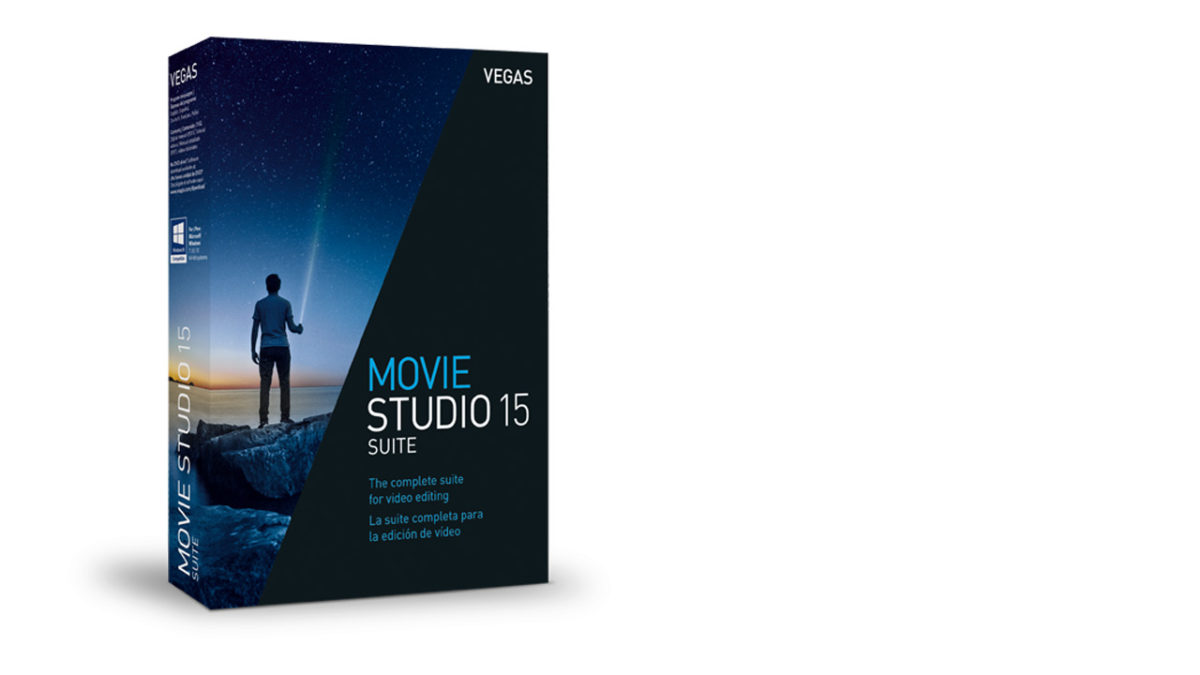
Vegas 15: A seriously creative editing environment

When German software developer Magix bought Vegas Creative Studios from Sony in 2016 many wondered whether it would mean the end of the long-running video editing program Sony Vegas. With the release of Vegas Movie Studio 14, their first release of the program since the acquisition, Magix put many people’s doubts were put to bed.

Our review of Vegas 14 found that no pro features of note had been cut from the software and Magix had used their consumer-software centric experience to create a much more user-friendly UI than Sony had ever served up (read the full review of Vegas 14 here). With Vegas Movie Studio 15 now on shelves, we thought we’d see if Magix could push on from their early success with the series.

Vegas 15 is here

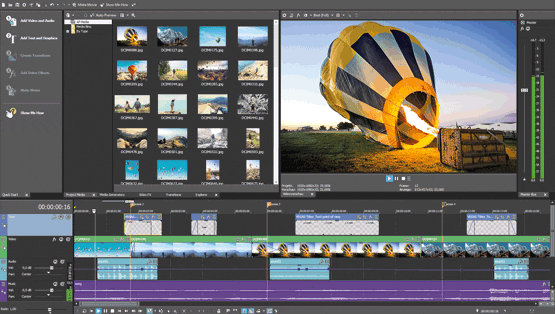
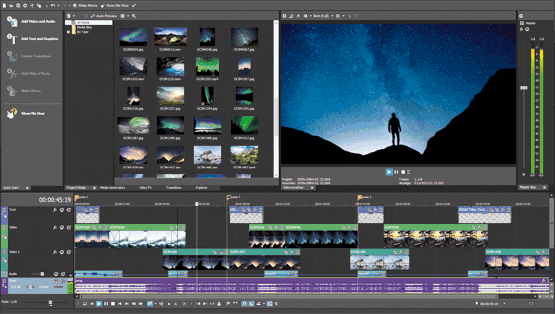
Regarding features available, Vegas Movie Studio 15 marks a significant update over the previous version. As well as tools like transition effects, music maker software, and the other features that rolled out with Vegas 14, the new version from Magix includes:

  •         4k video editing.
  •         Advanced multi-cam workflow.
  •         A Quick Start window that will map and layout your editing process clearly and concisely.
  •         Lightning fast rendering for quicker sharing to social media.
  •         Customizable workspaces you can tailor to your needs.
  •         Many more tools to help you Create. Simply.
Vegas 15 Get it now
10
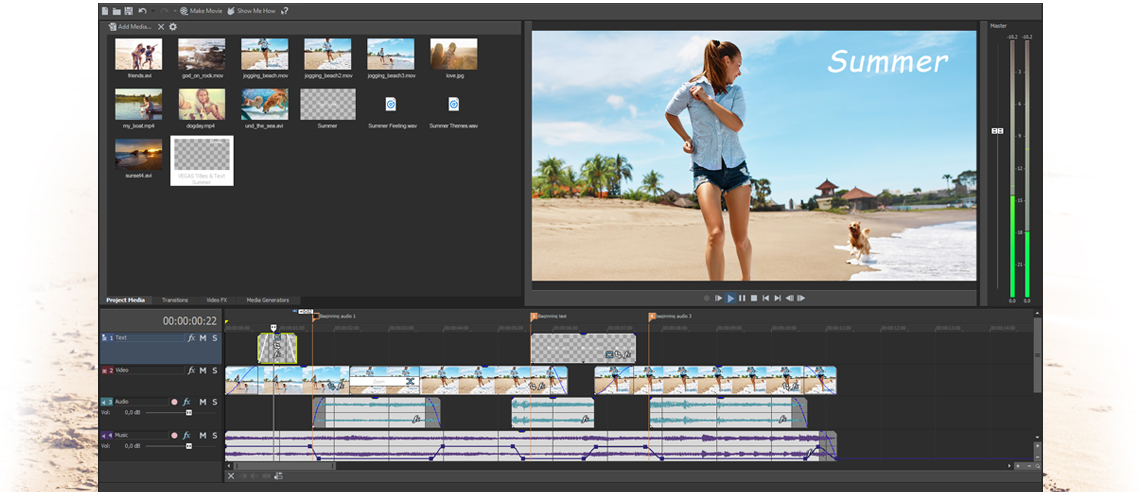
VEGAS Movie Studio makes creating your masterpieces simple. Combine videos, still images, audio, graphics, and text. Add professional special effects and transitions to make it all look great.

Some of these new features were reserved for the more expensive premium versions of Vegas 14, but Vegas Movie Studio 15 offers these premium features by default. Another thing that we noticed is that the user interface has been tweaked again to offer an even easier bedding in period for those new to video editing.

Video editing is not an easy thing to do, but Magix is pulling out all the stops here to try and lure in new enthusiasts. Many of the features included in Vegas Movie Studio 15 come from Vegas Pro, which is Magix’s industry standard version of the video editing suite. As Movie Studio has a much more straightforward interface, but still contains the same technology that more advanced version has, Magix are hoping people will be able to graduate to the more advanced video editing techniques that the pro level software can facilitate. Having only had access to Movie Studio 15 for a few days, we can’t comment on how we think this will pan out.

The reason for Magix’s optimism, however, lies in the intuitive tutorials and Jumpstart templates that ship with Vegas Movie Studio 15. It is easier than ever to create something that looks good, and you can feel proud of. With a few well-made movies under your belt, Magix hopes you’ll be wanting more, and looking to create even more impressive videos.

We haven’t had enough time to push the limits of Vegas Movie Studio 15, but we have been impressed with what we have seen so far. The added features list alone makes Vegas a value for money upgrade on Vegas 14, and if you’re new to video editing, it offers a painless introduction to a hobby that can appear taxing to the outsider. Whether you’re a seasoned video editor or you’d like to turn video clips you’ve recorded on your phone into something special Vegas Movie Studio 15 has something to offer you.

Vegas 15 Get it now
10
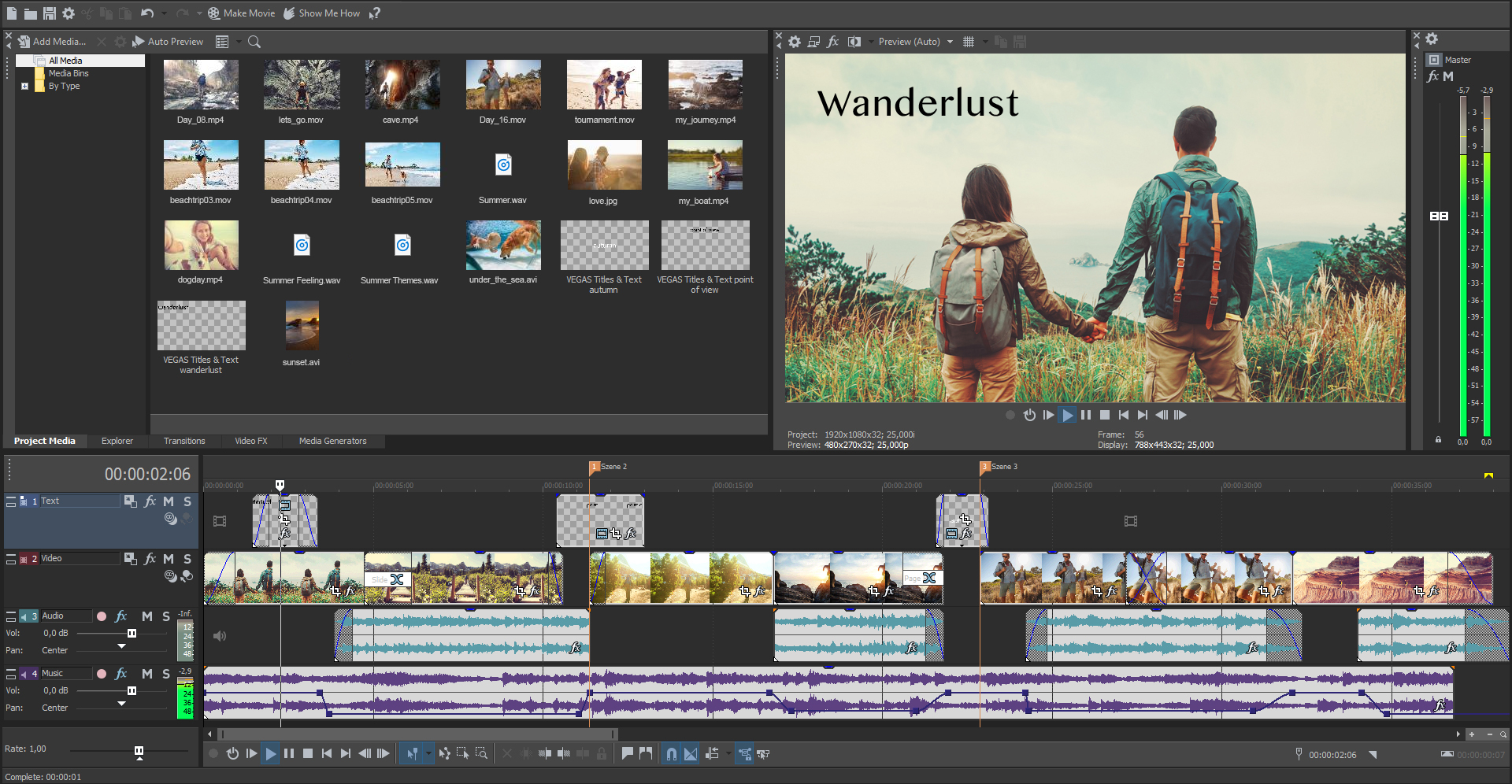
The new user interface presents all of the tools and the workflow in VEGAS Movie Studio 15 in a logical, easy-to-understand, modern fashion. You can easily reach all of the tools you need, and once you get to them, you can get right to work with their intuitive operation.


Sony Vegas is now Vegas

Sony Vegas Movie studio has long been synonymous with powerful video editing software used by professional moviemakers and hobbyists alike. Recently, however, along with most of Sony’s other creative programs, Vegas was acquired by German developer Magix software. With the release of Vegas Movie Studio 14, Magix made it clear that they were going to stick with the development of one of the longest running consumer video suites on the market. Let us have a look then at what other changes Magix are bringing to Vegas beyond the branded name change.

Not just a name change

Video editing is a very technical task that requires much more than cutting and pasting a few video clips together. This is fine if you’ve been doing it for years but if you’re new to it, as a lot of people are, video editing programs can be a little daunting. This is particularly true of Vegas, which began its development before there were other consumer offerings on the market and so is based on professional video editing suites.

These days, however, video recording devices are absolutely everywhere, from the phones in our pockets to our drones in the sky, and more and more people are taking up video editing as a serious hobby, which means the programs they’ll use have to reflect their novice skill set. If this is to be done without sacrificing functionality, it means effective tutorials that show new users how to get the most out of their footage. Vegas 14, does an excellent job of this.

Whether you’re a first-time video editor or an industry hardened pro, Vegas 14 can help you create epic videos in mere minutes using its in-built Show me how tutorials. If you’re new to video editing, you won’t find a better guide to ease you into it than the series of tutorials you get with Vegas 14.

Vegas 14 bills itself as more than just a video editing tool, but rather a creative partner that’ll help you turn your photos and videos into memories that will last a lifetime. It is easy to use and offers a plethora of tools including titles and text, transition effects, and audio editing instruments. Key features of Vegas 14 include:

  •         Easy video editing
  •         Improved, user-friendly interface
  •         Video and sound effects
  •         Support for High DPI monitors
  •         Direct sharing to Vimeo, YouTube, and Facebook
  •         Music Maker software

All in all, Vegas 14’s new features put it on a par with the other industry-leading video editing programs out there. These features haven’t really broken any new ground, but they have affirmed Magix’s commitment to keep Vegas playing with the big boys.

On top of Vegas 14’s new features, Magix has introduced a much cleaner and more modern interface. This offers first-time users a much less daunting prospect when they first log in to Vegas. The Vegas interface might not be as intuitive as some of the programs out there labeled as “consumer friendly” or “easy to use” but there has been a marked improvement over what Sony offered when it comes to UI.

Although Vegas 14 isn’t the perfect video editing suite with a clunky UI, a lack of groundbreaking new features, and a whole host of features like Multicam support being reserved for the more expensive Platinum and Suite versions, it has a lot to offer the pro and amateur video editor. In fact, it seems as if Magix really know what they’re doing here and have already brought some tangible benefits to the Vegas series since they acquired it from Sony. We’re really looking forward to seeing what else they’ll be able to bring to Vegas Movie Studio in future versions of the long-running video-editing program.

Act now to redeem an exclusive free gift for all Softonic users

At Softonic, we know that we are nothing without you, our users. To say thank you for thinking of us when you need to download apps and programs for your smartphones, tablets, laptops, and desktop PCs, we’re giving all Softonic users six months access to all the premium features of the professional video editing suite Vegas 14. Vegas Movie Studio 14 normally sells for $99.


Keep your PC up to date with Ashampoo Driver Updater

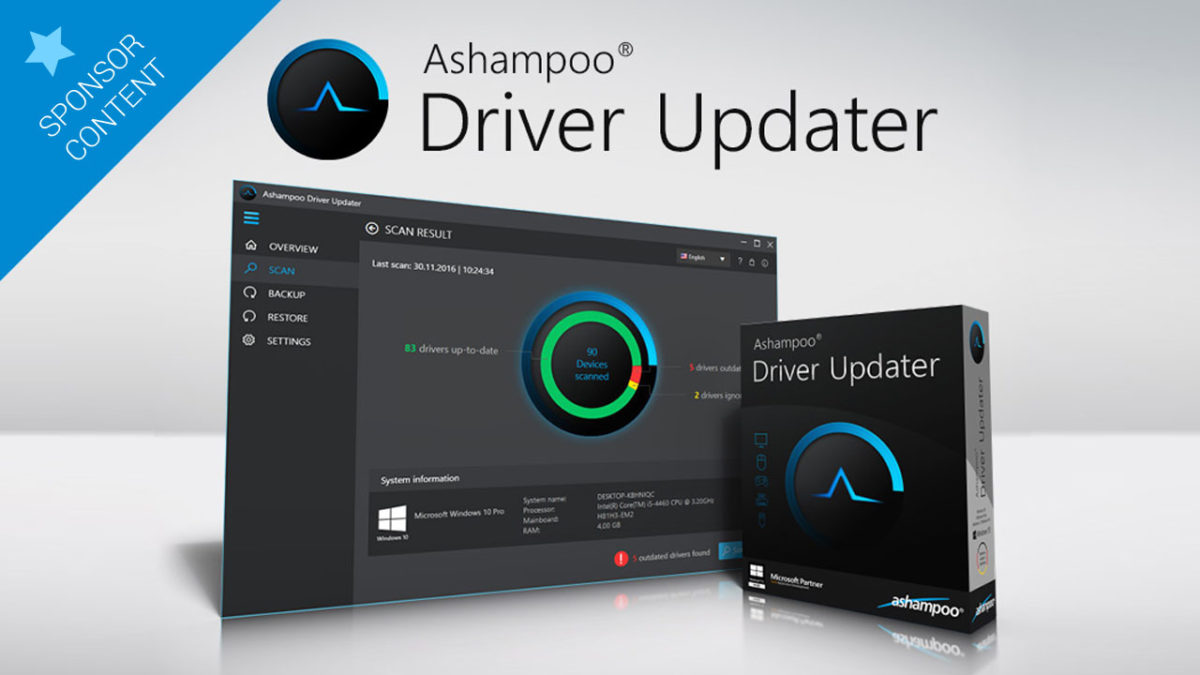
Drivers are absolutely essential for our PCs to run smoothly, and to prevent any program or peripherals from becoming obsolete or having a potential security hole. Relying on components updating themselves isn’t always a good idea… Leave that job to an expert like Ashampoo Driver Updater.

Ashampoo Driver Updater ensures that you’ll always have an up-to-date PC with its database of 400,000 controllers for more than 150,000 devices. This database is constantly updated so that you don’t have to worry about anything.

computer-1185626_960_720

Among other problems, Ashampoo Driver Updater solves all of those inconveniences frequently caused by sound cards, routers, or printers, all of which tend to develop configuration issues. How many times have you had to print a last-minute document, and your printer decided not to work? This will no longer happen thanks to this program.

Furthermore, Ashampoo Driver Updater also thinks about gamers, taking complete control over your PC when it comes to installing essential drivers for your favorite games.

How does Ashampoo Driver Updater works?

Ashampoo Driver Updater’s functioning is so simple you don’t even need computer knowledge in order to use it. Just install the program, set it up in a step-by-step process, and let it do the rest.

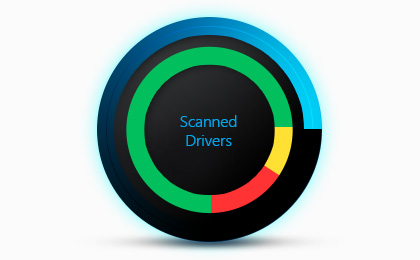
Once Ashampoo Driver Updater has been activated in your PC, it will be continually at work, searching for the latest drivers. It will focus on detecting your components, looking for their latest drivers, and installing them on your PC all by itself—you’ll hardly notice it.

adu_scan_result

Of course, if you want a bit more control, you can intervene so that the program asks you before taking any action.

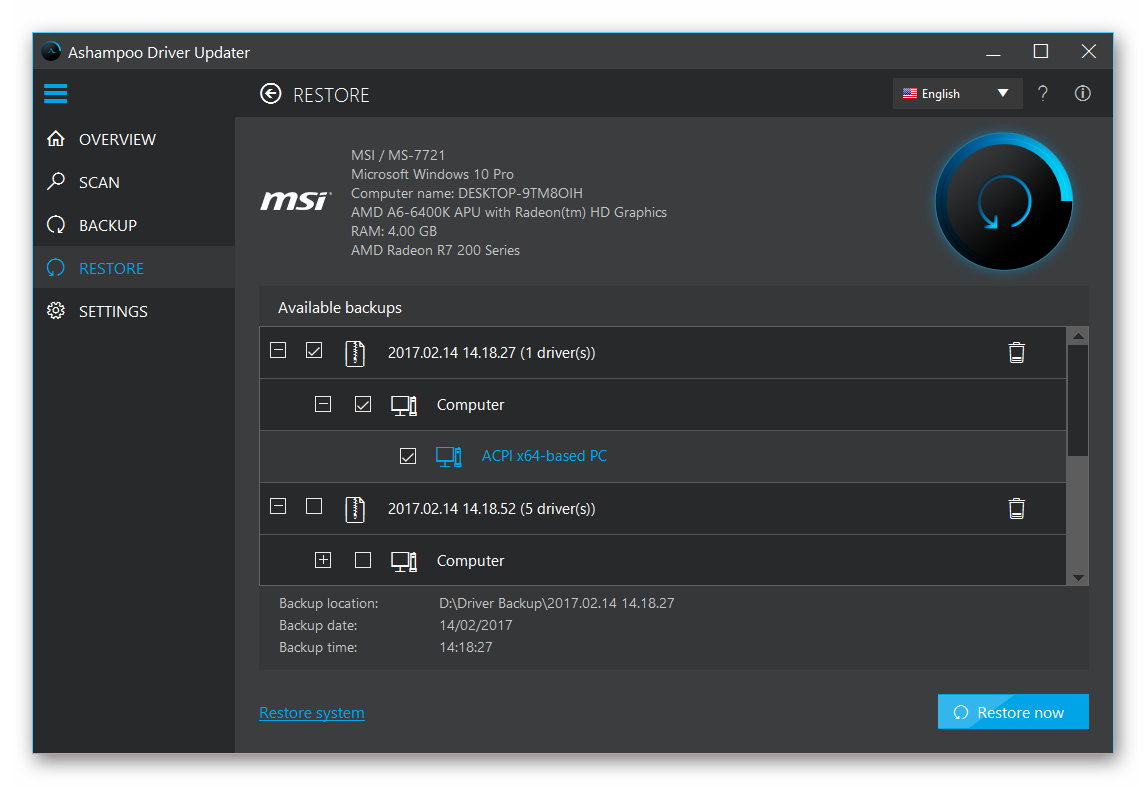
Sometimes, an updated driver performs worse than the one you previously had. In such rare cases, there’s nothing to be afraid of, since Ashampoo Driver Updater saves the entire history of all device controllers so that you can always go back to a previous version, if necessary.

scr_ashampoo_driver_updater_restore

In all cases, Ashampoo Driver Updater will adapt to your needs through a neat, well-maintained interface that barely uses your system resources, no matter what Windows version you have—it’s compatible with Win7, Win8, Win8.1, and Win10.

Benefits of being up to date

Having a PC with updated drivers is a basic requirement for all of their components to perform well, but it’s not only that. In addition, it will make everything run much faster, and prevent all those screen crashes and error windows from popping up so often and so irrelevantly on any Windows’ version.

adu-scan

Ashampoo Driver Updater is useful on all Windows versions, but it should be emphasized how particularly vital it is on Windows 10. Although this is a great operating system, if you have recently moved from an older Win version, some basic components will have ceased to be functional, or won’t perform at their peak capacity. Driver Updater will scan your system and detect all the drivers your hardware needs in order to run as smoothly as it used to.

adu_success

Ashampoo’s quality seal

For many years, Ashampoo Driver Updater’s creators have been providing us with excellent security tools, as well as with the already legendary Burning Studio. Therefore, this program’s quality is more than guaranteed.

Do you want a PC that’s always up to date and at peak performance? Don’t wait any longer and try Ashampoo Driver Updater.

download-ashampoo-driver-updater

15 future technologies that will change the way we live

Here is our countdown of 15 cutting-edge technologies that will change the way you live — sooner than you think.

We already know how fast technology is evolving every day with the intention of making peoples’ lives more convenient. Some of them so are powerful that they almost seem like something out of a sci-fi movie, but they are, in fact, already here.  Here is our countdown of 15 cutting-edge technologies that will change the way you live — sooner than you think.

15. Augmented Reality: In simple words, AR is a technology that superimposes a computer-generated image on the user’s view of the real world. This technology works like a personal dynamic GPS system. Its most famous application so far has been Pokémon Go.

ar

Pokémon GO Download Free
7

14. 3D Gaming: After wearing a pair of special 3D gaming glasses, the gamer will get a three-dimensional feel of 2D objects. Today’s computers support 3D gaming by virtue of their polarized filter type screens. Say goodbye to traditional gaming and hello to something stunningly real.

gamingx

13. Social Television: Social television is the fusion of television and social media. By virtue of this technology, people can share and comment on different TV events simply by using connected social media channels.

oled12. OLED Displays: Organic Light Emitting Diode (OLED) is superior because it can work without a backlight and much thinner & lighter than a normal LED screen. Due to these properties, OLED displays can be bent to accommodate the user’s preferences.


wireless

11. Wireless Display Technology: HDMI will soon be a thing of past due to the inception of the Wireless HD line. This technology can transmit HD video and audio from a media center to television screen that eliminates the hassle of cables for sending signals to the receiver.

wireless2

10. Deep Data Mining: This is a very comprehensive data collection strategy that uses pattern analysis and behavior prediction. It has many applications; for instance, this technology can reveal the psychological profile of an individual just by tracking his/her search pattern over the internet.

datamining

9. Snake Robots: Nuclear plants, gas pipes or other places where physical inspection is impossible…snake robots can do it for you! These robots can wriggle into pipes, valves and ‘impossible to reach places’ and do the inspection for you.

snakes

8. Bitcoin: This innovative payment network (and a new type of money) uses P2P technology without the involvement of banks. It’s an open source worldwide payment system with extremely low processing fees and faster transactions.

coin

7. Atmospheric Energy: Scientists have made progress to innovate electricity by using atmospheric energy which is completely renewable. This energy source is more efficient and powerful than wind, solar and biofuel. More good news is this energy is always present in the air and clouds around us.

atmos

6. Solar Fuel: The technology can directly convert solar energy into a synthetic chemical fuel just by using sunlight, carbon dioxide and non-potable water. During the process, several photochemical, thermo-chemical and electrochemical reactions are involved.

5. Dual-Action Antibodies: This is a very promising way to cure nearly untreatable diseases like cancer and STDs. Dual action antibodies can work at the cellular level and they are cost-effective as well.

nano

4. Nanotechnology: This branch of technology deals with particles that are less than 100 nanometers in dimension. Scientists firmly believe that this technology will revolutionize computing in terms of size and at the same time can serve as an artificial immune system inside the human body.

neural

3. Neural Interface: What would you think if someone told you that your brain will be directly connected to the internet? Well, this is no longer a fantasy. Neural interface technology captures the entire wave mapping of the brain and controls remote robotics through neural impulses.

stem

2. Engineered Stem Cells: Engineered stem cells can deliver antibodies more effectively and that effect is long lasting. These cells are engineered to cure any kind of infirmity with quick results.

teleport1. Quantum Teleportation: You must have seen in sci-fi movies that objects and humans get transferred from one place to another in the blink of an eye. Incredibly, this is now a reality…kind of. Quantum teleportation uses the link that remains between particles even when they are spaced apart. Hence, the speed of communication will soon see a revolution.