Coronavirus: Do you have to stay at home? These online resources will help you with remote working or spending time at home

Tricks, apps, and help to make this period at home more enjoyable for you, whether at work, at school or in your leisure time.

In recent weeks, COVID-19 or the novel Coronavirus has been gradually spreading throughout the world. While you shouldn’t panic, you should follow all the recommendations of official agencies, such as the WHO or your country’s government.

Even if you aren’t sick, you may have been advised to stay home for reasons of prevention. And this may mean you have to do some remote work, which, if you aren’t used to it, isn’t always easy. To help you out, we’ve put together several articles with tips for working remotely, along with some apps (mostly free) to make it easier for you to do your job effectively.

Are you a student and your classes have been canceled or you can’t physically go to school? Then go to the next section, where we have compiled resources to help ensure that these weeks when you won’t be attending classes are not wasted.

Also, at the end of this piece, you’ll find resources to help you make sure that those all those hours spent at home aren’t as boring: we’ve got free games, resources on where to watch movies for free, and even where to download ebooks for free. Countless hours of entertainment!

Resources and tips for remote working

Have you already started working remotely? Take a look at all these articles.

Resources for students

Take advantage of these class-free weeks to advance in your school work, so the return won’t be so rough.

Fun in the face of forced confinement

If you’re avoiding going out because of the Coronavirus outbreak, you may spend many hours a day bored, due to home confinement. Distract your mind with all these free resources: games, books, movies and more.

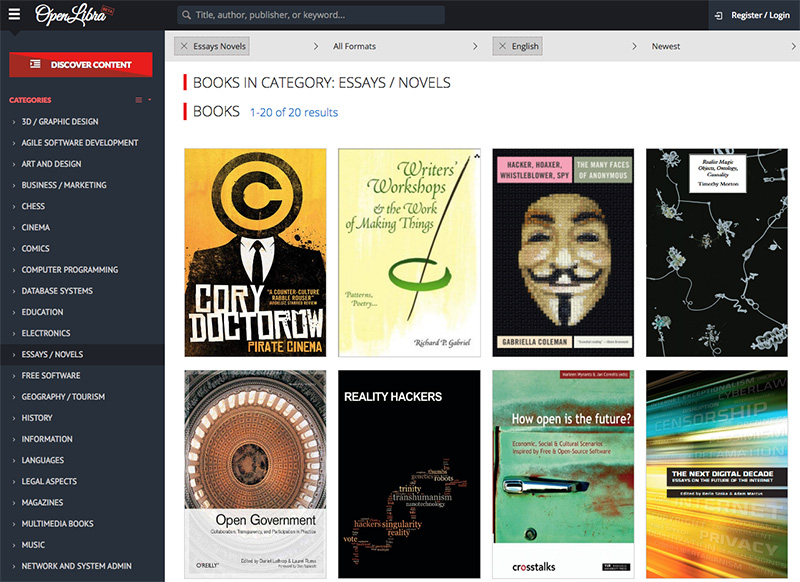
Games

Streaming

Reading


Disney+ arrives in a month: save money with its welcome promotion

On March 24, Disney+, the eagerly awaited film and series streaming service that includes all audiovisual content from Disney, Pixar, Marvel, Star Wars and National Geographic, will arrive in the United Kingdom, Germany, Italy, France, Austria, Spain, and Switzerland. To celebrate the countdown they have launched a very powerful promotion: a whole year of Disney+ for only 59.99 euros/£49.99.

-15%
Enjoy a year of Disney+

From: Disney+

59.99€/£49.99 69.99€/£59.99

This offer can be taken advantage of from now until March 23rd, the day before the launch of Disney+ in those countries. For 59.99 euros/£49.99 we will be able to enjoy 365 days of service, paying 10 euros/£10 less than the official price from then on, 69.99 euros/£59.99 (or 6.99 euros/£5.99 per month if you opt for a monthly subscription).

To start with, Disney+ will include 25 original products, including the already famous The Mandalorian, High School Musical: The
Series or new episodes of Star Wars: The Clone Wars. Many of these series and movies will be in 4K Ultra HD resolution and HDR.

This subscription entitles you to play content on up to four devices at once (PCs, mobiles, consoles, SmartTV, etc), with unlimited downloads on up to ten devices, customized recommendations and the ability to configure up to seven different user profiles.

The 11 best Roblox games based on your favorite characters

The 11 best Roblox games based on your favorite characters

Disclosure: Our team is always looking for things we think our readers will value. We can receive compensation for publishing this article.

Roblox is the video gaming platform to rule all video games platforms. It is like Minecraft without limits, allowing us to create games of any genre or style. Furthermore, if we don’t fancy making games, we can simply play any of the thousands of single-player and multiplayer online games other users have created. The most popular games are the ones related to famous people or franchises (Pokémon, Dragon Ball, Marvel characters, Barbie, Slenderman, Jailbreak and so on), and today we’re bringing you a selection of the best.

All games on this list belong to very popular franchises that your 7-year-old self loved and others that are loved by 18-year-olds and above.

Remember that you can play ROBLOX, free, by clicking this link.

11 Roblox games based on successful franchises

1. Dragon Ball Rage

Dragon Ball

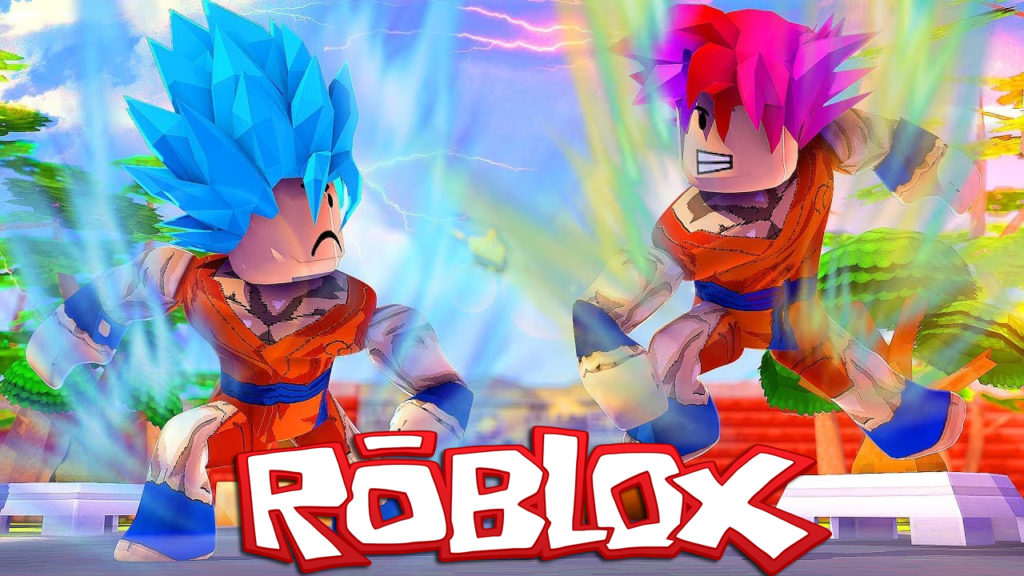
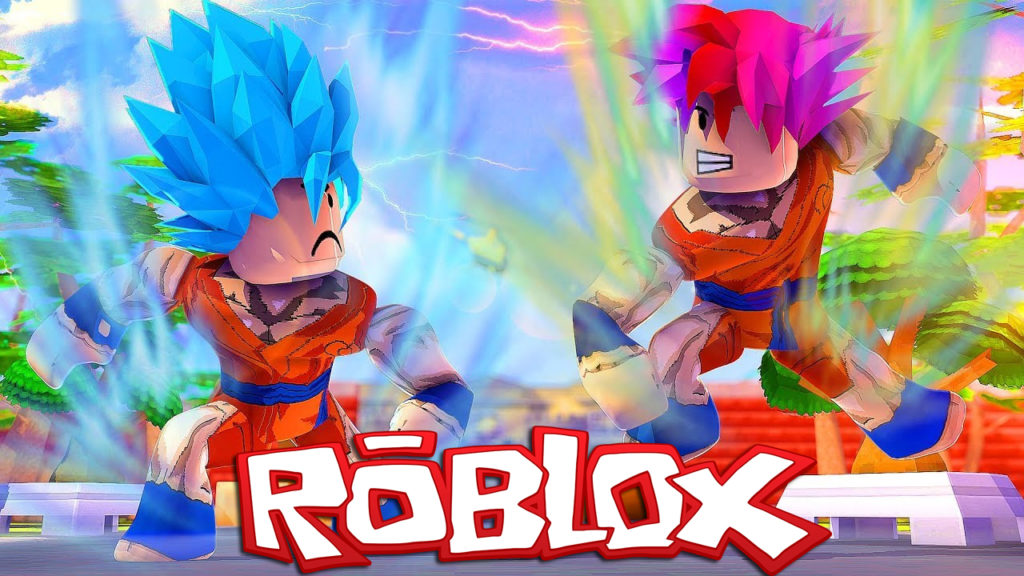
Of course, you can find Goku and company in the Roblox world. Although there are many DBZ games, we recommend this game for its successful combat system and the fact that, despite the graphics limitations that Roblox has, it still makes the characters resemble Akira Toriyama’s creations. The graphics are good enough for you to guess the famous characters. Check out the screenshots to see what we’re talking about. This is not for noobs.

Download Dragon Ball Rage for free

2. NSUNS4: Revamped – Naruto

NSUN4

In Roblox, there are lots of great games that chronicle the adventures of this ninja panda. In NSUNS4: Revamped you choose between its most famous characters (Naruto, Sasuke, Sakura, Rock Lee, etc.) and then move around an open world based on the stories of Masashi Kishimoto. You’ll also have to fight against other players, or maybe make alliances.

Download NSUNS4: Revamped for free

If NSUN4 doesn’t convince you, we have found an alternative that is not bad: Shinobi Life.

3. Pokémon Brick Bronze

Pokémon is one of the sagas that has the most games in Roblox. The one we recommend today is an adventure title in which you leave your hometown and go in search of little creatures that you can capture, train, and then fight. Exactly, as in the original PKMN but with ROBLOX graphics.

Check out the Pokémon Brick Bronze group for more information
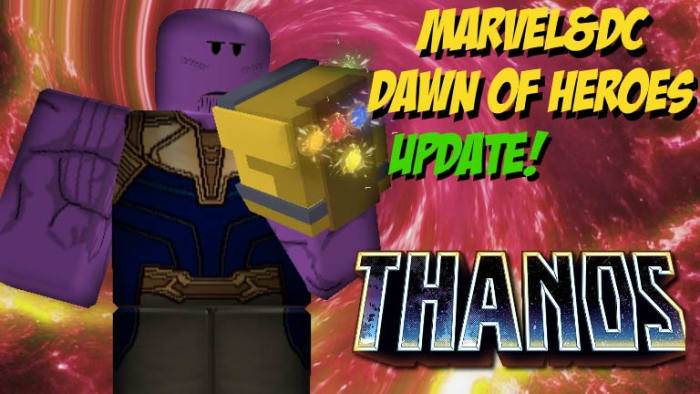
4. Marvel & DC: Dawn of Heroes

Marvel and DC in one game

Do you prefer The Avengers or the Justice League? It doesn’t matter which superheroes are your favorites, because in Roblox all superheroes are represented. In this dreamy crossover, you’ll choose your favorite character (there are already several DC and Marvel heroes and villains and off you go on your adventures). Another bonus is that this is not a versus game, so even if you choose Spiderman you can still team up with Superman and end up fighting Ironman … anything goes in the Roblox world! This game is excellent for any comic book fan who doesn’t have a zero-tolerance policy for one or the other DC or Marvel.

Click Here for a free download of Marvel & DC: Dawn of Heroes
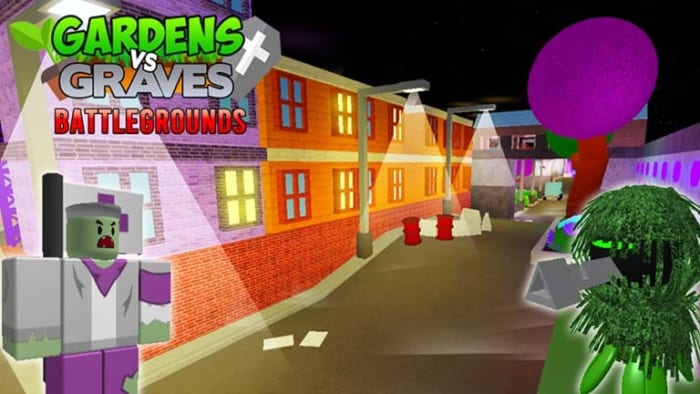
5. Gardens and Gravez: Battlegrounds

Gardens and Graves

The famous tower-defending saga Plants vs Zombies has its very own ingeniously named Roblox equivalent. This is a fun game in which you can choose equipment (plants or zombies) and then face your friends. Full of objects and powers, this fun family-friendly game will stop you from missing the original.

Download  Plants vs Zombies: Battlegrounds free
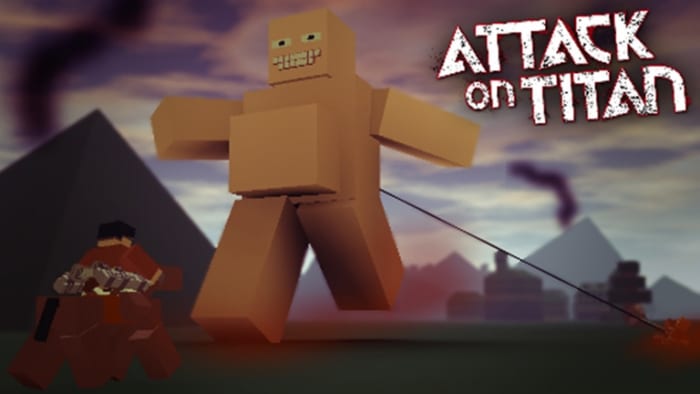
6. Attack on Titan

Attack on Titan Roblox

In the Roblox version of Attack on Titan, you can play as one of the protagonists of the anime series and confront the fierce titans. Do not be fooled by how this game looks, however, which is less aggressive than the original: the ROBLOX titans are as dangerous and deadly as the originals and will pack the kind of damage you’d expect from a colossus.

Download Attack on Titan for free

7. Stop it, Slender! 2

Slenderman, the most famous creepypasta monster ever, has a lot of different Roblox versions. In this one, you even get to control the Slenderman himself! Stop it, Slender! 2 is a sinister game where one of the players controls the bad guy while the others must find the famous newspaper pages before being caught.

Download Stop it, Slender! 2 for free
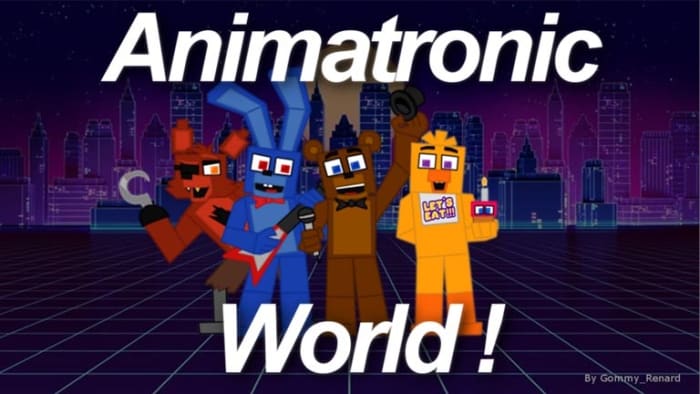
8. Animatronic World! (FNAF)

The Five Nights at Freddy’s franchise has many versions in the form of fan games and, of course, there is no lack of these in Roblox. Although the Roblox community has created many games based on the FNAF characters, we have chosen Animatronic World! It the most up to date and has the most active players. Choose your favorite animatronic character and travel the world in search of party, fun, and frights.

Download Animatronic World! for free

9. One Piece Golden Age

one piece golden age

Fans of Luffy and company also have a reason to play Roblox, thanks to this fighting game full of characters from the manga series. The game has several islands to explore and live adventures.

Download One Piece Golden Age for free

10. My Little Pony 3D: Roleplay is Magic

My Little Pony Roblox

If you were ever a child, chances are you’ll have heard of My Little Pony. If you hate it, go to the next game, but if you if you’re feeling nostalgic, you’ll have a great time with this Roblox game. After selecting a pony from the dozens of personalization options, you can enjoy an open-world game where these cute little animals roam the village. They socialize and, why not, they’re also naughty and mischievous.

Download My Little Pony 3D: Roleplay is Magic

11. Barbie – Life In The Dreamhouse

Barbie Life in the Dreamhouse

Let’s finish our selection with a game only fit for those brave enough … to brave Barbie mansion! If you always wanted to know how it feels to live in the house of the most famous blonde in the world (Madonna is a close second!) this Roblox game is what you’re after.

Download Barbie – Life in the Dreamhouse for free

Can you recommend more Roblox games? Let us know in the comments!

3 hidden features on WhatsApp

Check out these tips to become a pro at using WhatsApp!

WhatsApp

WhatsApp has so many features that sometimes, useful ones go unnoticed. Today, we’re looking at three great options that you might not have known about.

WhatsApp Messenger Download Now ►
8

3 hidden features on WhatsApp

1. Send higher quality photos

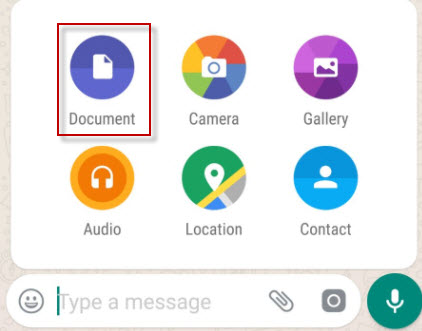
Normally we send photos through the “Gallery” option, but that compresses them so that they occupy less space. If you want to send photos in maximum quality,  send them through Document.

Documents

2. Pin chats

Chats in WhatsApp are sorted by last received message, but there is a way to set a chat so that it always appears among the first ones.

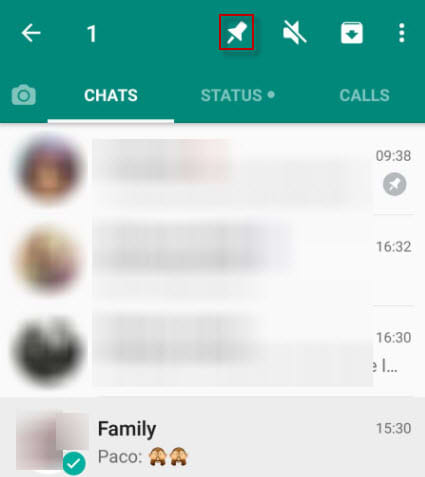
To pin a chat, go to the main WhatsApp window and keep your finger pressed on it. Then tap on the thumbtack to pin it. Want to unpin one? Repeat the process. You can pin up to three chats at a time.

Pin chats

3. Mark messages as favorites

Quite often, friends send us funny messages or useful information that we’d like to look up whenenever we want to see it. You can save them in a separate notebook or, better yet, favorite them. 

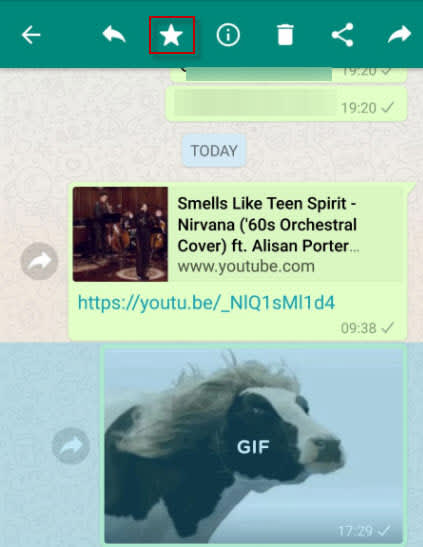
To do this, touch the message you want to highlight then touch the star icon.

Favorite messages are saved in the corresponding chat under the general information of the group. Search for “Featured Messages” and you’ll find them there.

whatsapp cowWrapping up

We hope that at least one of these tips changed how you will use WhatsApp. With the ever-increasing popularity of WhatsApp, we hope that there will be more cool hidden features to talk about in the feature.

Instagram will launch its own shopping app

Instagram is preparing a standalone app to encourage you to buy stuff. Here’s what we know.

Instagram is preparing a standalone app to encourage you to buy stuff. According to the sources, this application will be called  IG Shopping.” It’s no surprise this is happening. The social network is huge promotion tool for online stores.

Right now, online stores are working overtime to get their products in posts or stories. Creating an app specializing in this will be a good way to separate the feeds: Instagram will continue to be an app to share our photos or videos. If we want to go further and buy, we can do it in a dedicated app.

Everything indicates that IG Shopping will adopt all the purchase options that Instagram already has, such as buying products directly through posts with a few clicks.

Instagram

Will the Instagram strategy work? Competition from Amazon is fierce, but IG has a big advantage: 80% of Instagram users follow a business or brand, so they assume many of them will be interested in buying products within the app.

WhatsApp copies Telegram: restricted groups are now here

WhatsApp groups now have a new feature: administrators have the power to decide if other members can write messages or not.

WhatsApp Messenger Download WhatsApp
8

Although at first this feature seems a bit like censorship, it’s best to look at it another way: with this option, WhatsApp closes in on one of its rivals, Telegram, which has groups that you simply join to receive information, nothing more.

8

For example, this option is very useful for creating WhatsApp channels to send news, offers or any other information to group members. Also, restricting comments avoids spam and the disclosure of private data.

Although in restricted groups, normal members can’t write messages, there’s an option to get in touch with the administrators privately.

At first, this option will only be available for the iOS and Android versions of the app. To check if you have it activated, just go to the group where you’re an administrator, enter the group options and look for the option “Group settings” or something similar. Once here, you can adjust the settings for “Sending messages.” You can select who can send messages: just admins or all chat participants.


You can now control what Google knows about you

Google knows a lot about you. So much, in fact, that it can show you personalized ads. Starting now, you can carefully control what Google shows you in ads by removing categories that it has “assigned” you.

This Google option, which can be found at this link, lets you see the profile that the company has on you, based on your online behavior and any data that you’ve given out: age, sex, and tastes. Think a category doesn’t represent you? (According to Google, I’m a man.) Or simply don’t want to be shown ads from certain categories? Just click on that category and then “Disable.”

In addition to this option, Google now gives you more info about why you see certain ads for its products, such as YouTube. If you click on “Why am I seeing this ad” within an ad, it will explain in detail why it’s being shown to you (because of your tastes, where you live, etc.).

Of course, these new options don’t mean that Google will stop having info about you, but at least now you can call the shots by controlling the profile Google keeps on you.

This option reminds us of Facebook, which a while back included a section with all the info it was storing on you. In the article “How to find out what Facebook knows about you,” we explain this in detail.

What do you think about Google storing so much info on us?


Error 404, etc: what the most common errors mean on Chrome, Firefox and other web browsers

Image via: Pexels

Error 404, error 401, error 500… Sound familiar? If you regularly browse online, you may have encountered them, since they are the most common errors that appear on Chrome, Firefox, Opera, and other web browsers. To help you out, we’ve made a list of the top errors and explained what they mean.

7

Before we get started, what’s an HTTP error?

HTTP errors occur when you want to go to a web address and the browser isn’t able to access it, which can happen for different reasons.

The most common types of errors start with the numbers 4 and 5. Although there are error codes that start with 1, 2 and 3, you’re unlikely to encounter them when browsing.

These error numbers are usually followed by a short explanation, but they don’t give you much information. So, we’ll give you the full scoop on each of them below.

What the most common HTTP errors mean

Error HTTP 404 (Not Found)

This error means that the page you want to access doesn’t exist at the moment. This may be because you incorrectly entered the web address or because the page owners deleted it. It’s possible that a page showing a 404 error won’t have one later on, which means it’s come back online.

Error HTTP 403 (Forbidden)

This error shows up when you try to access a prohibited web page, i.e. one that isn’t accessible to the public. For example, a database, a backend code (that programmers work with) or a page exclusively for subscribers.

Error HTTP 401 (Unauthorized)

This one is like the 403 error, but it happens when there’s an authentication failure (for example, on the form to access editing of a website). No page should ever show this error, unless it’s for internal use only and isn’t public-facing (for example, a company’s intranet).

Error HTTP 400 (Bad Request)

This error appears when the page you’re trying to access isn’t able to make sense of your request. This usually happens because of a client error or a web address with an invalid format.

7

Error HTTP 500 (Internal Server Error)

This refers to an error with the internal server you’re trying to access. It could involve different issues related to that server, such as incorrect configuration or an overflow of requests.

Error HTTP 503 (Service Unavailable)

The server can’t respond to the browser’s request because of too much traffic or maintenance. This is usually fixed after a few minutes, especially in the second case.

Error HTTP 504 (Gateway Timeout)

This error means the wait time to return the web page has run out. This may be due to a server error (for example, it’s gone offline) or because the web page has a code that never finishes executing and produces a loop.

Error HTTP 509 (Bandwidth Limit Exceeded)

This error indicates that the web page you want to access has exceeded its bandwidth. This primarily happens on web pages with a cheap “hosting” service that doesn’t allow large volumes of traffic.

So there you have it! May all your webpages load flawlessly and may you never encounter these numbers. And if you do, feel free to refer back here so you know why you’re disappointed.


Facebook: Send us your nude photos to prevent revenge porn

Revenge porn is one of the big problems of the Internet today: an intimate photo you sent privately to your partner can, out of spite, end up in front of everybody on social media. Aware of how easy this is, Facebook has developed a system so users’ intimate photos can’t be uploaded to the social network. But it’s weird. Really weird.

To prevent an ex-lover from uploading your naked pictures, Facebook wants you to send them your naked pictures. You read that right.

If this interests you, get in touch with Facebook using a special form, now available in Australia, the United States, the United Kingdom and Canada. Next, Facebook will send you a one-time link for you to upload all those intimate photos that you want to prevent from being uploaded by other people to the social network. From each of these photos, an identifier will be extracted to prevent third parties from distributing your images: the moment they try, FB will block them on Facebook as well as on Messenger and Instagram. Also, you’ll be notified that somebody tried to do this.

Although the idea behind this method could work, the implementation is fairly odd. While Facebook promises that it doesn’t store the info of your photos and absolutely nobody will have access to them, the idea of handing them over requires a significant amount of trust, especially considering Facebook’s recent scandals surrounding the privacy of its users.

Would you trust Facebook to prevent revenge porn?

Source: Facebook Safety

Now you can search for jobs directly on Google

Google has done it again. By now, the only thing it can’t help you find is your lost car keys. In addition to turning up search results for movie showtimes, flights, and almost everything else you’d want to know, now you can check for job openings.

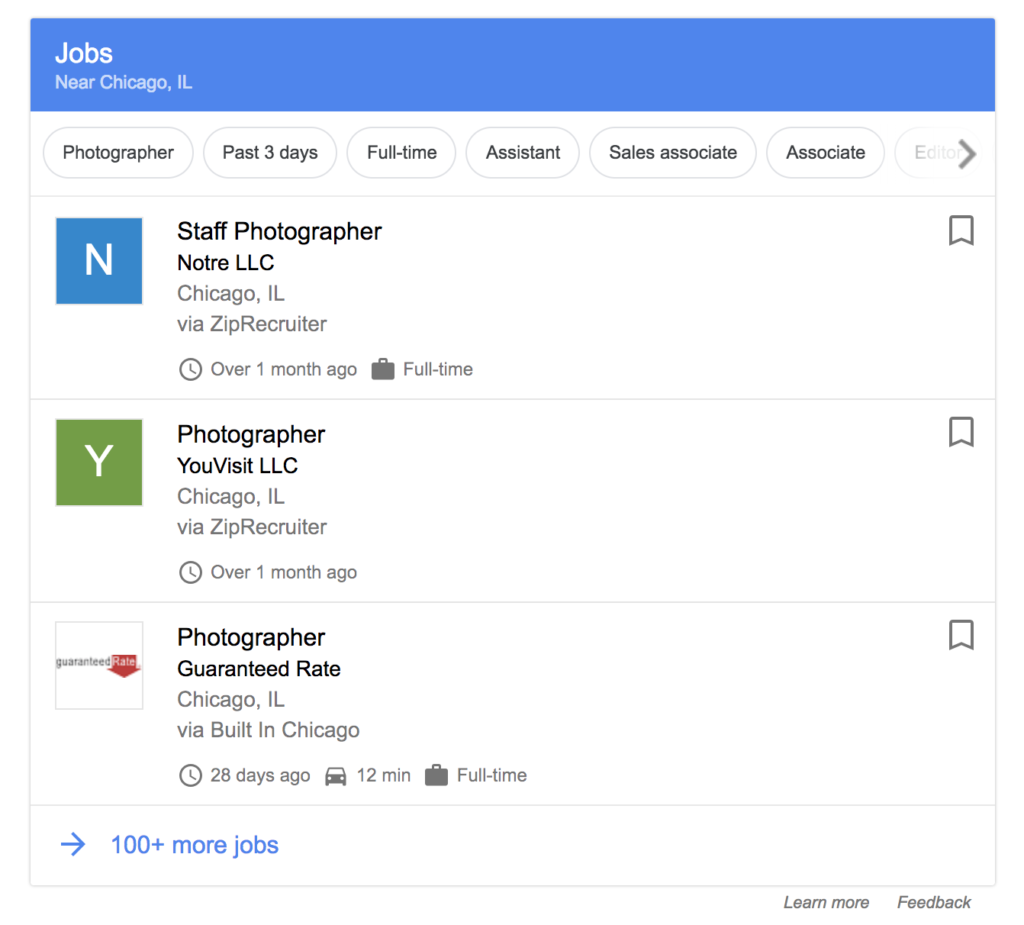
To job hunt on Google, just use words like “work” or “job” + the field or profession you’re interested in. This will give you related results in your location.

For example, I searched “photographer jobs” and Google showed me related job openings in the Chicago area:

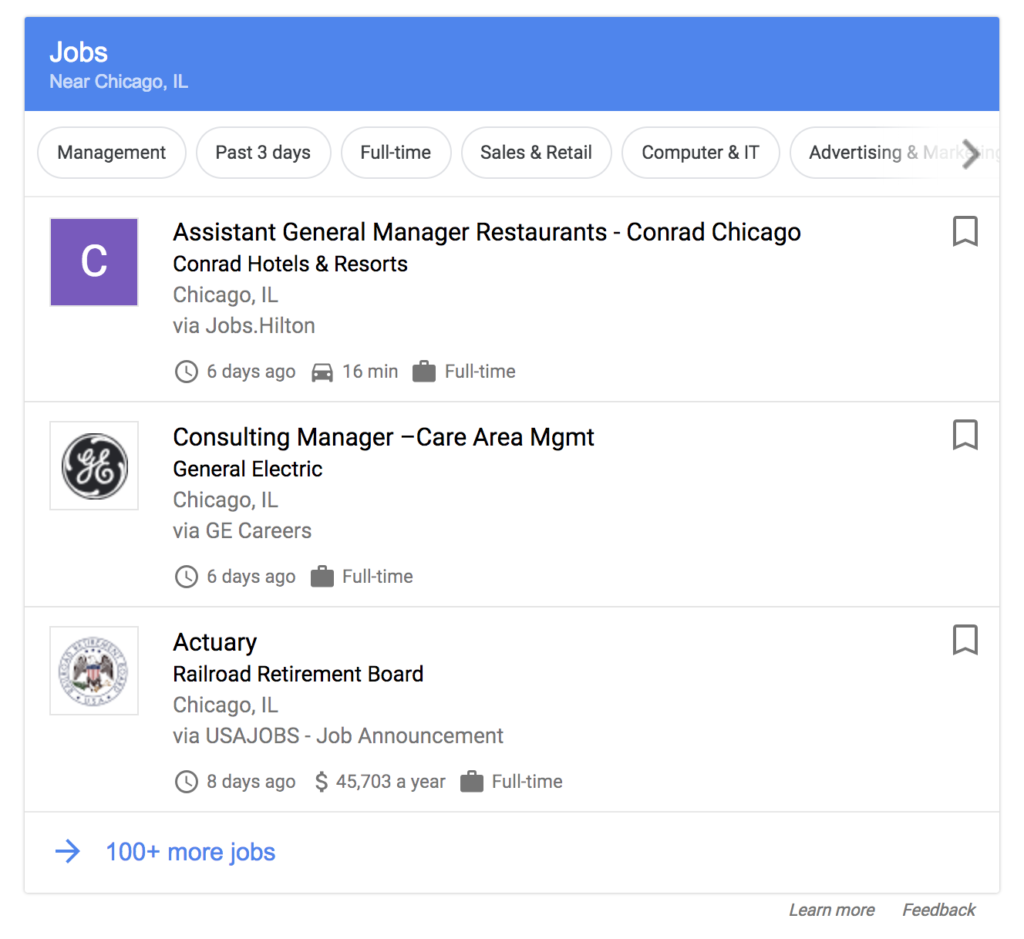
You can also do a generic search, like “jobs,” which will give you results of all kinds and filters to specify the sector and other info.

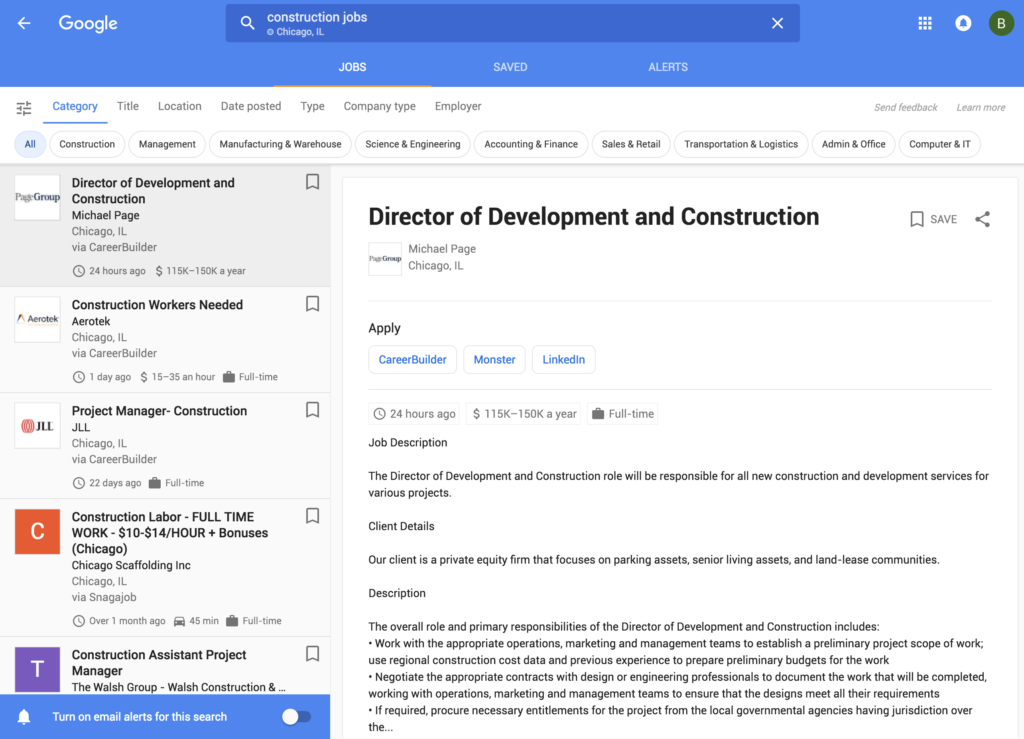
If we go to the detail page of any opening, we can read all the info, see other related openings and check openings with different filters.

We should note that Google’s solution doesn’t replace current job openings on platforms (such as Indeed, Glassdoor, and Linkedin), but rather aggregates all the info onto the same site, so you don’t have to go from page to page hunting for jobs.

This Google job search is similar to what Skyscanner does with flights or Trivago with hotels: it compiles different offerings from the most popular sites in the same place. So, to get more info on a job opening, Google will redirect you to the page where it’s posted.

What are your favorite online job hunting resources? Let us know with a comment below!