Only Murders in the Building, Star’s much-anticipated original series, is coming to Disney+ on Tuesday, August 31st. In it, Steve Martin, Martin Short and Selena Gomez play neighbors who find themselves wrapped up in a murder investigation, bringing the laughs as they hunt down a killer who lives in their apartment building on Manhattan’s Upper West Side.
Still not a Disney+ subscriber? Well, now is the perfect time to join the streaming platform so you never have to miss another premiere. For a limited time, you can take advantage of a special offer: by purchasing an annual Disney+ subscription, you’ll get two free months ofseries, movies, documentaries and exclusive content.
Only Murders in the Building is set in bustling New York City, where Charles (Steve Martin), Oliver (Martin Short) and Mabel (Selena Gomez) are residents of an Upper West Side apartment complex. Virtually strangers, the trio have barely exchanged a word since they’ve been neighbors. But they’ll soon bond over a shared obsession with true crime and unsolved mysteries.
After the bizarre death of resident Tim Kono, the nosy neighbors jump at the chance to pursue their hobby and investigate the lurid event on their own. They come to suspect that Kono’s death was no accident: clearly, there is a murderer on the loose in the building, whose residents once seemed so charming yet boring.
A podcast to solve a crime
The situation is a dream come true for Charles, Oliver and Mabel, who seize the opportunity to become amateur detectives. They’ll break into Kono’s apartment, scour the crime scene and investigate the residents of the building, their suspects, one by one. But to stay on the murderer’s trail, good detectives need to document their case, and this unlikely trio is no exception. However, instead of the usual means, they decide to record their findings by making their own peculiar yet hilarious podcast.
Everyone’s a suspect
As the investigation advances, the true-crime aficionados will discover that Kono’s murder is not just any crime. In fact, they will be slowly immersed in a mystery far greater than they had imagined, causing them to examine the complicated past of their apartment building. But that’s not all. Upon investigating their neighbors and uncovering their lies and bizarre behaviors, the list of suspects will only grow. But since the murderer is among them, watching their every move through the podcast, they’ll have to hurry up and solve the crime if they don’t want to become his or her next victim.
Created by the great Steve Martin, Only Murders in the Building is inarguably the most eagerly awaited new series on Disney+ this summer. It promises to strike a perfect balance between a comedy and a mystery, keeping viewers on the edge of their seats as the building residents’ secrets are exposed one by one.
Only Murders in the Building has a total of 10 episodes, and three will be dropped on Disney+ on the day of its premiere (August 31st). You won’t have to wait long to watch the rest of the series, because a new episode will be released every week. This is a show you don’t want to miss!
If you’ve found this article, you likely have a good idea of what a VPN is, what it does, and why you need one. However, just as a refresher, we’ll give a bare-bones rundown of a VPN service’s functions before discussing the ExpressVPN vs. Avast VPN matchup.
A VPN is essentially a handy tool online that masks your IP by encrypting your data and connecting you to an independent third-party server somewhere in the world before you connect to the site or network that you’re visiting. This way, wherever you are visiting is only able to see that independent server’s IP and information, not yours. This makes you untrackable to most sites and protects your personal, unique information from shady places and networks all over the internet.
In order to help make this research a little easier on your end, we’ll be comparing two excellent VPN services in various categories, ExpressVPN and Avast VPN, and determine our winner!
ExpressVPN is currently one of the biggest names in the VPN market space. Starting out back in 2009, it has spearheaded the massive growth of VPNs in the public interest with other huge names such as NordVPN.
Over the years, ExpressVPN has gained a massive reputation for its quality service, being deemed one of the fastest, secure, and most reliable VPN providers available. So much so, in fact, that it manages to get away with having one of the highest price tags of any VPN. Coming out to a nearly $100 annual price plan, ExpressVPN is definitely on the pricier side.
They aim to deliver a lot of bang for your buck, and you get massively high quality for your dollar. If you want premium, you’ve found it.
ExpressVPN connection
Everything about ExpressVPNputs ease of access and quality of the user experience first. Its software is well-designed, optimized, and simplistically beautiful on all platforms. It’s completely hassle-free to set up, as it has built-in support for most devices and functions that will allow you to use it in just about any way you want in a matter of minutes.
That, paired with 24/7 online live chat support, makes for a level of user accessibility and convenience that’s hard to match. If there’s one thing you want from a VPN other than speed (which ExpressVPNhas in excess), it’s a stress-free setup and use. If you’ve gone out of your way to protect your information with a good VPN service, do you really want to have to worry about fighting with the VPN just to get it to work?
The answer is no, of course not. No one would. If you’ve paid for quality, you expect quality. So you’ll be happy to know that ExpressVPN offers that accessibility in tandem with its incredible speeds, massive server count across plenty of different countries, unmatched reliability in connections, and absolute no-logging policy, as well as many other additional features.
Avast SecureLine VPN is a service created by the widely-trusted anti-malware developers of the same name. Due to its integration with Avast’s other services, this VPN has seen an explosion in popularity and has quickly become one of the most widely-used VPNs in the world.
Looking at their portfolio of products alone should make you feel at ease about trusting them to provide this service. And, luckily enough, their quality seems to hold up here, as they do genuinely offer a state-of-the-art VPN with plenty of useful features and excellent quality.
Avast VPN also finds itself somewhere in the midway between pricier premium VPNs and budget VPNs, making it an excellent choice for those who want a balance of affordability and high quality.
Avast SecureLine VPN user interface
While it may seem hard to live up to the quality that ExpressVPNhas on offer, Avast SecureLine VPN is currently one of the most popularly used VPNs on the market, and for a good reason.
Aside from just being so well-integrated with Avast’s other products, it’s also effortless to get started with and use. Within minutes of signing up for a license with Avast, you can be all set and browsing online with the indestructible layer of safety that Avast promises its users.
Don’t let that make you think that Avast VPNis merely a convenient choice. The service provides some downright impressive speeds, very stable connections (albeit not quite as many servers as most premium VPNs), airtight security, and plenty of additional features on its highly optimized software.
Avast SecureLine VPN has some serious quality on offer with its service, and at a reasonably affordable price at that.
Built-in accessibility features with Windows devices that already use Avast software, and a plethora of other valuable features that set it apart from other VPNs, Avast SecureLine VPN feels excellent to use on Windows and offers an excellent service at a reasonable price.
Best VPN for Mac
With excellent Mac-friendly software and the ability to customize your protocol and connection in order to get it working smoothly with your device, ExpressVPN excels when it comes to compatibility with Macbooks.
Best VPN for Android
ExpressVPN’s built-in mobile device support on its software, as well as its intensely high speeds, make it great and low impactful on any Android device. This will leave you able to browse freely from anywhere without so much as a stutter.
Best VPN for iOS
Much like with Android, ExpressVPN’s extensive compatibility with different devices makes it the king of the mobile criteria. Fast speeds, reliable connections, and a user-friendly software layout for iOS devices are too appealing to ignore.
Best VPN for Torrenting
ExpressVPN offers secure P2P protection on all of its available servers, the most efficient security for torrenting. Meanwhile, Avast VPN only provides this service on a handful of its servers.
Best Overall VPN
ExpressVPN simply offers too much to be able to compete with. Even despite its high price tag, ExpressVPN provides a service that is impossible to deny the quality of. Its speed, security, and reliability will simply be too much for some users to resist.
The Overall Winner
It’s ExpressVPN that takes the crown in this face-off. Despite Avast VPN’s incredible service and features, ExpressVPN simply outshines it in most categories, even if by just a small margin. That said, the one place where Avast SecureLine VPN wins in a landslide is in its pricing.
If you’re looking for a semi-budget option, Avast VPN can offer almost the same level of quality at a fraction of the price. You certainly won’t be disappointed if you choose this VPN over ExpressVPN. Trust us; they’re both rock solid.
That said, if the price isn’t a concern, then yes, ExpressVPN wins the overall battle for sure. Its unbeatable quality simply makes it too much of a titan in the VPN market to topple, even for Avast.
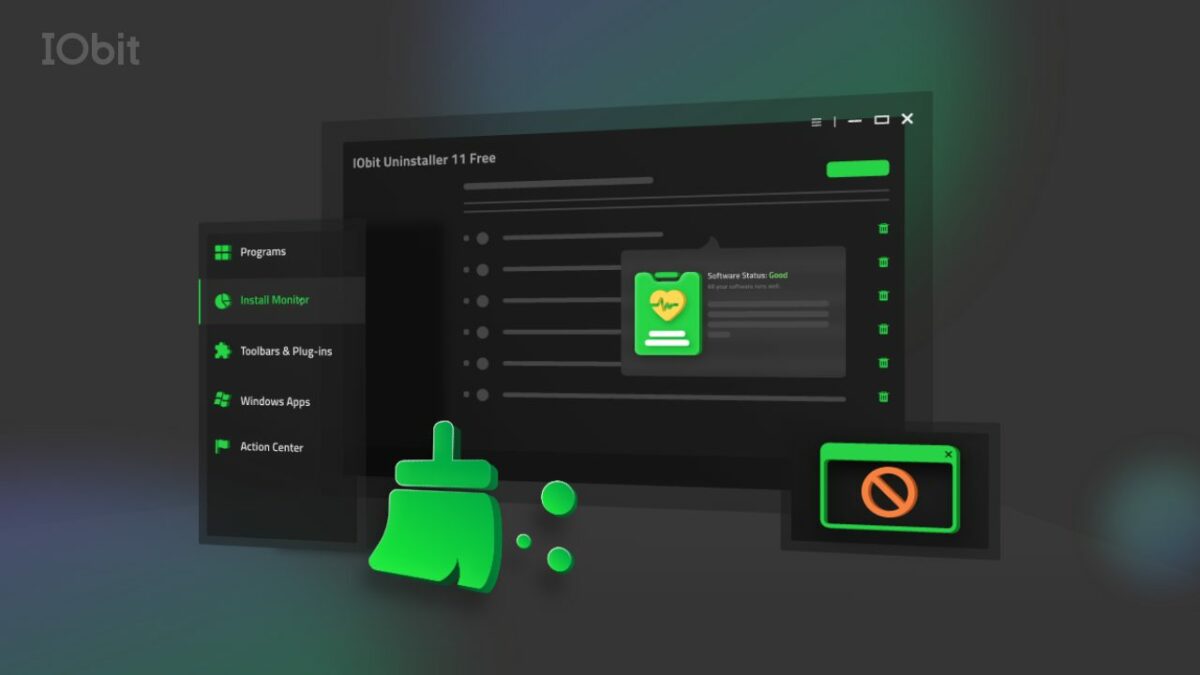
IObit is a leading provider of innovative system utilities for Windows, Mac, and Android OS. Their software enhances operational performance and protects the devices of over 10 million active users globally, and IObit Uninstaller 11 is one of the newest releases from this widely trusted, award-winning industry leader.
In short, IObit Uninstaller 11 is the perfect uninstallation tool, and this latest version includes several new features. It allows users to remove stubborn programs and bundleware while blocking malicious browser extensions and pop-ups, ensuring a healthy, secure PC and a smooth browsing experience.
Standard features include:
Bundleware Uninstaller
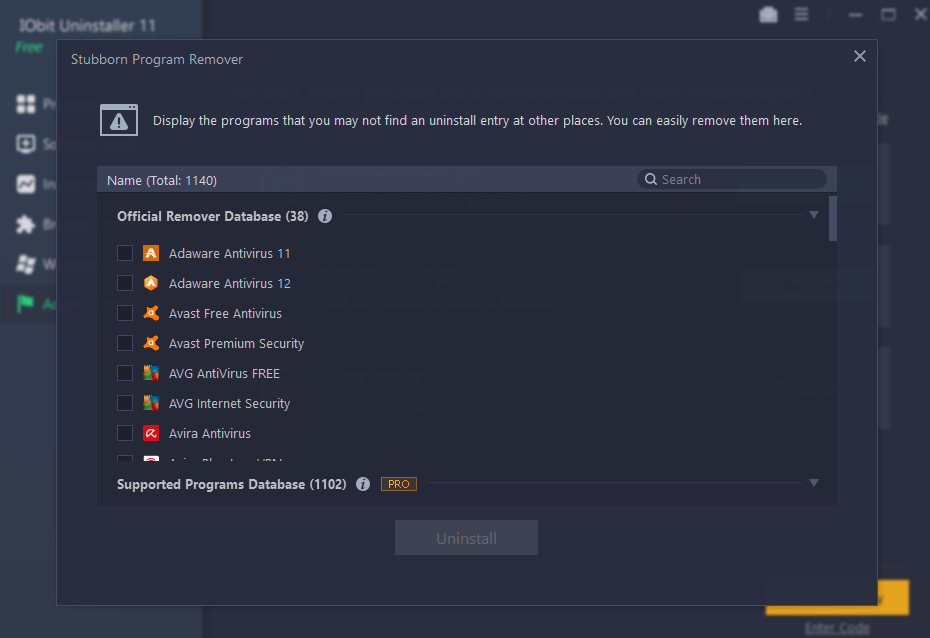
Stubborn Programs Remover
Force Uninstall+
Real-Time Install Monitor
Software Health
IObit Uninstaller was the first utility program to develop a bundleware detector and remover. Its advanced algorithms quickly detect when bundleware is installed, allowing you to remove it quickly and conveniently.
Force Uninstall+ is another robust component of the utility software. If you’ve ever struggled to remove a program due to missing registries or built-in errors, Force Uninstall+ is your answer. Not only does it remove these programs, but it also cleans up the related files and keeps your devices running smoothly.
The Real-Time Install Monitor routinely logs what happens during the installation process, making it easy to spot problems or unwanted piggybacking software.
If you’re experiencing issues with disruptive pop-up notifications and malicious browser extensions, Software Health gives you all the tools you need to protect your digital experience. This robust feature works with all popular browsers, including Microsoft Edge, Chrome, Firefox, and Opera.
What’s New in IObit Uninstaller 11?
While IObit Uninstaller comes with several excellent features as a standard, this latest version has added several significant capabilities to increase its efficacy. Not only can you manage software permissions and block pop-up notifications, but you can also clean up setup files and remove malicious software and browser extensions.
Additional upgrades include an uninstall engine that eliminates residual files entirely by using advanced cleaning algorithms. An enhanced in-depth Install Monitor can log more items, including startups, created during the installation process. In addition, the Stubborn Program Remover database now supports removing over 1,000 troublesome programs, while Reinforced Force Uninstall+ can get rid of programs even when their uninstall registries are missing.
The database also received a notable upgrade. Now, at 50% larger, it supports updates for popular software like AnyDesk, Calibre, Discord, qBittorrent, and LibreOffice.
A few other upgrades include:
A better UI that comes with a light and dark skin for a more user-friendly experience.
Support for 37 languages.
Future-ready and fully supported by Windows 11.
These are just some of the excellent features that make IObit Uninstaller the first and last stop for any user who wants to clean and protect their devices. While it can work in conjunction with other removal programs, it’s always a good idea to run only one removal tool on your device at any time.
Do I Have to Update to Version 11?
While version 10 will still work, we highly recommend that existing users upgrade to the latest version. The new features, improved database, and enhanced algorithms make it worthwhile.
Conclusion
IObit Uninstaller 11 is a potent tool capable of removing unwanted and stubborn programs, blocking malware and malicious pop-ups, and protecting your precious devices. IObit has gone the extra mile to provide users with a highly capable utility with its latest features.
Best of all, IObit Uninstaller is free. While you can choose to upgrade to the PRO version for more advanced features, the free download is robust and includes several of its impressive capabilities.
Adobe Illustrator is the first choice of creative people for working with vector graphics. The program has a fluid interface and invaluable advanced features. You can use 3D effects, live distortion, and multiple drawing tools.
You can remove the background using different techniques depending on the complexity of the image.
To remove the background of an image, you must draw an outline around the part of it that you want to preserve.
– Use the Zoom tool to get close to the image to outline it. If the image is simple, you can use the Magic Wand tool.
– Choose the Pen tool to outline the part of your picture you want to keep. Using a series of clicks, you can drop anchor points along the outline you want to mark. Do it repeatedly, and a line will connect the points. Go around until you can click your starting point. Make sure there is no open end anywhere.
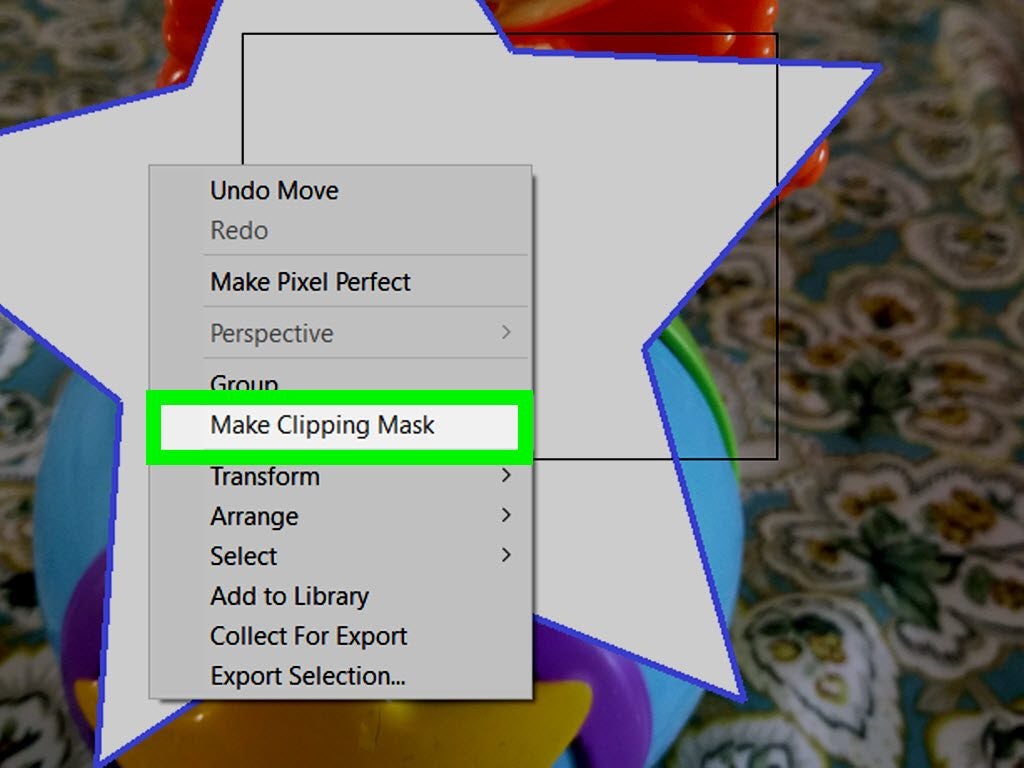
– Select the image and the outline you have just created and then right-click so that you can see the menu. Select the Clipping Mask. The background will disappear like magic.
Using Image Trace
This technique works best on images with only a few solid colors.
– Select the image you want and place it on the artboard. If the image is very big, Illustrator will ask you to rasterize it or simply do it for you.
– Click on Image Trace. Under Mode, click Color. Set the color to 16 or above. Click Trace on the lower right to scan the image and create outlines that can convert into vector objects.
– Click Expand and Image Trace will convert a pixel-based image into vector-based objects. You should see outlines around the different colors in the image. You can also select them with the Select tool.
– Ungroup the vector shapes in the image to be able to select them individually. Click on the image with the Select Tool to select it. Click Object in the menu. Click Ungroup.
– Select the background images you don’t want one by one and press Delete to get rid of them. If you want to delete a few at a time, hold down the shift key while clicking them. To remove all the ones you’ve clicked, press Delete.
Using the Select Feature
For images with many colors in the background, you’ll have to get rid of the background manually.
Using the Select feature will allow Illustrator to do most of the work.
– Trace the image. Expand the image, and it will be divided according to the different colors in it.
– Choose a background color you want to delete. Go to select>>Fill Color. You’ll see that similar colors have also been selected. Pressing Delete will get rid of all of them.
– Carry on with different colors, and one by one, you’ll get rid of all of them and the ones similar to them.
How do I get Adobe Illustrator?
You have to subscribe to Adobe Creative Cloud to download and use Adobe Illustrator. For a single app it costs $20.99 per month for an individual subscription. For all apps, it costs $52.99 per month. A free 30-day trial is available.
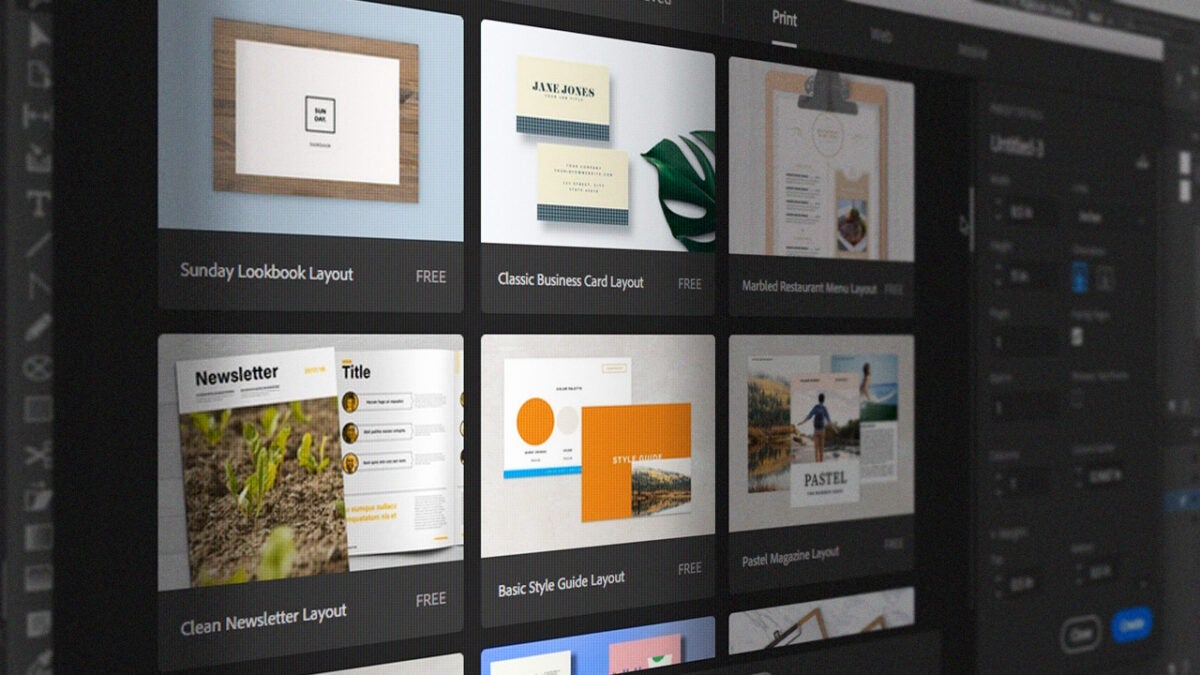
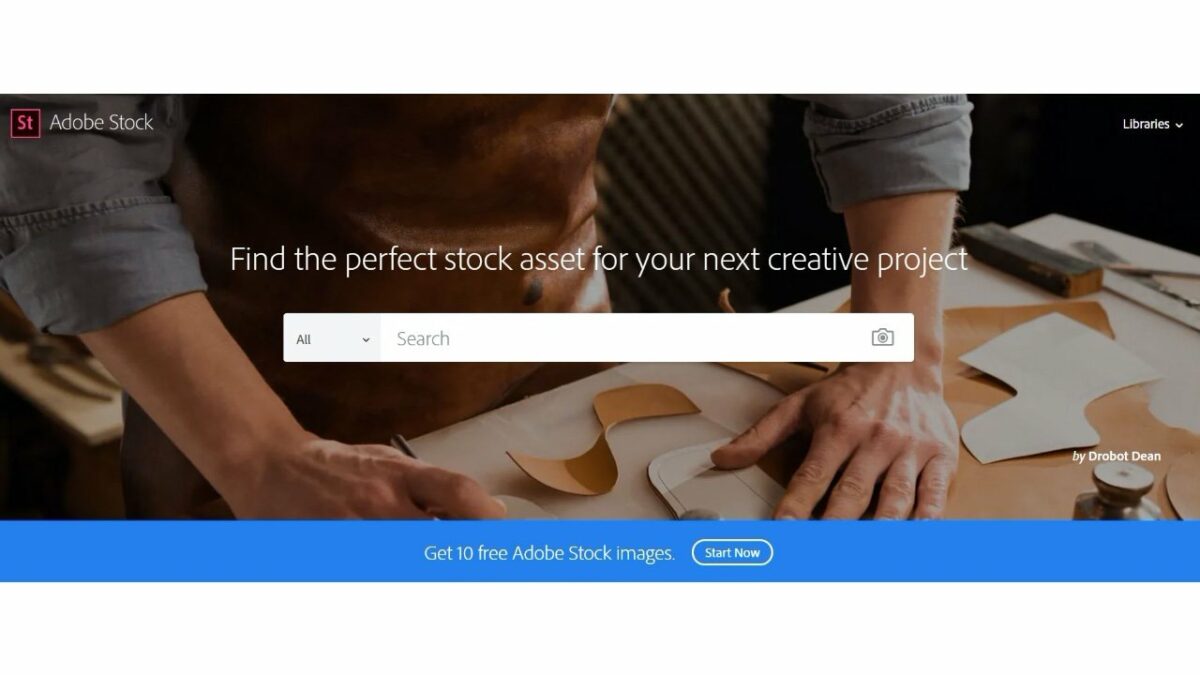
AdobeStock is a service that allows access to millions of quality photographs, drone footage, illustrations, videos, and templates suitable for any creative project imaginable. People, businesses, students, or studios wanting to access these images can subscribe to the service, which is fully integrated with the AdobeCreative Cloud.
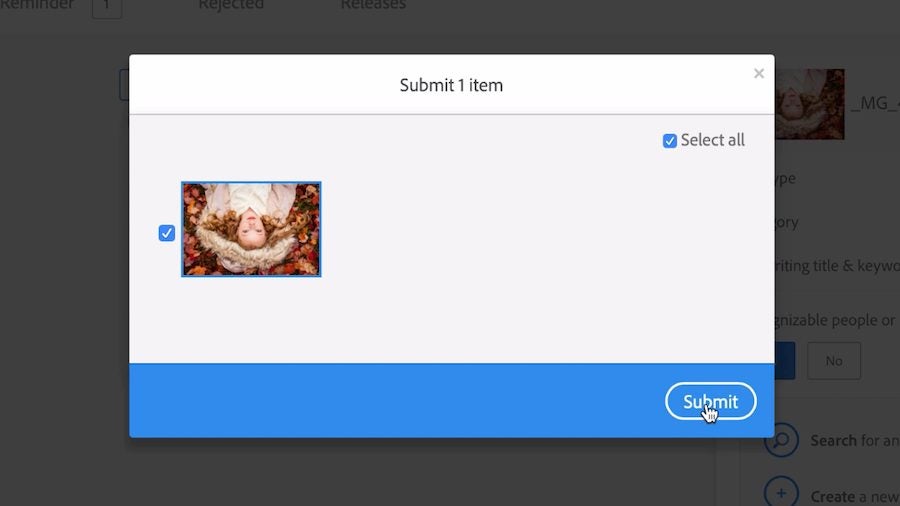
You can submit your work and earn up to 33% in royalties. Here’s how you do it.
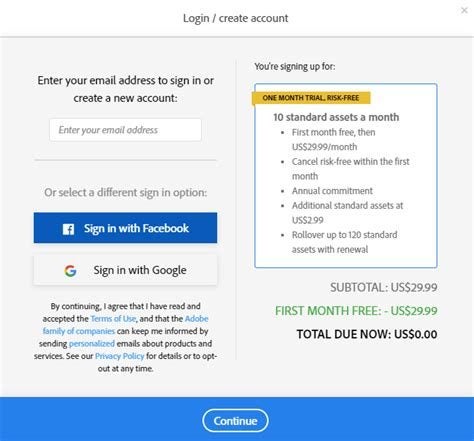
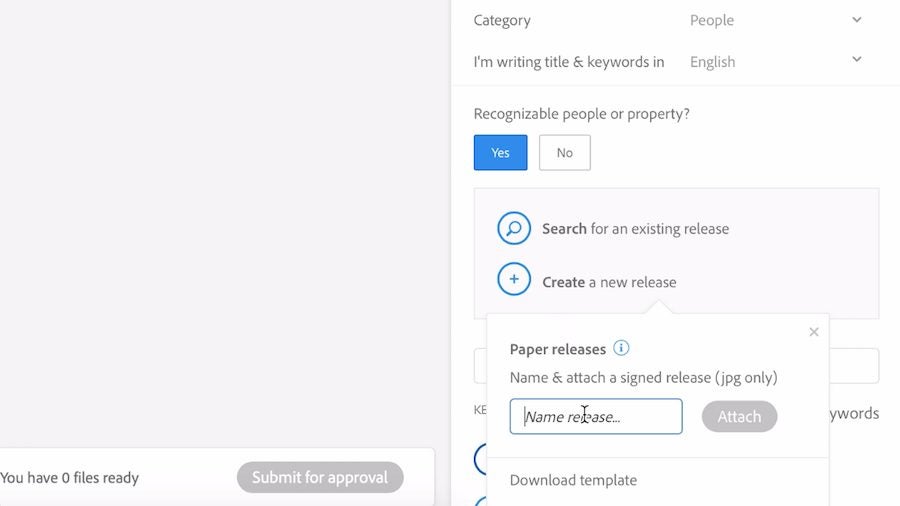
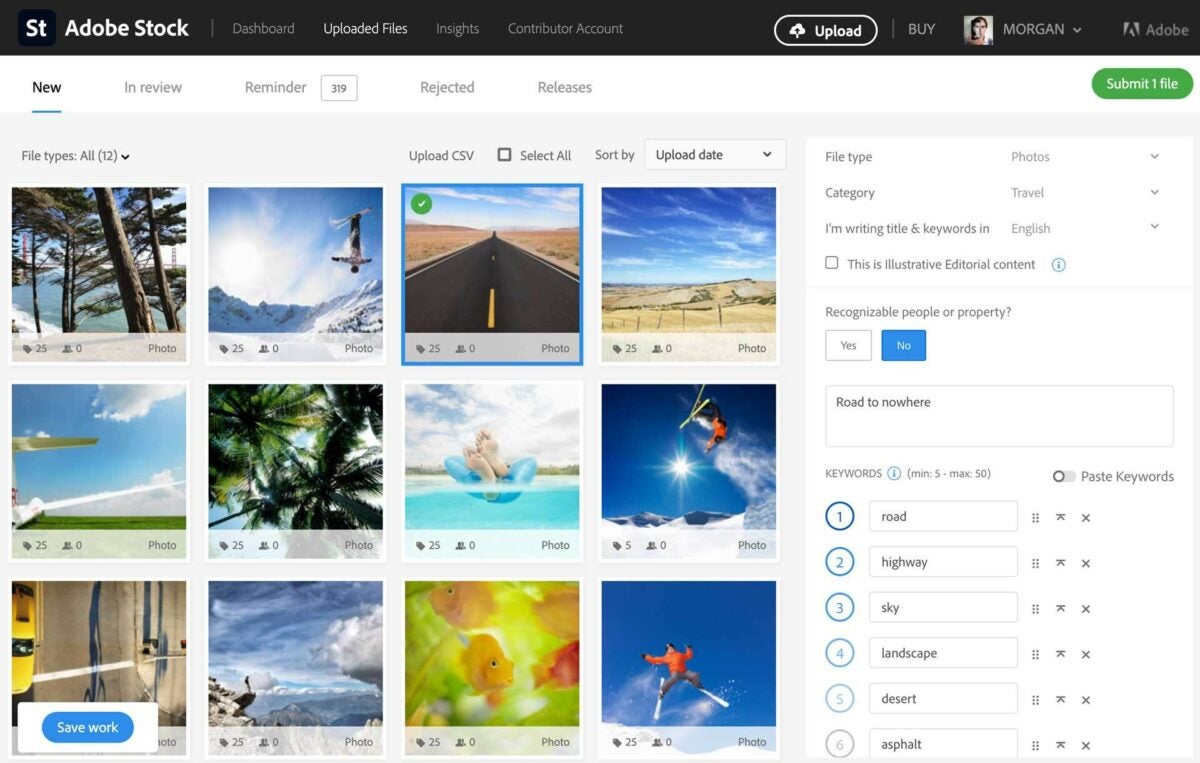
Become an Adobe Stock artist by signing up. You must be at least 18 years old and have a government ID. If your content features recognizable people or private property, you’ll need a signed release. You can find one online, create your own, or generate a digital release with Adobe Sign. After signing up, you’ll get an Adobe ID, which allows you to upload material for approval.
Prepare Your Work And Upload It
Once you’ve created your Adobe Stock ID, you can upload material on the site. When you make your first submission, you’ll have to verify your identity. All the images you upload must be in the JPEG file format and use RGB color. Your files must be smaller than 45 MB. The minimum resolution must be 4 MP (megapixels) and the biggest less than 100 MP.
Add Your Keywords and Titles
No one will find the images you have uploaded if you do not guide them there with relevant keywords. It’s critical to help you sell your work on Adobe Stock that you attach accurate titles and keywords. People go to Adobe Stock to look for very specific images, and the better your description, the more quickly they’ll find your work.
Will You Still Have Rights To Your Work?
You remain in control of all your original work that you submit to Adobe Stock. The legal status is that you enter into a non-exclusive partnership with Adobe Stock, which allows the service to promote and license the approved content you place on their listing. This also applies if you upload your media from Bridge, Lightroom Classic, Photoshop Mix, or Premiere Pro.
The Kind Of Content You Can Submit
You can submit content on just about any subject matter. There will be someone, somewhere, who will want to download your quality content on a wide variety of subjects, including photos or videos of animals, food, medical matters, technology, portraits, business, lifestyle, and many more. These can also be in the form of illustrations, drone footage, vector imagery, and templates.
Reach Millions of Global Buyers
Having your material available on Adobe Stock exposes it to millions of global content buyers who can help you earn money from your work. The exposure your work gets is without comparison. This is done directly through its Adobe Creative Cloud apps and on the web. By contributing your work to Adobe Stock, the market for which it becomes available is enormous.
Becoming A Contributor Will Pay You
Signing up to become an Adobe Stock contributor is easy, and the rewards are good. You can earn a passive income for years to come once your material is available on the platform.
For many users that either create photography to sell them or look for images to use as content in articles, there are many online libraries available that serve these purposes. You may have seen some adverts encouraging you to download Adobe Stock, leaving you to wonder whether it’s a suitable alternative for what you’re currently using.
We’ll quickly show you how Adobe Stock works and the benefits you can reap from it.
At its core, Adobe Stock provides over 60 million high-quality stock photos that you can download and use as you wish, depending on the license. Professional photographers and image editors have provided content for the library while receiving commission each time you download one. You can also use the images on social media or your website.
Free and Paid Licenses
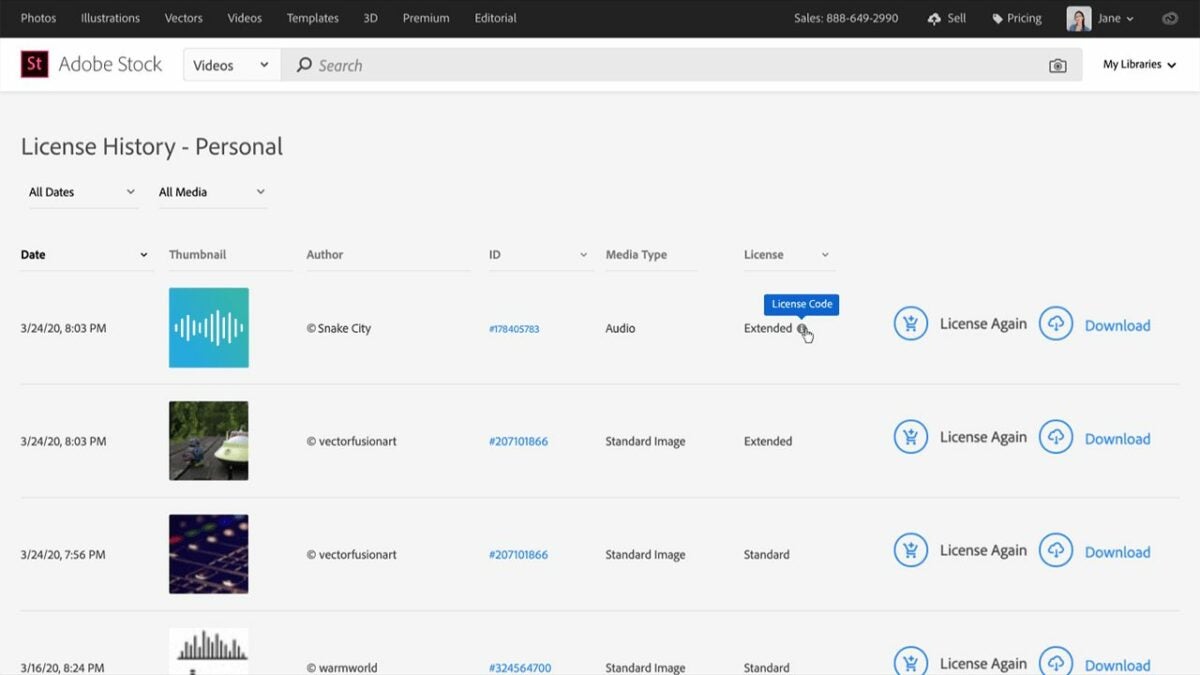
Some of the stock photos on Adobe Stock may have a royalty-free license, which means you don’t need credits to pay for them. However, some license levels require you to spend a specific amount of credits to use them, based on some requirements:
– Standard: May not distribute images, but may use on site or social media where views are less than 500,000. Not allowed for commercial use.
– Enhanced: Where views are expected to be more than 500,000. Not allowed for commercial use.
– Extended: If you want to print or make it available for commercial use.
– Editorial: Only used for news or editorial articles.
Intelligent Keywords Searches
Adobe Stock uses artificial intelligence and machine learning to help you find the best stock photos available in its library. You can easily search for a keyword or phrase, and the technology will highlight the top images. It’ll also show you related categories in case you don’t find exactly what you’re looking for in the results.
Integration with Creative Cloud
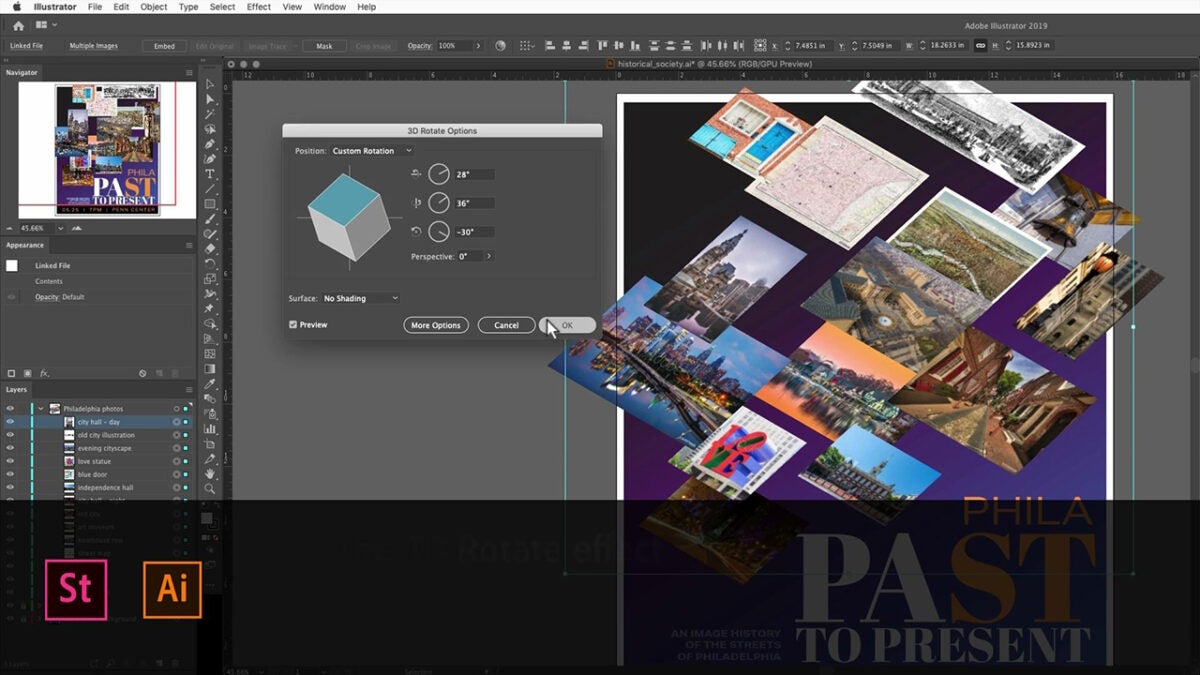
The beauty of how Adobe Stock works lies in the integration with its Creative Cloud network of applications. When you use any of Adobe’s apps, you’ll quickly find the library of stock photos available. For example, you can access it via Photoshop, InDesign, or Illustrator!
Sell your Images
When it comes to content creation, you’ll have the opportunity to post your images as stock photos on Adobe Stock and receive a commission. Each time someone pays credits for your content, you’ll receive a small percentage in return as royalties. It’s an excellent way to reward photographers for bringing life to this outstanding visual industry.
Your best way to take advantage of this system is to watch which keywords and themes are trending. If you have a particular skill in a specific market, you can narrow these searches to your niche. For example, game developers are always on the lookout for new stock photos, but you may want to check which genre is the most popular.
Image Quality
Adobe Stock doesn’t simply accept every image that content creators throw their way. It has specific standards you need to meet if you want it to be published in the library. For example, any JPEGs should be in the range of 4 and 100 megapixels. There are also other requirements, but it’s all in an effort to deliver the best content to members.
Find and sell the best stock photos
You don’t need to be a professional to use Adobe Stock, but it certainly goes a long way towards making your images popular commodities. Also, you’ll love how you can access the library from any Adobe program via the Creative Cloud. There’s no limit to how you can use it; just make sure you have the appropriate licenses in place.