Exploring Adobe Stock Templates: A Game-Changer for Designers

Adobe Stock has revolutionized the way designers and creatives access high-quality assets. With an expansive library that includes photographs, illustrations, videos, and now, customizable templates, Adobe Stock makes any design project easier and more efficient. This guide will walk you through the updated process of using Adobe Stock templates, highlighting the latest features and best practices to enhance your creative workflow.

Adobe Stock’s template library has been upgraded with new features designed to streamline the design process. Enhanced integration with Adobe Creative Cloud makes accessing and managing templates more seamless across all your devices and applications.

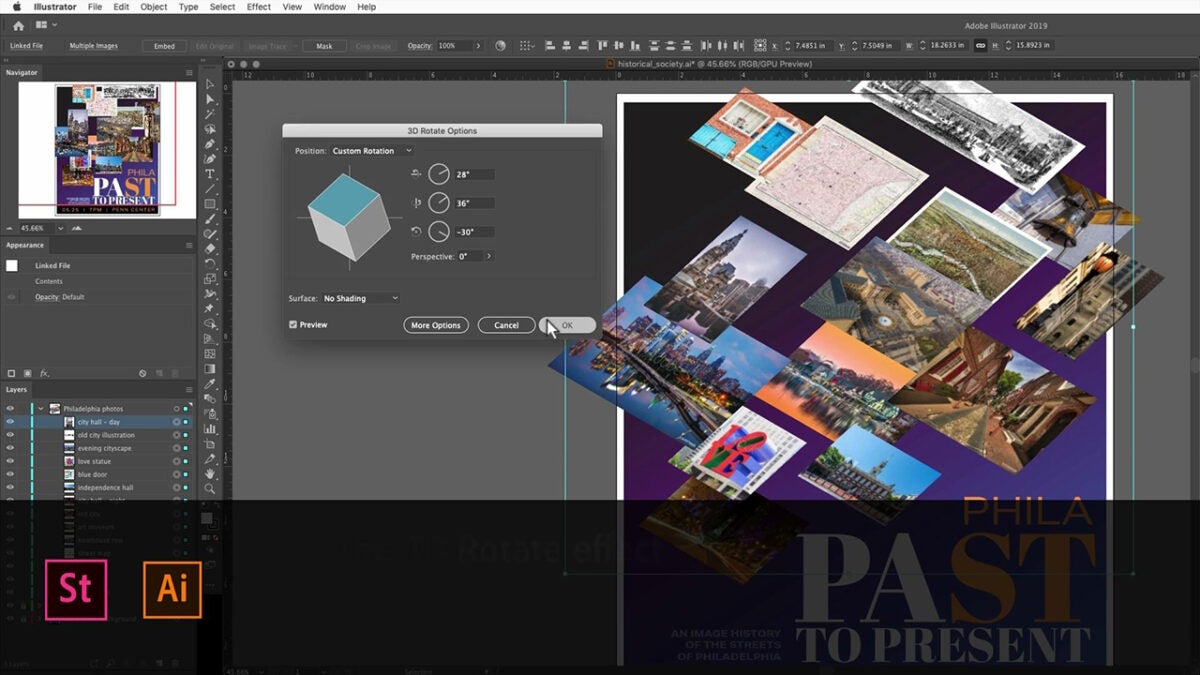
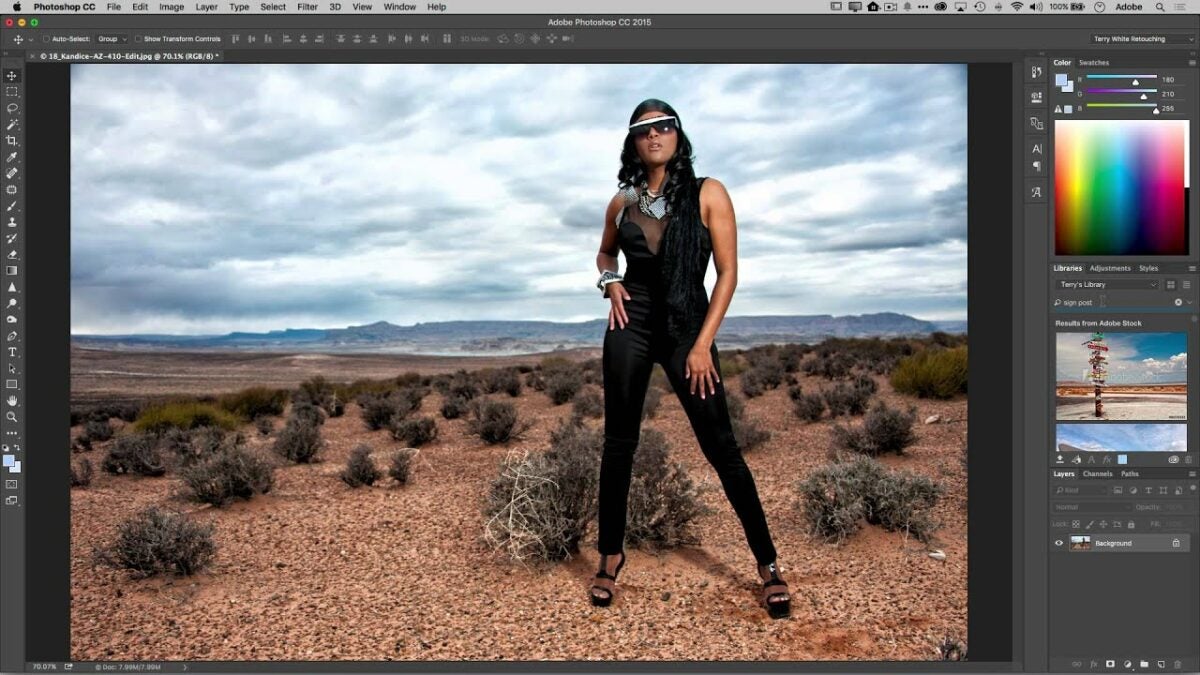
Adobe Stock offers a wide range of templates tailored for Adobe’s suite of products, including Photoshop, InDesign, Illustrator, Premiere Rush, and Premiere Pro. These templates are designed by top professionals and can be seamlessly integrated into your projects via Creative Cloud Libraries, ensuring you always have access to the resources you need.

Adobe Photoshop Plans GET YOURS NOW

Getting Started with Adobe Stock Templates

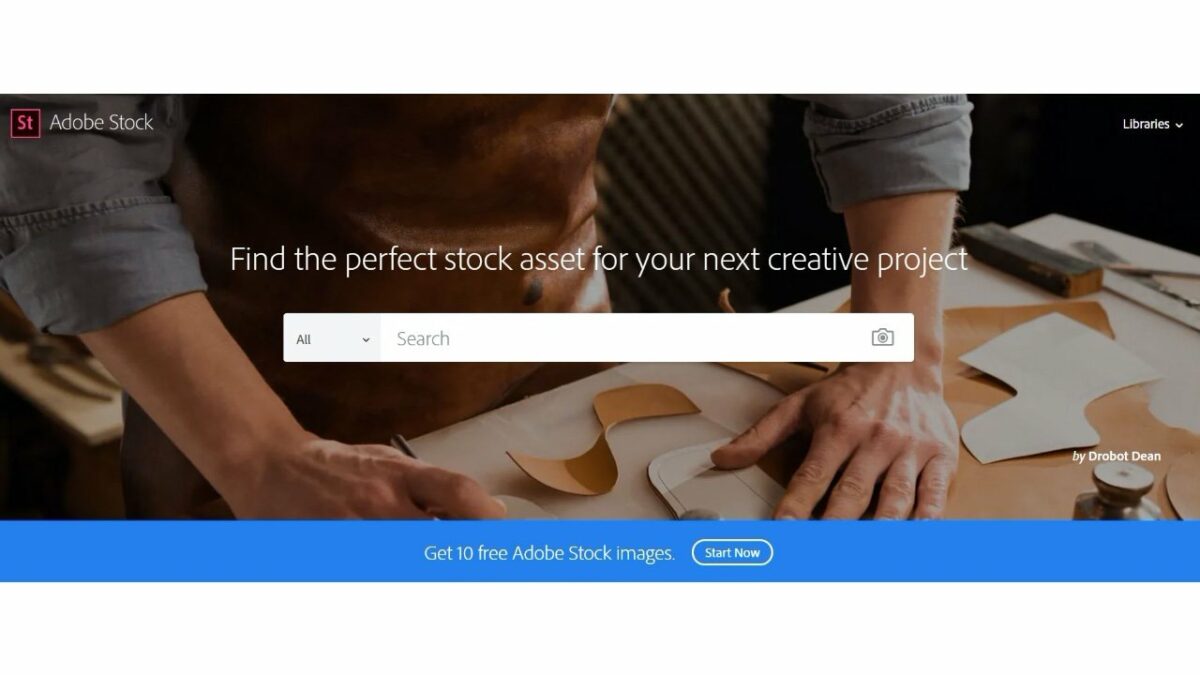
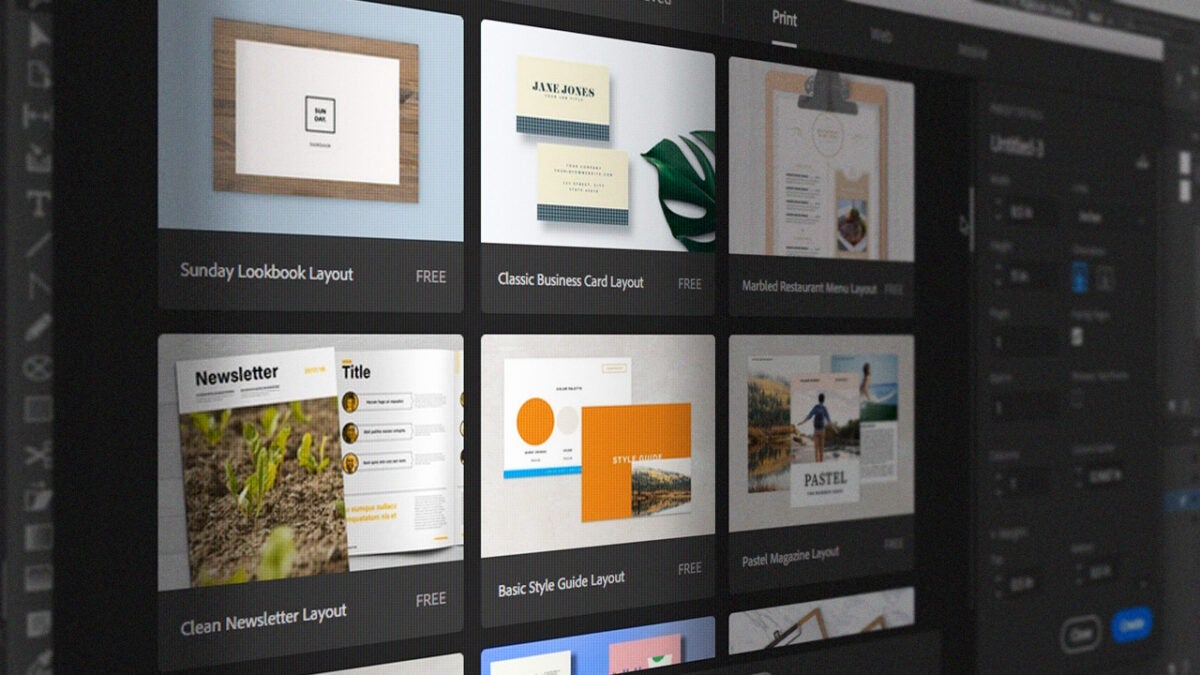
To begin using Adobe Stock templates, access the Adobe Stock website or the Creative Cloud Libraries directly from your Adobe application. Use the search function to browse thousands of templates based on your project requirements. The intuitive interface makes it easy to filter results by type, style, and application compatibility.

Adobe stock AI

Licensing and Plans

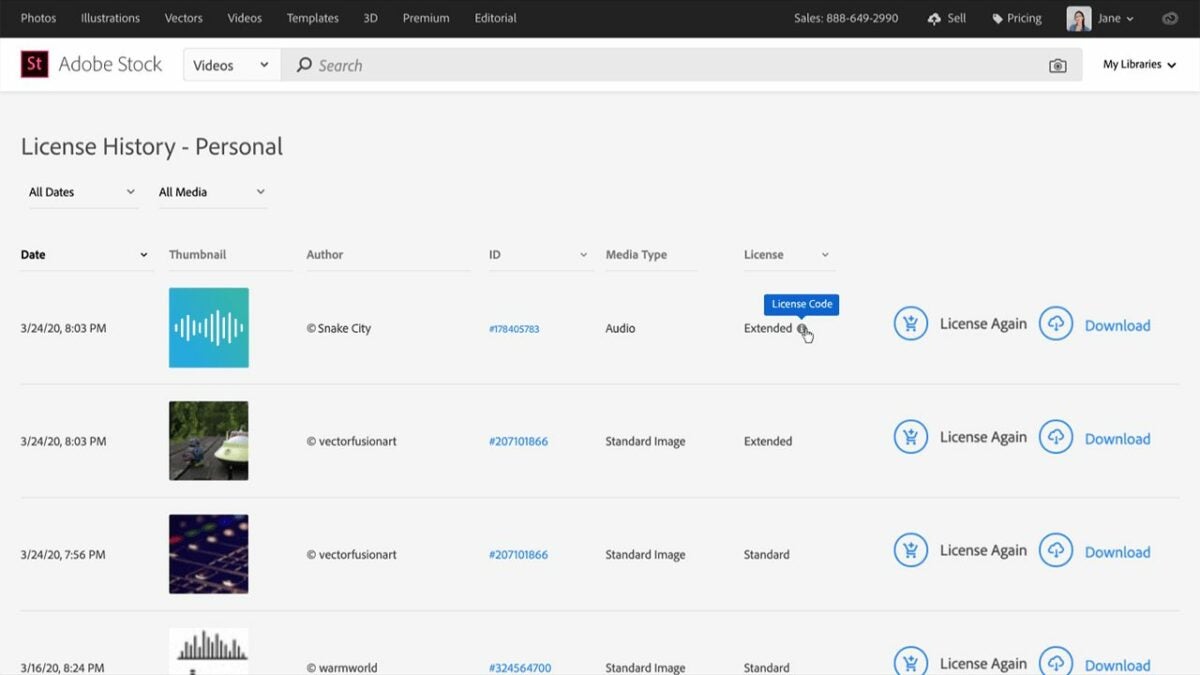
Adobe Stock provides various licensing options to suit different needs:

  • Standard License: Ideal for most personal and commercial projects.
  • Extended License: Necessary for merchandise, templates, and unlimited print runs.
  • Enhanced License: Offers additional rights for high-value projects.
  • Editorial Use: For newsworthy or public interest content.
  • Adobe Enterprise: Tailored for large organizations with extensive usage needs.

Subscription plans offer flexible options for accessing Adobe Stock assets. Whether you choose a monthly plan for ongoing access or purchase credits for occasional needs, Adobe Stock ensures you get the best value. Free assets are available, but premium templates might require a purchase.

Initiating a Project Using Templates

Starting a project with an Adobe Stock template is straightforward. In your Adobe application, go to File > New, then browse Adobe Stock for a template that matches your vision. Once you find the right template, open it and save it to your Creative Cloud Libraries for easy access across all your devices.
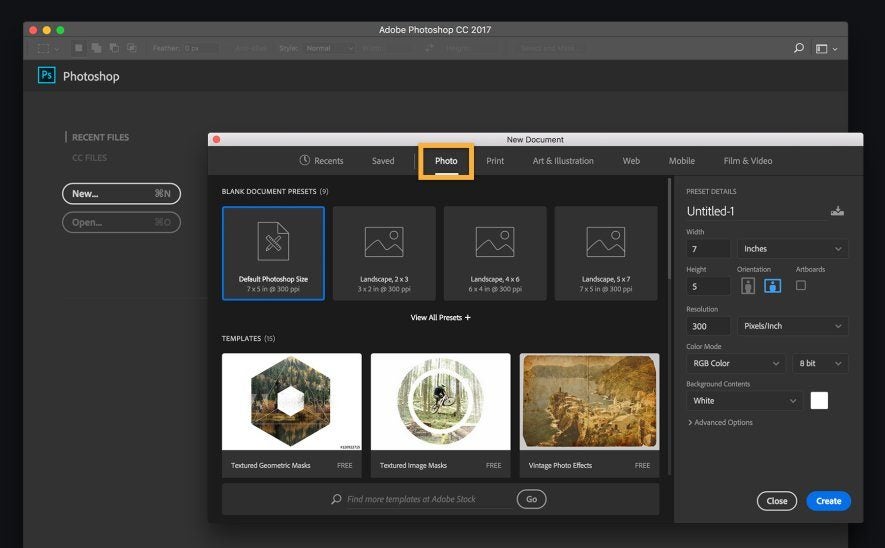
How to Use Adobe Stock Templates

Customizing Templates

The true power of Adobe Stock templates lies in their customization capabilities. Each template is built in layers, allowing you to:

  • Change colors and typefaces to align with your brand
  • Swap out placeholder images with your own photos
  • Adjust layout elements to better fit your content

Advanced users can delve deeper, modifying shapes, adding effects, and even combining multiple templates for a unique look.
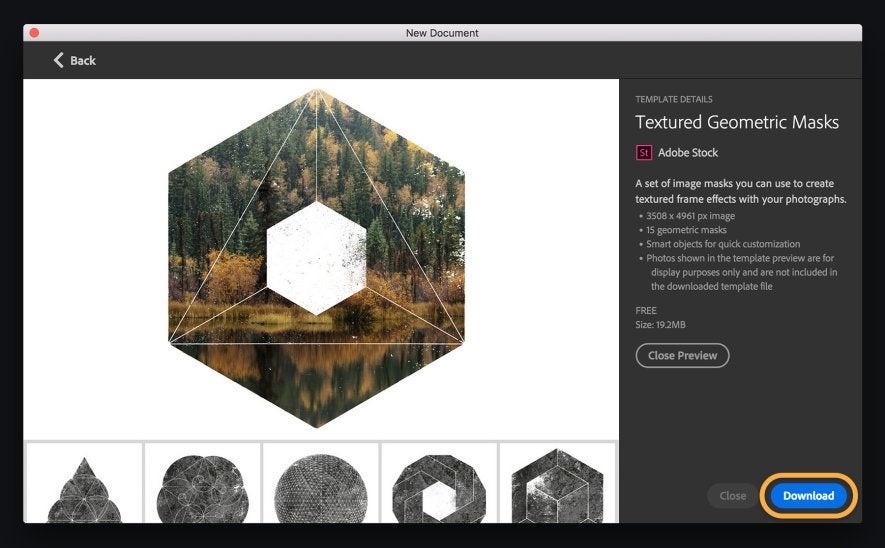
How to Use Adobe Stock Templates

Integrating Your Own Media

Adding your own photographs and media to an Adobe Stock template is simple. In the Layers panel, create a new layer for your media. Drag and drop your image into the designated area, resize it, and adjust it to fit perfectly within the template’s framework. This ensures your final product is both personalized and professional.

How to Use Adobe Stock Templates

Finalizing and Exporting Your Work

Once you’ve customized your template, save your work regularly to avoid losing progress. Export options include saving as a PDF for print, or other formats suitable for web and social media use. Adobe’s export tools ensure your project maintains its quality across all platforms.

How to Use Adobe Stock Templates
Adobe Photoshop Plans GET YOURS NOW

Maximizing Adobe Stock Resources

Adobe Stock’s vast library is a treasure trove for any creative professional. Utilize templates for a variety of projects—from social media graphics to promotional videos. Subscribing to Adobe Stock not only saves time but also enhances the quality and efficiency of your work.

Adobe Stock templates are a game-changer for anyone looking to streamline their design process. With a myriad of templates at your disposal, combined with the flexibility to customize them to your liking, Adobe Stock ensures that every project you undertake is both efficient and high-quality. Dive into Adobe Stock today and discover the endless possibilities to elevate your creative projects.
How to Sell on Adobe Stock

Adobe Stock is a service that allows access to millions of quality photographs, drone footage, illustrations, videos, and templates suitable for any creative project imaginable. People, businesses, students, or studios wanting to access these images can subscribe to the service, which is fully integrated with the Adobe Creative Cloud.

You can submit your work and earn up to 33% in royalties. Here’s how you do it.

  1. Sign Up With Adobe Stock

    How to Sell on Adobe Stock

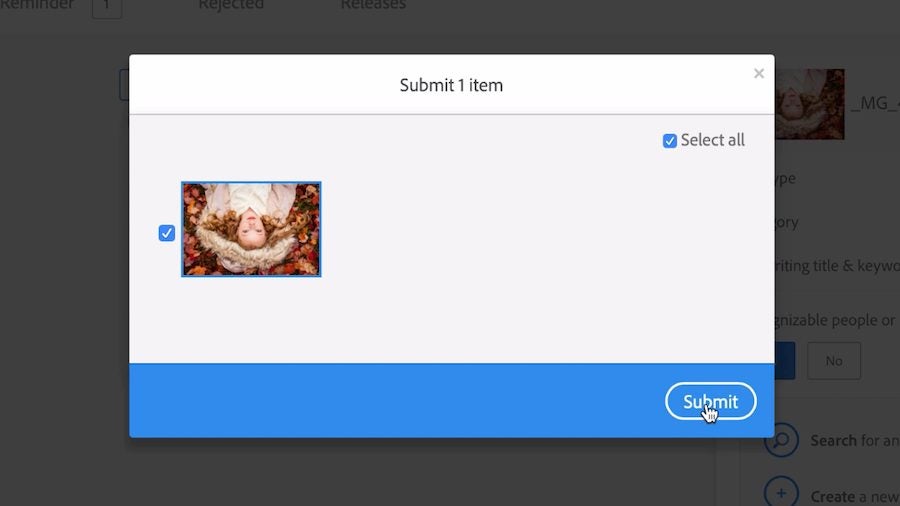
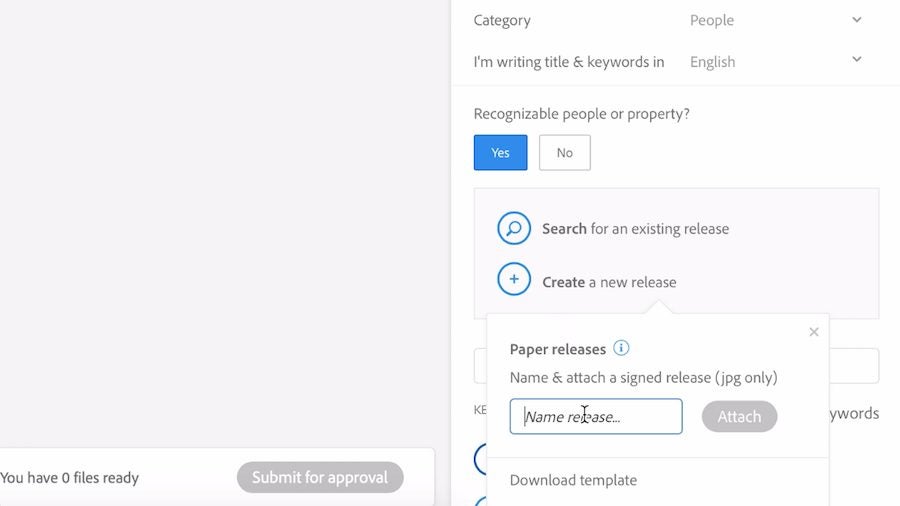
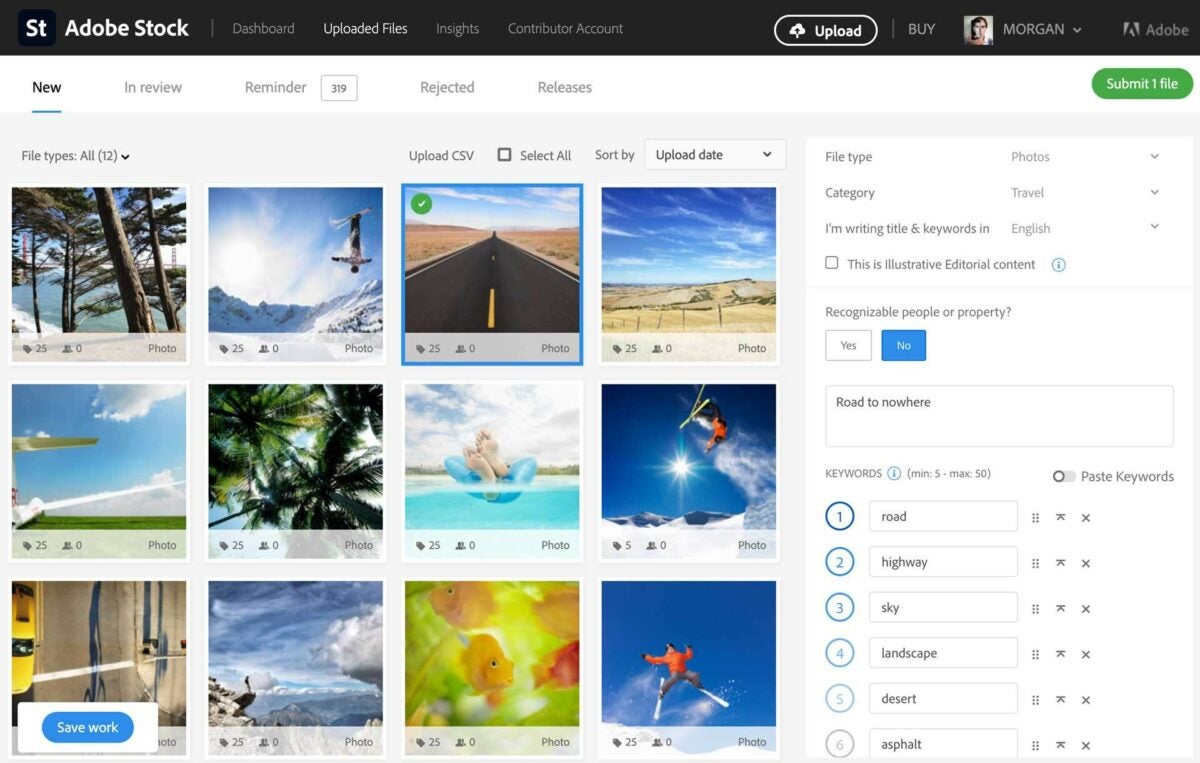
    Become an Adobe Stock artist by signing up. You must be at least 18 years old and have a government ID. If your content features recognizable people or private property, you’ll need a signed release. You can find one online, create your own, or generate a digital release with Adobe Sign. After signing up, you’ll get an Adobe ID, which allows you to upload material for approval.

  2. Prepare Your Work And Upload It

    How to Sell on Adobe Stock

    Once you’ve created your Adobe Stock ID, you can upload material on the site. When you make your first submission, you’ll have to verify your identity. All the images you upload must be in the JPEG file format and use RGB color. Your files must be smaller than 45 MB. The minimum resolution must be 4 MP (megapixels) and the biggest less than 100 MP.

  3. Add Your Keywords and Titles

    How to Sell on Adobe Stock

    No one will find the images you have uploaded if you do not guide them there with relevant keywords. It’s critical to help you sell your work on Adobe Stock that you attach accurate titles and keywords. People go to Adobe Stock to look for very specific images, and the better your description, the more quickly they’ll find your work.

Will You Still Have Rights To Your Work?

You remain in control of all your original work that you submit to Adobe Stock. The legal status is that you enter into a non-exclusive partnership with Adobe Stock, which allows the service to promote and license the approved content you place on their listing. This also applies if you upload your media from Bridge, Lightroom Classic, Photoshop Mix, or Premiere Pro.

The Kind Of Content You Can Submit

You can submit content on just about any subject matter. There will be someone, somewhere, who will want to download your quality content on a wide variety of subjects, including photos or videos of animals, food, medical matters, technology, portraits, business, lifestyle, and many more. These can also be in the form of illustrations, drone footage, vector imagery, and templates.

Reach Millions of Global Buyers

Having your material available on Adobe Stock exposes it to millions of global content buyers who can help you earn money from your work. The exposure your work gets is without comparison. This is done directly through its Adobe Creative Cloud apps and on the web. By contributing your work to Adobe Stock, the market for which it becomes available is enormous.

Becoming A Contributor Will Pay You

Signing up to become an Adobe Stock contributor is easy, and the rewards are good. You can earn a passive income for years to come once your material is available on the platform.

How Does Adobe Stock Work?

For many users that either create photography to sell them or look for images to use as content in articles, there are many online libraries available that serve these purposes. You may have seen some adverts encouraging you to download Adobe Stock, leaving you to wonder whether it’s a suitable alternative for what you’re currently using.

We’ll quickly show you how Adobe Stock works and the benefits you can reap from it.

  1. Download Curated Images

    How Does Adobe Stock Work

    At its core, Adobe Stock provides over 60 million high-quality stock photos that you can download and use as you wish, depending on the license. Professional photographers and image editors have provided content for the library while receiving commission each time you download one. You can also use the images on social media or your website.

  2. Free and Paid Licenses

    How Does Adobe Stock Work

    Some of the stock photos on Adobe Stock may have a royalty-free license, which means you don’t need credits to pay for them. However, some license levels require you to spend a specific amount of credits to use them, based on some requirements:

    – Standard: May not distribute images, but may use on site or social media where views are less than 500,000. Not allowed for commercial use.

    – Enhanced: Where views are expected to be more than 500,000. Not allowed for commercial use.

    – Extended: If you want to print or make it available for commercial use.

    – Editorial: Only used for news or editorial articles.

  3. Intelligent Keywords Searches

    How Does Adobe Stock Work

    Adobe Stock uses artificial intelligence and machine learning to help you find the best stock photos available in its library. You can easily search for a keyword or phrase, and the technology will highlight the top images. It’ll also show you related categories in case you don’t find exactly what you’re looking for in the results.

  4. Integration with Creative Cloud

    How Does Adobe Stock Work

    The beauty of how Adobe Stock works lies in the integration with its Creative Cloud network of applications. When you use any of Adobe’s apps, you’ll quickly find the library of stock photos available. For example, you can access it via Photoshop, InDesign, or Illustrator!

  5. Sell your Images

    How Does Adobe Stock Work

    When it comes to content creation, you’ll have the opportunity to post your images as stock photos on Adobe Stock and receive a commission. Each time someone pays credits for your content, you’ll receive a small percentage in return as royalties. It’s an excellent way to reward photographers for bringing life to this outstanding visual industry.

    Your best way to take advantage of this system is to watch which keywords and themes are trending. If you have a particular skill in a specific market, you can narrow these searches to your niche. For example, game developers are always on the lookout for new stock photos, but you may want to check which genre is the most popular.

  6. Image Quality

    Adobe Stock doesn’t simply accept every image that content creators throw their way. It has specific standards you need to meet if you want it to be published in the library. For example, any JPEGs should be in the range of 4 and 100 megapixels. There are also other requirements, but it’s all in an effort to deliver the best content to members.

Find and sell the best stock photos

You don’t need to be a professional to use Adobe Stock, but it certainly goes a long way towards making your images popular commodities. Also, you’ll love how you can access the library from any Adobe program via the Creative Cloud. There’s no limit to how you can use it; just make sure you have the appropriate licenses in place.