If you’re wondering why creative projects break down, it’s not usually because ideas are bad. What usually happens is that your workflow has more interruptions than your project director has feedback rounds… If you’ve got six image tabs open trying to find a good asset for your project, it doesn’t matter whether you’re in the idea phase or close to publishing. Next you’re downloading a preview thumbnail and reuploading in another app, but not before trying to find where you saved it… Apparently the Downloads folder was not a sustainable workflow strategy.

It might not seem like those detours are important, but that’s exactly how they become habits. And these have different consequences for different people. If you’re a designer, maybe you leave “the zone” to hunt for a better visual. Are you a video editor? Then you’ve probably paused mid-cut to track down B-roll. What if you’re on a social team? Then you’ll probably be rebuilding a visual asset because the approved one is lost in someone else’s folder and nobody is entirely sure which is the right one to use. In all of the above, when everyone is back on track, the momentum is gone and the idea has cooled off.
If you’re looking for the glue that keeps everything together, then you’re probably looking for Adobe Stock. While most people might write it off as a standard stock library, it’s actually much more than that. It also helps keep your work and projects connected across Creative Cloud, so the journey from the first idea to the finished product involves less file scavenging, fewer interruptions, and far less reliance on whatever system your past self thought was good enough. Want to know more?
Why Searching for Assets Becomes a Workflow Problem
Searching for assets is not as easy as it seems. What should be a quick and almost invisible step in the creative process turns into a time-consuming and frustrating experience that ultimately becomes a recurring bottleneck that is hard to avoid.
Assets are usually stored outside the project environment. Each application represents its own needs; users save files differently, and preview files and licensed versions ultimately generate confusion. Let’s not forget that formats also change between design, motion, and publishing. For that reason, additional handling is needed.
The net effect of all these is basically stalled turnaround time. As a result, creative decisions are rushed, and the margin for experimentation is dialed back. When that happens, the creative process doesn’t yield better solutions, only easier ones. And because of that, it is more likely that teams will settle on whatever is most convenient instead of what works best.
Adobe Stock: The Connecting Link for Seamless Creative Flow
Adobe Stock is at its most transformative within Creative Cloud. When it’s integrated in the CC Libraries, Adobe Stock functions as a synchronized asset pool for images, graphics, color, and other reusable creative elements. Here are just some of the ways it changes the work process:
- One-Time Search: You search from within your project instead of moving from platform to platform.
- Centralized Storage: Assets save to a location where all members of a given organization and devices can find them.
- Preview to License Conversion: Designers can use watermarked previews in a dynamically updating folder set to automatically sync with high-res versions once the project is approved.
- Cross-Application Syncing: What is created or found in one application will appear in others for a seamless transition.
Put together, it’s essentially extending the workspace. It doesn’t force where to look for assets. If anything, it rather brings the assets closer to where the work is happening.

Phase One: Shaping Rapid Ideas Without Leaving the Canvas
When starting a creative project, the early phases are almost always about brainstorming and exploring ideas quickly. The goal is to visualize a product or idea without getting sidetracked.
Adobe Express and Firefly support this phase by turning Adobe Stock into a starting point rather than a commitment to a final asset.
If you’re starting in Adobe Express, you can use a stock image inside the app directly. Bring in a preview, and start using firefly-powered tools to expand images, adjust the composition or generate variants. You don’t need the perfect image up front, you can adapt something that gets close to it. This keeps the creative momentum going.
Try out different visuals, fonts, color palettes. This approach allows you to move quickly from concept to prototype, keeping your creative process fluid and uninterrupted, all without ever having to leave the app.
If there’s one thing that makes a big difference at the ideation phase, it’s continuity. Rather than switching between different apps to pick assets, you just keep developing your ideas in one place. And this in-app availability is precisely where Adobe Stock excels.
Then when you’re finished with ideation? Creative Cloud Libraries store these assets, making sure they stay accessible as your project evolves.
Phase Two: Seamless Inter-app Design Iterations Within the Same Workflow
Now that you have your initial concept done, it’s time to move your project across other apps to turn this idea into a reality. When that happens it’s important to maintain a level of cohesiveness and polish, which software like Photoshop, Illustrator, Premiere and InDesign can provide.
Adobe Stock is natively integrated into these, where it significantly reduces the need for importing or managing files through linked assets. For example, that watermarked stock image from before that you stored in Creative Cloud Libraries can easily be pulled into the rest of the Adobe suite. This way, a designer can refine the final composition using Photoshop and, if need be, licence the image directly from there.
The “Find Similar” feature also plays a pivotal role here. If an image is close but not perfect, with just a simple click you can search for visually related alternatives directly inside the app. This helps keep the refinement phase focused.
Once licensed, every instance of that asset updates automatically to the high-resolution version. That updated asset will be surfaced as an Illustrator graphic or in an InDesign layout and you won’t even need to re-import. And the best part is that there are no duplication risks or synchronisation issues.
Here’s a closer look at how Adobe Stock integrates with Photoshop, which is widely considered the application where its value stands out the most:
- Native Asset Search: Designers can find stock assets from Adobe Stock right via the Libraries Panel.
- Seamless Licensing: When using watermarked previews, designers might license assets right from within the application they are working in, with no need to re-link those files after approval. When that occurs in Photoshop, a globally high-resolution prime-quality image replaces every preview for every open document. That means one click with no manual work.
These features translate into more agility since the friction of exploring multiple directions does not exist anymore. Thanks to Adobe Stock it is possible to move from rough concepts to final assets in a single and streamlined flow.
Maintaining Momentum During the Editing Process
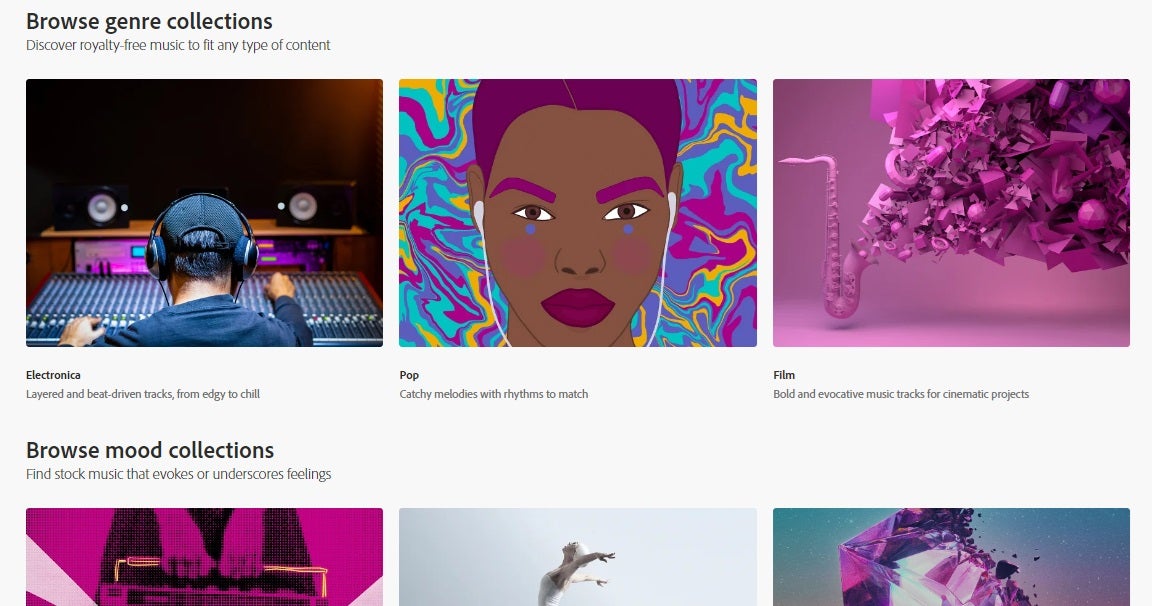
So far we’ve started with static images, but your project might need a video, seamless transitions, or the perfect soundtrack. Luckily, Adobe Stock can now help here too.
In video and motion design, editors lose a lot of time flipping from timeline to asset search.
With its built-in Adobe Stock panel, Premiere and After Effects puts asset search, previews, and licensing within itself. And like Photoshop, Indesign and Illustrator, it also syncs with Creative Cloud Libraries. Thanks to Adobe Stock, editors are not forced to exit to continue bringing in graphics, more templates, and new audio. All the benefits we’ve mentioned so far also apply to video.
As the workflow and feature set is exactly the same whether it’s static or motion graphics, video creation isn’t a hurdle to the creative momentum, flowing from static to dynamic is just a natural evolution.
How to Jump into Adobe Stock from Any Creative Cloud Software
One noteworthy part of the way Adobe Stock is integrated into the Creative Cloud software on desktop is that it’s a consistent experience no matter which app you access it from. If you’re using Adobe Stock in a project, the process is almost always like this:
- In the main menu go to Window > Libraries (sometimes Adobe Creative Cloud Libraries)
- In the Libraries panel you’ll see a search bar
- Enter a keyword that matches the asset you’re looking for like “flowers”, “business meeting”, “SUV car”…
- See one you like? Right click it and choose “Find Similar” and you’ll be delivered similar content with matching colors and compositions
- When you’re ready to preview, Right-click the asset, choose “Save Preview to”, choose your project library from the menu.
- You’ll get a watermarked version to work with to edit in your design as needed
- Ready to publish? Right click the layer with your asset and choose “License image”
The only step that might vary most is the final one, but essentially you can always license quickly once you’re ready to go. If you’re stuck though, Adobe’s user guide has got you covered.
Streamlining Asset Search During Exploration
Iteration is key. Perfect assets arrive most of the time not during the first search, but rather through a long process of narrowing, refining, and adjusting until something finally feels right for a project.
Adobe Stock’s advanced search streamlines content discovery to encourage exploration and enhance quality while still keeping speed. Tools like “Find Similar” let you uncover images that fit your project by color, composition and size, as well as a reverse image search. These filters reduce the time needed to sift through irrelevant material, helping designers to maintain their creative quality throughout the project.
Keeping Teams Synchronized Through a Centralized Asset Structure
Mismanagement of assets is almost the norm when it comes to larger creative teams or those with complex asset needs. With Shared Creative Cloud Libraries, assets are centralized and accessible across disciplines, and permissions can at least help prevent mistakes from project contributors working outside their role.
Pooled licensing through Adobe further improves the workflow, allowing one person to handle the procurement and administration of assets, while everyone can focus on their own tasks. This prevents duplicate purchases and misalignments with licensing. When it comes to larger teams, reducing the burden of any extra effort required to keep systems aligned means more consistent and meaningful handoffs when they are needed most.
From Design to Publishing: Syncing Through the Fast Lane of Content Production.
The gap between production and publishing often adds friction. Like posting a reshaped design made just right for social media. That’s where Adobe Express comes in handy because it allows both imports and exports with other Adobe apps like Photoshop and Illustrator. This way, changes in the original source can update straight in Express projects. If that’s too abstract, think of it like this: you don’t have to rebuild or export clunky new files every time you move between these apps.
Habits for Efficient and Effective Asset Management
Implementing Adobe Stock and Creative Cloud efficiently requires cohesive workflows. Here are some recommended organizational practices to streamline asset use:
- Organize by Projects: Each library equals one project or campaign.
- Clear Approval Paths: Classify experimental and approved assets into their own separate areas.
- Just-In-Time Licensing: License only after the go-ahead, not before.
- Consistent Labeling: Use names for your assets that reflect their context and use.
- Unified Mobile and Desktop Assets: Do not separate mobile from desktop assets.
- Use Your Libraries for Collaboration: Leverage Shared Libraries rather than sending files outside the project.
The Compounding Value of Connected Workflows as Creative Projects Scale
As projects grow more complex, interruptions become more costly. When workflows run smoothly through a consistent pipeline, teams lose less time to miscommunication, handoff errors, and publishing chaos. As a result, there’s more time for what really matters: Creativity.
The way that Creative Cloud handles the integration of Adobe Stock is far from simply bundling a media library into a creative suite of tools. Both lock together to eliminate friction within organizations and teams, leading to continuous, streamlined workflows.
If you’ve ever looked at a Gantt chart or project management tool and gotten chills, you probably have more than a few stories of a creative workflow that could use less friction. Seamless integration of Adobe Stock is a powerful asset for those seeking to streamline their creative processes and enhance productivity. As an integral part of Creative Cloud, Adobe Stock not only provides extensive features but also ensures that your assets are accessible and manageable, directly within the tools where creative work happens.
