Skip to content

Softonic English

Just another Softonic Sites site

Object rotation and reflection removal: Photoshop's new precision tools

Photoshop adds new options. If you have already updated to the April version, you will be able to try two quite interesting features, Rotate Object and Reflection Removal. If at any time you designed a scene and thought “I wish I could rotate this object a bit,” Rotate Object is what you needed. On the other hand, with Reflection Removal we can wipe out all the reflections from the glass in one go and leave the images completely sharp. To learn how to apply each of these functions, stay with us a little longer: it is much easier than it seems. Rotate Object: this is how it works Rotate Object is, without […]

Photoshop adds new options. If you have already updated to the April version, you can try two quite interesting features, Rotate Object and Reflection Removal. If at any point you designed a scene and thought “I wish I could rotate this object a bit,” Rotate Object is what you needed.

Adobe Photoshop
Adobe Photoshop DOWNLOAD

On the other hand, with Reflection Removal we can wipe out all the reflections from the glasses in one go and leave the images completely sharp. To find out how to apply each of these functions, stay with us a little longer: it’s much easier than it seems.

Rotate Object: this is how it works

Rotate Object is undoubtedly one of the most striking (and probably useful) features that have been included in the latest updates of Adobe Photoshop. As its name suggests, it allows you to rotate and tilt objects in different perspectives.

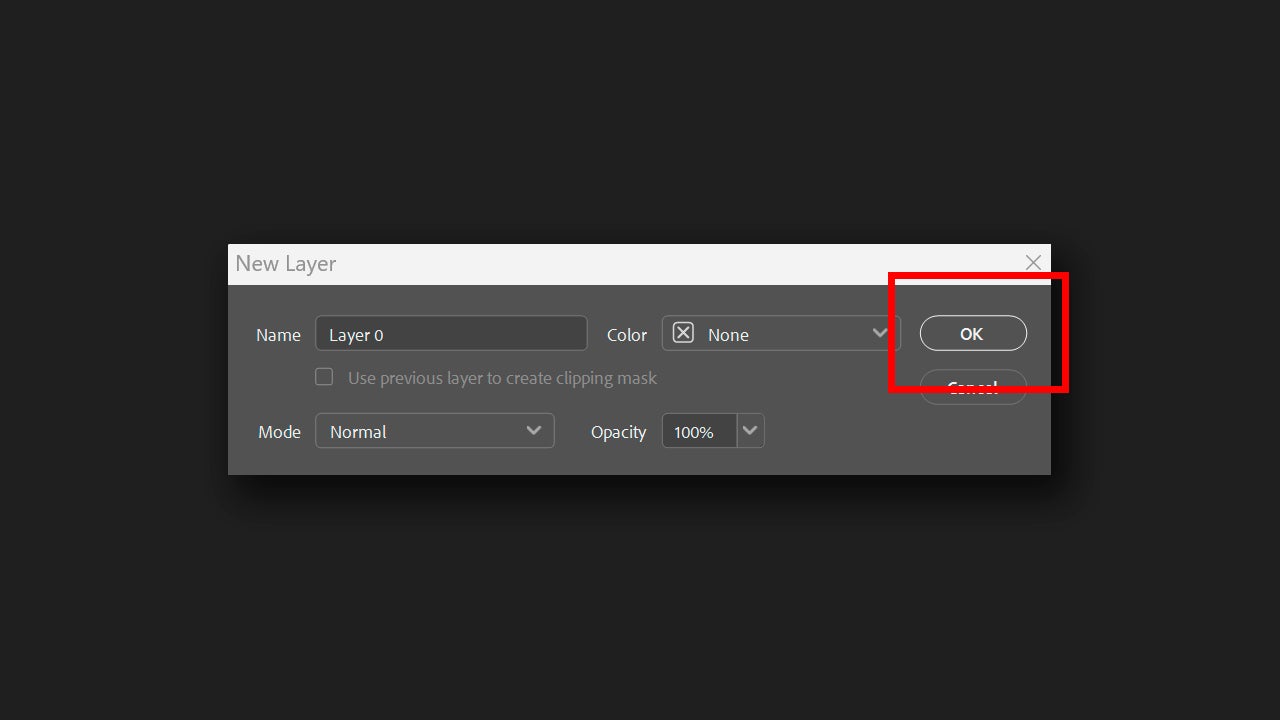
To use it, first open the image you want to rotate or the project where the object you want to rotate is located. Now, select the layer (of pixels, mind you) that contains the object. If you have opened a JPG directly in Photoshop, it is most likely that this layer is locked. To unlock it, double-click on it and in the panel that appears, rename the layer (if you want) and click on OK.
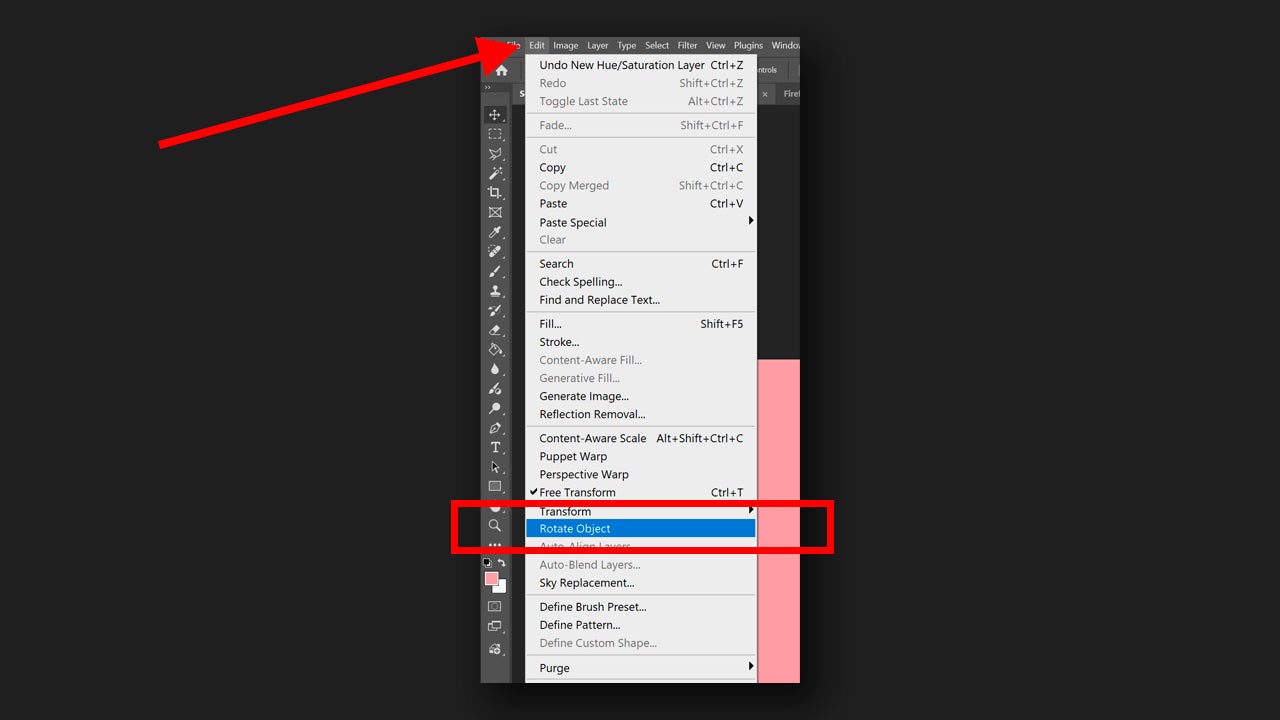
With the layer selected, go to Edit > Rotate Object. You can also do this from the floating menu that appears when selecting a layer (if you don’t see it, go to Window > Contextual Task Bar). From there, you will need to select the icon for Transform Image > Rotate Object.
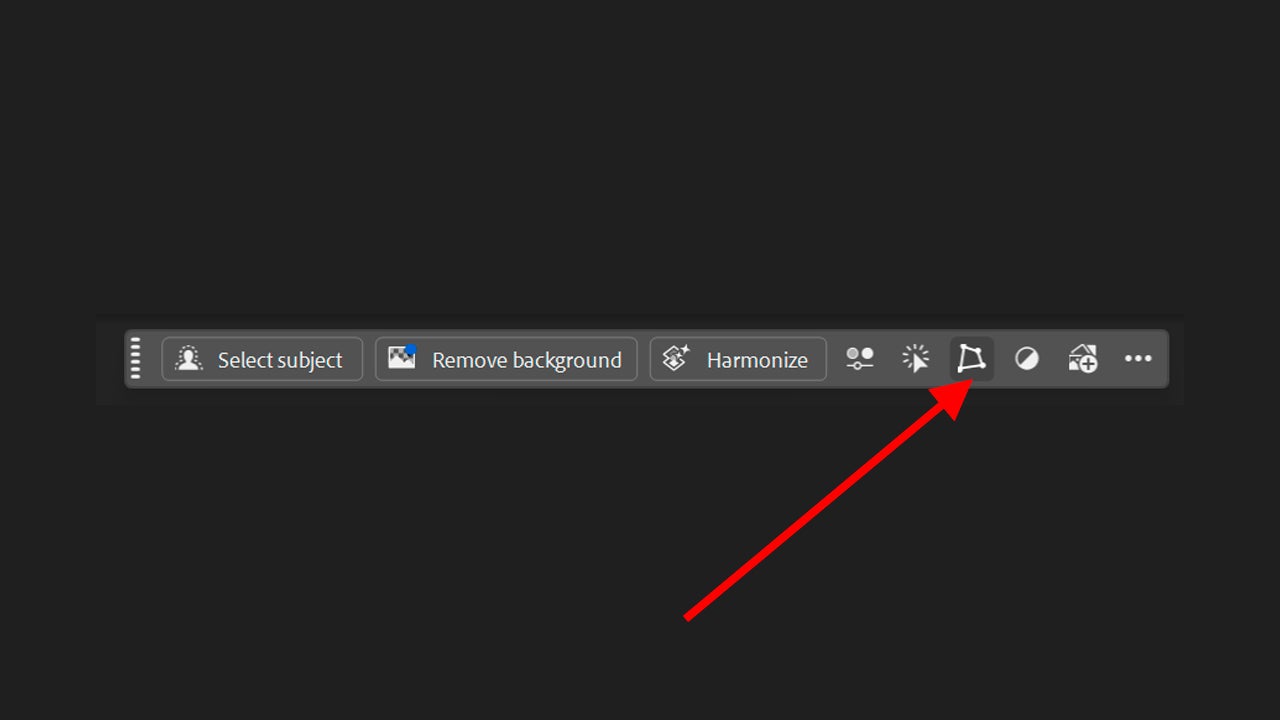
Context menu where the Transform Image option is indicated.
Here is the Rotate Object option.

Let Adobe Photoshop analyze the image and prepare it for rotation. When the process is complete, you will see how the resolution decreases, but it is only temporary so you can rotate the object freely. Use the Rotate and Tilt controls to turn the image in the direction you want. If you want to be even more precise, you can go to the properties panel (Window > Properties) and even enter the degrees of tilt.
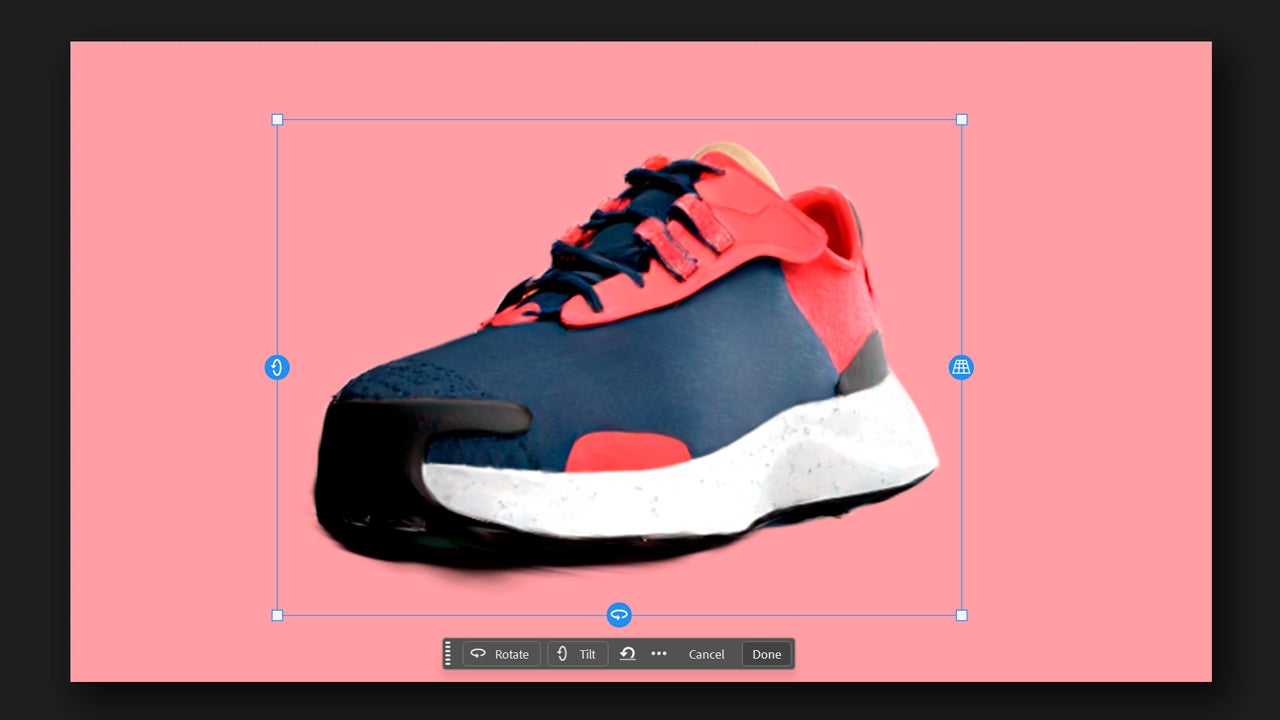
When you finish, click on Done. A new additional layer will be created with the modified object and the original, untouched, will remain in a separate layer.
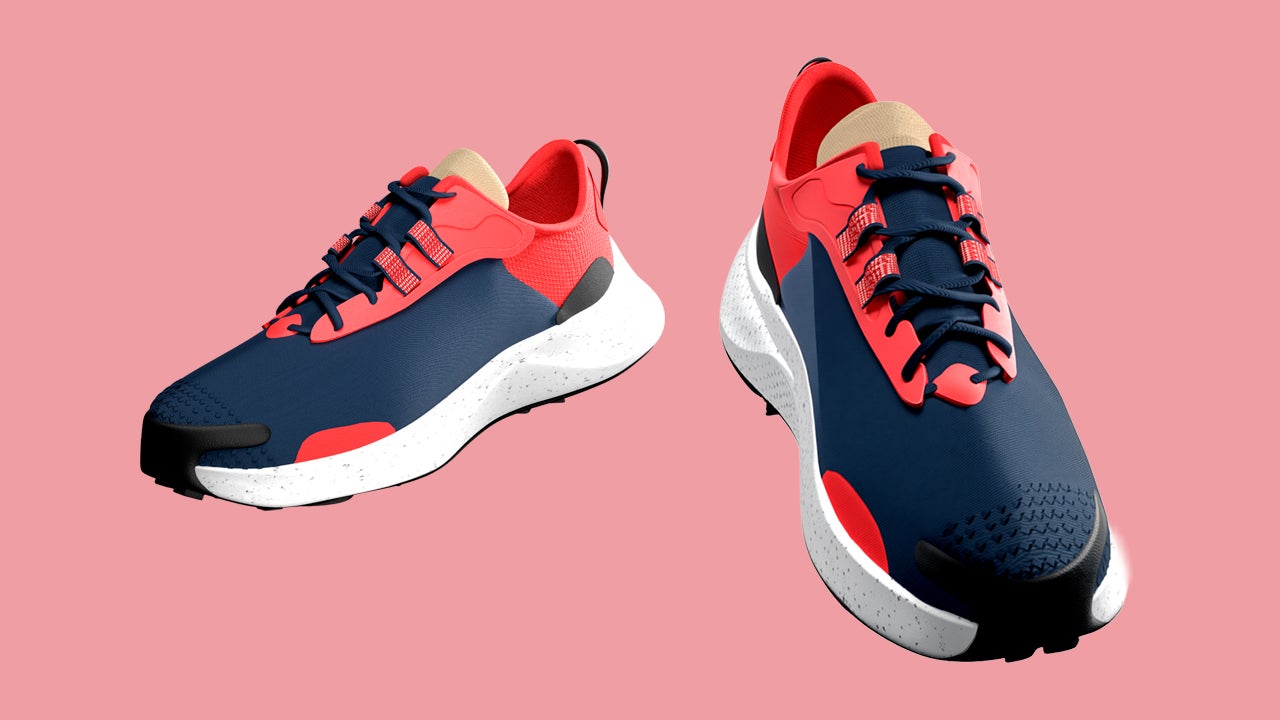
Here you have to keep in mind that the more complex the structure of the object is, the worse the results will be. Rotate Object works best with objects that have a clear and recognizable shape, so keep that in mind when using it in your projects.

Reflection Removal

Now let’s detail how Reflection Removal works, designed to eliminate reflections. If you have photographed someone or something that is behind glass, for example, with Reflection Removal you will completely remove any trace of reflection.
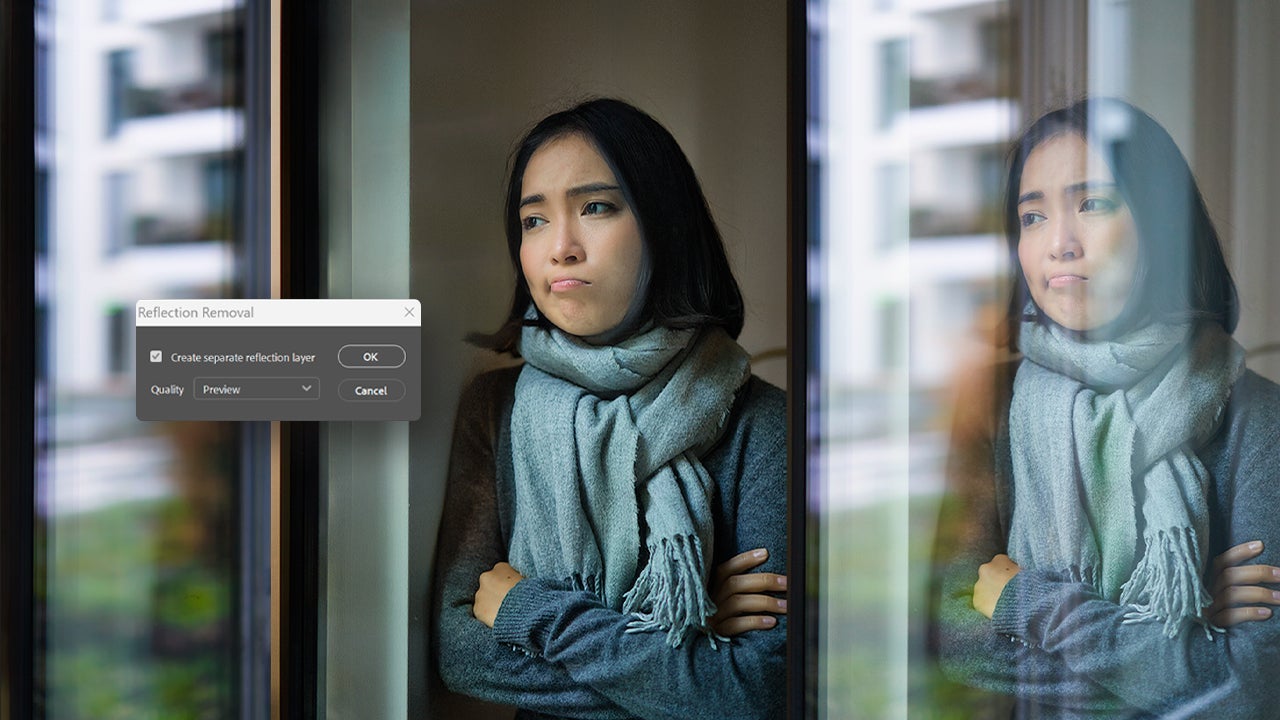
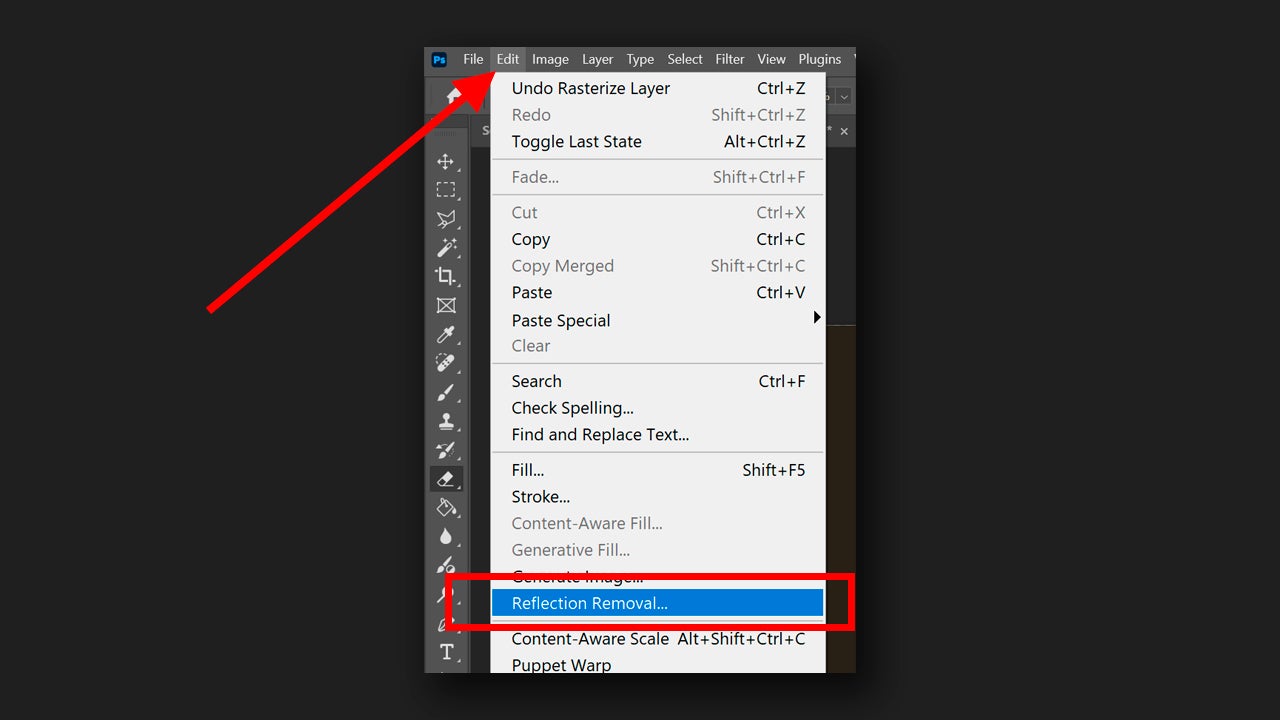
To begin, open your image in Photoshop and select the layer that contains the reflection. Remember that the layer must be rasterized; if you want to be completely sure, you can go to the layer, right-click and select Rasterize Layer Style. Next, look for Edit > Remove Reflection.
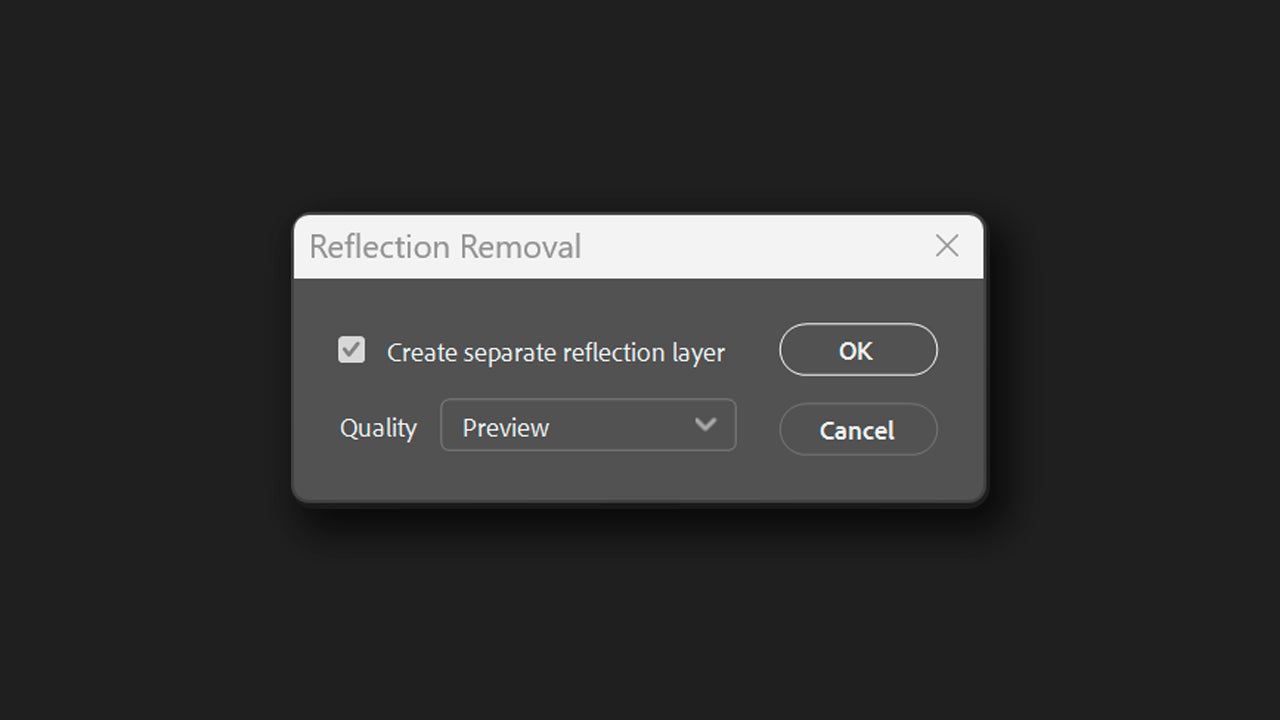
When you click on Reflection Removal, a series of options will appear. First, you have the option to activate Create separate reflection layer, which is exactly for that: to have the reflection on a separate layer. In Quality, you can choose from several quality options, which are Preview, Standard, and Best. Choose according to your preferences and click on OK to make the changes.
Adobe Firefly, the technology behind all AI features

If you’ve ever wondered how these options work and what lies behind them, the answer is as follows: Adobe Firefly. It is a family of generative artificial intelligence models, designed to create and transform content from written descriptions.

The functions we have described before and many others within Adobe Photoshop, such as Generative Fill, use Firefly. The main goal is for them to serve as support tools so that you can streamline many processes that could have taken you hours before.
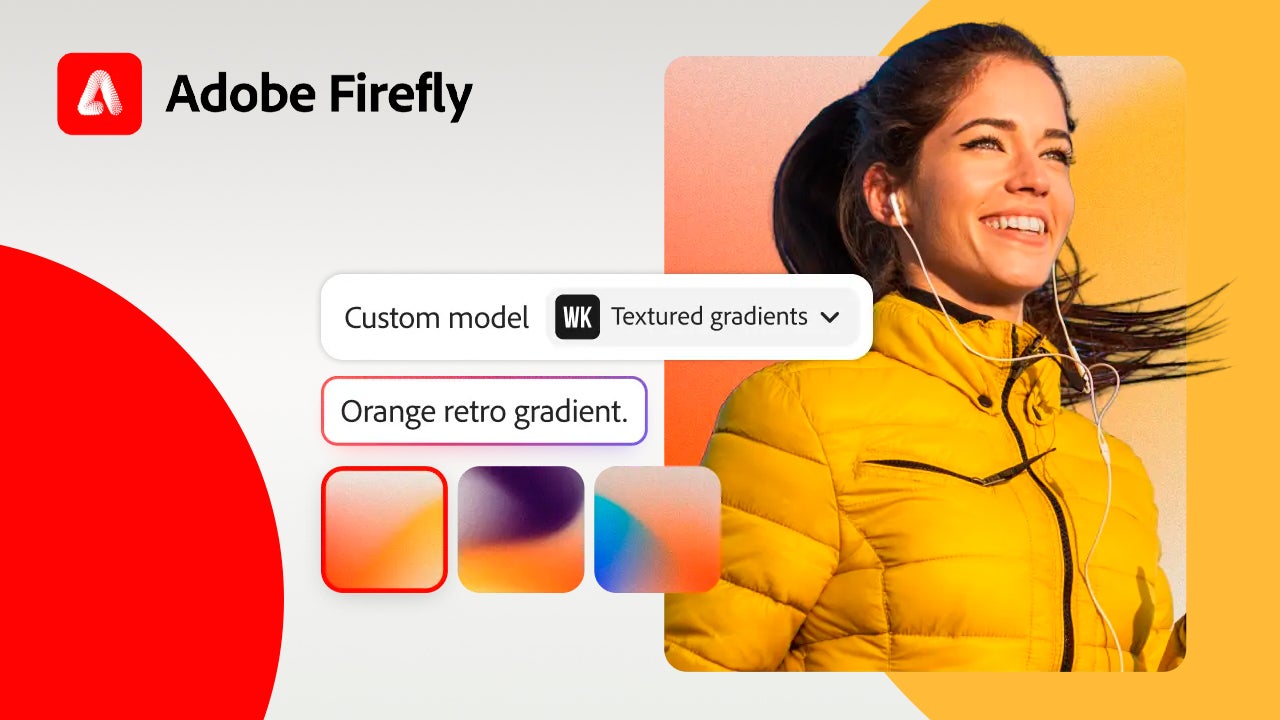
If you’re curious and not yet an Adobe user, you’re in luck; you have a 7-day free trial available for any of Adobe’s most well-known programs, such as Photoshop, Illustrator, Premiere Pro, etc. To use it, you just need to go to the official Adobe website and click on the program you want to try, Adobe will guide you from there with the steps to follow.

Adobe Photoshop
Adobe Photoshop DOWNLOAD

Author: María López

{ "de-DE": "Künstler aus Berufung und Technikliebhaber. Seit ich denken kann, habe ich gerne an allen möglichen Gadgets herumgebastelt.", "en-US": "Artist by vocation and technology lover. I have liked to tinker with all kinds of gadgets for as long as I can remember.", "es-ES": "Artista de vocación y amante de la tecnología. Me ha gustado cacharrear con todo tipo de gadgets desde que tengo uso de razón.", "fr-FR": "Artiste de vocation et amateur de technologie. J'aime bricoler avec toutes sortes de gadgets depuis que j'ai l'usage de la raison.", "it-IT": "", "ja-JP": "", "nl-NL": "", "pl-PL": "", "pt-BR": "", "social": { "email": "", "facebook": "", "twitter": "", "linkedin": "" } } View all posts by María López

Author María LópezPosted on June 30, 2026June 30, 2026Categories News

Post navigation

Previous Previous post: The gaming market is so bad that Nvidia is going to re-release a 2021 graphics card… at 2026 prices
Next Next post: Google Gemini Live comes to Gmail and Keep: voice chat starts in summer 2026

Recent Posts

  • Microsoft Teams now flags suspicious meeting bots: they go to the lobby first
  • Google Gemini Live comes to Gmail and Keep: voice chat starts in summer 2026
  • Object rotation and reflection removal: Photoshop's new precision tools
  • The gaming market is so bad that Nvidia is going to re-release a 2021 graphics card… at 2026 prices
  • You won’t believe which streaming service is the most used in Japan

Archives

  • June 2026
  • May 2026
  • April 2026
  • March 2026
  • February 2026
  • January 2026
  • December 2025
  • November 2025
  • October 2025
  • September 2025
  • August 2025
  • July 2025
  • June 2025
  • May 2025
  • April 2025
  • March 2025
  • February 2025
  • January 2025
  • December 2024
  • November 2024
  • October 2024
  • September 2024
  • August 2024
  • July 2024
  • June 2024
  • May 2024
  • April 2024
  • March 2024
  • February 2024
  • January 2024
  • December 2023
  • November 2023
  • October 2023
  • September 2023
  • August 2023
  • July 2023
  • June 2023
  • May 2023
  • April 2023
  • March 2023
  • February 2023
  • January 2023
  • December 2022
  • November 2022
  • October 2022
  • September 2022
  • August 2022
  • July 2022
  • June 2022
  • May 2022
  • April 2022
  • March 2022
  • February 2022
  • January 2022
  • December 2021
  • November 2021
  • October 2021
  • September 2021
  • August 2021
  • July 2021
  • June 2021
  • May 2021
  • April 2021
  • March 2021
  • February 2021
  • January 2021
  • December 2020
  • November 2020
  • October 2020
  • September 2020
  • August 2020
  • July 2020
  • June 2020
  • May 2020
  • April 2020
  • March 2020
  • February 2020
  • January 2020
  • December 2019
  • November 2019
  • October 2019
  • September 2019
  • August 2019
  • July 2019
  • June 2019
  • May 2019
  • April 2019
  • March 2019
  • February 2019
  • January 2019
  • December 2018
  • November 2018
  • October 2018
  • September 2018
  • August 2018
  • July 2018
  • June 2018
  • May 2018
  • April 2018
  • March 2018
  • February 2018
  • January 2018
  • December 2017
  • November 2017
  • October 2017
  • September 2017
  • August 2017
  • July 2017
  • June 2017
  • May 2017
  • April 2017
  • March 2017
  • February 2017
  • January 2017
  • December 2016
  • November 2016
  • October 2016
  • September 2016
  • August 2016
  • July 2016
  • June 2016
  • May 2016
  • April 2016
  • March 2016
  • February 2016
  • January 2016
  • December 2015
  • November 2015
  • October 2015
  • September 2015
  • August 2015
  • July 2015
  • June 2015
  • May 2015
  • April 2015
  • March 2015
  • February 2015
  • January 2015
  • December 2014
  • November 2014
  • October 2014
  • September 2014
  • August 2014
  • July 2014
  • June 2014
  • May 2014
  • April 2014
  • March 2014
  • February 2014
  • January 2014
  • December 2013
  • November 2013
  • October 2013
  • September 2013
  • August 2013
  • July 2013
  • June 2013
  • May 2013
  • April 2013
  • March 2013
  • February 2013
  • January 2013
  • December 2012
  • November 2012
  • October 2012
  • September 2012
  • August 2012
  • July 2012
  • June 2012
  • May 2012
  • April 2012
  • March 2012
  • February 2012
  • January 2012
  • December 2011
  • November 2011
  • October 2011
  • September 2011
  • August 2011
  • July 2011
  • June 2011
  • May 2011
  • April 2011
  • March 2011
  • February 2011
  • January 2011
  • December 2010
  • November 2010
  • October 2010
  • September 2010
  • August 2010
  • July 2010
  • June 2010
  • May 2010
  • April 2010
  • March 2010
  • February 2010
  • January 2010
  • December 2009
  • November 2009
  • October 2009
  • September 2009
  • August 2009
  • July 2009
  • June 2009
  • May 2009
  • April 2009
  • March 2009
  • February 2009
  • January 2009
  • December 2008
  • November 2008
  • October 2008
  • September 2008
  • August 2008
  • July 2008
  • June 2008
  • May 2008
  • April 2008
  • March 2008
  • February 2008
  • January 2008
  • December 2007
  • November 2007
  • October 2007
  • September 2007
  • August 2007
  • July 2007
  • June 2007
  • May 2007
  • April 2007
  • March 2007
  • February 2007
  • January 2007
  • December 2006
  • November 2006
  • September 2006
  • August 2006
  • June 2006
  • May 2006
  • July 2001
  • January 2001
  • November 2000
  • September 2000
  • August 2000
  • July 2000
  • April 2000
  • March 2000

Categories

  • Affiliate post
  • Expert Review
  • Gaming
  • Guides
  • How to
  • Legacy how To
  • News
  • Noticias
  • Software>Security
  • Sponsored
  • Trucos y Consejos
  • Uncategorized
  • Windows software

Meta

  • Log in
  • Entries feed
  • Comments feed
  • WordPress.org
Softonic English Proudly powered by WordPress