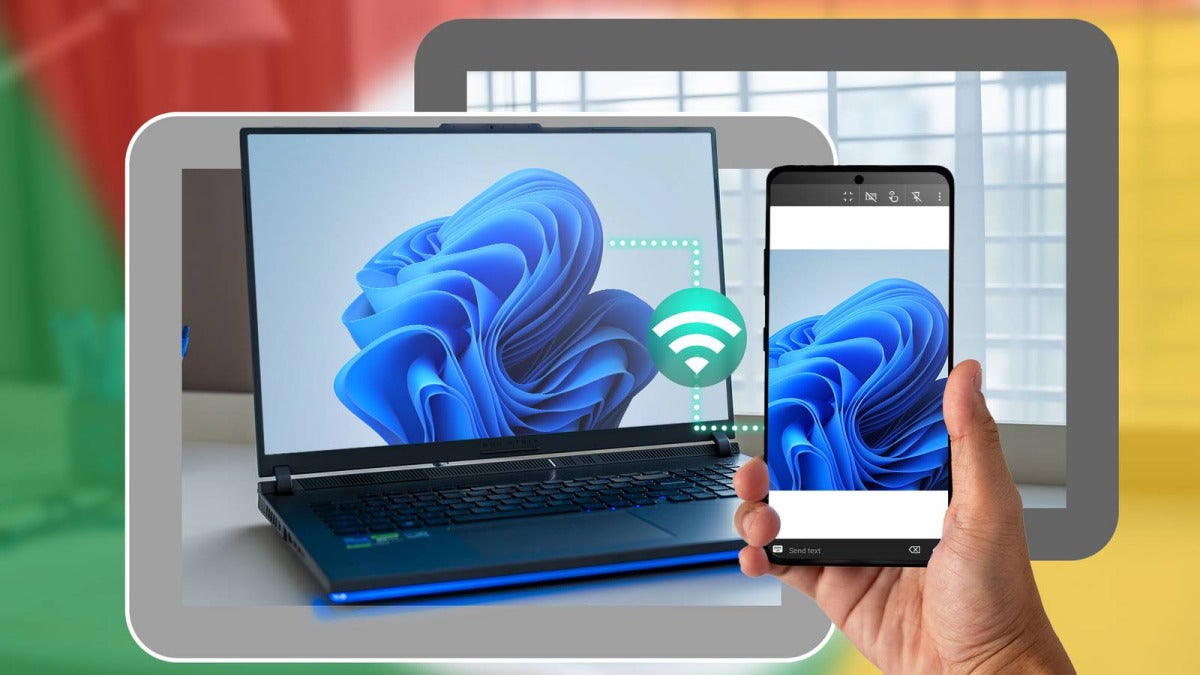
Remote access software for Android is now a pretty normal way to open files, run apps, and troubleshoot a Windows PC straight from an Android phone.
That shift tracks with how people work now. In 2024, about 13% of full-time U.S. employees work fully from home, and another 28% split time in hybrid setups. As that becomes standard, Android-to-Windows remote access tools are moving into the mainstream too.
Most of these setups work the same way: you install an app on your Android device and a host app on your Windows PC. Once the connection is live, your phone acts like a remote control. You can pull up a document you forgot, check on a download, or help a family member from somewhere else.
You’ve got a handful of familiar options here, including Microsoft Remote Desktop, Chrome Remote Desktop, TeamViewer, AnyDesk, and Splashtop. The differences usually come down to file transfer, remote printing, multi-monitor support, HD streaming, and business support features. The market for remote access software is estimated at $3.38 billion in 2025, and projections put it above $10.6 billion by 2034.
If quick access while you’re out matters to you, setting up Android-to-Windows remote access is probably worth doing.
Still, security matters. Remote Desktop Protocol attacks still go after weak passwords, so use strong, unique credentials, turn on MFA, keep your PC and apps patched, and shut off any access you don’t use. On Android, you can download these remote access apps from their app stores, then install the companion software on Windows.

Author: Chema Carvajal Sarabia
{
"de-DE": "Journalist, spezialisiert auf Technologie, Unterhaltung und Videospiele. Über das zu schreiben, was mich begeistert (Gadgets, Spiele und Filme), ermöglicht es mir, bei Verstand zu bleiben und mit einem Lächeln im Gesicht aufzuwachen, wenn der Wecker klingelt. PS: Das stimmt nicht 100% der Zeit.",
"en-US": "Journalist specialized in technology, entertainment and video games. Writing about what I'm passionate about (gadgets, games and movies) allows me to stay sane and wake up with a smile on my face when the alarm clock goes off. PS: this is not true 100% of the time.",
"es-ES": "Content Manager - Periodista especializado en tecnología, entretenimiento y videojuegos. Escribir sobre lo que me apasiona (cacharros, juegos y cine) me permite seguir cuerdo y despertarme con una sonrisa cuando suena el despertador. PD: esto no es cierto el 100 % de las veces.",
"fr-FR": "Journaliste spécialisé dans la technologie, le divertissement et les jeux vidéo. Écrire sur ce qui me passionne (gadgets, jeux et films) me permet de rester sain d'esprit et de me réveiller avec le sourire aux lèvres quand le réveil sonne. PS : cela n'est pas vrai 100 % du temps.",
"it-IT": "Giornalista specializzato in tecnologia, intrattenimento e videogiochi. Scrivere di ciò che mi appassiona (gadget, giochi e film) mi permette di mantenere la sanità mentale e di svegliarmi con un sorriso sul viso quando suona la sveglia. PS: questo non è vero al 100% del tempo.",
"ja-JP": "",
"nl-NL": "",
"pl-PL": "",
"pt-BR": "Jornalista especializado em tecnologia, entretenimento e videogames. Escrever sobre o que me apaixona (gadgets, jogos e filmes) me permite manter a sanidade e acordar com um sorriso no rosto quando o despertador toca. PS: isso não é verdade 100% do tempo.",
"social": {
"email": "chemacs91@gmail.com",
"facebook": "",
"twitter": "https://twitter.com/chematopetazo",
"linkedin": ""
}
}
View all posts by Chema Carvajal Sarabia