Being a creative professional isn’t always easy. It’s a competitive industry, and showing what you can do isn’t always straightforward. Opportunities simply don’t fall into your hands, and if you’re trying to make a name for yourself, a good portfolio can be your best friend. Luckily, you no longer need to know how to code or hire a web designer to build one. Portfolio builders are here to save the day.

The tricky part is finding the right platform. And when it comes to showcasing creative work, there's something to be said for tools built by creatives, for creatives. After all, who better to understand what designers, photographers and artists need than people familiar with the creative process themselves?
Why choose Adobe Portfolio?
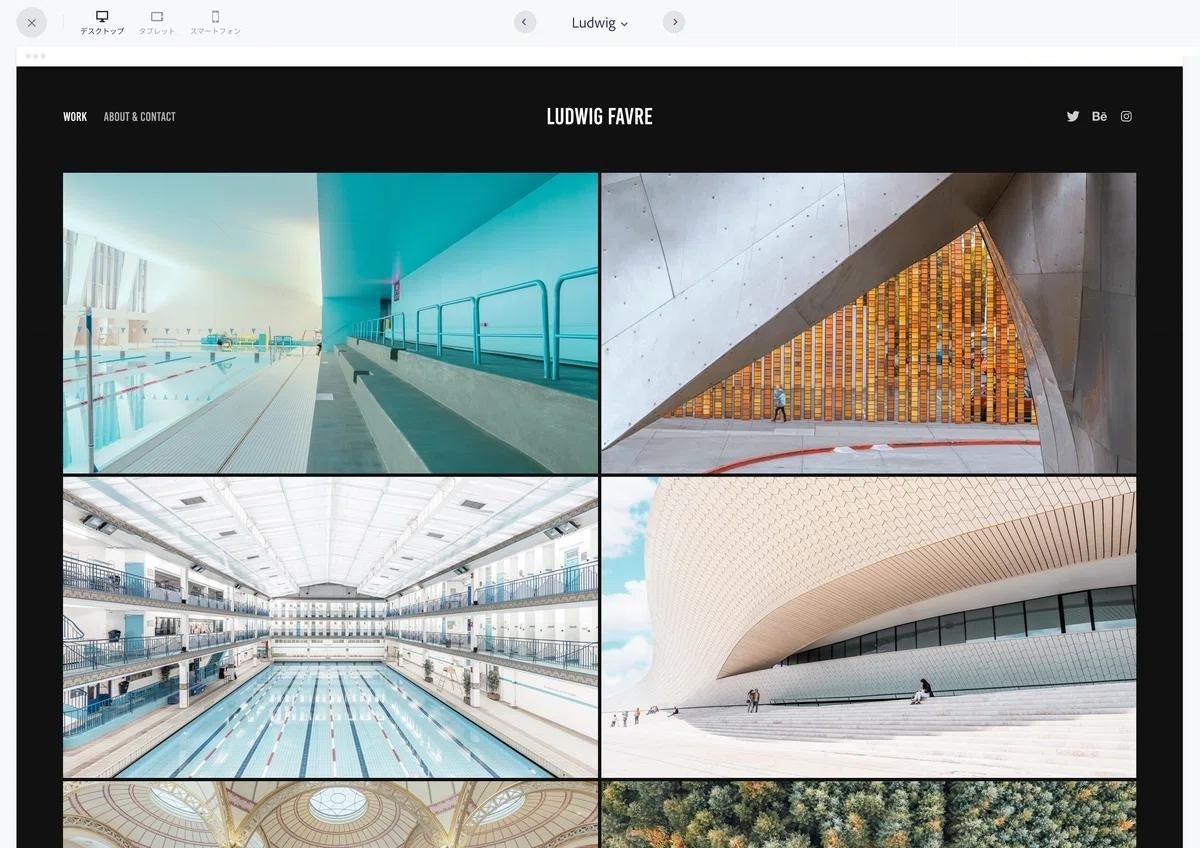
If you're already using Adobe's creative software, here’s the good news: you probably won't have to spend another penny to get your work online. Adobe Portfolio is included with Creative Cloud Pro, Photography, many Single App plans, and Behance Pro. It lets you create up to five websites, customize their appearance, connect your domain, and even use Adobe Fonts. This includes more than 30,000 typefaces licensed for personal and commercial use.
One of the things I like about Adobe Portfolio is its connection with other Adobe services. If you're a photographer, you can import your Lightroom albums directly into your website. And if you're a designer who already has projects on Behance, you can bring those over too.
Adobe has spent more than 40 years developing software alongside creative professionals, and that experience shows here. After all, if you're already using Photoshop or Lightroom to create your projects, why bother with a completely separate service to showcase them?
There's no built-in online shop or client proofing system. And there’s always the handicap of being part of a subscription service, so if you cancel the plan that provides you with access to Portfolio, your portfolio will eventually go offline.
How do the leading portfolio websites compare?
Different portfolio builders solve different problems. Adobe Portfolio and Behance are good starting points if you already use Adobe apps, but there are other options for shops, client proofing and more experimental websites.
- Adobe Portfolio + Behance: Behance is free, while Adobe Portfolio comes with Behance Pro (from $9.99/month) and eligible Creative Cloud plans, including Photography ($19.99/month), Photoshop ($22.99/month), and Creative Cloud Pro ($69.99/month). Prices reflect standard US rates with an annual commitment, billed monthly.
- Squarespace: Creative business website with ecommerce
- Cargo: Experimental layouts for designers and art directors
- Pixpa: Photography portfolios, client proofing and print sales
- Wix: Flexible drag-and-drop website building
For a straightforward professional portfolio, I’d start with Adobe. Of course, if you need to sell your work or get client approvals directly through your website, you might want to consider other options.
How to build a professional portfolio with Adobe Portfolio
Having a nice-looking website is a good start, but you need much more than that to attract the attention of potential employers. Putting every project you've ever made on your website might seem like a good idea. But imagine being a recruiter who has to scroll through twenty nearly identical designs. Would you keep looking? I probably wouldn't.
- Choose your best work: A few projects showing different skills are better than dozens that all look alike.
- Show how you got there: Don't just upload the finished piece. Include the original brief, some early ideas and explain why you made certain decisions.
- Keep things simple: Give your images and case studies enough room. Your portfolio shouldn't feel like a crowded shop window.
- Don't forget the basics: Check how everything looks on your phone. And make sure potential clients can actually find your contact details!
How to showcase videos and case studies with Adobe Portfolio
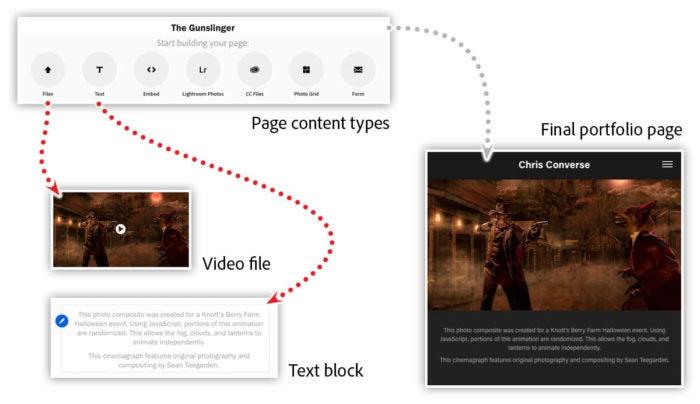
Adobe Portfolio lets you combine text, images, galleries and videos, so you can show not only your finished projects, but also how you created them. And in this AI era we live in, being able to show the work behind a project is more important than ever.
Portfolio only lets you upload videos up to 1GB each, and these won't display at full width. However, if you're a video editor and your showreel is the main attraction, I'd recommend embedding it from YouTube or Vimeo instead.
- Create a project page: Combine images, a short explanation and the finished result.
- Add your showreel: Embed a YouTube or Vimeo video if you need it to display at full width.
- Explain the work: Include a short case study instead of only presenting the final image.
How to use Adobe Portfolio and Behance together
Portfolio and Behance are both Adobe products designed to help you share your creativity with the world. And since they serve a similar purpose, it's easy to get them confused. Do you really need both?
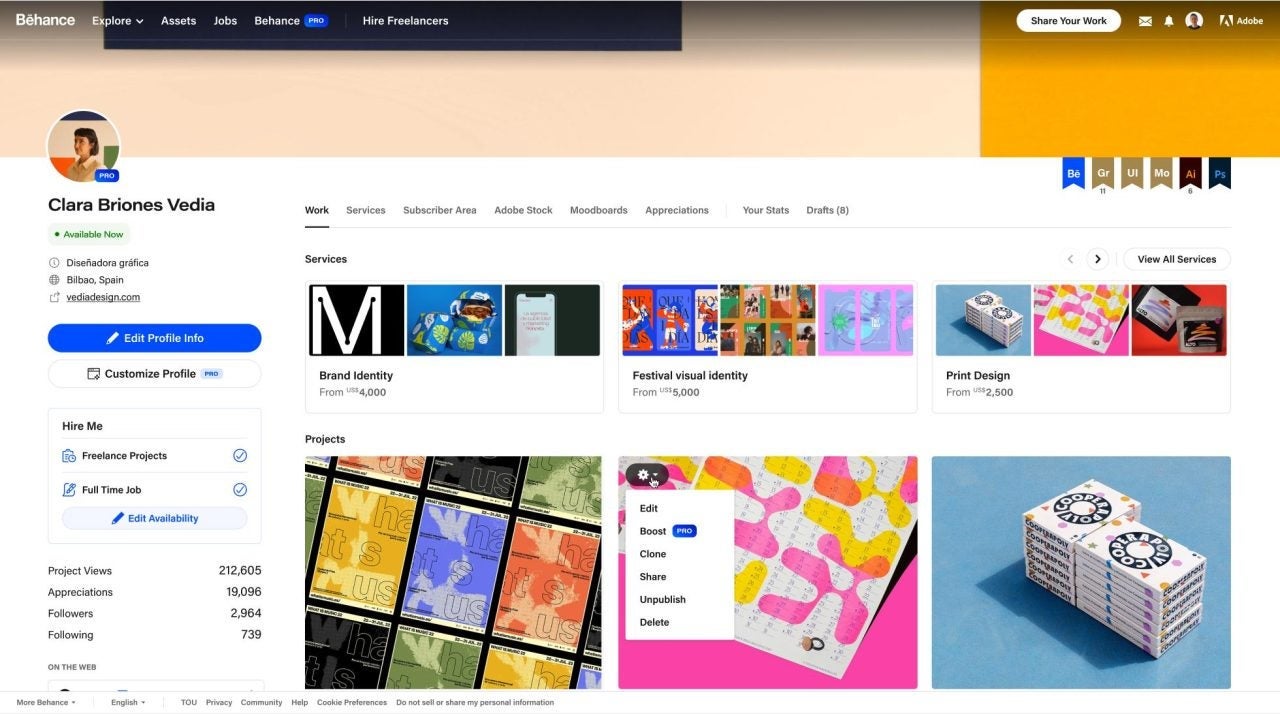
Let’s start with Behance, a social platform for creative professionals. With it, other artists, potential clients and recruiters can discover your work, follow you and contact you. There are also job listings and freelance opportunities that you can check out or even apply for, which is particularly useful if you're trying to make a name for yourself.
Adobe Portfolio is a little different. Instead of sharing your work on a creative platform, you get your own website where you can organize projects however you like, customize its appearance and use your own domain.
- Post your work on Behance: Give other creatives, recruiters and potential clients a way to discover you.
- Build your own site: Use Adobe Portfolio to organize projects on a website with your own domain.
- Use both links: Send the Portfolio website to employers and use Behance for discovery and networking.
Personally, I'd use both if I were looking for a job in the creative industry. Behance is great for checking job offers or getting discovered, while Portfolio gives you a professional site to gather your work and show it to potential employers.
Portfolio website pricing: how Adobe compares
Here's a quick comparison of the main options, based on US prices checked on November 16, 2026:
- Adobe Portfolio + Behance: Behance is free; Portfolio is included with eligible paid Adobe plans.
- Squarespace: $19/month billed annually; a 14-day trial is available.
- Cargo: $14/month billed annually or $19/month billed monthly; educational access may be free.
- Pixpa: Creator costs $15/month on monthly billing, with discounts available on annual plans. There's also a 15-day trial.
- Wix: Free with branding and limits; Light starts at $17/month billed annually.
Remember that the prices stated above are before tax and may change with time. And before you jump on the cheapest plan, check what it actually includes. There's not much point saving a few dollars if you can't use your own domain, show your videos or sell your work.
Which Adobe plan should you choose for Portfolio?
Before paying for anything, I'd check which Adobe plan you're already using. Adobe Portfolio doesn't have a separate subscription, so if your current plan includes it, there's no need to spend anything extra.
If all you need is a professional portfolio website, Behance Pro is worth considering at $9.99/month. But if you're a photographer who regularly uses Photoshop and Lightroom, the Photography plan at $19.99/month makes more sense. A qualifying Single App subscription could be enough if you only need one Adobe program, while Creative Cloud Pro is better suited to professionals who use several Adobe apps every day.
Not ready to pay for a subscription? You can still publish your projects and connect with other creatives on Behance for free, although you'll need an eligible paid plan to publish your own Adobe Portfolio website.
Why Adobe Portfolio is a great choice for creative professionals
Already paying for Creative Cloud? Then I'd definitely give Adobe Portfolio a try before spending money on another website builder. It's included with eligible plans, and you can bring your Lightroom albums or Behance projects directly into your website.
And that's what I like about Adobe Portfolio. It doesn't try to replace the tools you're already using. You've already done the creative work, so why make showing it to the world any more complicated?
