The 24H2 update of Windows 11 is proving to be more problematic than expected for many users. Although it includes several improvements and new features, the update has also brought with it several rather annoying bugs that are affecting the user experience, such as a series of blue screens related to running video games on PCs with Intel drivers, as well as the sudden disappearance of the mouse cursor.

Subscribe to the Softonic newsletter and get the latest in tech, gaming, entertainment and deals right in your inbox.
Subscribe (it's FREE) ►One of the most serious problems that has emerged with this update is the creation of a huge cache folder during the installation process, as reported by Windows Latest. This folder, which can reach a size of 8.63 GB, cannot be deleted in any way, something that has surprised many users because it is not at all usual.
According to Microsoft itself, Windows always generates a temporary cache during updates, but on this occasion, there is an error that prevents it from being automatically deleted after the installation is complete.
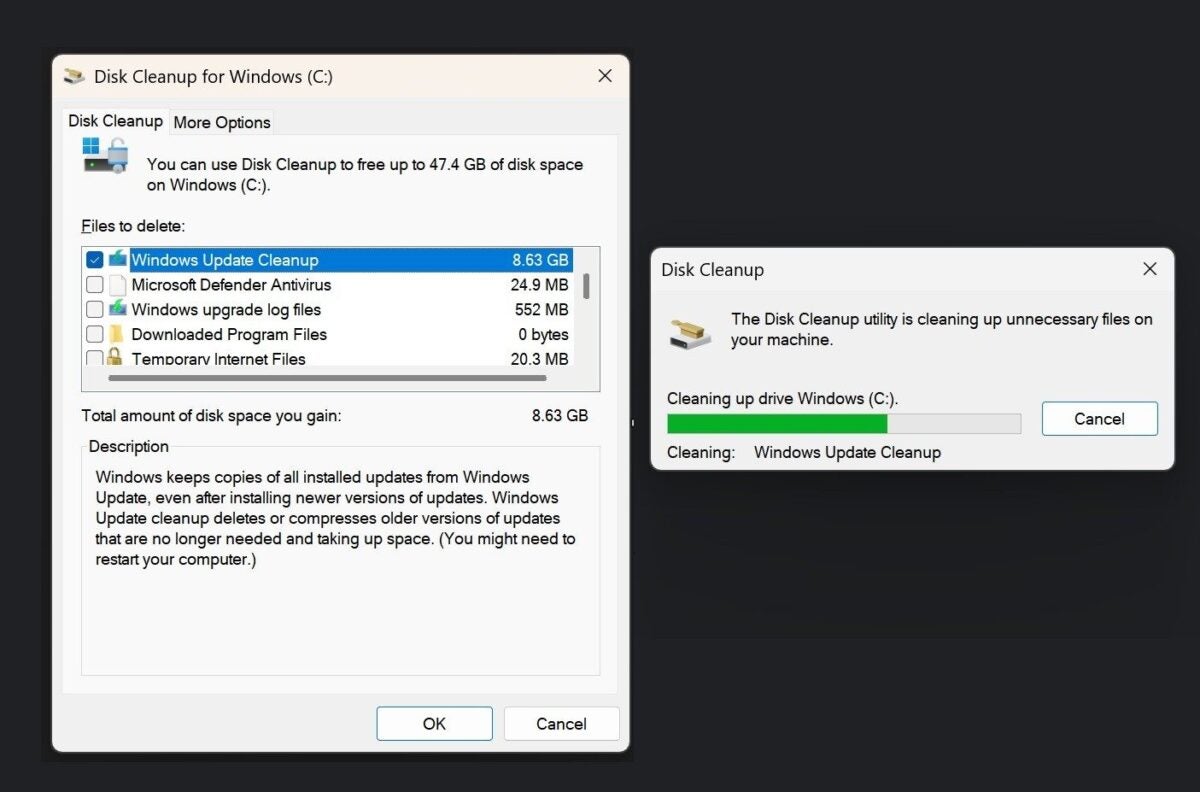
Several users have attempted to manually delete this cache using tools like Disk Cleanup or the Windows Control Panel, but without success. “I tried cleaning several times, even tried SFC Scannow but it did nothing. I guess it’s a bug that will be fixed,” comments one of the users in the Microsoft Feedback Hub. Another adds: “Even after using the Disk Cleanup utility, it still shows that they have not been cleaned.”
For its part, Microsoft has acknowledged the issue and assures that it is working on a patch that will fix this problem in a future update. In the meantime, the recommendation is to leave the cache as it is, since it is not worth reinstalling Windows just to delete these temporary files.

