The most important creatives conference on the planet. This is how Adobe MAX 2024 was promoted, an event held in Miami from October 14 to 16. This year, the focus has returned to generative artificial intelligence and specifically, Adobe Firefly.
The company has been integrating generative AI functions into its most important programs for some time now, a wave that began with the launch of Adobe Firefly in 2023. After just over a year, has Adobe managed to improve its generative model? Well, yes, and a lot. This has been demonstrated through the new features showcased at Adobe MAX 2024.

Within the context of Adobe MAX, the company has also launched new versions of Premiere Pro, Illustrator, Photoshop, and others, which welcome 2025. Below, we present some of the most important announcements made during the event:
Premiere Pro
- New Design: Premiere Pro introduces a new, more modern design along with two dark modes, a light mode, and another focused on accessibility. Additionally, Premiere Pro has a greater aesthetic consistency with the rest of the Adobe family. This will make your experience more familiar, especially if you come from other programs like Photoshop, for example.
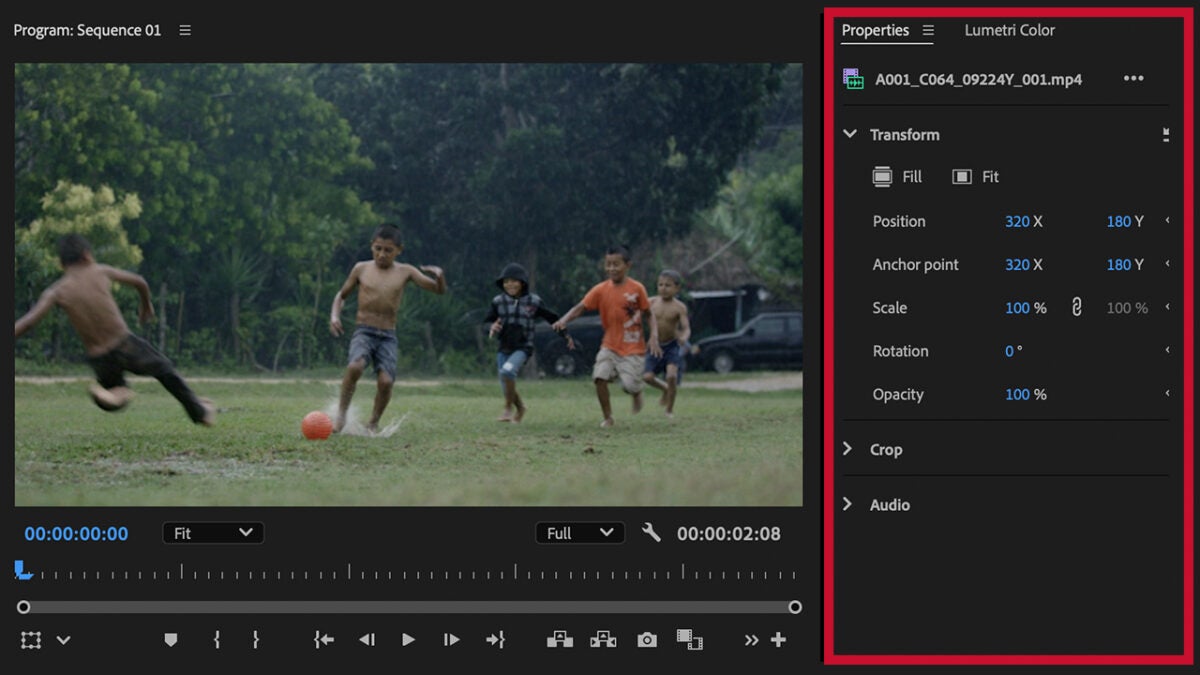
- Properties Panel: In this panel, the tools you need will automatically appear just when you need them. And for the first time in Premiere Pro, you can modify the properties of multiple clips simultaneously.
- Color Management: No more spending extra time on technical color adjustments: Premiere Pro will allow us to choose from six preset color options. So, when we drag a video to the timeline, its color will automatically adjust according to the chosen space. We will also be able to easily switch between SDR and HDR content, among many other details.
- Generative Extend: If you’ve ever wished a clip lasted a bit longer, Generative Extend is the solution you’ve been waiting for. This feature will help you extend videos to fill gaps or smooth transitions, for example. You’ll find it in the toolbar so you can access it easily.
- Remember that if you want to use the new Color Management and Generative Extend options in your projects, you will need to install the Beta version of Premiere Pro.
- Text to video: From Premiere, we can generate a video from a written description.
All this is possible thanks to the technology of Firefly Video, Adobe’s new generative AI model focused on video. This model has been trained with authorized content and without using material from Adobe users. Furthermore, it is the first public video model that can be used seamlessly for commercial purposes.
Although you can enjoy its capabilities within Premiere Pro, Firefly Video is available on the web through a limited public beta.
The content provided is an embedded YouTube video link. There is no text in Spanish to translate into English. If you have any text that needs translation, please provide it.
Adobe Photoshop
- Generative Expand and Generative Fill: With Generative Expand and Fill, we can artificially “expand” an image. The content, generated by AI, blends naturally with the original.
- Both functions have improved their performance thanks to the use of the latest Adobe Firefly model. You can see this firsthand through their results, which are more realistic and detailed than ever. Another new feature in Photoshop, Generate Similar, will allow us to iterate and generate similar variations based on an object. Generative Expand is also available in other Adobe programs like InDesign.
- Distraction Removal: This feature allows you to instantly remove any element you don’t want to keep in your image. People who accidentally appear in your photo, annoying objects… Distraction Removal can automatically detect them, erase them, and fill the gaps with AI-generated content.
- Generate Image: Describe what’s on your mind and Photoshop will make it a reality. You can specify aspects like colors, lighting, visual style, and much more. To access this feature, go to Edit > Generate Image.
The image provided does not contain any text that requires translation. If you have any accompanying text or captions that need translation, please provide them.
Adobe Lightroom
- Generative Remove: Now it will be easier than ever to “clean” your photos of unwanted elements. Just like in Photoshop, we can remove objects without a trace by selecting the Remove tool and painting over the object in question.
The provided content is an HTML image block, which does not contain any text that requires translation. If you have any text content that needs translation, please provide it, and I’ll be happy to assist!
- Quick actions: The Lightroom app for mobile devices is also not without updates. The most striking feature is undoubtedly the Quick Actions, which offers us suggestions on how to improve parts of our photos with AI. If you want to try it on your device, go to the Early Access section and activate Quick Actions.
Adobe Illustrator
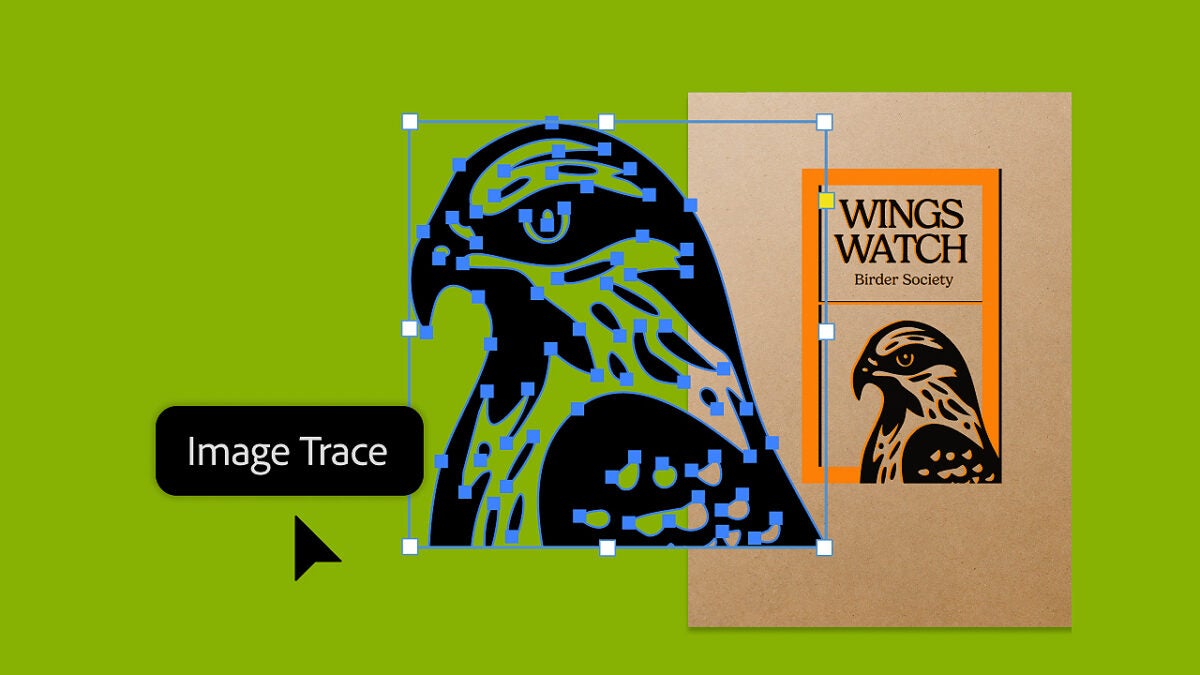
- Enhanced Image Trace: With this option, you can easily convert raster images into vector art. It has now been further improved and allows tracing any images with greater speed and accuracy than ever before.
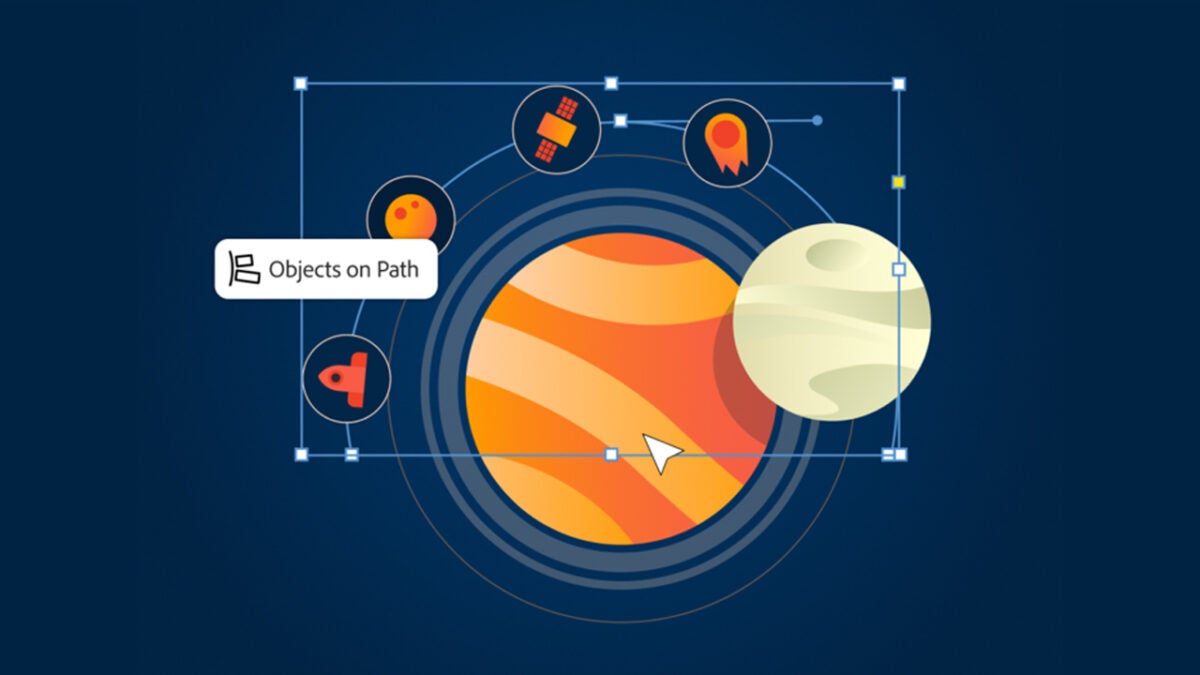
- Object on Path: Illustrator will allow us to place, organize, and move the elements of a design along a direction within our project. Essentially, we will be able to align multiple elements following the path we want.
- Project Neo: The web application of Project Neo aims to help artists create and edit 3D designs to later incorporate them into Illustrator. We will be able to modify aspects such as color, shape, perspective, and lighting to achieve the desired effect. Although it is in beta version, the results shown at MAX 2024 seem quite promising.
Adobe Express
- Resize Expand: With this feature, we can change the dimensions of any project or image we have to adapt it to different social networks.
- Animate All: Adobe Express will allow us to bring a design to life by simply activating this option. Doing so will instantly animate components such as texts, images, and shapes.
- Compatibility with InDesign and Lightroom: Adobe aims to streamline workflows by adding compatibility with more programs from its suite. After Photoshop and Illustrator, users can now incorporate InDesign files into Adobe Express and also add photos from their Lightroom library.
