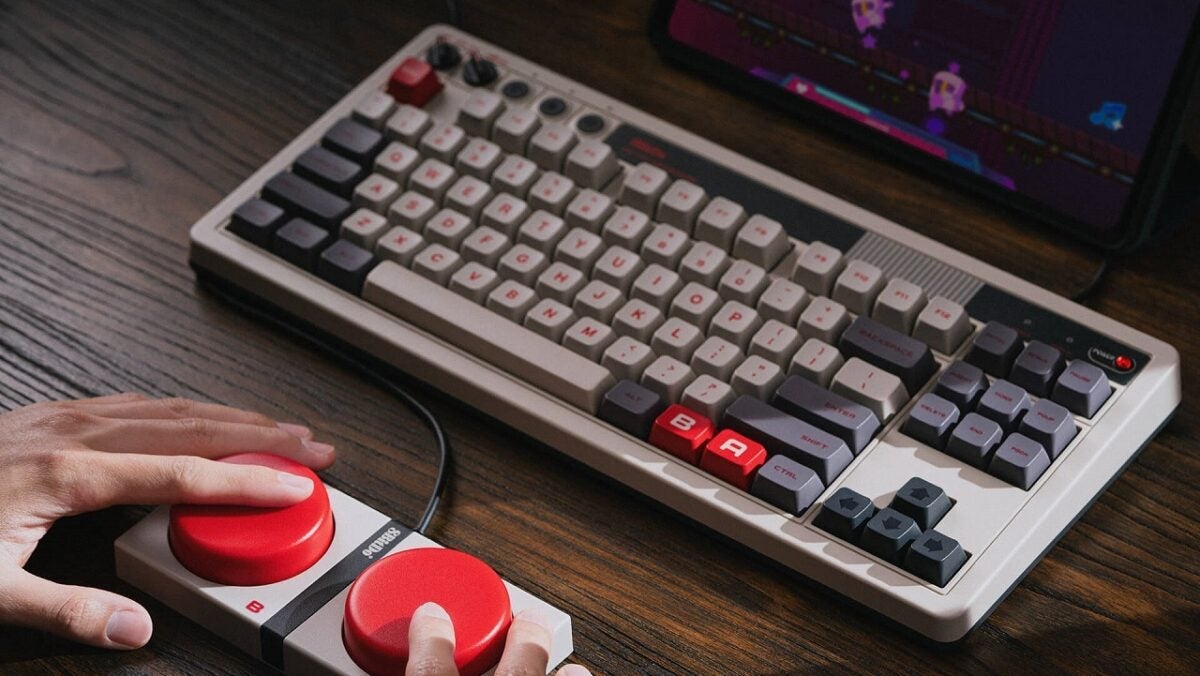
Since 8BitDo announced that it was launching a keyboard called Retro Keyboard, featuring designs from the NES and the Famicom, my inner child decided for me that I had to get one. Unfortunately, for over a year this keyboard was only available with the ANSI distribution (or American layout, as it is commonly called).
Fortunately for me and for millions of Europeans, the Chinese brand 8BitDo decided to adapt the Retro Keyboard to several languages a few weeks ago, including Spanish. Today, after more than a year and a half of waiting, I can finally tell you how the beautiful keyboard that I have wanted to try for so long is. Will it live up to expectations?
TKL Design, retro but in current fashion
Whichever version you buy (NES or Famicom), the retro mechanical keyboard has the same tenkeyless (TKL) design. This means that the necessary typing keys are present, along with separate navigation keys that include Print Screen, Scroll Lock, and Pause, set apart from the typing keys.
A full row of function keys is located above the typing keys, like those you would find on a full-size keyboard, in three distinct groups of four.
In addition to a Windows key to the left of the space bar, customizable A and B buttons can be found to the right of the space bar. The keys are made of PBT with sublimation, so they should be resistant to wear and fading.
The keyboard’s own controls are located in the upper left corner, above the Escape key. Here you will find a power/wireless dial that turns on the keyboard and sets it to Bluetooth or 2.4 GHz mode, a volume dial next to it, and pairing, key assignment, and profile buttons to their right, each with an LED to indicate when it is pairing, assigning a key, or switching profiles.
An independent power LED is located in the upper right corner of the keyboard, placed in a hemisphere to give the impression of the LED lights that resembled bulbs used before surface-mounted lights became much more common in the 1990s.
The back of the keyboard has a USB-C port for charging and using the keyboard via a wired connection, along with a slot for the included 2.4 GHz USB adapter. You will also find four 3.5 mm ports labeled A, B, X, and Y, to connect the included Super Buttons accessory.
A TKL design with some additional buttons and a volume control already seems sufficient for a compact wireless mechanical keyboard under 100 euros, but 8Bitdo, however, adds a second device to the box.
The accessory Super Buttons is a rectangular device with two large circular buttons that look like giant versions of the front buttons on NES or Famicom gamepads. It connects to one of the ports on the back of the keyboard, and both buttons can be assigned separately to any command. A keyboard can accept up to four Super Buttons.
A mechanical keyboard with a very pleasant sound
The keyboard uses Kailh Box V2 White switches, tactile and clicky switches that are satisfying, but can be a bit noisy if you prefer quieter ones.
The click is not exactly subtle, but it sounds slightly rounded and not very sharp, which I find pleasant. The switches have a total travel distance of 3.6 mm and are rated for 80 million keystrokes each.
The keyboard’s circuit board is hot-swappable, so you can change the key switches for quieter ones if you wish. (You might prefer a linear movement, or simply want a different brand and model of switch). It is compatible with N-key rollover.
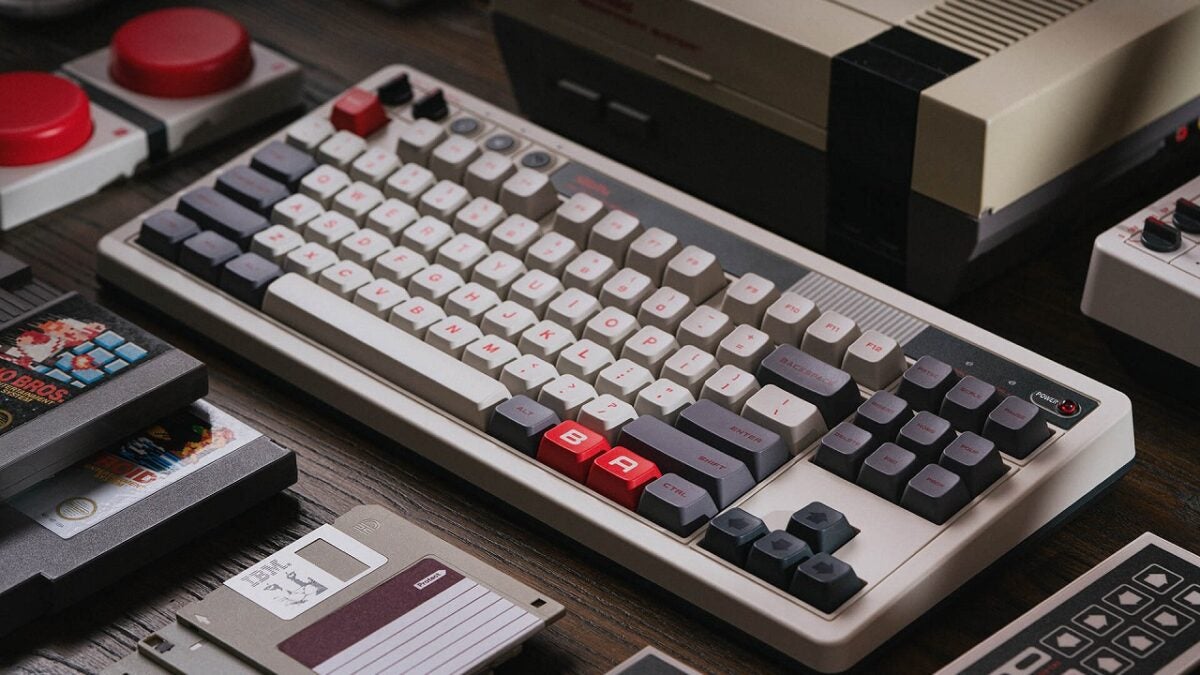
I have been using the Retro mechanical keyboard for two weeks and I find it responsive, reliable, and fun to use. I have not experienced ghosting or missed key presses while typing, and the Bluetooth connection was consistently reliable with my computer, just like using the keyboard via WiFi with the 2.4 GHz USB adapter.
The aesthetics of the NES on the keyboard are instantly recognizable without being ridiculous, and as a 33-year-old adult with an extensive collection of cartridges, it is perfect for satisfying my inner child.
That said, I confess that I haven’t used the Superbuttons at all. They are a nice addition, but they don’t seem useful considering that you only get two customizable buttons.
Perhaps you can find some use for them to quickly switch to a program or open it, or to activate a specific preset while streaming, but the amount of space they take up is too large for what they offer.
A perfect keyboard in every way, where design is just the tip of the iceberg
The retro 8Bitdo mechanical keyboard is a fantastic wireless mechanical keyboard, which is even better if you are a specific type of gamer.
PC gamers and those who are not at all enthusiasts of video games probably won’t appreciate the designs of the NES and Famicom, but even they will enjoy the good typing feel, flexible connectivity, and reasonable price (99 euros in Europe).
In fact, it will be hard to find a good wireless keyboard with quality mechanical switches for this price, unless you go for lesser-known Chinese brands. And 8BitDo, being Chinese as well, has already earned a good reputation in the industry.

For me, the NES-style Retrokeyboard from 8BitDo is, without a doubt, my favorite keyboard. And I would tell you how long the battery lasts, but I’ve gone two weeks without charging it and it’s still at about 70%, so I’ll let you know when I find out.
