Evangeline West is a freelance music reviewer and content writer who discovered her love for gaming at a young age when playing with her older brothers' Sega Genesis. She attributes her video game passion to her love of sound effects and audio. When not hosting karaoke gaming events, Evangeline throws LAN parties in a casual setting. Known as "Evie," she's a fan of horror gaming, and the occasional reference to her name is similar to a Pokemon.
Elden Ring from the Dark Souls series features a unique alternative mechanic against prior titles with the option of duplicating remembrances. If you’re new to this feature, remembrances are items that a story boss will drop after you win a big battle, which can be turned into weapons, spells, and runes.
To do this, you will need at least one existing remembrance from defeating one of the story bosses and find special moving mausoleums that require a simple task to enter and retrieve the item from the central tomb. Read on to find out more details about walking mausoleums and the mechanics of duplicating remembrances that exist in Elden Ring gameplay.
Tips for finding and grounding a walking mausoleum in Elden Ring
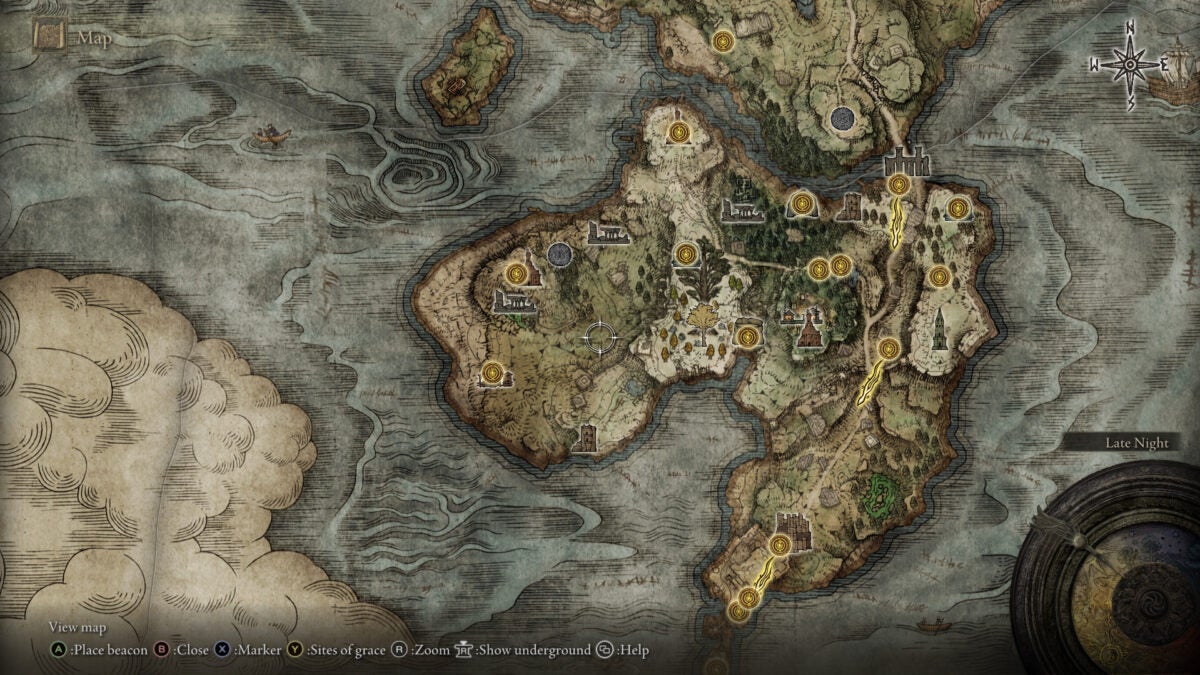
Walking Mausoleum Location map
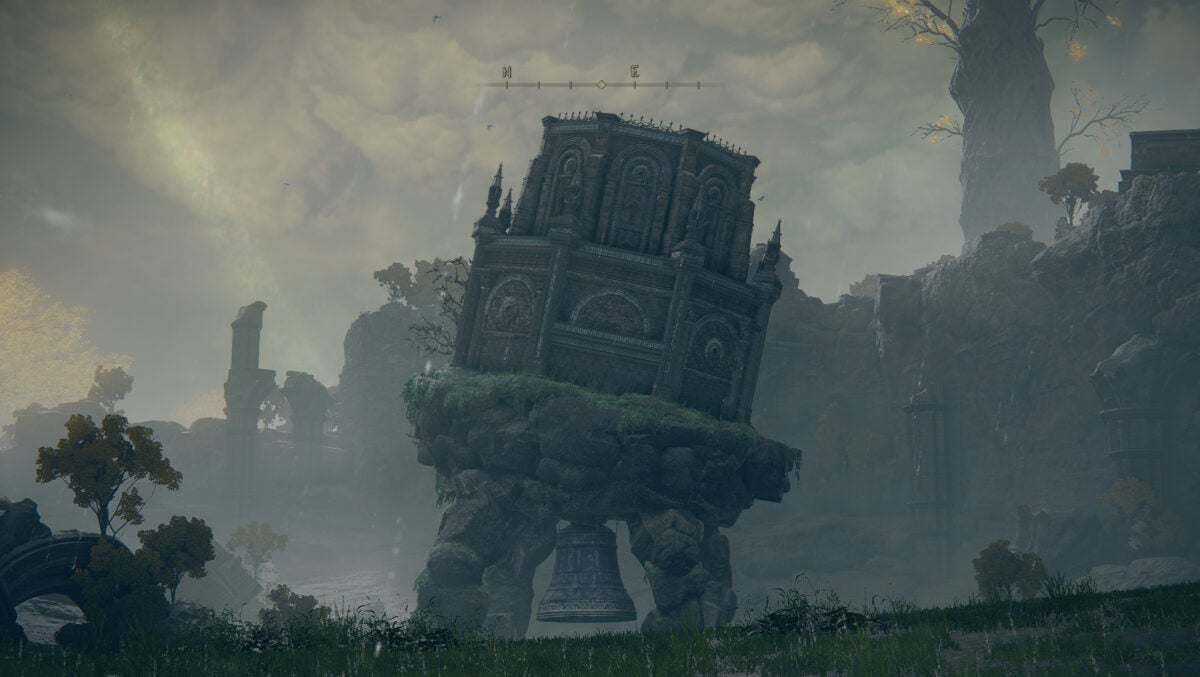
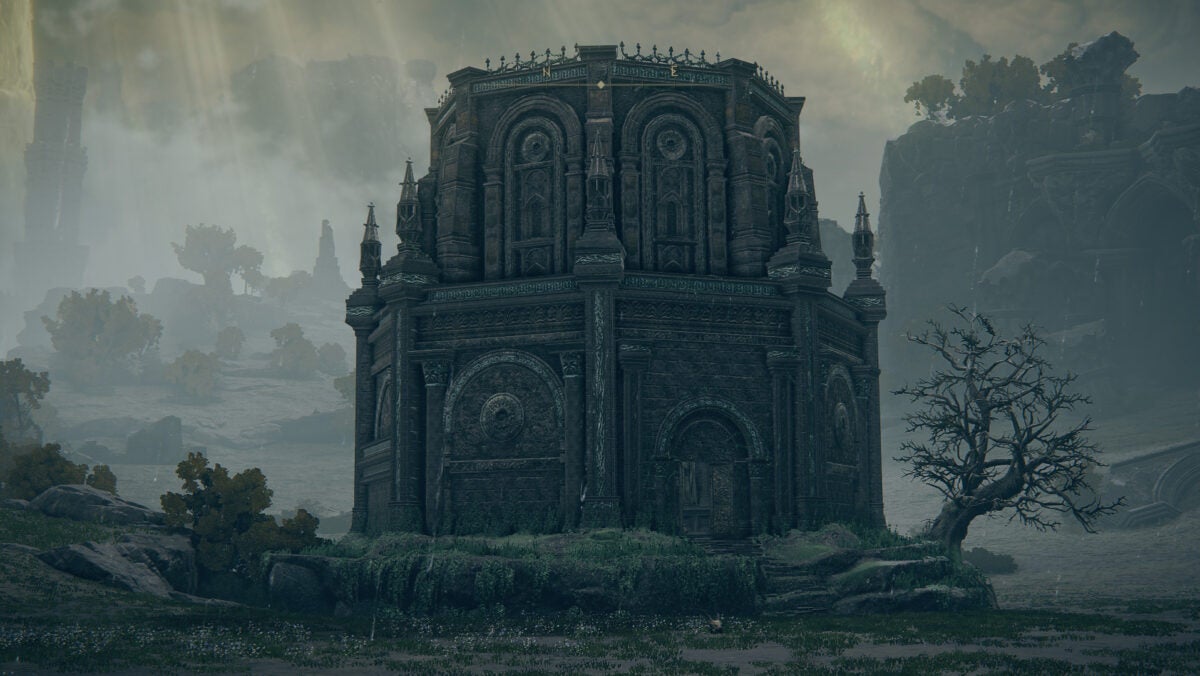
Walking mausoleums can be found in four separate places in the Lands Between map from Elden Ring. Though some players may find it difficult to locate the massive monoliths, it will announce its location by sight in the background or loud sounds of stomping when you’re close to approaching. With three of these mausoleums, your task is to clean the walking feet from attached skulls by using your weapon until the structure is grounded. The fourth monolith requires you to scale the building, taking care not to fall, and clean the monolith from the top.
Duplicate resemblances by picking up boss drops
Once you get through the grounding of the mausoleums, we offer you congratulations!
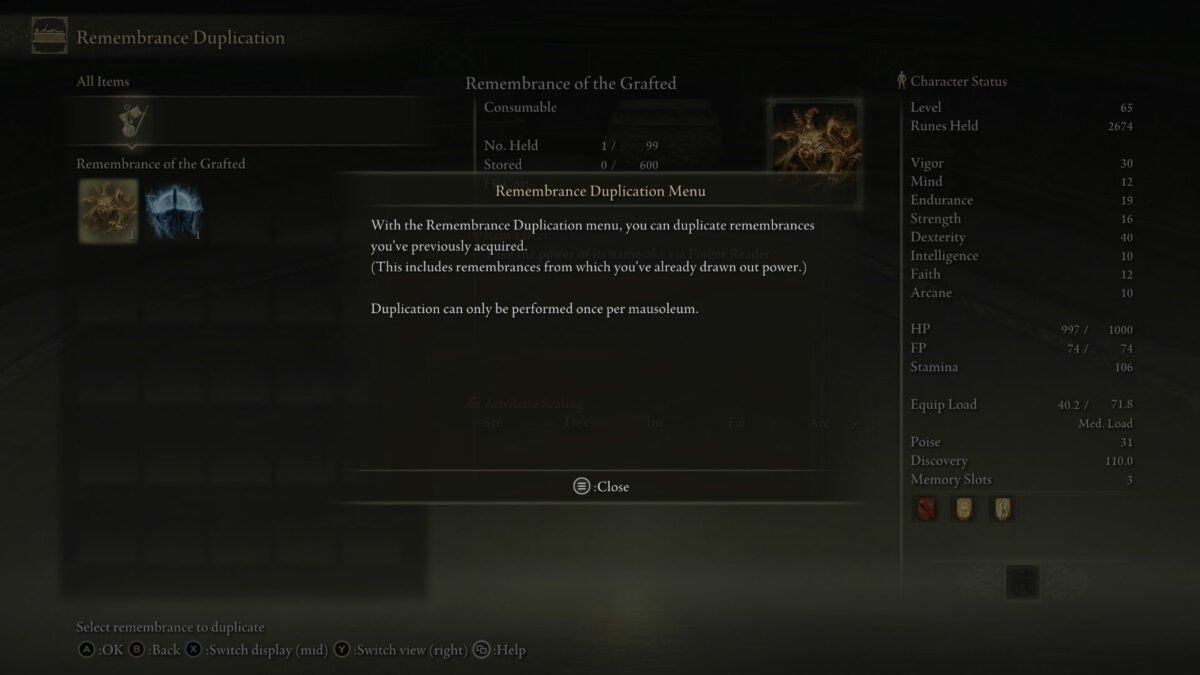
Next, you will just need to enter to collect your item. You can do so by walking to the center tomb and examining the tomb by pressing the prompt controls. The menu will pop up to select a remembrance, and it will not cost you any resources as you can only duplicate one remembrance per each walking mausoleum.
Many players will suggest taking only weapons and not wasting time on runes, since they are easy to find among the map, and those weapons will help you through the more intense Elden Ring gameplay.
Utilize duplicating Elden Ring remembrances with caution
Duplicating remembrances is a good idea for those who want to acquire story boss weapons to further Elden Ring progress. It is not recommended to farm for more runes with duplication. This can prevent you from progressing through your Elden Ring gameplay or experiencing the story naturally with the same difficulties as other players who won’t pick up on the duplicating mechanics without their own further research.
Once you’ve acquired these remembrances and defeated the monoliths, your next step is to reach out to the Finger Reader at the round table hold and watch the magic unfold. Elden Ring can become a new game with duplicating remembrances and a diverse action gameplay at the start of each story. How you beat the story bosses is up to you, but we hope this guide to duplicating remembrances adds a special twist to your gameplay.
Desktop Goose is a virtual pet designed to add a bit of fun to your daily computing experience. The star of this free app is a pixelated goose that can take over your computer’s desktop by randomly waddling across your screen, chasing your mouse, and even dragging images into view while you’re using other programs.
Designed by independent developer Sam Chiet, aka Samperson, Desktop Goose offers some clever twists to what’s admittedly a very simple premise. Chiet, the self-described maker of “dumb-smart things,” earned notice in 2020 with Desktop Meadow, which creates a slowly growing meadow on your screen. While the previous app was tranquil, the goose game character is intentionally more distracting and even annoying, especially if you leave your sound on and you suddenly hear his honking quack.
A new type of screen companion
Why would you want to add a virtual pet like Desktop Goose to your computer? Once a relic of the internet’s early days, screen companions are making a retro comeback for those who like breaking the monotony of cold, computer interaction. They humanize your screen and are designed to provide a healthy distraction.
Desktop Goose is cute and whimsical like most screen buddies. However, this virtual pet takes the distraction up a notch into the realm of mayhem. Inspired by the Untitled Goose Game, which became a source of memes in 2019, Desktop goose is gleefully annoying.
Desktop Goose is fittingly easy to run on your computer. After you download Desktop Goose, you will then extract the ZIP files and choose the location where you would like to find the folder, such as your desktop or Games folder. Afterward, you will add your own files including sounds and graphics that the goose will access and pull up on its own. The virtual pet won’t be able to access any other files, and you can change the accessible images at any time when the goose is inactive.
Desktop Goose already comes installed with multiple memes and one GIF that the goose pulls up when you launch the program. If you do not set a specific time for the goose’s attack, it will show up on its own after you double-click the program to launch through the application file in the Desktop Goose folder. You can choose to keep the existing sounds of goose footsteps and honks or replace them with music using the sound settings.
The Desktop Goose is safe for your computer
Desktop Goose is a freeware program that has been deemed safe by trusted anti-virus programs such as Avast. While it makes a great prank faux-virus, you can control the program to launch whenever you’re looking for fun and distraction. There is also a customization setting so that you can choose how long the goose will control your desktop and move your cursor.
However, you’ll need to know basic coding to fully customize the game. To do this, pull up the configuration file feature by right-clicking the Desktop Goose folder. There, you will be instructed to write true or false on lines of code to allow the goose to control your cursor and the amount of time it will attack your device.
Make the Desktop Goose go away when you’ve had enough fun
The distracting goose is surprisingly versatile with his attacks and chaos. He’ll show up while you’re playing video games and seemingly interact with the action. You can also make him chase your cursor by moving the mouse. After he catches the pointer, he’ll take control for less than a minute.
In order to regain control of your computer, you need to exit the program by holding down the escape bar until a taskbar appears. A loading bar will tell you when the goose will waddle or fly away. You will also be able to turn off the program through the taskbar.
Desktop Goose has a growing community of fans
Since Desktop Goose is a PC pet for laptops or personal computers, it can only be launched by the person in control of their device or a guest. Although you can install it on a friend’s computer as a prank, be aware that Desktop Goose will impact their gameplay and productivity with the settings you choose. So you’ll want to be careful when adding it to the computer of someone who’s serious about gaming or their work.
There is an active Desktop Goose communityof fans who have created and shared mods to download. Examples of modifications include goose hats and specific limits on what the goose is able to do, such as only interacting during computer games and not pulling out existing files in the Desktop Goose folder. However, it is important to note that you will have to find safe and secure downloads of these modifications outside of the official program.
Desktop Goose works smoothly when running other programs in the background
Desktop Goose is a lightweight ZIP folder application that can be used with other programs including Microsoft Excel. The Desktop Goose program can be launched on a timer or set up in the background for a visit from the goose at random intervals. With the second option, the goose is likely to choose to attack while you’re working on an important spreadsheet and distract you. It will also fly through computer games to halt your progress, which can be comical or annoying.
If you’re looking to make gaming morechallenging and funny, consider running Desktop Goose before opening your computer game. When you need a distraction from work, save your important files and play around with the goose for fun on your desktop. Place only the pictures and files you allow the Desktop Goose to control in the Desktop Goose folder.
Watch out, the goose is loose: Desktop Goose and its impact
Desktop Goose is a popular title among fans of comedic programs and memes. It’s essentially a joke game to prank your friends or add some distracting humor to your daily routine on the computer. Members of the Desktop Goose community are known to share unique mods and screenshots showing their time on the program fighting with the goose.
However, this distractive virtual pet can also be annoying if you accidentally let the goose out and control other active games. As mentioned before, the program also reduces your productivity. But this could actually be a benefit depending on your state of mind. Luckily, you can easily force quit the program and uninstall it if Desktop Goose is affecting your everyday routine too much.
Final verdict: A fun desktop companion if you like distractions
As a virtual pet, Desktop Goose is a fun app, especially for fans of the Untitled Goose Game. While it may get old as a continuously running app, it will certainly generate a laugh. The goofy antics of the pixelated goose also make regular gameplay more challenging in a (mostly) harmless way. Desktop Goose is a fun program for those who need an amusing break in their daily schedule and don’t mind taking time away from work and day-to-day priorities.
Sam Chiet is an established name for creating entertaining desktop games and software updates. Through social media, he has helped foster a community of like-minded “goblins” who enjoy the escapism provided by a desktop companion.
Pros
Fun replication of protagonist of the Untitled Goose Game
Healthy distraction from monotonous computer work
Secure and won’t access private files
Users can customize with images and sounds
Lightweight in file size to work with other programs
Friday Night Funkin’ is an open-sourcemusic rhythm game developed by a team from Newgrounds, a site that hit it big in the early 2000s with a series of browser games. In FNF, users play as the character Boyfriend to match keyboard directions with notes that appear on the screen.
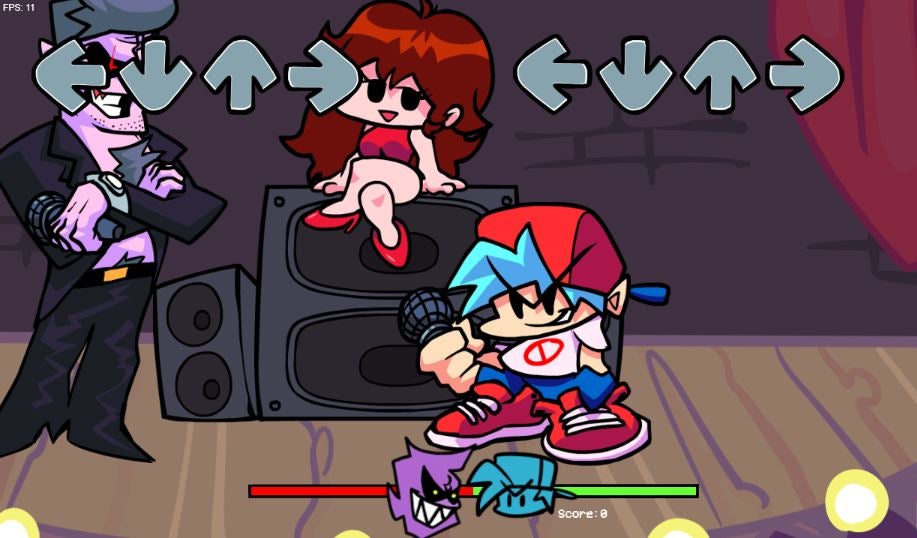
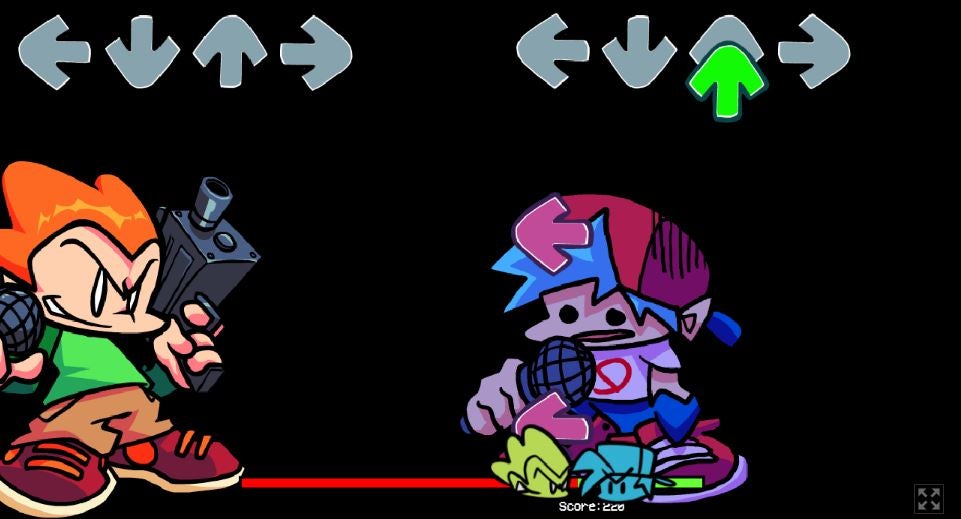
Your task is to beat your new opponents and keep dating Girlfriend. Of course, with each level, the game gets harder with bigger bosses. A green health line at the bottom of the screen shows who is in the lead and will turn red if you’re losing against the boss.
FNF can be compared to arcade titles like Dance Dance Revolution and Stepmania. Using original beats and a battle between characters, all of the seven levels are labeled as “weeks” until the final showdown. Notable Newgrounds characters appear as bosses, who follow your progress bar as you match the musical notes against your opponent. Independent developers Ninjamuffin99, PhantomArcade, Kawai Sprite, and evilsk8r have brought this nostalgic game to life.
Singing and rapping to win Girlfriend’s heart
Though not explained in specifics with cut screens or dialogue, FNF puts the Boyfriend character in battles against bosses such as Daddy Dearest and Mommy Dearest. It is interpreted here that Boyfriend needs to beat other musicians by matching their beat to win Girlfriend’s heart. Girlfriend is featured in the center of the screen through the weeks and also guides you through the tutorial before the start of the game, which you can choose to play or skip.
The single-player game features two to three songs in each level with the controls getting fasterwith every round as you try to line up the arrows. Players can choose their level of difficulty from easy to hard; however, the weeks become increasingly difficult even on an easier mode and within each round. The bosses to beat are Daddy Dearest, Mommy Dearest, Monster, Senpai, Spirit, Pic, Tankman, and Skid and Pump. Senpai is one of the few characters with dialogue for the story adding an action and adventure touch.
Friday Night Funkin’ is a retro game for adults
While the gameplay echoes classic kid-friendly titles such as Rock Band and Guitar Hero, Friday Night Funkin’ features some suggestive content. For example, the Girlfriend character sits on a speaker throughout most of the levels and you must defeat gun-wielding bosses. This rhythm game sprung up out of a game jam in which the programmers created everything in a few days from scratch and left open many possibilities for modding. Newgrounds is known for creating games with an irreverent sense of humor.
Without formal cutscenes, the romantic subplot of Boyfriend and Girlfriend is very subtle when you’re playing the game. However, anyone can catch on that Friday Night Funkin’ is intended for a mature audience. Though it’s fully animated and not graphic, FNF is a program for older teens and adults due to racy graphics and some violence.
Friday Night Funkin’ is a nod to nostalgic internet games
If you grew up in the 1990s and 2000s, you will enjoy the classic graphics of Friday Night Funkin’, which are a throwback to dance arcade games. The keys to control the Boyfriend character are up, down, left, and right, and the gameplay is best served by a good set of speakers or headphones. There are other options to download a mod from additional users for a more customized game. Since the initial prototype was released in October of 2020, Friday Night Funkin’ has developed a large fan community that has shared techniques to win battles against the bosses. Start off by picking Story Mode or Freeplay to explore the game or have a seamless playthrough.
The soundtrack features original music that you’ll play along to when battling the bosses. The genres range from hip hop to opera with a nostalgic MIDI appeal in sound. The simple graphics and lightweight gameplay are a nod to the past and other games such as PaRappa the Rapper. The characters also have similar classic movements to older rhythm games. But we also get a few modern details, such as Girlfriend’s dancing and the bosses’ animation.
Friday Night Funkin’ is available on PC and mobile
Friday Night Funkin’ is free to downloadand can be played on a PC, laptop, or any mobile device. The open-source nature of the game has led to many modification downloads. If you know basic coding, you can create your own mods and share them with the FNF community. The simplicity of the gameplay, graphics, modding is a big reason why the game has developed such a cult following.
Since FNF is based on older programming, however, some players experience a lag in gameplay. This is forgivable as it is a free program with a lot of imagination. FNF can be played through in a few hours, but many gamers choose to go back and change the difficulty to see their progress and speed up the game themselves.
Friday Night Funkin’ graphics and sound appeal to fans of music games
With two to three songs at each level (week), players can enhance their singing skills alongside one of the NPC bosses with the exception of duo Skid and Pump. The tracks get faster with more combos at each level and the subsequent weeks following your progress. Unlike similar games such as Dance Dance Revolution, which uses established songs, Friday Night Funkin’ features original tracks. This is one of the most charming aspects of FNF, and the game’s soundtrack has generated countless plays on Spotify.
The colorful graphics change each week as well as the bosses’ appearances and movements. Girlfriend remains in the middle of the screen and provides voice commands as you battle for her affection. She appears excited, happy, and even in distress as you hit notes or miss a beat. The bosses are meant to be frightening and threatening as the weeks progress until the finale.
FNF is a unique retro game that lives up to the hype
Since the original prototype and demo were released in 2020, Friday Night Funkin’ has obtained cult status among lovers of vintage games. This popularity has single-handedly helped put Newgrounds back in the consciousness of the gaming world. It’s easy to see why as FNF is a simple yet fun game that offers an amazing musical experience. In fact, the soundtrack alone is nearly enough to recommend the game.
FNF is fun for those who want to beat the game in one go, rather than spend hours and weeks playing like adventure titles in a series. The way the game speeds up and gets harder in difficulty appeals to competitive retro gamers. Another great function is being able to choose between Story Mode and Free play mode to try to beat all the bosses.
Friday Night Funkin’ has room for personalization
This rhythm game is funded by donations, allowing the developers to accept mods and updates. There are other variations of Friday Night Funkin’, with different NPC bosses and music.
Users can even pitch ideas to developers with their own individual feedback. The Friday Night Funkin’ community shares different game lore as the official story is vague and up for interpretation. It will only take a few tries to beat the levels and unlock each week’s boss battle. However, the real charm of the game is being immersed in the FNF community and trying the mods.
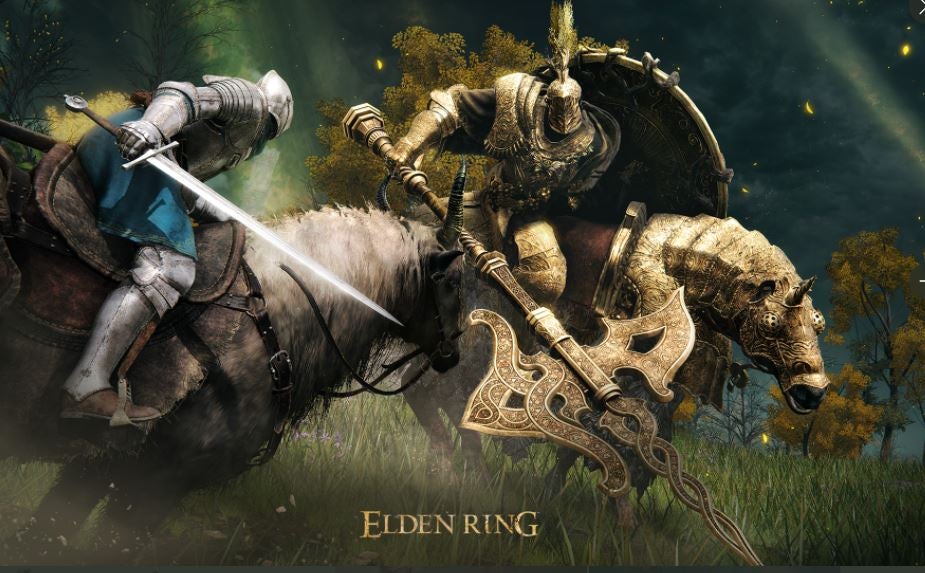
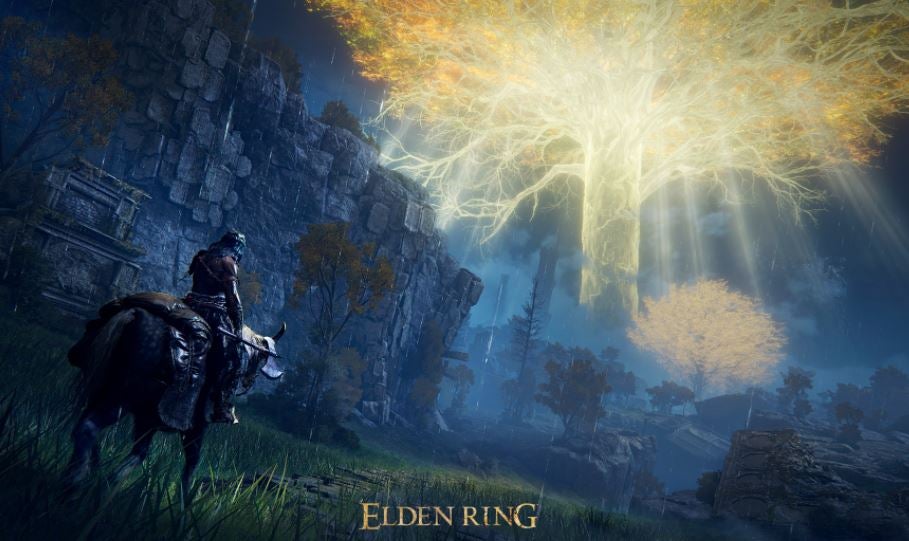
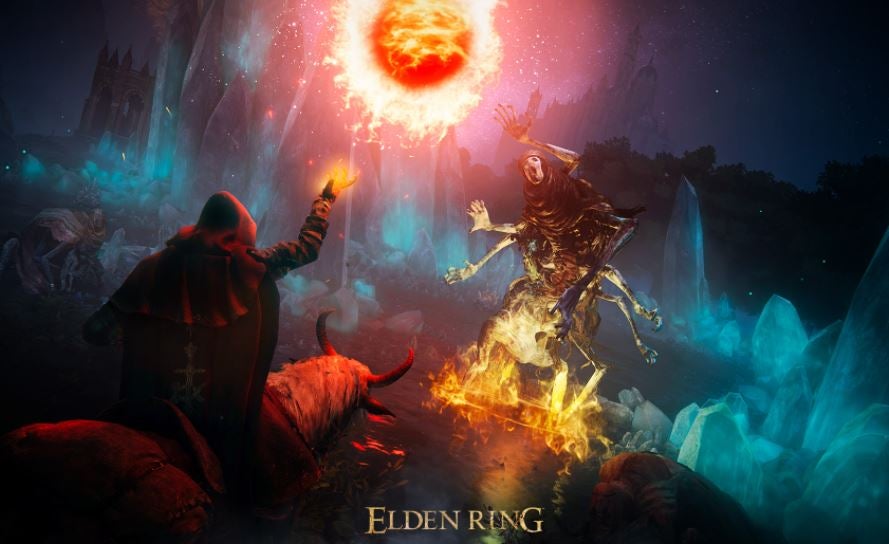
Mixing gruesome graphics with fantasy, action, and horror elements, Elden Ring is one of the most anticipated games in the Dark Souls series. Expect this release to offer some incredibly challenging gameplay that will likely frustrate even the most experienced gamers. Elden Ring’s tagline of “prepare to die” has even led to rumors that the game is impossible to complete.
However, it would be a shame to let that reputation turn you off Elden Ring, which was co-developed with Game of Thrones writer George R. R. Martin. Here, we will dissect the top strategies of how to make it out alive in the world of Elden Ring.
Play through the Dark Souls series
It’s very helpful to play through previous FromSoftware games so that you are familiar with the developer’s brand of action RPG. In particular, the Dark Souls series — but also Bloodborne and Sekiro: Shadows Die Twice — share many game elements with Elden Ring. The Dark Souls legacy is a favorite for expert horror and fantasy gamers, but it’s often intimidating for those just starting out. By playing through previous titles, you can get a feel of what is to come with Elden Ring. There’s no consensus on which Dark Souls game is the easiest, but we recommend starting with either Dark Souls: Remastered or Dark Souls II.
Be aware that stats have changed with this new game; for instance, Vigor increases your HP while also increasing your resistance to poison and fire from your enemies. Strength is combined with Vitality into one stat unlike the separate skills of the first few games.
Don’t be distracted by your surroundings
Keep aware of your surroundings. Attacks can come from above and below as you traverse through your experience. It is easy to be distracted in an open-world game like Elden Ring, but in order to go further, you need to defeat your enemies. If you’re able to use the toggle feature, you can spot monsters from a distance. Try not to distract yourself from gameplay by looking around, as you can miss a potential target and lose your life in the game.
Constantly upgrade your weaponry
Upgrade your weapons periodically as you advance through the world of Elden Ring. While you’ll use your starter dagger to slay a beast at the start of the game, many stronger enemies will lurk around the corners in later levels when you’ll need more ammunition. Before you go off to fight a dragon or a major boss, try some different tactics such as switching your chosen blade to a stronger sword.
Be patient and conserve energy
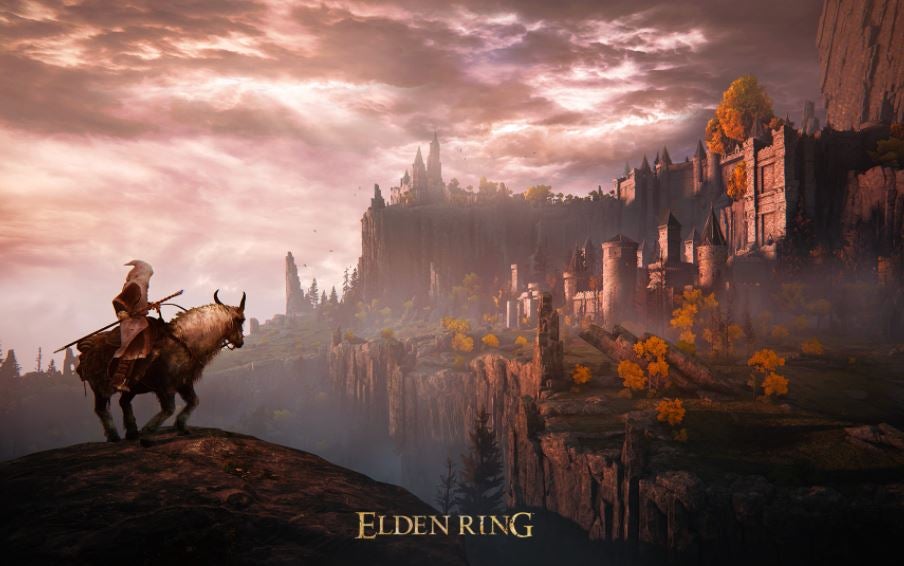
Conserve your energy and endurance instead of rushing through the game. Utilize special gameplay including riding horseback to traverse the environment rather than walking. Your skills depend on your accuracy as well as your energy. Be sure to rest at special checkpoints such as bonfires, which we’ve seen in Dark Souls.
Embrace the learning process
Don’t get discouraged quickly while playing Elden Ring. Remember, this game’s title tells you to “prepare to die”, and this will likely happen to you a few times before you beat a level. Each playthrough will get easier as you become more familiar with the surroundings and vibe of the program.
Pick your battles, as some fight scenes do not require you to demolish every enemy before moving on to the next stage. This is a learning process that takes a few tries to succeed. It’s important in the gameplay to pause and save your progress before giving up.
Defeat the dark forces with Elden Ring
The exciting world of Elden Ring is expansive and interactive for those familiar with Dark Souls or newcomers who are ready to join the ranks of the popular series. George R. R. Martin and game designer/director Hidetaka Miyazaki have come together as a dream team to showcase stylish fantasy worlds and suspenseful action.