Play as Otho in Garena Free Fire for special abilities

In Garena Free Fire, players go up against up to 40 characters in a battle royale island setting. GFF was developed by 111dots Studio and precedes the popular PUBG mobile app. In this game, you face dozens of enemy players and toxic radiation in order to survive.

Garena Free Fire APK Download

The multiplayer shooter game can be played as a free-for-all or in a team of four vs. four. You can also choose to engage in active combat or crouch and hide from your enemies. A stand-out character called Otho is a strong combination player that will help you win the game with their unique abilities.

Use Otho’s memory mist to excel in the game

Otho is a character with strong visual memory along with being blind, so his powerful attributes are vital to the game as a hero. He is a memory tech engineer whose great abilities come from his sightseeing to figure out where the enemies are lurking. The special memory mist comes into play after an active battle when Otho reveals the environment and exposes other players through his goggles.

This passive gameplay involves the rush and camp combinations in order to succeed. You’ll need to know these tactics of the game if you are playing to win and survive the Free Fire world.
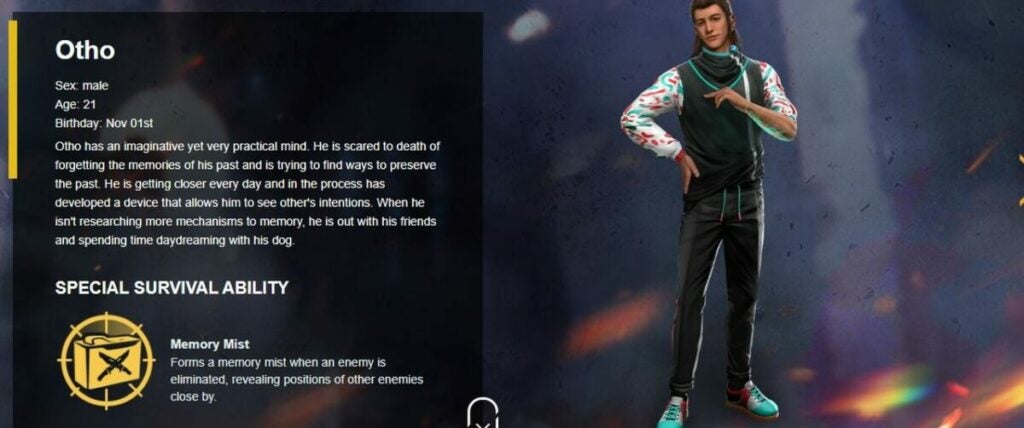
Otho's special ability memory mist

Learn the character combo between rush and camp

Combine the character Kelly in Otho’s world to increase your speed and damage. If you choose other players such as Hayoto, your armor is increased and gives you defense tactics. Your hit points will be significantly higher as you progress through the game and level up your characters.

Chrono is another strong member of the Otho tribe with the ability to create a force field and block enemies’ attacks. However, these movements are limited to five seconds or up to 120 seconds before the player can escape and find freedom in the Free Fire universe.
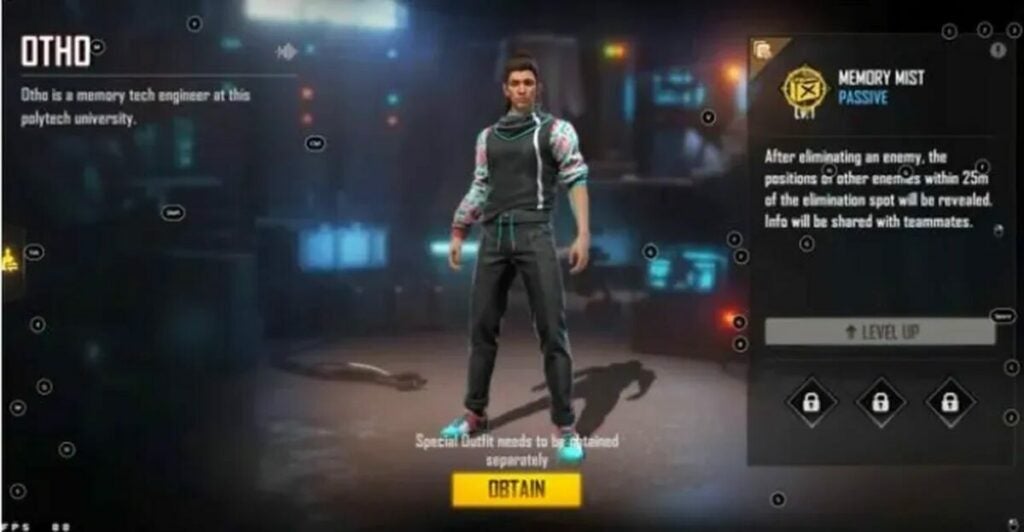
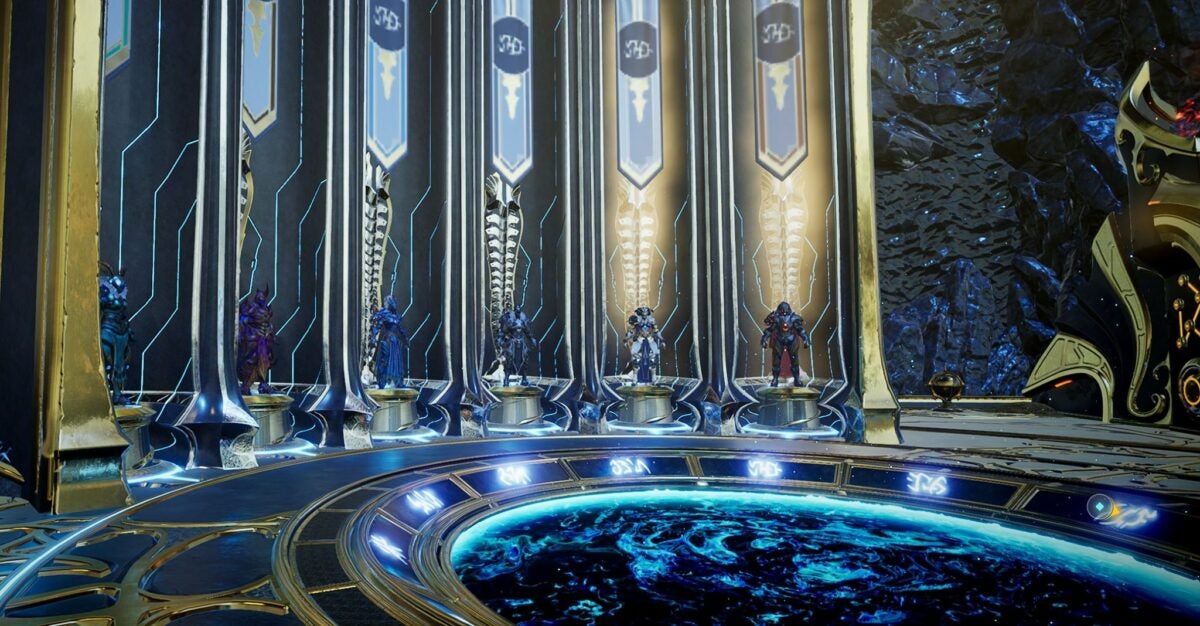
Otho's character select screen

Use game strategy for survival

You can unlock abilities by completing levels throughout the game. Each level is unlocked and more rewards are granted as you progress through the program. This option shows your enemies before you even meet them in order to hide or gain enough weapon skills to defeat them one by one. You can spot enemies by unlocking the levels and going through each upgrade in time.

Garena Free Fire can be changed to fit your comfort and game modes are adjusted as you play along. Each character has their own backstory and skills. No matter if you’re a fan of action RPGs or stick to melody games, GFF is sure to have something up your alley.
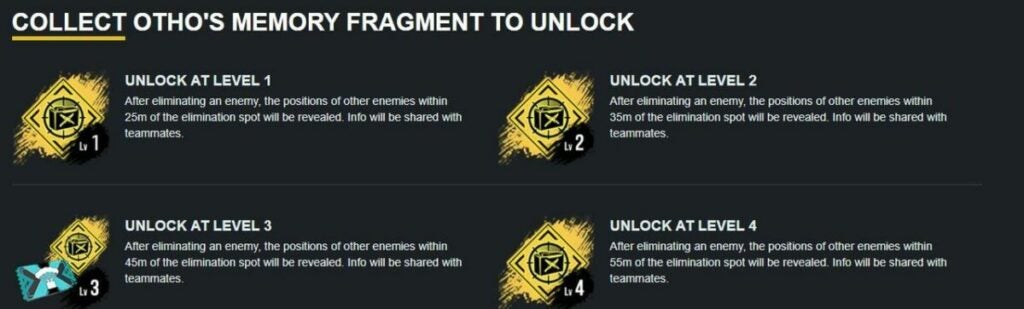
Level up memory mist to unlock new abilities

Don’t forget about the diamonds!

Diamonds are in-game currency in the Garena Free Fire Universe. You can participate in giveaways from popular YouTubers with sponsored videos for “Booyah” points if you win a raffle. An easy way to gain diamonds to unlock abilities is to gather your rewards and redeem them in the game rather than paying actual currency to level up abilities and get special skins.

However, you may feel more rewarded by completing in-game events, a popular strategy famous in many mobile games that present challenges or asks you to watch a sponsored video for a helpful tool that may be beneficial to complete a hard level.

Diamonds in Free Fire act as game currency

Choose Garena Free Fire for a fantastic and exciting game!

Garena Free Fire involves rapid survival skills to take out enemies and gain extra statistics for effortless playing. With so many character combinations, you can have a different experience each time you play the game. The most important thing is to learn from your mistakes and improve on your stats. Using strong characters such as Otho and his crew is great to advance in the Garena Free Fire world.

If you’ve learned anything from this article, feel free to like and comment with other strategies. You can also learn more about how to play Garena Free Fire, and then, download the free app. Gameplay is what you make of it from start to finish.


Gacha Neon review: Free mod enhances RPG

Gacha Neon is an updated version of Gacha Life, an addictive role-playing game that’s popular for its sandbox qualities. In this free-to-play mod, you can enjoy even more ways to customize your avatar to fit your likeness or create a wild new look. You’ll also be able to adjust cool details such as facial features and backgrounds — perfect for those who love sharing their avatars on social media and throughout the ever-expanding Gacha community.

Gacha Neon Download

This standalone game has colorful mods and futuristic content to complement its namesake. Gacha Neon concentrates on avatar customization; however, you can also play as new characters such as Luni and Ramunade, the DJs who provide the game’s soundtrack. Although Gacha Neon is advertised as a mod, this game is meant to play on its own without saving the content of other Gacha series. This means you will have to start from scratch. So are the updates enough to make Neon a must-have addition for Gacha fans? Read on to find out.

Play Gacha Neon to make a new avatar with retro designs

The shining addition to this new Gacha Life mod is its versatile costumes and neon backgrounds with retro effects. The “neon’ name comes from the rainbow array of makeup and settings you can use to customize your character and your character’s home. While you’re not obligated to spend money during the game, you can play programs from advertisements to build up your hit points and unlock secret settings to further adapt your gameplay. Rewards are granted earlier in the game and are a bit harder as you advance through the program.

You’ll start off as a basic character and choose clothing and makeup to make an individual avatar stand out in the world of other players. With so many items and accessories, Gacha Neon really encourages players to be as creative as possible. Options include specifics such as different eye shapes and trendy outfits that can be mixed and matched in this virtual world and changed whenever you achieve points. Once you create the character, the game is on. Interact with other users for a special experience each time.

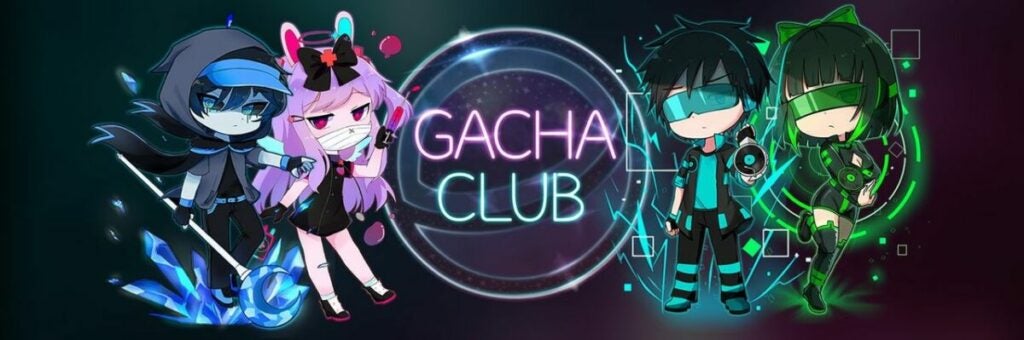
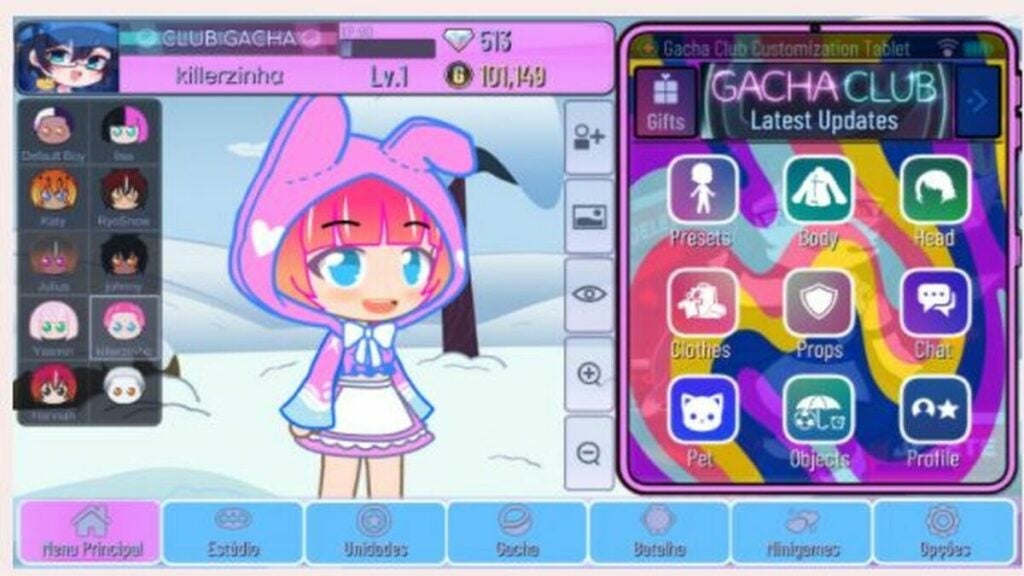
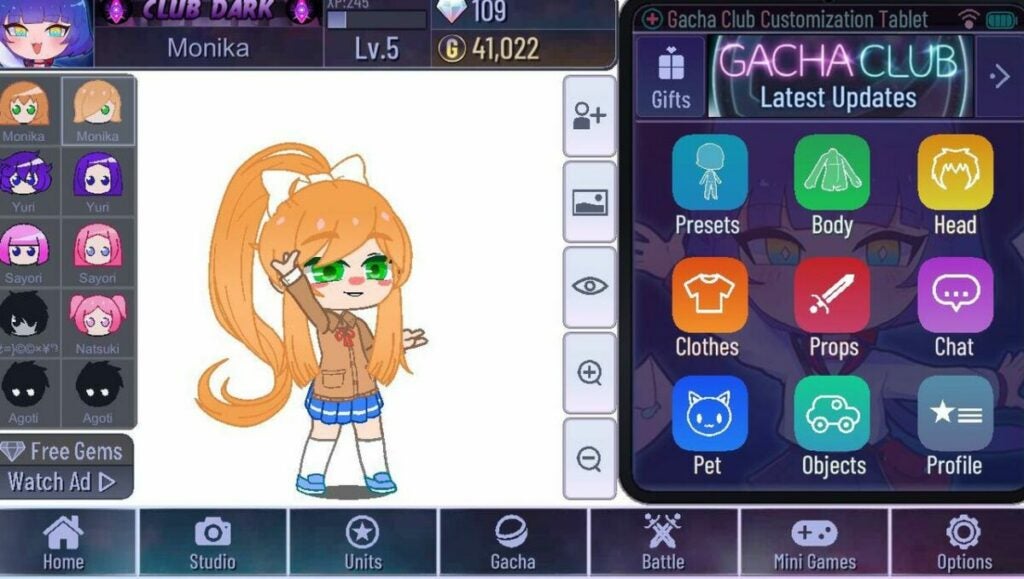
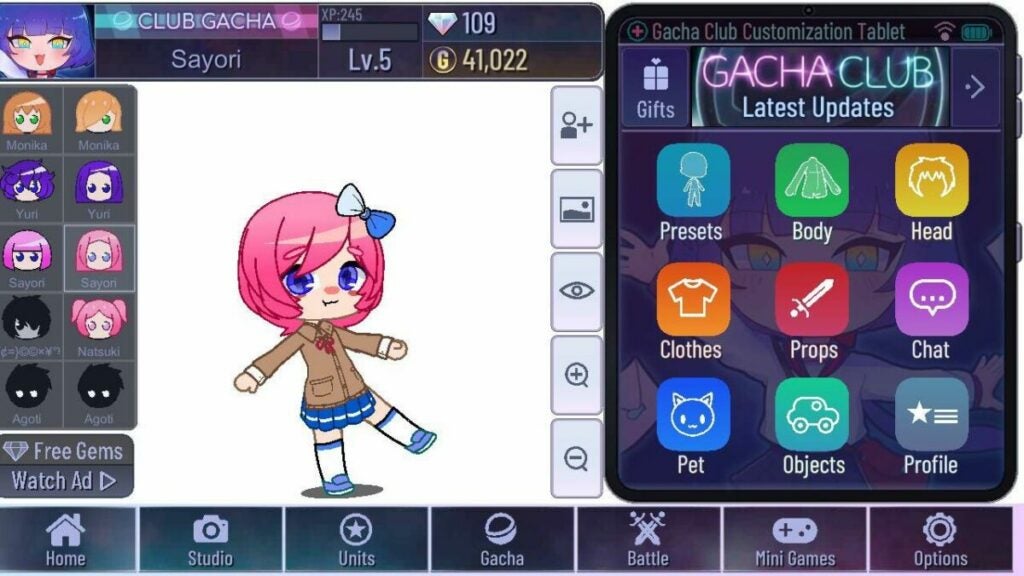
Gacha Club logo and avatars examples

Take your knowledge from prior games to Gacha Neon

Gacha Neon gives you a fresh start in the Gacha Life universe. You won’t have to play as your former characters. However, this may be a disadvantage for some as your stats will be wiped when you install the game. The advantage is leveling up your skills and becoming more experienced with the game as an individual player or with the help of the community. If you’re familiar with prior titles, you can quickly catch on. New players may feel a bit overwhelmed by the sandbox nature of the game as the opportunities are endless. But this immersiveness is really what the Gacha world is all about.

Fans of funky graphics and customizing an avatar will love this Gacha Neon mod even if there are subtle advertisements that may be tempting to get ahead in the game. A great way to avoid spending in-game money and actual currency is to take a break between daily gameplay while collecting regular achievements, rather than spending your entire day trying to beat Gacha Neon. The expansive universe is a great place to explore and learn new tactics.

Neon Gacha Studios logo illuminated

How do I download Gacha Neon?

The download process for Gacha Neon is very straightforward. You won’t need to delete Gacha Life of Gacha Club to install. However, if you’re using an Android phone, you may need to update your specific browser. Most of these downloads instruct you to extract files using a specific app. Once you’ve managed to extract the files, you can click on the program and run it effortlessly if there is enough memory on your device.

Gacha Neon is a great game to join in with a community of fellow players and admire their special avatars. Active users on Facebook and Twitter love to share their mods and invite others to do the same to get tricks and tips on the best gameplay. You can share advice with these growing communities and evolve together as an RPG family. Unlike other role-playing games, Gacha Neon isn’t so much of a competition as it is a place to gather and communicate.

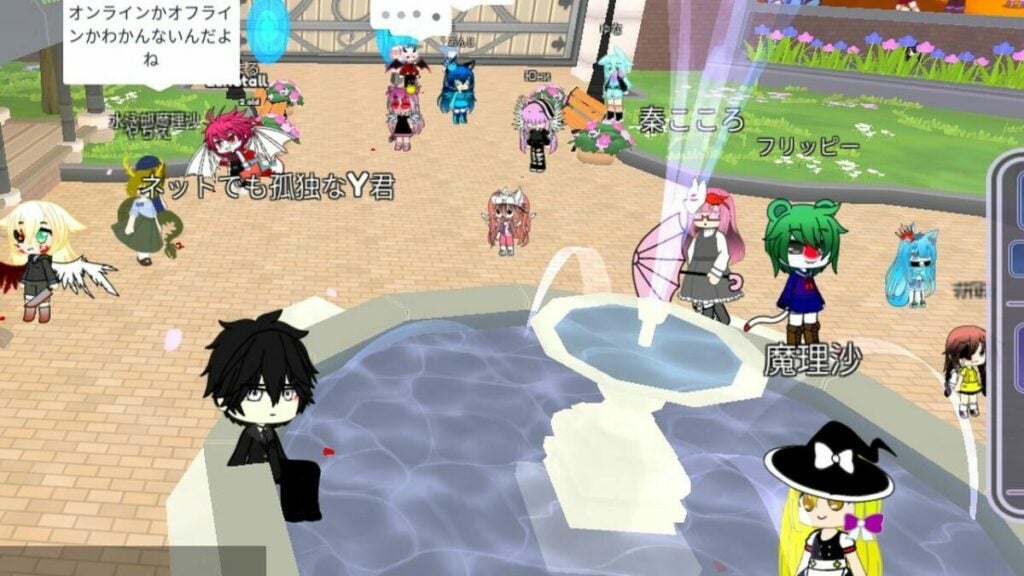
Gacha Neon gameplay example

What makes Gacha Neon different from the rest?

Gacha Neon is an extensive game that extends the excitement and former gameplay of the Gacha series with a new twist. This program is a completely standalone game that wipes the slate of your former Gacha Club statistics for a fresh start. It’s fun and easy to advance your character to be more trendy or traditional with special customization at your fingertips.

This role-playing game allows your fellow players to sneak a peek into your background scenes and get a glimpse into the world you create as your own with Gacha Neon. Feel free to check out other players or get into battles in this immersive game.

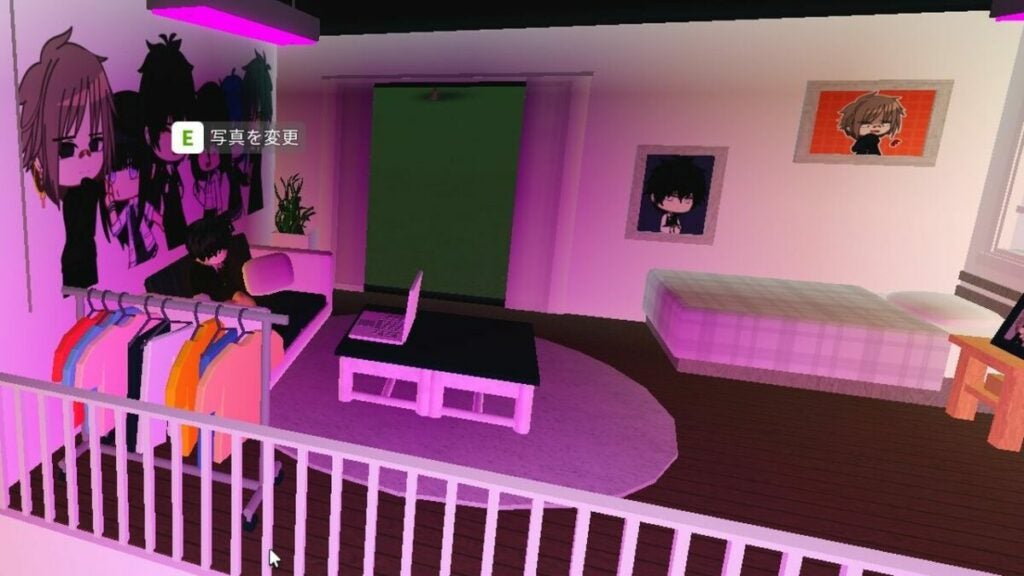
Neon Gacha bedroom setting and decorations

The final verdict

Gacha Neon is a must-have update for fans of this RPG series. Since character personalization is so important, this mod rightly focuses on adding cool accessories and retro-styled backgrounds. While you’ll need to start over to play this standalone game, veteran Gacha fans should enjoy the excuse to start fresh. Want to learn more about the series? Check out our Gacha Club tricks and tips.

Pros

  • Updated customization for characters
  • Unique backgrounds
  • New vibrant skins
  • Standalone game with new modes

Cons

  • Doesn’t connect with previous versions
  • No major gameplay updates

Developer: Lunime

Publisher: Eleven Games

Game Modes: Multiplayer, co-op

Game Engine: Android, PC

The best tactics in Dune: Spice Wars are right within your gameplay

Developed by Shiro Games, Dune: Spice Wars is a science-fiction strategy game that takes full advantage of all the political intrigue of Frank Herbert’s expansive Dune Universe. Spice Wars follows up other real-time strategic adventure games from Shiro, including Northgard.

Dune: Spice Wars DOWNLOAD

In Dune: Spice Wars, your objective is to lead factions and capture villages to take over the Arrakis world. You’ll have to harvest special spices to pay taxes to the Spacing Guild and achieve votes to become the leader. An ornithopter will also explore the lands to gather spices and avoid sand worms who will attack and kill them.

Utilize 4X strategies to get a general knowledge before gameplay

Dune: Spice Wars is considered a 4X strategy game, which means you’ll need to expand, explore, exploit, and exterminate. Keep these in mind before starting the game and adjust your settings to fit your skill level. You can choose to make the Arrakis map smaller, specify how many AI characters you will encounter, and even choose to conquer one singular enemy faction.

In addition, you can make it so your ornithopter is set to auto-recon so you can focus on the game without having to direct it around the desert. The harvester assigned to each village can also be set to an automatic setting and recalled back when they encounter sand worms. This will set you back 5% of spices though.

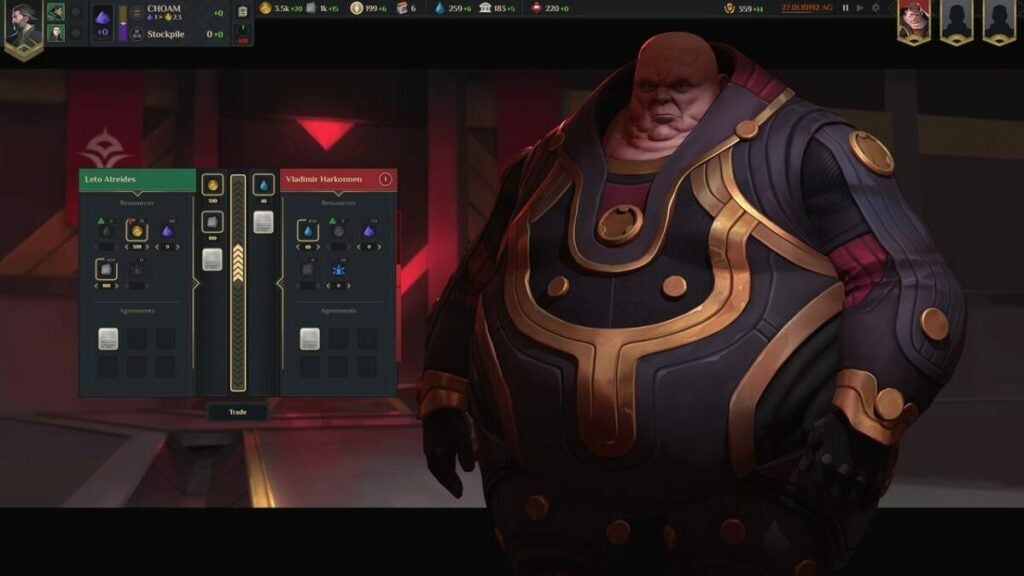
Dune: Spice Wars trading resources

Strengthen your village with necessary resources to gain power and popularity

You will start with nothing as typical in an RTS, or real time strategy game where you play as the faction leader and create military bases to take over villages. Once you have obtained a harvester who is willing to mine spice for gold, or Solari as they call the currency in the game, you gain power to build up your resources whether through defense or trade.

You can keep your villagers happy and on your side to get the highest vote from the Spice Counsel. This requires building windtraps and hegemony for tech progression to create crafting workshops for your citizens to learn new skills in order to win the game.

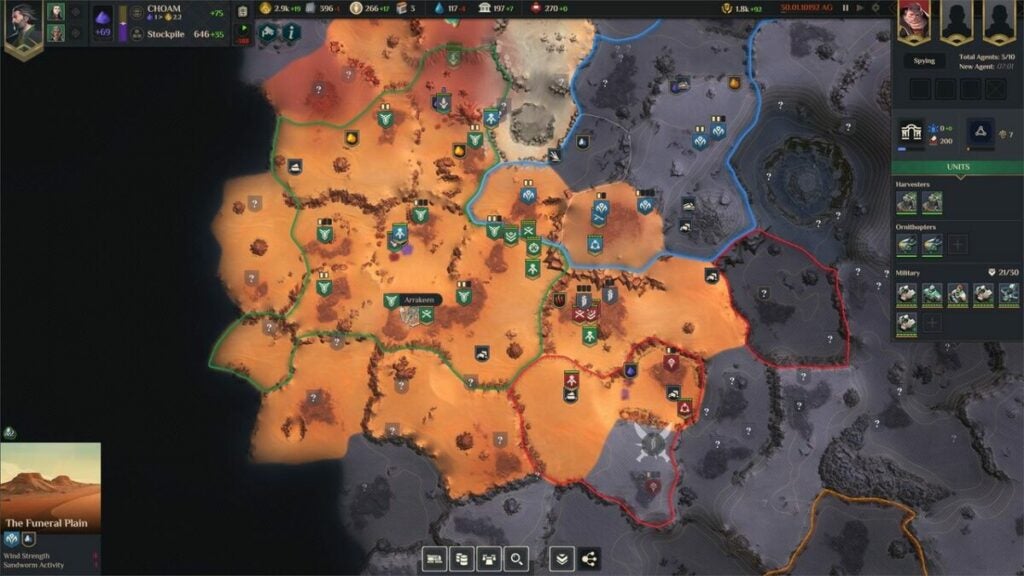
Dune: Spice Wars map

Look to other elements than spice in rare regions

By unlocking new regions, you can also find new elements to help build up your villages and faction influences as a leader. Use your map to seek out special colors and hot spots when you’re in a specific area. Three vertical red waves can mean fuel cell energy, grey stone minerals increase the region’s plascrete factory output, and rare yellow orange stone elements you find upgrades your processing plant for more Solari.

Keep in mind to keep your military healthy with the right resources as they will lose energy traveling across unknown lands. Look to special equipment and staying in one area before conquering another for extra HP.

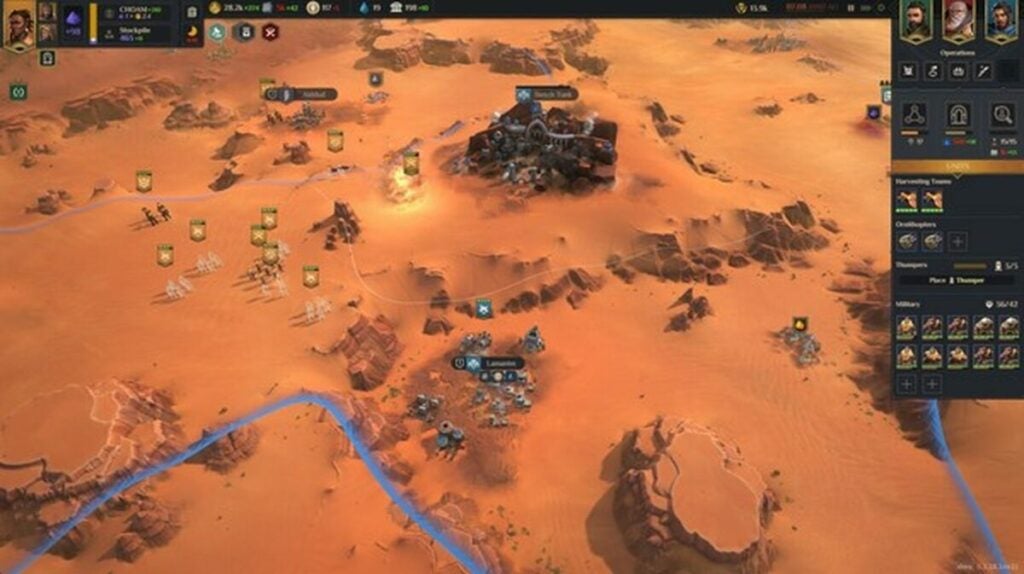
Dune: Spice Wars gameplay

Stay close to the political gameplay of Dune: Spice Wars

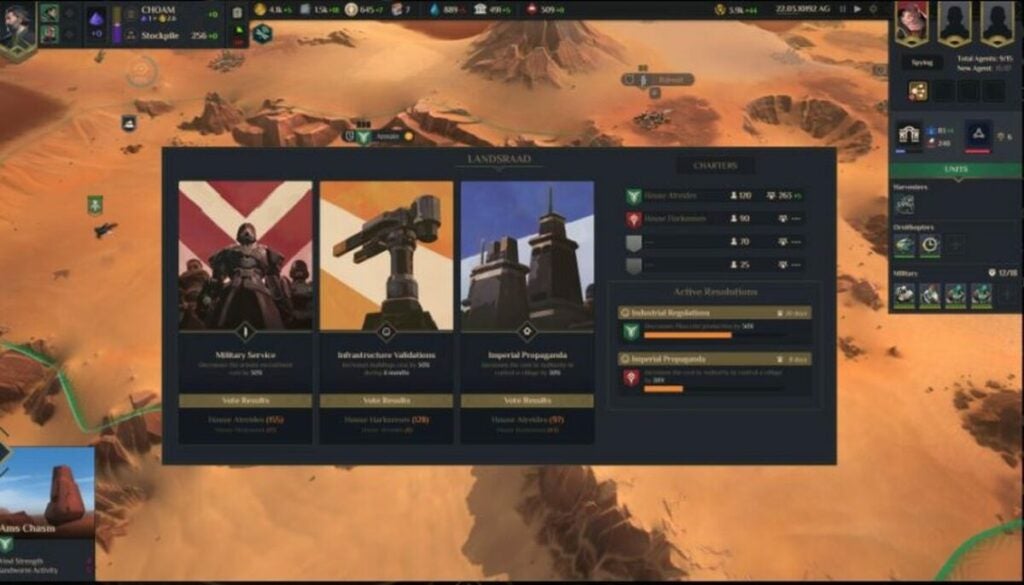
Your ultimate goal in Dune: Spice Wars is to become a political affiliate who overthrows your enemies with conquering villages for strengths and committing espionage against your rival factions. You will find yourself in a vote with Landsraad to press support or decline on decisions such as water upkeep and military control. Your character starts with 100 votes and increases with further gameplay.

Another addition is the technique of your secret agents assigned to your faction. They will provide intel as they gain more power and you can use the intel points to unlock extra votes when it comes time to meet the counsel – this can also include assassinations against your enemies!

Dune: Spice Wars politics

Look to these three ways to win Dune: Spice Wars

Spoilers ahead! There are three key ways to win the entire game depending on your skill sets. The first is domination, where you have assassinated other leaders and destroyed enemy bases through the espionage technique. This is the “exploit” part of the 4X skill strategy.

The second way to win at your own game is hegemony. This currency is just like hit points in any video game and you will need 50,000 to collect throughout Dune: Spice Wars. These points can be collected through the long game with gathering spices and defeating enemy military units.

Lastly, you can win the game by governing your people and the world of Arrakis. This rare moment comes up within the Landsraad Council vote for ownership. Simply hold onto your leadership role for 60 days in gameplay and you can emerge a winner.

Use your experience with real-time strategy games to conquer Dune: Spice Wars

Politics, weapon tactics, and action gameplay are important throughout Dune: Spice Wars. You’ll have to use your skills as a mastermind in the factions as well as keep in mind that you’re also in control of villages and your individual plot to take over the lands. A great strategy is to monitor your stats and use your resources as quick as possible to stay up to date with the game. You can also fast forward and pause the scenes when you need a break.

Use espionage skills to spy on your enemies by viewing their statuses in order to increase your own point. Feel free to leave your harvesters to find spice or make the game your own by picking where they land and escape sand worms. Let us know in the comments any other tactics you use for Dune: Spice Worms and share this article to help your friends!

How to get all 3 game endings in Amnesia: Rebirth

Amnesia: Rebirth is a survival horror walking simulator that has earned praise for integrating mental health themes into unique gameplay puzzles. Developed by Frictional Games, this release is the third installment in the Amnesia game series. You’re playing the first-person perspective role of French archaeologist Anastasie “Tasi” Trianon who finds herself a survivor of a plane crash in a desert with no memories and increasing fear of her surroundings that cause her to hallucinate. To reach the end, you must complete puzzles while running or hiding from monsters.

Amnesia: Rebirth Download
Download

By collecting resources and trying to find illuminated areas when Tasi is frightened and hallucinating, you can get to three different endings. Each ending grants you one of three achievement badges: Harvester, Iconoclast, and Provider. In this article, we’ll explain all three with spoilers for the game.

  1. Leave the baby with evil spirits for the ‘bad’ ending

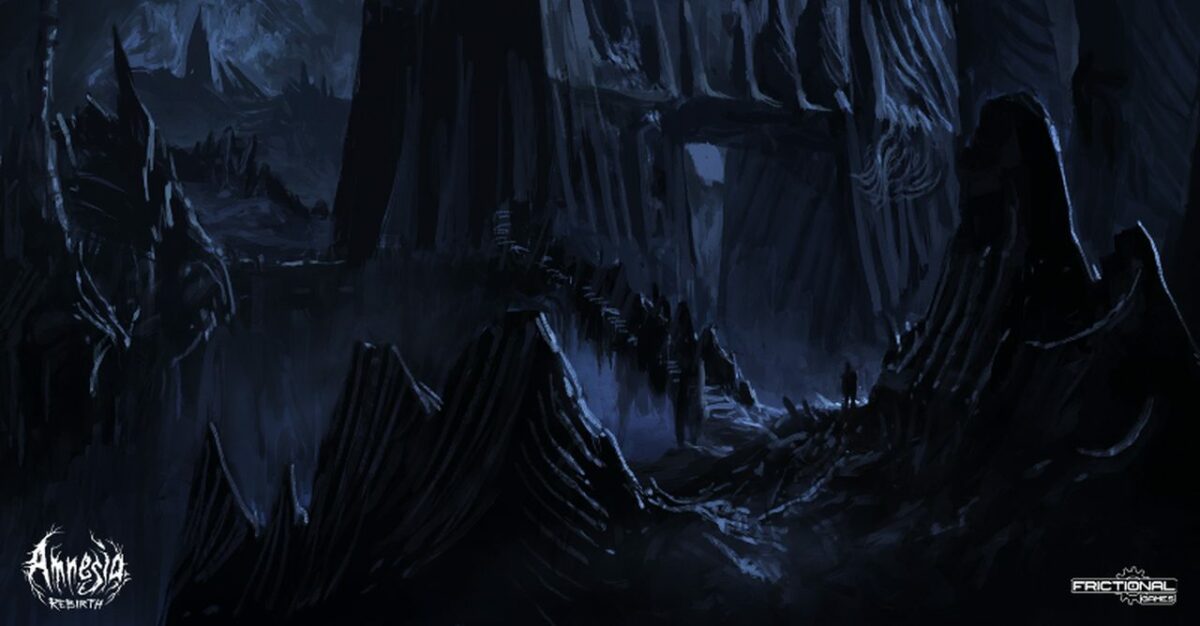
    Amnesia Rebirth dark world.

    During the game, you’re hounded by evil ghouls that scare Tasi into having visions, which allow her to slowly recollect her memories of the plane crash and her family. Tasi is also pregnant and gives birth during the game to a baby named Amari. The final boss is a powerful spirit, the Empress, who longs for a child and rules the desert tombs. The Empress will tell her tragic tale and urge Tasi to leave the baby with her as it is destined to turn into a ghoul.

    If you choose this option, the Empress will turn you into a ghoul to roam the lands for eternity, and you’re awarded the Harvester badge. This is considered a “bad” ending, but some horror fans may enjoy the unhappy conclusion after a very frightening game. The final cut scene is completely different from the neutral and good endings.

  2. Fight the Empress for a neutral Amnesia ending

    Amnesia Rebirth Tasi with birthday cake

    The world of Amnesia: Rebirth takes place in the tombs and desert inhabited by ancient ghouls known as the Gate Builder civilization. In this environment, you’ll find your fellow passengers from the doomed flight who are alive, dead and buried, or have been turned into monsters. Although you can’t fight and kill the ghouls, you can run away, hide, or end the game by destroying the lands. This is considered a neutral ending as it also kills you and Amari.

    To destroy the lands, you’ll need to look out for the Leyden jar in the nursery where you find Amari. You then need to head to the Empress’ chamber and the three control rooms without her seeing you. Use the jar for power to ignite all rooms; they’ll then explode and destroy the world, earning you the Iconoclast achievement.

  3. Flee from danger for the good ending and save yourself with your daughter

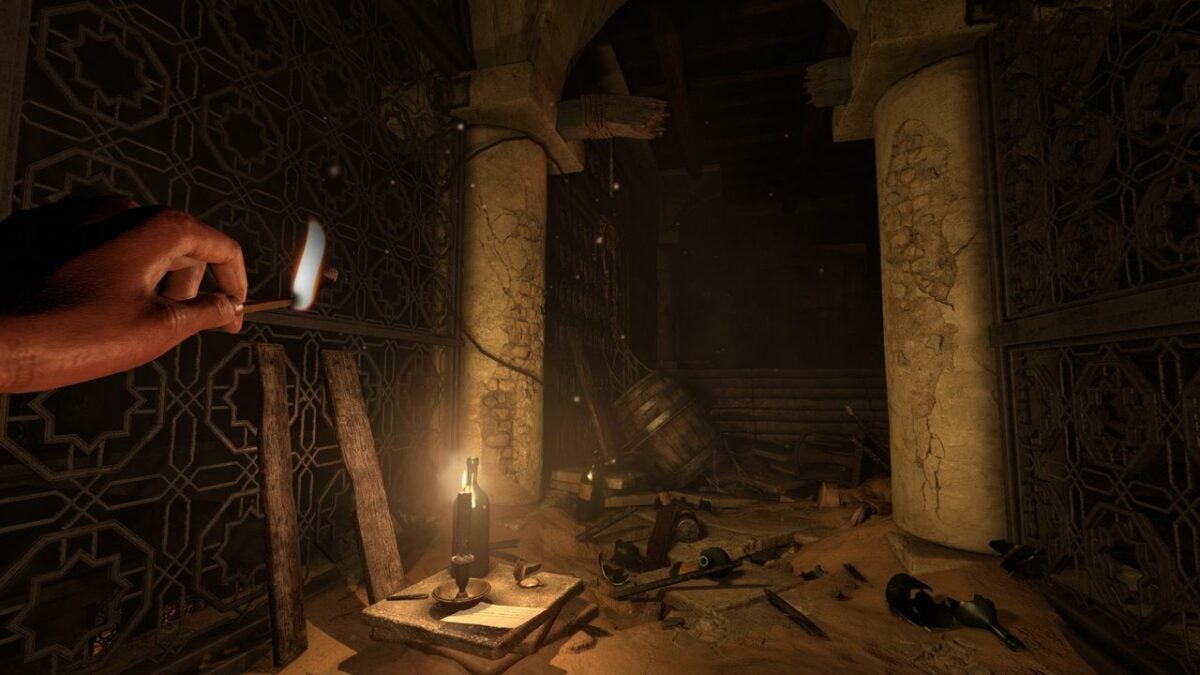
    Amnesia: Rebirth's Tasi with lit match

    Tasi’s fear increases when encountering frightening ghouls and dark tombs. You can make the character stronger and braver by picking up matchsticks and lighting lanterns/candles along the way. This will help in her final face off with the Empress and allow you to flee with the baby to a waiting teleporter to the safety of Paris. This will grant you the “Provider” achievement badge.

    First, you’ll have to grab the Leyden jar before choosing the flee option when facing the Empress. Then, run as fast as you can as you will be attacked by ghouls along the way. You can use the button mashing method with your controller or keyboard to make the character reach the teleporter. The Leyden jar is necessary to activate the device and bring you away from the Empress.

Amnesia: Rebirth is a thrilling horror game with multiple endings

As you play through Amnesia: Rebirth, you’ll spend active time avoiding monsters to get to the ending. Many players enjoy multiple gameplays to reach each of the three different endings and obtain the different reward badges. It is up to you to pick your final choice in a fight against the Empress and leave the game in the way you wish. Check out Amnesia: Rebirth and feel free to share this article to help others with their game. And if you’re a fan of horror games, check out our list of the 10 scariest releases of all time.

Amnesia Collection Steam Key GLOBAL Comprar
Comprar

4 tips for getting the best reactions from Talking Ben

With his delightfully grumpy personality, Talking Ben has become a hit with children and fans of virtual pets. YouTube and various social media platforms are now filled with clips of this scruffy dog interacting with people in funny ways. Created by software designers Outfit 7, Ben is a retired chemistry teacher with an attitude that can be directed with commands and questions.

You can bother Ben to learn chemistry facts and other information, which makes him a great free educational app. However, you can also get this virtual pet to give funny responses and repeat your questions in your voice. The trick is knowing how to get the best reactions from Talking Ben.

Get Talking Ben to listen

When you first start interacting with Talking Ben, you’ll notice that he does not want to be bothered right away. You’ll need to set proper commands, such as asking Ben to fold his newspaper or tickle his legs with a point and click method. The grumpy dog isn’t easy to distract from his newspaper, and you may need a few tries before he interacts with your commands.

Although Ben is a virtual pet, he is more likely to respond and be positive if you keep him well fed with special commands. Otherwise, he may yell at you and virtually explode in the game if any wrong action is taken such as sharing adult language through video or audio clips. You can also make Ben explode with potion mixing, so be careful!

Talking Ben in his science lab.

The way you talk to Ben will determine his responses

Once you have Ben’s attention by petting him, tickling him, or instructing him to fold up his newspaper, you can begin conversations by recording questions and conversations that Ben will repeat back to you. It is humorous to feed funny questions and sound clips to this virtual dog and save the files to send to your friends or post on social media.

Talking Ben is a game directed toward a younger audience with a family-friendly rating. If you want to keep Ben SFW, your questions and sound clips should be appropriate, such as “how are you today, Ben?” The grumpy dog will then use his own attitude for humor and fun. All you need to do is to get him up off his recliner and ready to talk to you.

Talking Ben with his laptop.

Earn Talking Ben’s trust for science experiments

Once you’ve gotten Ben away from his newspaper and off of his recliner, he may trust you to help out with his science experiments. You can ask him to mix and match different colored potions that are most likely to cause an explosion in his home. It’s a matter of picking the right liquids if you’re serious about the game or watching hilarity ensue by creating chaos for the grumpy virtual dog.

Because Talking Ben is a simulation game, it’s easy to restart and remake your own experience. You can save the game or completely wipe out the file for something new each time. If you’re a parent, you may want to supervise your child as they play the game. However, Talking Ben is a great way to teach language, science, and taking care of an animal all at once.

Talking Ben with Talking Tom and friends.

Play Talking Ben for questions, not answers

Keep in mind that Talking Ben isn’t a fortune-telling game. It was designed as a light-hearted free app that essentially repeats your own questions. You won’t find any answers to your questions, just a virtual pet that repeats back to you with an attitude. Therefore, some of the best questions to ask Ben are more straightforward, such as “what’s your favorite show?” and “how many planets are there in the universe?”

Talking Ben is merely for entertainment purposes, and it’s especially fun for those who like to record fun sounds and videos. He’s a spinoff of the popular My Talking Tom, who is a talking gray tabby cat. Both Ben and Tom can be customized for original gameplay. However, these apps are at their best when you use more innocent and lighthearted questions.

Talking Ben as a chemistry teacher.

Feel free to share this article and leave your own comments about your Talking Ben experience. If you’re interested in getting more virtual pets, try the Desktop Goose.

Level up fast in the Godfall universe

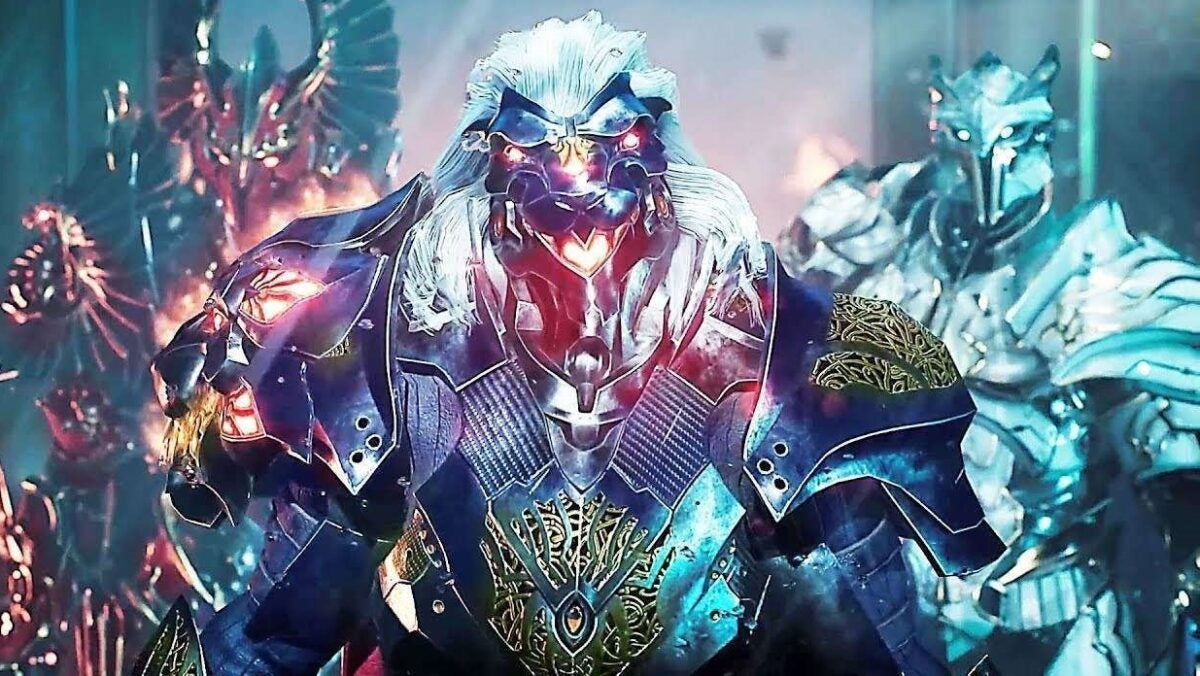
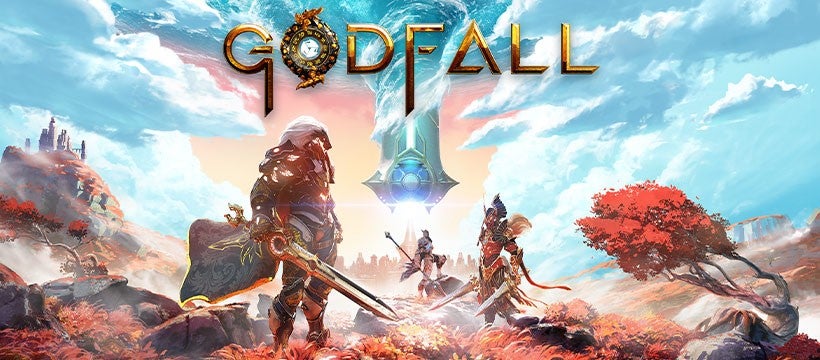
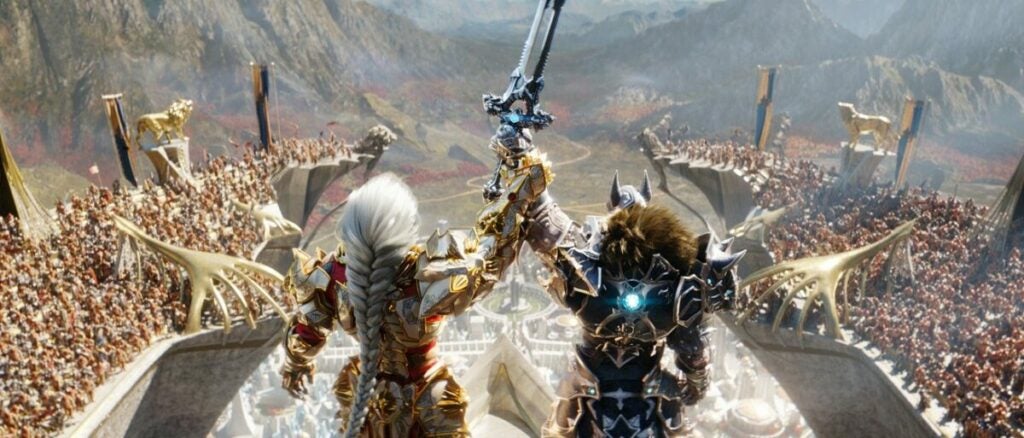
Godfall is popular among gamers for bringing looting and melee action to a whole new level. Released by Counterplay Games, this fantasy and role-playing title involves epic battles between players with options for team building and customizing your characters. You can choose from five weapon classes that give you abilities for hand-to-hand combat in a slasher style while collecting valuable items.

Godfall is a game to play at leisure, or it can be fast and ferocious with special tips to advance levels quicker than ever. The following strategies and gameplay tricks will help you finish the game in a matter of days (or less).

Create your characters and choose your team wisely

Before you start, you’ll need to create a versatile character and use your limited resources at first to level up by completing missions and winning battles. You are given the choice to start with certain abilities and unlock even more through each level by collecting Dreamstones. A great tip is to join a co-op team and pool your resources to take down bosses and other enemies. Choose your closest friends to create a team or online acquaintances that are familiar with the game.

A great feature of Godfall is the option to switch up your characters even during an active battle. Simply use your reflexes to click between weapons and different classes once you unlock more abilities and attacks. Make a dream team with your friends, and plan together before starting the game to join forces against your enemies.

Take on easier and quicker missions for extra XP

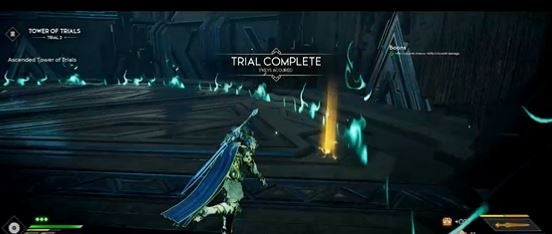
A good example of a Godfall mission to gain a lot of XP and advance in the game is getting to level 15, where you can travel to the water map and find the Tower of Trials. This fast action mission awards you more than 500 XP to defeat smaller enemies and over 1000 XP for stronger enemies. There are 10 floors on the Tower of Trials with more than enough enemies to defeat as a solo player or in a co-op team.

There are earlier levels to achieve XP; however, the Tower of Trials is a popular trick to advance in levels outside the main campaign. As your skills progress, so do your score and your chances of beating all levels. You can also repeat missions if you’re looking for a longer game and more XP.

Listen and look around the Godfall world for clues

The Godfall map is an immersive world with brilliant and detailed graphics as well as energetic sound effects and a musical score. Aside from the obvious beauty of the Godfall fantasy world with different regions and lands to explore, there are also audio clues to find the next bosses plus certain signs that you can decipher to reach your path to the next levels more quickly.

You can hear sword fighting in the background before you even enter a battle and the ground shifts beneath your feet with detailed graphics, so you have little time to switch up your weapons and skills before rushing into the action scenes. This can give you a personal advantage as well as a strength for your team to come up with strategies in case of a surprise melee attack.

Level up with skills and XP in Godfall

Godfall is an easy game when you want to gain more skills with experience and collect special Dreamstones to strengthen your character. Use your gained abilities to create an even more powerful original character and add value to a team of other players. When you’re used to fast-paced action and looting games, you’ll be ready to jump into the action of Godfall. But if you want your journey to be unique and successful each time, you can use these tips and tricks to advance levels.

Make sure to take on as many missions as you can, and keep in mind that you can always fix a mistake by starting over and gaining more XP. Discover the colorful world of Godfall by downloading the game today to get started on your trek. Feel free to comment on this article with tips of your own.

How to choose the best characters for Genshin Impact 2.6

Genshin Impact is a free RPG where you can choose between characters to maximize and customize your gameplay. Developed by miHoYo, known for also creating the Honkai Impact RPG series, GI explores an expansive map of a world named Teyvat with options to fly through the lands and battle other players.

You can choose to play different characters as you unlock the levels; however, the main goal is to reunite with your twin sibling who gets separated from you once reaching Teyvat. There are limited edition players who are experts in the elements for your team.

Choose between twin brother or twin sister at the start

You will need to think about your team of characters at the start, including whether you will like to play as a twin brother or twin sister who gets separated through a dimensional jump and immediately lands into a fight with a Goddess. At this point, you’ll lose and meet your Genshin guide, Palmon, and interact through dialogue as well as a special game menu.

In the Genshin map, you’ll meet new townspeople characters and complete tasks for items that help you battle to get your twin back and complete the game. These characters are controlled by your commands through the on-screen instructions.

Choose characters that change up the Genshin Impact gameplay

A great tactic for Genshin Impact is choosing characters defined by their strong elemental abilities. You already know examples of natural elements such as earth, wind, and fire, but they have different names in this RPG. The elemental strengths are called Anemo, Pyro, Cryo, Electro, Dendro, Electro, and Geo, which can be found in nature.

The stronger the elements are, the more likely you’ll beat your enemies. Create a winning team of four players at the start with different elemental abilities that you can switch throughout the game to defeat bosses who may take bigger hits from certain elements.

Keep your eye out for specific fan-favorite characters

Strong characters for Genshin Impact include the popular knight Eula with high-speed attacks and limited addition partners such as the alchemist Albedo. These characters do progress and change within the story and different versions of the game. They can be acquired through Wish Events or using real currency to purchase characters in game.

Other noteworthy characters include fan favorites Arataki Itto with Geo powers as well as Gorou, a leader that can help defeat the notorious Golden Wolflord boss. Your characters and team can be swapped out during gameplay.

Genshin Impact features a multi-player mode to join other characters

A unique feature of Genshin Impact is the ability to unlock multi-player mode when you finish level 16. From there, you can join a team of three other players. You and your fellow players can battle together or separate to roam the Genshin Impact world.

If you’re sticking to single player, you can look to loot boxes, called Wish Packs. These can be found during gameplay, but you’ll find more valuable items and characters via in-game purchases. There are also regular Wish Events with frequent play to unlock rare characters and weapons.

Enjoy Genshin Impact as a versatile gacha game

Genshin Impact is a gacha game with similarities to Gacha Club. This includes the vibrant graphics and an RPG mode that changes with every action. The expansive Teyvat map lets you explore different lands and unlock battle items, as well as characters by completing quests. This free role-playing game makes an interesting activity with opportunities to advance in your skills.

Get ready to discover the colorful world of Tenvat through Genshin Impact. For more tips, check out our guide on how to play Genshin Impact. Feel free to send your thoughts in the comments below.

Five tactics to survive at all costs in PUBG Mobile

PlayerUnknown’s Battlegrounds, aka PUBG, is an addictive free-to-play game that comes down to survival of the fittest. In this battle royal game, players parachute onto a large battlefield and must employ a number of tactics to be the last one standing. However, winning is not always as simple as finding the weapons and getting the upper hand quickly.

When PUBG was first released on Steam in 2017, its multiplayer premise of pitting dozens of players against each other became a hit almost immediately. Whether you are crawling or jogging, there’s no argument that PUBG is a pure adrenaline program. But it can be tricky to survive against more experienced players if you’re new to the game. Here are five tactics to last in PUBG mobile.

Look to higher ground or lower properties

The game starts with your character’s choice parachuting onto a cliff or into a small group of buildings. A strong tactic is to explore your surroundings as your enemies are under your feet. Grab as many supplies as you see necessary before beginning your battle. The crouch feature allows you to look over hills to see active wars between players.

From here, you can decide whether you want to jump into an active free-for-all battle or wait until the action dies down. Keep in mind that other players can join at any moment, so timing is key. This tactic depends on your preferred gaming technique if you choose to be aggressive or strategic.

Take your time as a character

Avoid getting into early battles when you are just starting off. You’ll need to arm yourself with weapons to advance in the game and not go straight into hand-to-hand combat. If you stall for too long then your enemies have time to arm themselves with advanced guns and ammo.

You also have the option of staying in the area to complete a fight or moving to a different battleground. When you’re feeling overwhelmed with too many players, this is a good tactic to find a different area to explore and learn new fighting techniques. You can choose to take cover when you’re not ready for a big fight and get back into the game whenever you’re comfortable.

Stay away from open areas and windows

Lack of cover is bad in any situation. But even while moving it’s important to always know where you can get cover from enemies. Plan routes out ahead of time to try to make sure you are out of the open as much as possible.

Windows are very dangerous when an enemy knows that you’re in a building. They will also know that the only place that you can attack from is a window or opening. There are a limited number of windows that enemies need to take over in a fight. If you need to use sniper tactics in your fight, move to other windows to throw off your opponents.

Plan your battles before you attack

A great thing about PUBG is the option to plot your route and map out your conquests. This survival game will test your patience and tease you to create the wrong moves. You will have to get creative with tactics and use techniques such as setting traps to eliminate other players.

Look to special tutorials on YouTube and Steam that showcase what the experts are talking about. They can tell you to change positions from sitting to crouching to save your energy for a battle. If all fails, you can run away from fights to stand your ground. With this technique, you can conserve your energy for a big battle.

Use your advantages whenever you can

It’s no secret to established gamers that scoping out your surroundings from a higher ground gives you a better perspective of the game. When you’re cautious going into PUBG you might want to explore the lands before going right into battle. If you’re feeling brave, test out your level and skills as you can always restart PUBG on the mobile app.

Getting a kill from a fair fistfight that ends at 1% health and getting a kill from a single headshot are both equally valued towards progressing the game in active combat. You need to use your skills and strategies wisely if winning is important to you. Keep in mind that this is a free-for-all battle royal.

Use your strengths to the fullest while playing PUBG Mobile

PUBG Mobile can be approached with caution or played as an exciting game where you face combat right from the beginning. The trick is to collect weapons and stand your ground in order to become the lone survivor at the end of your mission. You can do this by fighting or hiding, as well as joining alliances.

Gamers interested in an action game within their mobile device will appreciate the high-quality graphics and intense gameplay of PUBG. If you’re new to the game, be prepared to learn by trial and error. Patience is a virtue, and remember not to rush into an active battle unless you’re truly ready to win.

Gacha Club Edition review: Free mod offers new customization options

Gacha Club Edition is a free mod for the popular Gacha Club game by developer RyoSnow that lets you customize your gameplay in fun new ways. This addition unlocks items in your inventory to enhance your avatar with special clothing and accessories. Gacha Club Edition features 2D graphics to pair with the original game from Lunime.

Gacha Club Edition is available for free as a full mobile utility mod or as a demo on PC. You can use this mod with the prior release or as a standalone program. As a casual game, Gacha Club is ideal for fans of simple, straightforward RPGs. The mod enhances what’s arguably the best part of the game — the ability to design and modify your own character.

New ways to customize Gacha characters

Building on elements from previous Lunme games, Gacha Club is a surprisingly addictive game that has developed a strong following on social media. A main aspect of the game is character creation, and the original release offers scores of customization options as well as a Studio mode that lets users take pictures of their avatars in scenes with different backgrounds.

While the Gacha Club Edition mod does not change the gameplay, it does add more ways to customize your characters. This isn’t an essential update for new Gacha Club players. However, the mod does add some fun new dimensions that will delight devoted fans.

Gacha Club Edition is fun for children and adults alike

Like previous Gacha games, Gacha Club Edition features different modes including Training, Story, Tower, and Studio. This mod showcases original characters with your own personal customized content. You’ll be able to try on new outfits for mascots and avatars to get a sneak peek of how they will look before playing the game.

Another fun feature of the mod is that you can change the background scenery in Studio mode through unlocked designs. Players can also use new and advanced objects through the game mod with different effects from the original Gacha Club. If you’re a fan of the original games, you’ll love all the new designs options that are perfect for sharing on social media with the Gacha community.

Gacha Club Edition is a smaller version of the original game

Unlike most mods, Gacha Club Edition does not require an emulator to work. You can download the program on your PC or mobile device without the requirement of the original game. There, you will extract the files you need to play the game and choose how to customize your own Gacha Club world.

Similar to games such as The Sims, Gacha Club immerses players in a world of their own choosing. Some of the most fun comes from customizing characters with new faces, hair, and outfits. With Gacha Club Edition, you can change up the look of your avatar to go on fun adventures and explore new lands created by yourself and other players.

Ways to download and install Gacha Club Edition

If you’re playing on your computer, Gacha Club Edition must be downloaded through a ZIP drive, which only takes a few clicks but can be confusing for new users. You’ll need a program such as WinRAR to extract files and then access the Gacha Club Edition folder to launch the program.

With the mobile application, you may have to work around app restrictions and save up space on your phone. Once you’ve downloaded Gacha Club from your device’s app store, you can search for mod downloads. For extra security, run your mods through a virus program such as Avast Free Antivirus.

Troubleshooting Gacha Club Edition downloads

If you’re struggling with downloading Gacha Club Edition on your PC or mobile device, there could be a few reasons. You may have too many apps and need to free up space or figure out that the download simply does not work and features errors for being an unrecognizable file. Also, there is the possibility that your device is not compatible with the program.

When you’re determined to add Gacha Club Edition to your gaming routine and keep finding errors, it’s best to start over. Completely delete the existing file and try again – most likely, an error message will show up to say you’re out of space or the game file name is too long to be recognized. Try shortening the file name to see if that works instead.

Celebrate creativity with Gacha Club Edition for mobile or PC

Gacha Club Edition is an entertaining tool for those who want to make their gameplay more original and unique. By adjusting avatars and unlocking items, you will have access to an inventory that expands after prior games. Simple details such as hairstyles and outfits create one-of-a-kind avatars to share with your fellow players and get new hints and tricks.

This mod is exceptional when you want to start fresh on your Gacha Club progress. You can add and delete your customized results by unlocking items and clothing to help your character stand out. There are many combinations for a new experience each time you play the game which makes Gacha Club Edition a worthy mod to add to your gameplay.

Pros

  • Easy to modify game without additional downloads
  • Can customize gameplay with different avatars
  • Simple to extract with proper programs
  • Mod is perfect for fans who like posting Gacha customizations on social media

Cons

  • The file may be too big for mobile devices
  • Needs prior knowledge of previous games
  • 2D retro graphics sometimes feel outdated

Developer: RyoSnow


Publisher: Lunime


Game Modes: Modulator


Game Engine: Mobile and PC

How to refund Robux in Roblox

Roblox is a fun web-based program for gamers to create unique games and market them to a wider community. Certain Roblox games exchange real money to buy online currency called Robux to purchase content, customized avatar skins, and to attend special live events.

However, Roblox is a popular game for a minor aged audience who may be susceptible to in-game scams and lose their hard earned Robux. Although you cannot automatically issue a refund, here are a few suggestions to get your money’s worth or pay someone you owe from their game purchases.

Consider trading instead of buying or selling content for Robux

Trading is a great alternative before spending Robux

A good way to avoid spending Robux or making currency transactions that can affect your bank account is to consider trading other Roblox users for items that enhance your games. This can be done by carefully picking the player with your wanted item and suggesting a Roblox trade. The user’s profile will have a drop down menu on the top right corner to select Trade. From there, you can make an offer and message back and forth with the user to facilitate a fair deal. Keep in mind that there will be a Roblox processing fee from the company and you’ll have to wait for the other player to accept your offer.

Robux gift cards for in game purchases

Contact customer support for a proper refund

Roblox has a support form on its website to directly contact the team for a refund. If you want to request a refund, you’ll have to provide the specific URL in your official claim. There will be a field to describe the reason of your refund, such as it was purchased accidentally or doesn’t function in your Roblox games. The company takes 24 hours or more to respond and needs proof of the user being over 13 years of age, so a parental e-mail is required for minors.

If you’re confused about where to find the item you would like refunded, all you need to do is search your Roblox inventory. You can right click and copy the URL for your official report. Roblox has an option within the customer support form for the meaning of your dispute — one sample is Robux scams. Most likely, your purchase will be refunded if you prove you bought an item by accident instead of stating you’re not happy with said mod or game. Research is important before spending your money on Robux.

A cast pf Roblox characters

Try before you buy with Roblox and Robux

Like many programs, Roblox provides a trial option to test out the game features before investing in money and Robux currency. A Try On feature for items such as clothing and facial skins lets you see what your characters will look like before a purchase of Robux. You can delete items you have purchased to clean up your user face with a simple click when you’re done with a specific look for your game. A great way to do spring cleaning is to send out a notice to your followers that your game is being upgraded. Luckily, Roblox is a company who takes Robux fraudulent charges seriously.

You can also contact customer service for billing and payment issues in case you face unauthorized charges to your Roblox account. If you’re a parent whose child used your information without your permission, there is an escalated support form through the Roblox website. Once the site evaluates your claims, you will receive a refund for your Robux. Keep in mind that these serious claims are investigated fully in order to prevent regular scams, and you will need to keep an eye on your inbox.

Roblox isn’t exactly a game; it’s a series of games that are almost all user-created. With proper adult supervision, Roblox is a fun platform and storefront for children to try their hand on building unique worlds.

From https://en.help.roblox.com/hc/en-us
More Roblox character