We’ve had a good look at the final edition of Firefox 3 which is released today. In this review, Cyril and Nick chat about the various changes and improvements, and discuss just how good the new version is.
 Cyril: Let’s start out with the interface. Now based on the Gecko 1.9 rendering platform, Firefox 3 has undergone a significant makeover, with sleeker icons and a cleaner look. In some ways I’d say it looks a little more like Flock, which is not my favorite browser but has an attractive design. The ‘Go back one page’ button is bigger and elements in the location bar, like title and url, are more easily recognizable. A native Vista look is available for users of Microsoft’s latest operating system. One of the things that impressed me most though is that version 3, finally passes the Acid2 Test, so you can be guaranteed to render any web page out there.
Nick: There’s no doubt that Mozilla have improved on the look of Firefox 2 although I never had any major aesthetic issues with the former anyway – it’s always been a million times better than Internet Explorer and that’s all I cared about. I can see what you mean about Flock although as I argued a while back, that’s no bad thing in my book as I quite like the browser. As you say, while Vista users can now enjoy a native look, I think Mac owners have more to get excited about. The default theme for Mac now looks a lot more like Safari in Leopard with a cleaner interface and Safari style icons.
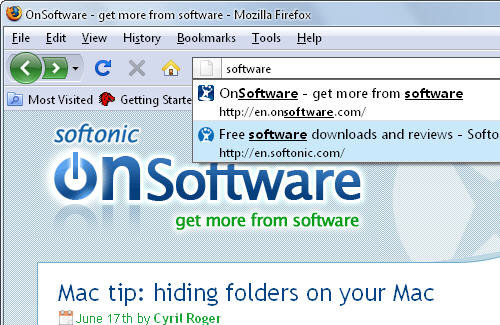
C: Yeah, I also quite like the updated interface on Mac. I don’t know what to think of Places, the new system for managing bookmarks and history, though. I like being able to bookmark any page just by adding a star in the address bar or how the browser lets you search both your history and bookmarks just by typing in the address bar. Tags are also a welcome addition, although I wonder if that many people will make use of them. I’m also glad that you can now properly save sessions, although it’s a bit annoying how Firefox asks you every time you close the browser.
Places itself comes as a folder in your toolbar and includes all sorts of advanced lists like recently starred, most visited starred or most used tags. I do think that’s a little too much information given to users though. I would have preferred being able to create my own smart bookmark folders. Continue reading “Firefox 3 in depth review”