
The web browser market is more crowded today than ever before. Today’s internet user needs a safe and reliable browsing experience.
While there are many browsers to choose from, people want to know the compassion between Brave vs Firefox.
For years, Mozilla Firefox has been a top choice for the vast majority of users wanting a fast and dependable Internet browser. Recently, Brave Browser released an updated version of their software and promised greater security and faster speeds compared to Mozilla Firefox.
In this article, we’ll dive deep into Brave vs Mozilla: Which one is better?
The bottom line is you need to have a benchmark when choosing your website browsing experience. With this comparison, you’ll have a better understanding of the two browsers and make an informed decision about which is the right browser that best suits your needs.
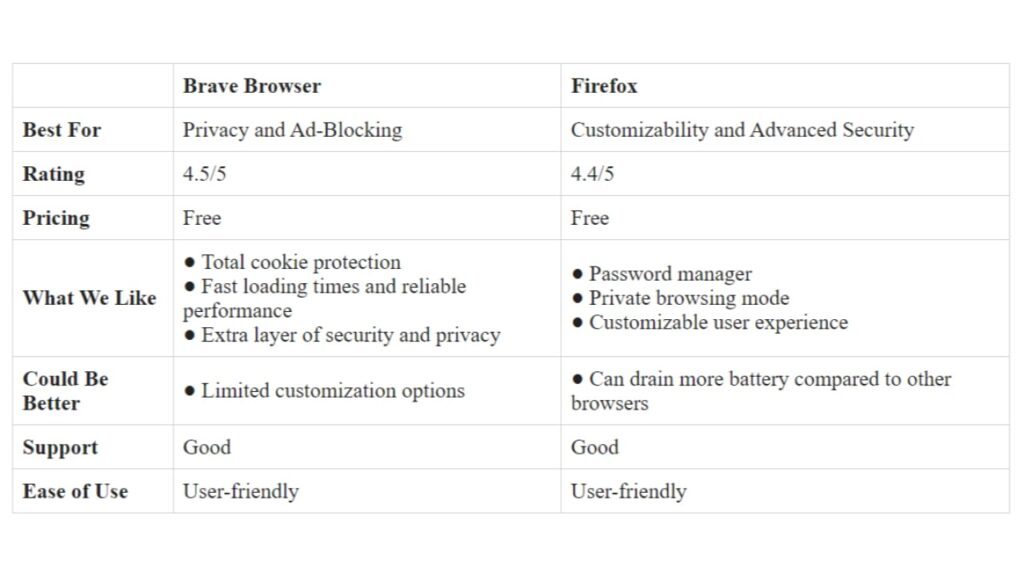
Brave vs Firefox: Quick Summary
Speed and Performance
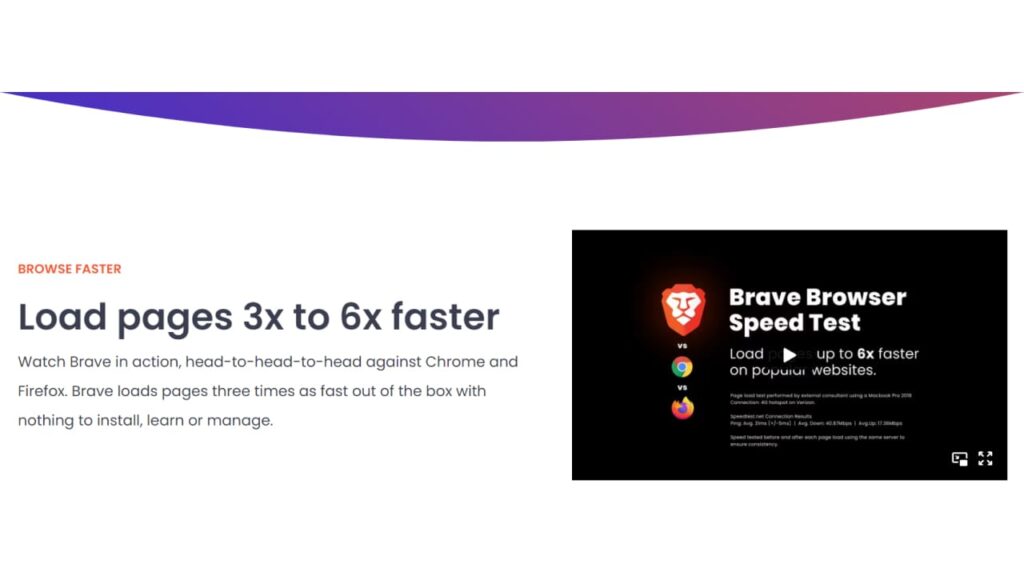
When it comes to speed and performance, both Brave and the Firefox browser have a few key differences. They both have their own set of advantages and disadvantages.
Brave Browser
- Known for its fast and reliable performance.
- Similar to other Chromium based browsers, as it uses the same open-source sync code that has been the benchmark for similar browsers.
- Has access to many of the same extensions as Chrome.
- Known to speed up the loading times of certain websites and is faster than Firefox.
- Has a built-in ad blocker for blocking trackers, which can help speed up page loading times.
Firefox
- Known for its customizable user experience.
- Offers an extensive library of add-ons and themes that allow users to customize their browsing experience.
- Can handle multiple tabs and heavy web applications with ease.
- Uses its own rendering engine, Gecko, which is known for its speed and efficiency.
- Known for its ability to minimize the amount of memory used, which helps prevent crashes and slowdowns.
In summary, Brave Browser is faster than Firefox because of its Chromium-based engine and built-in ad blocker.
Security and Privacy
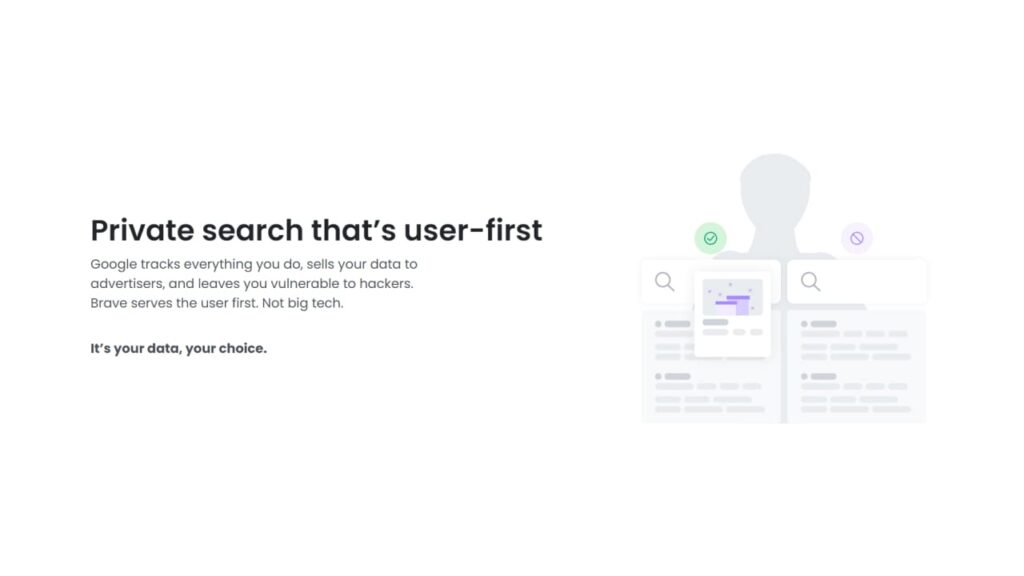
These are two big considerations when choosing a browser. Both Firefox and Brave provide some of the best security and privacy features available in browsers today.
Brave Browser
- Provides a secure browsing experience by blocking ads, trackers, and scripts that could compromise privacy.
- Has robust features that include automatic HTTPS connection upgrades, cross-site tracking protection, and cookie protection.
- Offers an extra layer of security and privacy with its built-in Tor network integration.
- Offers additional features like Containers and Shields. With Containers, Brave lets users compartmentalize their browsing experience so they feel safe when accessing sensitive sites like banking portals or government websites. With Shields enabled, unwanted ads are blocked as well as hidden tracking scripts that try to gather user data.
Firefox
- Provides a safe browsing experience with its strict policies and built-in password manager that keeps your passwords safe.
- Offers developers an open source web browser and private browsing mode to block social media trackers and protect your data.
- Allows users to control their data by letting them erase their browsing history, including cookies and temporary files.
- Offers tracking protection, anti-phishing protection, and parental control options.
In summary, both Brave Browser and Mozilla Firefox offer excellent security and privacy features. Brave offers a more comprehensive suite of features, but Firefox is still a great choice for users who want a secure browsing experience.
Performance on Different Devices
Brave and Firefox work well on any device and offer excellent speeds.
Brave Browser
- Available on multiple desktop and mobile platforms. It’s available on PC, on Mac, on Android, on Linux, and on iOS.
- Provides a consistent experience across all devices and offers the same security and privacy features on each platform.
- Offers multiple process architecture, which makes for a much smoother experience when switching between tabs or with heavier webpages.
- Built with a brand-new rendering engine called WebKit, which ensures smooth and fast performance, even when running on older computers or mobile phones.
Firefox
- Available on multiple platforms, including Windows, macOS, Linux, and Android.
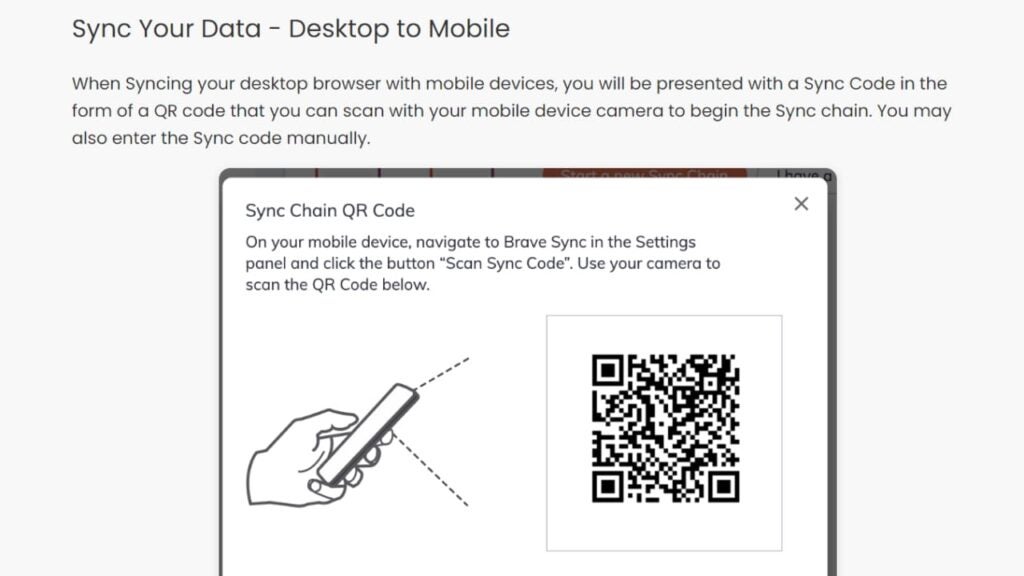
- Provides a consistent experience across all devices and allows users to sync their bookmarks, history, and other data across multiple devices.
- Uses its own faster rendering engine called Quantum, which has been optimized to squeeze maximum performance out of any device, making it perfect for multitasking on modern laptops and desktops.
In summary, both Brave Browser and Mozilla Firefox offer excellent performance on different devices. Brave offers a more consistent experience across all platforms, while Firefox is optimized for modern laptops and desktops.
Battery Life
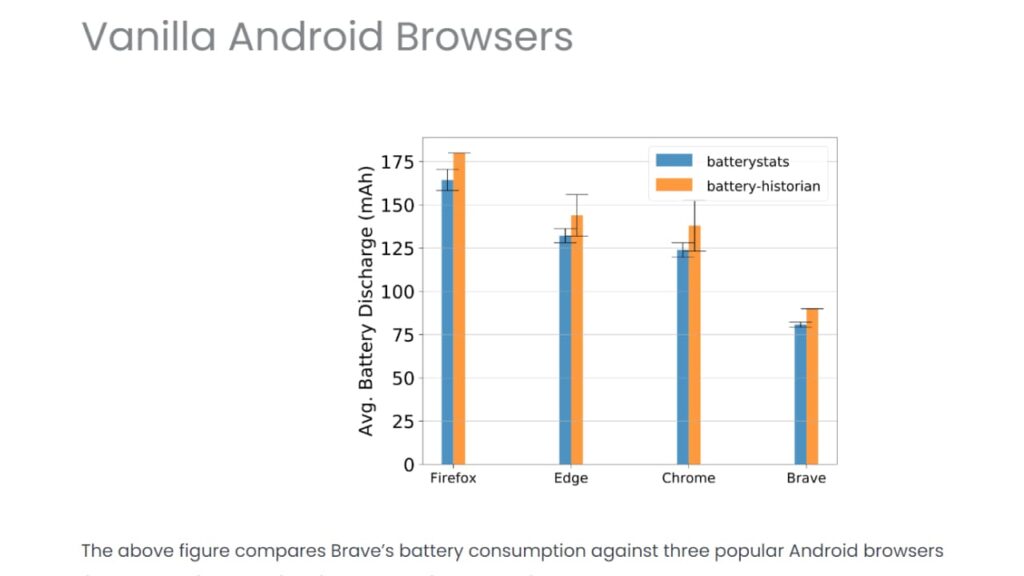
This is an important factor to consider when choosing a browser.
Brave Browser
- Known to save battery life compared to other browsers, especially on mobile devices.
This is because Brave blocks ads and trackers, which requires high cpu usage and memory usage. - Offers built-in ad blocking, script blocking, and total cookie protection that improve resource utilization by reducing resource usage from ads and multiple scripts running simultaneously.
Firefox
- Can use more battery power because its default search engine is Google, Firefox drains battery life because it requires extra resources to keep running smoothly.
- Has decent battery life depending on which extensions you use and how often you use them. If you don’t use many extensions and do not overload your RAM with multiple tabs open at once, then Firefox can offer good battery life as well.
In summary, Brave Browser offers better battery life compared to Firefox due to its built-in blocking feature and total cookie protection. However, Firefox can offer decent battery life if you don’t use many extensions or overload your RAM with multiple tabs open at once.
Design of Browsers: How It Impacts Performance and User Experience
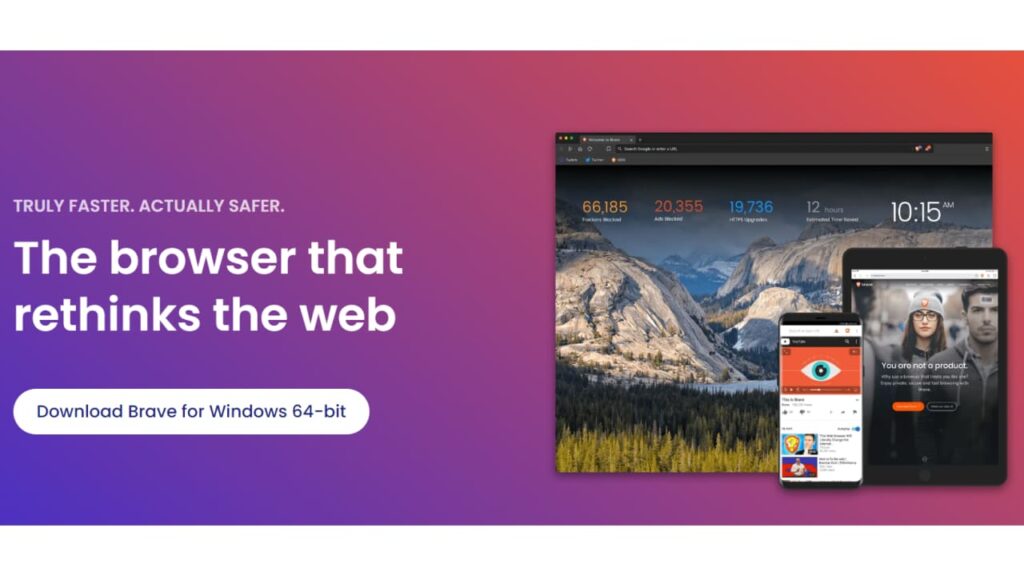
The design of a browser can have a major impact on its performance and user experience.
Brave Browser
- Has a simple and clean design that is easy to navigate and use on desktop, tablet, or smartphone.
- Offers a straightforward design that allows pages to load quickly and offers minimal distractions during web browsing.
- Focuses on privacy and security, which is evident in its design, which means users can feel safe when browsing any site.
- Provides distinct advantages when it comes to design, like being built on Chromium, which allows it to actively block ads even without an ad blocker.
Firefox
- Has a clean and simple design that is easy to navigate and use.
- Provides users with a lot of customization options, including a large library of add-ons and extensions.
- Implements a clean and modern design, which helps it remain quick and responsive even with multiple tabs open at once.
- Has built-in security features, which ensures malicious sites are blocked before they can cause damage.
In summary, Brave Browser offers a simple and clean design that is easy to use, focuses on privacy and security, and actively blocks ads without an ad blocker. Firefox provides users with a lot of customization options, has a modern design, and includes built-in security features.
Is There a Better Alternative?
When it comes to website browsing, there are several other options besides Brave and Firefox you may consider. Popular alternatives include Google Chrome, Apple Safari, Microsoft Edge, and Tempest.
Tempest
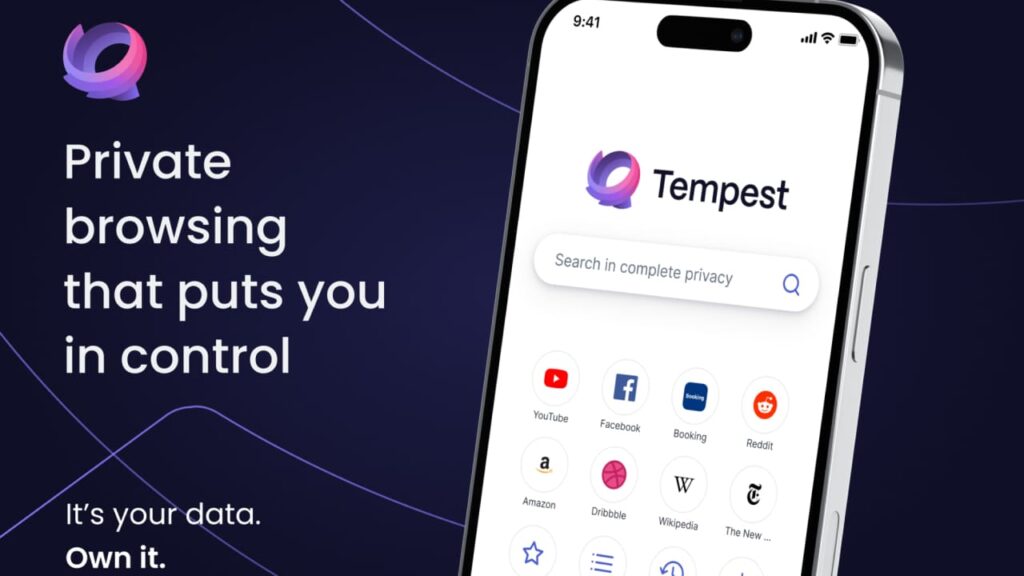
- A privacy-focused browser that offers a safe and private browsing experience.
- Based on the open source Chromium project and has several features designed to protect your data, such as built-in ad blocking, script blocking, and tracking protection.

Google Chrome
- A fast and sleek browser with a large selection of extensions and apps available in the Chrome Web Store.
- Ideal for those who are looking for a default browser.
Apple Safari
- The default browser for all Apple devices, including the iPhone and iPad.
- Known for its fast performance and innovative features.
Microsoft Edge
- A fast and secure browser available on Windows and Mac computers and mobile devices.
- Sleek design, built-in password manager, and reading mode make it a great choice for those who prioritize these features.
In conclusion, when it comes to choosing the best browser for your needs, there is no one-size-fits-all solution. Each browser has its own unique features and advantages that make it better suited for certain tasks. Brave Browser and Mozilla Firefox are both great options, but depending on your needs, you may find that another browser is a better fit.
 Since upgrading to
  When launching the long-awaited Firefox 3, the guys over at Mozilla decided to try to
 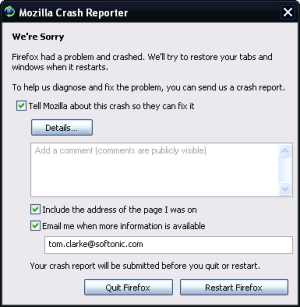 So the pomp and publicity is over.
  Cyril: Let’s start out with the interface. Now based on the Gecko 1.9 rendering platform, Firefox 3 has undergone a significant makeover, with sleeker icons and a cleaner look. In some ways I’d say it looks a little more like Flock, which is not my favorite browser but has an attractive design. The ‘Go back one page’ button is bigger and elements in the location bar, like title and url, are more easily recognizable. A native Vista look is available for users of Microsoft’s latest operating system. One of the things that impressed me most though is that version 3, finally passes the Acid2 Test, so you can be guaranteed to render any web page out there.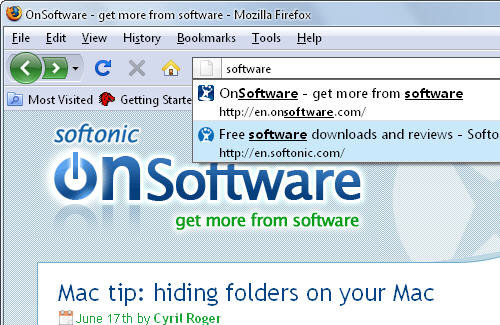
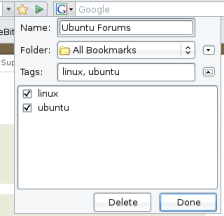 If there’s one thing I really need help with in my browser, it’s bookmarking. I’m constantly discovering new and interesting sites and pages but rarely have time to organise them in any in any meaningful way. Of course, I have folders for each different subject and topic but I just don’t have the time to go through them all once I’ve decided to add them to my favourites. I just add them to the main menu until my favourites list is now just a sprawl of bizarre links ranging from cooking sites to classic YouTube videos.
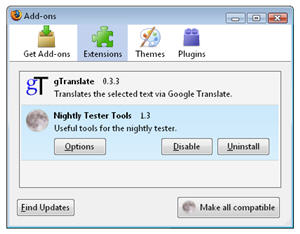 While the final version of Firefox 3 will supposedly be launched in June (at least that’s the latest news from
  Mozilla have