Skip to content

Softonic English

Just another Softonic Sites site

Author: Pedro Domínguez

{ "de-DE": "", "en-US": "Publicist and audiovisual producer in love with social networks. I spend more time thinking about which videogames I will play than playing them.", "es-ES": "Publicista y productor audiovisual enamorado de las redes sociales. Paso más tiempo pensando a qué videojuegos voy a jugar que jugándolos.", "fr-FR": "Publicitaire et producteur audiovisuel passionné par les réseaux sociaux. Je passe plus de temps à penser aux jeux vidéo auxquels je jouerai qu'à y jouer.", "it-IT": "", "ja-JP": "", "nl-NL": "", "pl-PL": "", "pt-BR": "", "social": { "email": "", "facebook": "", "twitter": "", "linkedin": "" } }

National Streaming Day: How On-Demand Entertainment Has Redefined Our Viewing Habits

I don’t know about you, but I have this almost ritual-like habit: I get home, drop my keys, slip into something comfy, and, without a second thought, open my favorite streaming platform. It’s hard to explain, but there’s something so comforting about scrolling through hundreds of series, movies, documentaries, or even live streams. Streaming has become so ingrained in our daily lives that it’s rare to have a conversation without someone mentioning a must-watch title or a favorite platform.
Avast Secure Browser
Avast Secure Browser Download

Interestingly, this way of enjoying content has its own day on the calendar: National Streaming Day. And no, it’s not just another excuse to binge-watch your favorite show (though, let’s be honest, that’s not a bad plan). It’s a day to celebrate how streaming has completely transformed the way we consume entertainment and culture, giving us nearly endless options at the click of a button.

Of course, with so many platforms and so much content, it’s also important to ensure everything runs smoothly and securely. That’s where tools like Avast Secure Browser step in as the perfect companions, letting you watch your favorite channels and content without worrying about freezes, trackers, or poor performance. Because, let’s be honest: when that sacred “me time” finally arrives, the last thing you want is your browser messing things up.

What Is National Streaming Day, and When Is It Celebrated?

Although it might not look like it, National Streaming Day didn’t magically appear out of nowhere, nor was it some random internet creation. It dates back to 2014, when the well-known American streaming device company Roku decided to mark May 20th as a special day to celebrate the sixth anniversary of its first streaming player launch.

Since then, the idea has caught on. These days, many platforms use the occasion to unveil new features, share recommendations, or simply remind us how deeply streaming is woven into our day-to-day routines.

But beyond the corporate anecdote, this day has a broader purpose: recognizing how this style of content consumption has reshaped the habits of millions worldwide. From what we watch to when we decide to watch it—and even the devices we use or how we interact with the content—streaming has turned just about everything upside down.

May 20th has thus become a sort of digital homage, a day to celebrate not just entertainment but also the freedom, personalization, and convenience streaming has brought into our lives. The best part is that everyone celebrates in their own way: some organize marathon watch parties, others discover new platforms, and plenty of people simply take the chance to share favorites on social media. There are tons of ways to enjoy National Streaming Day, and they’re all valid.

Why Celebrate Streaming?

Basically, because streaming is here to stay, that’s the short answer, but in reality, there’s a whole cultural shift behind that statement—one that deserves to be celebrated. Not too long ago, if you wanted to watch a series or a movie, you were stuck with a fixed schedule, turning on the TV and hoping not to miss the opening scene. Today, however, we can watch whatever we want, whenever we want, and from wherever we want. That’s nothing short of a revolution.

What started as an alternate way to enjoy content has turned into the new standard. Platforms like Netflix, Disney+, Prime Video, Max, and many more have transformed the audiovisual industry, even pushing traditional networks to adapt to this new reality. And it’s not just about movies and TV shows: streaming has taken hold in the world of music, video games, sports, and even education.

We also can’t ignore its impact during pivotal moments. During the pandemic, for example, streaming was a lifeline for millions of people who wanted to stay entertained, learn something new, or simply connect with their creative side. That’s why it’s celebrated: because it goes beyond entertainment. It offers access, flexibility, and a way to connect with what we love, regardless of schedules, distance, or devices.

The Future of Streaming

 Today’s streaming experience isn’t limited to chilling on the couch with a blanket and popcorn. The trend points to an even more personalized, immersive, and—why not say it—competitive future. With artificial intelligence playing a growing role, platforms are getting better and better at recommending not just what you already like but what you’ll probably want to watch before you even realize it yourself.

We’ll also see streaming expand into virtual reality and augmented reality. As technology progresses, it won’t be long before we can watch a show as if we were actually in the scene, moving around the set and choosing our viewing angle. It may sound futuristic, but some platforms are already working on it.

Still, as choices multiply and technology advances, new challenges emerge. Fragmented content, rising subscription costs, and privacy concerns will be key issues in the coming years. That’s why, more than ever, it’ll be important to have tools that guarantee a secure, agile, and privacy-friendly streaming experience.
Avast Secure Browser: The Perfect Tool for a Safe Streaming Experience

 After chatting about the present and future of streaming, let’s focus on something just as important: how we actually enjoy all that content. Because having a solid internet connection and a paid subscription isn’t enough. We also need a browser that won’t be the biggest obstacle to our experience. And that’s where Avast Secure Browser comes in.

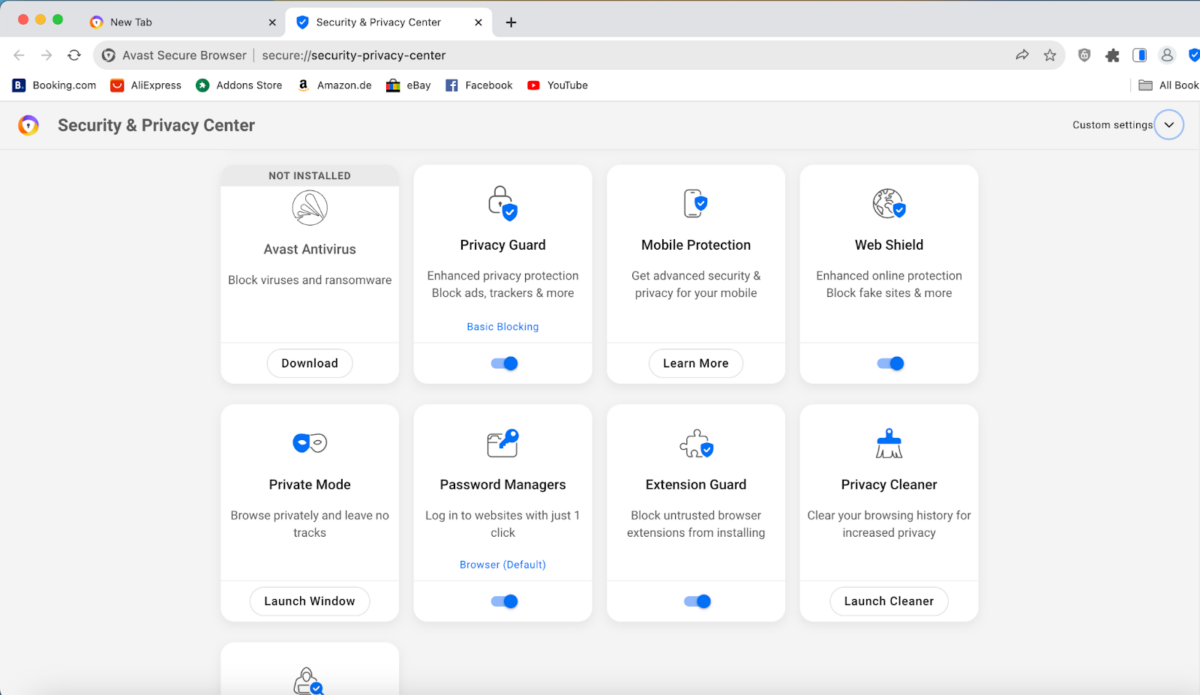
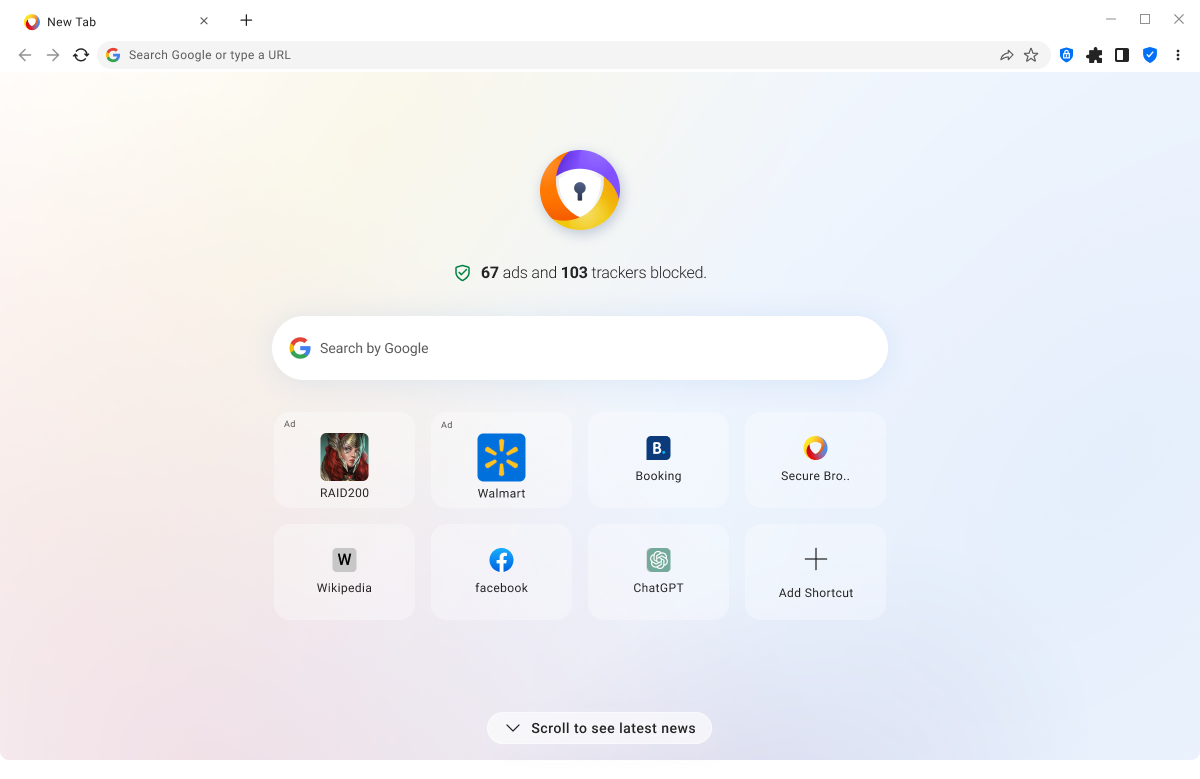
Developed by the Avast team, this browser is designed so you can watch your favorite content with total peace of mind. How does it do that? For starters, it helps blocking intrusive ads, trackers, and unnecessary scripts that often slow down streaming websites. That means a faster, smoother, and cleaner experience with fewer interruptions and less strain on your device.

Another key advantage is its focus on privacy. With features like Bank Mode, which provides extra protection for sensitive pages, and Private Browsing Mode, which keeps other users of your device from seeing what you’ve watched, you can trust that your data is in good hands. All this comes without hogging resources—something you’ll appreciate if you’re using a laptop or a lower-powered device.

Avast Secure Browser
Avast Secure Browser Download

So, if you’re into streaming (and if you’ve read this far, you probably are), it’s worth trying out a tool that makes your life easier, stays light on its feet, prioritizes security, and—best of all—is free. Download Avast Secure Browser and make it your go-to companion for marathons, premieres, and live streams. Because streaming shouldn’t just be convenient and fun—it should also be safe.

Author Pedro DomínguezPosted on May 9, 2025July 1, 2025Categories News

Do You Really Think Your Identity Is Completely Safe Online? 

We live in a digital age where we share personal information daily—often without much thought. From the photos and opinions we post on social media to our banking data and passwords, there isn’t a day that goes by without us entering personal details online. Our digital footprint is enormous. With that in mind, do we truly realize the dangers lurking on the web and how they can compromise our identity?

Avast Free Antivirus
Avast Free Antivirus Download

Each day, we hear more and more about cases of identity theft, internet scams, and cyberattacks affecting millions of people. Our digital identity has become a highly attractive target for cybercriminals, exploiting any oversight to get what they want. For this reason, it’s essential to reflect on how we protect our personal information and what measures we take to safeguard it.

To help us understand the situation and encourage action, there’s Identity Management Day—a date dedicated to highlighting the importance of safeguarding our digital identity and educating ourselves on best practices.

In this article, we’ll explore what makes this day unique, the dangers that can jeopardize our digital identity, and effective best practices that help keep us safe in the virtual world—such as installing tools like Avast Free Antivirus, which can be a crucial ally in defending against online threats.

What Is Identity Management Day, and When Is It Observed?

Identity Management Day is celebrated on the second Tuesday of April each year. In 2025, it falls on April 8. Established in 2021 in collaboration with the National Cybersecurity Alliance, this annual initiative’s primary goal is to educate business leaders, IT professionals, and the general public on the importance of identity management.

The event aims to spotlight the hazards of failing to properly manage and secure identities and access credentials, promote best practices, and foster proactive actions to protect personal and corporate information.

On this day, virtual conferences, workshops, and awareness campaigns are held for both industry professionals and everyday users. They provide essential resources and knowledge that enable safer, more efficient management of digital identities.

The Internet: A Web Full of Dangers That Can Jeopardize Our Digital Identity

The expansion of the internet has brought countless benefits, but it has also opened the door to multiple threats that can put our digital identity at risk. Below are some of the most common ones:

Phishing

Phishing is a technique that cybercriminals use to deceive users and obtain confidential information—like usernames, passwords, or banking details—through emails, text messages, or fake websites mimicking legitimate entities. You might receive an email that appears to be from your bank, asking you to update personal information, but it’s actually a data theft attempt.

Malware

Malware is malicious software designed to infiltrate and damage computer systems without the user’s consent. It’s not limited to viruses: certain variants can record keystrokes, capture sensitive information, or even take full control of a device. Malware often spreads via downloads of infected files or suspicious links.

Identity Theft

Identity theft occurs when someone obtains and uses your personal data without authorization, typically for fraudulent purposes. This might include opening bank accounts, making purchases, or applying for credit in your name—potentially causing serious financial and legal repercussions for you.

Insecure Public Wi-Fi Networks

Connecting to public Wi-Fi in cafés or airports can be risky if precautions aren’t taken. Cybercriminals can intercept the information you transmit over these networks, gaining access to your personal data and login credentials.

How Can I Protect My Digital Identity?

To keep your digital identity safe, start by adopting best practices that minimize your chances of falling victim to the threats listed above. Here are some key recommendations:

  • Use Strong, Unique Passwords Make sure your passwords are robust, combining uppercase and lowercase letters, numbers, and symbols. Avoid reusing passwords across different services. If you find password management challenging, consider using a reputable password manager.
  • Enable Two-Factor Authentication (2FA). Two-factor authentication adds an extra layer of security to your accounts by requiring a time-sensitive code—usually sent to your mobile device—in addition to your password. This means that even if someone has your password, they can’t access your account without that second authentication factor.
  • Be Careful with Links and Attachments Don’t click on suspicious links or download attachments from emails or messages, especially if they come from unknown senders; these could contain malware or be phishing attempts. When in doubt, don’t click.
  • Keep Your Devices and Software Up to Date Software updates often include security patches that fix known vulnerabilities. Therefore, it’s crucial to keep both your devices and the apps you use current.
  • Limit the Personal Information You Share on Social Media Avoid posting sensitive details like your address, phone number, or financial information on social media profiles. Cybercriminals can use this data for targeted attacks or identity theft.
  • Install a Trusted Antivirus Having reliable antivirus software is vital to safeguard yourself from all manner of online threats, including phishing and malware. Avast Free Antivirus, for example, provides real-time protection against phishing attacks, dangerous websites, and other hazards that can compromise your digital identity.
Avast Free Antivirus
Avast Free Antivirus Download

Avast Free Antivirus: Your Best Ally Against Internet Threats

Avast Free Antivirus is a comprehensive security solution offering multiple features to help protect your online identity:

  • Anti-Phishing Protection: Blocks fraudulent websites that aim to steal your personal or financial data.
  • Smart Scanning: Detects and removes viruses, malware, spyware, and ransomware, keeping your device threat-free.
  • Behavior Shield: Monitors suspicious activities in real-time, providing an extra layer of defense against emerging threats.
  • CyberCapture: Identifies, quarantines, and analyzes uncommon suspicious files in Avast’s Virus Lab, informing you of their safety before they can harm your system.
  • Protection of Sensitive Data: Prevents unauthorized apps from accessing your personal information, keeping your data secure.

These are just a few of the many functionalities offered by this free, all-in-one antivirus. If you want to browse the internet with confidence and maintain a safe digital identity, don’t wait any longer: download and install Avast Free Antivirus today and shield yourself from the perils of the online world.

Author Pedro DomínguezPosted on April 1, 2025July 1, 2025Categories News

Don’t connect with social media threats

There was a time when we shared funny photos and stayed in touch with friends and family on social media. Essentially, these platforms were pure spaces filled with fun and entertainment, where our biggest worries revolved around picking the right photo filter or wondering how many likes a post would get.

Avast Free Antivirus
Avast Free Antivirus Download

Over the years, however, and with the exponential growth in user numbers, these virtual realms have transformed into fertile ground for scammers and cybercriminals looking to take advantage of the unwary.

It’s true that social media today remains a vital tool for communication and entertainment. Yet, these platforms have also become environments where all types of digital threats lurk. From online store scams to sophisticated phishing campaigns, the dangers are very real and present in every corner of our favorite platforms.

The main issue is that in such a precarious setting, taking extreme precautions isn’t always enough to protect ourselves. It’s essential to have trustworthy security tools to keep our devices safe.

In this regard, Avast Free Antivirus stands out as a highly effective solution for combating malware that could infiltrate our devices via social media or other sources. Want to know which threats hide in your beloved social networks? Keep reading!

The Biggest Dangers on Social Media

As social networks have evolved, a wide range of threats have emerged that put user safety at risk. Below are some of the most common:

Online Store Scams

Platforms like Facebook and Instagram have integrated e-commerce features, which has led to an increase in scams involving fake stores. Scammers create profiles that appear to be legitimate retailers, offering products at irresistible prices to lure unsuspecting buyers. Once the purchase is made, the product never arrives—or is of far poorer quality than advertised.

Furthermore, these fake stores typically use urgent tactics, such as limited-time discounts or low stock messages, to pressure users into buying before verifying a seller’s legitimacy. In many cases, scammers disappear after receiving money, leaving shoppers with no product and no refund options.

Malvertising

Malvertising is a technique in which ads that seem legitimate contain malicious code. When clicked, these ads can infect the user’s device. Platforms like YouTube and Reddit, which rely heavily on advertising, are frequent targets for such attacks.

These malicious ads can be disguised as product promotions, software updates, or even false security alerts. Once users interact with them, they may be redirected to pages that install malware on their device without their knowledge, compromising both security and privacy.

Phishing

Phishing is used by cybercriminals to trick users into revealing confidential information, such as passwords or bank details. Through links shared in direct messages (DMs), attackers direct victims to fake pages imitating real ones, successfully encouraging them to enter personal data.

This type of attack is particularly dangerous in the social media realm, where scammers can impersonate friends, companies, or even banks. Worst of all, with the advent of artificial intelligence, they can craft ever more convincing messages to persuade users to share their credentials—potentially resulting in hijacked accounts or significant financial losses.

Cryptocurrencies

Scammers have taken advantage of the popularity of cryptocurrencies to promote false investments or misleading deals of all kinds. Given that crypto transactions are hard to trace, these digital coins have become the preferred method for many fraudulent activities on social networks.

One of the most common tactics is to promise exorbitant returns in a short timeframe. Through ads and posts, scammers grab the attention of users and convince them to invest in fraudulent platforms. Once the money is deposited, criminals vanish without a trace, making it nearly impossible to recover the funds.

Which Threats Are Most Common on Each Social Network?

Each platform has unique characteristics that make it vulnerable to certain threats—ranging from how ads are managed, how users interact, and limited security controls, among other factors:

Facebook

As one of the most popular social networks, Facebook is a hotbed of various scams, especially those involving fake online stores. Marketplace and Communities features allow fraudsters to list non-existent or fraudulent products, tricking users into paying for items they’ll never receive.

YouTube

The world’s largest video platform isn’t free from danger. Malvertising is particularly prevalent on YouTube, where malicious ads can redirect users to unsafe websites or even download unwanted software onto their devices.

X (formerly Twitter)

On X, minimal human moderation allows an endless array of scams to thrive. Cybercriminals use fake or compromised accounts to spread malicious links or deceptive offers, targeting unwary users.

Reddit

With its community-based structure and constant sharing of links, Reddit is susceptible to malvertising and phishing. Users may encounter links that, once clicked, install malware or direct them to sites designed to steal personal information.

Instagram

Instagram’s visual format facilitates the creation of eye-catching galleries that are, in reality, fronts for online store scams. Fraudsters exploit the trust users place in well-curated profiles to sell nonexistent or poor-quality products.

Strengthen Your Device’s Security with Avast Free Antivirus

With all these threats, it’s best to take extreme precautions and avoid clicking on any link unless you’re absolutely sure of its origin. Though remaining cautious is vital in your daily internet use, sometimes it’s just not enough. That’s why Avast Free Antivirus provides a range of features to keep your devices truly safe:

Real-Time Malware Protection

Avast Free Antivirus helps to detect, block, and remove all types of malware, including viruses, spyware, trojans, and more. This real-time protection ensures that while browsing social media—or any other website—your device remains safeguarded from possible infections.

Phishing Defense

As you’ve seen, phishing is one of the most widespread threats on social media. Avast Free Antivirus offers protection against these attacks by helping to detect and block fake websites designed to steal personal or financial information.

Behavior Shield

In addition to traditional protections, Avast Free Antivirus features Behavior Shield, an advanced technology that monitors suspicious activities within the system. This allows it to detect and stop unknown threats before they cause damage—even zero-day attacks—helping protect your device from every angle.

Avast Free Antivirus
Avast Free Antivirus Download

Automatic Updates

The cybersecurity landscape constantly evolves, and Avast stays on top of new threats. Avast Free Antivirus updates automatically so your device is always protected against the latest dangers.Thanks to the wide range of benefits Avast Free Antivirus provides, you’ll have an added security layer to prevent your personal information from falling into the wrong hands. Don’t wait any longer to safeguard your digital life! Download Avast Free Antivirus now and enjoy your favorite social networks with total peace of mind.

Author Pedro DomínguezPosted on April 1, 2025July 1, 2025Categories News

How scammers are exploiting your favorite platforms

Do you remember life before sharing it with all your acquaintances (and even strangers) on the Internet? Social media has become an integral part of our daily lives, allowing us to stay in touch with family and friends, meet new people, and enjoy various content. However, many people don’t consider that these platforms are also a breeding ground for scammers, who use their features to deceive users and steal money or personal information.

Avast Free Antivirus
Avast Free Antivirus Download

The tactics used by these cybercriminals are constantly evolving. We mainly encountered malicious ads a decade ago, but today, more sophisticated methods exist, such as the dangerous phishing scam. To make matters worse, not only are there more types of scams, but the campaigns carried out by cybercriminals are becoming more frequent, spreading across platforms like Facebook, YouTube, Reddit, and Instagram.

This alarming scenario makes it essential to have effective tools and mechanisms to protect against common threats, such as the well-known Avast Free Antivirus. In this article, we’ll analyze the main types of social media scams and discuss how Avast Free Antivirus can be a powerful ally in the fight against these dangerous attacks.

Which Social Media Platforms Are the Most Dangerous for Users?

While any social platform can be a target for scammers, some pose a higher risk than others. According to the Gen Q4/2024 Threat Report by Gen Digital, Facebook tops the list with a concerning 56% of social media scams. YouTube follows with 26%, while X (formerly Twitter), Reddit, and Instagram register significant scam activity.

One surprising finding is that despite WhatsApp’s larger user base, Telegram blocked up to six times more threats. This suggests that its privacy-focused features may be particularly attractive to cybercriminals. It reinforces the idea that each platform carries unique risks, making it crucial to understand them to stay protected.

The Most Common Social Media Scams

Scammers have perfected their strategies to exploit unsuspecting users. Below, we analyze some of the most common scams.

Malvertising

Malvertising involves publishing fake ads that appear wholly legitimate but contain dangerous links. Clicking on them can redirect users to fraudulent sites or even install malware on their devices without their knowledge. This threat is especially prevalent on platforms like YouTube, where ads reach a vast audience.

Fake Online Stores

Social media has become a critical tool for businesses—but also for scammers. Fraudulent stores advertise attractive products on platforms like Facebook and Instagram at unusually low prices. Once users pay, the item either never arrives or turns out to be a poor-quality counterfeit. These sellers often disappear quickly, leaving victims with no way to file a complaint.

Phishing and Credential Theft

Phishing remains one of the most persistent and dangerous threats on the Internet. Through emails, direct messages, or fake posts, scammers try to trick users into revealing sensitive information, such as passwords or banking details. In 2024, thousands of phishing attempts were reported in Spain alone, many of which originated on social media.

Financial Scams

Fake investment offers have also become more common. Scammers often promise large returns through pyramid schemes or fraudulent cryptocurrencies. Fake loan offers have also been detected, where victims are asked to pay an “initial deposit” that scammers keep without providing anything in return.

Identity Theft

Another widespread tactic is creating fake profiles that impersonate celebrities, companies, or official institutions. These accounts may request donations, promote fake giveaways, or attempt to steal personal data.

Tips to Protect Yourself from Social Media Scams

Everyone is exposed to online scams, but avoiding them largely depends on taking the right precautions. Follow these tips to make your social media experience much safer.

Research Before You Buy

Before trusting an online store, verify its authenticity. Look for company information in forums, social media, and review sites. Make sure the business has a physical address and a real contact number. If a seller only accepts payments via cryptocurrency or bank transfer, be suspicious.

Examine Ads Carefully

Don’t trust ads with massive discounts or unrealistic promises. Scammers often use misleading ads with stolen product images to lure buyers. If a deal seems too good to be true, research it before clicking.

Protect Your Personal Data

Avoid sharing sensitive information like passwords or credit card numbers through social media or direct messages. Use a unique password for each account and enable two-factor authentication whenever possible.

Enable Two-Factor Authentication

Two-factor authentication (2FA) adds an extra layer of security by preventing criminals from accessing your accounts even if they steal your password. To strengthen your social media security, activate this feature and use authentication apps like Google Authenticator or Authy.

Report Suspicious Activity

If you come across fake accounts, misleading ads, or suspicious profiles, report them to the platform and block them to prevent seeing their ads again. This simple action can help protect others from falling victim to scams.

Avast Free Antivirus
Avast Free Antivirus Download

Avast Free Antivirus: Powerful Protection Against Phishing and Other Threats

To complement these security measures, you need a reliable antivirus that can detect and block threats before they cause harm. Avast Free Antivirus helps in this regard, offering various features to help protect you from social media scams:

  • Phishing Protection: Detects and blocks fraudulent websites before you enter your credentials.
  • Web Shield: Prevents access to infected sites and stops malware downloads.
  • Constant Updates: Avast Free Antivirus stays updated against the latest threats to provide optimal protection.
  • Multi-Device Compatibility: Protects both your computer and mobile phone, ensuring safe browsing across all your devices.

The best way to avoid falling victim to scammers is to stay one step ahead. If you want to enjoy social media without fear of being scammed, download Avast Free Antivirus now and keep your personal information safe.

Author Pedro DomínguezPosted on March 6, 2025July 1, 2025Categories News

The Myth of Incognito Mode: what you need to know

Browsing the internet has become an everyday activity for most of us, regardless of age. Today, we use the “network of networks” to search for information, shop, entertain ourselves, and communicate with people from all over the world. However, in this vast digital ocean, our privacy can be seriously compromised if we do not take the necessary precautions.

Avast Secure Browser
Avast Secure Browser Download

For this reason, the companies behind the browsers you use daily have provided us with Incognito Mode, a popular tool that many consider essential for protecting personal information and browsing privately on all kinds of websites. When activated, the browser does not save search history, cookies, or other session data, making it especially useful when sharing devices and wanting to leave no trace of online activity. However, this mode is not foolproof, and there are several misconceptions about its effectiveness.

Although Incognito Mode offers an additional layer of privacy, it does not guarantee complete online anonymity. Below, we will explore the features of this popular tool, its limitations, and how Avast Secure Browser can make a difference with its advanced security and privacy features, going beyond the standard capabilities of conventional browsers.

What Is Incognito Mode and How Does It Work?

How It Operates

Incognito Mode, also known as private browsing, is a feature available in most modern browsers. When entering Incognito Mode, the browser starts a new session in which certain browsing data—such as search history, cookies, and information entered into forms—is not stored on the device. Once the Incognito window is closed, these data are erased, preventing other users of the same device from seeing any activity carried out during that session.

Persistent Tracking Techniques

While Incognito Mode prevents session cookies from being stored, some websites can still identify users through more advanced techniques, such as browser fingerprinting. Additionally, any files downloaded while browsing in this mode will remain on the device unless manually deleted by the user.

Private Browsing… But Not Quite

Although Incognito Mode offers certain advantages in terms of local privacy, it also has significant limitations that you should be aware of if you plan to continue using it:

IP Address Remains Visible

Even though Incognito Mode does not store browsing history on the device, it does not hide the IP address. As a result, all websites visited, your Internet Service Provider (ISP), and other entities can still see and record your online activity.

Third-Party Tracking

Incognito Mode does not prevent third parties from collecting data about you when you visit a website, such as your location, browser type, operating system, and other details. Furthermore, if you log into any online account while using Incognito Mode, both websites and advertisers can link your private browsing history with your fingerprint data.

Network Administrators Still Have Access

If you’re connected to a corporate, educational, or public network, network administrators can monitor and log your internet activity—even when using Incognito Mode.

No Protection Against Cyber Threats

Incognito Mode does not provide any protection against threats such as malware, phishing, or malicious websites. While browsing history may not be saved, the device remains vulnerable to cyberattacks.

These limitations highlight that, although Incognito Mode is useful for protecting local privacy by concealing browsing activity from other users on the same device, it does not provide comprehensive protection against online tracking and surveillance.

Avast Secure Browser: A Must-Have for Secure Browsing

If you seek a safer and more private browsing experience, Avast Secure Browser offers a range of features designed to overcome the limitations of traditional Incognito Mode:

Browser Fingerprint Blocking

This feature helps prevent tracking based on your browser and device’s unique configuration, making it harder for third parties to create a detailed profile of your online activities.

Tracker Blocking

Avast Secure Browser automatically blocks trackers that collect information about your browsing habits, protecting your privacy while also speeding up page loading times.

Protection Against Malicious and Phishing Websites

The browser analyzes URLs before you access them and classifies them with color indicators, alerting you to potential threats and preventing access to dangerous sites that could compromise your personal information.

Secure Password Management

Avast Secure Browser includes a password manager that securely stores, generates, and auto-fills your login credentials, helping you log in effortlessly without compromising security.

In addition to these features, Avast Secure Browser offers a fast and uninterrupted browsing experience, automatically blocks intrusive ads, and provides advanced security tools for safe browsing, shopping, and banking.

Avast Secure Browser
Avast Secure Browser Download

Beyond Incognito Mode

While the Incognito Mode of traditional browsers offers limited privacy, Avast Secure Browser delivers comprehensive protection against trackers, cyber threats, and malicious websites. If you truly want to maintain your privacy online and protect your personal data, don’t settle for Incognito Mode alone. Download Avast Secure Browser today and browse with a peace of mind.

Author Pedro DomínguezPosted on March 6, 2025July 1, 2025Categories News

Prove you’re human by reading up on the latest Captcha scam

Imagine you’re browsing the internet, and suddenly, the typical pop-up appears asking you to confirm that you’re not a robot. Since you’ve gone through this process countless times, you likely click to continue almost automatically and without much thought. But what if we told you that this simple action could compromise the security of your entire device?

Avast Free Antivirus
Avast Free Antivirus Download

Cybercriminals have found a new way to deceive users through “FakeCaptcha,” a tactic designed to infect devices with malware without the user realizing it, by mimicking the appearance of legitimate CAPTCHAs. According to Gen Digital’s Threat Report for the third quarter of 2024, this type of attack has seen an alarming 614% increase worldwide, with notable cases in countries such as Spain, Italy, and Argentina.

While FakeCaptcha poses a serious threat to all users—including even the most tech-savvy—fortunately, you have access to Avast Free Antivirus, a versatile security tool that helps defend your devices against this and many other cyber threats. Want to learn more about FakeCaptcha and how to protect yourself? We’ll cover everything you need to know below.

What Sets FakeCaptcha Apart from Other Similar Scams?

Exploiting Familiarity

At first glance, FakeCaptcha is another scam in the vast world of cyber threats. However, its cleverness lies in exploiting an action we perform almost automatically—verifying that we are not robots.

Unlike other scams that trick users into providing personal information or directly downloading malicious files, FakeCaptcha uses our familiarity with CAPTCHA verification to subtly introduce malware into our devices.

Social Engineering Techniques

To make matters worse, cybercriminals use social engineering techniques to get victims to execute malicious code on their devices by following instructions that seem to be part of the verification process. This dangerous and highly effective combination of familiarity and deception makes FakeCaptcha especially relevant today.

How Does the FakeCaptcha Scam Work?

The process behind this new scam is surprisingly simple, which contributes to its effectiveness:

Accessing a Compromised Page

While browsing the internet, you may come across a website that has been compromised or specifically designed for this purpose. When you try to access its content, you are presented with a fake CAPTCHA that looks almost identical to a real one.

Interacting with the CAPTCHA

When you click on “I’m not a robot,” a malicious script is silently copied to your clipboard without your knowledge.

Executing the Script

You are then instructed to paste and execute the clipboard content in your device’s command console under the pretext of completing the verification process.

Device Infection

By following these instructions, the script acts as a “dropper,” downloading and installing malware on your system.

The most common malware associated with this technique is Lumma Stealer, a sophisticated information-stealing program capable of extracting passwords, financial data, and all types of personal information.

How Can We Protect Ourselves from This Threat?

The good news is that by taking extra precautions and using the right tools, we can effectively protect ourselves against FakeCaptcha and similar scams. Here are some recommendations:

Be Wary of Unusual Requests

If a CAPTCHA appears on a website that normally doesn’t require one or asks you to perform actions outside the webpage or on your device, the best course of action is to be skeptical and avoid clicking anything. Legitimate CAPTCHAs will never ask you to copy and paste text or perform unusual actions.

Stay Informed and Alert

Understanding the tactics used by cybercriminals will help you recognize the warning signs and avoid falling into their traps.

Verify the Website’s URL

Before interacting with a CAPTCHA, ensure that the website address is legitimate and correctly spelled. Attackers often create fake websites with URLs similar to real ones, using tricks like replacing a zero (0) with an uppercase “O” or a lowercase “L” with an uppercase “I.”

Avoid Downloading Files from Untrusted Sources

While FakeCaptcha doesn’t always involve direct downloads, it’s essential to remember never to download files or programs from suspicious or unverified websites.

Enable Two-Factor Authentication (2FA)

Whenever possible, enable two-factor authentication for your online accounts, especially email and banking services. This adds an extra layer of security in case cybercriminals access your credentials.

Keep Your Security Software Updated

Ensuring that your security program is always up to date is crucial for detecting and blocking malicious scripts before they cause harm. Our recommendation? Avast Free Antivirus.

Avast Free Antivirus: Your Best Ally Against FakeCaptcha and Other Threats

In just one month, Avast Free Antivirus has protected more than 2.1 million users worldwide from FakeCaptcha attacks, according to Gen Digital. Whether you want to defend yourself against this new threat or protect your devices and personal information, Avast Free Antivirus is your best option. Here are its key features:

Real-Time Protection

Continuously monitors your device to detect and neutralize threats immediately.

Smart Scans

Detects and blocks viruses, malware, spyware, ransomware, and phishing attempts.

Behavior Shield

Protects against emerging threats by identifying suspicious behavior patterns.

CyberCapture

Isolates unknown files to analyze them in the cloud and determine their safety.

Avast Free Antivirus
Avast Free Antivirus Download

Automatic Updates

Keeps the virus database up to date to protect you against the latest threats.On top of that, Avast Free Antivirus is easy to install and use, and it doesn’t slow down your device. With millions of users worldwide, Avast’s software is one of the most reliable security solutions on the market. If you’re looking for comprehensive protection against a wide range of malware—including viruses, spyware, and ransomware—download Avast Free Antivirus today and browse the internet with peace of mind.

Author Pedro DomínguezPosted on March 4, 2025July 1, 2025Categories News

Protecting your children online is just as important as protecting them in the offline world

The digital world offers endless possibilities for learning, entertainment, and connecting with others. However, it also opens the door to various risks that can particularly affect younger users. Children, with their natural curiosity, may encounter inappropriate content, strangers with questionable intentions, or even become victims of cyberbullying.

AVG AntiVirus Free
AVG AntiVirus Free Download

Additionally, many platforms are not designed with children in mind, increasing their exposure to dangers like phishing, viruses, or scams. As parents and educators, it is our responsibility to guide them in navigating this environment and ensure their safety.

To protect minors, it is crucial to understand the risks and take appropriate actions. From using parental controls to establishing open dialogues about online dangers, there are multiple ways to keep them safe. However, constant supervision isn’t the only solution. Tools like AVG AntiVirus Free, designed to combat all kinds of threats, can be invaluable allies in this mission. With a combination of education and technology, we can create a safer environment for our children.

Set Up Parental Controls

Parental controls are one of the most effective tools to prevent children from accessing websites or apps inappropriate for their age. These systems allow you to set content filters, limit screen time, and monitor children’s online activities. They also let you block specific websites or entire categories, such as violent or inappropriate content, helping create a safer digital space.

In addition, AVG AntiVirus Free complements this strategy by blocking access to malicious websites that could jeopardize personal information or device integrity. Even if a child clicks on a suspicious link, AVG will act to protect them. With automatic updates, it ensures protection against the latest threats.

Talk to Your Kids About Online Safety

Installing technological tools is not enough—education also plays a critical role. Talking to kids about the dangers of the internet can help them recognize and avoid potentially harmful situations. These conversations should be ongoing and tailored to each child’s age, using relatable examples such as:

  • Strangers on the Internet: Just like in real life, children shouldn’t trust strangers online. Teach them not to share personal information or accept suspicious requests. Encourage them to ask you if they’re unsure about someone contacting them on digital platforms.
  • Scams: Children, unaware of certain deceptions, may fall for fake contests or fraudulent software downloads. AVG AntiVirus Free helps detect and blocks these threats before they can cause harm. Its web shield ensures safer browsing activities.
  • Viruses and Malware: While complex, it’s important to explain in simple terms what computer viruses are and how they can impact device performance or steal personal data. An antivirus program like AVG AntiVirus Free provides continuous protection against such risks. Teach kids to avoid downloading files from unknown sites or clicking on dubious links.

Limit Shared Information

Oversharing on social media or forums can be dangerous for both adults and children. Personal information like addresses, school schedules, or daily routines can be exploited by malicious individuals. Explain to children that even a photo or a simple comment can reveal more than it seems and that they should be selective about what they post.

AVG AntiVirus Free can help protect sensitive information with features that alert users to phishing attempts or suspicious activities involving data theft. This is particularly useful as children begin using online services like email or social media accounts.

Cyberbullying: How to Handle It

Cyberbullying is one of the most concerning issues today. Many victims don’t share their experiences due to fear or embarrassment, exacerbating emotional consequences. Open conversations with children about this topic can make a big difference. Teach them to recognize aggressive behavior online and not to respond to attacks.

Let them know they’re not alone and can always count on your support if they face bullying or abuse. Ensure they know how to block bullies and report inappropriate behavior on the platforms they use. Prevention is essential, but creating a supportive environment is equally important.

AVG AntiVirus Free
AVG AntiVirus Free Download

AVG AntiVirus Free: Your Best Ally in Digital Safety

When it comes to ensuring your children’s safety online, having a trusted tool makes all the difference. AVG AntiVirus Free provides a comprehensive and free solution to protect your devices—and by extension, your loved ones.

Key Features of AVG AntiVirus Free:

  • Protection Against Viruses and Malware: Detects and removes threats before they can cause damage. Its thorough and quick scans ensure no suspicious files go unnoticed.
  • Web Shield: Blocks malicious websites and suspicious links, offering safer browsing even for inexperienced users.
  • Automatic Updates: Keeps your system protected against the latest threats, reducing the risk of newer attacks.

These features make AVG AntiVirus Free an essential choice for anyone seeking effective and user-friendly protection. Whether your children are doing homework, watching videos, or playing online games, this program will always be active to ensure their safety.

Download AVG AntiVirus Free Today

Protecting children in the digital world is a challenge, but with the right tools and strategies, it’s possible to provide them with a safe environment to enjoy all the benefits the internet has to offer. Don’t wait—download AVG AntiVirus Free today and take control of your digital home’s safety.

Author Pedro DomínguezPosted on February 5, 2025July 25, 2025Categories News

AVG AntiVirus Free: The Best Tool for a Cleaner and Safer PC

When we think of internet threats, our minds often jump to dreaded computer viruses or malware that can infect our files. However, not all threats are so obvious. There’s another “unwanted guest” that, while seemingly harmless at first glance, can cause a great deal of frustration: bloatware.

AVG AntiVirus Free
AVG AntiVirus Free Download

Have you ever powered on a new device only to find it cluttered with programs you don’t recognize and definitely didn’t ask for? Sound familiar?

Bloatware is one of those elements that, while not directly malicious, can become a major headache. It often comes preinstalled on computers, smartphones, and even some smart appliances. Though it might initially appear harmless, bloatware takes up unnecessary space, slows down your devices, drains resources, and, in extreme cases, can open the door to more serious security issues.

In this article, we’ll explore what bloatware is, the problems it can cause, and some well-known examples. Additionally, we’ll highlight the usefulness of AVG AntiVirus ºFree, a versatile tool to help keep your devices protected from cyber threats related to bloatware.

What Is Bloatware?

The term “bloatware” combines “bloat” and “ware” (short for software). It’s a fitting description, as bloatware is software that “bloats” your device by filling it with unnecessary programs. This type of software is generally preinstalled on new devices by manufacturers or distributors. It can also sneak onto your system during the installation of other programs without you realizing it.

Bloatware comes in many forms: promotional apps, trial versions of software, unwanted optimization tools, or even games you never asked for. While some of these programs might be useful for specific users, most simply take up space and slow down the system.

There are two main categories of bloatware: preinstalled and accidentally downloaded. Preinstalled bloatware is already on your device when you purchase it, such as a suite of programs you don’t need. Accidentally downloaded bloatware often creeps in when you accept terms and conditions without carefully reviewing them during software installation.

Problems Caused by Bloatware

While bloatware isn’t classified as malware, its presence can lead to various issues that affect both the performance of your devices and your user experience:

1. Takes Up Storage Space

Every preinstalled or unwanted program takes up valuable storage space on your device. This is especially problematic on devices with limited storage capacities, like certain smartphones or tablets. A system overloaded with bloatware has less room for the things you actually need.

2. Slows Down Your System

Many bloatware programs run in the background, consuming resources like RAM and CPU. This can make your device significantly slower, even if it’s brand new.

3. Drains Battery Life

On mobile devices, constantly running bloatware can drain the battery faster than usual. This isn’t just an inconvenience—it can also reduce your battery’s long-term lifespan.

4. Security Risks

Bloatware can introduce unexpected security vulnerabilities. For example, preinstalled programs that aren’t regularly updated could have flaws that cybercriminals exploit. Additionally, some programs collect personal data without users being fully aware.

Famous Examples of Bloatware

Over the years, some bloatware cases have gained notoriety. Here are a few well-known examples:

  • Preinstalled Software on Android Devices: Many Android smartphone manufacturers include proprietary or third-party apps that are difficult to uninstall. These apps often duplicate features already available in the operating system, frustrating users.
  • Windows Computers: When buying a new Windows laptop, you’re likely to encounter preinstalled productivity suites, various software, and games. While some programs may be helpful, most simply occupy space and drain resources without adding real value. For example, in 2015, Lenovo faced backlash for including a program called Superfish on their laptops. Superfish not only displayed intrusive ads but also introduced severe vulnerabilities that cybercriminals could exploit.
  • Smart TVs: Even smart TVs aren’t immune to bloatware. Many models come with preinstalled apps that can’t be removed. Some of these apps also collect data on users’ viewing habits, raising privacy concerns.

How to Protect Yourself from Bloatware Risks

Although removing bloatware can be challenging, there are steps you can take to minimize its impact on your devices:

  1. Uninstall What You Can: Some programs can be removed directly through the settings or control panel.
  2. Pay Attention During Installations: Be mindful of prechecked boxes during software installations to avoid adding extra programs.
  3. Use Specialized Tools: There are programs designed to efficiently identify and remove bloatware.

Protect Your Devices with AVG AntiVirus Free

While bloatware isn’t always easy to eliminate, it’s crucial to protect your devices from more serious threats like viruses and malware. That’s where AVG AntiVirus Free comes in. This free program offers robust protection against cyber threats that could exploit vulnerabilities introduced by bloatware.

Key Features of AVG AntiVirus Free:

  • Real-Time Scanning: Detects and blocks viruses, spyware, and other malware before they can cause harm.
  • Activity Monitoring: Alerts you to unusual activity in your applications and stops potential threats before they can damage your system.
  • Automatic Updates: Keeps your device protected with the latest security patches.

As the name suggests, AVG AntiVirus Free is completely free, making it an ideal first line of defense in the fight against cyber threats. By using it, you not only protect your data but also reduce the risk of vulnerabilities caused by unwanted programs turning into bigger issues.

AVG AntiVirus Free
AVG AntiVirus Free Download

Stay Safe in a Connected World

In today’s hyperconnected world, taking care of your devices is essential. Download AVG AntiVirus Free today and browse the internet with the confidence that your devices are in good hands.

Author Pedro DomínguezPosted on February 5, 2025July 25, 2025Categories News

Top 5 Cybersecurity Predictions for 2025

Happy 2025! With the arrival of this new year, it’s the perfect time to set new goals and objectives—but also to remain vigilant about the significant digital challenges that lie ahead (and there are many). That’s because online threats this year will be more sophisticated than ever, testing our ability to protect ourselves in an increasingly connected environment.

One thing is clear: with the rise of artificial intelligence and new forms of cybercrime, cybersecurity will become a top priority. Contrary to what many believe, these risks do not only affect large companies but also individual users who could fall victim to scams, identity theft, and other targeted attacks. Therefore, being prepared is more crucial than ever.

Fortunately, you have Avast Free Antivirus, a tool to help you stay safe. With a wide range of free features—from real-time protection to advanced threat detection—Avast is the perfect ally to help you face the digital dangers of the new year. Below, we’ll explore the five main threats shaping the cybersecurity landscape in 2025 and explain how Avast can be your best defense.

AI Will Begin to Blur Everyday Reality

Yes, it’s here to stay. Artificial intelligence has reached such a high level of complexity that it now allows for hyper-realistic content to be integrated seamlessly into our daily lives—for better or worse. From applications that create and modify videos in real-time to AI-generated fake news, it will be more challenging than ever to distinguish the real from the fictitious. This will inevitably cause confusion and misinformation on a previously unimaginable scale.

For example, AI algorithms can now alter audio or video recordings to frame innocent people or manipulate information on social networks. This situation not only raises legal and ethical concerns but also makes it harder for law enforcement agencies to identify and prosecute those responsible for these acts.

Moreover, AI’s ever-growing capabilities also present new challenges for educational and workplace environments. As artificial intelligence tools become increasingly common for faking academic work or corporate emails, there is a greater need for technological solutions that can verify information authenticity. In this context, users must be more critical than ever when consuming online content and sharing information responsibly.

Avast Free Antivirus
Avast Free Antivirus Download

Deepfakes Will Be Undetectable

Another issue that goes hand in hand with the development of AI technology. By 2025, deepfakes will reach near perfection, almost indistinguishable from genuine content. Cybercriminals could use ultra-realistic fabrications to commit blackmail, fraud, or even corporate sabotage. Over the last few years, we’ve seen countless cases of employees receiving “calls” from their bosses—real—ordering them to transfer large sums of money. As these tools become more refined and scammers adopt new tactics, these deceptions will only become more common.

What’s most troubling is that the growing sophistication of deepfakes is not just a problem for corporations and public figures; it affects everyday people like you and me. At any moment, you could receive a fake video featuring someone you know participating in compromising activities, potentially ruining their reputation beyond repair.

Beyond the corporate sphere, deepfakes also threaten personal privacy, with the potential for severe emotional harm, even after it’s proven that the videos were fabricated. That’s why it’s crucial to educate the public about these technologies and adopt a critical, cautious stance to identify and neutralize these threats.

Data Theft Will Spur a Boom in Identity Theft

In 2024, our data was exposed in all imaginable ways (and without our consent). With the dramatic increase in massive data breaches, it’s not far-fetched to predict that 2025 will see record highs in identity theft. You might wonder why you should be concerned. By obtaining your data, cybercriminals can, for instance, make fraudulent purchases in your name, open bank accounts, or even take out loans. Yes, it’s as scary as it sounds.

Worst of all, this problem affects everyone—individuals and organizations alike—who will need to invest more resources into protecting their customers’ data. Once compromised, personal data typically ends up on dark web marketplaces, sold to the highest bidder, creating an endless cycle of exposure and risk for all internet users.

To make matters worse, the impact of identity theft goes beyond financial loss. Victims’ privacy is at risk when personal, often intimate information is exposed, which can lead to extortion attempts or scams that rely on stolen data from previous victims.

Scams Will Enter the “Era of Hyper-Personalization”

It’s increasingly easy to obtain public personal information on almost anyone—an unfortunate reality. In 2025, thanks to the growing practice of gathering personal data from social media, email, and other “social engineering” sources, scammers will be able to personalize their attacks more than ever.

Known as “hyper-personalized scams,” these attacks use psychological tactics to pressure victims and are every bit as dangerous as they sound. Cybercriminals can target people’s vulnerabilities with impressive precision by employing urgent messages crafted to exploit individual fears or guilt.

As you might imagine, this affects individuals, businesses, and more. Cybercriminals might fool employees with genuine emails and thereby obtain sensitive corporate data. It’s essential to foster a strong cybersecurity culture and remain vigilant about suspicious emails or messages to stop- or at least slow down- the advance of such scams. (Never click on any link received in a text message.)

Financial Theft Will Take New Forms

Fraudulent transfers and cryptocurrency theft will be commonplace in 2025. Based on current trends, it’s easy to predict that cybercriminals will use new techniques to drain bank accounts or intercept digital transactions—everything from specialized malware to man-in-the-middle attacks on unsecured networks will make the digital landscape increasingly complex.

Financial technology advancements—such as digital wallets and instant payment platforms—also provide new opportunities for attackers. That’s why users must be especially cautious when using public networks or shared devices to conduct transactions, as these conditions can make it easier for criminals to steal financial data.

The rise of cryptocurrencies will also bring new risks, including the possibility of your digital wallet being compromised or falling victim to fraud on an exchange platform. To avoid the worst, you’ll need to stay informed about the latest tactics used by cybercriminals and protect yourself against them.

Avast Free Antivirus
Avast Free Antivirus Download

Avast Free Antivirus: Your Best Ally Against 2025 Threats

In an environment where digital threats constantly evolve, Avast Free Antivirus is a robust, accessible solution to safeguard your devices. Among its key features is real-time protection, which scans and blocks malicious programs before they can run, and advanced phishing detection, which prevents you from sharing personal data with scammers.

Avast Free Antivirus also includes a Behavior Shield, which can monitor installed applications to detect any suspicious activity. Additionally, Avast offers tools that enhance your Wi-Fi network security, ensuring it is free from intruders.Finally, automatic updates guarantee you’re protected against the latest threats—at no cost. Want 2025 to be, above all, a safe year? It’s easy: download Avast Free Antivirus today.

Author Pedro DomínguezPosted on January 14, 2025July 1, 2025Categories News

Identity Theft Threats are growing in recent months

Identity Theft Threats are growing in recent months

In recent months, we have witnessed an alarming increase in identity theft cases. Cybercriminals have refined their techniques, using advanced tools such as artificial intelligence to carry out more precise and personalized scams.

AVG AntiVirus Free
AVG AntiVirus Free Download

This surge has doubled economic losses compared to the previous year, exceeding 10 billion euros in 2024. It is a serious problem that affects everyone—ordinary individuals and large companies alike—and highlights the urgent need for stronger protection.

But what’s going on? More and more people are finding unexplained purchase charges, compromised bank accounts, or hacked social media profiles. These situations are highly damaging and have the potential to directly affect the victim’s reputation.

Making matters worse, the emotional and psychological impact of being an identity theft victim can be devastating. The feeling of vulnerability and the difficulty of regaining control over personal information generate significant stress with a wide range of harmful consequences. That’s why it’s crucial to understand how these attacks work and what measures you can take to protect yourself, including using a trusted antivirus solution like AVG AntiVirus Free.

Main Identity Theft Threats

Identity theft involves various tactics criminals use to obtain personal and financial information. Below are the most common methods so you can identify and avoid them:

  1. Spyware: This malicious software is secretly installed on devices to collect data such as passwords, banking information, and browsing habits. Spyware can infiltrate through unsafe program downloads or suspicious links. If you notice your device running slower than usual or strange ads popping up, you may be infected.
  2. Phishing: This tactic involves sending fraudulent emails, text messages, or links that appear to come from trustworthy sources, like banks or government agencies. The goal is to trick you into giving up sensitive information, such as credit card numbers or login credentials.
  3. Password Theft: Criminals use various techniques—such as brute-force attacks or social engineering—to obtain your passwords. Once they have your credentials, they can access bank accounts, social media profiles, and other online services, causing enormous damage. A word of advice? Never use the same password on multiple sites.
  4. Data Breaches: Security failures in companies and organizations can expose the personal information of thousands of users. Cybercriminals then use this data to commit fraud and identity impersonation. In 2023, more than a million identity theft complaints were reported in the United States alone, illustrating the scale of the problem.
  5. Deepfakes: By using artificial intelligence to manipulate images and videos, cybercriminals can create fake but realistic content that later serves to trick victims into handing over confidential information. This method has become increasingly popular among cybercriminals, boosting the effectiveness of their scams.

These threats are not only growing more frequently but also becoming more sophisticated. Staying informed is, therefore, your first line of defense.

AVG AntiVirus Free
AVG AntiVirus Free Download

How to Protect Yourself From Identity Theft

Now that you know how these threats work, it’s time to take steps to safeguard your personal information. Here are some essential tips:

  1. Stay Alert to Data Breaches: Keep track of possible security breaches on platforms and services you use. If a company you interact with experiences a data breach, change your passwords immediately and monitor your accounts for suspicious activity. Free online monitoring tools like Have I Been Pwned can alert you if your information has been leaked on the Dark Web.
  2. Watch for Possible Signs of Identity Theft: Pay close attention to your purchase statements to spot any charges you haven’t made, debt collector calls for accounts you don’t recognize or notifications from financial institutions about unusual activity. Detecting these signs early can prevent bigger problems. Also, regularly review your credit reports to catch any irregularities.
  3. Practice Safe Internet Habits
    • Use Strong, Unique Passwords: Avoid reusing passwords across multiple websites, and consider using a password manager to keep them secure. A good password includes uppercase letters, lowercase letters, numbers, and special characters.
    • Enable Two-Factor Authentication: This adds an extra layer of security by requiring a second verification factor in addition to the password, such as a code sent to your phone or an authentication app.
    • Avoid Suspicious Links and Emails: Don’t click on links or download attachments from unknown senders or anything that looks suspicious. If an email seems fishy, verify its authenticity by contacting the organization directly.
    • Browse Only on Trustworthy Websites: Confirm that the websites you visit are legitimate, especially for financial transactions. Look for the padlock icon in the address bar and ensure the URL starts with “https.”

Protect Your Devices With AVG AntiVirus Free: Your Trusted Antivirus

A robust security solution is essential to protect yourself from all kinds of Internet threats. AVG AntiVirus Free provides helpful protection against viruses, malware, and phishing attacks, helping to keep your personal information safe. This antivirus also blocks malicious downloads and alerts you to suspicious websites before you visit them.

Additionally, AVG AntiVirus Free includes a specific feature to protect you from potential email-related threats: Email Shield. This tool scans incoming messages for threats and blocks phishing attempts, malware, or dangerous attachments. Email Shield doesn’t wait for the threat to enter your device—it blocks it before it can do any harm.As you can see, staying protected has never been easier. Don’t wait to become a victim of identity theft! Download AVG AntiVirus Free today and reinforce the security of your devices.

Author Pedro DomínguezPosted on January 13, 2025July 25, 2025Categories News

Posts pagination

Previous page Page 1 Page 2 Page 3 … Page 146 Next page

Recent Posts

  • The creators of Dishonored were about to make Thief 4… and a Blade Runner game
  • Park Chan-wook has been the jury director of Cannes and did not want to award the Palme d'Or to anyone for a good reason
  • Epic Games showcases Unreal Engine 6 for the first time with the most unexpected game
  • Hideo Kojima has gone to see 'The Mandalorian and Grogu' and his opinion is more than clear. "Everything against everything"
  • Tatiana Maslany asked the audience to cancel Disney+, but she trusts that it won't affect the return of She-Hulk. "The internet will know before I do"

Archives

  • May 2026
  • April 2026
  • March 2026
  • February 2026
  • January 2026
  • December 2025
  • November 2025
  • October 2025
  • September 2025
  • August 2025
  • July 2025
  • June 2025
  • May 2025
  • April 2025
  • March 2025
  • February 2025
  • January 2025
  • December 2024
  • November 2024
  • October 2024
  • September 2024
  • August 2024
  • July 2024
  • June 2024
  • May 2024
  • April 2024
  • March 2024
  • February 2024
  • January 2024
  • December 2023
  • November 2023
  • October 2023
  • September 2023
  • August 2023
  • July 2023
  • June 2023
  • May 2023
  • April 2023
  • March 2023
  • February 2023
  • January 2023
  • December 2022
  • November 2022
  • October 2022
  • September 2022
  • August 2022
  • July 2022
  • June 2022
  • May 2022
  • April 2022
  • March 2022
  • February 2022
  • January 2022
  • December 2021
  • November 2021
  • October 2021
  • September 2021
  • August 2021
  • July 2021
  • June 2021
  • May 2021
  • April 2021
  • March 2021
  • February 2021
  • January 2021
  • December 2020
  • November 2020
  • October 2020
  • September 2020
  • August 2020
  • July 2020
  • June 2020
  • May 2020
  • April 2020
  • March 2020
  • February 2020
  • January 2020
  • December 2019
  • November 2019
  • October 2019
  • September 2019
  • August 2019
  • July 2019
  • June 2019
  • May 2019
  • April 2019
  • March 2019
  • February 2019
  • January 2019
  • December 2018
  • November 2018
  • October 2018
  • September 2018
  • August 2018
  • July 2018
  • June 2018
  • May 2018
  • April 2018
  • March 2018
  • February 2018
  • January 2018
  • December 2017
  • November 2017
  • October 2017
  • September 2017
  • August 2017
  • July 2017
  • June 2017
  • May 2017
  • April 2017
  • March 2017
  • February 2017
  • January 2017
  • December 2016
  • November 2016
  • October 2016
  • September 2016
  • August 2016
  • July 2016
  • June 2016
  • May 2016
  • April 2016
  • March 2016
  • February 2016
  • January 2016
  • December 2015
  • November 2015
  • October 2015
  • September 2015
  • August 2015
  • July 2015
  • June 2015
  • May 2015
  • April 2015
  • March 2015
  • February 2015
  • January 2015
  • December 2014
  • November 2014
  • October 2014
  • September 2014
  • August 2014
  • July 2014
  • June 2014
  • May 2014
  • April 2014
  • March 2014
  • February 2014
  • January 2014
  • December 2013
  • November 2013
  • October 2013
  • September 2013
  • August 2013
  • July 2013
  • June 2013
  • May 2013
  • April 2013
  • March 2013
  • February 2013
  • January 2013
  • December 2012
  • November 2012
  • October 2012
  • September 2012
  • August 2012
  • July 2012
  • June 2012
  • May 2012
  • April 2012
  • March 2012
  • February 2012
  • January 2012
  • December 2011
  • November 2011
  • October 2011
  • September 2011
  • August 2011
  • July 2011
  • June 2011
  • May 2011
  • April 2011
  • March 2011
  • February 2011
  • January 2011
  • December 2010
  • November 2010
  • October 2010
  • September 2010
  • August 2010
  • July 2010
  • June 2010
  • May 2010
  • April 2010
  • March 2010
  • February 2010
  • January 2010
  • December 2009
  • November 2009
  • October 2009
  • September 2009
  • August 2009
  • July 2009
  • June 2009
  • May 2009
  • April 2009
  • March 2009
  • February 2009
  • January 2009
  • December 2008
  • November 2008
  • October 2008
  • September 2008
  • August 2008
  • July 2008
  • June 2008
  • May 2008
  • April 2008
  • March 2008
  • February 2008
  • January 2008
  • December 2007
  • November 2007
  • October 2007
  • September 2007
  • August 2007
  • July 2007
  • June 2007
  • May 2007
  • April 2007
  • March 2007
  • February 2007
  • January 2007
  • December 2006
  • November 2006
  • September 2006
  • August 2006
  • June 2006
  • May 2006
  • July 2001
  • January 2001
  • November 2000
  • September 2000
  • August 2000
  • July 2000
  • April 2000
  • March 2000

Categories

  • Affiliate post
  • Expert Review
  • Gaming
  • Guides
  • How to
  • Legacy how To
  • News
  • Noticias
  • Software>Security
  • Sponsored
  • Trucos y Consejos
  • Uncategorized
  • Windows software

Meta

  • Log in
  • Entries feed
  • Comments feed
  • WordPress.org
Softonic English Proudly powered by WordPress