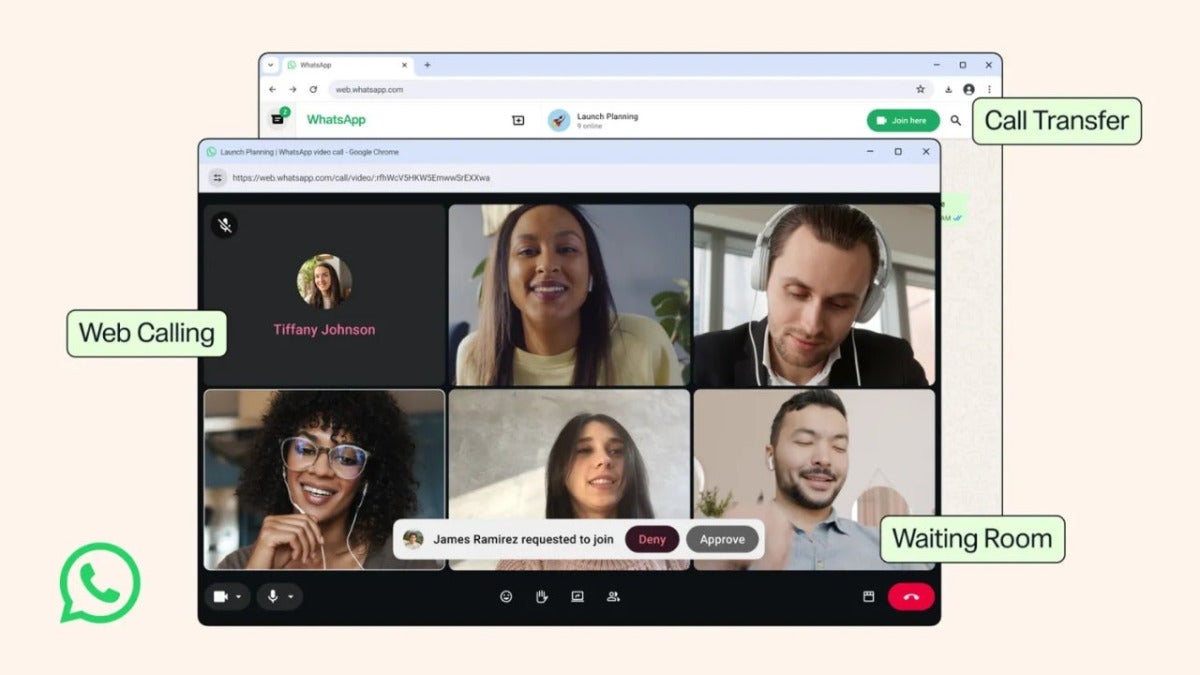
WhatsApp has finally taken a step many of us were waiting for: voice and video calls are coming to WhatsApp Web. From now on, we can make calls in the browser with the same ease as we can on an iPhone, iPad, Android phone, or the desktop app. And… there’s more.

One-on-one and group calls from the browser
The new feature appears in a Calls tab, where we’ll find call history as well as favorite contacts. From there we’ll be able to start and receive calls, making WhatsApp Web much more useful.
Just like in the desktop or mobile apps, we can use reactions and we have the option to share our screen during a video call. Everything happens inside the tab we already have open in our browser.
Transfer between devices and better quality
The arrival of video and voice calls on the web comes alongside a very interesting new feature: transferring calls between devices. We can start a conversation in the browser and, if we have to step away from the computer, continue it on the phone. Or the other way around, if, for example, we get home and want to continue the meeting more comfortably.
Group calls also gain the waiting room feature that we can activate with the “Require approval to join” option, a useful addition that brings the platform more in line with tools like Zoom, Google Meet, or Microsoft Teams. Added to that are background noise suppression and QuickHD, which gives us a high-definition image from the start of the call.
The rollout will be gradual, while WhatsApp is doing the same with usernames, and it will be available over the coming weeks.
