Improving the accessibility of our website should never be about ticking an endless checklist of boxes. Something as important as ensuring that anyone can access the information and services we offer must be approached as a sustained product improvement process: informed decisions, measurable results, and a presentation that works better for everyone.
That is exactly the practical approach behind All in One Accessibility®: a very lightweight and customizable widget that helps us turn any site into a truly inclusive environment, aligned with standards such as WCAG 2.0, 2.1, and 2.2, ADA, or EAA. Its proposition is straightforward: quick installation, guided configuration, and a set of features that adapt to the most diverse needs, all while respecting the privacy and security of our visitors.
The challenge it solves and why it matters more than ever
If in the past websites were little more than HTML with some formatting, today’s sites are much richer, with complex templates, increasingly extensive product catalogs, and audio visual content integrated throughout navigation. This complexity, while valuable, if not properly managed, creates huge friction for part of the audience: people with reduced vision, hearing loss, specific cognitive needs, or other limitations. All in One Accessibility addresses this from three angles.
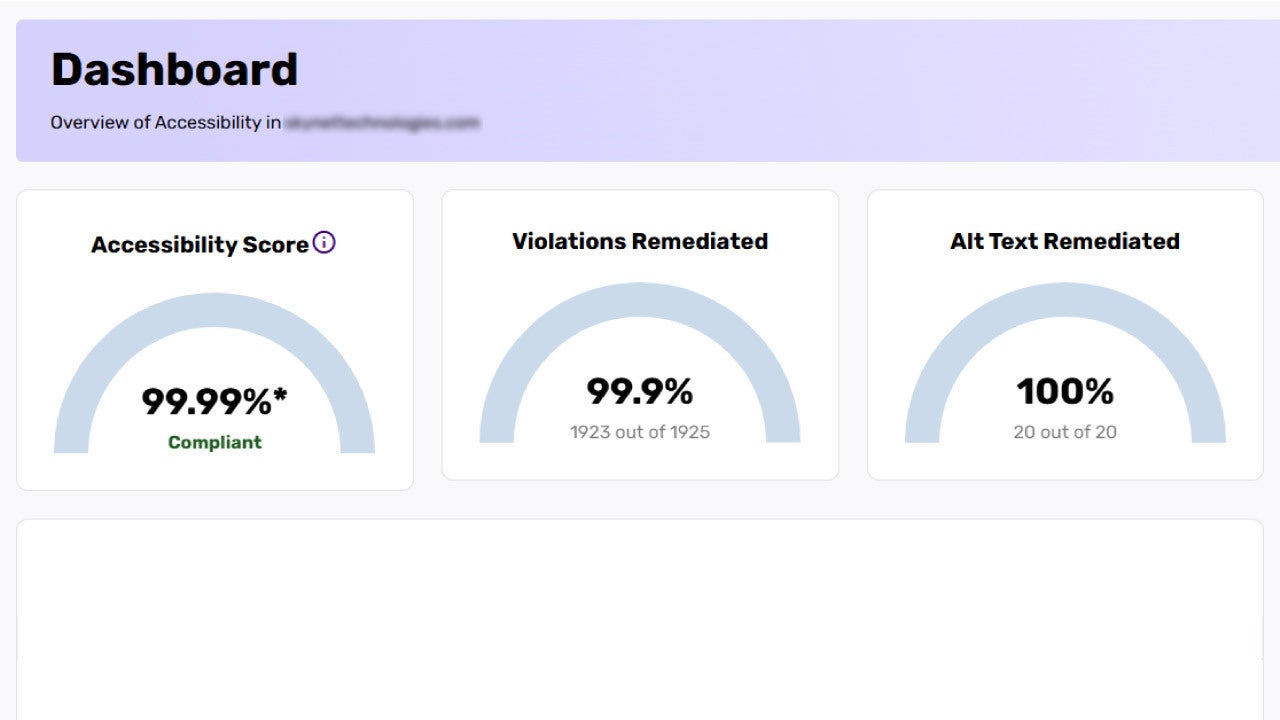
First, it reduces the gap between the intention to be inclusive and execution, thanks to an installation completed in minutes and a very simple control panel. Second, it offers surprisingly granular profiles and settings: assisted reading, keyboard navigation with visible focus, color and contrast controls, typefaces and spacing designed for dyslexia, and options for color blindness or protection against stimuli that may affect people with epilepsy. And third, it provides visibility of the improvements and optimizations with metrics and automatic audits that allow us to prioritize the next enhancements.
How accessibility starts without slowing down the team
Our first interaction with All in One Accessibility requires very little. The widget integrates easily, loads asynchronously, and has no impact on performance. From there, the panel centralizes all available settings and the measurement of results. The recommended flow usually starts by enabling a base profile, observing real usage, and then adjusting based on the data. In practice, by the next day we can already detect which features are most used, which pages concentrate more accessibility events, and where it makes sense to intervene manually, whether through settings or small design changes.
The widget works on more than 700 platforms across CMS, ecommerce, LMS, CRM, and custom sites, with the most common integrations in WordPress, Shopify, Drupal, Magento, BigCommerce, Wix, or Webflow.
Experience, not a catalogue: what it does day to day
Listing more than 70 specific accessibility features and support for over 190 languages is useful, but what really matters is how that translates into our visitors’ experience. The assisted reading system combines page reading, reading guides, reading mode, and quick jumps. It is not just about having a voice read content aloud, but about facilitating comprehension and navigation through headings, links, and different sections—vital in product pages and an area where few accessibility services match the ease of All in One Accessibility.
Color and contrast options include high contrast, color inversion, or adjustable saturation for different types of color blindness. The effect is tangible, allowing more sustained reading, less fatigue, and an interface that adapts better to changing light conditions.
Readability for dyslexia or reading difficulties is improved with adapted fonts, text scaling, and very fine control over spacing and line height. There is no magic here, only design: text becomes more stable, and visual jumping patterns are greatly reduced. Keyboard navigation, with shortcuts and highlighted visible focus, avoids forcing visitors into complex gestures and speeds up critical processes like checkout, form submission, and similar actions.
Cognitive needs are addressed with a simplified interface, focus highlighting, reading guides, and significant stimulus reduction. On dense pages, with multiple calls to action or complex hierarchies, this change makes an enormous difference and reduces drop-off in longer tasks. For epilepsy safety, controls allow visitors to pause animations or dim potentially problematic content. This protective layer is not only prudent but also a gesture of respect toward our audience.
Accessibility doesn’t work if a single pattern is imposed. That is why All in One Accessibility focuses on profiles, with nine predefined settings that greatly speed up initial adaptation and then work alongside personal preferences so that each person can tailor the experience to their own situation.
Customization and branding for consistency
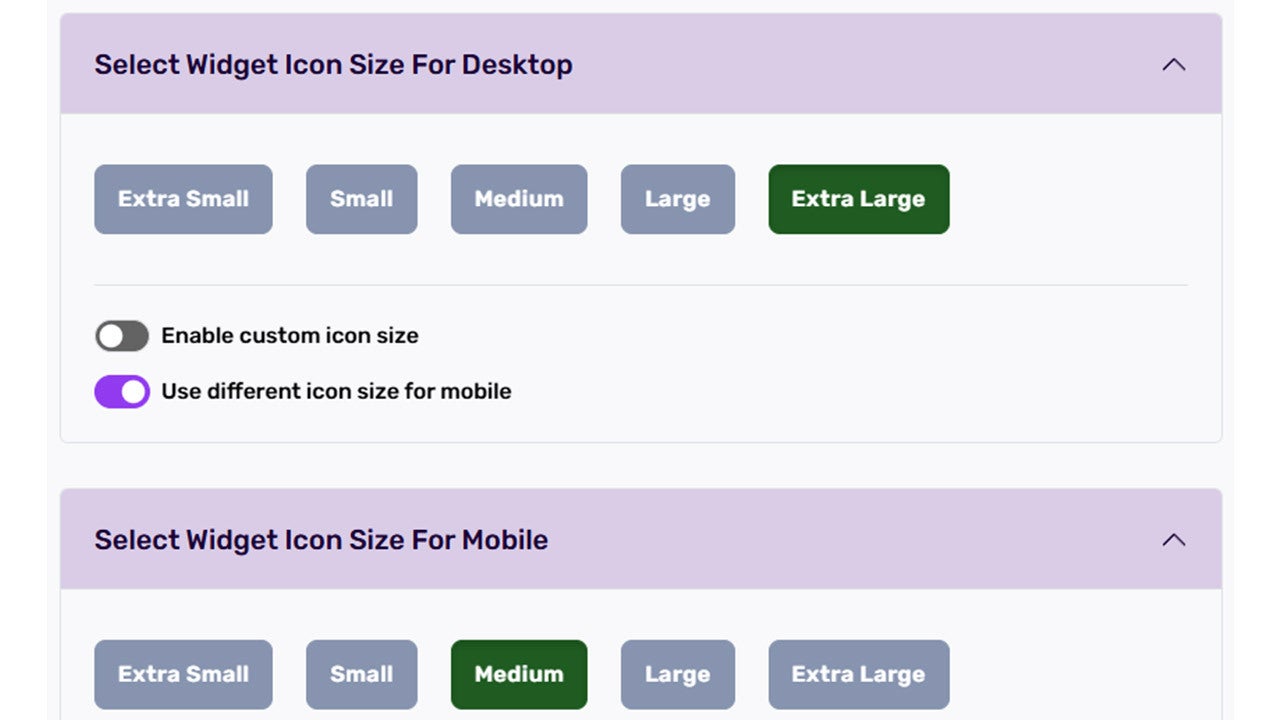
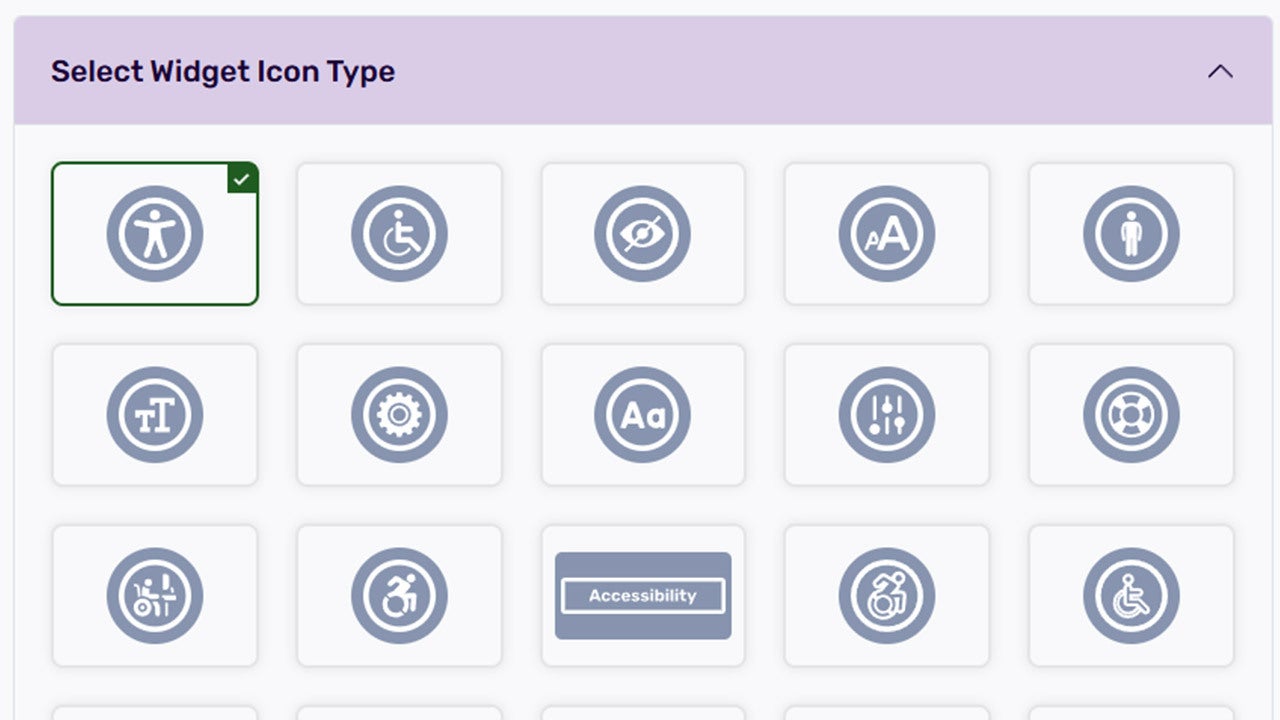
Unlike many other alternatives on the market, the All in One Accessibility widget does not force us to sacrifice our identity. Options for size, colors, icon placement, and the possibility of presenting it as white label allow us to integrate it with the project’s aesthetics seamlessly. For design teams, this preserves visual continuity; for business teams, it avoids the usual pushback caused by solutions that feel like a patch.
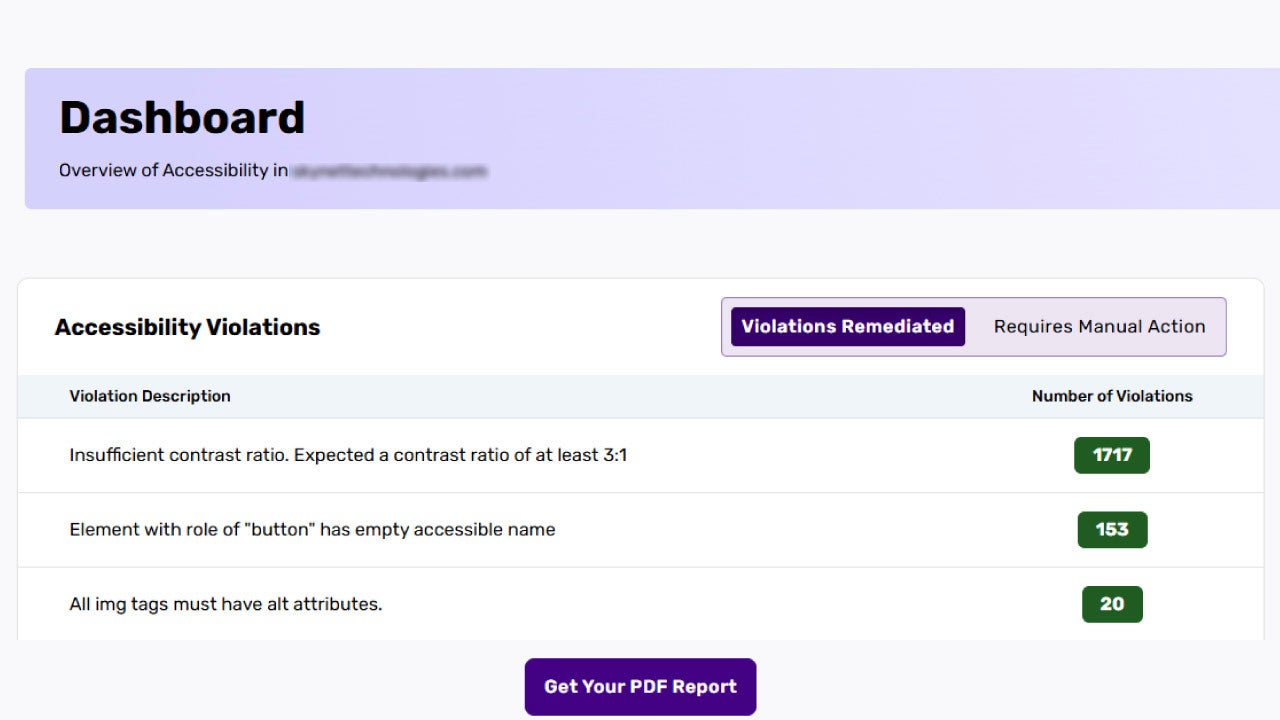
All in One Accessibility Dashboard setting allows us to integrate Google Analytics 4 i for measuring feature usage and cross it with our goals. Seeing which profiles are most frequent, which pages concentrate more adjustments, or which combination of options increases time on site or reduces form errors is absolutely key.
Automatic compliance reports allow us to track progress toward different accessibility standards, detect non-compliance patterns, and prioritize upcoming fixes. For teams managing multiple brands or sites, the ability to view trends and set focus areas simplifies planning.
When the bar rises, Add-on-services can step in: manual audits, web and document remediation, VPAT/ACR, and accessibility consulting. A typical transition involves enabling the accessibility widget, reviewing automatic reports, making a first round of high-impact corrections, and then scheduling a manual accessibility audit and subsequent remediation of templates, PDFs, or legacy content.
Compliance and trust: the framework that reduces risks
All in One Accessibility offers one of the broadest regulatory coverages on the market, aligning with most international frameworks. The service complies with WCAG 2.0, 2.1, and 2.2; ADA Title III; Section 508; EAA EN 301 549; AODA; ACA; DDA; UK Equality Act; RGAA; BITV; UNE 139803:2012; JIS X 8341, and other relevant regional standards.
On privacy and security, the design is built on data protection principles, referencing GDPR, HIPAA, CCPA, SOC 2 Type II, ISO 27001:2022, and ISO 9001:2015. With this foundation, we can deploy in sensitive environments — healthcare, banking, education — while continuing to guarantee the security and privacy of our visitors.
Use cases by sector: from theory to practice
In ecommerce and retail, the combination of keyboard navigation, constant visible focus, and diverse profiles reduces friction at checkout and improves conversion. Reading mode and link highlighting help visitors compare products in large catalogs and make better informed purchase decisions, which translates into higher satisfaction and fewer returns.
In education and the public sector, automatic reports and alignment with standards are essential for establishing a transparent and sustainable roadmap in adapting to accessibility regulations required by more and more services.
In healthcare, security and privacy guarantees allow this solution to be implemented in patient portals, laboratory result viewing, and clinical document presentation. Simplified interfaces and reading guides help ensure the correct communication of critical content.
Licensing models and deployment options
The commercial model of All in One Accessibility offers annual (starts from $250 / year) or monthly plans (starts from $25 / month), with 20% savings in the annual option, an initial 10 days free trial to validate fit with our platforms, and multisite options designed for project portfolios. This flexibility allows us to start with a smaller scope and scale without losing control as we measure results and optimize settings.
Support, combining documentation, guides, and an always-available expert accessibility team, makes all the difference. Speed and practical guidance are key, especially during the first implementation. In this respect, All in One Accessibility stands out.
A simple plan to start and grow in what matters most: serving our visitors
Improving the accessibility of our services with All in One Accessibility involves three simple steps. First, we activate the widget in the production environment with a base configuration suited to our project type, ensure visual integration, and verify that loading remains light.
Second, we observe one or two weeks of real use: review automatic reports, identify patterns of feature activation, pinpoint templates or components with the highest demand for adjustments. Third, we prioritize manual remediation where impact is greatest: forms, main navigation, reusable components, and downloadable documents. From there, we can schedule a deeper audit and, if appropriate, address VPAT/ACR and document remediation.
Accessibility is neither a checklist nor a slogan. All in One Accessibility widget provides us with the foundation for that leap: quick installation, features focused on what truly helps, compliance aligned with nearly all international standards, excellent technical performance, and expert support.
