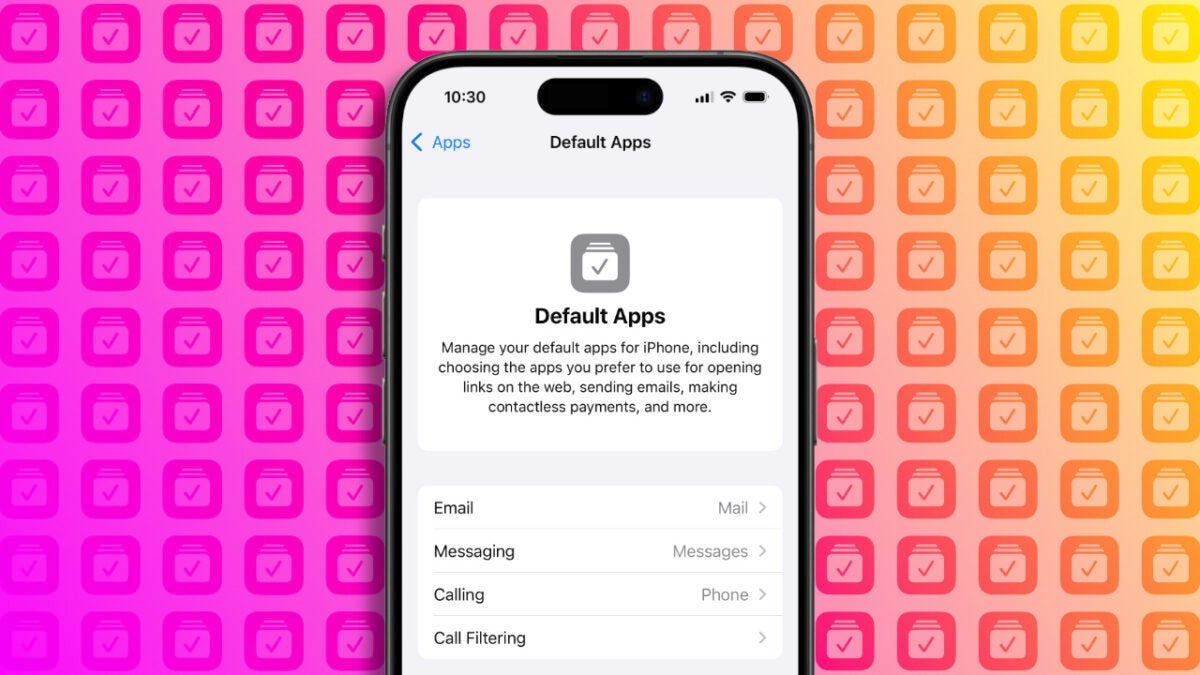
The arrival of iOS 18.2 brings with it, in addition to Genmoji and Image Playground, a rather interesting feature from a customization standpoint: the ability to select default apps for various device functions. Until now, setting which apps we wanted to use required manually entering the settings of each app. Not impossible, certainly, but the new default apps section gives us a clearer view of which apps handle which activities on our iPhone. No new functionality, but with a clearer presentation. We can access this section from the Settings app by entering […]
The arrival of iOS 18.2 brings with it, in addition to Genmoji and Image Playground, a rather interesting feature from a customization standpoint: the ability to select default apps for various device functions. Until now, configuring which apps we wanted to use required manually entering the settings of each app. Nothing impossible, of course, but the new default apps section gives us a clearer view of which apps handle which activities on our iPhone.
No new functionality, but with a clearer presentation
We can access this section from the Settings app by entering Apps and then Default Apps. Here we can see our options for configuration. Options that will depend on which part of the world we are in.
For users outside of Europe, the section offers us to choose our favorite email application, browser, keyboard, and password management services.
In the European Union, there are more options, as you can change the default apps for messaging and calls. This comes along with the fact that, in iOS 18.2, we can delete the Phone app from our phone. Similarly, you can delete the Camera app or the Photos app, which comes with the iPhone and allows us to enjoy its cameras and their photos.
Being able to have a clear view of which apps are responsible for certain parts of our device is interesting. It wouldn’t be the first time someone is surprised by clicking a link and seeing an unexpected app open. In this context, being able to review that the specific apps are configured as we wish is really useful.

Author: David Bernal Raspall
{
"de-DE": "Architekt | Gründer von hanaringo.com | Trainer für Apple-Technologien | Autor bei Softonic und iDoo_tech, zuvor bei Applesfera",
"en-US": "Architect | Founder of hanaringo.com | Apple Technologies Trainer | Writer at Softonic and iDoo_tech, formerly at Applesfera",
"es-ES": "Arquitecto | Creador de hanaringo.com | Formador en tecnologías Apple | Redactor en Softonic y iDoo_tech y anteriormente en Applesfera",
"fr-FR": "Architecte | Créateur de hanaringo.com | Formateur en technologies Apple | Rédacteur chez Softonic et iDoo_tech, précédemment chez Applesfera",
"it-IT": "Architetto | Fondatore di hanaringo.com | Formatore in tecnologie Apple | Scrittore per Softonic e iDoo_tech, precedentemente su Applesfera",
"ja-JP": "建築家 | hanaringo.comの創設者 | アップル技術のトレーナー | SoftonicおよびiDoo_techのライター、以前はApplesferaで",
"nl-NL": "Architect | Oprichter van hanaringo.com | Trainer in Apple-technologieën | Schrijver bij Softonic en iDoo_tech, voorheen bij Applesfera",
"pl-PL": "Architekt | Założyciel hanaringo.com | Trener technologii Apple | Pisarz w Softonic i iDoo_tech, wcześniej w Applesfera",
"pt-BR": "Arquiteto | Fundador do hanaringo.com | Instrutor em tecnologias Apple | Escritor na Softonic e iDoo_tech, anteriormente na Applesfera",
"social": {
"email": "races_provost0x@icloud.com",
"facebook": "",
"twitter": "https://twitter.com/david_br8",
"linkedin": "https://www.linkedin.com/in/davidbernalraspall/"
}
}
View all posts by David Bernal Raspall