Browser extensions are useful ways to increase productivity and make your life easier. Now, with the Watch Netflix Together extension for Chrome and Chromium-based browsers, users can easily set up and arrange movie nights or series streaming sessions with family and friends worldwide.

Discover how to start using Watch Netflix Together for Chrome to arrange watch parties and movie nights.
Can you stream Netflix with friends located across the world?
While the Netflix app doesn’t have an option to share your screen with other users, many browser extensions and mobile apps exist that make it possible for you to arrange a virtual movie night or watch party with loved ones worldwide.
This means that by installing a simple browser extension and having an active Netflix account, you can start watching movies and series with friends and family while chatting and sharing the experience virtually. Now you can stay connected and enjoy this age-old pastime even if you cannot visit each other physically.
5 Steps to start using the Watch Netflix Together extension
Using the Watch Netflix Together add-on for Chrome is a simple process. Once the extension is installed and active, you can quickly arrange a movie night without having to leave Netflix or navigate to a different website or app. Here’s how to get started.
Download and install the extension
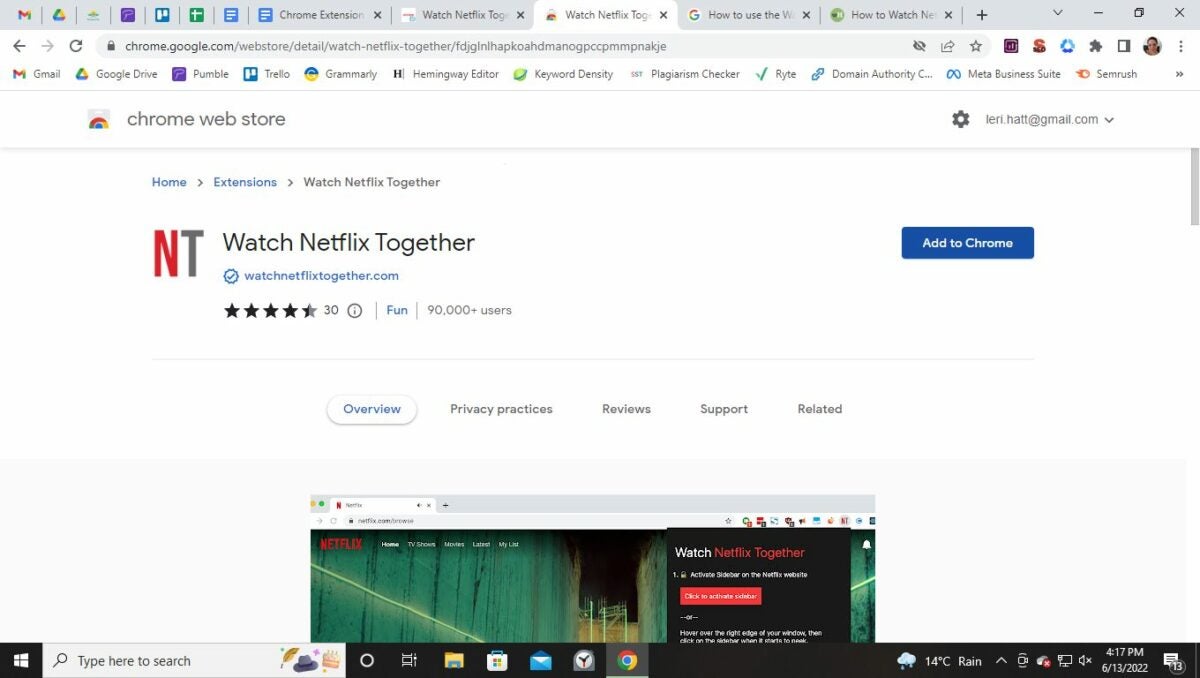
First, you’ll need to download and install Watch Netflix Together. Everyone you want to watch movies or series with will need to have this extension installed, so if needed, share the link to the extension download with your family and friends.
Login and open the sidebar
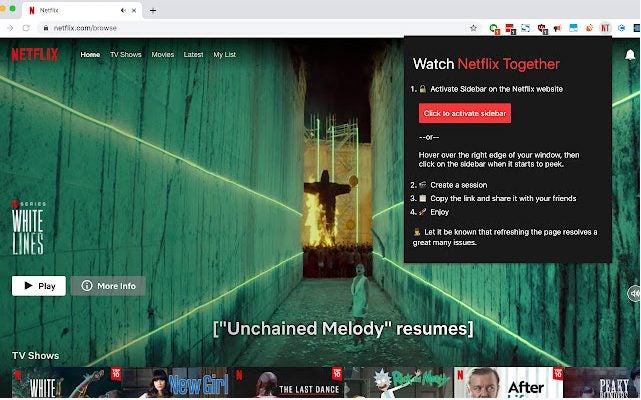
The next step is to navigate to Netflix and log into your active Netflix account. Once again, all the members you want to invite to the watch party will have to have an active Netflix account. Make sure to recommend using the free trial if you’ve got friends or family that don’t yet have an account. Once logged in to your account, the host can open the Watch Netflix Together sidebar by clicking on the NT icon in the extension bar.
Create a session and share the link
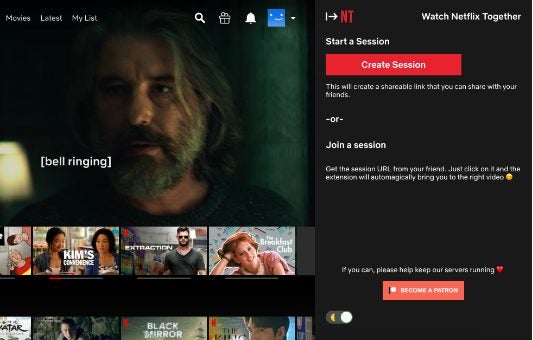
If you’re ready to start the movie session, click on the movie or series on Netflix (you don’t have to start playing yet). Once you’ve selected the movie, open the sidebar and click on ‘Create a Session’. Only the host needs to do this. Once the session has been created, you’ll receive a link which you can share with your friends.
Start watching
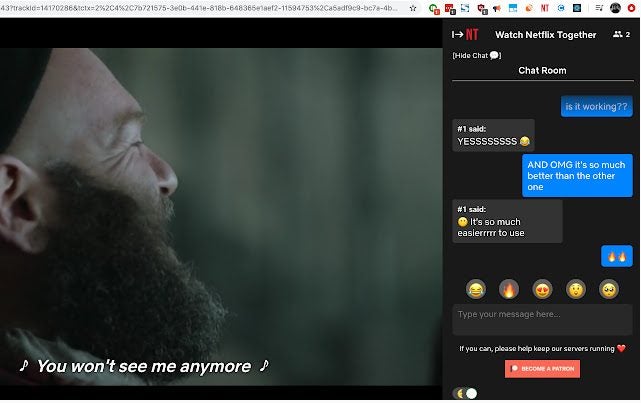
Once everyone has joined, you can start playing the movie or series, and everyone connected with the link will watch together in real-time. You can also use the chat option in the sidebar to talk to your family and friends while watching. If someone has to leave the stream and join back later, they will automatically join in where the movie is currently by clicking on the link.
Finish the session
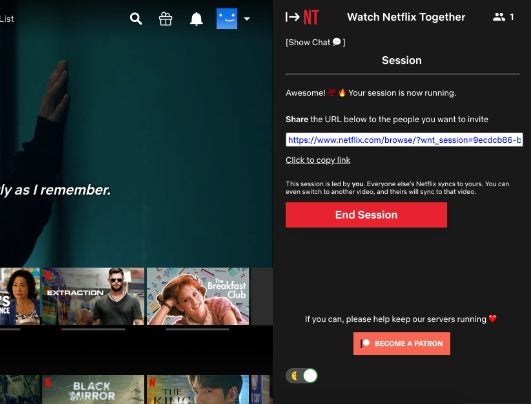
Once you’re done watching, click on ‘End Session’ in the sidebar.
FAQs
Now that we’ve covered how to use the Watch Netflix Together Chrome extension, we can look at some of the popular questions users ask.
Does everyone need a Netflix account to use Watch Netflix Together?
Yes, to use the Watch Netflix Together Chrome extension, all participants need to have an active Netflix account and the extension. The extension is free and works with all Chrome and Chrome-based browsers. Netflix offers a free trial period, so if someone doesn’t currently have an active account, they can use the trial period to join in on the movie night fun.
What happens if I join the party late?
All members don’t have to join simultaneously for a session to start. The session starts when the host clicks on ‘Create Session’ and has full control over when they start playing the movie. If someone is late and clicks on the provided link after the showing has already started, it’s not a problem. They’ll join in where the session is when they click on the link. While this may mean that you miss the start of the movie or episode, you’ll still be able to join – which is the most important part.
Why do I need to use an app or extension like Watch Netflix Together?
Netflix is DRM protected. This means that you won’t be able to share your screen. If you try this, the participants will likely see a black screen. Also, the audio and video quality will be greatly diminished. However, by using one of the many free apps and extensions like this one for Chrome, you can watch Netflix movies and series in the best quality with family and friends remotely. You can also check out our recommendations of the best Netflix extensions for Chrome for other alternatives.

