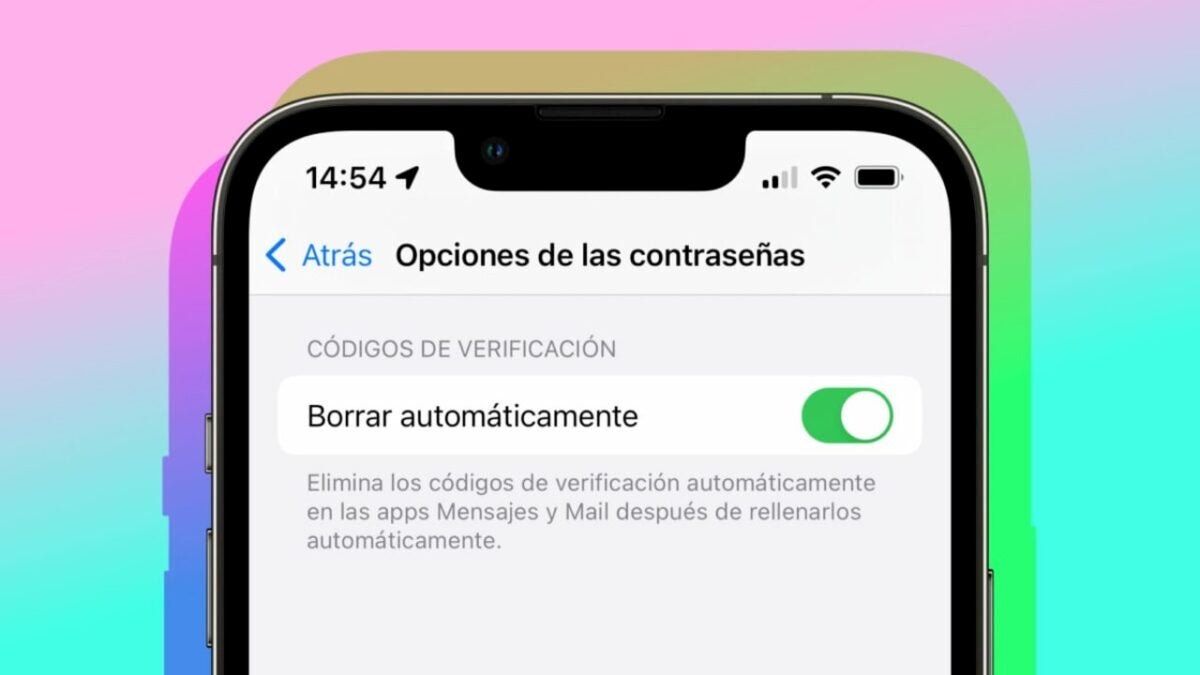
Two-factor authentication (2FA) verification codes are an essential security reinforcement for our digital accounts. However, on the other hand, we sometimes find the Messages app overwhelmed by these messages. Fortunately, the new iOS 17 update brings along a feature that many users will surely applaud: the ability to automatically delete verification codes after they have been used.

Once used, the code disappears
Translation: The setting, although it may go unnoticed compared to more eye-catching features of iOS 17 such as the StandBy smart screen function, stickers in Messages, or Contact Posters, has the potential to improve a small but persistent inconvenience in our digital day-to-day.
This is especially useful for those services that, although it is preferable for security, do not offer the option to generate 2FA verification codes through dedicated applications like iCloud Keychain. So, instead of having to manually manage their deletion when we receive them in messages, our iPhones will now do it for us.
The first time we receive a 2FA code while running iOS 17, we will receive a notification asking if we want to automatically delete verification codes after use. We can activate it here or go to Settings > Passwords > Password Options and enable the “Auto Delete” option. From here, our iPhone will take care of the rest.
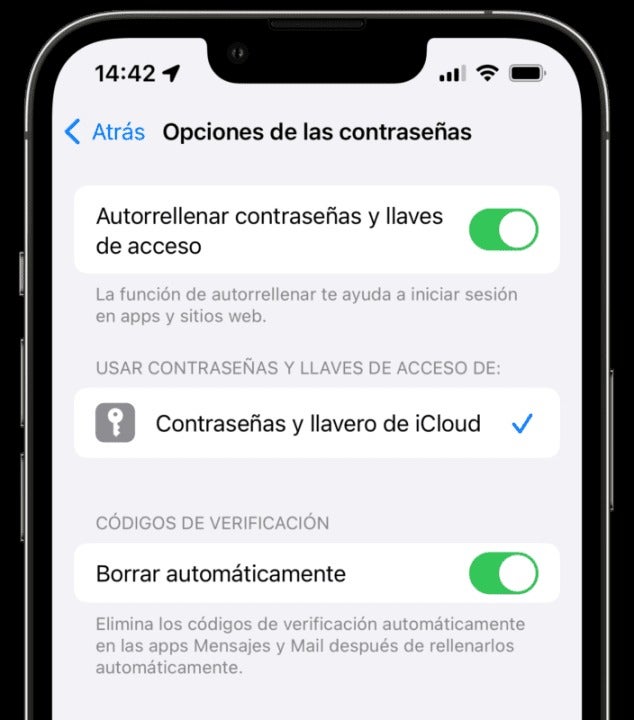
Let’s keep in mind, however, that for the deletion to take place, it is necessary for us to autocomplete the code. In other words, we need to tap on the code when it appears above the keyboard. This gesture allows the system to know that the code has been used. On the other hand, if at any time we need to view a verification code that has already been used and automatically deleted, we can do so by showing the sidebar on the iPad or, on the iPhone, by tapping on “Filters” in the upper-left corner of the Messages app and then tapping on “Recently Deleted.”
The arrival of iOS 17 once again demonstrates how Apple has polished the user experience in this update, even in the smallest details. In this case, we no longer have to see the accumulation of verification code messages. We will have them when we need them, and then they will disappear. It’s as simple as that.
Some of the links added in the article are part of affiliate campaigns and may represent benefits for Softonic.
