
Skip to content

Softonic English

Just another Softonic Sites site

Protect Your PC Against Advanced Malware with AVG AntiVirus Free

In today’s digital landscape, we’re completely surrounded by threats. The number of malware types is constantly growing, and what’s worse, existing malware continually evolves to bypass security measures. Analysis-resistant malware—designed to hide from or interfere with conventional antivirus tools—employs advanced techniques to evade detection, such as embedding itself in critical system files or dynamically modifying its code to disguise itself.

AVG AntiVirus Free
AVG AntiVirus Free Download

Rootkits, bootkits, and polymorphic viruses are examples of these sophisticated threats that can cause serious damage if not detected promptly. From breaches of sensitive data to drastic slowdowns of your computer, the consequences of these infections are increasingly alarming.

However, there’s a simple way to combat these advanced threats. AVG AntiVirus Free  provides an innovative and accessible solution to identify and eliminate analysis-resistant malware. Below, we’ll explain how this free antivirus can protect your PC against the most persistent threats.

Why Don’t Conventional Antivirus Programs Always Protect Us?

To understand the importance of tools like AVG AntiVirus Free, it’s essential to know why traditional antivirus scans aren’t always enough. Antivirus programs operate within the operating system, and advanced malware can exploit this limitation to hide in various ways. For example:

  • Rootkits: Integrate into the deepest levels of the operating system, allowing malware to act undetected.
  • Bootkits: Affect the computer’s boot process, ensuring that malware runs before the antivirus does.
  • Polymorphic Viruses: Constantly change their code to evade antivirus detection signatures.

These threats not only compromise your computer’s security but can also lead to secondary infections like ransomware or spyware, with the added risk of losing valuable data.

AVG AntiVirus Free: Protection Beyond the Operating System

AVG AntiVirus Free is designed to tackle these advanced threats with an approach that goes beyond conventional methods.

Boot-Time Scan

Boot-Time Scan is an advanced feature of AVG AntiVirus Free that scans for known types of malware and eliminates threats before the operating system and other services start. This tool doesn’t run automatically or regularly; if you suspect your PC contains malware, you can manually schedule the scan to run the next time your computer starts.

Advanced Threat Detection

AVG AntiVirus Free uses deep scanning techniques to locate even the most sophisticated threats. In addition to traditional signatures, the antivirus employs heuristic and behavior-based analyses to identify suspicious patterns in files.

Data Protection During Removal

Removing malware often involves risks of data loss. AVG AntiVirus Free safeguards critical files before starting the removal process, ensuring that no collateral damage occurs during the cleanup.

Rescue Disk

For the most persistent threats, AVG AntiVirus Free allows you to create a Rescue Disk on a USB drive or blank DVD. Rescue Disk scans your PC when the system isn’t running, increasing the chances of detecting and eliminating malware since it can’t counterattack. By operating independently of the operating system, the antivirus can scan all files without interference, detecting malware that would otherwise remain hidden.
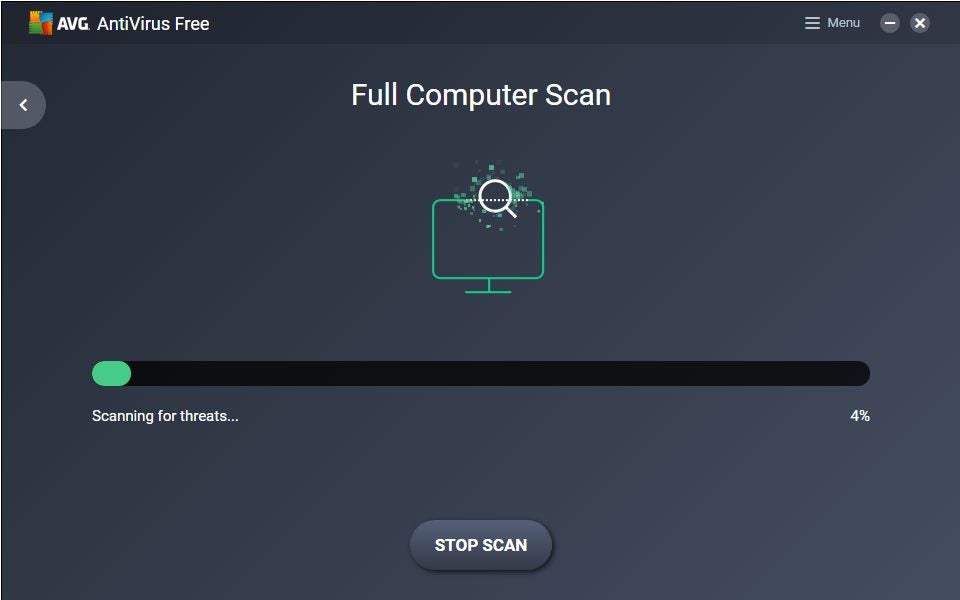
How to Scan Your PC for Viruses with AVG AntiVirus Free Rescue Disk

The Rescue Disk feature in AVG AntiVirus Free is your best bet for effectively combating analysis-resistant malware. Here’s how you can leverage this function, even without any technical experience:

Step 1: Create a Rescue Disk

  1. Open AVG AntiVirus Free and go to Menu ▸ Rescue Disk.
  2. Follow the on-screen instructions to create a bootable tool on a USB drive or DVD. This process takes only a few minutes and doesn’t require advanced technical knowledge.

Step 2: Configure Your Computer to Boot from an External Device

  1. Turn off your PC and insert the USB drive or DVD containing the Rescue Disk.
  2. Turn on your PC and access the Boot Menu (you can do this by pressing specific keys like Esc, F12, or Del, depending on your computer’s manufacturer).
  3. Select the USB drive or DVD as the preferred boot option. Save the settings and proceed with the boot-up.

Step 3: Run a Full System Scan

  1. Once your computer boots from the external device, click on “AVGPE AntiVirus” in the Rescue Disk’s main menu.
  2. If your PC is connected to the Internet, click “Update VPS” to ensure the Rescue Disk uses the most recent virus definitions.
  3. To scan your entire PC, select “All hard disks” and click Next.
  4. When the scan is complete, review the report and results screen to see if any threats were found.

Additional Benefits of AVG Free AntiVirus

While the Rescue Disk feature is highly valuable, AVG AntiVirus Free offers other functionalities that enhance its value as a security tool:

  • Real-Time Protection: Continuously monitors your computer for potential threats, blocking viruses, spyware, and ransomware before they can act.
  • Web Security: Prevents access to fraudulent websites and infected links associated with malware and phishing.
  • Automatic Updates: Ensures you always have the latest version and the most recent virus definitions.

These features make AVG AntiVirus Free a comprehensive solution for maintaining digital security in any situation.

AVG AntiVirus Free
AVG AntiVirus Free Download

Download AVG AntiVirus Free Now and Protect Your Computer

If your computer has been affected by analysis-resistant malware or you simply want to be prepared to face any threat, download AVG AntiVirus Free today. Its Boot-Time Scan and Rescue Disk tools, combined with real-time protection and ease of use, make it one of the most comprehensive solutions on the market.

Don’t wait for a threat to put your security at risk! With AVG AntiVirus Free, peace of mind is just a click away.

Author: Pedro Domínguez

{ "de-DE": "", "en-US": "Publicist and audiovisual producer in love with social networks. I spend more time thinking about which videogames I will play than playing them.", "es-ES": "Publicista y productor audiovisual enamorado de las redes sociales. Paso más tiempo pensando a qué videojuegos voy a jugar que jugándolos.", "fr-FR": "Publicitaire et producteur audiovisuel passionné par les réseaux sociaux. Je passe plus de temps à penser aux jeux vidéo auxquels je jouerai qu'à y jouer.", "it-IT": "", "ja-JP": "", "nl-NL": "", "pl-PL": "", "pt-BR": "", "social": { "email": "", "facebook": "", "twitter": "", "linkedin": "" } } View all posts by Pedro Domínguez

Author Pedro DomínguezPosted on November 28, 2024July 25, 2025Categories News

Post navigation

Previous Previous post: Avast Free Antivirus: How AI is Enhancing Ransomware Protection
Next Next post: Success or failure? Queer, the new project by Daniel Craig and Luca Guadagnino, premieres on Rotten Tomatoes

Recent Posts

  • Nintendo reveals Young Link amiibo: GameStop leak gains credibility
  • Lanterns arrives with early praise: it tackles superhero TV’s women problem
  • Red Dead Online offers a free This Guy Emote this week: claim it by September 14
  • Apple’s September 9 event starts at 1 p.m. ET: how to watch live
  • Miami Vice is now streaming free on Tubi: all five seasons are available

Archives

  • September 2026
  • August 2026
  • July 2026
  • June 2026
  • May 2026
  • April 2026
  • March 2026
  • February 2026
  • January 2026
  • December 2025
  • November 2025
  • October 2025
  • September 2025
  • August 2025
  • July 2025
  • June 2025
  • May 2025
  • April 2025
  • March 2025
  • February 2025
  • January 2025
  • December 2024
  • November 2024
  • October 2024
  • September 2024
  • August 2024
  • July 2024
  • June 2024
  • May 2024
  • April 2024
  • March 2024
  • February 2024
  • January 2024
  • December 2023
  • November 2023
  • October 2023
  • September 2023
  • August 2023
  • July 2023
  • June 2023
  • May 2023
  • April 2023
  • March 2023
  • February 2023
  • January 2023
  • December 2022
  • November 2022
  • October 2022
  • September 2022
  • August 2022
  • July 2022
  • June 2022
  • May 2022
  • April 2022
  • March 2022
  • February 2022
  • January 2022
  • December 2021
  • November 2021
  • October 2021
  • September 2021
  • August 2021
  • July 2021
  • June 2021
  • May 2021
  • April 2021
  • March 2021
  • February 2021
  • January 2021
  • December 2020
  • November 2020
  • October 2020
  • September 2020
  • August 2020
  • July 2020
  • June 2020
  • May 2020
  • April 2020
  • March 2020
  • February 2020
  • January 2020
  • December 2019
  • November 2019
  • October 2019
  • September 2019
  • August 2019
  • July 2019
  • June 2019
  • May 2019
  • April 2019
  • March 2019
  • February 2019
  • January 2019
  • December 2018
  • November 2018
  • October 2018
  • September 2018
  • August 2018
  • July 2018
  • June 2018
  • May 2018
  • April 2018
  • March 2018
  • February 2018
  • January 2018
  • December 2017
  • November 2017
  • October 2017
  • September 2017
  • August 2017
  • July 2017
  • June 2017
  • May 2017
  • April 2017
  • March 2017
  • February 2017
  • January 2017
  • December 2016
  • November 2016
  • October 2016
  • September 2016
  • August 2016
  • July 2016
  • June 2016
  • May 2016
  • April 2016
  • March 2016
  • February 2016
  • January 2016
  • December 2015
  • November 2015
  • October 2015
  • September 2015
  • August 2015
  • July 2015
  • June 2015
  • May 2015
  • April 2015
  • March 2015
  • February 2015
  • January 2015
  • December 2014
  • November 2014
  • October 2014
  • September 2014
  • August 2014
  • July 2014
  • June 2014
  • May 2014
  • April 2014
  • March 2014
  • February 2014
  • January 2014
  • December 2013
  • November 2013
  • October 2013
  • September 2013
  • August 2013
  • July 2013
  • June 2013
  • May 2013
  • April 2013
  • March 2013
  • February 2013
  • January 2013
  • December 2012
  • November 2012
  • October 2012
  • September 2012
  • August 2012
  • July 2012
  • June 2012
  • May 2012
  • April 2012
  • March 2012
  • February 2012
  • January 2012
  • December 2011
  • November 2011
  • October 2011
  • September 2011
  • August 2011
  • July 2011
  • June 2011
  • May 2011
  • April 2011
  • March 2011
  • February 2011
  • January 2011
  • December 2010
  • November 2010
  • October 2010
  • September 2010
  • August 2010
  • July 2010
  • June 2010
  • May 2010
  • April 2010
  • March 2010
  • February 2010
  • January 2010
  • December 2009
  • November 2009
  • October 2009
  • September 2009
  • August 2009
  • July 2009
  • June 2009
  • May 2009
  • April 2009
  • March 2009
  • February 2009
  • January 2009
  • December 2008
  • November 2008
  • October 2008
  • September 2008
  • August 2008
  • July 2008
  • June 2008
  • May 2008
  • April 2008
  • March 2008
  • February 2008
  • January 2008
  • December 2007
  • November 2007
  • October 2007
  • September 2007
  • August 2007
  • July 2007
  • June 2007
  • May 2007
  • April 2007
  • March 2007
  • February 2007
  • January 2007
  • December 2006
  • November 2006
  • September 2006
  • August 2006
  • June 2006
  • May 2006
  • July 2001
  • January 2001
  • November 2000
  • September 2000
  • August 2000
  • July 2000
  • April 2000
  • March 2000

Categories

  • Affiliate post
  • Expert Review
  • Gaming
  • Guides
  • How to
  • Legacy how To
  • News
  • Noticias
  • Software>Security
  • Sponsored
  • Trucos y Consejos
  • Uncategorized
  • Windows software

Meta

  • Log in
  • Entries feed
  • Comments feed
  • WordPress.org
Softonic English Proudly powered by WordPress