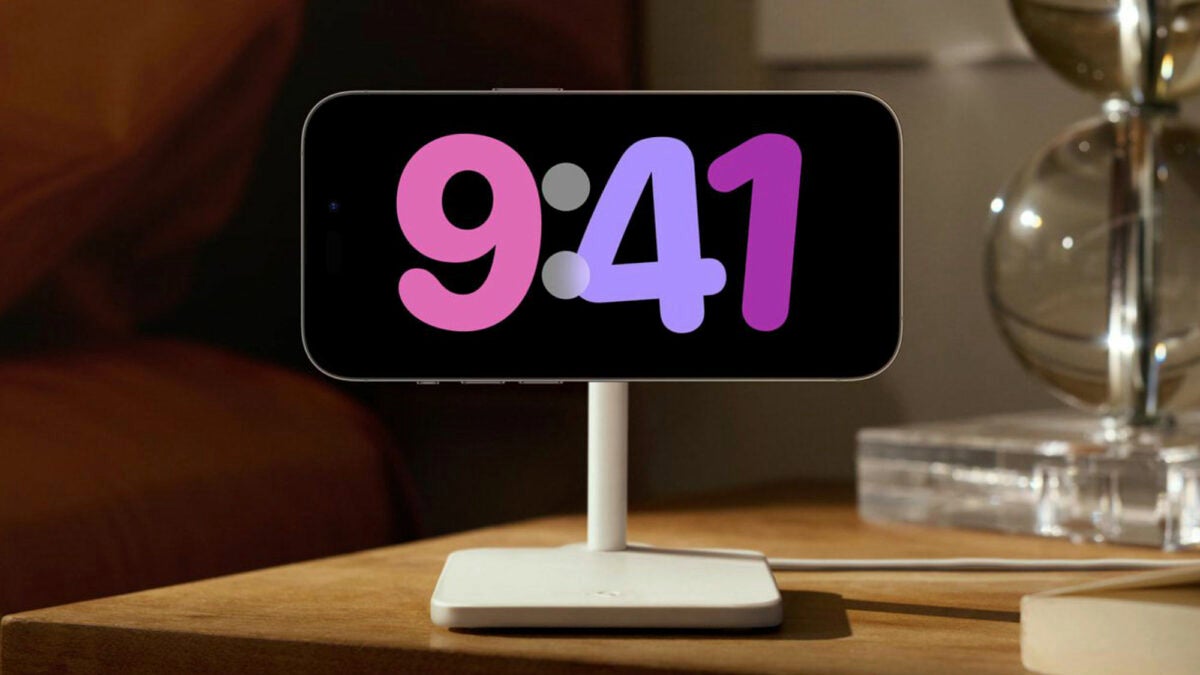
The launch of iOS 17 has brought an interesting novelty to the iPhone: the StandBy mode. A mode that should activate when the iPhone is placed horizontally and connected to a charging cable, a MagSafe charger, or a Qi wireless charger. But what happens if it doesn’t activate? And what if it suddenly turns off? Let’s talk about it.

The StandBy mode transforms our iPhone into a sort of smart display, offering quick access to different screens with useful information for remote viewing. It’s ideal when the device is charging in the kitchen, on the desk, or by the bedside table. Given the interest in this mode, let’s explore what we can do if we can’t get this mode to activate as it should.
The StandBy Mode doesn’t activate
If the StandBy Mode doesn’t activate automatically when connecting our iPhone to a power source, the first and most important thing is to ensure that the device is positioned correctly horizontally. Keep in mind that the iPhone screen needs to be at an angle; you can’t lay it flat on a table. You’ll need some sort of stand or element that allows the screen to be at an angle, similar to an iMac, for instance.
Once this is done, let’s check if the StandBy mode is enabled in the Settings app under StandBy Mode. If it’s already activated, it’s a good idea to deactivate and activate it again. If this doesn’t work, consider restarting the iPhone.
The StandBy Mode turns off
If the StandBy Mode activates but turns off after a while, leaving the iPhone screen blank, there’s a way to fix it. First, let’s check the settings. In Settings > StandBy > Display, make sure “Turn Off Display” is set to Never.
Also, let’s verify that Low Power Mode isn’t activated on our iPhone. Check this in Settings > Battery > Low Power Mode. Remember, with Low Power Mode on, the iPhone screen will automatically turn off after a period of inactivity, so turning it off will ensure the StandBy mode stays visible.
Lastly, remember that continuous StandBy mode requires an iPhone with an Always-on Display feature, available only on the iPhone 14 Pro and iPhone 15 Pro models.
Recalling how to customize the iPhone’s StandBy screen with iOS 17 or prevent it from turning on the iPhone screen at the slightest movement, it’s clear that the convenience provided by the StandBy mode is quite significant when checking information while the iPhone is charging. Thankfully, enabling or keeping it active thereafter is quite easy to review and configure to enjoy this mode at any time.
