Chrome Beta for Android gets new gesture controls, advanced image search

Google has released two new betas of their Chrome browser for the desktop and Android. Both the desktop and Android versions will get a new advanced image search option where you can right-click or long-press to bring up a menu option to search for that image on Google.

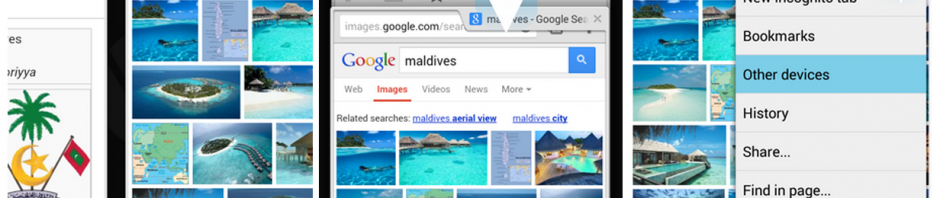
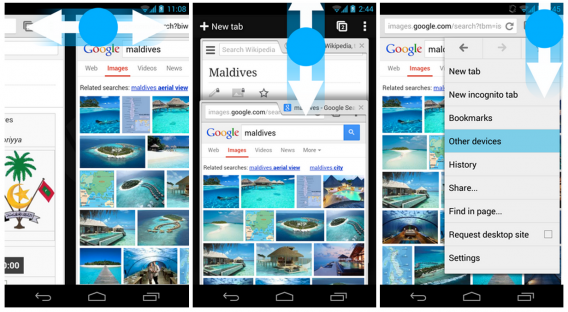
With this update, Android users will also have a few new gesture controls. Previously, users would swipe from the edge of the screen to rotate through open tabs. The new Chrome Beta for Android moves this feature to the top toolbar, making it harder to trigger a tab switch accidentally. Swipe left or right on the toolbar and you’ll cycle through your open tabs. Swipe down from the toolbar brings up the card-style tab switcher. Last but not least, users can save a tab by tapping and holding on the menu button, then dragging their finger to the option they want.
chrome beta

There are more under the hood improvements in Chrome Beta for Android so check them out in the source links below.


Download: Chrome Beta for PC, Mac, Android

Source: Google Chrome Blog | The Chromium Blog

Google Now code shows up in Chrome OS and Chrome beta for Windows

google chrome icon newGoogle Now could be coming to the Chrome browser sooner than later. Google’s virtual assistant service has shown up in the source code for Chrome OS and the Chrome beta for Windows.

François Beaufort, a Chromium developer, found the code but it currently doesn’t work yet. Google Now relies on a server to gather information and the code purposely omits the server address. While it’s non-functional, having the code there means that Google is readying to bring the feature to the Chrome browser and operating system. Google may have more to reveal at this year’s Google I/O conference.

You can dive into the code yourself in the source link.

Source: Engadget | Chromium Code Reviews

Hands on: Chrome Beta for Android 4.0

The desktop version of Chrome is one of my favorite browsers. Considering that I’m entrenched in Google with Google+, Gmail, Google Music, and my Android phone running 2.3.4 (Gingerbread represent!); it’s nice to have everything connected.

On Android devices, depending on the hardware maker, the stock browser is bad. Meaning almost worthless to view anything. My 4G LTE connection doesn’t even help. Third party browsers like Dolphin Browser HD are great alternatives, but even they have loading issues.

Now Google has Chrome in Beta, I’m very interested if the speed of the desktop program can be matched on Android 4.0.

Even in beta, Chrome is almost perfect.

Continue reading “Hands on: Chrome Beta for Android 4.0”