My niece recently turned 20 and her parents gave her an iPod as birthday present. After unwrapping the box, the very first thing she did was connect the iPod to her laptop to transfer some music to her brand new MP3 player. It was in that very moment when she realized most of her MP3s were not properly tagged.
My advice to her – and to all of you with highly messy music collections – was to use MP3tag. This gorgeous tag editor lets you easily tag your music, edit wrong tags, rename rename files, find album covers online… in short, pretty much anything you need to pimp your music collection and give it a fresh, new look.
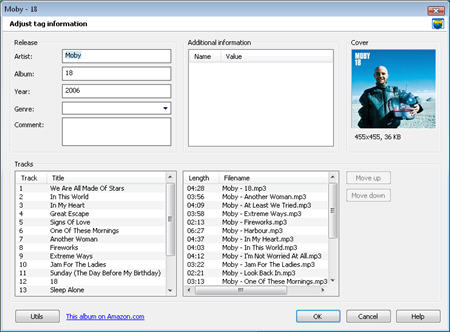
Using MP3tag is easy as pie. Start by adding a directory from the File menu (this is the folder the program will scan for music) and then decide what needs to be done. If your files don’t have ID3 tags or they’re wrong, use the Tag Sources menu to download them from any of the provided source websites. Bear in mind that you may have to try a few before getting the right data, and that sometimes you’ll need to adjust tag information (i.e. matching your files with the right album information). Continue reading “Clean up your MP3 collection with MP3tag”
 Most of us who own an MP3 player or play digital music on a computer will admit that it’s possible to get a little precious over your audio collection. There’s something very satisfying about having a hoard of music with the correct track and album names for each song. Not only does it look a lot cleaner in your player, but it makes it a darn sight easier to organize your collection and manage playlists. Ensuring that all the tags in your audio files are correct can be a daunting task, but there’s plenty of software around that will make a much quicker job of it.