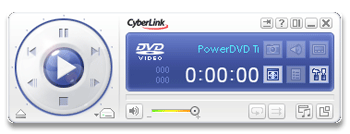
 Far from being just office workhorses, computers are also thought of as complete entertainment systems that you can use to chat with friends, play videogames or watch movies. Regarding this last option, there’s a wide range of DVD players out there, but we’ll focus our attention on one of them: Power DVD.
The program’s installation process is very quick. It includes Google Toolbar as an add-on but you can decline its installation if you’re not interested. Once launched, you gain access to its main interface which, to be honest, is not especially nice: a close-up of a girl wearing weird sunglasses is not the kind of thing you expect to see on the screen when opening a DVD player. It would look much better with some abstract design or just the program logo instead. Anyway, configuration settings allow you to customize this interface with skins but there are no skins included. At least you can change the color scheme by clicking on the display.