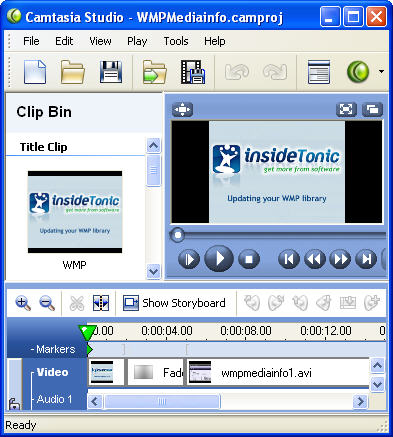
 Camtasia Studio is a complete application suite to record, edit and share your videos online, on CD or with a portable player. This highly-acclaimed program allows you to create screencasts or video tutorials, and can also be used to prepare presentations. Let’s get a run-down of all the things you can do with Camtasia Studio.
Thanks to the Camtasia Recorder, you can record and save screen captures or webcam broadcasts. We enjoyed playing around with it, adjusting the region size, highlighting cursor movement and setting elements such as time stamps and captions. Depending on what you need to record, you can also choose to hide or show the cursor and disable audio.
The production studio is the central piece of the application, from where you’ll be doing your editing. Drag and drop your recorded videos onto the timeline at the bottom of the interface. Camtasia embeds a player in the studio interface and you can constantly replay your production. From the menu on the left side you can choose from a selection of 18 different transitions, many call-outs (effectively bubbles to insert text into your video) or captions. The Zoom-n-Pan feature can be used to focus in on one part of the video in particular and teachers can use the Flash Quiz Survey feature to prepare multiple choice tests for their students. Camtasia Studio also includes an audio editor to simply record a voiceover directly to your video or tweak the audio in your production. Use Menu Maker and Theater to create full tables of contents and credits.
Continue reading “Record and edit videos with Camtasia Studio”
 A game capable of attracting millions of players all over the world who religiously pay their monthly fee to play on World of Warcaft’s online servers is certainly worth reviewing. The story of Warcraft began in 1994 with the launch of Warcraft: Orcs & Humans, a real-time strategy adventure. Ten years and a few sequels later the series took the leap onto the online world with World of Warcraft, which has nowadays become the world’s leading MMORPG.
 The
The  I can imagine you right now: sitting in front of your computer, drifting from website to website, not knowing exactly what to do. Enough! We have the perfect solution for you. Get on the move and have a look at
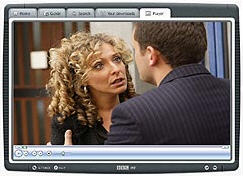
 Ad-Aware 2007 Beta is finally available for registered testers. Over on their
  ACDSee is the kind of application that has been around for years, launching version after version. It began as a fast, simple image viewer and has now evolved into a heavyweight program with lots of tools – indeed, this is exactly what ACDSee has been criticised for of late. In any case, let’s take a closer look and see what lies behind this classic image viewer.
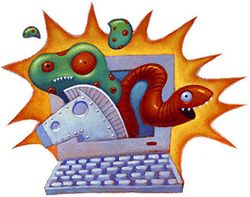 Your brand new PC just arrived at home and you’re eager to start surfing the web. No sooner have you connected it to the router than somebody begins to lecture you about all the dangers you may encounter when connecting to the world wide web. Don’t worry: the Internet is a safe place, that is, as long as you know how to protect your PC.
 Browsing over any part of the world and focusing down on a spot with incredible precision is now possible with free software like NASA World Wind. This program uses satellite technology to bring the globe to your desktop.