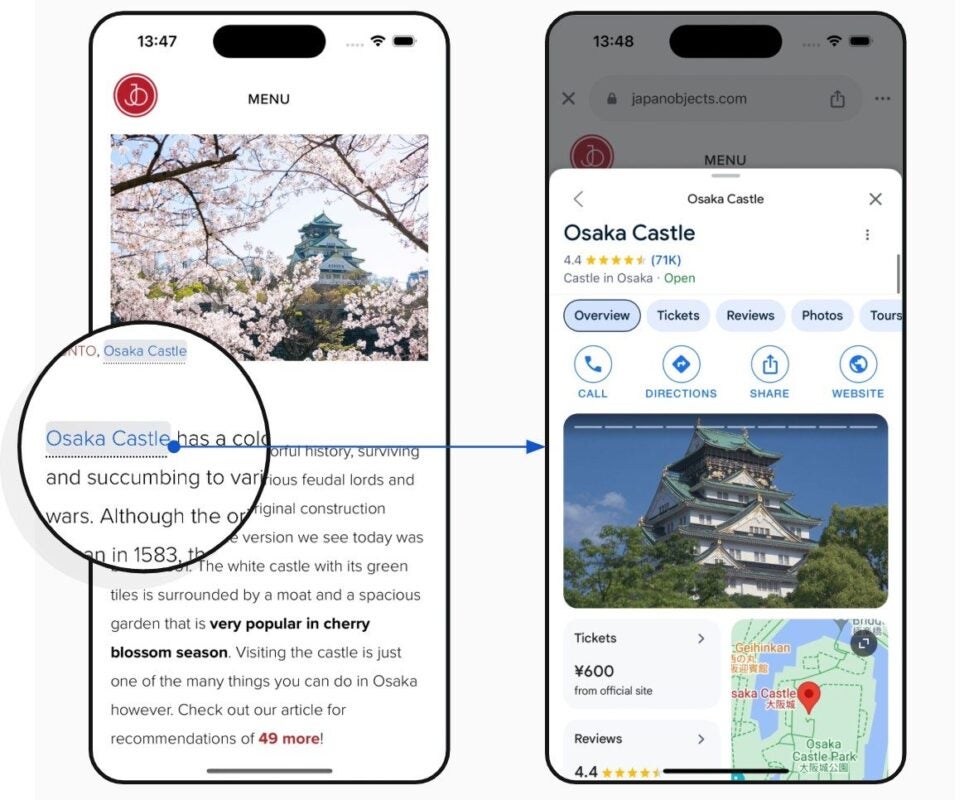
Google has introduced a new feature in its iOS app called Page Annotation, designed to highlight relevant information while browsing web pages in the integrated browser. According to Google, this tool “extracts interesting entities from the page and highlights them online.” By tapping on them, users are redirected to more related search results. The controversy was quick to arise. Some web media publishers criticize that this feature could divert users from their pages to Google searches, making it difficult for them to return to the original content. “As if Google hadn’t taken enough from you already…”
Google has introduced a new feature in its iOS app called Page Annotation, designed to highlight relevant information while browsing web pages in the integrated browser. According to Google, this tool “extracts interesting entities from the page and highlights them online“. By tapping on them, users are redirected to more related search results.
The controversy has not been long in coming. Some web media editors criticize that this feature could divert users from their pages to Google searches, making it difficult for them to return to the original content. “As if Google hadn’t taken enough from you already… Now it’s taking users who are on your page to its search engine,” notesBarry Schwartz, news editor of Search Engine Land. “They are likely to never find their way back to your page.”
For editors who do not want this functionality on their pages, Google offers an opt-out form. However, this deactivation may take up to 30 days to apply. “The use of the Page Annotation feature on your page will be deactivated within 30 days after submitting the form. You only need to do it once,” the form details.
Ashwarya, from the support team at Google Search, explained that the feature “allows obtaining additional information about entities such as people, places, or things, directly from the page being visited.” According to Google, the goal is to enrich the user experience without interrupting their navigation, as the content appears in a tray within the app and can be easily closed.
Although the company clarifies that “this new experience allows people to quickly obtain additional context about people, places, or things without leaving the page they are on,” it is unknown how this new feature will affect web metrics such as engagement time or recirculation.
Google is preparing a major update for Circle to Search, the tool that allows users to search for information directly on the screen without needing to switch applications. This feature, initially launched on Pixel and Samsung devices, is very useful for checking products or answering complex questions thanks to the multi-search functionality of the Google app. According to an analysis by Android Authority, a recent beta version of the Google app reveals a redesign of the Circle to Search interface. Instead of the floating elements found in the current version (like the bar of […]
Google is preparing a major update for Circle to Search (“Circle to Search”), the tool that allows you to search for information directly on the screen without needing to switch applications. This feature, initially launched on Pixel and Samsung devices, is very useful for checking products or answering complex questions thanks to the multi-search functionality of the Google app.
Subscribe to the Softonic newsletter and get the latest in tech, gaming, entertainment and deals right in your inbox.
According to an analysis by Android Authority, a recent beta version of the Google app reveals a redesign of the interface of Circle to Search. Instead of the floating elements found in the current version (such as the search bar, music button, and translation button), the new version groups them into a pill-shaped box.
Additionally, the translation button will be replaced by a button that opens an app drawer, from where tools like Google Lens or the translation function itself can be accessed. Although this change involves an additional step for certain actions, Google will allow customizing the main interface by swapping the music button for the Lens shortcut.
At the end of September, Google tested the ability to search for information within videos, but it is currently unknown when this feature will be available.
Google Play Movies & TV will disappear permanently in January 2024.
Over the years, Google has gained a reputation for being ruthless with its services (they even have a website dedicated to all the products and platforms that Google has axed). It’s clear that the big G isn’t afraid of changes, so this new blow doesn’t surprise us: Google Play Movies & TV will permanently disappear in January 2024.
Since the launch of Google TV in 2020, the company began replacing Movies & TV in areas such as mobile applications. Later on, the Google Play Store itself stopped displaying the Movies and TV tab in May. Now, the company aims to completely do away with the service. This strategy became more than evident last October when the company decided to remove the Movies & TV app from Android TV.
Fortunately, you’ll still be able to access the content you purchased through Google Play Movies & TV. In a new post published by Google themselves, they clarify the situation: “with these changes, Google Movies & TV will no longer be available on devices with Android TV or on the Google Play website. However, you’ll still be able to access all your purchased titles (including active rentals) through devices with Android TV, Google TV, the Google TV mobile app (Android and iOS), and YouTube.”
The closing date will be January 17, 2024. From then on, Google Movies & TV will cease to function permanently. As expected, it will also be discontinued on devices where the integrated application was present. For the company, this represents a way to centralize all its content in one place, Google TV.
Within a sector dominated by OpenAI and its ChatGPT, Google wants to stand out with its new conversational software, Gemini AI.
OpenAI is on the rise. What began as a non-profit organization has ended up becoming one of the pioneering companies in the field of artificial intelligence. The frenzy sparked by ChatGPT has prompted major companies like Google to step up their game in the realm of AI. It started with the announcement of Google Bard, and now it’s followed by their major project, Gemini AI.
In a field dominated by OpenAI and its ChatGPT, Google aims to stand out with its new conversational software. According to its developers, Gemini would be much more capable than GPT, the model used by ChatGPT to operate. However, we’ll still have to wait a bit longer to see Gemini in action.
It was through The Information that we learned about the new approximate release date of Gemini. According to a source, Google had already granted access to the software to a small group of companies. However, the company stated that Gemini wouldn’t be available until the first quarter of next year, 2024.
But what exactly is Gemini AI? In short, it’s a set of large language models. Gemini is capable of understanding natural language and efficiently responding to user queries. In the future, Google wants to embed Gemini within Google services, thus boosting its applications. Gemini’s significant advantage over other models is precisely Google – the vast amount of data and information the company possesses has fueled Gemini and elevated its potential.
As of now, ChatGPT continues to dominate firmly within its field, with hardly anyone able to overshadow it. Will Gemini become a worthy rival for OpenAI?
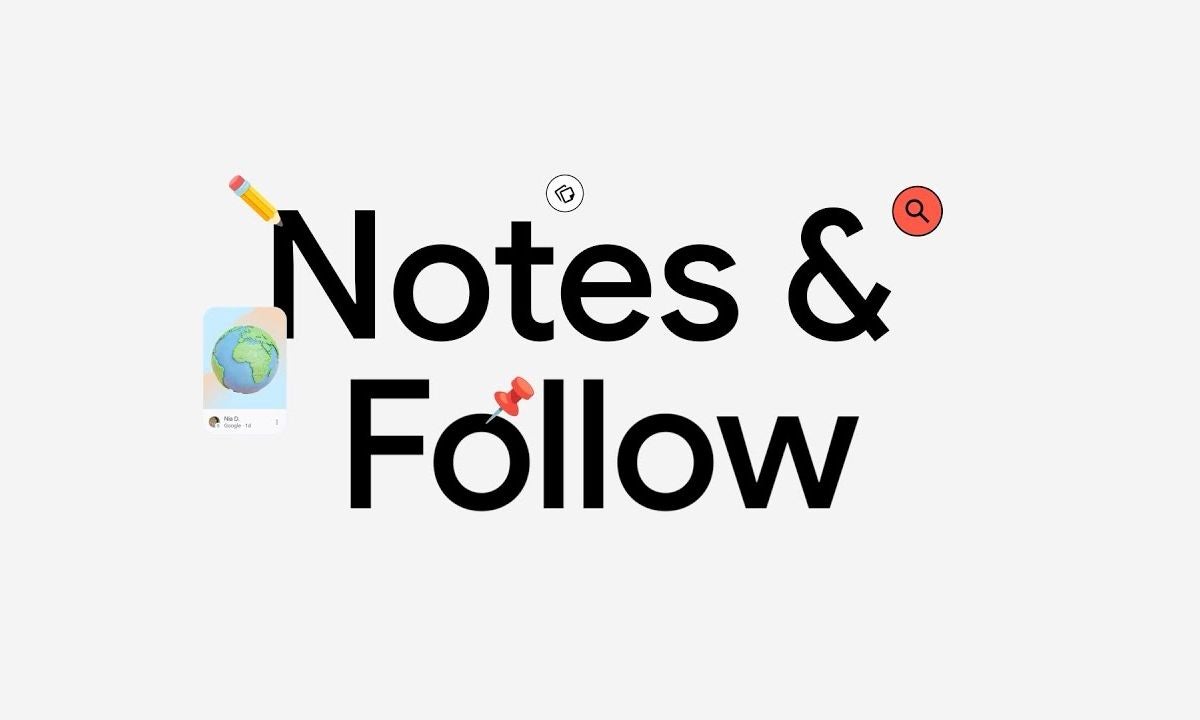
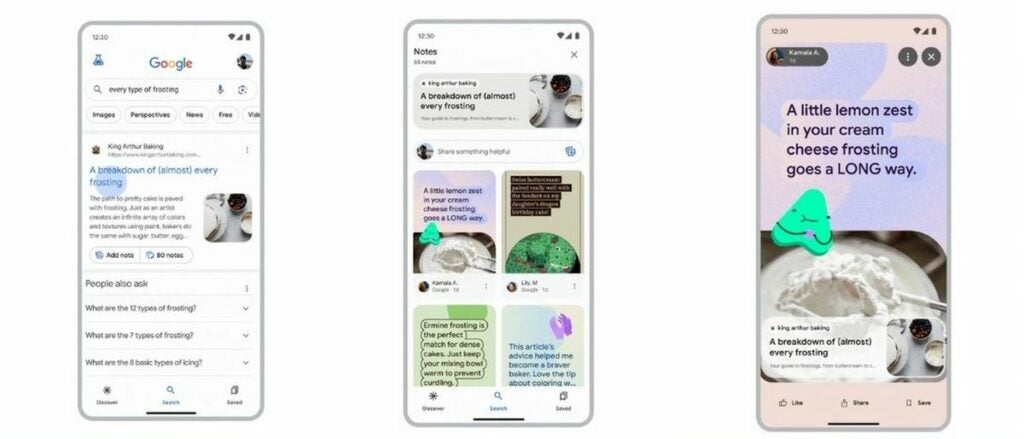
Google is introducing two groundbreaking features that promise to elevate our search experience to unprecedented levels of personalization and engagement. The first, “Notes,” empowers users to add their own annotations to search results, injecting a creative and individualized touch to the information they encounter. Hey, guess what’s what is that mean? If you’re not vibing with an article or like one, you’ll be able to shoot a little note over to Google.
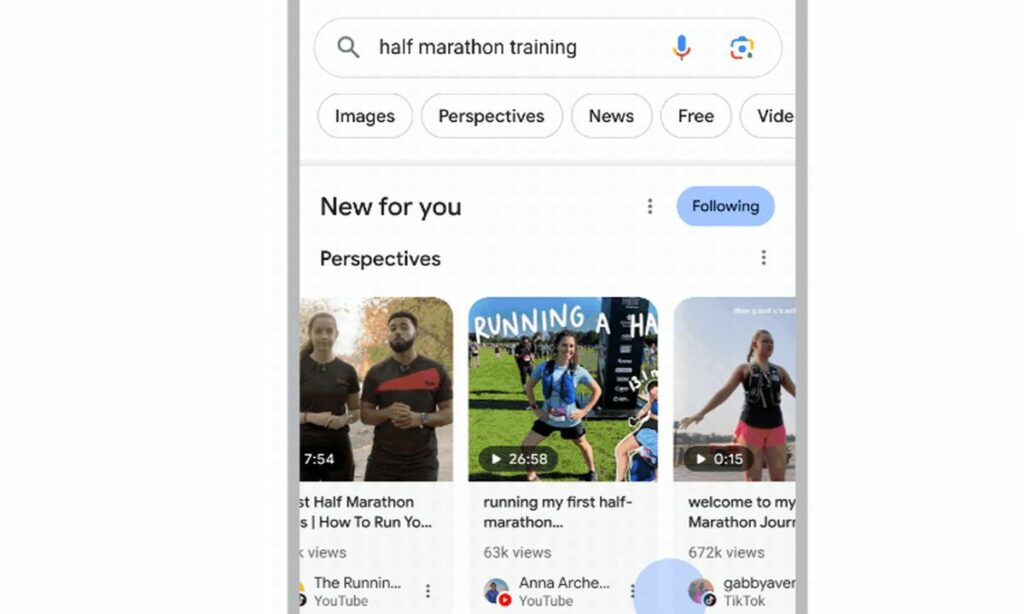
But that’s not all – Google is taking personalization a step further with the introduction of the “Follow” feature. Imagine being able to curate your search results based on your interests and preferences. With the Follow button, users can subscribe to specific topics, receiving tailored content updates directly in their search results and Google Discover.
Let’s take a closer look at these significant changes in the search engine that typically don’t change with that pace.
Google Notes can be a very helpful feature if we use it right
The Notes feature is part of a new opt-in experiment by Google, allowing users to actively choose to participate in this innovative search experience.
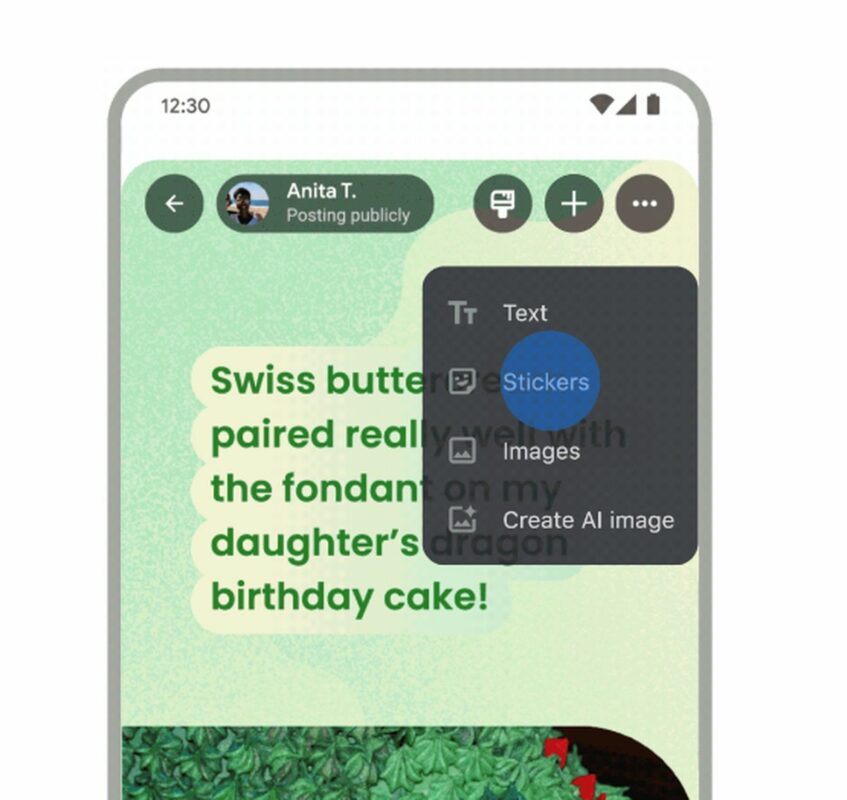
With Notes, users can add personal annotations to links they encounter in their Google searches. This feature extends beyond traditional text annotations, enabling users to include colorful fonts and images in their notes.
The Notes feature is not limited to search results alone. Users can also add and view notes under articles on Discover in the Google app, expanding the scope of this interactive annotation experience.
Buttons for adding and viewing notes will appear seamlessly under search results and Discover articles, providing a user-friendly interface for easy engagement with the Notes feature.
When multiple notes exist for a particular link, the display order is dynamically ranked based on factors such as the user’s query and the note’s relevance to the content on the page. This ensures that the most pertinent and engaging notes are prioritized.
To prevent misuse and the spread of harmful information, Google has implemented a combination of algorithmic protections and manual human review. Users also have the ability to report notes for human review, enhancing the overall safety and reliability of the Notes feature.
Global accessibility
While initially launching in the United States and India, Notes will be indexable on the open web. This means that users can share notes via direct links, extending the global accessibility of annotated content beyond search results.
Google is considering ways to provide insights to publishers about the notes placed on their content. This potential feature aims to foster a deeper connection between content creators and their audience through user-generated annotations.
Acknowledging potential challenges in content moderation during the experimental phase, Google remains committed to refining the Notes feature and learning from experiences in content moderation from platforms like Maps and YouTube.
Google’s new “Follow” feature enhances the search experience by allowing users to subscribe to specific topics directly from search results. Users can click the “Follow” button to receive curated content updates, with notifications available on the Google App for new content.
The feature is flexible, allowing users to easily unsubscribe or follow/unfollow topics. Google responsibly restricts explicit or offensive topics. The Follow feature integrates with the “News for you” section, showcasing fresh content related to subscribed topics.
The feature is set to launch in US English on the Google App and mobile browsers in the coming weeks.
Google reaffirms its commitment to maintaining a secure environment on Google Play, emphasizing the importance of digital privacy and security for its users. In light of this, the tech giant continues to enhance its Data Safety section and transparency labeling initiatives, aiming to empower users with clearer insights into app data usage.
Google underscored the significance of clear security labels in shaping a user’s perception of risk and trust in digital offerings, factors that are pivotal in their decision-making process. Google acknowledges the critical impact that transparent labeling and badging have within the Google Play store, recognizing that an app’s openness about data security and privacy practices is increasingly influencing users’ choices to download, trust, and engage with an app.
Google’s App Defense Alliance last year introduced the Mobile App Security Assessment (MASA). This initiative grants developers the opportunity to have their applications independently audited against a globally recognized security standard, a process that serves as a beacon of trust for users.
The independent validation signifies that the apps conform to established mobile security and privacy best practices and that developers are proactive in identifying and remedying potential vulnerabilities. This makes it more challenging for malicious actors to compromise user devices, ultimately elevating the quality of the app ecosystem.
Developers who successfully pass the validation from Google Play are offered the chance to feature an “Independent security review” badge within the Data Safety section, a symbol of their commitment to stringent security measures.
Although the certification does not guarantee absolute vulnerability immunity, the badge provides users with immediate visual confirmation of the developer’s dedication to security and privacy. To streamline user awareness of independently validated apps, Google Play is rolling out a new store banner, initially for VPN applications, due to the sensitive nature of data they manage.
Users searching for VPN services on Google Play will encounter an educational banner guiding them towards the “Independent security review” badge and offering a “Learn More” option. This leads to the App Validation Directory, a repository where all security-verified VPN apps are listed, complete with in-depth technical assessment information to inform user choices.
NordVPN, Google One, and ExpressVPN are examples of VPN providers that have completed independent security assessments and are displaying the badge, indicating their adherence to the MASA program’s guidelines. Google encourages more VPN app developers to seek independent testing, aiming to deepen transparency and elevate user confidence. VPN developers eager to explore this feature are invited to reach out via a provided form for further information.
Google’s commitment to safeguarding Google Play users and developers is exemplified by its endorsement of independent security validations and the visibility it provides to apps that earn security badges. These badges shine a spotlight on developers who make user safety and data transparency a priority. To support developers in achieving these standards, Google offers a suite of resources including Play PolicyBytes videos, webinars, blog posts, and the Developer Help Community, all designed to align with stringent developer policies that uphold the integrity of Google Play.
The tech giant is dedicated to refining its app review mechanisms, policies, and programs to ensure user protection while streamlining the experience for developers to comply with these guidelines. For a comprehensive look at the resources available to developers that pave the way for success while maintaining user safety on Google Play, Google directs interested parties to an in-depth article available on the Google Safety Center.
These proactive steps underscore Google’s response to the voiced needs and expectations of both the user and developer communities. Google maintains that by placing user safety and trust at the forefront, it can nurture an app marketplace that is both secure and successful, empowering users to make well-informed decisions about the apps they download while encouraging developers to maintain exemplary standards in security and privacy practices.
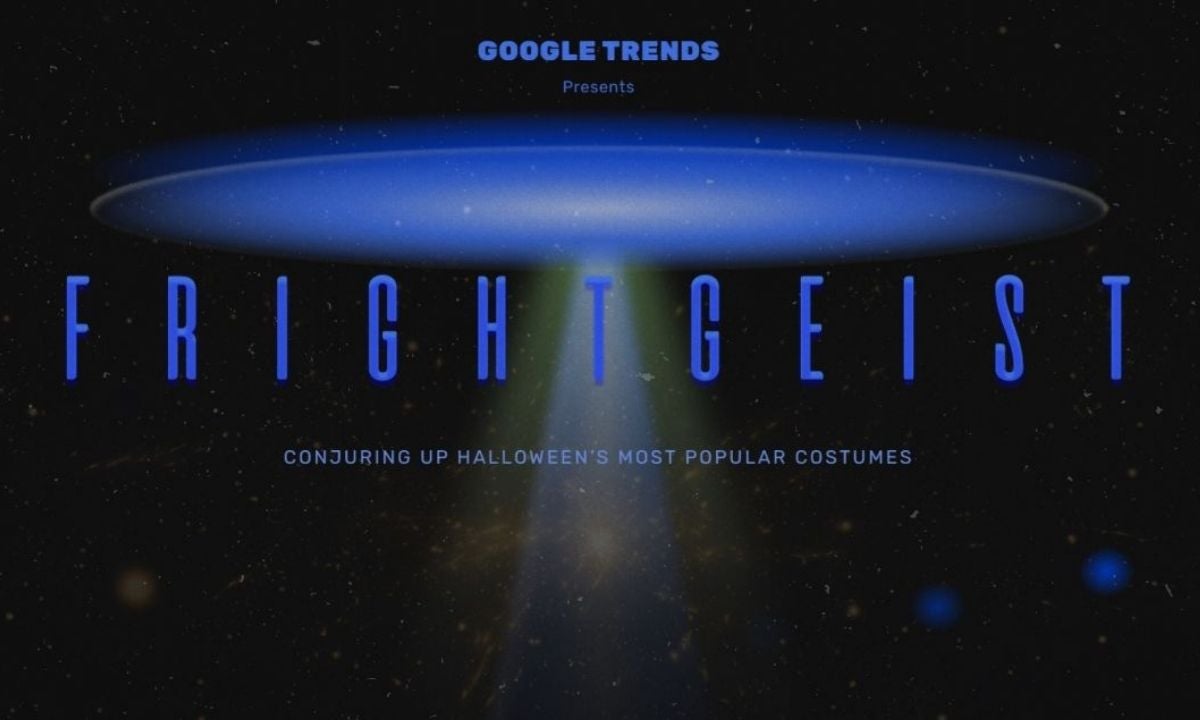
Gearing up for Halloween and still unsure about your perfect costume choice? Well, it might be a little late now, but you “had” a pretty solid hub that you could have used. Google’s Frightgeist had your back with the ultimate insights into this year’s most sought-after Halloween costumes. This technological wonder from the tech behemoth discloses the costumes that have dominated the minds of Americans and offers a peek into the top trends of the season. It’s the latest update for 2023, offering a peek into what’s hot in the spooky season based on Google searches.
Top 10 Halloween costumes according to “FRIGHTGEIST”
Here are the top 10 costumes that Americans searched on Google:
Barbie
Princess
Spider-Man
Witch
Fairy
Wednesday Addams
Dinosaur
Cowboy
Ninja
Bunny
This year, you might have seen a lot of Barbie and Ken costumes. The Barbie Movie has made a big impact, and folks are taking that inspiration straight to their Halloween wardrobe. Blonde hair and pink dresses will be a common sight as many pay tribute to these iconic characters on Halloween.
The movie’s colossal success since its release in July, amassing a jaw-dropping $1.4 billion in global box office sales, has sparked immense enthusiasm, catapulting these characters to the forefront of this year’s Halloween costume search trends. Following closely behind, classic favorites like princesses, witches, and fairies grace the top five, alongside the ever-popular superhero Spider-Man. Traditional Halloween favorites like ghosts and vampires hold their ground, while classics like skeletons rest just beyond the top 30, ranking as the 32nd most sought-after outfit.
Frightgeist has the scoop on the most sought-after costumes this season, along with a map showing what’s trending in different parts of the US. There’s also the helpful “Costume Wizard” from Google, which offers ideas for something unique.
Frightgeist is a neat way to check out what’s popular in various US states. It’s a useful tool to spot the trends and interests of different regions. If you’re planning promotions or events, glancing at the Frightgeist list could be a smart move to align with your audience’s interests.
How often have you punched your name into Google and stumbled upon long-forgotten photos, ancient usernames, or even digital breadcrumbs from a past life? Worse still, ever found your old home address or phone number staring back at you?
The digital age has its perks, but unintentionally publicizing our personal data isn’t one of them. Enter Google’s solution: a proactive tool to have your back in the vast ocean of online information.
This past August, Google rolled out a fresh feature for its search engine, dubbed “Results About You”. This nifty tool gives users a heads-up when their personal details show up in a Google search. Not just a passive alert system, it grants users the power to see the exact places their data appears and, if they wish, to yank that page out of Google’s search list.
Furthermore, in a world where online harassment is sadly prevalent, “Results About You” becomes an essential ally against doxxing threats.
Bundled with Google’s growing suite of privacy tools and on-the-horizon offerings, individuals can feel a tad more secure about their online presence – or at least, about how Google portrays it.
Enabling Results About You
Ready to take charge of your digital presence? Here’s a step-by-step guide to setting up Google’s “Results About You” alerts:
To begin, ensure you have a Google account. If not, create one. If you already do, simply log in.
Head to the “Results About You” activity page.
Click on the “Get Started” button and heed the instructions popping up on your screen.
Google will prompt you to list down the contact details you want to be alerted about. This isn’t limited to just one entry – feel free to include multiple names, residential addresses, phone numbers, and email addresses.
Decide how you’d like Google to give you the heads up. Your choices? Either an email to your registered Google account or push notifications to your Google-connected devices.
Once set up, Google takes the wheel, combing through search results for any mention of your listed details. Do note, this maiden voyage through the vast seas of data can take a couple of hours.
Changed your phone number or shifted houses? No worries. Revisit the “Results About You” page whenever you like to update or modify your contact details.
Deleting your personal data from Google Search
While Google might be the maestro of search, it doesn’t have the magical power to erase content from websites it doesn’t own. However, it does offer a helping hand in scrubbing certain personal details from its own search pages.
Wondering how to put in a plea to Google to delist personal data from its search outcomes? Here are the steps:
Visit the “Results About You” activity page.
Click on “Results to review.”
Notice any results that shouldn’t be there? Simply tick the blue checkbox beside the result(s) you wish to flag for removal.
Once selected, hit the “Submit request” button.
Google won’t just blindly obey; they’ll evaluate your request based on their established policy parameters. Curious about your request’s progress? You can keep tabs on its status right on the “Results About You” page. Plus, if you have second thoughts, there’s an option there to reverse any removals.
Remember, while Google offers tools to better manage your online visibility, it’s always a good idea to be cautious about the personal details you share on the internet. After all, prevention is better than cure!
If you’d rather go through a more general channel, Google’s got you covered with its Help Center removal form. Here’s how to tread that path:
Navigate to Google support’s personal content removal form.
Be prepared to input specifics about the content you’re concerned about. This might mean sharing screenshots, pointing out URLs of problematic search result pages, or jotting down the exact search queries that led to the unwanted results.
After ensuring everything is in order, hit “submit” on the form.
If you’re keen on diving deeper into how Google manages privacy or if you want to fine-tune your digital veil, the Google Safety Center is your treasure trove. Make it a pit stop to educate and empower yourself about the digital traces you leave behind.
To tackle the uncontrolled spread of misinformation and help users get to the truth, Google Search has rolled out a powerful new feature called “About this image.” This tool is designed to give users a deeper understanding of the images they encounter in Google Search, shedding light on their origins and context. Although it was initially introduced earlier this year, Google is now making it available to a wider audience, with English language users across the globe getting access.
When you spot an image in Google Search or Google Images, you’ll see a three-dot menu perched at the top of the image. A simple click on this menu unveils the option “About this image.” Click on it, and voila! You’re now privy to crucial information about the image, empowering you with valuable insights into its source and background.
Combating misinformation
The timing of “About this image” couldn’t be better. With the proliferation of misinformation, especially during significant events like the current conflict in the world, unrelated images often circulate without proper context. This not only muddles the waters for users but also fuels the spread of false information. “About this image” steps in to offer clarity.
Further enhancements
But Google’s commitment to truth doesn’t end there. In addition to “About this image,” Google is making strides in improving its Fact Check Explorer. Although it’s still in beta since its summer launch, this tool allows you to search for image fact-checks by uploading an image or entering its URL. The Verge reported that Google is actively working on a new API to facilitate the seamless integration of Fact Check Explorer into the workflows of fact-checkers and journalists.
Moreover, Google is venturing into generative AI to offer more insights into online sources through its AI-powered Search Generative Experience. These AI-generated descriptions will be visible in the “About this result” tool when established sources like Wikipedia or the Google Knowledge Graph lack information about a smaller website. This novel approach promises to provide users with a more comprehensive and dependable online experience as they seek credible information.
The trial for abuse of power that is taking place in the United States against Google has brought to light very interesting details that also involve Apple.
The abuse of power trial currently underway in the United States against Google has brought to light very interesting details that also involve Apple.
During the hearing, one of the major focal points was the agreements Google entered into with numerous companies (browser developers, mobile operators, etc.) to become the default search engine on their platforms. One of the most lucrative for Google was the one it had with Apple.
Google has been the default search engine on Safari for over 20 years (the browser was first launched in 2003). Over time, the agreement between Google and Apple evolved, eventually transitioning to a revenue-sharing system where Google paid Apple more than $10 billion annually. The purpose? To remain the default search engine on Safari.
Those familiar with this agreement claim they would do anything to be a part of it. Satya Nadella, CEO of Microsoft, explained, “Basically, they make the king.” Nadella himself stated that he would be willing to pay up to $15 billion annually to make Bing the default search engine on Safari.
Gabriel Weinberg, CEO of DuckDuckGo, testified in court that if Apple had designated DuckDuckGo as the search engine for private browsing, their market shares would have significantly increased.
While it’s true that Google isn’t the only search engine available on Safari (Yahoo, Bing, Ecosia, and DuckDuckGo are other options), the Department of Justice argues that the change is still difficult and not very intuitive. Becoming Safari’s default search engine is much more crucial than it might seem at first glance.
We only need to look at the data to confirm that Apple dominates nearly half of the smartphone market in the United States. Globally, iPhones top the charts as the best-selling devices. In fact, the iPhone 13 was the world’s best-selling phone in 2022. For Google, this is vital: it knows that one of the ways to access these billions of users is through Safari on iOS.
If it is ultimately proven that Google has violated antitrust laws, the Department of Justice could seek to ban more agreements with Google. In this way, other search engines would have the opportunity to shine as brightly as Google has done for decades.