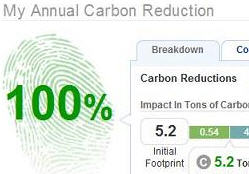
 It’s always nice to hear about new web projects that aim to help save the environment. MakeMeSustainable is one of the most exciting and has just been launched in the USA to help people keep an accurate track of the their carbon footprint. The aim to is to help citizens, business and communities more conscious of how much energy they might be wasting.
The website works by taking a profile of your daily lifestyle and then gives recommendations as to how you might be able to reduce excess carbon consumption. You can see how you compare with your friends and even register as a company or neighbourhood. The site is totally free and eventually hopes to become viable through environmentally minded vendors who advertise on the site.
After signing-up, you’ll be asked to enter information about how your home is heated, how big it is and where you are located. Unfortunately, at the moment it’s only aimed at those living in the USA but if successful, it will surely seek partners abroad. If it enjoys a big takeup, this could be a seriously useful tool for environmentalists and those studying human effects on the environment – governments take note!
Note that you can take a tour of MakeMeSustainable and the website also has a blog with commentary on environmental issues.
 Dance Dance Revolution, Guitar Hero, Ouendan, Frets on Fire… are just some examples of rhythm video games available on different platforms, which gives us an idea of the popularity this kind of entertainment is achieving among gamers of all ages. If you haven’t tried any of them yet, you may begin by
  Text editors are a pretty vital part of most IT workers’ kit… so it’s pretty surprising that Microsoft have never gotten around to updating Notepad, the Windows text tool. Benedict at Tech Corner has
  Despite being a Windows user, there are a few features about Mac OSX that are simply too beautiful to ignore. One of them is the popular dock, that cool animated toolbar at the bottom of the screen. Now you can have it on your PC thanks to ObjectDock, a clone of the Mac OSX dock for Windows. Organize all your shortcuts in this beautiful, highly customizable standard toolbar replacement and enjoy its smooth animation effects even without a Mac.
 Gaming on a PC still pretty much equals the experience you get on a console, even on one of the next generation like the PS3 or XBox 360, thanks to all the software that you can use.
 Blackjack International gives a new twist to the popular casino game, by allowing you to bet your country’s goods instead of money. Croissants for France, cigars for Cuba, bikini tops for Brazil…what you bet depends on the country you choose. It also has enough advanced settings, game tips and multiplayer possibilities to keep you hooked.