 We’ve become a world of 24-hour news readers and I am hooked. If I don’t get my up-to-the-second news fix I have to re-read an old story and change the dates. Nowadays, there’s no reason why anyone should miss out on a single earth-stopping event thanks to the number of newsreader applications collecting every who, what, why, when and where. I learnt those ‘w’s in journalism school, by the way. These are often posted using Really Simple Syndication (RSS) feeds which let you gather top stories from websites, blogs and podcasts and deliver the headlines onto your PC. My favourite is Google Reader; just set up an account, list the websites and blogs you want to stay alert of and the software will give you all the headlines every day. Clicking on these takes you to the source of the story. You can create lots of folders for different interests and share stories with friends. You can also get a mobile version now.
Another great news tracker is Mozilla’s Live Bookmarks software. Not only do you bookmark favourite websites; instead of checking them regularly to view updates, the latest changes are displayed as headlines in your bookmarks toolbar as you scroll over the title of each site. You can store many but you don’t get a preview of the stories which can prove a little annoying when a catchy title ends up being a rather more boring article.
As internet lovers I’m sure most of you expect more from your news than a simple article. NewsBliss sits on your desktop trawling the web for stories, pictures, images and even video. It streams YouTube, Flickr and Google News & Video direct to your desktop. And if you don’t have time to read the news, or more importantly have accessibility issues due to sight difficulties, NewsAloud will read every article you select. Delivered in a real human voice, it’s like having your own personal newsreader.
Finally for Mac users, if you’re unsure who to get your news from nowadays then let NetNewsWire gather up everything from thousands of websites so you can fish out the good bits and throwaway the rest. It’s similar to Apple Mail and there are plenty of options including automatically saving podcasts.
 Languages are fascinating – at least for me. But they’re also expensive to learn: lessons, textbooks, a month or two abroad to improve your fluency… All of it costs an arm and a leg, so why not trying to do something on your own and save some money?
 Under US law, felons lose many rights afforded to normal citizens. In some states, felons may not vote, own a gun, apply for certain jobs and now, in the case of one Scott McCausland, might be
  The little bar at the bottom of Firefox can soon become filled-up if you’re always installing extensions. You may eventually find yourself floundering in status bars for everything from downloaders to security warnings.
 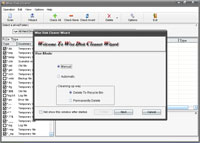 Save precious disk space by using Wise Disk Cleaner! This simple tool analyzes your system in search of temporary files of all kinds and also system files, Windows updates and duplicate archives, Then it displays a list where you can check the files you want to delete and recover loads of free megabytes. What’s more, you can define your own filters to decide which folders and files should be swept away.
 OK, OK, I give in. Not content with making me pay a fortune for cigarettes which I can only smoke outside and only if I promise to put the remains in the bin, the British Government has now decided to
  OK so here’s a piece of software that is either genius, dangerous or incredibly naive, I’m still making up my mind. The premise is brilliant. When your mobile gets stolen there’s not usually much you can do. Obviously a thief isn’t going to answer your call for a chat so it’s pretty futile phoning your number. Wouldn’t it be nice to know where your mobile had gone? Well PhoneBAK will tell you.
 In May
  Chicago 1930 is a thrilling real time strategy game taking place during the prohibition. You can play as the Mafia, aiming to oust other gangs and take control of the alcohol distributing business or play as the police, hoping to crack down on all the illegal activities of mobs. The game environment is set in gloomy 30s inner city surroundings and the playability closely resembles that of other real time strategy games.
 Now that summer holidays are over, it’s time to go back to school. Nick