 Creating presentations in PowerPoint or Google Docs is great for getting your point across in meetings or conferences. But what happens if you want to reach a wider community? Sharing presentations online used to be a rather painstaking process and would involve using all manner of conversion applications, server-side scripting and embedding tools. These days though, it’s a breeze thanks to the rise of presentation sites.
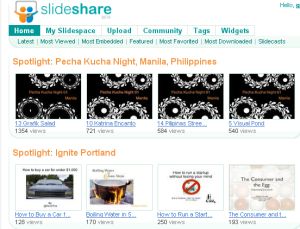
The Daddy of them all is SlideShare, which has been described as the YouTube of the presentation world. The site lets you spread the word about your ideas, business propositions and plans with the minimum of hassle. The design is very YouTube-esque with Spotlights, Featured presentations and Most downloaded sections. There’s also a Groups area where you can hook up with people or companies with common interests. Besides just uploading your PowerPoint files or PDFs to the site there’s plenty more you can do with SlideShare, such as embedding slideshows into your blog or web site, syncing audio to your shows, and creating events from your presentations.
 Myplick is another popular presentation-sharing tool. The free service supports a range of formats, including Powerpoint, PDF, OpenOffice, and, like SlideShare, Myplick lets you add audio too. Unfortunately, it doesn’t support PowerPoint animations at present though. One of the great things about the service is that you can choose who you want to share with, either by making your screencast public, or inviting specific friends to view it. This can be very useful for getting your presentation out to your whole company if you’re spread across different offices.
 An alternative to these portal-like presentation sharing sites is to use an all-in-one creation and sharing too, such as Zoho Show or 280 Slides. These online apps contain the tools you need to build presentations using the various pre-built themes, clipart and shapes, in a dummy-friendly drag-and-drop interface. Once you’re done you can upload the finished show to a sharing space, or embed it into your own site or blog using a wizard-based tool. These kind of services only have very basic public sharing spaces though, so if you’re looking to reach a wider audience it’s best to go with the more widely-viewed SlideShare or Myplick.



 When launching the long-awaited Firefox 3, the guys over at Mozilla decided to try to

 Having a dictionary about your person is always useful, but it’s not always practical to carry a hefty tome around with you all day. Instead, you could simply install a dictionary application onto your mobile phone and never get stuck for words again. Whether you’re using it to help you compose emails at work, taking it into an exam, or simply topping up your vocabulary on the bus, mobile-based dictionaries are a quicker and easier way. There are loads of different applications out there for every kind of device. Here’s some recommended reading:
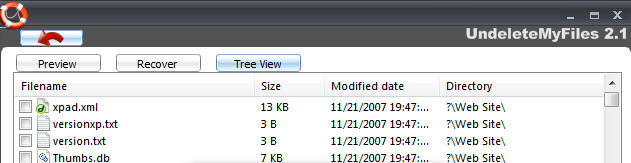
 There are many tools out there that can help if the worst happens – i.e. you lose or delete an important file accidentally. However, most of them require you to restore the files before you can see exactly what you’ve deleted. This is not only time consuming but it’s also dangerous because you may end up restoring files that can do damage to your PC.