Download multiple images from Flickr with Downloadr

There are tons of gorgeous images on Flickr which you can easily browse using the website’s built-in slideshow tool. But what if you wanted to download a few of them? Either you do it one by one – which is obviously quite a boring task – or you use Downloadr, a great little app I had the chance to review last week.

Download multiple=

Downloadr is a simple program that lets you download multiple images from Flickr. It enables you to search for images using various filters and criteria, like tags, username, a string of text or the place the photo was taken. You can also refine the search by date or set the program to only show images with Creative Commons license – quite handy if you’re searching for photos you intend to use on your website. Continue reading “Download multiple images from Flickr with Downloadr”

Google leaves China – what still works?

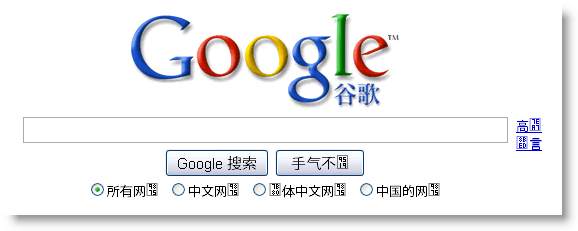
After threatening to do so earlier this year, Google has shut down its China search engine after four years of offering censored results. This has angered the authorities there, unsurprisingly, and there is now a war of words between the two. Google argues it’s on the side of free speech, and China that Google isn’t honoring promises it made when it entered China, while pointing out that democratic countries censor the internet too.

But what about Google’s other services? Google’s suite of apps are fantastic, but any Mail, Docs or even Reader users in China could lose a lot if the services became unreachable from China.

Google has posted about this on its blog, and set up a special page where users can monitor the availability of Google services in China. Read it here to see what’s going on. However,  as it doesn’t look like either side will back down, it doesn’t look good in the long term for any of their services.

From inside China, it seems users can use the Hong Kong Google service, but results are still censored by China’s state firewall. Friends in China feel the move to Hong Kong is unlikely to be successful, and as it wasn’t used by the majority of internet users, it’s unlikely to have a huge effect.

Join us on facebook!

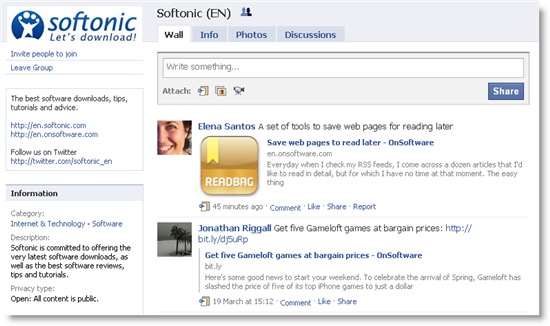
Are you on Facebook? We’ve added another way for you to follow posts at OnSoftware, with the Softonic (EN) Facebook group. Join us, and you’ll be updated as soon as new posts are published, and we’ll also share links to cool software and games.

As it’s a Facebook group, all members are free to start discussions and talk to other members too. It’s also a great place to share your thoughts on software on our wall, so if you’ve got something to say, get involved! You can join our Facebook group here. Don’t forget you can also follow us on Twitter!

The best software easter eggs of all time

As software bloggers, the only easter eggs the OnSoftware team give out every year are the ones hidden within computer programs. As designated easter bunny for this year I decided I’d dig up some of the hidden treats from the Great Software Easter Egg Hunt of 2008. That was the year I got over eggs-ited about the cool features, games and jokes buried within popular software. Here’s a quick resume of my favorites:

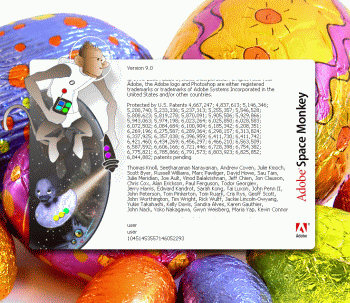
Uncover a Space Monkey in Adobe Photoshop

Instant victory in Windows Solitaire and Minesweeper

Unlock dancing llamas in Winamp

Play pinball in Word

Make Adobe Acrobat bark like a dog

Watch the MS Works developers fly around your screen

Make waves in WinRAR

Play a Star Wars shooter inside Open Office

Easter eggs

If you’re hungry for more, go check out some of the cool Google easter eggs in Mashable’s post, which includes a great one about how to unlock teddy bears and ninjas in Picasa. More goodies can be discovered if you go and read TechCrunch’s software easter egg round-up from last year. If that doesn’t satisfy your craving then pay a visit to the Easter Egg Archive, where you’ll find hundreds of secrets from a wide range of applications. Happy hunting!

Kindle for Mac reviewed

amazon-kindle for mac-logo.pngLast month I asked why three-and-a-half years after the release of the Kindle there was still no Kindle for Mac software from Amazon. Well, maybe they were listening because out of the blue they released Kindle for Mac yesterday and I’ve taken a look at it to see what it’s like. The good news is there’s no need to own an Amazon Kindle device to use Kindle for Mac. The bad news is that considering the amount of time it has taken, it’s nothing to get too excited about. It’s simple, does the job but that’s about it.

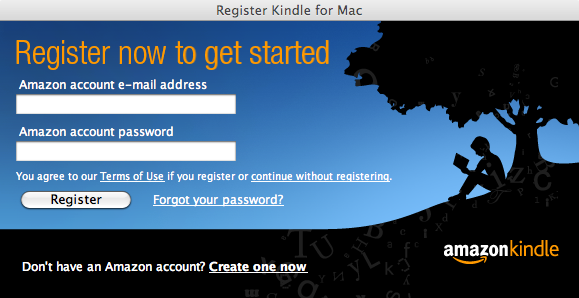
Kindle for Mac is a very simple e-book reader which allows you to read and sync your library with your Kindle. You can purchase books online and have them directly delivered to Kindle for Mac and then sync it with your device. When you first install it you’re required to enter in your Amazon account details or sign-up for one.

kindle for mac registration

You can then either transfer books from your Kindle to Kindle for Mac by clicking the rather small synchronization symbol or go directly to the Amazon site by clicking Shop In Kindle Store. Continue reading “Kindle for Mac reviewed”

The best free music download services

There are increasing numbers of places for on-demand music on the web, like Spotify, Pandora and Deezer. These all let you listen to streaming music over the net, but are no good if you’re disconnected. Illegally downloading music to your library is not difficult, but I want to look at legal ways of downloading free music.

The first thing I have to point out is that you have to have an open mind when it comes to legal free MP3s. You probably won’t get complete albums, and your favorite artists probably don’t give their songs away for free. However, if you’re willing to experiment and trust the judgment of good bloggers, there’s a ton of free music out there.

Two great sites for free legal downloads are Last.fm and Spinner.com. If you sign up to Last.fm and install their app, you can get free MP3 recommendations based on your listening habits, which is pretty cool. Check out their free MP3s here. Spinner is more of a magazine, but has tons of MP3s you can browse here.

My favorite resource is The Hype Machine, which sources reputable music blogs that host MP3s. These are often MP3s released to promote new albums or groups. You can listen to music on The Hype Machine site, or go to the source blog and download the MP3. There are tons of great blogs listed in their directory, which gives you a massive source of great free music. After a while you’ll find blogs that share your tastes, and have a regular source of great new music.

The best apps to save articles to ‘read later’

Everyone has a set of websites they visit on a regular basis, but rather than visit each site and scroll through the latest posts, you can add them to an RSS reader. Once you clear your feed, however, it’s difficult to find that specific article again. What if you want to save it to read later?

There are some great services that can save articles so that you can read them later at your leisure. Some of them only save the text, while others can actually save the entire page, even if the site pulls the article down.

While RSS readers do a great job of aggregating content from your favorite sites, they mainly work to read it now. The apps below, on the other hand, are perfect if you want to read it later.

Pocket

Originally known as Read It Later, Pocket is one of the most popular apps to save content. It supports more than just articles, with the ability to save videos and links from other apps. The amount of compatible apps is pretty staggering and should include most of your favorites.

Even though browsing through your mobile browser is possible, mobile layouts for some websites has yet to be perfected. Pocket’s ability to save content for reading offline is another excellent feature, along with device sync.
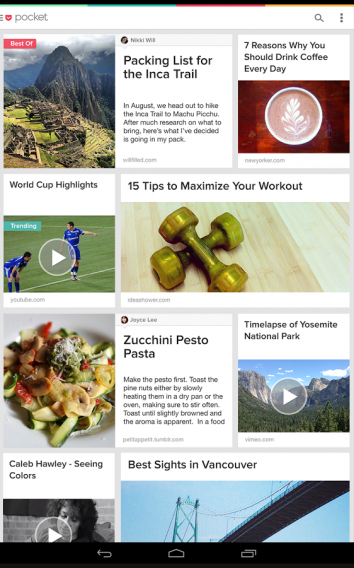
Pocket

Pocket supports iOS, Android, Koko, and browsers so that you have access with essentially all your devices. If you’re interested, Pocket’s premium service expands support by offering permanent backups, internal search, and suggested tags.

Instapaper

When you’re only interested in the text of an article, Instapaper is the app to use. Rather than save an entire article including the fonts, images, and videos, the purpose of Instapaper is to give you a clean and easy-to-read article. The app lets you customize the font, text size, and margins. Along with an optimized layout for both smartphones and tablets, this is the best app for long form articles that could otherwise be filled with photos that you don’t necessarily need.
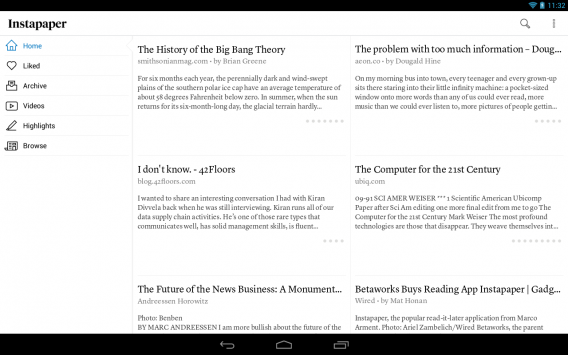
Instapaper

After you download an article, it’s available offline, so you don’t have to worry about needing a data connection to view it again. For mobile devices, you can save up to 500 articles, while the website lets you save an unlimited number of articles. It costs $2.99, although if you enjoy reading as opposed to ‘watching’ articles, this is the app for you.

Readability

Another multiplatform app, Readability, is designed to clean up articles so that they’re easier to read. Available on Android and iOS, along with a browser version, Readability has you covered for articles you’ve saved to read later. You’re also able to share articles to Facebook, Twitter, or email so that you can tell others about your favorite articles.

Readability

Readability is like a mix of Pocket and Instapaper, saving and reformatting articles to make it easier to read and understand. If you read articles from image-heavy sites, but still want to view the image content, Readability might be the best app to use on a daily basis.

Evernote Web Clipper

While not a standard “read it later” app, Evernote Web Clipper works in a similar way. It gives you the ability to take snapshots of websites and save them in your Evernote account. This can be a portion of an article, or the entire article, as it displays on the web. Since Evernote syncs through all of its apps, you are able to view them wherever you can access your account.
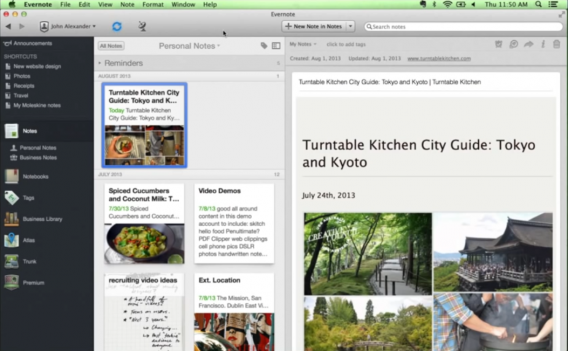
Evernote Web Clipper

The best thing about Evernote Web Clipper is that it saves everything, regardless of whether or not the original has been removed from the source. The use of Evernote Web Clipper goes far beyond just being able to read articles later–it can be used for a lot of different purposes too numerous to list. One difference is that it’s only available as an add-on for browsers, although you can still view saved content through the app.

feedly

What started as an impromptu replacement for Google Reader, feedly is an app that can aggregate RSS feeds and content from websites into a stream. feedly pulls content from a lot of sources and display it in an easy to read stream. You can also save articles to read later, but it does depend on the original source being available.
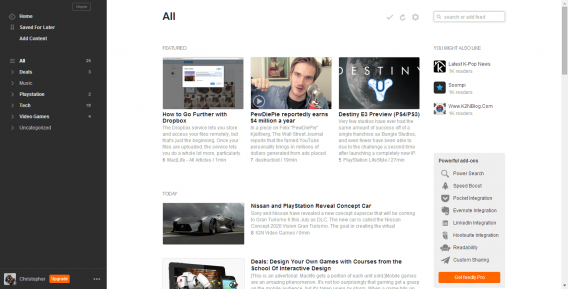
feedly

With sync between the web and mobile devices, you’ll always have the most up-to-date articles from the sources you choose. You can also share articles through many different social networks like Facebook and Twitter. feedly also integrates with Pocket, Instapaper, and Evernote.

Never miss an article again

Although this is only a selection of apps that support the ability to read an article later, they’re probably the best ones that support this function; some are even compatible and can work in conjunction. I suggest trying them out to see which one works best for you. feedly is a great starting spot, but if you prefer to have a simplified reading experience, then Instapaper or Readability might be better.

Evernote has a lot of different uses, and Evernote Web Clipper is a perfect tool if you like to collect favorite articles and keep them for a long time. Since all the apps work between web and mobile, you’ll always have the articles you want, when you want them. Offline reading is great for commuters who lack stable internet, but it might not be necessary all the time.

Original article from March 22, 2010, updated June 17, 2014.

Review: Voddler web client

Voddler logoAfter launching on the web a few weeks ago, I’ve finally received an invitation to use the new Voddler web client. Note that Voddler still only works in Scandinavia at the moment but a Europe-wide launch is expected by the end of the year. However, the new web client will certainly make it easier to reach a wider number of people and introduces some much improved navigability and features to Voddler.

Voddler started out as purely a desktop client but the company soon decided to integrate it with a web based service after numerous security breaches and complaints about usability from users. However, I’m still not sure if I buy the security breach excuse for taking it offline as films are still streamed into the Voddler desktop client from the web and therefore presumably can still be hacked. The reason you can’t watch films directly in your browser is because the desktop client allows you to connect to the Voddler P2P network and therefore watch films in far higher quality than would be possible within your browser alone.

In the few weeks the service has been offline while developing the new web client, Voddler have been able to add far more movies and documentaries (and even TV shows) so the choice is definitely better.

The Voddler website has been expanded considerably. Now you can browse films directly on the website:

Voddler Homepage

See the most popular films and the most recently added: Continue reading “Review: Voddler web client”

Get five Gameloft games at bargain prices

Here’s some good news to start your weekend. To celebrate the arrival of Spring, Gameloft has slashed the price of five of its top iPhone games to just a dollar each until Sunday 21 March. The discounted games include the excellent Dungeon Hunter, an RPG classic that offers hours of dungeon-exploring hack and slash action. The 3D graphics in this one are some of the best we’ve seen from an iPhone game so far this year.

Real Soccer 2010 is also included in the promotion. The game beats the pants off of EA’s FIFA 2010, and makes for a great way to warm up for the World Cup. It features real teams, players and stadiums, as well as in-game commentary. You can also hook up and play against your buddies over WiFi.

Completing the line-up of Gameloft’s Spring Fever sale are Earthworm Jim, Skater Nation and Blades of Fury. Hurry though, because the deal will end on Sunday 21st March (officially the first day of Spring) and the prices will go back up after that. It’d be a shame to miss out on such cheap rates for these five classics.

Merci beaucoup to our colleagues on OnSoftware France for the tip-off about this great promotion. Here are a couple of trailers to show you what a dollar can get you this weekend.

[youtube]http://www.youtube.com/watch?v=Wqs7kHgLN9M[/youtube]

[youtube]http://www.youtube.com/watch?v=bDtjWG0-ib4[/youtube]


Timewaster: Sushi Cat

As any cat lover will know, there’s nothing cats like more than being dropped into a basket while eating Sushi. And cats like reggae more than any other music genre, which makes Sushi Cat more of a simulation than anything else.

Sushi Cat is a strangely pleasing game, with a row of baskets at the bottom, which you drop cats into. The cats will fall and bounce through obstacles on their way to the baskets below, getting fatter as they eat sushi!. It’s a little bit tactical, as you need to feed your cats enough sushi before you run out of cats to drop. Getting high score baskets can be tricky too.

The cute, well animated graphics make Sushi Cat look really cool, and the levels get better and more inventive as you progress. You could waste a lot of time on this game… As usual, it requires the Flash plug-in and is playable from your browser.