7 apps to optimize and speed up your Android

Is your Android slower than it used to be? Is your battery life too short? Here are the seven best apps to help your Android run as smoothly and efficiently as possible.

Each one is a way you can proactively help to maintain and improve the speed of your mobile, better managing memory usage and cleaning unnecessary files from your storage. Let’s check them out!

Softonic Turbo Booster, for freeing up RAM

One reason Android devices get slower is that system memory gets clogged up with processes from many of the apps we install. On way of speeding things up is to use an app like our own Softonic Turbo Booster.
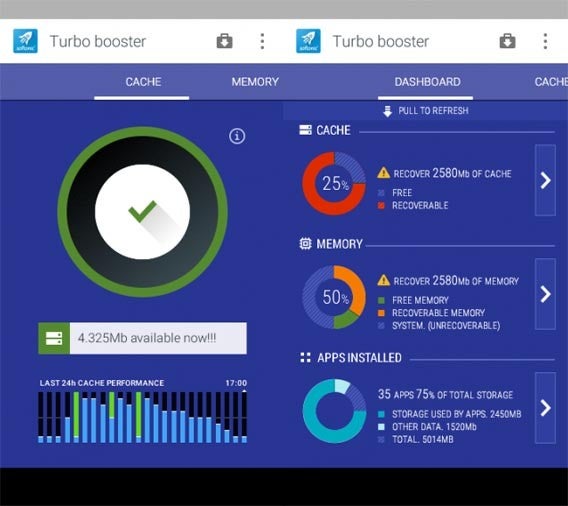
Softonic Turbo Booster’s main function is freeing up system memory, killing apps that are running unnecessarily in the background. It stops completely apps that sometimes use system resources even if you’re not using them.

Another factor that can slow down your device is how many apps you have installed. Lots of us have apps installed even though we never use them any more. Some of these will use your system resources despite never being opened. Here Softonic Turbo Booster can also help, identifying the apps you never or rarely use, and letting you uninstall them quickly and easily.

Download Softonic Turbo Booster.

Clean Master, for cleaning rubbish from your phone

Some apps fill your device’s memory with useless files, and worse still, then don¡t necessarily remove them even if you delete the app. Clean Master is the best file cleaner around, and you might be surprised how much space you can free up by using it.
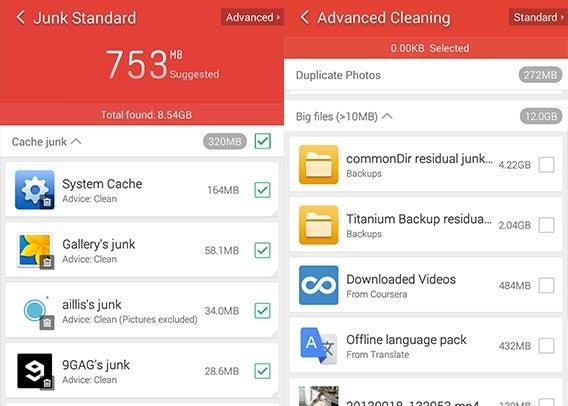
Clean Master is especially good at finding and deleting temporary and unnecessary files, but it also has an advanced search, where you can choose precisely which files you want to delete. For example, you may have videos that are taking up a lot of space, and you can use Clean Master to find them.

Download Clean Master.

ES File Explorer, for organizing your device

Many manufacturers of Android devices actually include a file explorer, but they are usually very simple and have few tools.
ES File Explorer

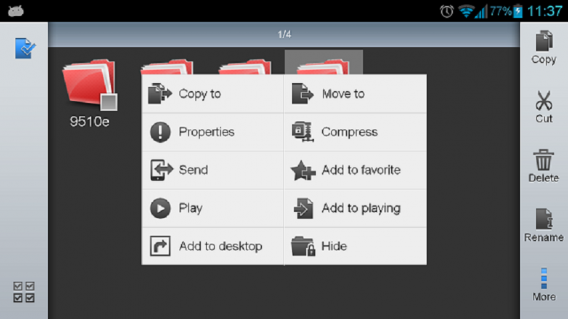
ES File Explorer, however, even compares well to Windows Explorer. It shows you pretty much everything – shared folders, cloud folders, protected folders. With this app you can easily rename, copy, paste, delete, compress, and share your files and folders. ES File Explorer really gives your the same control you’re used to with Windows.

Download ES File Explorer.

Gallery Doctor, deletes your poor and repeated photos

Over time, your photo library in your phone just grows and grows without stopping. Even finding a particular photo can be a drag, but forget having to revise your library photo by photo – Gallery Doctor does it for you.
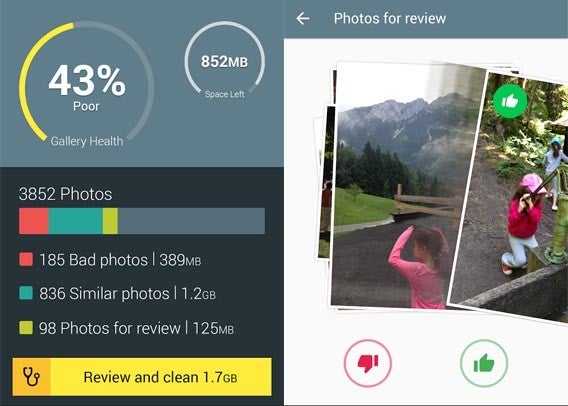
Gallery Doctor analyzes you all the photos in your phone, and classifies them as bad, duplicate or for revision. It doesn’t delete anything without your consent – just chooses the photos it thinks could be deleted, and presents them to you. The process is pretty fun, giving you a collection of photos to flick through, choosing those you want to delete or keep, as if you were flicking through profiles on dating app Tinder.

Download Gallery Doctor.

Battery Doctor, for helping extend your battery life

Like the previous doctor cared for your photos, Battery Doctor looks after your battery. The idea is to achieve a the longest usage possible from your battery. It does this smartly with methods such as reducing your screen brightness and deactivating GPS when possible.
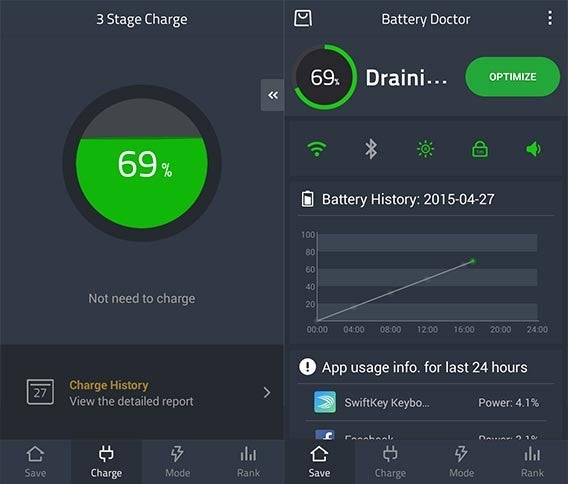
There’s even a mode that kills all your phone’s functions except sending and receiving calls and SMS. This is ideal if you really need your battery to last as long as possible. From the makers of Clean Master, Battery Doctor is excellently designed and extremely easy to use.

Download Battery Doctor.

Avast Mobile Security, keeps you safe from viruses and threats

There’s not much point in a clean and optimized phone if you’re vulnerable to threats like viruses and malicious apps. On your Android, your worst enemy isn’t usually viruses, but apps which are not what they claim to be. Avast Mobile Security does an exhaustive analysis of all your installed apps, and finds anything that looks suspicious.
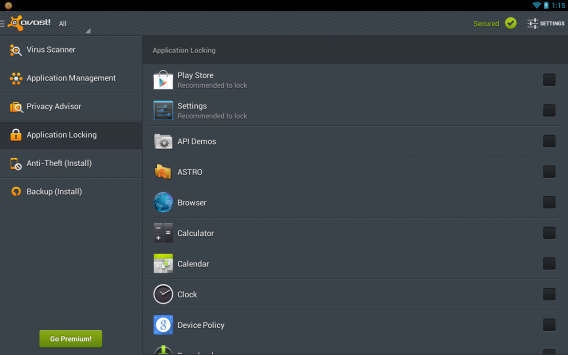
Avast Mobile Security also tells you if you have any ‘unsafe’ settings, such as allowing apps to be installed outside of the official Google Play store. The free version protects you on the web and from malicious SMS, but you need to buy a Premium subscription to get the full feature set.

Download Avast Mobile Security.

Nova Launcher, the fast way to open apps

Your launcher is one of the most important apps on your Android. It’s your home screen, where you start every time you open your device. Most manufacturers like to add their own launcher to your device, but some of these are slow or use too much memory. One way to immediately speed up your phone is to swap your default launcher for a third party replacement.
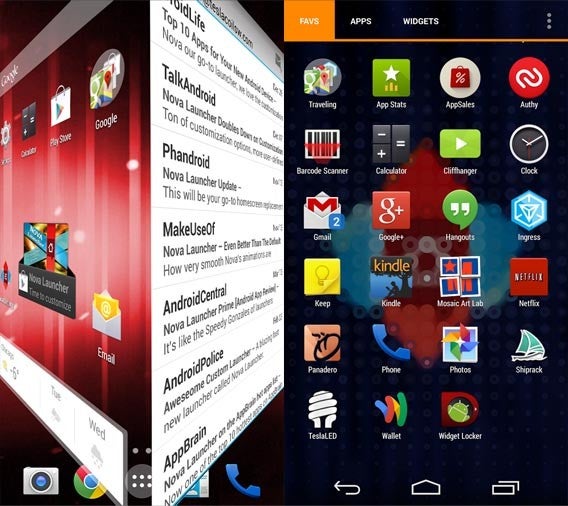
Nova Launcher is one of the best around. It’s fast, with a great range of personalization options and an free version with no limitations. After using it, your original launcher could feel positively prehistoric.

Download Nova Launcher.

Use just what you need

Check out the apps above, and see what suits you and your Android device. Install them all or just a couple. Test, compare and tell us below what works for you, or if you found other ways to make your Android faster.

Related Articles

Best Android browser comparison 2015

App of the Week: Google Handwriting Input

Best free office suite

Diary of a fat man – Runtastic Road Bike

Biking stands as an odd form of exercise for me. Not that riding a bike is strange, but I rarely (if ever) cycle anywhere for any reason other than to… well, get there. It is a means of transportation, and I can’t think of a time in the last 15 years when I have ridden anywhere just for fun. Because of this I never really considered how it may be benefiting me. So, when I spotted Runtastic Road Bike I thought it would be the perfect way to squeeze a little extra, quantifiable exercise into my day.

City Bikes

So, day one of my test saw me hopping on a city bike to ride the 7km home. And I was impressed – initially.

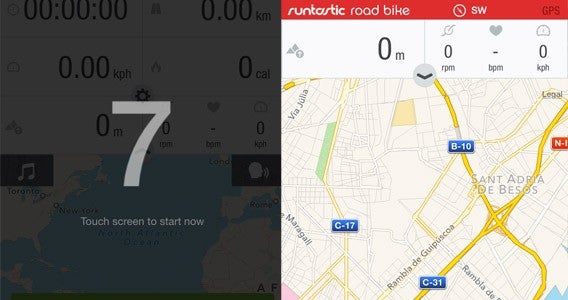
Beginning to ride I was treated to a voiced countdown that made me feel far more sporty than I had any right to. At zero I took off – straight into a red light (a pattern that would be repeated more than once on my journeys). A few moments later and I was properly underway. At the 1km mark I was politely told that I had been going for three and a half minutes – useful I thought, as the city bikes begin to charge for use after 30 mins of use and I am always worried about making it home in this time.

Countdown

Then, as the 2km mark rolled around, Runtastic announced if I wanted to continue my aural updates I would have to pay for the Pro version… predictable but annoying. And, in all honesty, at $5.99 it isn’t unreasonably priced.

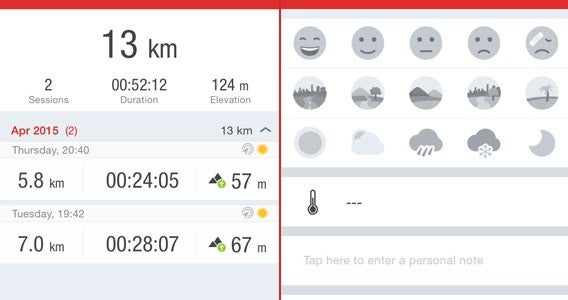
Making it home with four minutes to spare, I closed down the app and got my results – nearly 200 calories burned, and 7km ridden in 26 minutes. Not bad, and nice to see the various metrics available, including elevation, max speed, minimum speed, and average pace. I could even add notes about my general condition for the ride.

Day two rolled around, and off I went again. Very little changed – which is to be expected – but I started to notice the problem that was going to dog my interactions with Runtastic Road Bike – red lights. It isn’t that they affected my training as such, but they put a limit on my pace, based on pure safety. Put simply I couldn’t go much faster without blindly riding through traffic. Cycling as fast as I possibly could still resulted in me having to stop at regular intervals, making it impossible for me to improve my time more than a few minutes. This rendered the app pretty much pointless to me, because I would never see a real improvement on my ride home, and I had no intention of ever riding for fun.

Condition

It’s a shame, because Runtastic is certainly a well thought-out app and (especially if you pay for the premium version) the list of features would become incredibly useful for actual cycle training. The audio split-time counter, route tracker, music player, and other extras, create a comprehensive way to enjoy and record your sessions.

So, Runtastic Road Bike is good but not for me. It is conceivable that when I drop a little more weight and fancy running on roads rather than treadmills (got to be careful with my knees) the original Runtastic could be worth a revisit. Until then, however, it’s going back in the app cupboard.

Next week I will be back on the diet tracking apps with Calorie Counter – MyFitnessPal. It will have big shoes to fill after Noom (which I am still using) but it certainly seems to have a winning feature set. Check back next week to see how it fairs.

Related Stories

Diary of a fat man – Part 2 of the Noom chronicles

Diary of a fat man – Noom Coach (no more excuses)

Diary of a fat man – Fitivity (sometimes walls get in the way)

Follow me on Twitter: @DoFuss

Mother’s Day gift guide: apps for her new tech

Mother’s Day is a perfect time to catch your mom up on new tech. Whether it’s a new tablet, phone, or computer, she’s probably going to want some fun apps. A smartphone is more than just a phone and a tablet is more than just a computer with a touch screen. Show your mom how much you care by setting up her new device with useful and fun apps.

Whether you got her an iPad, Android or Windows device, we’ve got a great list of apps to get her started.

Kindle

Kindle app

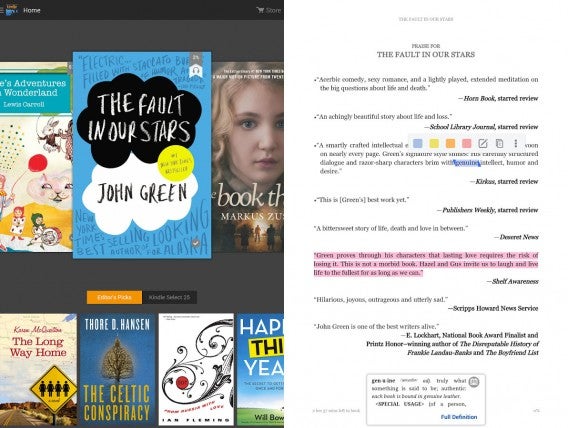
If you didn’t get a Kindle ebook reader, she can still read ebooks using the Kindle app. The app offers a great reading experience with annotations, a dictionary, and myriad reading options. My favorite option is the sepia reading mode, which warms up the screen to prevent eye strain.

Download Kindle: Android | iOS | Mac | Windows | Windows 8

Goodreads

Goodreads app

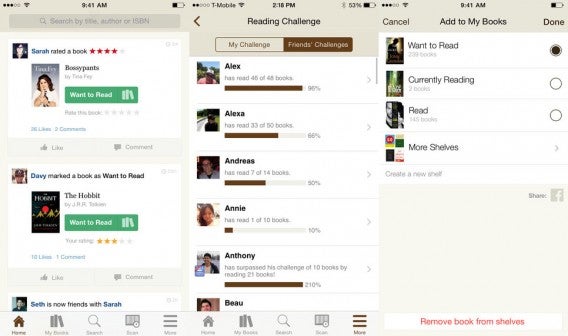
Goodreads is a social network for book lovers. Amazon owns Goodreads and has integrated some of its features into the Kindle app but not everything is available. The full Goodreads app is a great place for your mom to share what she’s reading, see what her friends are reading, and to look for recommendations based on what she’s read.

Download Goodreads: Android | iOS

Zinio

Zinio

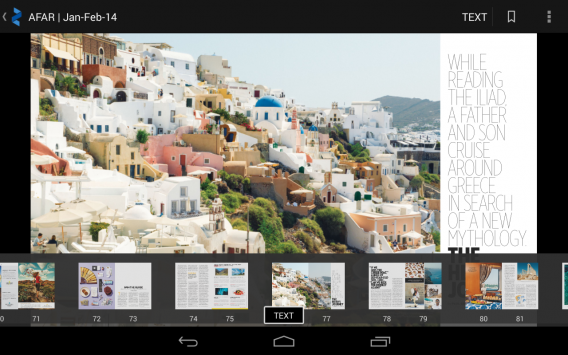
If your mom likes to read magazines, Zinio is a great app. While Apple already has its own Newsstand app, it’s limited to only iPhones and iPads. If your mom wants to read magazines on any device, Zinio is a better option.

There’s a ton of different magazines and the app offers free articles as samples all the time. Zinio frequently has sales on magazine subscriptions so you’ll probably save her some money compared to using Newsstand.

Download Zinio: Android | iOS | Windows

Flipboard

Flipboard app

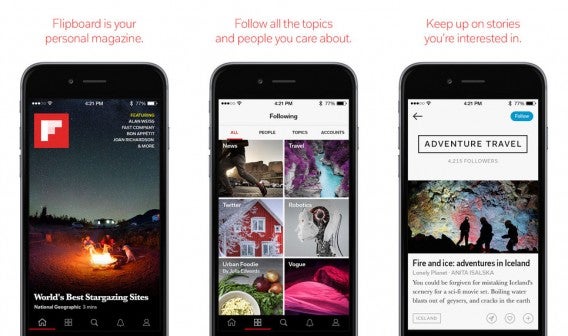
Flipboard puts an easy to read interface on top of news articles from around the internet. The app literally lets you “flip” through pages for easy reading. The best part about Flipboard is that you can add your own websites you follow for a customized reading experience. Flipboard also features editors that curate news and other content so there’s always something interesting to read.

Download Flipboard: Android | iOS | Windows Phone | Windows

Jamie Oliver’s Recipes / Jamie’s 20 Minute Meals

Jamie Oliver's Recipes

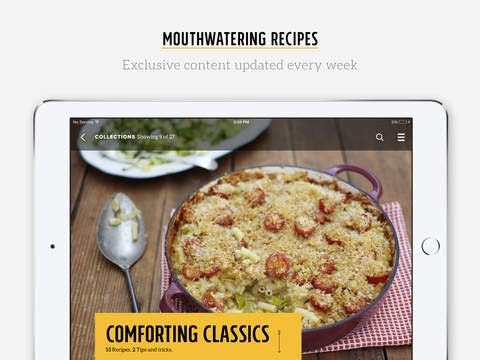
If your mom likes cooking, she’ll love Jamie Oliver’s Recipes app. The app itself is free but you’ll have to pay a monthly subscription to get the best out of it. Free users will get a sample of fifteen recipes that rotate every Monday. The app is well designed and features a ton of recipes for all types of cuisine.

Android users don’t get Jamie Oliver’s Recipes app (boo!) but there is another app called Jamie’s 20 Minute meals, which features more than 65 simple recipes.

Download Jamie Oliver’s Recipes: iPhone and iPad

Download Jamie’s 20 Minute Meals: Android ($7.69)

Martha Stewart Makes Cookies for iPhone and iPad

Martha Stewart Bakes Cookies

If you want your mom to bake cookies for you, download the Martha Stewart Makes Cookies app. The app is gorgeous and provides solid recipes for a ton of different baked goods. You can browse by category and collect recipes for quick access. There’s even a section for ideas on how to box the cookies for gifting.

Download Martha Stewart Makes Cookies: iPhone and iPad ($1.99)

Pinterest

Pinterest

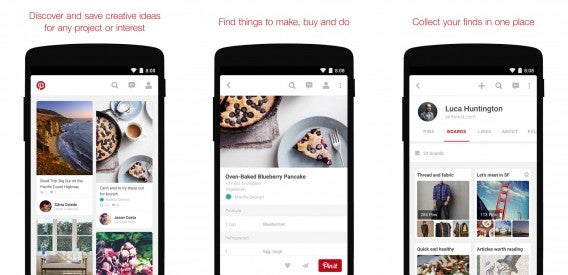
You’re probably going to open a can of worms for your mom if you download Pinterest for her. The app is a digital pinboard for things she finds around the web. There are so many types of content from recipes to clothing to interior design. Expect your mom to make frequent trips to Michael’s for craft supplies to create things she saw on Pinterest.

Download Pinterest: Android | iOS | Windows Phone (beta)

Amazon

Amazon for iOS

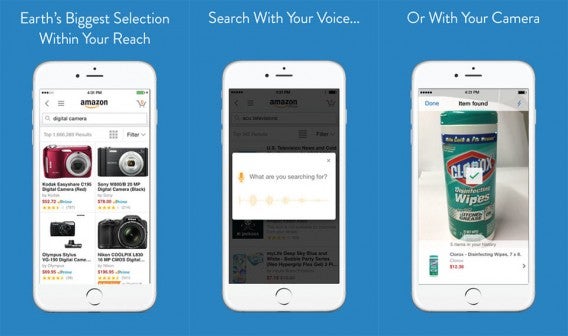
Shopping online is super easy with Amazon. The online retailer carries just about everything, including household items and groceries. If your mom likes hunting for deals, Amazon’s daily Gold Box deals are a great place to start. If you’re a super awesome kid, you’ll pick up a Amazon Prime subscription for your mom too (or at least add her to yours).

For more shopping apps, check out our best free shopping apps, best free clothes shopping apps, and best deal apps.

Download Amazon: Android | iOS | Windows Phone

eBay

ebay

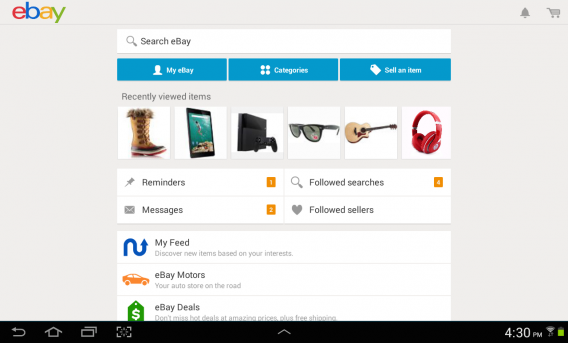
Can’t find something on Amazon? Try eBay instead. Over the years, eBay has transformed from a digital auction house to an online retailer. Many products feature a “Buy It Now” price instead of bidding so you can buy the product immediately. eBay is a great app for moms who like hunting for vintage things and collectables.

Download eBay: Android | iPhone | iPad |Windows PhoneWindows

Mint

Mint app

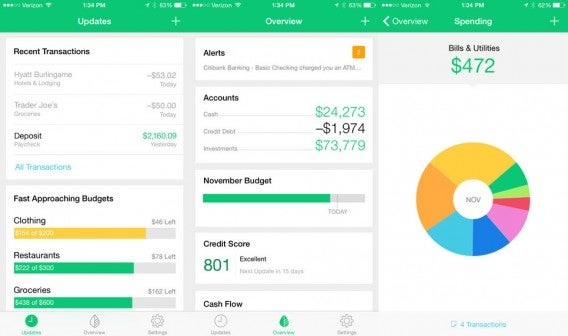
After all her online shopping, your mom will probably want to manage her finances. Mint is an app that integrates all of your bank accounts so you get to see how your finances are doing over all. You can add investments, create budgets, and set alerts for overspending. It’s a great tool for keeping track of what you’re buying and for seeing where you can cut back.

Download Mint: Android | iOS | Windows

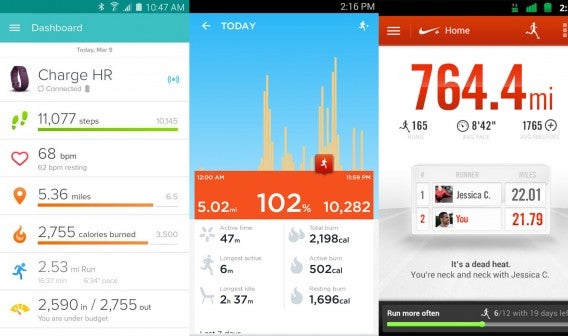
Fitbit / Jawbone UP / Nike+ Running

Fitness apps

If you bought your mom a fitness tracker, you’ll want to help her download the corresponding app for her smartphone. These apps are critical for pulling in the data the fitness trackers so she can track her goals and progress.

Download Fitbit: Android | iOS | Windows Phone

Download Jawbone UP: Android | iOS

Download Nike+: Android | iOS

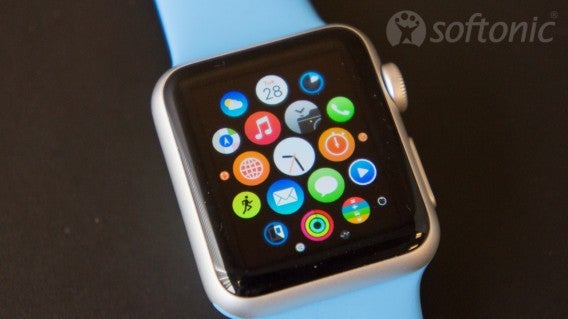
Apple Watch and Android Wear apps

Apple Watch apps

If you bought your mom an Apple Watch or Android Wear smartwatch, you’ll want to help her make the most out of it with some apps. Check out my list of favorite Apple Watch apps and our list of the best Android Wear apps. We constantly update these posts so check back for more recommendations.

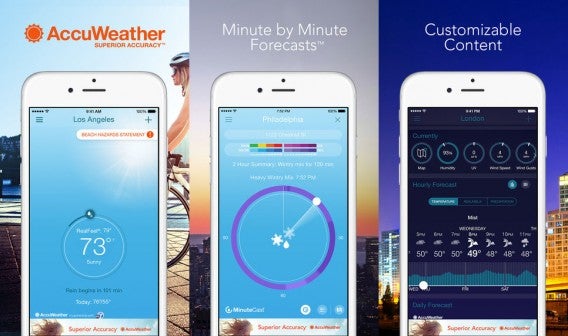
AccuWeather

Accuweather app

While most tablets and smartphones have their own weather apps built in, they’re usually not very good. One of the best weather apps is AccuWeather. The app provides a ton of details and fairly accurate forecasts. You can even set the app to warn your mom about severe weather.

If your mom wants a simpler, prettier app, download Yahoo Weather instead.

Download AccuWeather: Android | iOS | Windows Phone

Download Yahoo Weather: Android | iOS

Facebook and Messenger

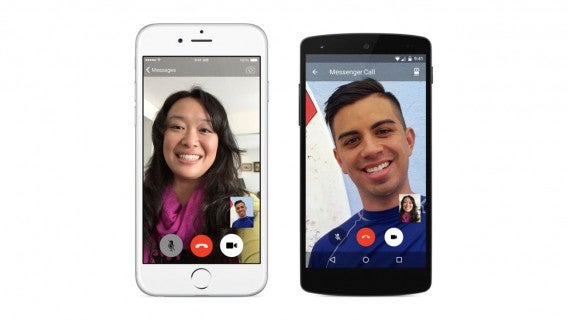
Facebook Messenger video calling

It’s difficult to remember to call your mom sometimes. Let her keep up to date on your life by getting her on Facebook. The social network provides a great place for her to keep track of her friends (and you). She can post photos, videos, and even chat.

There’s a separate Facebook Messenger app you can download for her so you two can chat instead of text. Messenger features a ton of cute stickers and even lets you make free voice and video calls.

Download Facebook: Android | iOS | Windows Phone | Windows

Download Messenger: Android | iOS | Windows Phone

WhatsApp

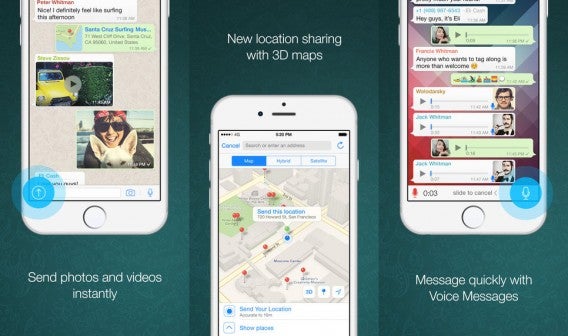
WhatsApp for iPhone combined

If you just want to chat with your mom, WhatsApp is a better app than Facebook Messenger. It’s fast, lets you share photos, and even lets her know your exact location. You can create a group chat with your entire family so everyone can keep in touch.

If your mom likes chatting at her computer, be sure to set up WhatsApp in her browser. Check out our guide on how to do that.

Download WhatsApp: Android | iOS | Windows Phone

Skype

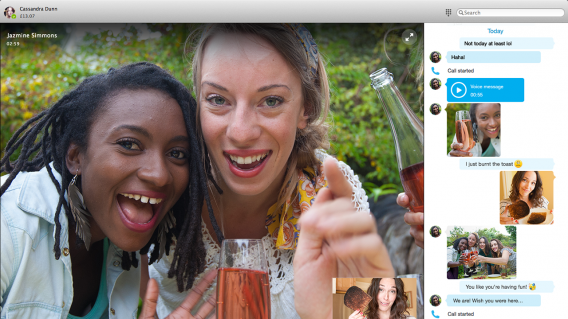
Skype for Mac version 7

If you primarily want to video call with your mom, Sype’s a great choice. The app has been around for a long time and provides great video call quality. Skype also supports text chat when you’re not available to take a video call.

Download Skype: Android | iPhone | iPad | Mac | Windows Phone | Windows

Instagram

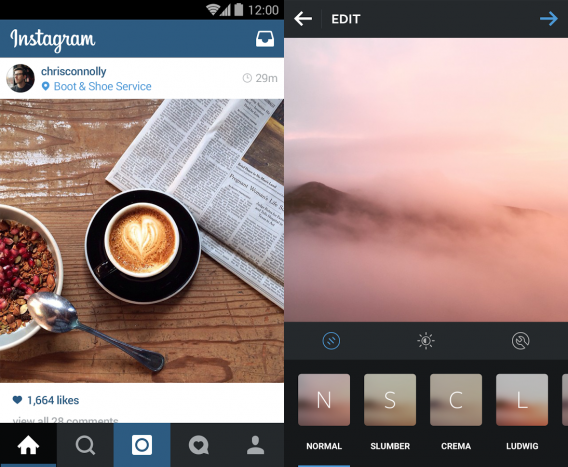
instagram

If your mom likes taking photos with her smartphone, help her set up an Instagram account. The app makes snapping and sharing photos super easy and there’s a ton of celebrities for her to follow. The community is what makes Instagram a great photo sharing app.

Download Instagram: Android | iOS | Windows Phone (beta)

Snapseed

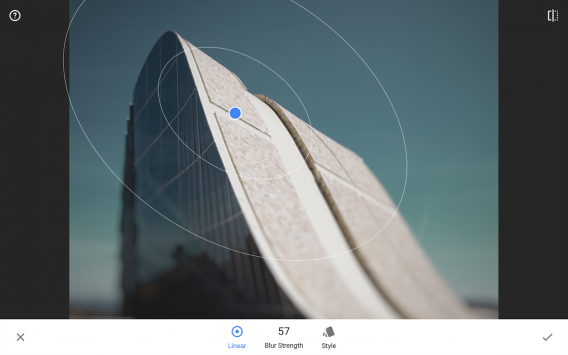
Snapseed

While her phone or tablet may already come with basic photo editing features, Snapseed gives her more options while still remaining easy to use. There are a ton of filters and the app’s interface is designed for touch. When the stock photo app just doesn’t cut it, Snapseed is a great alternative.

Download Snapseed: Android | iOS

Yelp

yelp

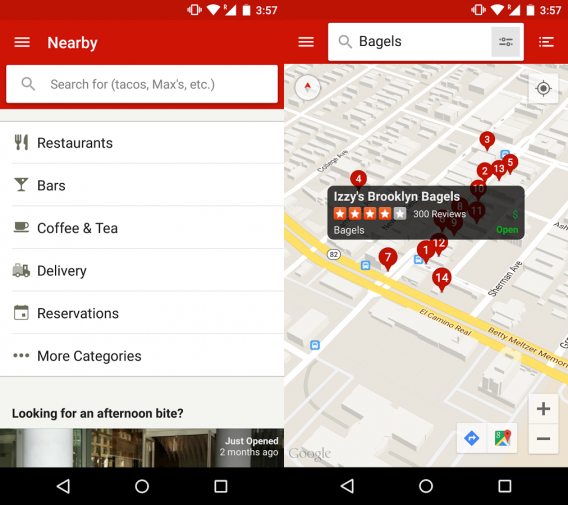
Help your mom find new things to do and new restaurants to try with Yelp. The community driven reviews app features trending new places and reviews to help her decide where to go. Photos are especially useful for seeing inside a restaurant and looking at food.

Download Yelp: Android | iOS | Windows Phone

Wunderlist

wunderlist

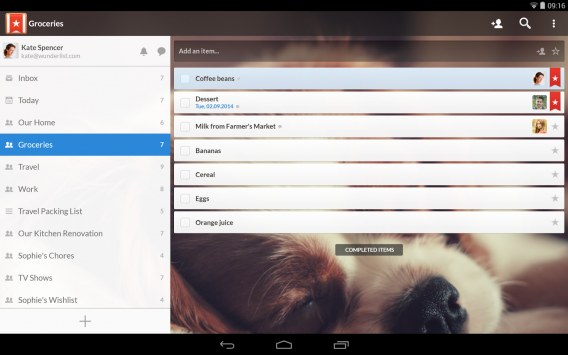
Wunderlist is an excellent to-do app. Your mom can create lists and notebooks for different products. She can add notes and links to her tasks so she doesn’t forget what she needs to do. There’s also collaborative lists so you two can plan an outing together or she can make a list of tech issues she wants you solve next time you visit.

Download Wunderlist: Android | iOS | Windows Phone | Windows

Pandora

Pandora redesign header

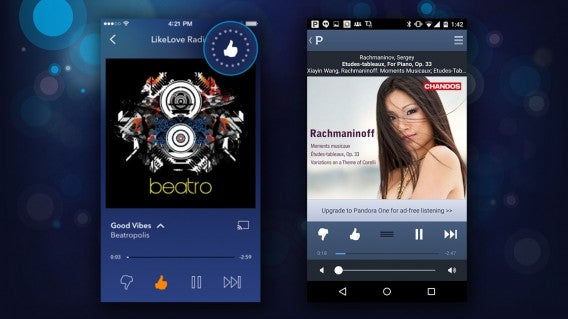
If your mom likes listening to music, Pandora is a great place to discover new artists. Start a radio station by genre or from a specific artist and the app will slowly learn what she likes to listen to. The more she rates each song, the smarter Pandora gets.

Download Pandora: Android | iOS

Spotify

Spotify

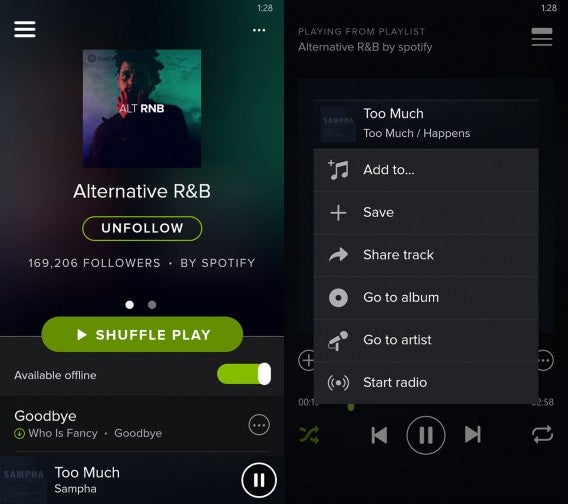
If your mom doesn’t want streaming radio, a subscription to a music service like Spotify might be a better option. She can listen to millions of songs ad-free and can create playlists. Spotify is also great for seeing what her friends are listening to. You can even collaborate on a playlist with your mom so you’re not stuck listening to Simon and Garfunkel at every family dinner.

Spotify costs $9.99 per month but you can use the service for free with ads.

Download Spotify: Android | iOS | Windows Phone

YouTube

YouTube

No tablet or phone would be complete without YouTube. There’s so much content on YouTube that your mom may end up binge watching for days. Make sure to check up on her to see if she remembered to eat and to go outside.

Download YouTube: Android | iOS

Related Stories

Apple Watch: everything you need to know

Facebook Messenger gets video calling

The way we pay: are mobile wallets the future?

Diary of a fat man – Part 2 of the Noom chronicles

Follow me on Twitter: @lewisleong

The best in tech: what you missed this weekend – May 4th

If you weren’t glued to your smartphone, or constantly checking Twitter/Facebook/other news app or social network of choice over the weekend, it’s possible you may have missed some interesting articles. Well not to worry, help is at hand, as this weekly round up brings you some of the most interesting reads in tech from the weekend that should help brighten up your day.

Periscope made it easy to watch the Mayweather-Pacquiao fight for free

The big sporting event of the weekend was the Mayweather-Pacquiao boxing bout. But, with not everyone having access to the right VPN/streaming service to watch the fight live (or the desire to pay $100 to access Pay-Per-View), helpful Periscope users streamed the fight live from the ring. While the quality of the streaming sounds pretty awful, it seemingly served its purpose.

Britney Spears to follow Kim Kardashian by launching her own mobile game

Is there any area of life that the Kardashians aren’t involved in? In 2014, Kim Kardashian released a mobile game where she mentors people as they try to become famous. This game was such a massive success that games developer Glu Mobile is hoping to do the same with Britney Spears. The game sounds pretty similar to Kim Kardashian: Hollywood, with Britney offers her own guidance on making it in the entertainment industry.

Instagram launches music channel, @music

Not content with dominating the world of photo sharing (while trying to break into videos), Instagram is moving from eyes to ears with the launch of a service to promote musicians who use the platform. Updated every Tuesday, it will showcase profiles of artists, as well as featuring other, exclusive editorial content, with the aim of not only highlighting well-known artists but also promoting new musicians.

Major music association calls Grooveshark’s death an ‘important victory’ for artists

Grooveshark has long had a difficult relationship with the music industry due to its legal battles over copyright infringement. But it seems this has all come to an end as the service – which was accused of sharing songs illegally as users uploaded content – will shut down rather than pay through the nose. The news has been hailed as a victory for the industry, with artists not being paid what they were due by Grooveshark.

Facebook offers to let publishers keep revenue from certain ads

The way we consume news is changing, something which Facebook has recognized with the launch of Instant Articles. This initiative will host news from a wide variety of sources such as BuzzFeed and The New York Times with the aim of speeding up the process of reading the news on mobile devices. To encourage more publishers to get involved, Facebook is offering to split the revenue by allowing them to keep all the money they make from certain advertisements.

An illustrated guide to the best ‘Star Wars’ video games

Finally, a little something for Star Wars fan given the significance of the date (May the 4th be with you). In this visual treat, The Daily Dot provides an illustrated walkthrough of the many Star Wars games that have been released over the years. Given that they excluded mobile, educational, Flash, and handheld-only games, there are still an awful lot, proving just what an impact the series has had.

Related Articles

The best in tech: what you missed this weekend

App of the Week: Google Handwriting Input

Diary of a fat man – Part 2 of the Noom chronicles

Follow me on Twitter: @karenmccandless

Five Apps to Try this Weekend – May 1st 2015

It is Friday May 1st, summer is another month closer, and we are back with another Five Apps to Try This Weekend.

We kick-off with an odd one this week, My Idol (iOS) – the app that lets you take a photo of your own face in order to create your very own idol of yourself. Once created, you can add your own choice of fashion, posses, make-up, and probably lots of other stuff… but honestly we can’t be sure as the whole interface is in Chinese.

Yik Yak (iOS|Android) is next, which describes itself as bulletin board app – think of it as a local Twitter, as it only shows your brief musings to people within 1.5 miles of your location.

This week sees us looking at three games, the first of which is Word Academy (iOS|Android), a simple but addictive puzzler where you have to construct specific words from a jumbled grid of letters. If words aren’t your thing, but you still want to confound your brain with conundrums, then we have Does not Commute (iOS|Android) – a stylish and intriguing puzzler that has you trying to direct cars to their destination.

No interest in puzzles? Fine, we have you covered too with DiRT Rally (PC). Delivering an authentic rally experience, this point-to-point racer is Early Access, but with 17 cars, 3 locations, and 36 stages already on offer, it is already looking pretty special.

Remember to subscribe to make sure you never miss any of our videos, and we will see you next week.

Related Stories

Five Apps to Try This Weekend – April 24th 2015

Five Apps to Try This Weekend – April 17th 2015

App of the Week – DiRT Rally

Follow me on Twitter: @DoFuss