How to use WhatsApp on a computer

WhatsApp has always been a mobile-first messaging app. This makes the app feel more personal since you can only use it on your phone. That changed when WhatsApp finally released WhatsApp Web and WhatsApp for PC.

WhatsApp on the web is extremely simple to setup and use. In the past, you had to use complicated workarounds like using BlueStacks to run the Android app on your computer and then tricking it into thinking it’s on a mobile device.

To start using WhatsApp on the web, you need to Chrome (PC | Mac), Firefox (PC | Mac), or Opera (PC | Mac) and the latest version of WhatsApp for Android, Windows Phone or BlackBerry. iPhone users are out of luck as “platform limitations” prevent WhatsApp for iPhone from communicating with web browsers.

If you prefer to download Whatsapp on your computer, have a look at Whatsapp for PC, instead! Here‘s what you need to do to get started.

WhatsApp Web setup

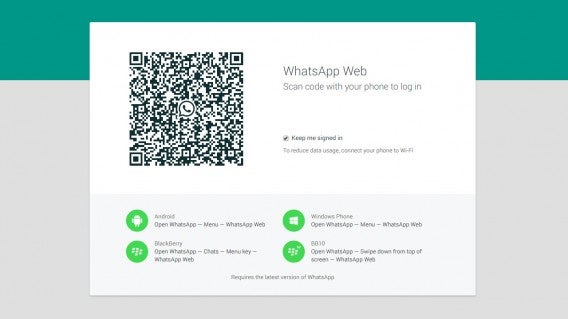
As mentioned earlier, you’ll need to download one of the browsers listed above and the latest version of WhatsApp. Then visit https://web.whatsapp.com.

You should now see a QR code on the screen. There’s a checkbox to keep you signed in so you don’t have to scan a new QR code every time you want to use WhatsApp on your computer.

WhatsApp Web header

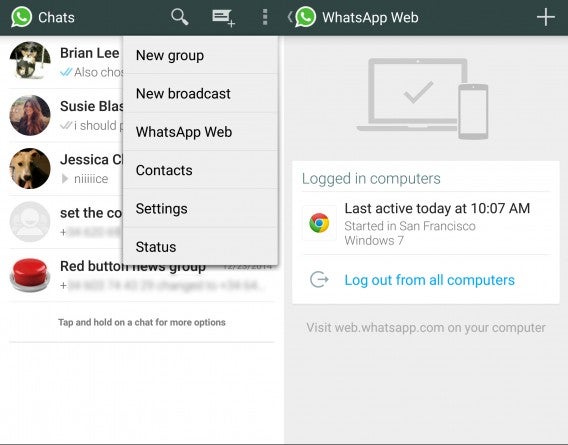
On your phone, launch the WhatsApp app and tap on the menu button. On Android, it’s the three dots at the top right of your chat list. You’ll see an option called WhatsApp Web. Tap on that and a QR code scanner will pop up. Scan the QR code displayed in your browser and you’re done!

WhatsApp Web Android setup

WhatsApp Web features

WhatsApp Web is basically a watered down version of the phone app so not all of WhatsApp’s features are available yet. Facebook will likely introduce more features into WhatsApp Web later on. For now here’s what WhatsApp Web can do.

Start new private chats

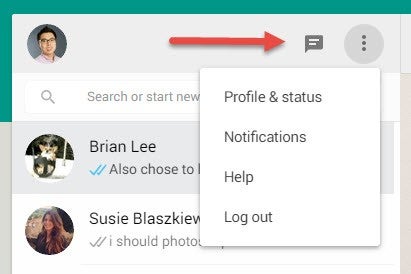
At the top, you’ll see a chat icon where you can pull up a list of your contacts to start chatting with. Your current chats are listed in the main menu already.

WhatsApp Web menu button

WhatsApp Web is limited to starting new private chats so you’ll have to start a group chat on your phone. This is a minor annoyance but not a deal breaker.

Type new line using Shift + Enter

Many users are asking if it’s possible to change the Enter key from sending a message to creating a new line instead. You can’t change the keyboard stroke but you can simply create a new line in a message by pressing Shift + Enter.

Take or attach pictures

Attach pics

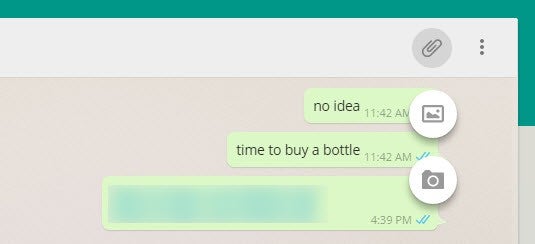
I’m happy to see that WhatsApp Web supports attaching photos. At the top of your chat, there’s a paperclip icon. Click on that to choose between using your web cam to take a photo or attaching one. It works just like it would on your phone.

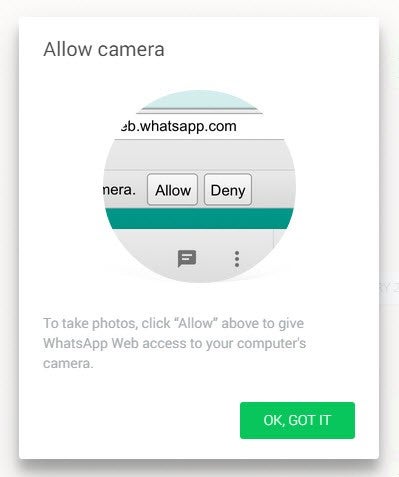
If you do want to use your web cam to take a photo, your browser will ask you for permission to access your camera. Click on Allow and your camera can now take a picture of you.

Allow camera

Snooze notifications and toggle sounds

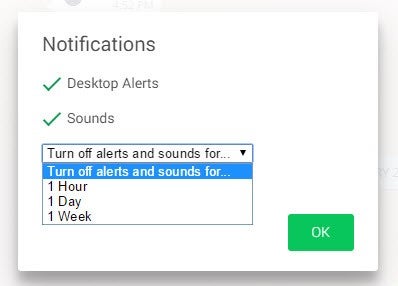
In the menu, you can toggle sounds if you want to chat in silence. You can also snooze notifications for one hour/day/week if you’re being overwhelmed. You can disable desktop alerts altogether as well. If you leave desktop alerts on, you’ll get a pop up every time you receive a new message.

Snooze notifications

View contact info

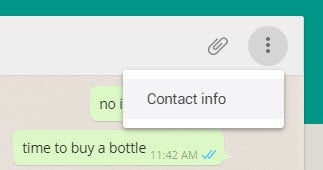
To the right of the paperclip icon is the menu button (three dots). Clicking on this gives you the option to view your contact’s info.

Contact info

For private chats, this includes a contact’s phone number, profile picture and status. In group chats, this option displays who’s in the group chat and their names/phone numbers.

Wrap-up: Keep your phone charged

Setting up and using WhatsApp inside a browser is super easy but there’s one bit limitation that will irk some users: your phone has to be connected to the internet in order to use WhatsApp Web.

This is because WhatsApp Web relies on the WhatsApp app on your phone to send and receive messages. This also means that there’s a possibility of you going over your bandwidth cap if you’re constantly sending photos over cellular data. You can fix this by making sure you’re on Wi-Fi whenever possible.

If your phone’s out of battery, you’re out of luck. Keep your phone plugged in or make sure it has a healthy amount of juice to keep chatting on the web.

Have questions about WhatsApp? We answer the most common questions here.

Related Stories

Best free Android music players

Download a preview of Office for Android

This is what WhatsApp’s call feature will probably look like

Follow me on Twitter: @lewisleong

The best in tech: what you missed this weekend – May 11th

Back to work again (for most of us), after another weekend that felt like it went by in seconds. If you didn’t spend your weekend glued to your smartphone, or constantly checking Twitter/Facebook/other news app/social network of choice, you might have missed some interesting developments in the world of tech. Well not to worry, help is at hand, as this weekly round up brings you some of the most interesting reads in tech from the weekend that should help brighten up your day.

Skip Googling with Facebook’s new “Add a Link” mobile status search engine

Sharing interesting links (like the ones in this article) on social networks when using your mobile phone can be a bit of a headache, with no real way to do it other than copy-paste. That is why Facebook – in its quest to take over every aspect of your life – is testing a kind of in-app search engine that will help you find the link to the story you want to share without leaving the app. If you type a keyword into this mobile search engine, Facebook will surface a list of stories you might want to share and from there it’s one-tap t0 add it to your timeline, with the option to insert a caption.

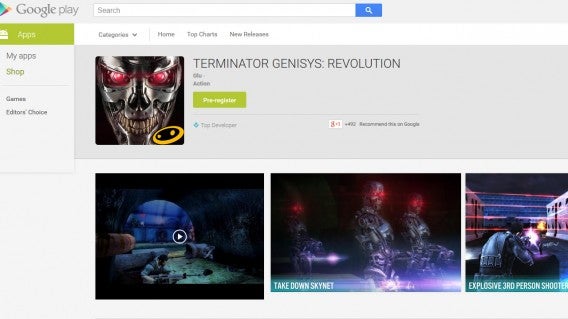
Pre-registration is now live for apps on the Play Store, starting with Terminator Genisys: Revolution

Google was also generating some headlines of its own over the weekend, with the news that it will now allow you to pre-register for games on the Play Store. While you have been able to pre-register for books and DVDs (if you still buy such things) for years, apps and games are the latest to get this feature, although you don’t have to pay anything to pre-register and you’re not committing to buying anything. You will merely receive a notification when the game is released. Terminator Genisys: Revolution is the first game where this option has appeared.

These photos of Apple’s first employees from the company’s earliest days are absolutely wonderful

The fascination with Steve Jobs and Apple’s early days show no signs of waning, with the release of more photographs of Jobs, along with Steve Wozniak, and other early employees. Aside from some group photographs (with some retro clothes and hair), there are also hand drawn copies of early office plans, showing the evolution of the company from a nimble start up to a more corporate organization.

Nintendo will release five smartphone games by 2017

Nintendo characters

It’s good news for Nintendo fans, as the company’s CEO and president revealed that it will release five new mobile games by March 2017. This is before its first smartphone offering has even hit the iOS and Android stores.  These games will be focused on quality and longevity, they will also not simply be ports of existing console games.

What’s the environmental impact of your nightly Netflix binge?

Millenials are – in general – more conscious and aware of their environmental impact and sustainability than the previous generation. So, this will make interesting reading for anyone that believes that by not buying paper copies of newspapers and books, and doing everything electronically, they are reducing the damage they cause to the environment.

Showtime’s version of HBO Now to launch in ‘coming months’

If you’re not put off by the environmental impact of your streaming services, then this may be music to your ears. CBS is to launch Showtime – its cable network – as a streaming service within the next couple of months. Much like the recently launched HBO Now, you won’t need a cable subscription to access the service.

Related Articles

The best in tech: what you missed this weekend – May 4th

The best in tech: what you missed this weekend

App of the Week: Project CARS

Follow me on Twitter: @karenmccandless

Five Apps to Try this Weekend – May 8th 2015

We are back again with another five app recommendations to keep you busy this weekend.

This week we start with Notification Bubbles, the active wallpaper that turns notifications into relaxing bubbles that float serenely up the screen – the perfect way to take the stress out of all those pop-ups that create unnecessary stress on your days off.

Next up we have Microsoft’s How Old web-app. This little curiosity lets you take a photo (or pick on from your gallery) and then tells you the age and gender of the people in the photo. The result is usually either a huge ego boost or a crushing disappointment.

We have two games to keep your thumbs twitching this week. Comic fans have the free to play action RPG Marvel Future Fight (Android | iOS), while car fanatics should be able find everything they could hope for in Project Cars.

If you are tired of sitting around looking at apps, we finish of with Adidas Go, the running aid that matches the beat of music pulled from your Spotify account to the speed and gait of your stride.

That’s it for this week. Remember to subscribe to our YouTube channel to make sure you never miss a video, and I will see you next time.

Related Stories

App of the Week: Project CARS

Five Apps to Try this Weekend – May 1st 2015

Five Apps to Try This Weekend – April 24th 2015

Follow me on Twitter: @DoFuss

Best free messaging apps

If there’s one thing there’s no shortage of, it’s messaging apps. Whether you’re a first-time user looking to pick the best app, or are simply looking for one to streamline your communication, there are a few that stand out from the crowd in terms of user base, functionality, and additional features. Below are some of the best free messaging apps for iOS, Android, Windows Phone, and BlackBerry.

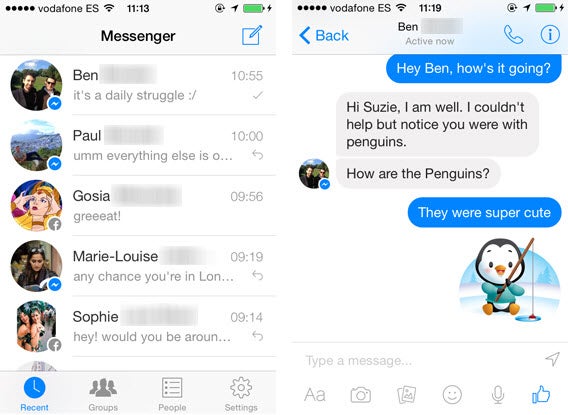
Facebook Messenger

Facebook got a lot of heat for removing messaging services from its mobile app earlier this year, forcing users to download a separate Messenger app. Regardless of whether or not you’re a fan of the standalone app, there’s no denying that it’s one of the most popular ways to communicate on mobile with one of the largest user bases.

Arguably, making it a separate app has let Messenger compete with more classic messaging services like WhatsApp, letting you create group chats, send images, voice notes, stickers, and even make video calls. It’s biggest strengths are that the fact that it seamlessly integrates with Facebook in the browser, meaning you can take your conversation from mobile to desktop painlessly. If you thought Messenger was boring, it supports apps giving your chats a lot more life with support for gifs or videos.

Facebook Messenger also has its own web client so you don’t have use Facebook to chat with friends.

Download Facebook Messenger for Android | Blackberry | iOS | Web | Windows Phone

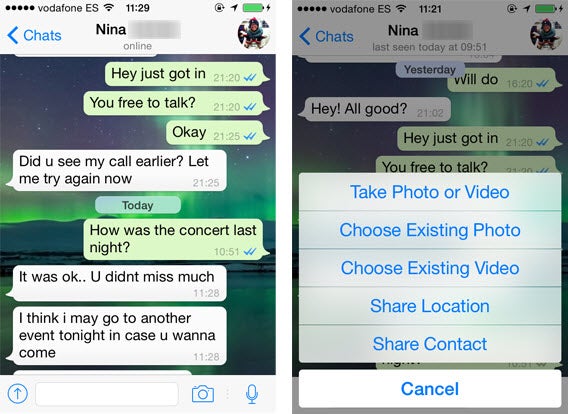
WhatsApp

WhatsApp was bought by Facebook for just shy of $20 billion, but that hasn’t deterred people from continuing to use WhatsApp. It doesn’t have anything that rival messaging apps don’t have, except for the largest user base. As of August 2014, it had 600 million monthly active users and continues to grow steadily. WhatsApp lets you send messages, voice notes, images and video, pin your location, share contacts, and create group chats. WhatsApp added a read receipt in the form of two blue checkmarks, letting you know when others have read your messages. You can also use WhatsApp on the web and chat with friends.

It’s also more customizable than other messaging apps, letting you change chat wallpapers and set a status message.

WhatsApp is free for the first year of use, after which you have to pay an annual fee of $0.99.

Download WhatsApp for Android | Blackberry | iOS | Web | Windows Phone

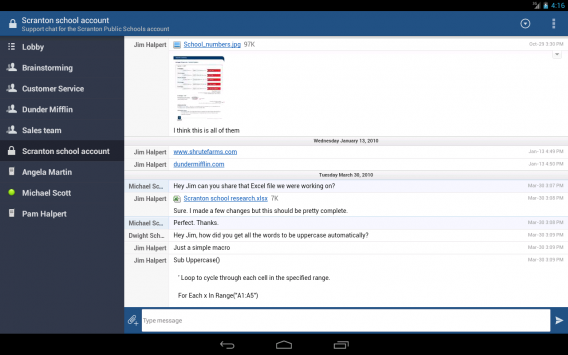
HipChat

While HipChat is designed for team communication, it works as a standard messaging app. You can create different groups so your conversations are separated. You spend most of your time on the web or desktop app, but HipChat’s mobile apps work. One problem is that you will only get notifications if someone mentions you so the conversation can continue after you leave the app. You can share files and video chat, but the best use of HipChat is sending links of pictures that load in chat.

hipchat

HipChat won’t replace messaging apps you use with friends, but it makes work communication a lot easier.

Download HipChat for Android | iOS | Mac | Windows

Slack

Slack is another popular team communication app. Also designed for businesses, it uses a simple channel system. A company can use a single domain for all its communication and people within the company can create different topic channels. You can send direct messages or create private groups that are invite only.

You can post links and images and get a preview without clicking on the link which makes ignoring boring links easier. Slack can also integrate with other tools like Dropbox, Hangouts, and Twitter. If you have multiple teams working together, Slack is a very useful solution for quick communication.

Download Slack for Android | iOS | Mac | Windows

Skype

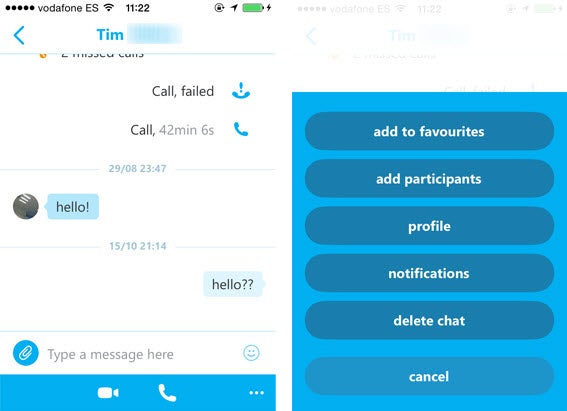
Skype rose to popularity as the desktop VOIP calling app that finally let you video chat with friends and family across the globe. In recent years, the software has taken the natural step of migrating to mobile, transitioning gracefully into a mobile messaging app. It’s primary use is still voice and video calling, and that’s apparent in the app’s simplistic structure.

Two options at the bottom let you either open the dialer to make a call, or start a chat with anyone from your contact book. The home screen houses recent chats or calls, and favorites. One of it’s great features is the ability to have video-conference calls with up to 4 people.

Without all the bells and whistles, Skype’s one of the simplest messaging apps out there if you’re a frequent user of the service and want to migrate all your communication to one app.

Download Skype for Android | Blackberry | iOS | Windows Phone | Windows | Mac

Viber

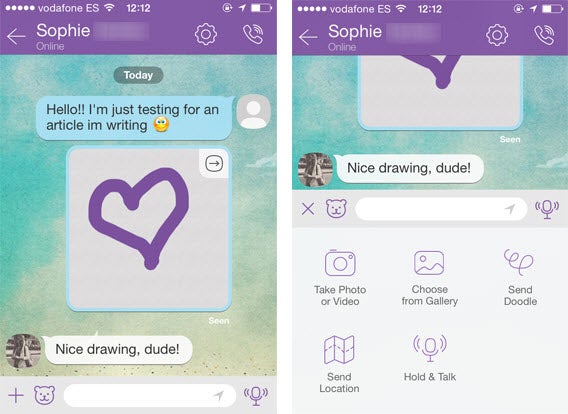
Viber’s more popular for its ability to make free VOIP calls than it is for its chat function, but its chat actually has quite a lot to offer. You can send doodles, which lets you draw an image on your touch screen and send it to a contact, as well as send photos, videos, and share your location. Like WhatsApp, it’s got customizable backgrounds and the dreaded ‘read receipt’.

The real star here though, is its VOIP calling features. Much like Skype, you can voice or video call Viber contacts for free with the iOS and Android versions of the app. The VOIP call quality varies and is very much dependent on your connection speed, but when it works, it works well.

It’s most recent addition is Viber Out, which again, similar to Skype, is a feature that lets you buy credits and make calls to mobiles and landlines at low prices. Another notable feature is a desktop client that lets you move between mobile and desktop. A recent test by the EFF, however, shows that among its competitors, it’s not a very secure messaging option.

Download Viber for Android | Blackberry | iOS | Windows Phone | Windows | Mac

LINE

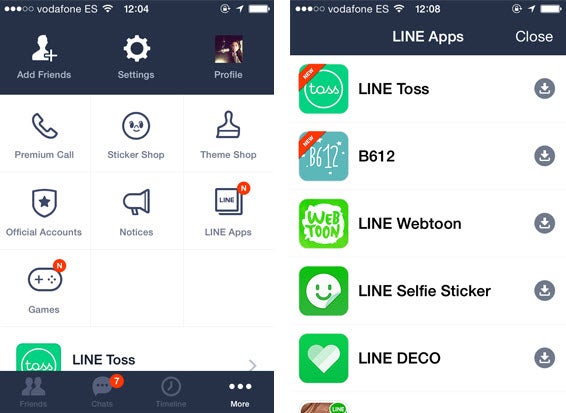
Hailing from Japan, LINE may not be as popular on this side of the world, but its one of the leading messaging services in Asia thanks to its cute and furry characters, attracting over 300 million users. Not surprisingly, one of it’s token features is a copious amount of stickers, some of which you’ll have to pay for. It’s also got a Snap Movie feature, which lets you record a video, add background music, and share with friends, as well as Hidden Chats, which similar to Snapchat, lets you send secure messages that’ll disappear after a certain amount of time.

Aside from these quirky additions, LINE is popular for its voice and video calling features whose quality rivals that of Skype and Viber. Similarly, it’s also got a desktop app to take your conversations from mobile to desktop and back.

Expanding from it’s messaging roots, LINE’s also got a Timeline feature that lets you post things that your LINE contacts will be able to see, giving it more of a social-network feel. There’s also a slew of LINE games you can download for iOS and Android.

Download LINE for Android | Blackberry | iOS | Windows Phone

KakaoTalk

Like Line, KakaoTalk is the supreme chat app in South Korea. With an almost 1-to-1 install base, the chat app has evolved into its own platform for games, social networking, and photos. The app lets you share photos and video and you can make voice calls to friends anywhere in the world. You can buy new emoticon packs from popular Korean webtoons or Kpop artists or theme packs to customize your chats.

kakaotalk

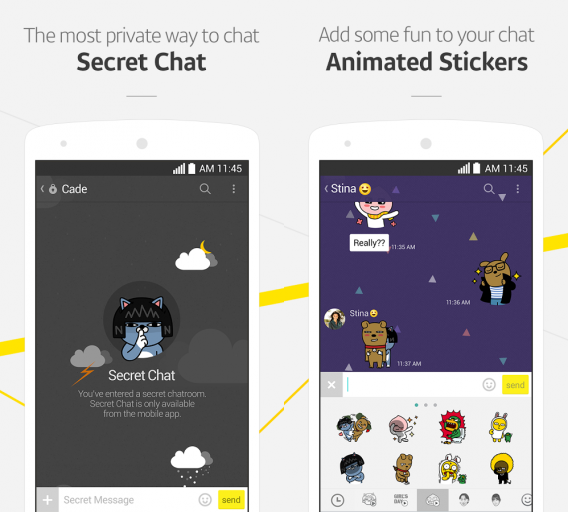
KakaoTalk supports group chat with an “unlimited” number of people. If you talk with a lot of friends on KakaoTalk, you can install KakaoTalk for PC. There is also the option to have “Secret Chats” with friends if you want.

Download KakaoTalk for Android | iOS | Mac | Windows | Windows Phone

Hangouts

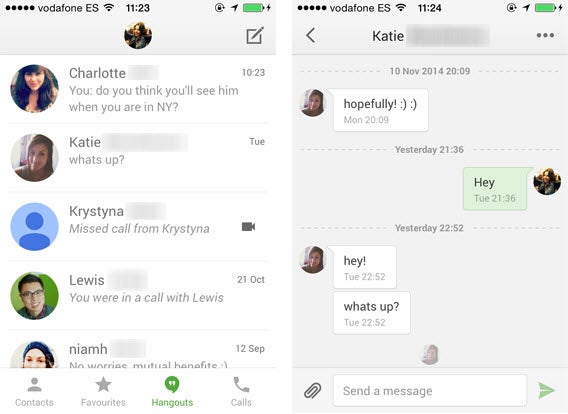
Google replaced it’s default Android messaging app earlier this year with Hangouts, angering many Android users because of the fact that SMS conversations and Hangout chats from the same contact weren’t syncing in the same convo. It’s since been replaced by a separate Messages app in Android 5.0 Lollipop for those who don’t want to mix SMS with Hangouts messages. Despite this annoying bug, Hangouts is still a great messaging app.

Its got video chat with up to 10 people, syncs with the browser app in Gmail, and similar to Facebook Messenger, benefits from syncing your Gmail contacts so that you don’t have to manually look for or add people to chat with. Interestingly though, there are a few key missing features in the mobile app, including the draw feature, and “invisible” status.

Download Hangouts for Android | iOS | Windows

Kik

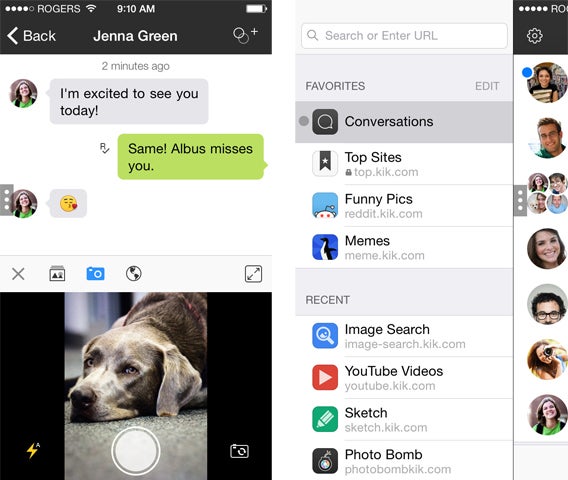
Kik comes off as a standard messaging app at first glance, but it’s got more than meets the eye.

Kik’s unique feature is the fact that for a mobile-first messaging app, it doesn’t require a phone number to register or use; simply sign up with an email address and username. You can then search for others using their usernames. Aside from the standard chat features, it’s got Kik Cards, optional features which let you play games, make sketches, send YouTube videos, and share sounds from SoundCloud, all without leaving the app. It also promotes itself as the first messenger with a built-in browser, giving it a bit of an edge if you’re looking for an all-in-one app. Like Viber though, it’s among the least secure options for messaging.

Download Kik for Android | Blackberry | iOS | Windows Phone

At the end of the day, most of these messaging apps perform the same functions. It all comes down to whether or not you want additional features, functionality on desktop, and most importantly, how many of your friends are using the service.

In theory, it’d be nice to have one messaging app to use with everyone. In reality though, I use at least 5 of these messaging services on a regular basis to communicate with different friends, and more than marking one as better than the other, I think they’re all pretty useful in their own way.

Related articles

Best free iPhone apps

Best free photo editing software

Best camera app for Android

Follow me on Twitter @suzieblaszQwicz

App of the Week: Project CARS

Softonic’s App of the Week highlights some of the coolest, most unique, and popular apps that have been released for Android, iOS, Windows, or Mac. This week, it’s the big racing title of 2015, Project CARS.

Project CARS isn’t a pure simulator, but it’s pretty close, and certainly isn’t an arcade game. As PC gamers have not had a Gran Turismo or Forza game, Project CARS fills this gap. But it’s arguably a better driving game than either of those console exclusives, with a much more visceral feel to the racing (especially compared to Gran Turismo).

The other refreshing thing about Project CARS is that it doesn’t force you to ‘rise through the ranks’. Let’s be honest, grinding your way through licenses and classes of slow cars, before you can drive the cars you probably can’t in real life is a drag. Project CARS lets you start where you want, and that’s great.

This is quite a tough game, though, but the wealth of settings mean you can set it up just about any way you like. There’s a raft of driving aids, and you can change the sensitivity and layout of all the controls. Even on ‘beginner’ settings, this is not a casual racing game, but it’s loads of fun. We’d like to see a bigger library of cars to choose from, but as it gets the feel of driving so right, it’s difficult to complain.

Check out our Project CARS review.

Project CARS: PC specs announced with more game details

Should my kids be playing this? Parents’ guide to games in 2015

Everything you need to know about GTA V on PC

Follow me on Twitter: @jonathanriggall

Apps for women: breaking down gender stereotypes

In the lead up to International Women’s Day, I penned an article about the worrying and depressing attitude that many app developers (and society in general) have towards “apps for women”. While researching the article, I came across some pretty awful examples of apps directed at the female population, but it wasn’t just the technology that was the problem, the attitudes bothered me too. In this day and age – depending on where you live and work – you might think that this isn’t such a problem. Not so: the stereotypical image of a woman who is only interested in clothes shopping, painting her nails, cooking, and having babies still pervades.

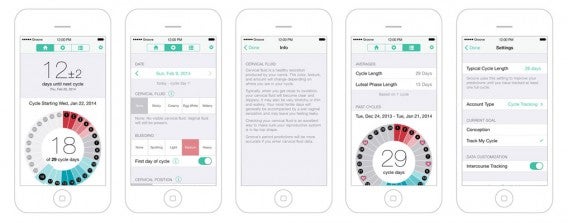
But I was also heartened to hear from some developers and companies that are bucking this trend and developing apps for individuals, regardless of gender. One of these people was Jennifer Aldoretta, co-founder and CEO of Groove, which is a period and fertility tracker for iPhone. Aldoretta started Groove out of the frustration she felt when downloading app after app designed based on gendered stereotypes that perpetuated outdated ideals. She also believed that these apps designed for “women” were harming society and that by viewing her customers as humans before women (or whatever gender they happen to identify with), helped her not only design a fantastic app, but also put the company on the frontline of the battle to break down gender stereotypes.

I spoke to Aldoretta about the gender stereotyping that she has encountered in the industry in the past, as well as how her and her company’s approach to design is aiming to break down these harmful images.

What gender stereotyping issues (for both women and men) did you come across before designing Groove and when you were downloading apps yourself? How do you think these apps are harming society?

The biggest problem I found was that developers seemed to be placing users into a strictly-defined box. Most period trackers—regardless of how “girly” they are (or aren’t)—perpetuate harmful gender norms. When certain features—like an entry field for ovulation predictor kits or pregnancy tests, for example—are forced onto users, it narrowly defines a woman as someone who is heterosexual, gender conforming, and interested in having children. Even something as simple as asking every user about PMS reinforces the way society thinks about women.

Period and fertility tracking is an essentially female thing, so how did you make sure Groove doesn’t play to gender stereotypes itself, and how did you incorporate this into every area of its design?

Our approach to design has always been “people first”. Designing for humans rather than for social constructs like gender has made it relatively easy to avoid stereotypes. We take great care in our designs and I think that really shows. We’re constantly checking our biases and challenging ourselves to question absolutely everything.

Who did you design Groove for specifically?

Even though we originally designed Groove for me, I knew I couldn’t be the only one frustrated with other apps. I’ve always hated apps that feel like they’re designed for some singular person that doesn’t actually exist in the real world. I wanted Groove to feel personal for me, but I also wanted it to feel personal for everyone else, which is why we designed it to adapt to individual users.

What are you (and your company) doing to try to break down gender stereotypes in the industry and in general?

I think the most important thing we’ve done both as individuals and as a company is realizing we can help affect change in everything we do. Being mission-driven, designing for people, providing comprehensive education, using real people in our marketing campaigns, discussing important issues on our blog and social media—each of these things can help change society in some way, even if it’s small. That’s always at the front of my mind.

Are there any other apps, projects or people in the industry you’d like to call out as doing a good job at breaking down gender stereotypes. On the flip side, are there any you’d like to mention as perpetuating the negative perception?

I think it’s important to both commend and call out social media platforms. Even though Facebook and Twitter are huge outlets for hate and discrimination, they’ve also become a massive driving force for positive change. Abuse is a very serious and ongoing problem that the companies need to work harder to address. But, at the same time, projects like the Representation Project are able to leverage their platforms to hold people and organizations accountable in ways we could never do before. It’s incredibly powerful.

Related Articles

You go girl! Why so many apps for women are just plain sexist

Apps for good – the charities embracing smartphones to deliver their message

Why choosing the best eBook app is difficult: DRM

Follow me on Twitter: @karenmccandless

Best free cloud storage

It used to be common to store files on your computer, external drive, or burned on a CD. Now people want files available anywhere, anytime and that’s why cloud storage is so popular today. There are a lot of companies that offer cloud storage, but vary in the amount of free storage available and features.

Check out this list of the best free cloud storage options and decide which one works for you.

Google Drive

Google is one of the biggest providers for cloud storage. Free Google Drive space is included with your Gmail account. If you use Google Docs, files are stored in your Drive account and accessible through the web or mobile apps.

You can install a Google Drive folder to your desktop to access files. You can select which folders to sync, but be aware that syncing takes space on your computer.

google drive

Free: 15GB across Gmail, Google Drive, and Google+ Photos

Paid: 100GB – $1.99/month, 1TB – $9.99/month, 10TB/month – $99.99

Upload limit

Documents: 50 MB and 1 million characters

Spreadsheets: 100 MB and 400,000 cells with a maximum of 256 columns

Presentations: 100 MB (created in Google Drive), 50 MB (uploaded, converted presentations)

Files: up to 5 TB each

Items counted towards storage are Gmail messages and attachments, files stored in Drive like images, videos, and music, photos over 2048×2048 pixels and videos longer than 15 minutes.

Open within Drive

You can open and preview common files via browser without a problem. The Android app can stream music and video. Google Drive for iOS is limited to simply viewing files and can’t play media.

Google Drive in Chrome can play music files. AAC and OGG files are also supported, but there is a delay. If you want to play FLAC or ALAC, then you’ll need a compatible third-party app. You can also watch uploaded videos in a variety of formats. WebM, MPEG4, 3GPP, MOV, AVI, WMV, FLV, and MTS. After you upload, the file is processed for playback in Google Drive.

Photos will open in a preview window and other office documents will open in the respective app if they’re supported. Other file types like PDFs are viewable in Drive, but you need to install a third party app from the Chrome Web Store.

Google Drive: Android | iOS | Mac | Windows

Best for: Gmail users, general backups, and file sharing.

Dropbox

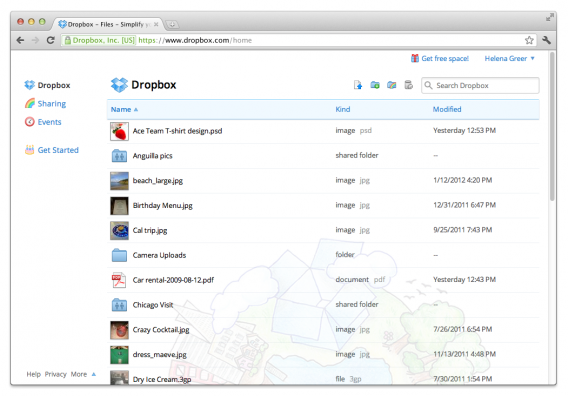
Dropbox has been around for a while and a lot of people use it. Unfortunately Dropbox only offers 2GB for free accounts, much less than its competitors. However, you can earn more space by referring friends and other methods. Dropbox adds a folder on your desktop that syncs with your online account so if you manage files through that folder, changes also happen in the cloud.

dropbox

Free: 2GB (with ability to earn more)

Paid: 1TB – $9.99/month

Upload limit

There is no limit when uploading on the desktop or mobile apps. Files uploaded through the website are limited to 10GB. Be aware that Dropbox syncs with your computer so if you don’t have enough physical hard drive space, you can’t upload all your files.

Open with Dropbox

Dropbox can open files stored online. On desktop, you’ll need a compatible program. Depending on the mobile operating system, you will be able to view a file, but saving edits will only work if the program is integrated with Dropbox. Here’s what each mobile application supports:

Android

The Android app will search for a compatible application.

iOS

Images: JPG, TIFF, GIF

Music: MP3, AIFF, M4A, WAV

Movies: MOV, MP4, M4V

Microsoft Office: DOC, DOCX, PPT, PPTX, XLS, XLSX

Adobe PDF

iWork

Text: TXT, RTF, and more

Dropbox: Android | iOS | Mac | Windows

Best for: Productivity.

Box

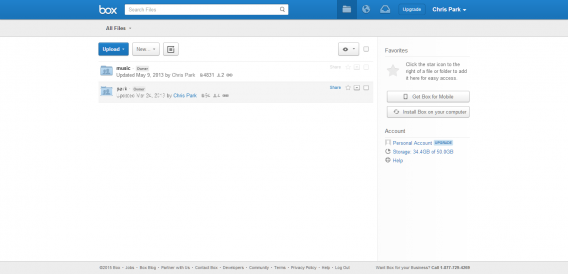
Box is another classic cloud storage service. It’s great for personal use with 10 GB of storage, but the 250 MB upload cap is disappointing. If you go with a paid plan, you will have a higher upload cap, but the amount of storage doesn’t match other providers.

box

Free: 10GB, 250MB upload limit

Paid: 100GB, 5GB upload limit – $10.00/month

Upload limit

Box is perfect for photo and music storage. 10GB should store most of your photos and some of your music. But it’s worthless for storing videos. You’ll probably hit the 250 MB cap a lot if you try and upload high definition videos.

Open in Box

When you’re using the Box app, you can use Preview to glance at files. If you’re using Box through a browser, you can view most common file formats. But Preview is limited to files 500MB or smaller except for video files which have a 3.5 hour limit. If you’re viewing video, it will be down-sampled to 640×480.

Box Mobile apps give you different options if you’re using Android or iOS. Android lets you to view, create, edit, and share files. iOS allows you to view and share only. If there are compatible third party apps, you will be able to edit within those.

Box: Android | iOS | Mac | Windows

Best for: Productivity, photo backups.

iCloud Drive

Apple’s service is great if you live inside the company’s ecosystem. While it’s compatible for Windows, iCloud Drive is designed to benefit OS X and iOS users with simple drag-and-drop and cross-app editing. One problem with iCloud is it’s possible to fill up the free 5GB very quickly.

icloud drive

Free: 5GB

Paid: 20GB – $0.99/month, 200GB – $3.99/month, 500GB – $9.99/month, 1TB – $19.99/month

Upload limit

iCloud Drive lets you upload any type of file to your storage. The file size limit is 15 GB, but considering only 5GB is free, don’t expect to store a lot of media files. iCloud Drive is best for sharing files and data between apps.

If you want to store your music in iCloud, then you’ll need to sign up for iTunes Match at $24.99 a year.

Open in iCloud Drive

If you have a compatible app, you can open files on different Apple devices and sync changes across them all. This means that you can edit one document in different apps, but always have the latest version when you sync through a data connection.

If you use Apple products, then using iCloud Drive as a productivity tool is useful.

iCloud Drive: Mac | Windows

Best for: Apple users with Mac and iOS devices.

Amazon Cloud Drive

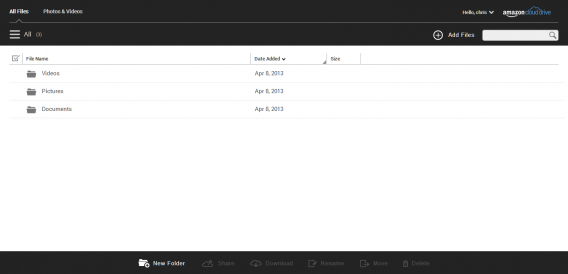
Amazon is the biggest online marketplace in the US, but its cloud storage service isn’t as well known. It works as a basic cloud storage alternative. It’s meant for smaller files rather than full backups. Amazon is also taking a familiar approach with files available on Amazon’s Fire devices.

amazon cloud drive

Free: 5GB

Paid: 20GB – $10.00/year, 50GB – $25.00/year, 100GB – $50.00/year, 200GB – $100/year

Upload limit

Photo and video uploads are limited to under 2GB and videos have to be less than 20 minutes long. As a bonus, Amazon Prime members get unlimited photo storage.

Open in Cloud Drive

Amazon supports different apps, but it’s obvious from the selection it’s meant for photo storage rather than productivity. OfficeSuite is supported, but the majority of apps are for file management.

Amazon Cloud Drive: Android | iOS | Mac | Windows

Best for: Photo backups with Amazon Prime.

OneDrive

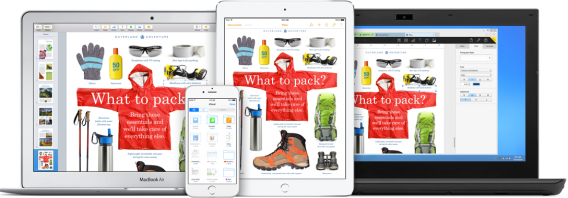
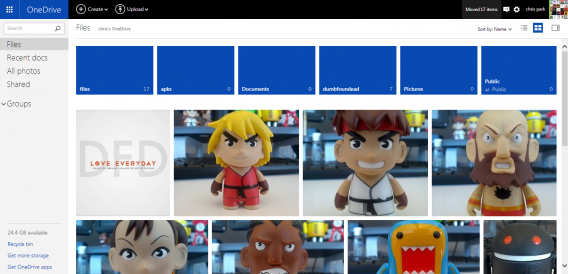
Microsoft is transforming into a cloud-driven company using OneDrive to unify its ecosystem. OneDrive is the company’s cloud storage system that works like Google Drive.

Office Online is included with OneDrive so you can work on Office docs in the cloud. The desktop app gives you access to your files without needing a browser. Files are stored online, but you can select files for offline access.

onedrive

Free: 15GB, add 3GB (camera roll backup), add up to 5GB by referring friends. Follow our guide to get an up to 8GB of free space.

Paid: 100GB – $1.99/month, 200GB – $3.99/month, 1TB – $6.99/month includes Office 365

Upload limit

OneDrive works as a general storage solution so you can upload any type of file. The upload limit is 10 GB.

Open in OneDrive

You can open Microsoft Office Word, PowerPoint, Excel, and OneNote documents through OneDrive. You can share files from your OneDrive account through your Outlook email too.

MP3 files didn’t play natively in the app and downloaded the file to my device instead, but video played in a preview window. Supported formats are Mp4, MOV, and M4V, but if a video won’t play in OneDrive, you’ll have to download it first and use a compatible video player.

OneDrive: Android | iOS | Mac | Windows | Windows 8 | Windows Phone

Best for: Windows 10 users.

MEGA

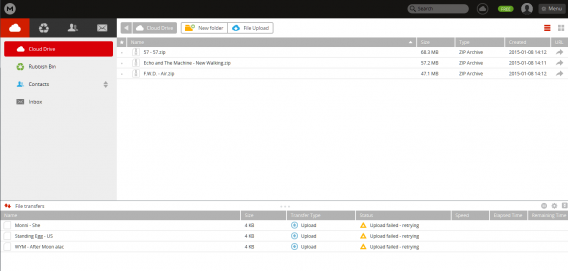
MEGA is the successor to Megaupload. MEGA is an encrypted storage service, which is a little different from it’s predecessor. You can store anything you want and get access through the desktop client, browser, or apps. There is end-to-end encryption for files and even MEGA won’t know what your uploads are.

The desktop app is similar to Google Drive and Box because it adds a folder to your computer. You choose what folders you want to sync and files can automatically be uploaded to Mega.

mega

Free: 50GB, 10GB monthly bandwidth limit

Paid: 500GB – 9.99€/month, 1TB monthly bandwidth limit, 2TB – 19.99€/month, 4TB monthly bandwidth limit, 4TB – 29.99€/month, 8TB monthly bandwidth limit.

Upload limit

There is no maximum file size limit, but you’re limited by available account space.

Open in MEGA

MEGA is for storage so there are no tools to play or view files. If you’re synced on desktop, you can browse your files like you would through an explorer. The Android app can stream audio and video.

MEGA: Android | iOS | Mac | Windows

Best for: Storing files securely, getting the most free space.

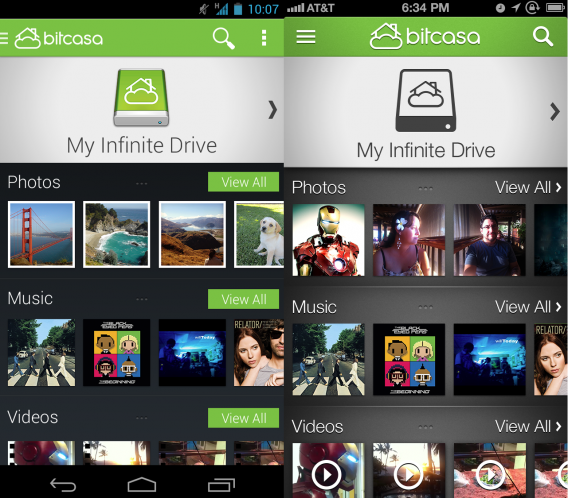
Bitcasa

Bitcasa is another end-to-end encryption cloud storage service. A nice feature is that you can view or stream any kind of file without needing extra software on any device. The company says that three fully encrypted copies are stored in its servers. You can also share files with people even if they’re not using Bitcasa.

Bitcasa offers auto-backups so you can set important files to back up and not worry about losing important data.

bitcasa android ios

Free: 5GB

Paid: 1TB – $10.00/month, 10TB – $99.00/month

Upload limit

Bitcasa’s desktop client doesn’t have any upload limits, but the mobile and web apps are capped at 2 GB.

Open in Bitcasa

Bitcasa supports viewing and streaming within its apps without needing extra software. That means you can play music, watch videos, and open documents within the app. If something doesn’t play then the file is either corrupt or Bitcasa doesn’t support it, but considering the list of supported formats, it’s probably corrupted.

Bitcasa: Android | iOS | Mac | Windows | Windows 8

Best for: Backing up important and sensitive files.

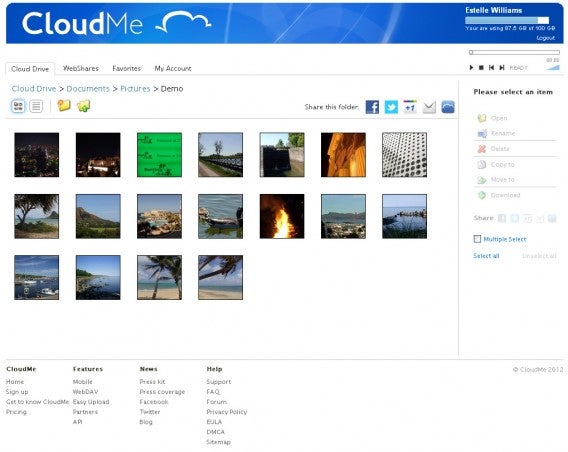
CloudMe

CloudMe is a cloud storage service with multiple tiered plans, you can get storage for a small amount of money. The free plan ranges from 3 to 19GB with a maximum file upload of 150 MB. CloudMe isn’t designed to be an all-in-one solution and works better for selective backups. You can backup photos through its mobile app, sync through desktop, stream, and share folders.
Courtesy of CloudMe, Photograph Peter Karlsson

Free: 3 – 19GB

Paid: 10GB – € 1/month, 500GB – € 30/month

Upload limit

The free plan is limited to 150MB and any paid plan is limited to 2GB.

Open in CloudMe

You can stream music and watch music in the app. If you want to edit files, you will have to download them first.

CloudMe: Android | iOS | Mac | Windows

Best for: Photo and music backup

These are just a few cloud storage options. Combining all the free plans might be difficult to manage, but you’ll get a lot of free space without spending any money.

Related Articles

Best free office suite

Best free Android apps

Best free iPhone games

Best free video editing apps

Now that most people have a smartphone, it’s possible to take photos and record video all the time. The booming popularity of action cameras like GoPro to piles onto the amount of video being captured every day. But what do you do after recording all that video? Professional video editing suites like Apple Final Cut cost a lot of money and feature a high learning curve. Sometimes all you want to do is combine multiple clips and to share on YouTube or Facebook. For that, all you need is a simple, free video editor.

Here’s a look at some of your options for free video editing programs.

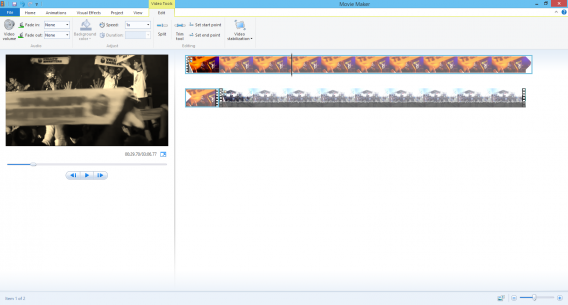
Windows Movie Maker

windows movies maker

Included as part of Windows Essentials 2012, Windows Movie Maker is Microsoft’s free video editing software. You can quickly import and combine clips to make a single video. There are theme options and you can also add transitions between clips so there isn’t a jarring cut. Movie Maker is basic in presentation, but actually has a lot of good options for simple and straightforward videos. It doesn’t feature confusing advanced options and is easy to start and finish a project.

Pros: easy to use, included themes, interface is easy to understand

Cons: crashes a lot, not meant for power users

DownloadWindows Movie Maker for Windows

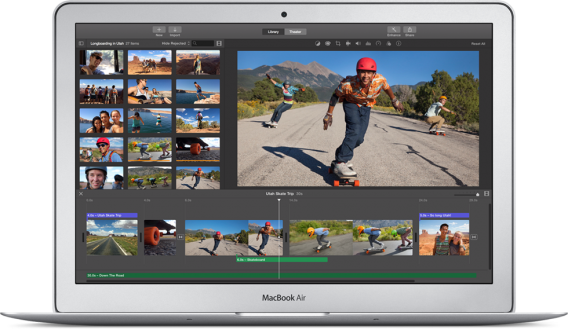
iMovie

imovie

Apple’s included video editor is easy to use and available across all of its devices, even for the iPhone. It focuses on simplicity and can create great looking videos. You can take a bunch of clips, cut them up, and add your own personal touch with its interface. One problem with iMovie is that it supports a limited number of supported formats and longer projects take a long time to export. The app can export video into a lot of different formats but it has a tendency to crash if you don’t have a lot of hard drive space or RAM available. While Apple tries to make the learning curve relatively easy, you will have to use some trial-and-error to learn all its features.

Pros: lots of options, iOS app

Cons: limited format support, needs a lot of system resources

DownloadiMovie for OS X

OpenShot Video Editor

openshot video editor

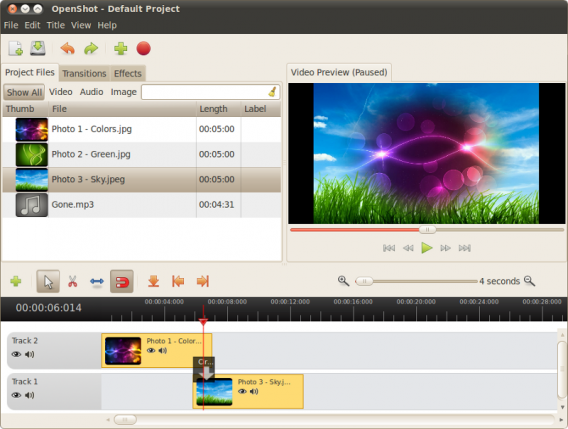
OpenShot Video Editor is a free open source editor. That means you never have to worry about paying for it. The editor includes all the features you need to create a good movie. You can combine different clips to make a full movie, but also resize and scale them so all your videos have the same dimensions. Supported formats are based on FFmpeg which means it covers the most common formats. If you want to be really creative, add effects and animations to give your movie added flair.

Pros: free, offers a lot of features

Cons: infrequent updates

Download: OpenShot Video Editor for Windows

Avidemux

avidemux

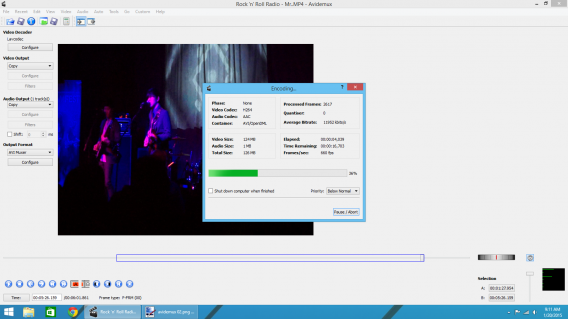
On the surface, Avidemux looks simple. However, this open source video editor is actually quite complex. It’s more than an editor and also works as a video converter. You can add multiple files, trim and crop scenes, and configure the video output. The problem with many of these options is that there’s no explanation for its different tools. One strange issue I had was that Avidemux exports in 4:3 by default and even after manually setting the aspect ratio to 16:9, it still encoded the video in 4:3. Avidemux might be better as a converter rather than an editor even though the option exists.

Pros: convert as well as edit, lots of export options

Cons: confusing interface, lacks intuitive flow to editor

Download: Avidemux for Mac | Windows

Lightworks

lightworks

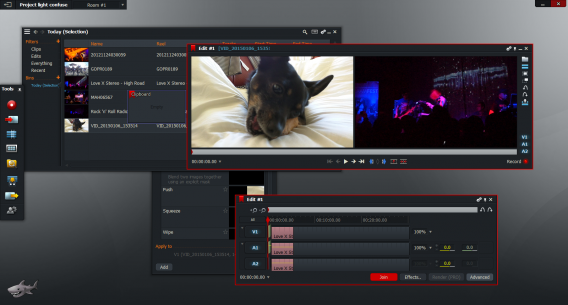
The first thing you notice with Lightworks is that it looks daunting. And that’s because it is. The video editor offers a bridge between the novice and professional editors. Lightworks is a free editor that contains many tools to manipulate your videos. If you don’t have any experience editing videos, then you should watch all of Lightworks’ video tutorials before you start.

However, the massive amount of options included in the free version are impressive. The free version is limited, as you can only export in 720p for YouTube and upgrading requires a yearly subscription fee. The video editor is complex for novices, but shows how much editing is possible with the right options. If you’re going to use Lightroom, the app needs a lot of monitor space because there are a lot of feature pop-up menus. But if you want to really learn how to edit videos professionally, Lightworks is the best option.

Pros: professional level editor, lots of options, video tutorials

Cons: high learning curve, confusing for novices

Download: Lightworks for Mac | Windows

VSDC Free Video Editor

vsdc free video editor

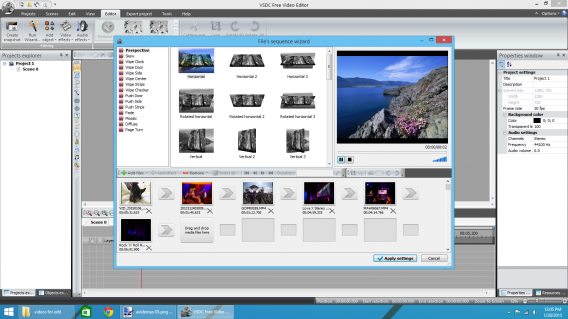
VSDC reminds me of a more advanced version of Windows Movie Maker. The interface is easy to understand and the toolbar shows all the options that you might need to use. The sequence wizard takes out a lot of the guesswork about how your video will look and you can add transitions between each video.

While many other editors make you set your options and then export the video, VSDC displays all relevant info about the exported video like resolution, video codec, and audio information. This information may not be that important to some people, but knowing format information is important if you’re going to upload the file to a streaming service like YouTube or Vimeo.

If you don’t like Windows Movie Maker, VSDC is your best option. There’s a slight learning curve, but you will be able to make more advanced videos without trouble.

Pros: included video wizard, easy to understand interface, great alternative to Windows Movie Maker

Cons: slight learning curve, some features need better explanation

DownloadVSDC Free Video Editor for Windows

Wondershare Video Editor

wondershare video editor

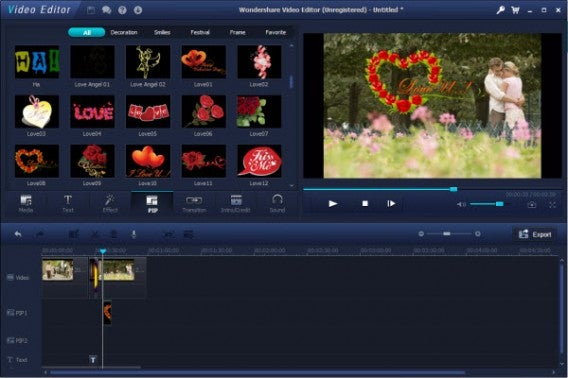
Wondershare Video Editor is a free and paid video editor. If you’re using the free version, any exported project will have a watermark in the video. But this video editor might be a good way to learn how to create videos without spending any money. You can use tools like picture-in-picture, filter effects, and add subtitles. Wondershare Video Editor uses drag-and-drop editing so you drag the file into Wondershare and then drag them into the timeline. If you’re a video editing novice, Wondershare provides a lot of automatic tools to enhance your videos.

Pros: versatile video editor, lots of features

Cons: watermark in free version

Download: Wondershare Video Editor for Windows

This is only a small selection of free video editors. While Movie Maker and iMovie will work for simple projects, if you’re looking for a fuller featured editor, then Lightroom is your best bet. Learning all the tools included will make your videos look professional, just expect to spend a lot of time learning how the app works.

Related Articles

Best free office suite

Best free cloud storage

Best free backup software

Follow me on Twitter: @chrislikesrobot

Grad gift guide: high school grads

The graduate in your life just wrapped up four years of high school but he or she still has four more years to go (hopefully only four years). To make sure they have the best chance of success, make sure to equip them with the right tools for college.

In this gift guide, we’ll tackle the best tech and apps to help your grad succeed in college.

Phones

Smartphones have become essential to our way of living. The ability to look up anything on the internet and the ability to stay in touch make it something most people can’t live without. If your grad is still using a flip phone, it’s time for an upgrade. Here are the best phones you can buy right now.

iPhone 6 or 6 Plus

iPhone 6

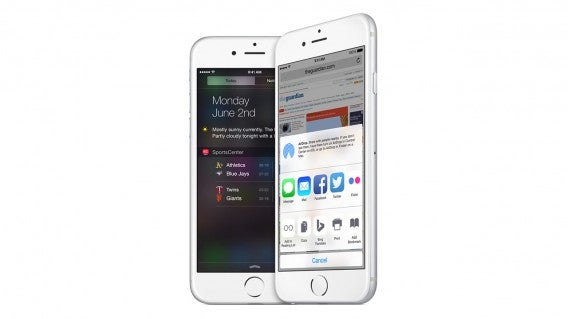
The iPhone started the smartphone revolution and continues to be one of the best phones you can buy. Apple finally made its phones larger with the introduction of the 6 and 6 Plus. Which one you should get your grad really depends on his or her needs.

If your grad already has a tablet, the iPhone 6 will do just fine. However, if your grad wants a smartphone and a tablet, save yourself the money and buy him or her the iPhone 6 Plus. The larger screen is great for reading and watching video. It’s a bit unwieldy since it’s so big, so check with your grad to see if that’s something that would bother them.

You can’t go wrong with either phone, especially if your grad loves taking photos. The iPhone’s camera is still the one to beat.

Buy: iPhone

Samsung Galaxy S6

Samsung Galaxy S6 blue

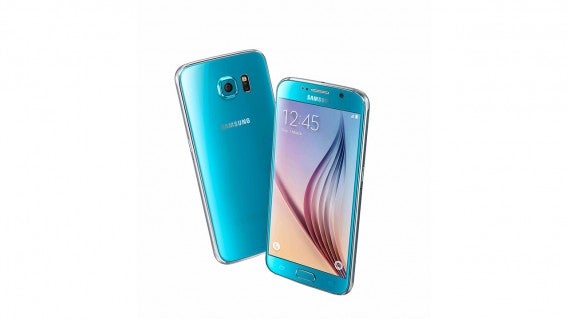
Although some will argue that the Samsung Galaxy S6 is a blatant design ripoff of the iPhone 6, there’s no denying it’s a great phone. Along with top of the line specs, the Galaxy S6 refines its software with less intrusive skinning. Depending on which carrier you get the phone for, it might contain a bunch of bloatware, which is annoying but can be disabled.

Buy: Samsung Galaxy S6

Moto X

Moto X wood grain

If your grad wants a more fashionable phone, the Motorola Moto X (2014) is a great choice. You can customize the entire phone online before ordering it. You can spec the phone out with different backs like leather or wood and can even change the accent colors for the speakers and earpiece. It’s not as fast as the Galaxy S6 but is plenty fast for most.

Buy: Motorola Moto X

Nexus 6

nexus 6

Grads looking for an Android phablet (phone/tablet) should take a look at the Nexus 6. It looks like a gigantic Motorola Moto X but that’s not a bad thing. It’s got an excellent screen and great battery life. Digital photographers may want to look elsewhere as the camera isn’t the best.

Buy: Google Nexus 6

HTC One M9

HTC One M9

The latest version of HTC’s flagship One series looks identical to the previous version but that’s not a bad thing. HTC’s use of metal instead of plastic really make this phone feel like a premium device. Its software is also lightly customized and gets out of your way. It’s a great phone but features a mediocre camera, which is disappointing.

Still, if you’re looking for a robust phone with top notch specs, it’s hard to go wrong with the One M9.

Buy: HTC One M9

Motorola Moto E

Moto E 2nd gen

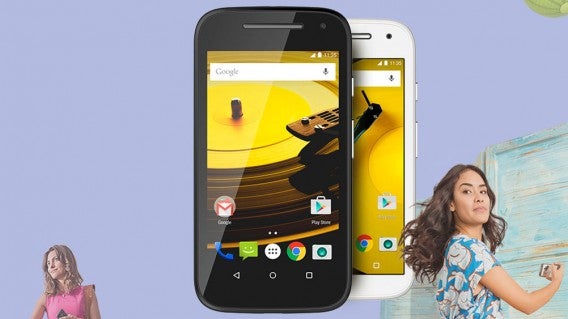
If you have a clumsy grad, it’s probably best to get him or her a cheaper phone that won’t break the bank to replace. The $149.99 Moto E includes 4G support and runs Android 5.0 Lollipop. For the money, it’s a great phone with mid-level specs. It should be fine for calling, web browsing, and social media but don’t expect to play graphics intensive games on the Moto E.

You won’t get to customize the phone like you can with the Moto X but you get a choice between black or white. For an additional $29.99, you can purchase the Moto Care Accident Protection plan, which offers repairs or replacements for accidents or mechanical failures.

Buy: Motorola Moto E

Smartwatches

Smartwatches are all the rage. While your grad doesn’t need a smartwatch, it’s a useful luxury. The ability to receive notifications on your wrist is nice, especially when in class. It’s also useful for getting navigation directions while walking or taking public transit.

Apple Watch

apple watch friends

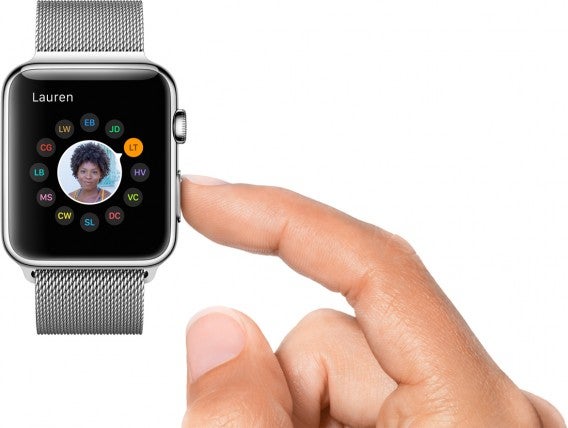
If your grad has or is getting an iPhone, they’ll probably want an Apple Watch. The entry level Sport model is a reasonable $350 and is a great workout companion. The Apple Watch has the ability to track all your health data with its Health app or one of the many third-party apps.

There will be more uses for the Apple Watch as more developers create apps for it. But with Apple in the smartwatch game, developers will be taking smartwatches seriously.

Buy: Apple Watch

Motorola Moto 360

Moto 360 smartwatch

The Motorola Moto 360 was one of the first Android Wear smartwatches to market but it’s still a great choice. Its circular design makes it look like a traditional watch and offers decent performance. Battery life is still about a day of use so you’ll be charging it every night. If you forget to dock the Moto 360 overnight or knock it off its charger (I’ve done this), you’ll wake up to a dead watch.

The Moto 360, like all Android Wear smartwatches, requires an Android phone. There have been rumors that Google is working to bring iPhone support to Android Wear, so stay tuned for that.

Motorola also lets you customize the Moto 360 with different leather bands and bracelets. It comes in a brushed stainless steel and anodized black version.

Buy: Moto 360

Asus ZenWatch

Asus ZenWatch

Another great Android Wear smartwatch is the Asus ZenWatch. It’s fashionable with metal construction and a nice leather band. The watch is very slim and will fit under a shirt cuff without a problem.

The ZenWatch features customizable watch faces, which you can access using Asus’s companion app. It’s one of the best looking smart watches out there and won’t look like you have a computer strapped to your wrist.

Battery life is good, especially if you disable the ambient display feature, but expect to charge it every night.

Buy: Asus ZenWatch

Pebble Time or Steel

Pebble Time

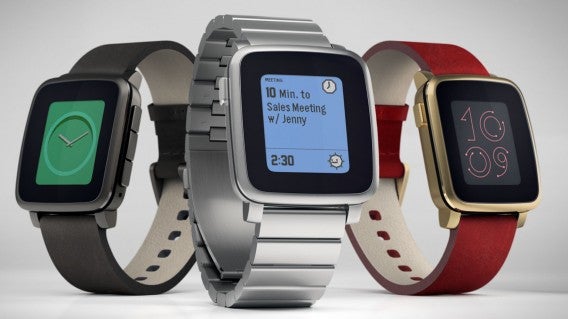
Pebble was one of the first smartwatches out on the market that was actually good. The company just released a new smartwatch with a color e-ink display, something the previous Steel version didn’t have. This means you can get up to seven days of battery life, which is miles beyond the competition.

The design of the Time looks similar to the Steel but features rounded instead of sharp corners. While it’s not the most attractive watch in this list, it’s not a bad looker. It comes in black, stainless steel, and gold with a ton of choices for bands.

Pebble Time runs the company’s own software, which while more limited than Android Wear and Watch OS, still works great. Apps look basic but that’s the point. The Pebble is there to get you information and to stay out of your way.

Buy: Pebble Time | Pebble Steel

Apps

One of the best ways to help your grad get a leg up on his or her first year of college is apps. Your grad will use a phone and laptop the most, but these devices would be useless without a good set of apps.

Microsoft Office subscription

PowerPoint 2016

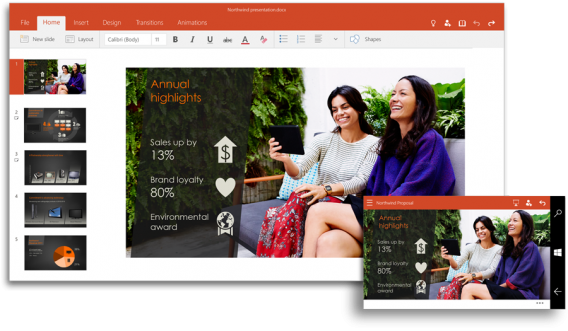
Microsoft Office is still a great product but has transitioned from an offline-only office suite to a cloud-connected one. As such, Office now integrates with Microsoft’s cloud technology like OneDrive. This brings Office up to parity Google Docs in terms of accessing your documents from anywhere as well as collaboration tools.

Office now requires a subscription to take advantage of its best features. You can get an Office 365 Personal subscription for $7 per month or $70 per year. If you want Office for multiple computers, you can purchase the Home subscription, which covers up to 5 PCs or Macs, 5 tablets (including iPads, Android, and Windows), and 5 phones. It costs $10 per month or $100 per year, which is a good price for a household.

Be sure to check out our list of the best free office suites if you don’t want to pay for a subscription.

Buy: Office 365 Home

Google Docs and Drive

Google Docs

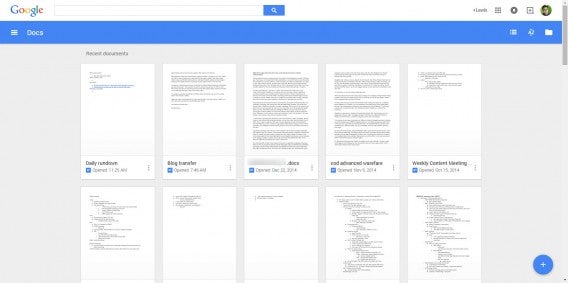
If you want to be thrifty, Google Docs offers a great free online office suite. Your grad will likely be blanketed with Wi-Fi wherever he or she goes so using an online productivity suite shouldn’t be a problem.

Google Docs has replacement apps for Word, Excel, and PowerPoint, though it doesn’t have a OneNote competitor. However, you can replace OneNote using Evernote.

Google’s productivity suite is great for simple tasks but it can’t match Microsoft’s in terms of features. Google has tried to address this by allowing developers to create apps for Google Docs to build features that Docs is lacking.

Download Google Drive: Android | iOS

Download Google Docs: Android | iOS

Download Google Sheets: Android | iOS

Download Google Slides: Android | iOS

Evernote

evernote

Evernote is one of the best note taking apps out there. The company has nailed note taking on the desktop and mobile, with unique experiences for each. All your notes are saved to the cloud and can be accessed from any web browser.

The app is versatile enough to be a note taking app and task manager. It’s not going to replace Google Docs or Microsoft Word for word processing but it’s great for typing out lecture notes. You can even record and annotate your work.

OneNote is a great alternative if you don’t like Evernote.

Download Evernote: Android | iOS | Desktop

Duolingo

duolingo

Your grad will probably have to learn a foreign language for his or her general education and Duolingo is the perfect learning companion. The apps are completely free to use and turn learning a language into a game. As you progress through lessons, you unlock more content and can compare scores with your friends.

The app is free to use but you can pay for power-ups.

Download Duolingo: Android | iOS | Windows Phone

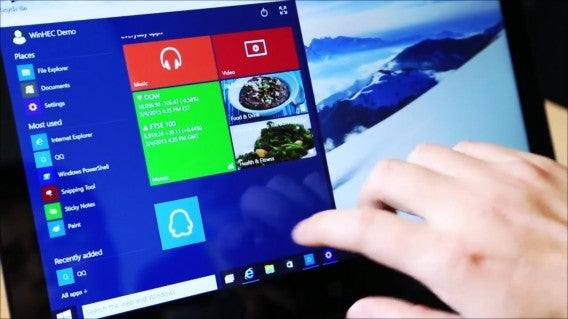
Windows 10

Windows 10 Tencent

That laptop you bought your grad is going to have to last at least four years so having a modern operating system is a must. Windows 10 isn’t out yet but will be available this summer. You can download a preview of it for free in the meantime. Best of all, it’s a free upgrade for Windows 7 and Windows 8 users. If your grad is on an older version of Windows, it’s a good idea to upgrade to Windows 10 for free for a limited time.

Windows 10 features a ton of new features including Microsoft’s Cortana voice assistant. She’ll help you look things up on the web, set reminders, schedule events for you, and much more. Windows 10 has also been redesigned to work better with laptops and tablets. Windows 10 is still being developed but it already looks awesome.

Snapchat


Snapchat isn’t just for texting. Teens are glued to the app because it removes the anxiety of having something permanently on the internet. Videos, images, and text messages disappear after they’re read, which may seem silly but actually makes sense. You don’t have to worry about your photos looking the best since they’re going to disappear so users are likely to share more. Love it or leave it, the fact of the matter is that kids love Snapchat.

As a parent, you can keep in touch with your grad via Snapchat. They’ll probably respond faster to you than if you called or texted them.

Download Snapchat: Android | iOS

Hangouts

Header-Google-Hangouts-Tutorial

Just about everyone has a Gmail account these days and with it comes Google’s other apps like Hangouts. Hangouts is Google’s cross-platform chat app that lets you video chat and even make free calls. Install this on your grad’s phone before he or she goes off to college and they’ll have no excuse not to check in with you.

Download Hangouts: Android | iOS

Facebook Messenger

Facebook Messenger video calling

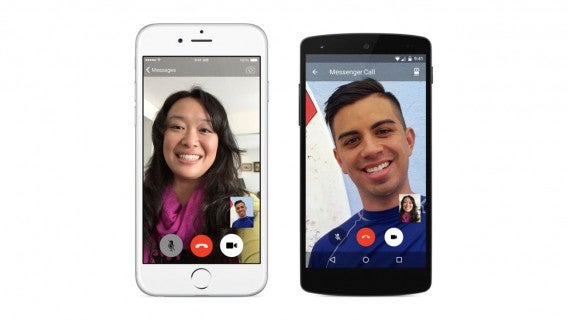
Chances are your grad is already on Facebook. If you haven’t already signed up for Facebook to stalk your progeny, you’ll want to now since Facebook Messenger is a great way to keep in contact. Messenger supports free voice calling, video calling, and stickers. Messenger also lets you know when your child is online and available to chat. The app also shows you when someone’s read your message so you can guilt your kids about how they don’t respond to your messages.

Download Facebook Messenger: Android | iOS

Tech

Your grad’s going to need some tech to help him or her through the next four years. Here’s some tech that’ll make your grad’s life easier.

Kindle Paperwhite or Voyage

kindle-paperwhite

Ebooks are here to stay and you’re going to need an ebook reader or tablet to take advantage of them. The best ebook readers right now are the Kindle Paperwhite and Voyage. The Paperwhite is the more affordable of the two and offers a backlit screen for reading at night as well as a month-long battery life.

The Kindle Voyage offers a more premium reading experience with a 300 ppi display and touch sensitive buttons. It also features adaptive brightness so you don’t have to mess with the backlight slider manually.

Both readers get books from the excellent Kindle library, which is filled with novels and textbooks. You’ll also be able to read textbooks on a computer or tablet so you’re not limited only to reading on the Kindle.

Buy: Kindle Paperwhite | Kindle Voyage

Tablet: iPad or Nexus 9

iPad family

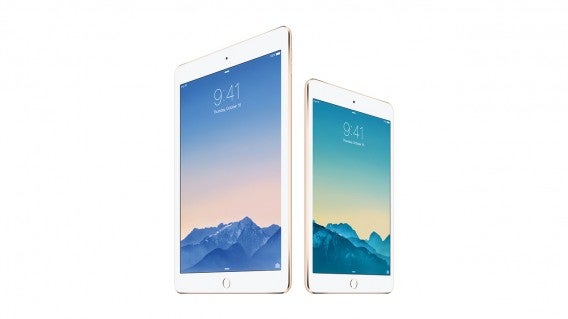
Speaking of tablets, there are ton of options out there but there are two stand out options. Apple’s iPad still dominates with its great app ecosystem and beautiful screens. The new iPad Air 2 supports TouchID for quickly logging into accounts as well as being extremely light for a 10” tablet. There’s also the iPad mini 3, which comes in a 8” screen for better portability. You’ll be trading power for portability but both models have 10 hour battery lives.

Nexus 9

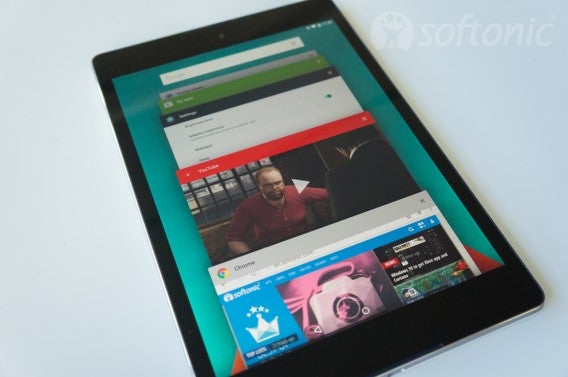
For Android users, the Nexus 9 is a great choice. Since it’s part of the Nexus program, it’ll get Android’s newest features first. It’s a nice 4:3 form factor, which makes it more versatile for reading. Android still falls behind the iPad in terms of app support but there’s enough big name apps on Android to make the Nexus 9 a good choice.

Be sure to check out our Nexus 9 review.

Buy: iPad Air 2 | iPad mini 3 | Nexus 9

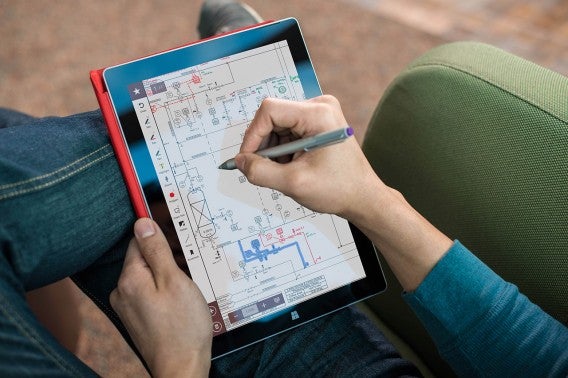
Surface 3

Surface 3

Windows fans can get the Surface 3, which is the best version of the surface so far. There’s the Surface Pro 3 but it’s quite expensive. It’s not a very good tablet or laptop so save yourself some money and just get the Surface 3.

It runs full Windows so desktop apps work fine on it. Don’t expect to run video or photo editing software on the Surface since it’s underpowered compared to laptops. It won’t replace a good laptop for productivity but is great for browsing the web and working on papers on the go.

Buy: Surface 3

Laptops: MacBook Air or the Dell XPS 13

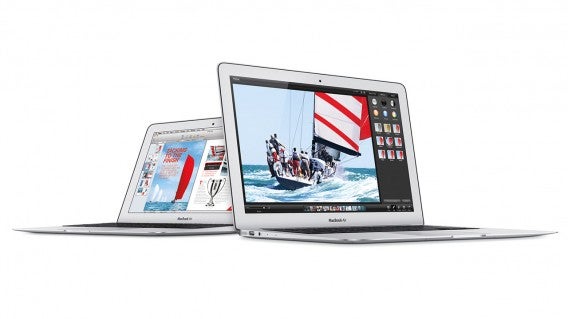
Macbook Air

Your grad’s going to want to take his or her work on the go, whether going to the library or to a friend’s house. A laptop is a must-have and the two that stand out the most are the MacBook Air and Dell XPS 13. Both are great, ultra-portable laptops that are great for productivity.

The MacBook Air features stellar battery life and a polished operating system in the form of OS X Yosemite. Apple did a good job optimizing the Air for speed with its solid state drive and powerful Intel Processors.

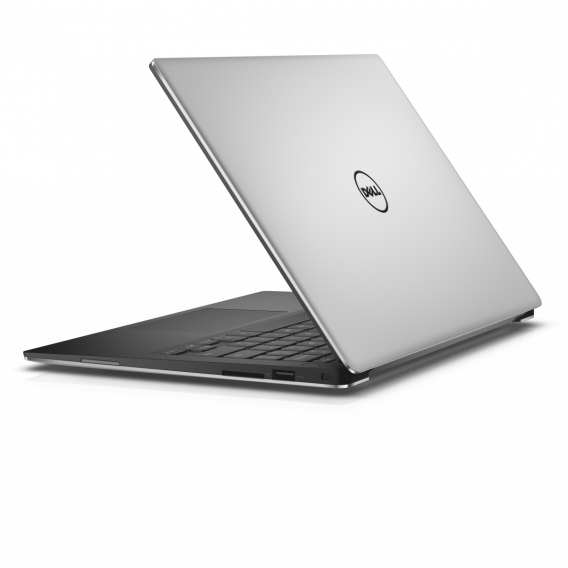
Dell XPS 13

The Dell XPS 13 is the closest competitor to the MacBook Air but runs Windows. You’ll want to see what your grad is majoring in to see if he or she needs Windows or Mac. Some software is only available for Windows but Macs can run Windows using Bootcamp or virtualization software like VMWare or Parallels. Still, if you’re going to be using Windows most of the time, it’s better to get a Windows laptop from the start.

Buy: MacBook Air | Dell XPS 13

Headphones

Living in the dorms will test your grad’s patience for noise. To help drown out annoying roommates and the sounds of beer pong, get them a good pair of headphones.

Sennheiser Momentum

Sennheiser Momentums

Forget about Beats. They’re over priced and put too much emphasis on the bass. For a good sounding pair of headphones that look great too, check out the Sennheiser Momentum. There are several variations to choose from, including a wireless model.

There are on-ear and over-ear options and it’ll depend on what your grad needs. Go for the on-ears for portability and the over-ears for better noise isolation and sound.

Buy: Sennheiser Momentum Over-Ear

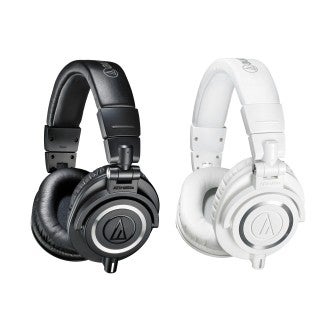
Audio Technica ATH-M50X

Audio Technica ATH-M50x

If you ask an audiophile to recommend a good sounding, durable pair of headphones for under $200, they’re probably going to recommend the Audio Technica ATH-M50X. This headphone has been around for years but it still sounds great for the price. Its presentation is neutral so you’ll hear how the music is supposed to sound.

Buy: Audio Technica ATH-M50X

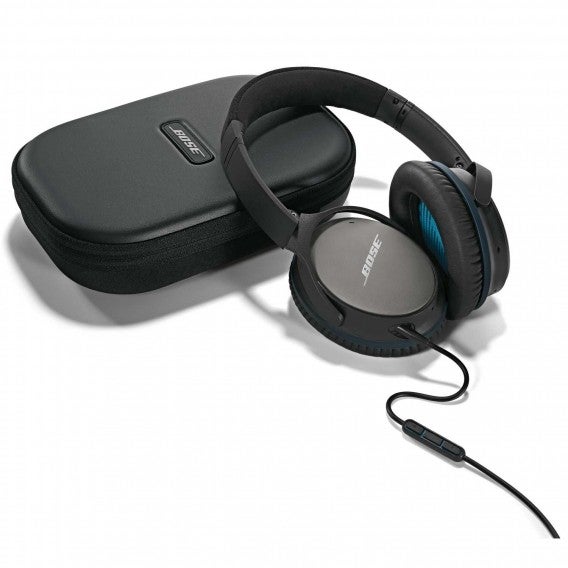
Bose QuietComfort 25

Bose QuietComfort 25

If your grad needs noise cancelling headphones, the Bose QuietComfort 25 are an excellent choice. Bose’s noise cancellation technology is some of the best and really works to drown out droning fans, jet engines, and other noises. It won’t cancel out voices so don’t expect miracles. However, if your grad takes the train to school or likes studying at cafes, the Bose QuietComfort 25 are a great choice.

Buy: Bose QuietComfort 25

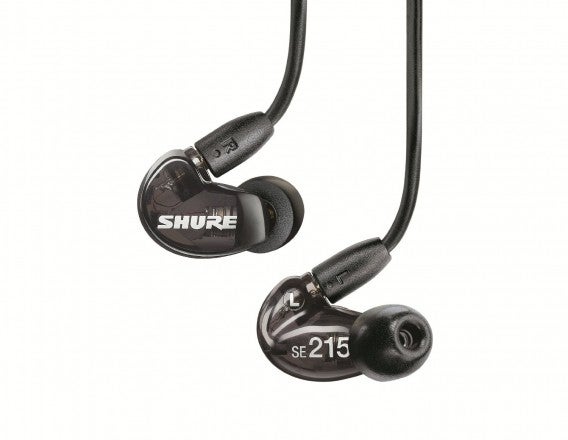
Shure SE215

Shure SE215

For ultimate portability, earbuds are hard to beat. The Shure SE215 are great earbuds from a respected audio company. Musicians are often seen in the studio using Shure mics and headphones and for good reason. They sound great and can withstand the abuse of a studio environment.

Earbuds also offer great passive noise isolation, meaning you don’t need batteries to cancel out noise like the aforementioned Bose headphones. Using either silicone or foam tips, the Shure SE215 can block out most noise. Just tell your grad to be aware of his or her surroundings if they’ll be using these while walking on the street.

Buy: Shure SE215

The Hungry Kid fund

One of the biggest worries for parents is that their kid won’t have enough to eat. Instead of calling and asking if you child has eaten yet, give him or her the tools to make sure they don’t starve.

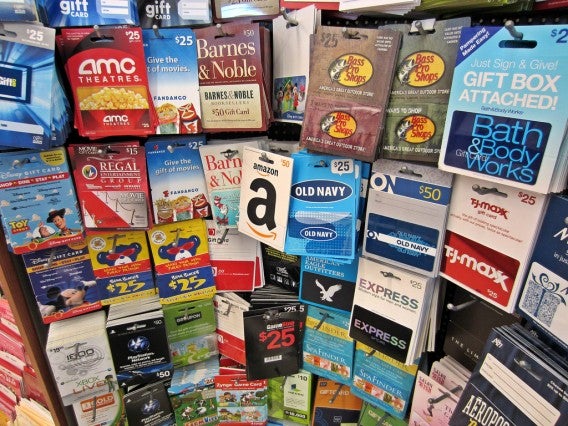
Gift cards

Gift cardsImage credit: 401(K) 2012 via Flickr

Gift cards are an easy gift for your grad. They don’t expire and they can use it for a variety of things if you get a card for a store like Wal-mart or Target. Just make sure your kid doesn’t blow all that gift card money on a new Xbox.

Costco membership

Costco wholesale

Costco is a haven for college students. The wholesaler has food, batteries, gas, and much more. Getting your grad a Costco membership can help them eat on the cheap. There’s no better deal than $1.50 hotdogs with a soda. Just tell them not to go too often or the freshmen 15 will turn into the freshmen 30.

Buy: Costco Membership

Food delivery apps

Grubhub

EAT24, now owned by Yelp, is a food delivery app that lets you search by cuisine and lets you either have it delivered or prepared for pick-up. Ordering is super quick and the app supports PayPal and Google Wallet for payment.

An alternative to EAT24 is GrubHub. Both services work similarly but EAT24 has the advantage of integrated Yelp reviews.

Download EAT24: Android | iPhone | iPad

Download GrubHub: Android | iPhone

Download Seamless: Android | iOS

Header image credit: Jeff Meyer via Flickr

Related Stories

Grad gift guide: college graduates

Mother’s Day gift guide: apps for her new tech

Best Android browser comparison 2015

Apple Watch: Using Watch OS and its apps

The way we pay: are mobile wallets the future?

Best apps for travelling on a budget

Best free office suite

Is the Apple Watch right for you?

Follow me on Twitter: @lewisleong

Grad gift guide: college graduates

After four (or more) long years, college is finished and it’s time to get a job. During those four years, the technology you used became outdated. Even though you’ve finished your degree, you can’t stop learning new skills and different tools.

Now that you’re ready to start your career, you need to replace your old tech. That laptop you used is probably close to death and your phone might have taken a lot of falls during its four year life.

Computers

Desktops are nice for jobs like video or audio editing, but most people get by with a laptop. It’s possible a job will give you a company laptop, but it’s always smart to have your own.

Budget

Chromebook
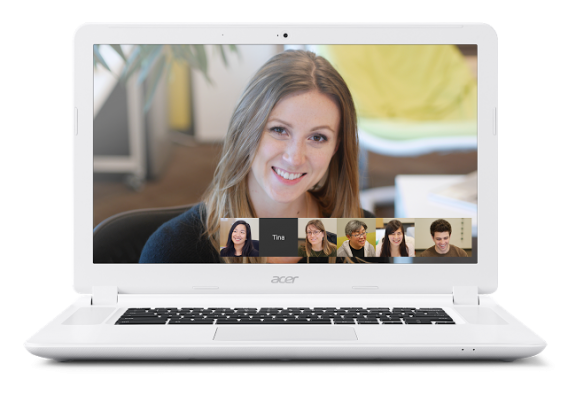
chromebook

If you live online in a browser, then a Chromebook is a great alternative to a Windows or Mac laptop. During your time in college, you probably created a Gmail account and that’s all you need to sign in. Don’t expect to do much like video editing, but if everything you do is online, then a Chromebook is perfect. Don’t be concerned about battery life because Chromebooks are hitting around ten hours.

Buy from Google Store.

Standard

The ultrabook is a popular laptop category. There are a lot of different models that you can choose from, but you should always keep a couple things in mind. Ultrabooks come with solid state drives which are smaller and faster than disc hard drives. This also gives ultrabooks better battery life. The trade off is that SSDs are smaller in capacity. By default you should get at least 128 GB.

Dell XPS 13 (2015)
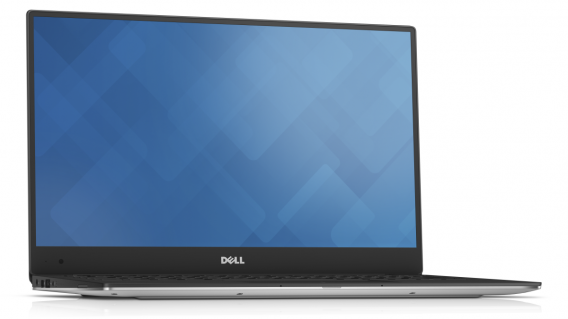
dell xps 13 Courtesy of Dell Inc

Dell XPS 13 (2015) is a great general use laptop. Each version comes with a 128 GB SSD and either 4 or 8 GB of RAM. There is a touchscreen version, but that’s not something most people need. If you choose the $999.99 model, you can upgrade the display to 3200X1800 pixels and double the SSD to 256 GB. If you’re a traveller, XPS 13 is rated for up to 15 hours for web browsing and 12 hours of HD video playback.

Buy from Dell.

Samsung Ativ Book 9 Plus
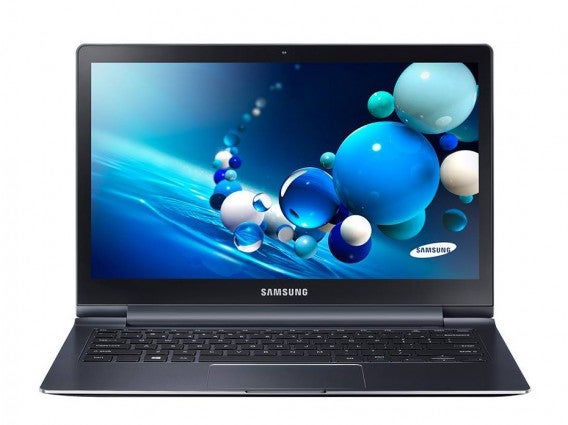
samsung ativ book 9 plus

If you want a laptop that has a distinct design, but still has performance then try Samsung’s Ativ Book 9 Plus. It’s the premium ultrabook in the Ativ line with a 13” 3200X1800 display. The battery is rated for 11 hours which is less than Dell’s XPS 13, but the Ativ Book 9 is also older. There are a lot of different versions of the Ativ Book 9 Plus and they all come with a touch screen. You will have to choose whether you want 4 or 8 GB of RAM and the SSD size changes the price.

Buy from Samsung.

Macbook Air
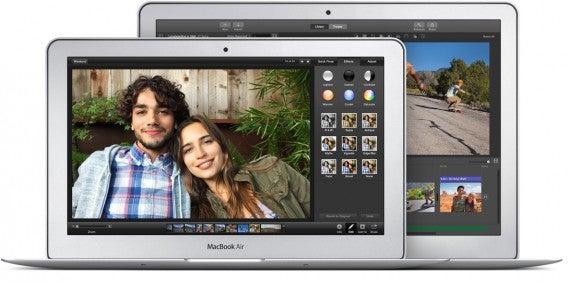
macbook air

Apple’s Macbook Air is always going to be a laptop favorite. You get excellent build quality and some of the best battery life out of any laptop. The 13” is the preferred model because of its 1440X900 resolution. The one annoyance against the Air is few customization options and choosing a more powerful processor, more RAM, and a bigger SSD gets expensive. But the brand is tried and true and its laptops last a long time. Just be aware that a refresh could be right around the corner.

Buy from Apple.

High-end

Alienware 15
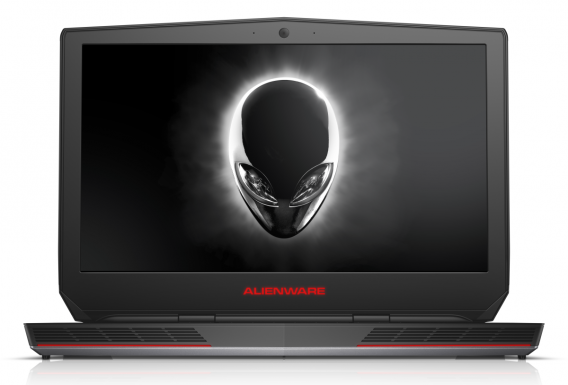
alienware 15 courtesy of dell inc

If you’re looking for a high-end laptop, then you’re using it for a specific purpose. An added bonus is that it can probably play video games. In this arena, Dell’s Alienware 15 is a good option. It’s powerful enough to play current games, but also has the power to run video editing software like Adobe Premiere Pro CC without any problems. The 15 is equipped with two hard drives: One SSD for Windows and a 1 TB drive for programs and files. Buy the Graphics Amplifier and you can get desktop grade graphics on your laptop with a new graphics card, making the laptop future proof.

Buy from Dell.

Macbook Pro
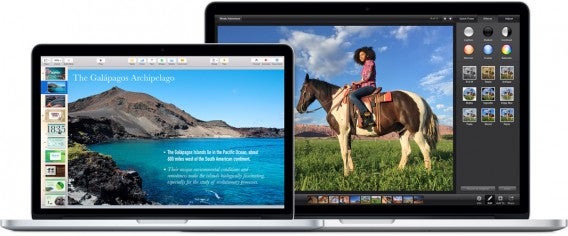
macbook pro

Macbook Pros are a musician and audio/video editors favorite. But these powerful machines come at a price. Depending on the model, prices vary from $1299 to $2499. Keep in mind that the only Macbook Pro that comes with a discrete graphics card is the 15” 2.5 Ghz model. But like the Macbook Air, you will be getting great build quality that will last a long time.

Buy from Apple.

Phones

Nexus 6
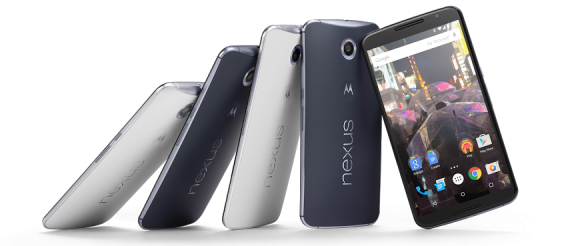
nexus 6

Nexus 6 is Google’s current flagship phone. The company decided to enter the phablet market and produced the phone with Motorola. Like other Nexus devices, it receives the latest Android updates from Google. The Nexus 6 is also a stock Android phone meaning it doesn’t have any third party launchers like TouchWiz from Samsung or Sense from HTC. You get a very plain and customizable version of Android.

Buy from Google Store.

iPhone 6/6 Plus
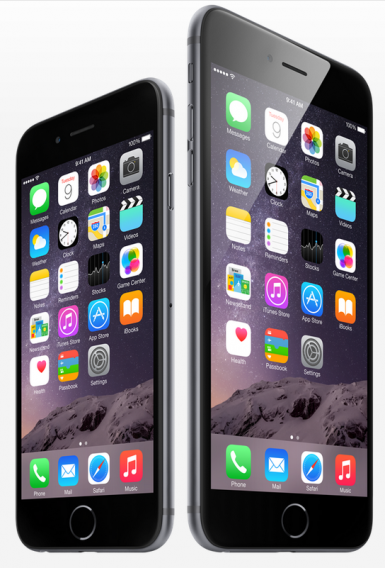
iphone 6 6 plus

Choosing between the iPhone 6 and iPhone 6 Plus is a size preference. iPhone 6 is 4.7” and iPhone 6 Plus is 5.5.” The screen resolutions are different with the 6 having a 1334X750 resolution and 6 Plus with 1920X1080. There’s no dramatic visual difference so don’t worry about the screens, but the Plus has the better camera. Both phones come with the same features like Apple Pay (with Apple Watch) and Touch ID. You will also get the latest OS updates straight from Apple.

Buy from Apple.

Samsung Galaxy Note 4
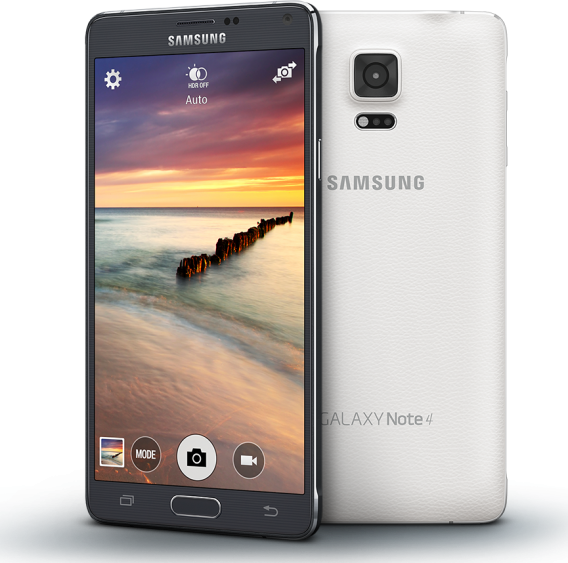
samsung galaxy note 4

If you want a phabet, but don’t like the Nexus 6, then Samsung’s Galaxy Note 4 is a great alternative. The 5.7” screen has a 2560X1440 resolution and has one of the best screens on the market. If you like virtual reality, Note 4 supports Gear VR. Note 4 also comes with S Pen and TouchWiz features like split-screen apps and extra functionality like converting writing to text.

Buy from Samsung.

Samsung Galaxy S6/S6 Edge
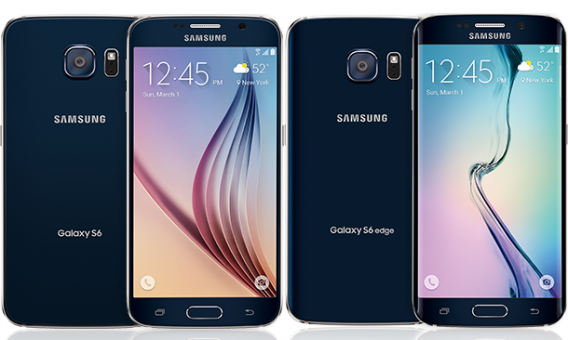
samsung galaxy s6 s6 edge

Another option from Samsung is Galaxy S6 or S6 Edge. The difference between the two phones is that the Edge has a screen that curves on each side, giving more space for notifications. With a 5.1” screen, Samsung still packed in a 2560X1440 resolution. Unlike previous Galaxy S phones, S6 and S6 Edge don’t have a removable battery or a microSD slot. This would be a concern, but the S6 and S6 Edge get decent battery life that should last through the day.

Buy from Samsung.

HTC One M9
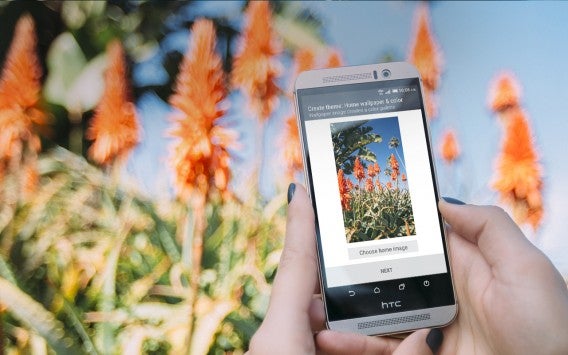
htc one m9

If Samsung or Motorola don’t interest you, the other Android phone to get is HTC’s One M9. It has a similar look to the M8, but that’s totally fine. HTC have a design that’s distinct and professional. The 5” display has a 1920X1080 resolution so everything will be clear and easy to read. If external storage is a concern, M9 supports microSD cards up to 2 TB. HTC Sense has evolved over the years and is a suitable launcher that’s easy to use.

Buy from HTC.

Tablets

Nexus 9/Shield/Dell Venue 8 7000
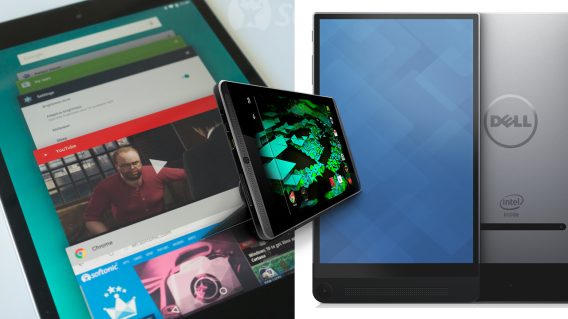
nexus 6 nvidia shield dell venue 8 7000

There are a lot of Android tablets. If you’re looking at buying one, there are a few good choices. Nexus 9 is the latest tablet by Google. It’s a 9” tablet and closest to the iPad in design. If you’re looking for something smaller, the Nvidia Shield is a powerful tablet that can also stream games using Nvidia GRID game streaming service. The Dell Venue 8 7000 is another no frills tablet that’s good for everyday use.

Buy from Google Store.

Buy from Nvidia.

Buy from Dell.

iPad
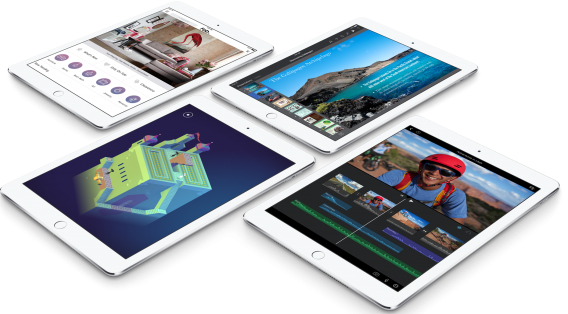
ipad air 2

If you’re interested in an iPad, there are a lot of options. There is the iPad Air 2 with a 9.7” screen and the iPad mini 3 with a 7.9” screen. Both are great for reading, watching movies, and playing games. The original iPad mini should be ignored with its lower 1024X768 resolution, but any of the other iPads Apple offers are great.

Buy from Apple.

Must have apps

During college you probably used these apps for school work. Now it’s time to re-purpose them for work, home, or a combination of both. If you’ve never used them before, it’s time to start learning because they are required for staying connected.

Microsoft Office/Google Docs
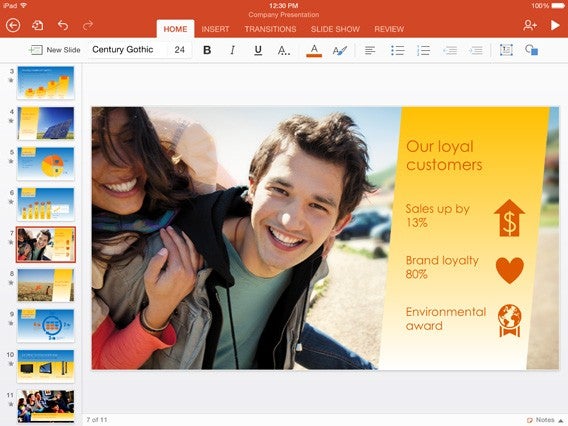
Microsoft’s Office legacy is still hard to beat. Now with Office 365, all your work is saved online so you can access it anywhere and even collaborate with others. If you can’t live without Office, now you can take it anywhere.

Google Docs is a cloud-based productivity suite integrated in Google Drive. The best part of Google Docs is that you can use it in a browser or an app with everything synced automatically. Add collaboration tools like editing or suggested changes and in-document chat and you have a simple, powerful office suite that can export in a variety of formats including Microsoft Office. Best of all, it’s free.

Download Microsoft Word: Android | iOS | Mac | Windows

Download Microsoft Excel: Android | iOS | Mac | Windows

Download Microsoft PowerPoint: Android | iOS | Mac | Windows

Download Microsoft Outlook: Android | iOS | Mac | Windows

Download Google Docs: Android | iOS

Download Google Sheets: Android | iOS

Download Google Slides: Android | iOS

Gmail/Inbox
Best Free iPhone Apps

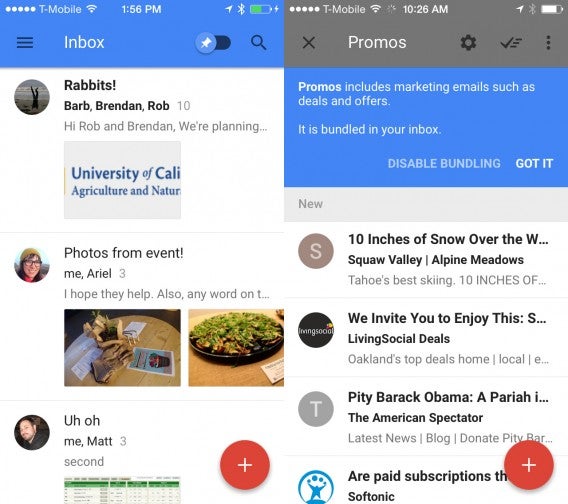
Gmail is a no brainer. It’s a simple and easy email service that you can customize to your needs with labels and filters. But move on from Gmail and start using Inbox. It streamlines your email to prioritize what you actually want to read.

Download Gmail: Android | iOS | Web

Download Inbox: Android | iOS |Web

Google Drive/Dropbox/Box
google drive

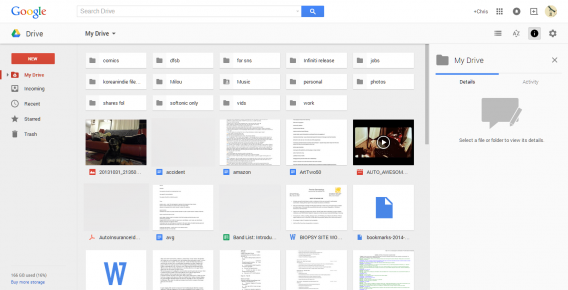
Instead of carrying a flash drive, use a cloud storage service. Depending on the one you choose, you get different amounts of online storage. If the free amount isn’t enough, sign up for all of them.

Download Google Drive: Android | iOS | Mac | Web | Windows

Download Dropbox: Android | iOS | Mac | Web | Windows

Download Box: Android | iOS | Web

Evernote
evernote

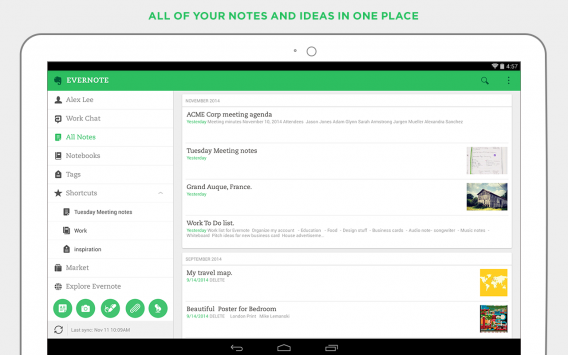
Evernote is the best online notebook. You can save lists, websites, photos, and other content in Evernote and access through its apps and the web.

Download Evernote: Android | iOS | Web

Chrome/Firefox
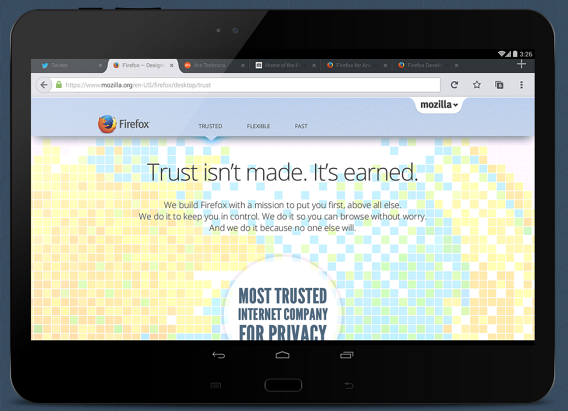
You probably already use either Chrome or Firefox, but do you use the mobile apps too? You should because you can sync your account across devices and have access to bookmarks and browsing history to pick up where you left off.

Download Chrome: Android | iOS | Mac | Windows

Download Firefox: Android | Mac | Windows

Google Authenticator
Google Authenticator

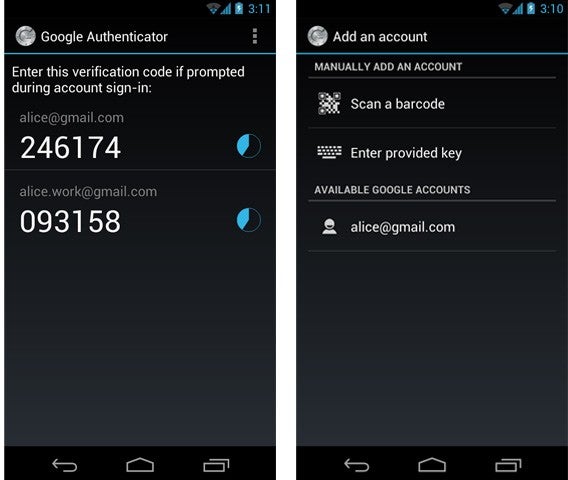
Security is important. You should have two-factor authentication on accounts that support it. Google Authenticator is a security app that generates codes for Google and supported third party sites.

Download Google Authenticator: Android | iOS

Google Maps/Uber/Lyft/Waze
LyftApp2

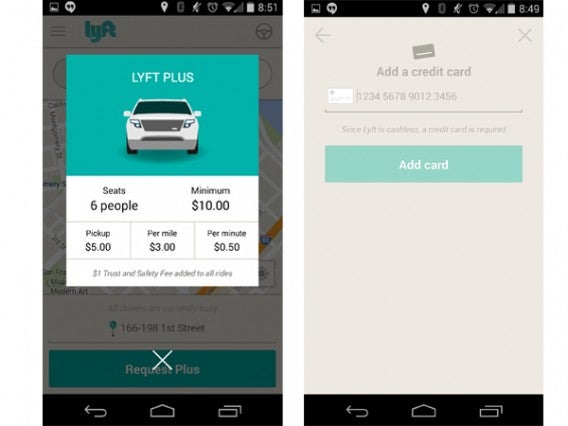
Google Maps is the best general map application. It can help you discover places all over the world. If you’re traveling, you can save maps offline to use when you don’t have a data connection. Uber and Lyft are ridesharing services that make getting around easy. Just be careful of surge rates when you have to pay more when more people are looking for rides. Waze is a great navigation app that uses crowdsourced information like traffic conditions, police locations, and accidents.

Download Google Maps: Android | iOS | Web

Download Uber: Android | iOS

Download Lyft: Android | iOS

Download Waze: Android | iOS

Spotify/Google Play Music
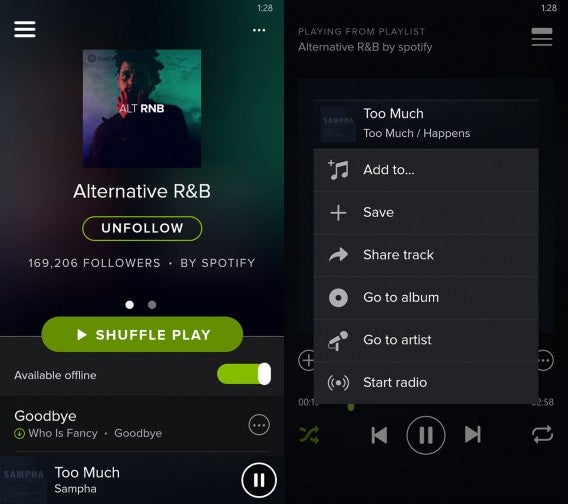
Spotify

If you like listening to a lot of music, it’s cheaper to get a Spotify subscription. You can stream millions of songs, can save music offline, and forget about ads. But if you have a lot of local music, Google Play Music is a great option. You can upload 50,000 songs to Play Music and stream or download it locally for free.

Download Spotify: Android | iOS | Mac | Web | Windows

Download Google Play Music: Android | iOS | Web

Apps according to your major

Business

Contactually
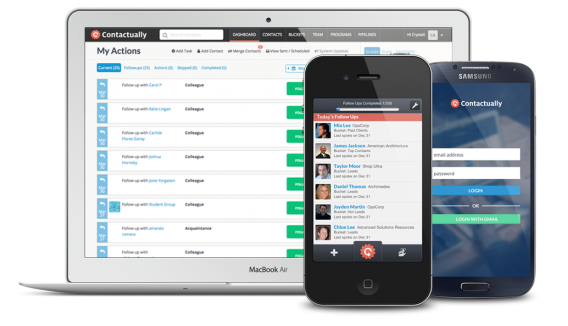
contactually

Contractually is a CRM that manages your business contacts. You can keep track of important contacts and meet new ones for possible new deals. It’s a great way to see who you know and how they could lead to new business.

Download Contactually: Android | iOS | Web

Asana

Instead of sending tons of email, Asana is a team coordination app that breaks down the workflow so everyone knows what’s happening. Asana lets you communicate while viewing tasks and increasing visibility within the team. It leads to less email and more visibility.

Download Asana: Android | iOS | Web

Skype
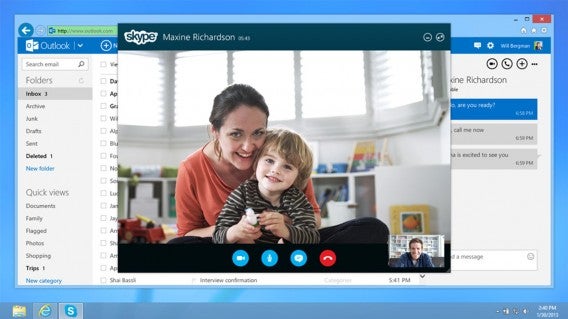
Skype header

Communication is still the biggest part of business. While it’s easy to send email or a text, when you need a face to face conversation, Skype is still the best option.

Download Skype: Android | iOS | Mac | Windows

TripIt
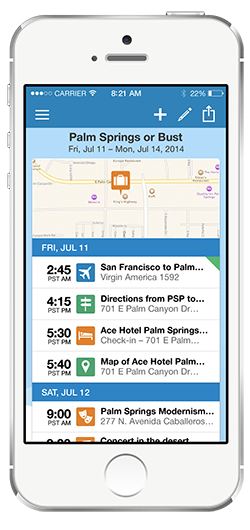
tripit

TripIt is a travel organization app. It creates a “master itinerary” from all your emails. So instead of searching for individual emails or creating calendar reminders, you can see your plans in one place.

Download TripIt: Android | iOS | Web

Espensify
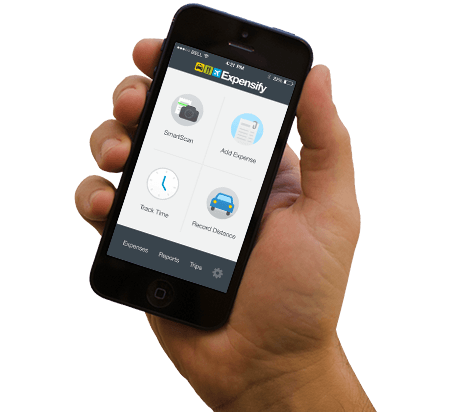
expensify

Keeping receipts on business trips is annoying, but it’s more annoying when you have to create your expense report. Expensify collects all your receipts and lets your boss approve your report without having to manually check each balance. Managers can create rules for expenses and streamline the entire process without wasting time.

Download Expensify: Android | iOS | Web

Communications

Chrome Remote Desktop
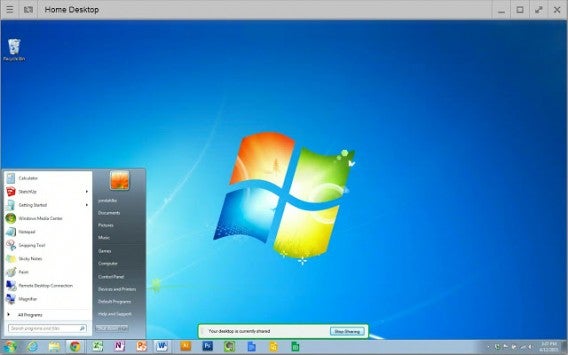
chrome remote desktop

If you’re away from your computer, but need to access it to grab an important file you forgot, give Chrome Remote Desktop a try. You can get access to your computer on any Chrome browser.

Download Chrome Remote Desktop extension.

IFTTT
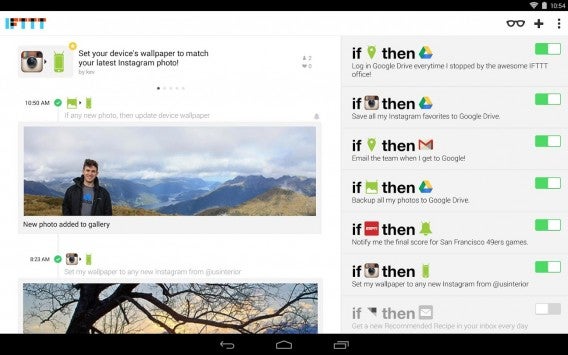
ifttt

Automate your tasks with IFTTT. If-Then-Then-That is a tool where you use “recipes” to automatically complete tasks. Sharing a post on Facebook and want it to also post on Twitter? It’s possible. Check out more recipes.

Download IFTTT: Android | iOS

LinkedIn
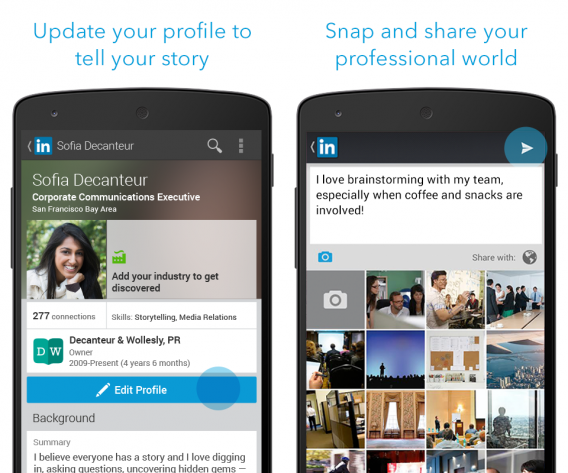
linkedin

LinkedIn is a great way to find out information without relying on personal social networks like Facebook. As a place for professional information, you can trust you’ll have the relevant information you’re looking for.

Download LinkedIn: Android | iOS

Photoshop Express
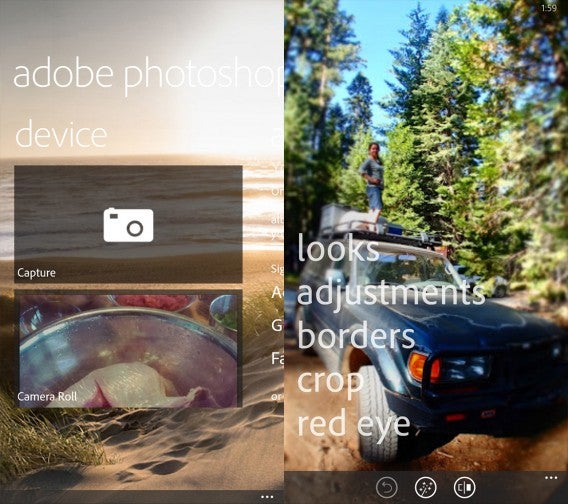
Adobe Photoshop Express

If you need to make quick changes to a photo, you don’t want to load a bloated program. Photoshop Express is a streamlined app that has all the necessary features and is available on Android and iOS.

Download Photoshop Express: Android | iOS

MailChimp
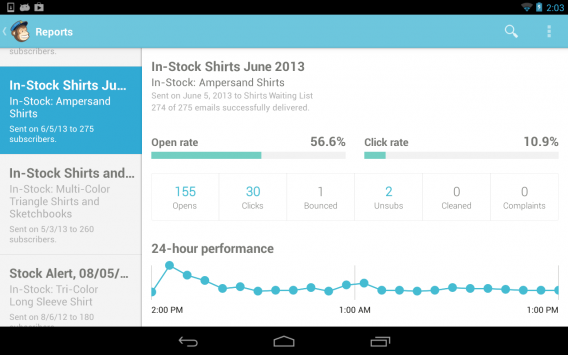
mailchimp

Mailing lists are the easiest way to get information out to a lot of people. Mailchimp is an easy tool where you create email campaigns. The web app lets you create templates, lists, and monitor engagement. The mobile apps give you engagement information in real time so you know how your campaign is going.

Download MailChimp: Android | iOS | Web

Pre-Med

Medscape
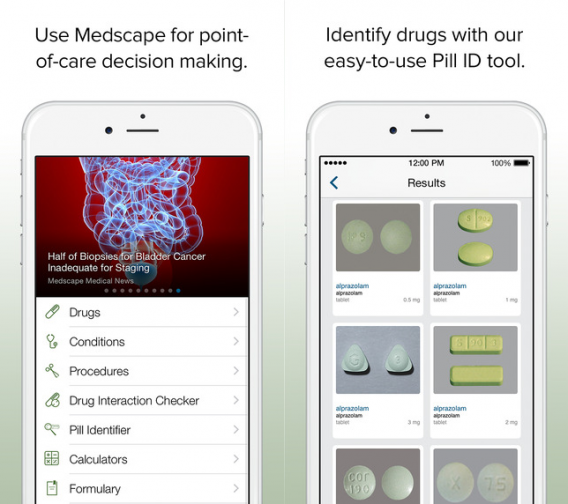
medscape

Medscape is an app for doctors. It contains clinical answers that are easy to find and use as reference. You can also look up medications and dosages. Check drug interactions and stay current with medical news.

Download Medscape: Android | iOS

Figure 1

figure 1

Figure 1 is a community of medical professionals that share clinical cases to each other. You can get a lot of information of recent diagnosis and expand your knowledge through Figure 1’s database.

Download Figure 1: Android | iOS

Epocrates
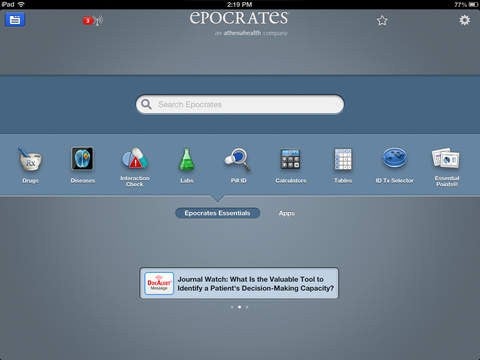
epocrates

Like Medscape, Epocrates is another information app for doctors. It provides information about different providers, review drug prescriptions, and find health care insurance information for drug coverage. It’s a handy reference so you can accurately prescribe the right drugs to patients.

Download Epocrates: Android | iOS

Doximity

doximity

Want to be a part of the “largest medical profession network in the US?” Then join Doximity. It’s designed solely for professionals to manage their careers and keep up to date with curated medical news. If you’re planning on getting your medical degree, it’s a must join.

Download Doximity: Android | iOS

English

Scrivner
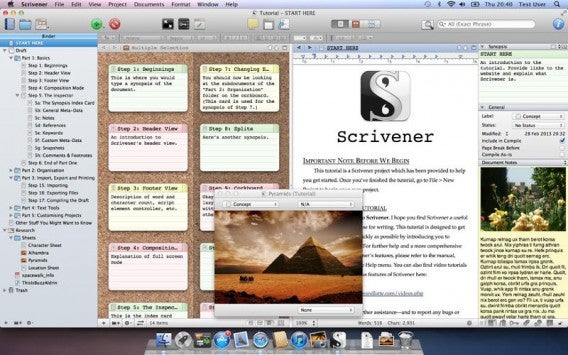
scrivener

As an English major, you’re going to need to write a lot. But a standard word processor won’t have all the tools you need. Scrivner is designed for writers with a free flowing writing structure that’s not limited to just start and finish.

Download Scrivner: Mac | Windows

Scribed
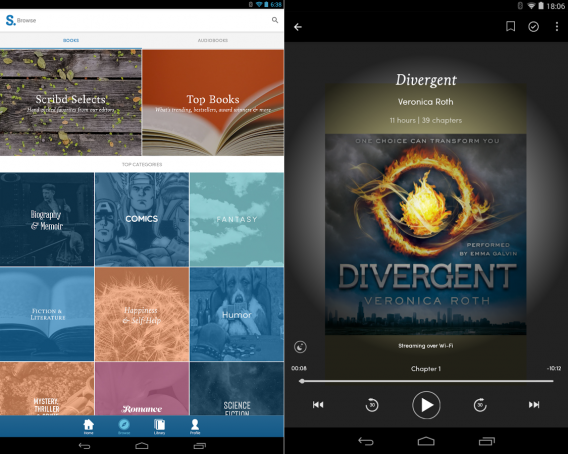
scribed

You don’t get better at writing without reading. Scribd is a $8.99 per month reading subscription service. You can read books across tons of genres like New York Times bestsellers to graphic novels. Scribd also supports offline reading and syncing across devices.

Download Scribed: Android | iOS

Ginger Keyboard-Emoji Keyboard
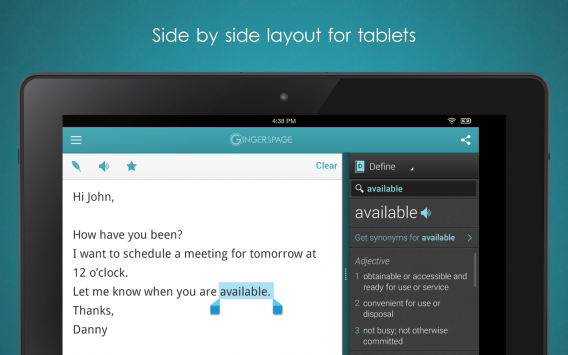
ginger keyboard

You get story ideas everywhere and you may want to write a quick draft. But rather than type out a bunch of gibberish on your phone, Ginger Keyboard can also check your grammar and spelling.

Download Ginger Keyboard: Android

Grammarly
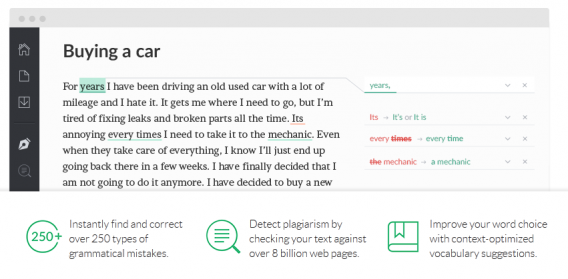
grammarly

It’s important to have good grammar anywhere you post content. Grammarly is a spelling and grammar checker. You can add Grammarly to browsers and use its website for easy access. If you’re worried about plagiarism, Grammarly can also check to make sure you don’t accidentally copy someone else’s work.

Use Grammarly.

Goodreads
Goodreads app

If you have a favorite book genre, but don’t know what to read next, then try Goodreads. It’s a service that sends personalized recommendations and browse book reviews. There are also free public domain books that you can read.

Download Goodreads: Android | iOS

Criminal Justice

Law Dictionary & Guide
law dictionary and guide

There’s too much to memorize about law. Law Dictionary & Guide has 14,000 legal entries, guides, and faqs. The pro version has 23,000 entries, Black’s Law Dictionary, and copy/paste support for $0.99.

Download Law Dictionary & Guide: Android | iOS

PoliceOne
policeone

Keeping up with relevant news can be difficult, but PoliceOne updates with breaking news, tips, and videos. All the content in PoliceOne is relevant to anyone in law enforcement.

Download PoliceOne: Android | iOS

Documents to Go
documents to go

If you need to create a quick Office file, Documents to Go is a great option. You can use Office formats like Word, Excel, and Powerpoint and view PDFs. It can’t replace the official Microsoft apps, but it’s great for creating quick documents.

Download Documents to Go: Android | iOS

dLaw
droid law

Keeping up to date with laws from all 50 states is impossible. dLaw is a legal reference that contains Federal rules for civil procedure, evidence, criminal procedure, and more. You can pay for state codes and laws, Code of Federal Regulations, and more. You can also save content offline and bookmark it to reference quickly.

Download dLaw: Android

Education

instaGrok
instagrok

When you’re writing a paper, you need to keep track of all of the research. instaGrok is a visual brainstorming tool. It connects topics together with a visual interface and you can add notes and bookmarks to organize everything.

Download instaGrok: Android | iOS

Pocket
pocket

Pocket is the perfect app to bookmark articles that you want to read later. It also supports offline reading so you don’t need a data connection. Pocket is supported in over a thousand apps so you don’t have to worry about losing track of important articles.

Download Pocket: Android | iOS

Subtext
subtext

If you’re working on your teaching degree, Subtext is a great app for collaborative learning. The app lets you create different groups. You can share information, find content, and promote learning in a digital environment. Subtext is free, but the premium features like progress tracking and text to speech are great for younger students.

Download Subtext: iOS

Edmodo
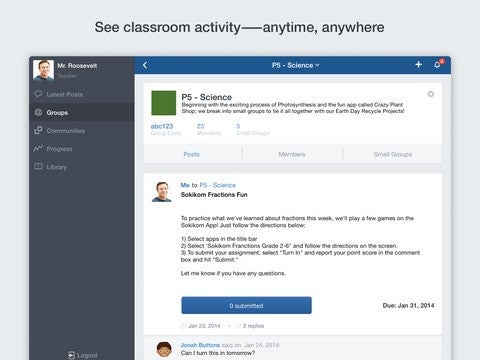
edmodo

Connecting teachers and students is easier than ever and Edmodo is one tool. With the app, you can engage and collaborate with each other. You can show a student’s progress and grades. You can also post assignments. It creates a one-to-one environment so that students can talk with teachers.

Download Edmodo: Android | iOS

StudyBlue
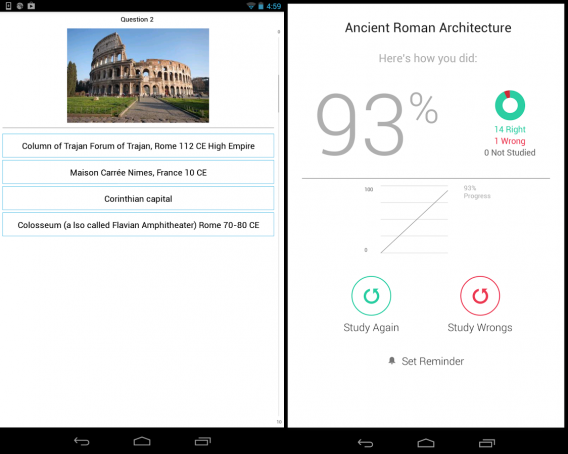
studyblue

StudyBlue is a study guide that creates digital flash cards. You can create different study modes like flash cards or review guides to fit your preference. There is a lot of content available including student-created flash cards and notes from a digital library.

Download StudyBlue: Android | iOS

Economics

OCW Scholar: Principles of Microeconomics
ocw

OCW Scholar is a podcast that covers principles of microeconomics. There are 26 lectures and 8 problem sets to test your knowledge. If you need a refresher or are interested in microeconomics, give OCW a try.

Download OCW Scholar podcast

A2ZEconomy
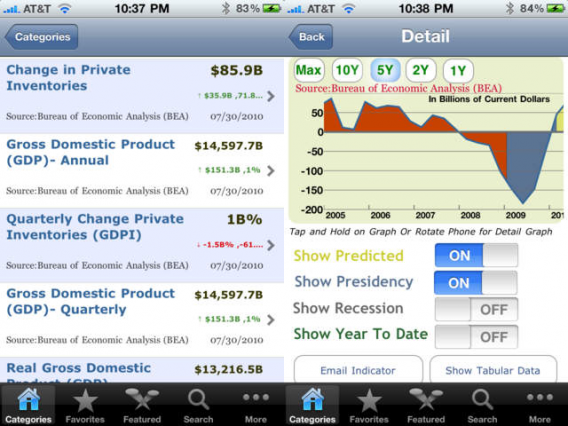
a2zeconomy

If you’re interested in the economy, A2ZEconomy is an app that provides information from US Census Bureau, Bureau of Labor Statistics, Federal Reserve Board of Governors, and more. This information is aggregated and shown with trends. You get a real in-depth look at different factors in the economy.

Download A2ZEconomy: iOS

ChartIQ Practice Trading Simulator
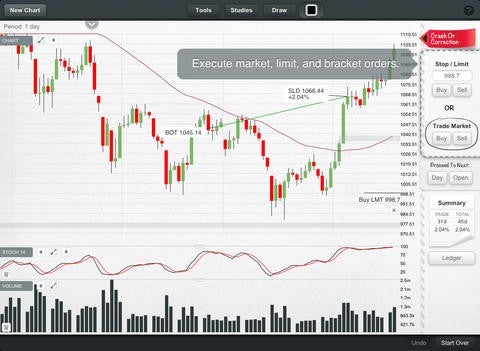
chartiq

Planning on going into trading? Then get some early practice. ChartIQ Practice Trading Simulator lets you test your trading skills against historical markets. It’s a great way to test your knowledge and not spend any real money.

Download ChartIQ Practice Trading Simulator: iOS

Economy for iPad
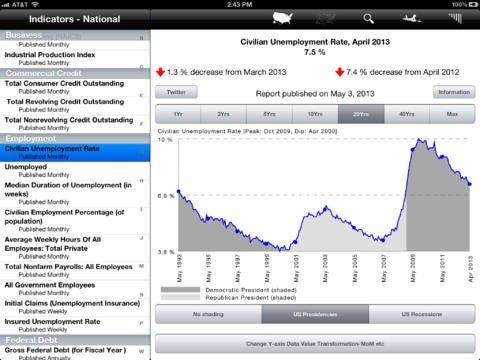
economy for ipad

If you want to learn the history of the US economy, Economy for iPad gives you the information you’ve been looking for. Included are about 45,000 economic indicators that detail all 50 states. There is so much information that you’ll be learning about the US economy trends for a long time.

Download Economy for iPad: iOS

Bloomberg
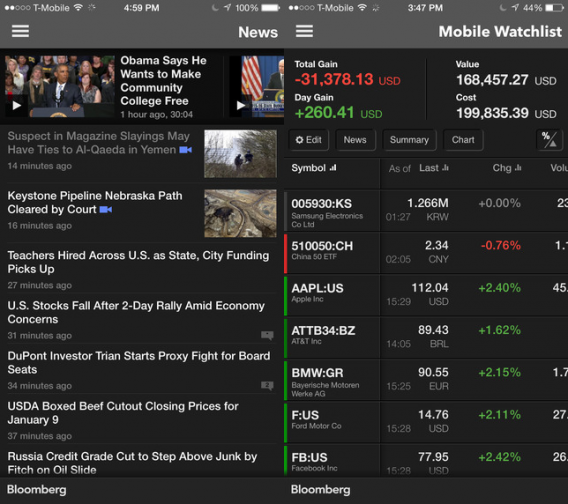
bloomberg

Bloomberg is a major resource for business news and important data. Bloomberg Business contains access to news and information that anyone in business and economics should be reading. Create personalized feeds, read news about specific stocks, and access market data all from the app.

Download Bloomberg: Android | iOS

Computer Science

Coursera
coursera

You should always be learning and updating your skills. Coursera is a site that offers free classes across tons of subjects from universities and organizations worldwide. If you need to learn something new related to your job, search here and learn on your own schedule.

Download Coursera: Android | iOS | Web

IFTTT
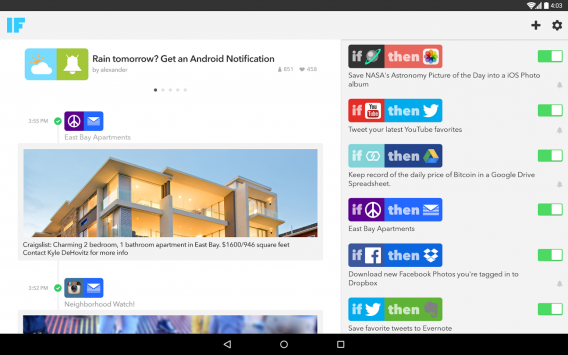
ifttt

Automating actions is always useful. A great example is if you’re writing code and want to auto-archive it, you can find a IFTTT recipe that will do that. This makes it easier to always have a backup of what you’re working on somewhere safe.

Download IFTTT: Android | iOS

Evernote
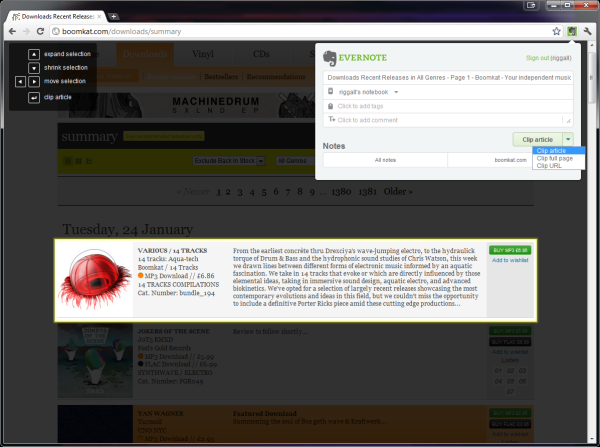
If you need to take notes or save a website with important information, Evernote can do that for you. Since Evernote is synced across every device you use, you’ll always have the information nearby to reference to.

Download Evernote: Android | iOS | Web

Lynda
lynda

While Coursera offers free classes, Lynda is a teaching tool for specific needs. Rather than a structured class, Lynda teaches you how to use specific apps and tools. Need to learn about Photoshop or web design? Lynda has a course for that.

Download Lynda: Android | iOS | Web

Khan Academy
khan academy

Another alternative to online learning is Khan Academy. The site offers a lot of subjects like math and computer programming. If you’re looking to learn something new related to your current degree, Khan Academy is a great place to start.

Download Khan Academy: iOS | Web

Good luck!

Now you have the hardware and the apps you need for your new career. Remember that these are only the start and there are always new apps to try out that could give you an edge in the job of your choice.

Related Articles

Grad gift guide: high school grads

Android Wear vs Apple Watch

The way we pay: are mobile wallets the future?