
Top 10 naval battle games for PC

Sail the seven seas and battle scurvy dogs in these naval adventures!

NAval battle

Disclosure: Our team is always looking for things we think our readers will value. We can receive compensation for publishing this article.

Although naval battle games are something of a niche genre, there are plenty of awesome games out there that focus mostly or entirely on naval battles and naval action ships. Whether you have to manage your fleet of aircraft and battleships to beat your enemy, defend your base, ports, and fleet, or launch raids to cut off naval routes and invade enemy territory, there are nautical warfare games for every scenario. These games take the Battleships board game to a whole new level.
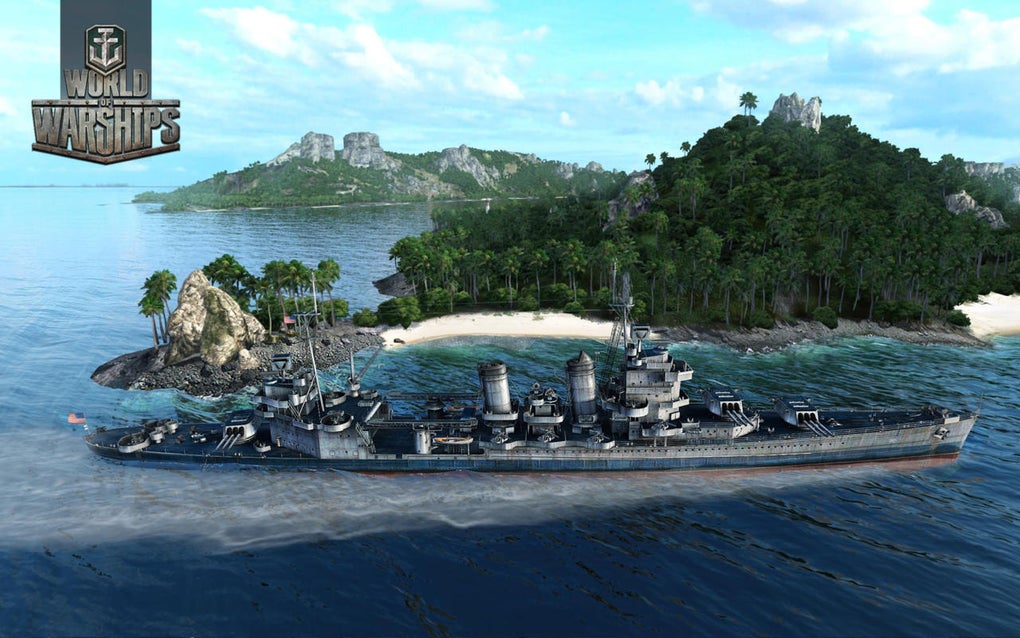
World of Warships

Whether you’re an aspiring modern naval tactician or looking to sail the high seas as an adventurous pirate in search of plunder, there are countless choices in the naval battle PC gaming genre. If you’re fascinated by naval military history this is your new video game wishlist.

Below are some of the best naval battle games on the PC Desktop, taking you from WWII and Modern naval combat to the 17th Century high seas, and a lot of different ship games in between.

Top Ten Naval Battle Games

1. World of Warships

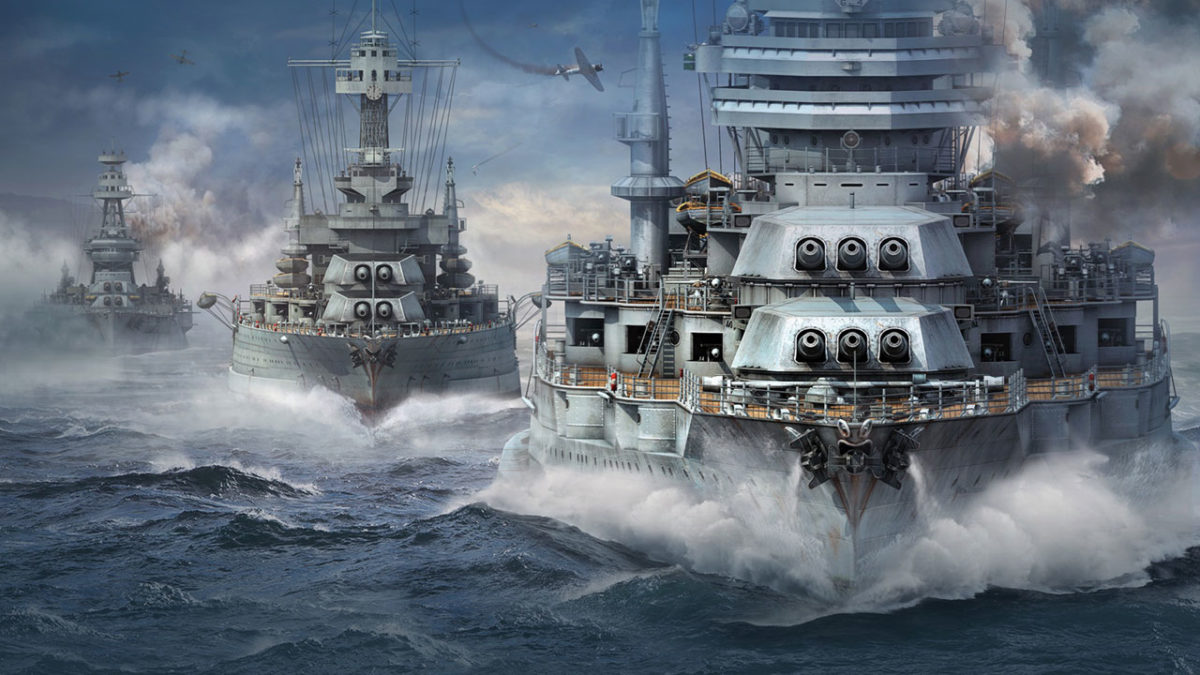
Taking the incredible free-to-play formula that WarGaming.net perfected with World of Tanks and World of Warplanes, World of Warships has you take command of the bridge of a modern military warship and fight in epic sea battles. As Captain, you don’t have the same direct control over your craft as you do in other games in the series. Because of this, the action is comparatively paced as you exchange powerful barrages with other players in a strategic experience that often feels like a first-person game of Battleships. There is also a very active World of Warships Reddit should you want to mix with other dreadnought captains. Play World of Warships free.

2. BattleStation: Midway

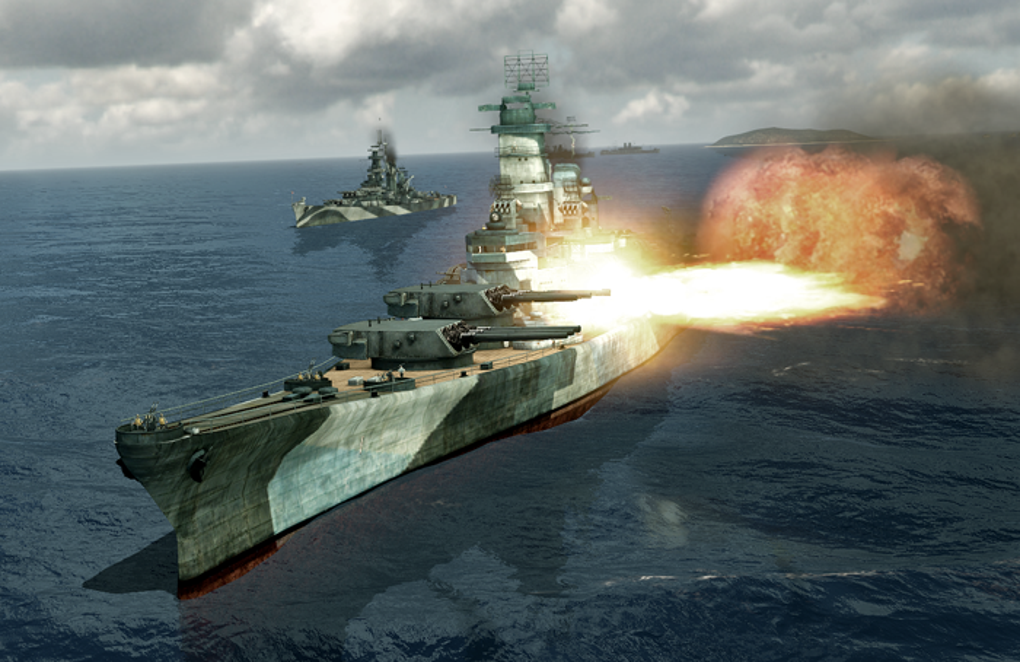
BattleStation: Midway

One of the classic games in the genre, BattleStation: Midway is a strategy game that takes place in the Pacific Ocean circa WWII. Using real-time tactics, you can control each individual ship or plane in your fleet, with the hope of defeating your enemy. While BattleStation: Midway may be an older game, it still has decent graphics, offers both single and multiplayer mode, and is truly a staple in the genre.

BattleStation: Midway Download now
7

3. BattleStations Pacific

Battlestations: Pacific

The sequel to BattleStations: Midway, takes place in the wild, cold waters of the Pacific Ocean. BattleStations: Pacific expands on the previous title by adding new features including new weapons and ships, different kinds of combat–namely, more advanced submarine battles– and the ability to play either an United States or Japanese campaign. It also has 5 extra multiplayer modes, including Island Capture, Duel, Competitive, Siege and Escort.
Battlestations: Pacific Download now
7

4. Silent Hunter IV: Wolves of the Pacific
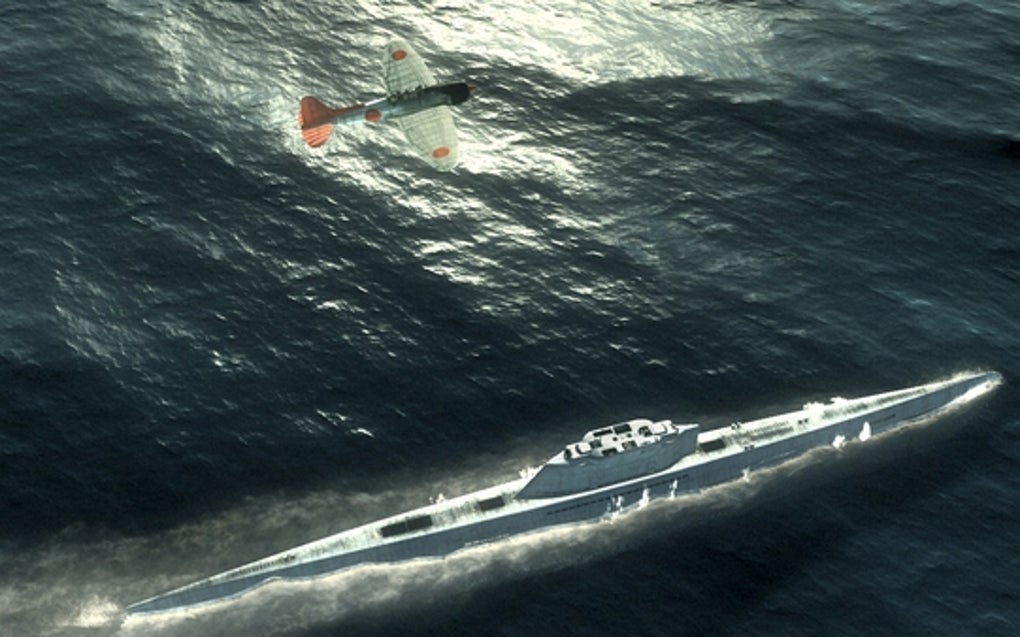
Silent Hunter: Wolves of the Pacific

If submarine warfare is more to your taste, try Silent Hunter IV: Wolves of the Pacific, a game from Ubisoft that also takes place in the Pacific during WWII. The ​u-boat​​​ simulator uses really intricate graphics to literally immerse you in the depths of the Pacific Ocean, with everything from launching torpedo attacks, to using radar and sonar, to managing your crew. Different game modes make it easy for both beginners and more advanced players to master the game.

Silent Hunter: Wolves of the Pacific Download now
10

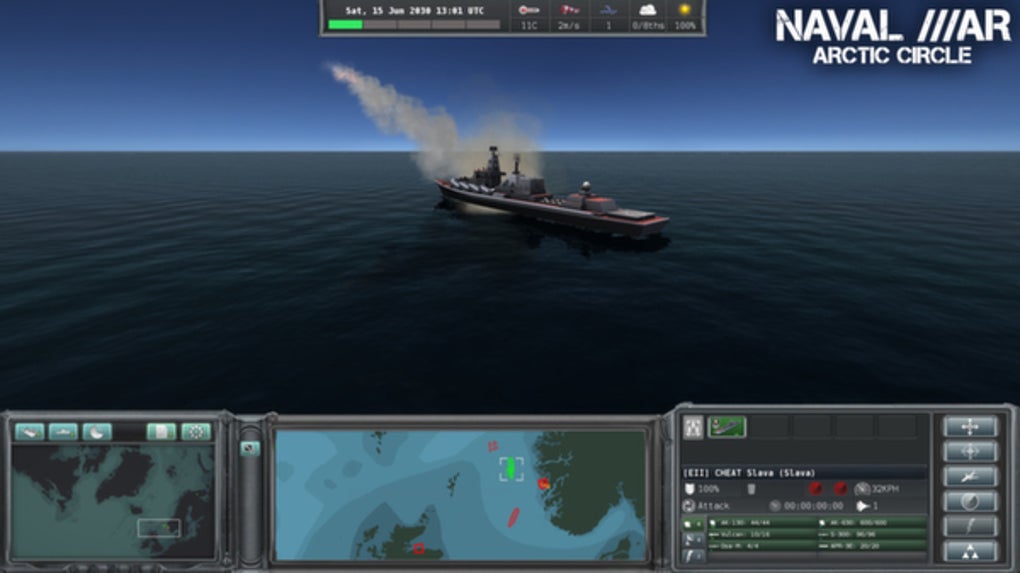
5. Naval War: Arctic Circle

Travel a bit further north in Naval War: Arctic Circle, a real-time naval strategy game that, unlike some of the previous games, takes place in the distant future during a fictional war. The game has everything from submarines, aircraft, and helicopters, to in-air refueling tankers and onshore airbases. It also features navies from many different countries – including the UK and Scandinavian – that can be battled in both single and multiplayer modes.

Naval War: Arctic Circle Download now
6

6. Dangerous Waters

DangerousWaters

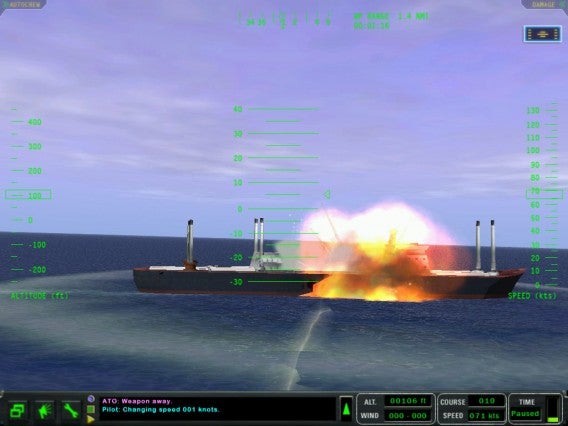
As a modern-day naval game, Dangerous Waters lets you control all aspects of air, surface, and submarine warfare, simulating over 250 real-life naval units. Aside from the fact that you can work cooperatively in Multi-Station Mode to operate various crew stations as a team, one of the coolest thing about the game is the AI of the crew members, which lets you hand off tasks so that you don’t have to worry about actively managing specific aspects of the game.

7. Battle Fleet 2: World War 2 in the Pacific

A game of tactical naval combat, Battlefleet 2 puts you at the helm of Japanese or US fleets during WW2. Trying to make your way across the Pacific Ocean, you’ll get zoomed in on the action once you engage in battle. You’ll be engrossed in the game as you move from macro strategies to micro tactics, and with a great range of units, the game is perfect for any WW2 enthusiast. If you want to take gameplay on the go, you can even download a mobile version for iOS and Android.
Battle Fleet 2 Download now
6

8. Fighting Steel

Fighting Steel, from Strategic Simluations Inc, is a 3-D game that takes place in the Atlantic and Pacific Oceans during the biggest naval battles of WWII, between 1939 and 1942. Battling against American, German, Japanese, and British warships, you’ll use real-time strategy and an in-game camera to control multiple ships at once. You can play online multiplayer with up to four people, and with a super detailed instruction manual, getting started is easy.

9. Naval Action

Naval Action

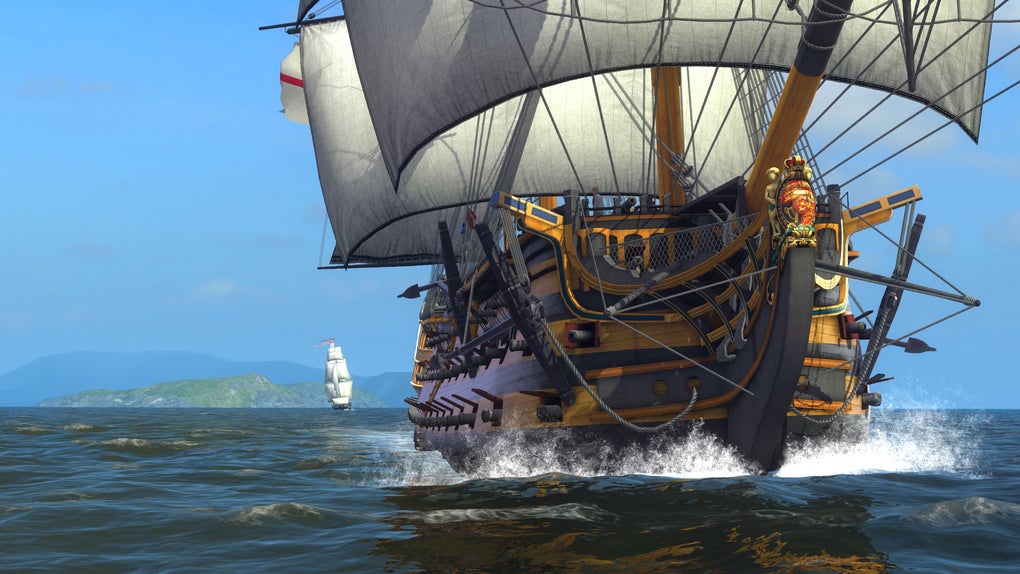
Giving you the helm of an 18th-century vessel, Naval Action sees you take to the open seas in a huge online environment with other players. With battles of up to 50 ships, realistic damage physics, and navigation that demands you use landmarks and the stars, this game not only doesn’t hold your hand – it cuts it off and replaces it with a hook.

Naval Action Download now
6

10. Windward

Windward

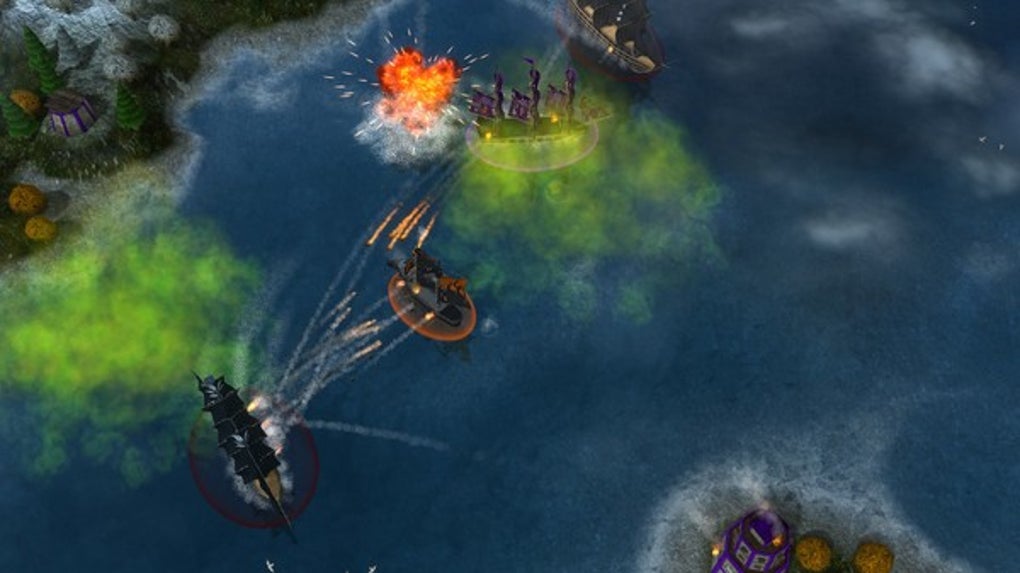
If you’re a fan of 17th-century ships but prefer a bit more small scale naval action, try Windward, an online open-world game from developer Tasharen. In Windward, you play in teams of four, using your ships to take over as many structures as you can on the map. It’s not as graphically advanced as some of the naval battle games on the list, but it’s still pretty impressive.

Windward Download now
10

The above games are all limited to naval battles, but here are a few honorable mentions of games that feature great naval warfare in some way or form.

Bonus: More War Games that Feature Naval Battles

War Thunder

War Thunder

War Thunder is a great option which, although not exclusively containing naval battles, definitely has some great naval content. The focus is on flight, but no air combat game is complete without naval battles. You can experience War Thunder naval warfare with aircraft carriers, warships, and naval aviation units. For a free game, it’s a great option.

War Thunder Play now
8

Battlefield 4 Naval Strike (expansion pack)
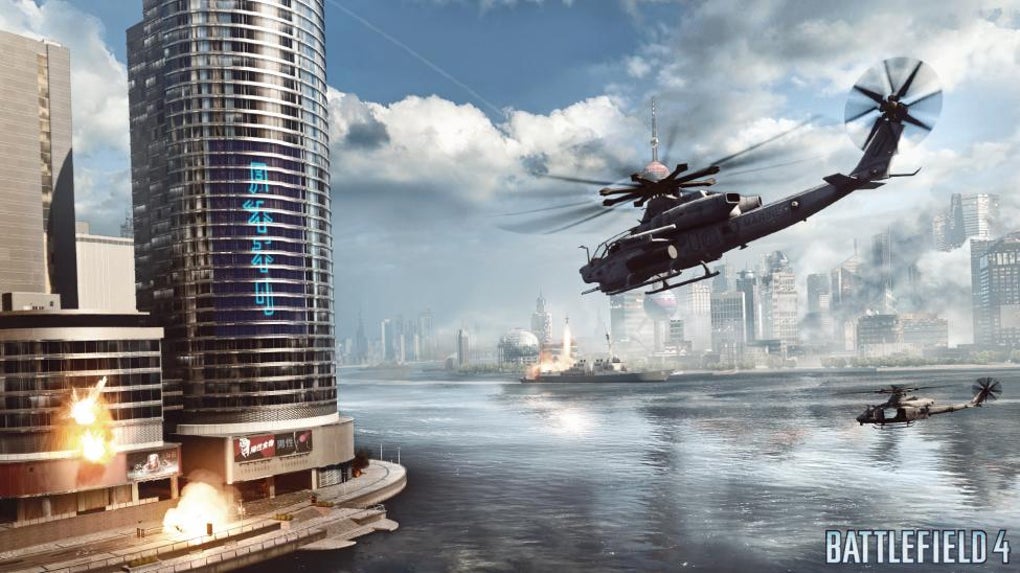
Battlefield 4

The Naval Strike expansion pack for Battlefield 4 brings naval warfare to the 21st century. Taking place in the South China Sea, the DLC pack brings multiplayer maps, new gadgets and weapons, and most importantly, a hovercraft. In the new Carrier Assault mode, you’ll be battling to sink the enemy’s aircraft carriers.

Battlefield 4 Download now
7

Assassin’s Creed IV: Black Flag

Assassin's Creed IV: Black Flag

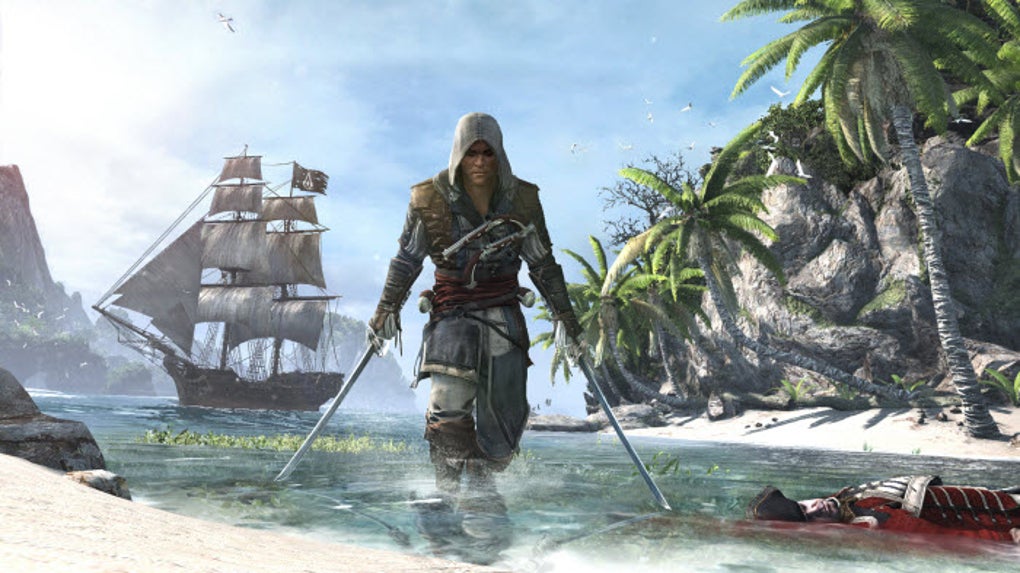
For a series about climbing over rooftops and stabbing Templars, Assassin’s Creed IV: Black Flag’s ship-to-ship combat is surprisingly complete and satisfying. Sailing across the Caribbean taking direct control of your ship – The Jackdaw – you can attack different navy vessels with your vast armory to get money and supplies for upgrades. But, if you would rather board an enemy vessel for some cutlass based action, you can capture it and add it to your fleet.
Assassin's Creed IV: Black Flag Download now
8

Bonus: Top Mobile Naval Battle Games

The thrill and excitement of a good naval battle game should not be limited to just the PC Desktop experience. For naval battles on the go, try one of these mobile naval battle games:

Pacific Fleet Lite
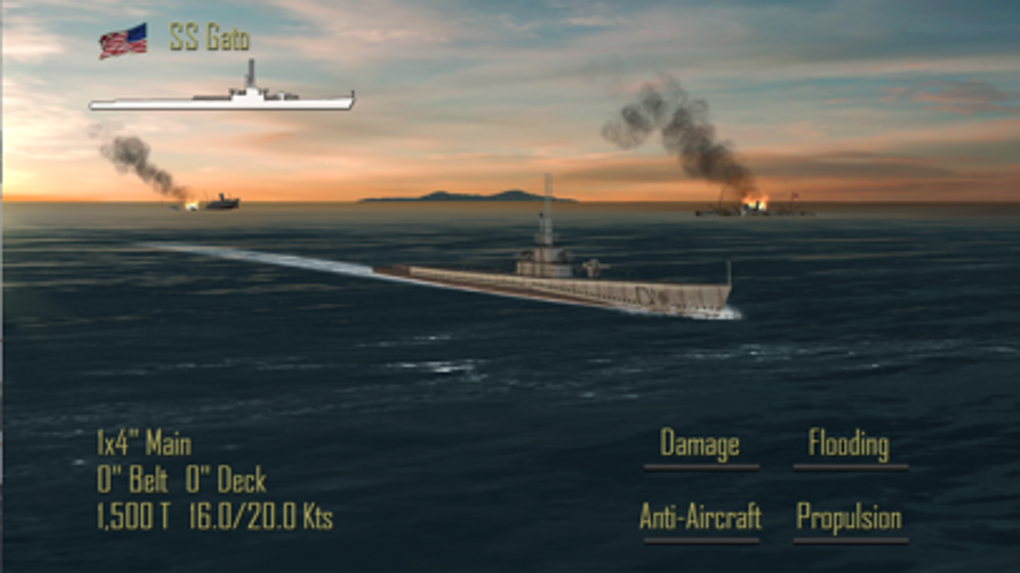
Pacific Fleet Lite

Pacific Fleet Lite is the free version of a popular and detailed turn-based World War II naval battle simulation. It contains a lot of simulation data and logic-based gameplay that will appeal to a hardcore naval strategy enthusiast, but its lack of fast-paced action means arcade/action lovers will probably want to take a pass.

Pacific Fleet Lite Download now
9

Assassin’s Creed – Pirates

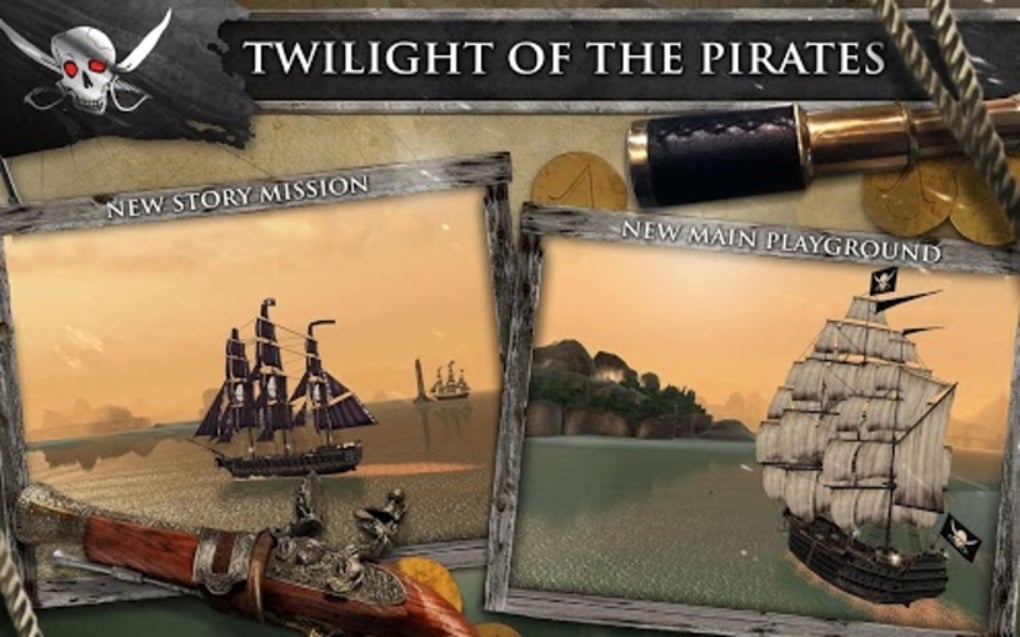
This mobile installment of the Assassin’s Creed franchise from Ubisoft features fast-paced 1 on 1 naval battles in an adventure storyline. The game was recently updated to be free-to-play (it used to be a $4.99 paid download).

Assassin's Creed Pirates Download now
8

Wrapping up

What’s your favorite naval battle game? What about Atlantic Fleet or Steel Fleet? Let us know in the comments section below.

The 5 best VPNs

VPNs are internet security tools allow you to browse the internet without fear of other people being able to access your information, or see what you are looking at. Particularly vital if you regularly connect over public Wi-Fi. Here are our five favorite VPNs.

TunnelBear (Window|Mac|Android)

TunnelBear is one of the easiest VPNs on our list to set up and use. A popular and well-known service, it is available for desktop, mobile, and as a browser extension. The downside is that they only offer 500MB of browsing for free, which runs out pretty quickly for most of us.

Hotspot Shield Elite VPN (Get Here)

Our second pick in the “ease of use” category is Hotspot Shield Elite VPN. Hotspot is compatible with both mobile and desktop devices, and with one click, gives you secure access to servers in over 20 locales, including USA, UK, Japan and Germany. While it isn’t free to use, Hotspot VPN is still relatively affordable compared to the other options

proXPN VPN (Get Here)

If you have the need for speed, ProXPN blew us away with some of the highest speeds we’ve seen. But it’s not just quick: it also features a 512-bit Encryption Tunnel and a 2048-bit Encryption Key.

SecureLine VPN (Window|iOS|Android)

Avast, with its SecureLine VPN app, is one of the more recognizable names in the VPN sector. Though you do have to pay to access its secure network, the service it provides is fast, reliable, and anonymous. With it IPSec technology, SecureLine makes you practically invisible.

ZenMate (Chrome|Firefox|iOS|Android)

The German based ZenMate is one of the best when it comes to VPNs. The service stores no information about your usage (German laws doesn’t allow it), it is reliable, and trusted by an ever growing user base. It is paid, but offers a 7-day trial so you can see if it is a good fit.

Know any other good VPN services? Let us know below.

Related Stories

Five voice changing apps

Five apps to create your own digital avatar

Three Dark Souls III alternatives

How to sell your things and make money online

Follow me on Twitter: @DoFuss

Enter VR today with these five fantastic apps

VR is the craze of 2016 and everyone is jumping on the bandwagon to make their mark. From Facebook and Oculus to YouTube and Google, virtual reality gadgets and experiences are being launched every other week and if you don’t know where to start, here are the five best apps we’ve tried so far.

Cardboard (iOS|Android)

An obvious place to start once you have your headset is with the official Cardboard app. This primes your device for the head-wear and offers a handful of demos to get you hooked. It’s a great beginning to your VR journey – though its gesture-based navigation can be tricky.

YouTube (iOS|Android)

If you are sat there wondering what VR apps to download, the odds are you already have one: the official YouTube app. That’s right, there are huge number of videos out there that offer a full 360-degree experience, allowing you to view them from any angle you like. Just search #360videos.

Vrse (iOS|Android)

Vrse offers a selection of video experiences that are designed from the ground up for the immersive platform. Videos are custom shot with high fidelity professional equipment, ensuring spectacular visuals with dynamic stereo audio that moves with you to give an unprecedented sense of realism.

Sisters (iOS|Android) & Insidious: Chapter 3 (iOS|Android)

Don’t believe that a phone could ever really create an immersive experience? Then here’s a challenge – turn down the lights, get a good pair of headphones, and play Sisters, the tense horror story that will have you constantly thinking there is something behind you. And, if you make it through that, you can try Insidious: Chapter 3 a creepy app to promote the film.

NYT VR (iOS|Android)

The New York Times has always been quick to adopt new technologies, a trend they have continued with the NYT VR app. This app provides a novel and visually appealing way to view reports New York Times content within Cardboard’s virtual environment. It seems to be doing well too, so expect more companies to adopt this strategy soon.

If you think we missed any great apps on our list, let us know in the comments. For more of 5 apps, check out our YouTube channel.

Related Stories

The best antiviruses of 2016

2015’s PC and console games of the year

The best PC games of 2015

Follow me on Twitter: @DoFuss

Top alternatives to Google Maps

Google Maps (And|iOS) is defiantly the best all-round navigation tool on the market, but that doesn’t mean that it is always the best option. So, in today’s 5 Apps, we are looking at the best alternatives and what they are better for.

Waze (And|iOS|WP)

Waze mixes social networking and navigation. Users constantly keep the app up to date with current road conditions: traffic jams, accidents, road works, everything you need to inform you of your route while driving. You can even track friends’ journeys.

Here Maps (And|iOS|WP)

Here Maps is a powerful navigation from Nokia which is used by Audi, BMW, and Mercedes. And, if they are prepared to pay, you can be pretty sure it is good. It features offline maps, public transportation information for more than 1,000 cities, and traffic updates.

Sygic (And|iOS)

Sygic is a map app that tracks speed limits and speed camera locations. You can download a map of whatever country you want, so that even offline you are ready for anything. On top of that there is a voice to guide you, tips on parking availability, and more.

Maps.me (And|iOS)

Maps.me is an open source project. Linked to OpenStreetMap, this app provides offline information, precise location tracking, and detailed maps, making it a great way to tour the world without using much data.

Citymapper (And|iOS)

Citymapper looks great and provides detailed public transport information. This city focused app provides immense detail to its maps, and helps you easily get from point A to point B on foot or by public transport.

That’s it for 5 Apps, not just for this week but for a while because I am departing. Hopefully the show will make a comeback with a new host soon.

Subscribe to Softonic Videos on YouTube to make sure you do not miss that, and follow me on Twitter. I hope to see you soon!

Related Stories

Stay safe: the 5 best VPNs

Stay safe: the 5 best password managers

Three games to get you ready for Marvel’s Captain America: Civil War

Superheroes get social

When they aren’t saving the world or engaged in a Civil War, what do the heroic Avengers of the Marvel Cinematic Universe (MCU) get up to? Well, if the internet is to be believed, much the same of us: chatting over WhatsApp, Tweeting each other, getting into trouble on social media, and attending too many meetings at work.

Much like their planet avenging shenanigans, they manage to do all this with a good deal of humor. Luckily, thanks to the social-beauty of Facebook, Instagram, Twitter, and a possible hack the Avengers’s WhatsApp accounts (Tony should really look into that) we have been able to find some of the best to share.

Facebook (iOS|And)

The first rule of Facebook: it doesn’t matter how “super” your friends are, the chances are they will be jerks to you when you post about important life events.

Oddly, this feels like the kind of mistake Steve Rogers would make, so its strange to see the more socially savvy Tony make it here.

Tony Stark on Facebook

Source: Conversations in Marvel – check them out

Instagram (iOS|And)

Talking of which, Captain America making exactly that same mistake here. Sharing images from your youth on any social media platform is generally a mistake. Really Cap should just be happy Iron Man is so far the only person to weigh in on his appearance.

Little Captain

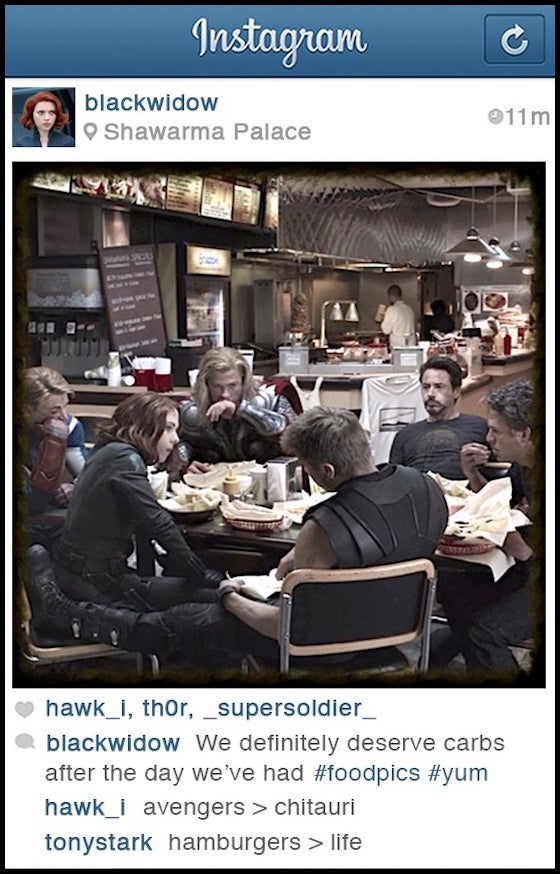
In this lovely pick, Natasha Romanove manages to share a photo of both friends and food. And yes, after a hard day you are find to carb load.

But that doesn’t answer the question of who is taking the picture though… Loki was probably still free at this point I suppose. Whoever it was, nice choice of filter.

Black Widow Instagram

Source: Babble – have a look

Twitter (iOS|And)

Good diet advice from Captain America here. Plenty of people share dietary advice online, but it is good to see this tidbit being so kindly offered without any judgement or expectation. His friendly attitude to it probably stems from his diminutive shape when younger.

All that said, it does feel a little unfair considering Steve called dibs on the Super Soldier Serum.

Captain America hits the juice

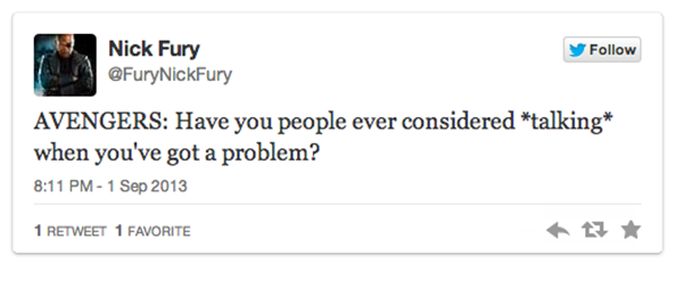
Maybe the last person I expected to be pushing for peace, Nick Fury is clearly fed up with the team he painstakingly created trying to pull itself apart. This is probably made worse by the fact they guy he picked as hall-monitor seems to be the one causing all the trouble (bad Captain America – go to the director’s room).

Nick talks them down

Source: AcidCow – head over for more fun

WhatsApp (iOS|And) – or your IM of choice

When there is a war brewing, never underestimate the element of surprise.

1. Assess your assets.

2. Keep your cards close to your chest.

Yet Iron Man seems to have broken both of these rules in a single conversation. Maybe it is because he forgot rule three…

3. Never IM your enemies when your drunk.


Dungaroos

If you do have to fight make sure you are doing it for a reason. And, try not to let the guy who is friends with insects pick your motivation… next they will be invading Mars for a bag of sugar.

ANTony Avengers

Source: Texts from Superheroes – head over to see more

Related Stories

Three games to get you ready for Marvel’s Captain America: Civil War

10 apps that would have been useful for characters in Game of Thrones

7 creative things you can do with your old floppy disks

Follow me on Twitter: @DoFuss

Three games to get you ready for Marvel’s Captain America: Civil War

You are pretty much out of time to pick a side in Marvel’s Civil War. The third Captain America movie is finally here and – whether you are with Team Cap or Team Iron Man – it’s time to fight.

With all the buzz around this blockbuster, pretty much every Marvel free-to-play game is receiving an update with new characters, suits, and scenarios to get you in on the action. These are my three favorites to help you join the war today.

Marvel Heroes 2016 (Win|Mac)

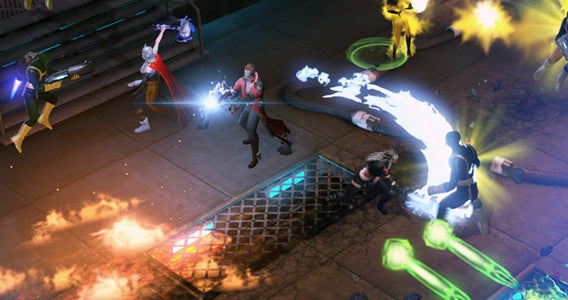
Marvel Heroes is a free-to-play dungeon crawler that lets you run around iconic settings as your favorite superheroes. With more than 50 heroes to choose between, your goal is to beat up thugs and super villains to earn loot that lets you upgrade your chosen champion.

Marvel Heroes 2016

If you have played a dungeon crawler like Diablo, then the format needs little introduction: control your hero from a top down perspective as you send them dashing around the screen to flatten the forces of evil.

What makes Marvel Heroes so good is that it keeps improving. Since its 2013 release it has seen huge updates that have delivered additional free content. These have included characters, costumes, story missions, and loads more.

Marvel Contest of Champions (And|iOS)

Marvel Contest of Champions is a one-on-one, free-to-play fighter that has you build up a team of heroes to lead into battle. Featuring both heroes and villains from the Marvel Universe you can create some pretty diverse squads, even matching Deadpool, Juggernaut, and Star-Lord together.

Marvel Contest of Champions

Your three character’s must fight your opponent’s three one at a time. A stripped back combat system has you control blocks and dodges on one side of the screen, and light, medium, and heavy strikes on the other. Yes, this is quite basic compared to most traditional fighters, but the system is perfect for mobile and touch devices.

The problem is the difficult curve – or rather the lack of one. If you are not a high enough level and want to progress you either have to pay to upgrade or slowly grind for items and experience. On the plus side, there is lots to do to keep your grind varied.

Marvel Avengers Alliance 2 (Win10|And|iOS)

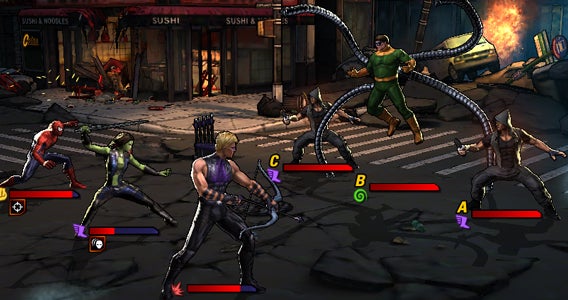
Finally we have Marvel Avengers Alliance 2. This fast-paced combat RPG uses the same formula as Star Wars: Galaxy of Heroes, having you take your squad of three into battle against the likes of Hydra and A.I.M.

Marvel: Avengers Alliance 2

If you have ever played a similar free-to-play RPG (or indeed any menu based RPG game) the format should be incredibly familiar: wait for your characters’ turn, pick a move, and then tap on a target to execute.

Yes, its predictable, but there is something to using characters like Hawk Eye, Gamora, and Spider-Man’s various abilities together to take down super villains that proves satisfying. It is also worth noting that the game does a good job with its free-to-play model with lots of missions, side content, and multiplayer making sure you always have something to do.

And that is it for this week and indeed from Click-Swipe-Play for a while. Keep an eye on me @DoFuss on Twitter for more gaming content and subscribe to Softonic Videos on YouTube Channel for more videos.

Related Stories

The three greatest vampire games

Three amazing games featuring time powers

The three best driving simulators

Three Dark Souls III alternatives

Facebook is finally on Windows 10… no it wasn’t already

Facebook has finally launched versions of its Facebook, Messenger, and Instagram apps on Microsoft’s official Windows 10 Store.

While these apps have only just become available, they were announced back at Microsoft’s Build Conference. Some of the features promised then seem to have disappeared however, with universal cross-platform functionality missing from their initial release.

That right, while we were hoping that these apps would work across Windows 10 PCs, tablets, and Windows Phones, in their first form two of them only work on PC (Facebook and Messenger) and the other only on mobile (Instagram).

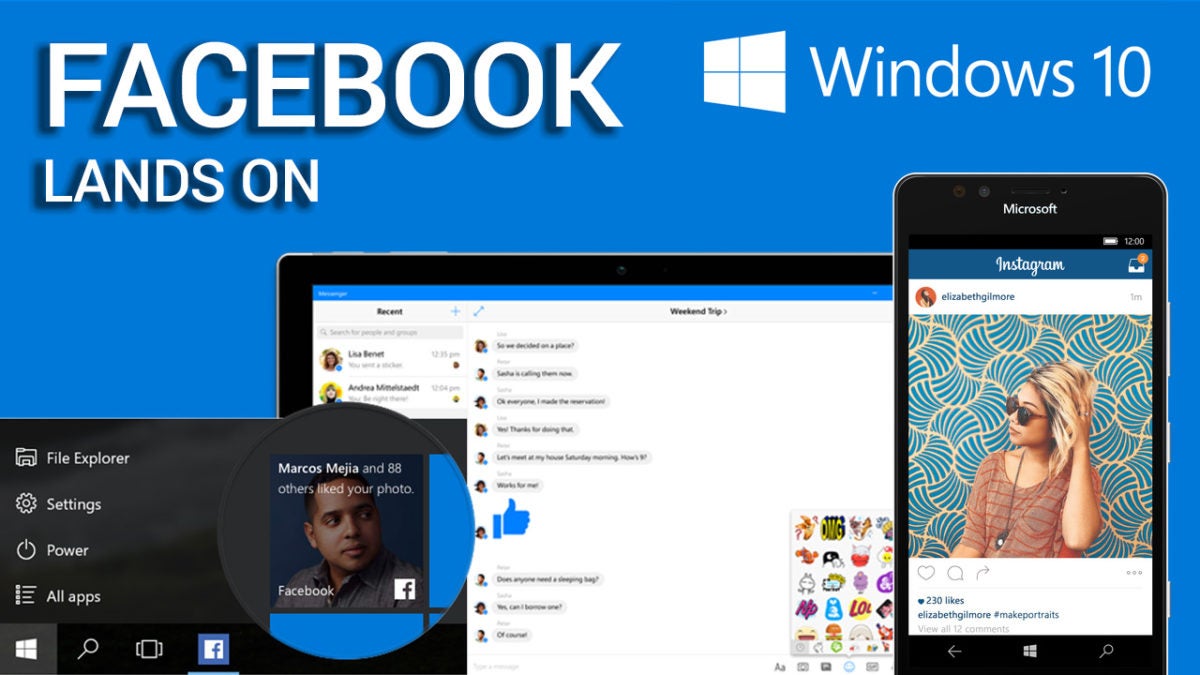
Facebook, Instagram, and Messenger come Windows 10

Checkout our video about Facebook coming to Windows

The updated Facebook for Windows 10 app loads and renews your timeline faster than ever and provides notifications integrated into the system’s live tile interface: never miss a puppy picture again. The app also lets you upload photos directly to Facebook’s from other programs. And, of course, you can expect all of the latest Facebook tools – stickers, birthday reminders, trending topics, and everything else – you’ve come to depend on.

The Messenger app for Windows 10 PCs is completely new. That said, the majority of its features are quite familiar to its users: stickers, emoticons, group discussions, GIFs, and notifications so you never miss a message. Windows 10 features include the use of live tiles and the ability to record audio messages to send to people.

The new Instagram app for Windows 10 is also here, but only for mobile devices. An early build of this app was focused on portability, providing little more than the opportunity to like photos. Now the application is complete with everything you expect from Instagram, including the ability to upload videos.

Facebook has promised that mobile versions of Facebook and Messenger for Windows 10 will arrive by the end of the year. Meanwhile, this is definitely good news for the Windows 10 app store – ensuring that these ubiquitous services are available for the operating system.

Related Stories

Stay safe: the 5 best VPNs

Stay safe: the five best password manager apps

Five apps to create your own digital avatar

The three greatest vampire games

Follow me on Twitter: @DoFuss

Stay safe: the 5 best password managers

Password managers are apps that keep all your passwords safely tied together. This allows you to create complicated passwords for greater security across your accounts, all of which can then be accessed from a single password linked to the program. Here are our five favorites.

1Password (Windows|Mac|iOS|Android)

As 1Password’s name implies it offers one password to rule them all. The service works cross platform, generates strong passwords for you, remembers them, and works as a digital wallet to safely store tickets etc. It is easy to use, well designed, and integrates fingerprint lock where available.

LastPass (Windows|Mac|iOS|Android|Windows Phone)

LastPass was one of the first password managers. It checks your passwords are strong and automatically generates new ones if they are not. A two-step identification process uses either Google Authenticator or a USB key. It also offers a host of other features for security and ease of use. Great for security… not so much for design.

KeePass Password Safe (Windows)

The completely free KeePass Password Safe is an open source password manager. It lets you sync across devices using the cloud, but this function can be disabled if you don’t want your passwords floating around in the ether. KeePass’s main benefit is it open source nature, with a huge community you can be sure any security holes will be quickly patched.

Enpass (Windows|Mac|iOS|Android|Blackberry)

Enpass has support for loads of devices – even Blackberry. By now you know the basics: strong passwords generation, autosave, automatic password updates, and a digital wallet. By default you data is saved locally, but you can securely upload it to the cloud. As a bonus it does not require an account, and the service is free for desktop.

Dashlane (Windows|Mac|iOS|Android)

Encrypting using AES-256 protocol, two-step verification, compatibility with TouchID, and security for your master password, Dashlane maybe the safest app on this list. So much so, that if you do lose your master password you may be trouble… Dashlane also stores information to fill out documents, tickets purchase, and other forms.

Let us know in the comments if we missed a password manager your prefer. Next week we are taking a break, but I will be back in two weeks for another five apps, see you then.

Related Stories

Stay safe: the 5 best VPNs

Five voice changing apps

Five apps to create your own digital avatar

The three greatest vampire games

Follow me on Twitter: @DoFuss

Opera just became the safest browser

This week Opera added a VPN (Virtual Private Network) to its desktop browsers (Window|Mac|Linux). This is the first time one of the major browser developers has included this feature by default, and it is a huge step forward in security for all of the browser’s users. Best of all, it’s free.

At this point, nearly a quarter of the world’s internet population are using VPNs for the security they offer. They work by providing you with a secure connection to a server from which you can privately surf the web.

For most, the main advantage of this direct connection between your computer and the server is that it prevents anyone intercepting your information when connected via Wi-Fi. This is perfect if you are a laptop or notebook user who likes to use your machine when out and about. With the VPN active, you can safely connect to public Wi-Fi to browse, email, and shop, without fear of anyone being able to access your personal data.

However, this isn’t the only benefit of using Opera’s VPN. It replaces your IP with a virtual IP address making it harder for sites to track your location or identify your computer – adding yet further privacy to your browsing habits. Plus, by browsing from a remote VPN, you can circumnavigate some restrictions linked to location and firewalls that may prevent you accessing some sites.

Providing you have the most recent release of Opera installed, you can now start using its VPN on Windows, Mac, and Linux machines. On Windows and Linux, all you need to do is go to “Privacy and Security” and then activate the VPN within the “Setting” options. Similarly, on Mac, just got to “Preferences” to toggle the VPN on and off. All without having to install any extensions.

Unlike other free VPNs, Opera places no data limit on your browsing. This ensures that you can make use of this safe connection whenever you need it.

This is fantastic news for Opera users, and should also attract a new audience to this powerful browser. We just hope Opera adds this service to it mobile version, Opera Mini (Android|iOS|Windows Phone), sooner rather than later.

Related Stories

Stay safe: the 5 best VPNs

How Opera is different from Chrome and why you should try it

The five best security apps for your smartphone and tablet

The three greatest vampire games

This week we are going to look at the best three games in which you get to play as a vampire – and don’t worry, I promise that not one of these immortal blood suckers glitters.

BloodRayne (Windows)

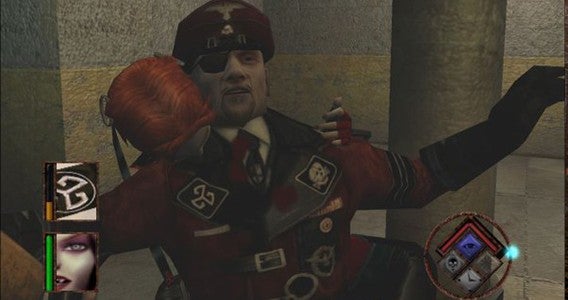
For me, BloodRayne is synonymous with videogame vampires. Created in 2003 and clad in skin tight leather, Agent BloodRayne is a vampiric vixen who is a clear product of her time.

Trained by a government agency to stop the Nazi menace and their occult experiments, Rayne is a one vampire army. With huge wrist mounted blades, gun skills, and dynamic acrobatics, there is little that can stop her pirouetting through the game’s various diverse environments slicing up enemies.

upclose and personal

It does look a bit dated now, but the speed of the gameplay still makes for an entertaining action game. Plus, BloodRayne remains one of the most iconic vamps in gaming.

The sequels are great too, just please avoid the Uwe Boll movie adaptations.

Legacy of Kain: Soul Reaver (Windows)

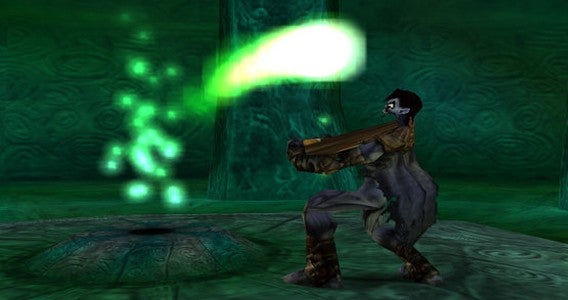
Legacy of Kain: Soul Reaver is the sequel to Blood Omen: Legacy of Kain. It depicts a future where the vampires have won, humanity is nearly eradicated, and the world is ruled over by Kain.

You play as Raziel, a vampire killed and cast aside by Kain for evolving before him. Lying at the bottom of the Lake of the Dead for over a millennium, you are eventually resurrected by The Elder God for the sole purpose of revenge.

a tasty legacy

The third-person action gameplay focuses on navigation, combat, and environmental puzzles. It is in many ways pretty standard stuff, but Soul Reaver adds the fascinating ability to move between the real world and the world of the dead. Here everything is warped an twisted, creating new paths forward and forming new dangers to fight and avoid.

Like BloodRayne it is showing its age, but the dimension crossing elements keep it interesting.

Vampire: The Masquerade – Bloodlines (Windows)

Providing a more involved exsanguination experience than the other games on our list comes the RPG, Vampire: The Masquerade – Bloodlines.

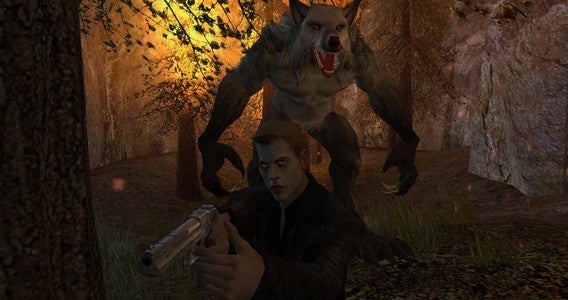
This first-person RPG has you play as a newly turned member of Dracula’s extended family tree, trying to make a name for themselves in the city of L.A.’s undead underground. Talking to various characters in the world, you are sent on missions to battle other undead and mortals. Completing these tasks helps you to advance your stats and standing in the world.

he is behind me isnt he

With various stats to tweak, and seven different clans to align with (ranging from the trained Brujah to the brutal Gangrel), you have lots of opportunity to personalize your vamp and their story.

Thanks to its sharp plot and writing, Vampire: The Masquerade – Bloodlines is still an engrossing RPG for all creatures of the night.

That’s if for this week. Next week we won’t have a show, but I will try to post something game related – subscribe so you don’t miss that. I will see you for another Click-Swipe-Play in two weeks.

Related Stories

Three amazing games featuring time powers

The three best driving simulators

Three Dark Souls III alternatives

Follow me on Twitter: @DoFuss