Wikipedia wants to Tackle Fake News with the Wikitribune

The co-founder of Wikipedia, Jimmy Wales, is launching an online news publication in an attempt to combat fake news. Professional journalists, interested readers and trusted volunteers, will run the Wikitribune. Journalists will publish the sources for each published story and make materials like audio transcripts available to the public.

Community members will be encouraged to fact-check all articles. Members of the public will then be able to suggest edits to a story but all changes will need to be approved by staff members or trusted volunteers before being published.

Wikipedia wants to Tackle Fake News with the Wikitribune

The Wikitribune will be ad-free and will not be behind a paywall but will be financed via a crowdfunding campaign, which launches today, and will cover a wide range of issues. Readers will then be able to take out monthly $15 subscriptions, which will then give them influence over the topics that the reporters cover.

Wales believes that this is just the beginning of the project and it is only designed to attract funding and journalism. Once this stage is complete, he will look to expand including towards offering the news in languages other than English.

Source: BBC


These 3 Virtual Reality Experiences Will Blow your Mind

Arktika.1

Anybody who is familiar with the First Person Shooter genre will most likely know the Metro franchise from 4A Games. The Metro games see players fighting in a post-apocalyptic nightmare that is rife with mutated monstrosities trying to kill you and they’re widely regarded as some of the best first person shooter games ever made.

It really is exciting news then that 4A Games latest project, due sometime this year, is a VR game coming exclusively Oculus Rift. Arktika.1 takes place only 80 years in the future when global warming has caused much of the planet to freeze over.

As opposed to the murky darkness of the Russian Metro system where much of the action Metro took place Arktika.1 will have much brighter scenarios and will feature high-tec weaponry. The game looks polished and seems to be aiming, in scope at least, beyond what has already been done with virtual reality titles.

The trailer alone is enough to get your blood pumping and this is one title that we’re extremely excited about.

Imagine a Touchscreen Tattoo that could Control your Phone

Tattoos are everywhere these days. In the US alone a staggering $1,650,500,000 is spent every year on getting tattoos with over 45 million Americans having at least one tattoo. Another thing that is ubiquitous across America is the smartphone. Nearly two thirds of americans have little mini computers in their pockets sporting fancy glass touchscreens. With touchscreens and tattoos both so popular then it seems that researchers at Saarland University are onto the winner with their latest innovative idea, iSkin.

iSkin is a very thin sensor overlay that gives you the ability to turn your whole body into a touchscreen. It is both flexible and stretchable and can be produced in different shapes and sizes so that it can be used on various parts of the body like the finger, forearm or ear.

The developers at Saarland University are hoping that iSkin will enjoy a wide range of uses saying:

“iSkin supports single or multiple touch areas of custom shape and arrangement, as well as more complex widgets, such as sliders and click wheels. Recognizing the social importance of skin, we show visual design patterns to customize functional touch sensors and allow for a visually aesthetic appearance. Taken together, these contributions enable new types of on-body devices. This includes finger-worn devices, extensions to conventional wearable devices, and touch input stickers, all fostering direct, quick, and discreet input for mobile computing.”


If iSkin catches on like its developers would like it to then the amount spent annually on tattos in the US is like to rocket past the astronomical amount already spent on them each year in the US. Watch this space.


Source [1] [2] futurism

In China Beggars are Accepting Mobile Payments via QR Codes

Have you ever felt guilty because you’ve been asked for some change by a homeless person but you’ve had none on you to give? In China a rather novel way to get around this has sprung up. At least one homeless man’s spare change basket has been seen baring a QR code specificallyally designed to take payments from passersby.

According to the Huffington Post a homeless man in Shandong province has been given the QR code by his family. Other internet users in China are reporting that local homeless people are using the popular messaging  app WeChat to help them with their begging too.

In China QR code is much more widespread than it is in the West. QR codes are everywhere and the main difference is that most people actually use them. In fact it is very common for you to exchange your personal details with someone via WeChat by having them scan your QR code.

It would be interesting to see if electronic begging would catch on in the West if QR codes became as ubiquitous as they are in China. Maybe it is just a matter of time before we start seeing some tech savvy homeless people hitting the streets of Western cities too.


Source: Huffington Post

How to make your own NES Mini Classic

So it has happened. In what seems like just another example of Nintendo trolling its own fans they’ve discontinued the hugely popular NES Mini Console. When the ones last ones get sold there’ll be no more to come. This is quite a shame really because there are plenty of people who still want to get their hands on the console but who’ve been unable to due to constant supply issues.

Well if you’re one of those people don’t worry as we’ve found a DIY alternative that will cost you less than $40 and will have the added benefit of being able to play any game you have the cartridge to.

The video will show you how build your very own NES Mini Classic using a Raspberry Pi computer that you’ll be able to get your hands for around $5-10. If you’re hungry for some classic NES action then this could be your best available option now that the official consoles from Nintendo are no longer available.

Just 1 Minute of Audio is all it takes this app to copy Anybody’s Voice

Fake news could be getting a shot in the arm thanks to Montreal based tech startup Lyrebird. Lyrebird are on the brink of releasing a service that will enable you to copy somebody else’s voice with only 1 minute’s worth of recorded audio. They’re currently offering some examples of what Lyrebird can do on their website and we’ve featured a couple for you below.

As Lyrebird Hilary pointed out they’re using deep learning and artificial neural networks and the result is quite staggering. The other important thing to note is that Lyrebird are going to release the technology to everybody meaning simulated voices could soon be everywhere. It might not just be prominent politicians or celebs who get their voices copied, it could happen to you or you could use the technology to copy the voice of somebody you know.

With that being the case certain ethical issues are raised by the proliferation of cheap and abundant voice simulations. As well as security issues that could arise through handing over security details to a bot that that is masquerading as somebody close to you there is also the issue of voice recordings being used as evidence. To this Lyrbird speak directly via the Ethics section of their website.

Voice recordings are currently considered as strong pieces of evidence in our societies and in particular in jurisdictions of many countries. Our technology questions the validity of such evidence as it allows to easily manipulate audio recordings. This could potentially have dangerous consequences such as misleading diplomats, fraud and more generally any other problem caused by stealing the identity of someone else.

By releasing our technology publicly and making it available to anyone, we want to ensure that there will be no such risks. We hope that everyone will soon be aware that such technology exists and that copying the voice of someone else is possible. More generally, we want to raise attention about the lack of evidence that audio recordings may represent in the near future.”

In the online arena it looks as though the relatinship we have with our owbn voices and the voices of the people around us look set to change. We could soon be able to use anybody’s voice to talk for us when communicating online. When added to the security implications and the possibility the technology could be used for fraud the release of Lyrebird’s voice simulation capabilities could see seismic changes occur in the way we consume media on the internet.

6 Terrific Smartphone Operating Systems that are Not Android

Without any shadow of doubt, Android and IOS have dominated the operating systems market for the past few years. This is because they offer a high level of compatibility and flawless support for mobile application. Compatibility and support are what individuals are looking for above all else. However, did you know that there are operating systems other than Android and IOS that offer the same or even better functionalities? Here is a comprehensive list to check out:

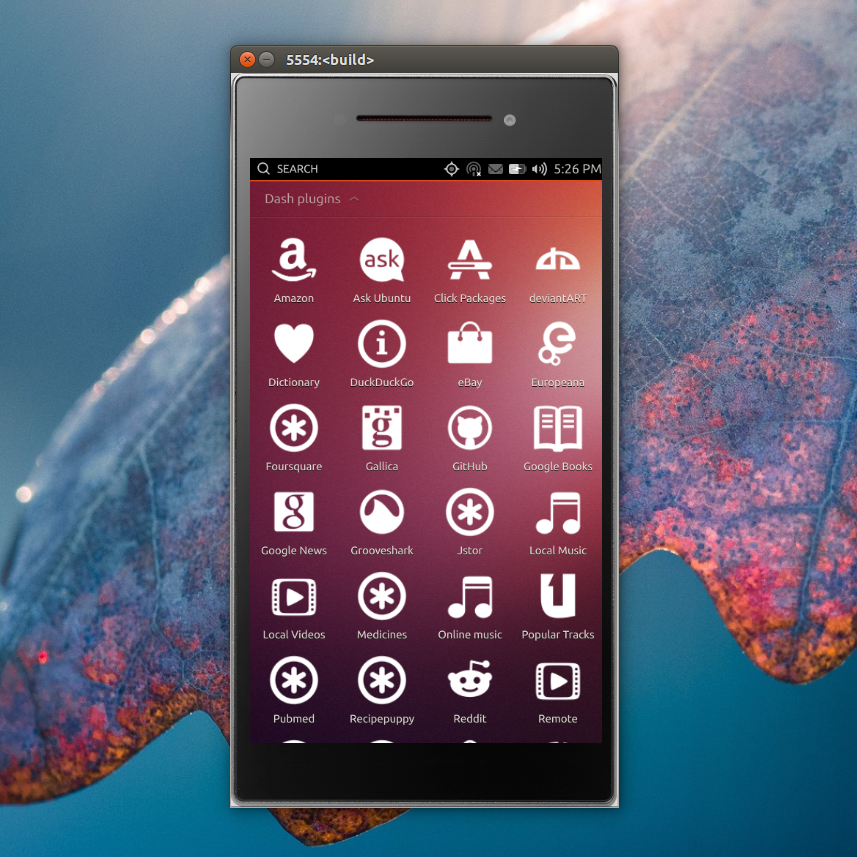
Ubuntu Touch

6 Terrific Smartphone Operating Systems that are Not Android - Ubuntu Touch

On the outlook, Ubuntu Touch mimics any other operating system. While Ubuntu Touch trails Android in certain aspects, the latest crop of fixes could well be the platform for a new OS showdown. The new updates include:

  • Improved updates panel: That allows you to keep track of new updates and witness the changes they bring in real time.
  • Improved Emoji keyboard: The last Emoji keyboard was daunting to navigate. The new version is pretty easy to sort through and find the right Emoji that suits the moment.
  • Calendar synchronization: The new OS adds support for iCal and CalDAV. It also allows you to synchronize many calendars through your Google accounts and your own cloud.
  • New notifications panel: Brings on board refined notification settings. The new notification setting lets you choose which specific app notifies you with sound, vibration, or notification bubble

Amazon Fire OS

6 Terrific Smartphone Operating Systems that are Not Android - Amazon OS

Amazon Fire OS is based on Android operating system. It’s produced by Amazon and specially designed for Amazon’s Fire Phone and Kindle Fire range of Smartphones and tablets. This operating system mainly focuses on content consumption. It comes with a fortified user interface and tailored to make content available from Amazon’s storefronts and services. Some of the newest updates to the OS include:

  • Compatibility with current Android apps than ever before: Which means a lot of your apps would work on fires devices without added engineering effort.
  • Free compatibility testing within 90 seconds: This means you only need to drag and drop your Android APK into the App Testing Service to find out your compatibility results.
  • Amazon Rapids: Is considered a game changer for Amazon. Amazon Rapids is a reading app specifically geared towards children. Stories are told to children in the style of chat sessions.
  • Alex video support: An app that’s able to search games, audio books, TV shows and movies on Amazon video.

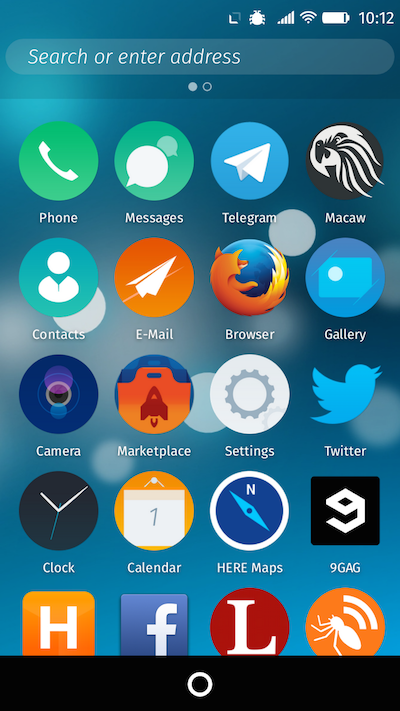
Firefox OS

6 Terrific Smartphone Operating Systems that are Not Android - Firefox OS

Firefox OS is designed by Mozilla for Smartphone, tablets and Smart TVs. It was first released for sale in 2013.Firefox OS focuses on HTML5 technology to go in line with devices capabilities such as SMS and Bluetooth support. It comes with added features such as:

  • Highly optimized for low-end hardware, meaning manufacturers can use it for free to produce devices that piece together low cost and high degree of functionality.
  • It’s fully open source, which means it is community driven.
  • Based on Linux and Mozilla’s Gecko technology
  • Requires low battery capacity since the phone is intended to boot from the web and application to run on the web.
  • It comes with three layers; Giaia- UI layer (uses open web APIs), Gecko- Application runtime services and Gonk- Linux Kernel and HAL from Android.

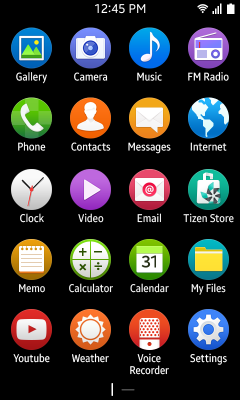
Tizen

6 Terrific Smartphone Operating Systems that are Not Android - Tizen

Samsung introduced this new operating system after announcing that it would discontinue development of Bada operating system on 25th February 2013. Tizen has since gained a significant bite of share in the smartphone market. It’s now ranked the 4th largest Smartphone OS in the world. The biggest selling point of Tizen is that:

  • It provides 100% revenue to app developers. This is why most developers prefer it
  • Tizen is an open source OS, which means any company or individual, can join and initiate any modification.

However, its greatest challenge will be attracting customers from Android and iOS operating systems.

Sailfish OS

6 Terrific Smartphone Operating Systems that are Not Android - Sailfish OS

Sailfish OS is developed by the Finish mobile company Jolla Ltd. and the Sailfish OS community. Some of its key features that worry the top operating system developers include:

  • Linux friendly: It utilizes Linux platform, which means it’s stable, perfect for Smartphones and can be modified with relative ease.
  • Hardware ready: Adding hardware is relatively easy. It’s also easy to replace a part.
  • Gesture controls and multitasking: Upgraded from button clicks to swipes. Ease of unlocking the handset. You only need to double tap. All you need after unlocking is swiping to maneuver through applications.

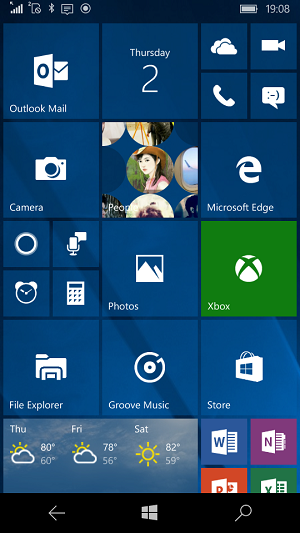
Windows 10 Mobile

6 Terrific Smartphone Operating Systems that are Not Android - Windows 10 Mobile

This is Microsoft’s operating system utilized in Smartphones and other mobile devices. This Operating system is based on Windows CE 5.2 kernel. In 2010, Microsoft inaugurated a new Smartphone platform known as Windows Phone 7. The release of Windows Phone 8.1 followed in 2014. The latest update is the Windows 10 mobile operating system.  The greatest selling point of the Windows 10 Mobile operating system is the Cortana and search application. Cortana is now available in Spanish, Portuguese and French.  Window 10 aspires to provide greater consistency with its counterparts for computers including:

  • Higher level synchronization of content
  • An innovative global application platform that lets a single app to operate on multiple Windows 10 devices like mobile devices, PCs, and Xbox
  • Freedom to upgrade your Windows 8.1 Smartphone to the latest Windows 10 mobile subject to the manufacturer’s approval and support


UCBrowser’s Latest Update is Definitely Worth a Look

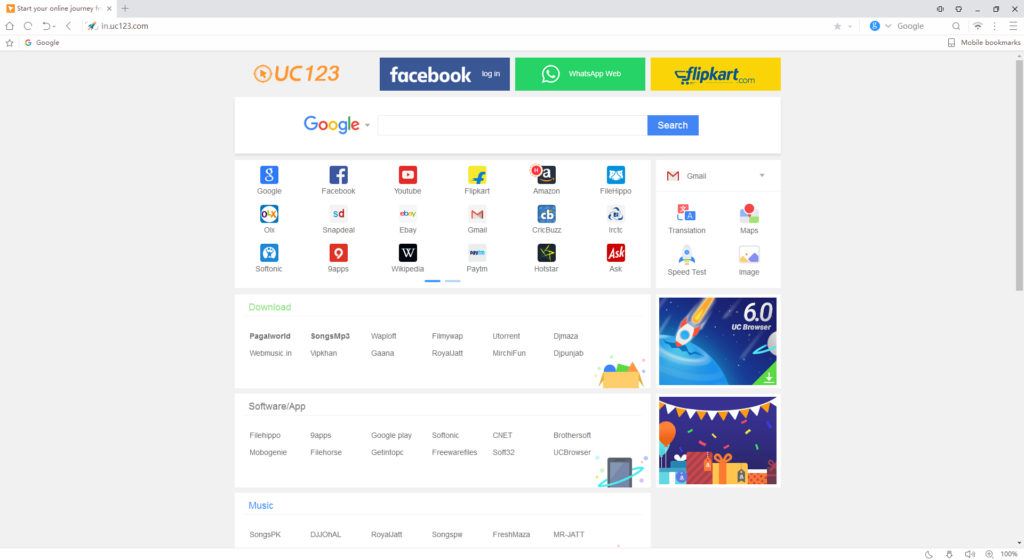
If time is of the essence or your device is not the most powerful then UCBrowser could really help you out. Developed by UCWeb, UCBrowser is one of the quickest web browsers available at the moment and its latest update has made it even better. You can get your hands on UCBrowser for free here.

UC Browser's Latest Update is Definitely Worth a Look

These days software updates are ubiquitous and often occur automatically without us even knowing until after they’ve taken place. Unfortunately this is also true with operating systems as control is taken away from us over the software that is running our machines. An unfortunate side effect of these updates is that as time goes by software gets more and more complex to run whilst your hardware stays the same. Before long your device starts slowing down leaving you frustrated at the time you spend waiting for things to load.

Lean Mean Browsing Machine

UC Browser's Latest Update is Definitely Worth a Look

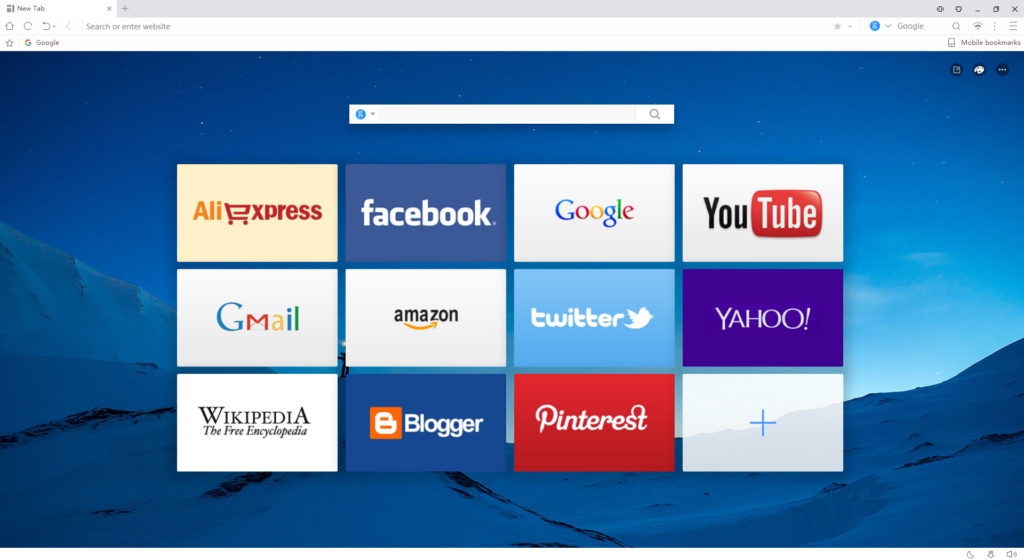
UCWeb have been around for a while and they’ve been helping people with this very problem. Known as the fastest browser out there UCBrowser can offer you a snappy web browsing experience even on lower powered machines. In fact UC Browser has been optimized for use on slower machines so that even older devices are able to get things done at speed.

UCBrowser will use less of your CPU and memory than other browsers and side by side tests have shown that this can result in faster page loading when browsing the internet.

UC Browser's Latest Update is Definitely Worth a Look
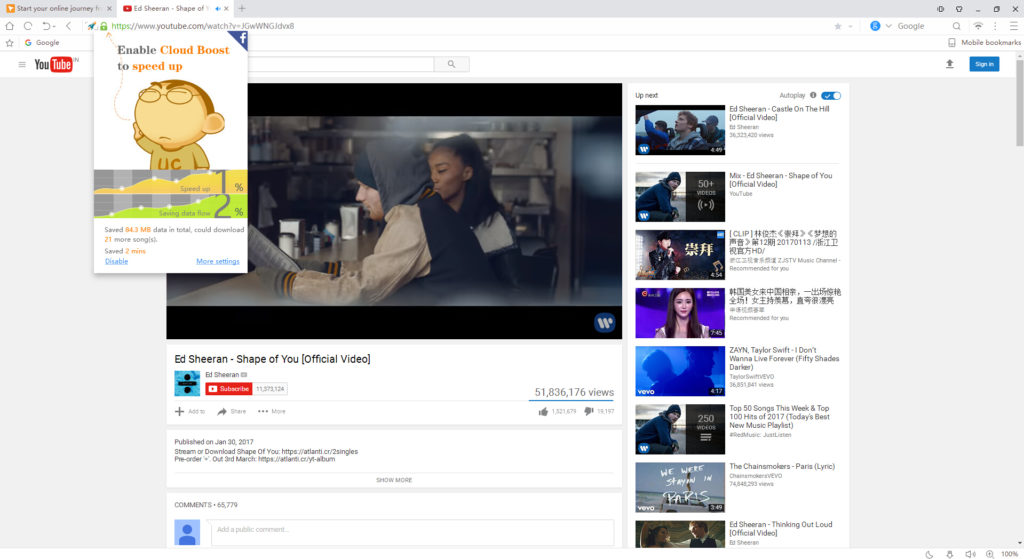
As well as being more efficient UCBrowser also includes an exclusive Cloud Boost sytem designed to save on data usage and further decrease loading time of web pages.

On top of faster browsing, the freed up resources can then be used on other programs should you be multitasking rather than simply surfing the internet.

UC Browser's Latest Update is Definitely Worth a Look

Fast and Secure

UC Browser's Latest Update is Definitely Worth a Look

Whilst maintaining high speeds and low resource consumption the latest update has brought to UCBrowser some really interesting additions. These include added security features that will ensure safer web browsing. A really interesting new characteristic is UCBrower’s new ability to cut off many potential sources of malware and viruses before they even get a chance to load on your computer.

Deserves a chance

All in all UCWeb have been providing users with a snappy and efficient alternative to the mainstream web browsers for years. The latest update adds beefed up security protocols to an already effective web browser that has plenty to offer. Now is the perfect time to give UCBrowser a chance, if you haven’t already, and see how much time you can save and frustration avoid when you’re surfing the web.

UC Browser 6.1 is definitely worth a look.

UC Browser's Latest Update is Definitely Worth a Look

Top 20 most spine-chilling horror games ever

BY DANIEL CACERES

Feel like getting truly scared? We’ve collected the most terrifying games that only the bravest can play. Don’t agree with the order of the top 20? Vote to change the order to suit your tastes!

Top 20 most spine-chilling horror games ever

Most of these games can be easily found nowadays. We’ve avoided typical choices like Resident Evil or Five Nights at Freddy’s.

Silent Hill 2

Silent Hill 2 is more psychologically scary than the other games on this list. The story never mentions this directly, but the characters, including the protagonist, are escaping their mistakes or trauma instead of confronting them. As a result, the city of Silent Hill becomes more ominous and sinister until the fantastic end.

Amnesia: The Dark Descent

The classic that gave rise to all modern horror games. Amnesia sets aside action, betting on stealth instead. While you explore the passageways of a sinister castle, you’ll encounter abominations hunting you down. You can’t finish them off, so you have to hide or manage your light sources to avoid becoming devoured in the darkness.

Alien: Isolation

Isolation not only is the best game in the Alien saga but also boasts of one of the smartest and most terrifying enemies in the genre. During the course of this adventure, the alien adjusts to the structure and the ins and outs of Sevastopol. What once worked for you suddenly becomes your last resort unless you want to die.

Outlast

The key to Outlast is leaving you completely unprotected when facing dangers hidden in the insane asylum. You have to hide under beds or in closets while you look for keys or clues to advance. Your only light source, your camera, adds tension thanks to a battery that threatens to run out at every step.

Dead Space

Unlike other monsters, the creatures of Dead Space don’t die with a bullet to the head. What’s more, sometimes they don’t have a head where they should. Dead Space’s ¨strategic dismembering¨ system guarantees that no encounter will be the same as another… and the designs of the monsters are the stuff of nightmares.

Project Zero 2: Crimson Butterfly

The ¨brilliance¨ of Project Zero 2 is that it forces you to face your fears. The only way to defeat the game’s ghosts is to photograph them, the closer they are when the photo is taken, the more pain you cause. Can you handle it all?

Dead Space 2

Dead Space 2 is ¨bigger and better¨ than the first release. There are more frights, stories and places. The only downside is that, while Dead Space was a personal and organic adventure, its sequel seems like an amusement park: impressive but somewhat artificial.

Silent Hill: Shattered Memories

One of the most undeservedly forgotten installments of the saga. Shattered Memories is more than a remake of the first release. For starters, it personalizes your nightmare with the appearance of a mysterious therapist. On the other hand, it takes away all kinds of weapons to give you only one option when facing danger: to run.

The Evil Within

The Evil Within is like an exhibition of all horror game cliches in the third person. The result should be chaotic but it’s actually an adventure with an admirable rhythm that doesn’t stop coming up with new ideas and enemies so you never feel safe.

10 Layers of Fear

Remember P.T., the demo teaser of the canceled Silent Hills installment? Layers of Fear is everything that it could have been. You’ll discover a complex and strange story where you’ll be afraid to do anything, whether opening a door or turning a corner. You’ll never know when a fright is coming!

11 Condemned: Criminal Origins

Condemned is terrifying from beginning to end because you don’t face off monsters but rather people who have gone mad. Although there are firearms, most fighting involves violent and difficult duels with hand-to-hand combat. Here you can’t kill bad guys from afar!

12 Among the Sleep

A first-person horror game where you control a 2-year-old child. Horror has never been addressed from such an affectionate and childlike point of view. You’re not a hero. You don’t have thousands of weapons. You’re only a vulnerable and scared child in a world that wasn’t made for you.

13 Resident Evil 7

A brilliant resurrection of the Resident Evil saga that sets aside the intense showing off of previous installments to focus on a house with numerous problems. The first part is pure horror while the second part tends towards more traditional action.

14 Call of Cthulhu: Dark Corners of Earth

The best game inspired by the literary work of H.P. Lovecraft. You’ll take on a private detective who must investigate the secrets hidden by a strange fishing village. Prepare yourself for cosmic horrors, nocturnal pursuits and an original system of madness that will infect you if you don’t run away from evil in time.

15 SCP – Containment Breach

If you like creepypastas, surely you’re familiar with the SCP Foundation stories. Containment Beach compiles some of the best horrors of these stories in a free horror game where you never know what kind of creature will shock you next.

16 SOMA

Do the depths of the sea scare you? Beware of SOMA! It’s a science fiction adventure that takes place in a complex under the sea where everything that could go wrong gets WORSE. It’s a spiritual successor to Amnesia that scares and shocks you, of course, but it’s the storyline that will captivate you the most.

17 Alan Wake

Alan Wake spirals into action as the hours pass, but its story (a man who predicts his own decline into madness) keeps you going even in repetitive moments. Its literal use of lights and shadows is impeccable.

18 Sylvio

Sylvio is a little-known horror game that encourages us to investigate electronic voice phenomenon (the voices of the dead, for example). Its combination of disturbing sounds and eerie shadows makes it a terrifying adventure that deserves to be in your collection.

19 S.T.A.L.K.E.R. Call of Pripyat

The last release of the fortune hunters saga in Chernobyl is the best of them all. While at first glance it seems like a pseudo-military shooting game, Call of Pripyat includes mutants and aberrations awaiting you at night or in abandoned buildings.

20 Clive Barker’s Undying

Undying traumatized many gamers in its day and continues to traumatize more thanks to its setting and soundtrack. Your mission is to penetrate a cursed mansion and face the four children of its owner who have become possessed. This is a very long adventure that never has a dull moment.

Uninstall your antivirus: you don’t need it anymore

BY DANIEL CÁCERES GARRIGA

I’ve gone half a year without a single antivirus program installed on my computer… and nothing has happened to me! Not even one virus. Not even a cyber-annoyance. Zip. Zero.

What’s my secret? It was as easy as realizing that nowadays there are great alternatives to traditional antiviruses, so if I was careful, I didn’t need to invest a single penny on an antivirus program.

You can also live without an antivirus, as long as you follow these tips.

Updates from your browser or Operating System

Many of the protections that five years ago were only found within antiviruses (such as anti-phishing tools) already come preinstalled on your Operating System and even your browser.

But none of these protections will be useful if your OS or browser are out of date. In fact, Google takes your security so seriously that it updates Chrome automatically, whether you like it or not. And the same with Windows.

Do these updates frustrate you because the installation process wastes your time or because you don’t trust the flagged changes? Keep in mind that most current hacks happen because of security breaches that companies patch up with updates… which many users postpone installing until it’s too late. They wouldn’t have been hacked if their software had been up to date.

Tips for browsing worry-free

Everybody’s favorite program these days is their browser. Keeping it updated will ensure you’re protected, of course, but it’s not too much to add a few additional security layers.

For starters, don’t install more extensions or plugins than you need. Many of these extensions either don’t update as much as they should (which opens the door to hackers) or are malicious themselves.

As for password managers, I recommend you use managers such as LastPass or 1Password.

Browse often using public Wi-Fi? Travel often? Maybe it’s worth investing the money you were going to spend on an antivirus to get powerful VPN software that protects your data.

Trust this preinstalled “antivirus”

If you’ve got Windows 10, it means Windows Defender comes preinstalled, a great antivirus program that runs if you haven’t installed any other protection. In fact, Windows 10 not only comes with this program but also includes filters that notify you about suspicious webpages, not to mention your OS will use the cloud to protect you from multiple threats (basically Microsoft has created a giant database through the interconnection of all Win 10 computers).

Need an extra firewall?

Just like the protections that come with a standard Operating System, most routers come with a firewall that goes above and beyond its function. Honestly, I would only recommend adding another firewall if you feel uneasy about it. The free ZoneAlarm program is a good option.

The antivirus you don’t even need to install

Do you know about VirusTotal? It’s a service via web where you can upload a suspicious file that it inspects using its engine and data obtained thanks to previous requests from other users.

Oh, and another extra trick. If you use Chrome, I recommend Web of Trust, a free extension (also available on Google Play) that notifies you if the page that you’re about to click on is secure or not.

Going illegal or dirty has a price

Let’s be honest: 99.99% of current problems with antiviruses come from negligent browsing. You can have the best antivirus on the market, an updated Operating System and the greatest password manager you could ever want, but if you frequent pages with illegal downloads or suspicious pages for 18-and-ups (hint: they’re usually pages with free videos), your computer will become infected, no doubt.

Negligent browsing is no accident. One doesn’t go on these pages absent-mindedly. In this case, you and only you are guilty of the infection. No hacker has gotten into your computer, but rather you’ve jumped straight into the lion’s den.

If you browse carefully, there’s a 0.1% chance of becoming a victim of a virus.

Keep teens under control

If you have teenagers at home that use your computer, it’s possible they’re the ones browsing pages of ill repute. In this case, maybe it’s worth restricting access to certain programs or pages for younger users, or even resorting directly to a parental control program. Or you could even chat with them.

How to spot fraudulent email

No antivirus or any of the alternatives listed here will 100% protect you from malicious email. In this case, you should resort to common sense: distrust all unexpected email regardless of what the subject line promises you. Alarm bells should go off if you see spelling mistakes or strange syntax…

And what about Macs?

Do you need to install an antivirus for your macOS? The answer is the same as Windows: no, if you use common sense.

While it’s true that there are more and more attempts to hack Macs, given the increasing number of users, Apple relies on its closed App Store. If you don’t install unauthorized apps from strange sites, it’s only recommended to install an antivirus if not having one prevents you from sleeping at night.

And cell phones?

If you haven’t skipped any tips until now, this one is the same old story: if you keep your Operating System updated and only install apps through the official virtual stores, the risk is almost zero. Just like the desktop world, most viral infections come from security breaches that are rectified by updating your cell phone or from suspicious apps found on even more suspicious pages.

Listen up about this “almost zero.” There’s nothing certain in life. In March, 2017, the cyber-security company Check Point discovered malware preinstalled on Android cell phones. In other words, the virus came from the manufacturer, so to speak. But, in this case, how can you protect yourself from something that shouldn’t even happen?

If you’ve installed an antivirus for your cell phone, you’ll see that these security apps prioritize anti-theft or data protection features and set aside the most basic feature of eliminating viruses. That’s because in the cell phone world, there’s a greater chance of stealing your data. Be careful with your cell phone password. For example: choose a long password or unlocking pattern, reduce unlocking time as much as possible, disconnect Siri on the lock screen if you have an iPhone and disable notifications for content that could reveal private info without even having to unlock your cell phone.

Just like a desktop, if you often use public Wi-Fi networks, it may be easier to install a VPN instead of an antivirus.

Sources used for the making of this article: Tom’s Guide (article 1, article 2), Cnet (article 1, article 2), Reddit, Eli The Computer Guy Live (Youtube channel), Gizmodo Fieldguide