Will Messenger 2.0 Make for a Happier Social Media Experience?

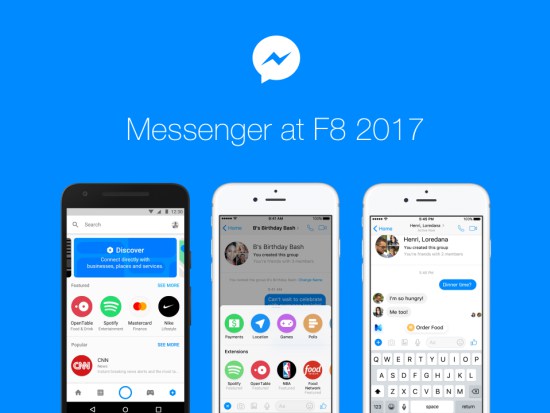
Facebook’s F8 developer conference in San Jose, California has seen a fair few announcements from the World’s leading social media platform. One of the biggest of which has been the overhaul of the Messenger app that has seen a huge focus on bot integration and an attempt to bring users and businesses together.

Will Messenger 2.0 Make for a Happier Social Media Experience?

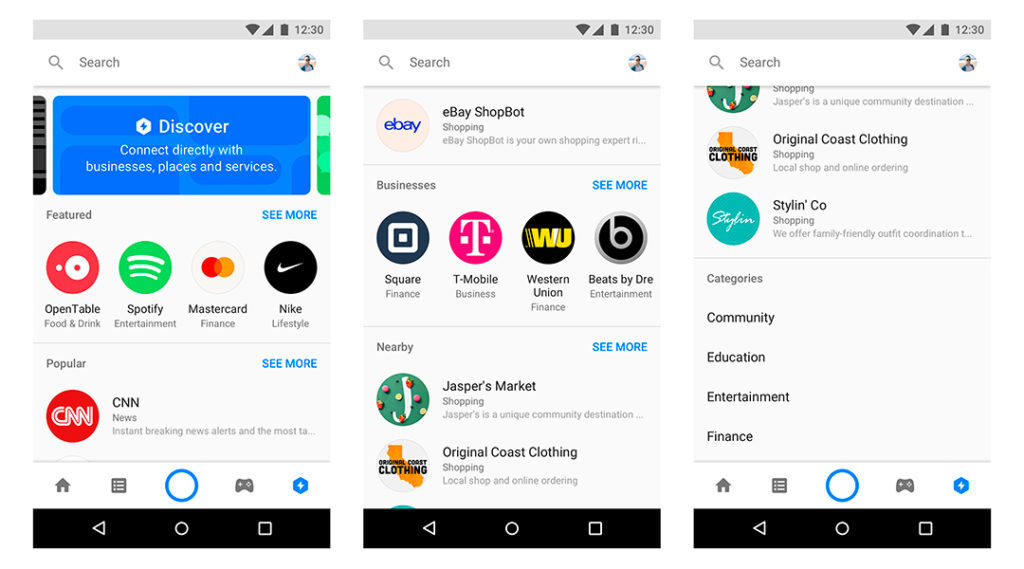
Vice-President of Messenger Product, David Marcus, explained that Messenger will be much more than just a social communication tool. Whilst pointing out that there are over 65 million businesses that use Messenger, Marcus announced a number of new features that will turn Messenger into a 21st Century Yellow Pages.

Discovery Tabs will be new tabs that will allow to search for bots, pages, companies, products, webpages and events near to you.

Will Messenger 2.0 Make for a Happier Social Media Experience?

Messenger Codes will give each business QR codes that will then link to bots.

Chat Extensions will allow users to then converse with bots individually and in group chats. The main example Facebook gave was sharing music whilst talking to Spotify’s bot, which would learn your musical tastes based on your behavior.

M Assistant will now be built right into the app and will be able to make suggestions to the user or perform a number of other tasks including paying other users or ordering food.

Will Google Hire help you get your Dream Job?

Google is taking aim at job search websites and professional social networks like LinkedIn and Indeed with their new Google Hire tool. Google has opened up access to the login page new tool that will aim to host job openings and manage applications. It may still be some before the tool is fully operation as, at the time of writing, members of the public are unable to get past the login page.

Will Google Hire help you get your Dream Job?

A lack of access hasn’t stopped observers from raising one or two questions regarding the data Google holds and whether it’ll be shared with potential employers. Would you want a company you want to work for having access to your search history for example?
Google has already come out to address these doubts with a representative telling TechRadar:
“[Google Hire] will allow employers to collect candidate applications online,” the spokesperson clarified. “Only information that a candidate voluntarily provides would be passed to a prospective employer as part of their online application.”

Google Hire may be worth a look then once the service becomes available. Finding a job can be grueling experience so who wouldn’t want another weapon in their arsenal as they try to find themselves the job they’ve always dreamed of?

You can access Google Hire by clicking here.

Blizzard have made one of the best ever Strategy Games Free

We all like free games? Even more so when the free game in question is an all-time classic that is widely regarded as one of the best games of it genre ever. Well get ready to lay down hours of your time at the altar of real time strategy as Blizzard have just made Starcraft and Starcraft: Blood War available to download for free.

You can download Starcraft for PC and Mac here.

Blizzard are giving away Starcraft for free because in a few months they’ll be releasing a completely remastered version, which will include improved graphics and sound. This means that this giveaway might just be a way to get a new generation of Starcraft fans hooked just before the remaster drops but still we’ll snapping this one up.

Time to Wrap Up that Affair: WhatsApp’s New Feature Could catch you Out

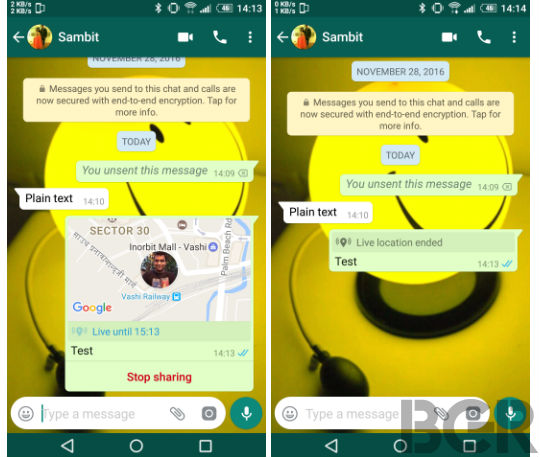
If you ever lie about where you are you could find yourself in trouble sooner rather later. WhatsApp is to add the facility to broadcast your live location to all of your contacts. The feature is likely to be really useful for anybody running late or for groups who have agreed to meet but if you’re a bit of a sneak you might want to watch out.

Time to Wrap Up that Affair: WhatsApp’s New Feature Could catch you Out

Live location sharing has recently been rolled out by Google Maps but now it seems likely to be added to WhatsApp too when the latest update lands. According to the Twitter account @WABetaInfo WhatsApp’s location sharing service will allow you to leave comments in group and individual chats.

As well as Live Locations the new update looks like it will bring number changing to WhatsApp. A useful feature, number changing will allow you to change your mobile number without losing all of your WhatsApp data in the process. It seems crazy that this hasn’t been a part of WhatsApp for years ubt at least now it looks like the ubiquitous messaging app will finally get a dose of common sense.

Google has Launched an App to take care of all the Boring Tasks in your Life

Wise words from John Lennon that are designed to inspire us to seize the moment and seize the day rather than dreaming about what will happen sometime in the future. The problem is though the present is often full of boring tasks that need our attention. Writing up a shopping list, getting somebody to fix the dishwasher, deal with a leak or drop off that vital lifesaving pizza! Is this the life that John Lennon was talking about? Are these the moments that need to be seized?

Well Google thinks not and has launched Areo, a brand new app to help you free up these moments so that they can be seized elsewhere. Although still in its infancy Areo intends to offer thousands of local services through a single app.  As Areo is offering local services you’ll have to check whether the app is available in your local area before using.

The aim is to offer fast and secure services that are easily booked at your convenience. The app also aims to give users a chance to provide in-depth reviews meaning you’ll be able to make an informed choice when looking for a service provider.

There you have it. With Areo freeing up your day you’ll have plenty more time for googling “How to seize the Day”.

Our Favorite Windows 10 Creators Update Features

With the latest Windows 10 Update rolling out to all Microsoft Windows 10 users we thought we’d let you know about our favorite features. The newest Windows Update is supposedly geared towards creative types but it actually has plenty to offer to the average Windows user. Check out the top new features below.

Updates to Edge
Our Favorite Windows 10 Creators Update Features

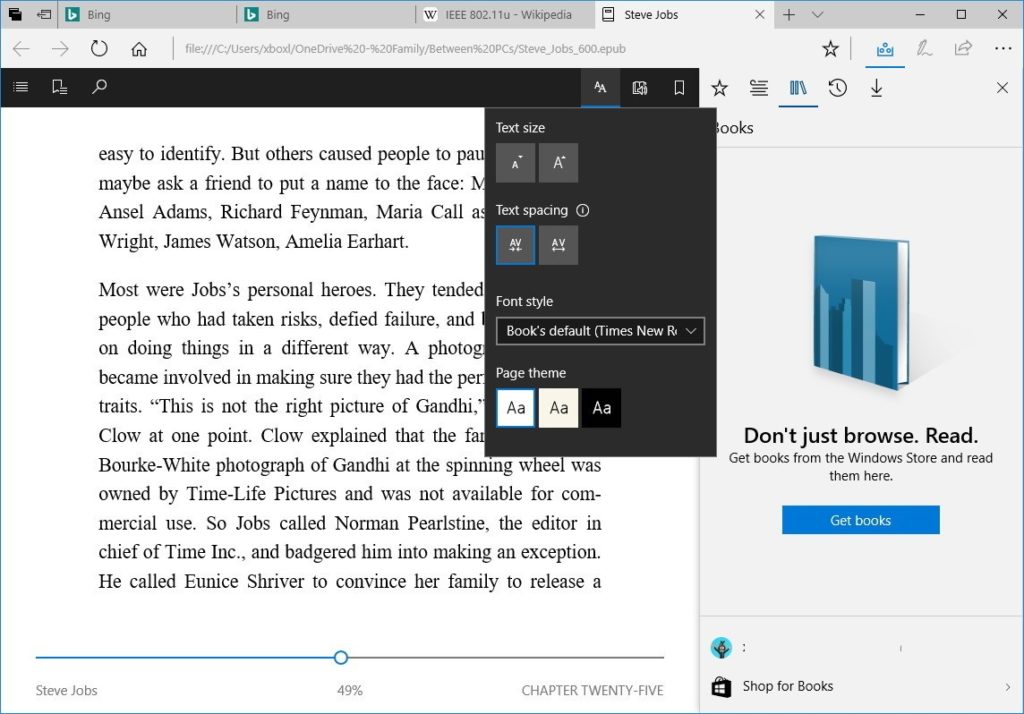
As well as getting an improved tabbing system Microsoft Edge, Windows 10’s in built web browser, is getting its very own Ebook reader function. You’ll be able to buy Ebooks from the Windows Store and then read them in Edge. Once you’ve bought your books you’ll be able to access them by going into your hub on Microsoft Edge. Your hub is where you access your favorites, your browsing history and now the books you’ve bought and is accessible by clicking the three lines icon in the top right of the app.

Edge’s improved tabbing system allows you to view thumbnails of your open tabs and save groups of tabs for later use.

Folders for your App Tiles
Our Favorite Windows 10 Creators Update Features

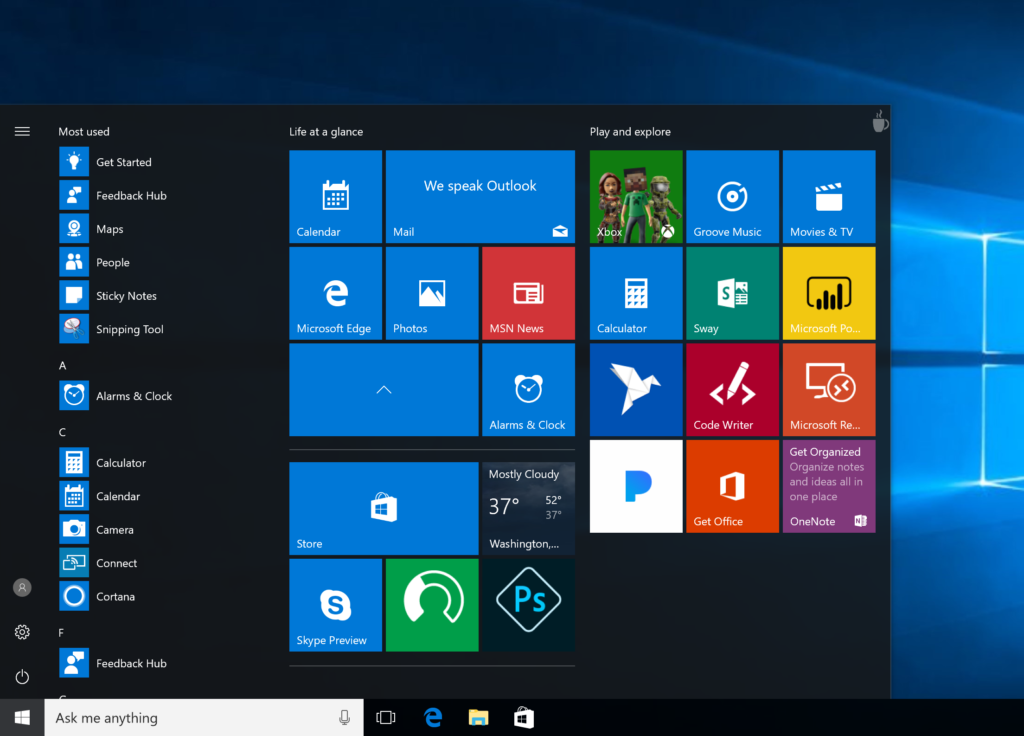
App tiles are one of the best things to have survived from Windows 8 and the Windows 10 Creators Update will give you greater control over how you use them. Once you’ve installed the update you’ll be able to organize all your app tiles into folders rather than relying on pre-determined sections.

To group App Tiles into Folders simply drag one App Tile over another one and release it. They’ll automatically form a new group to which you can add new App Tiles as you please.

Defer Updates

With Windows 10 being a continuously evolving platform Microsoft are constantly pushing updates onto your Windows 10 system. These updates can then slow down your PC or just annoy the hell out of you if you don’t actually want to install the update that is being forced upon you. In an effort to find a middle ground Microsoft have added the Defer Updates function, which allows users to hold off on installing planned updates for up to 35 days. You’ll still have to install the updates but at least you’ll have more control over scheduling when it’ll happen.

Game Mode
Our Favorite Windows 10 Creators Update Features

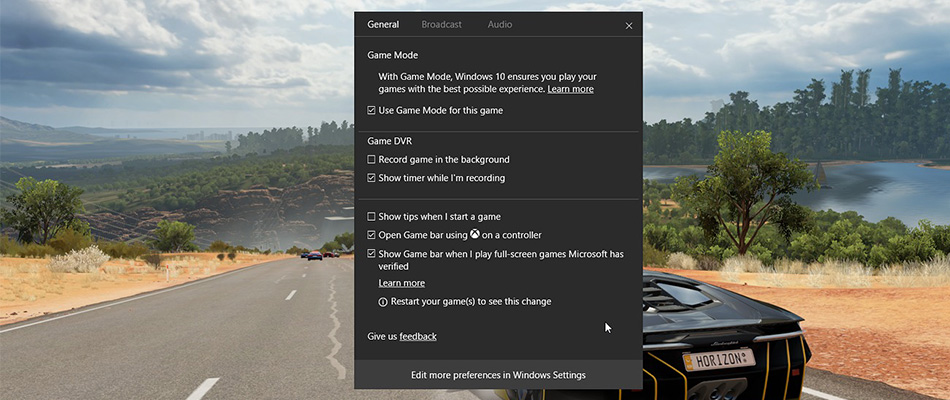
Another great example of Microsoft giving you more control over the machine is the addition of Game Mode to Windows 10.  Game Mode will give whichever game you’re playing at the time priority when it comes to cpu and gpu power allocation. This means that any other processes running on your machine at the time will not drain power from your gaming causing lag or lowered framerates. You’ll have to activate game mode every time you want to use it but it’ll be a small price to pay for the improved gaming action you’ll get.

You’ll find Game Mode in the new “Games” section of the Settings tab.

Hide the Apps List on the Start Menu

If you’re one of the legions who didn’t like the addition of the Apps List via the Anniversary Update to Windows 10 you’ll be happy to know that the Creators Update is giving you the option to remove it.

All you have to do is open the settings app and then click Personalization. Go to the Start tab and you’ll find the “Hide app list in the Start Menu” option.

We’ve only covered our favorite features here. If you want a full rundown of all that the Microsoft’s latest update is bringing to the OS you can find it here. Let us know what you think of the update and whether you think it is worth all the fuss.

Why the latest Windows 10 Update is called the Creators Update

The newest Microsoft Windows 10 Update has rolled out to all Windows 10 users. Microsoft is calling it the Creators Update, and if you’re wondering why they have such a moniker for their newest OS update, the answer is simpler than you think. If you believe what Microsoft tell you then you’ll believe that this update is geared towards creators. In a way this is true.

Although Windows 10’s newest update is quite broad and will affect many different aspects of the Microsoft operating system the biggest additions it will bring will be good news for artists, via Paint 3D, and gamers via a dedicated “Game Mode”. As well as regular old gamers the addition also gives a huge boost to creators of gaming related content via a new feature called Beam.

Paint 3D

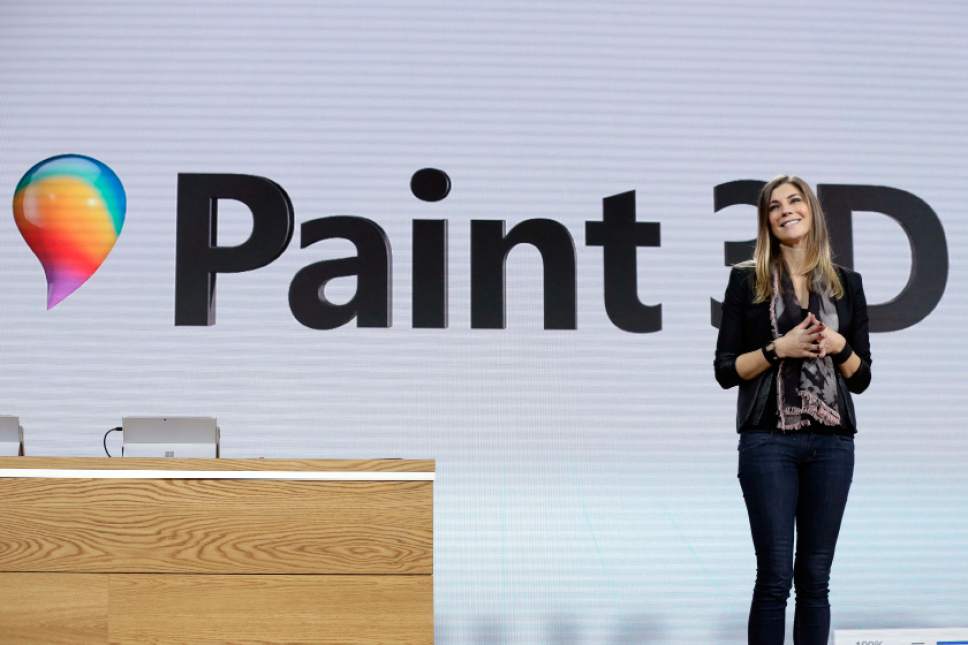
Why the latest Windows 10 Update is called the Creators Update paint 3d

Paint 3D is exactly what you think it is. It is a 3D version of Microsoft Paint that is fun to use and easy to get the hang of. It won’t replace Photoshop but it runs really nicely and, in a feature we expect to see used extensively in schools, you can print off your 3D creations if you have access to a 3D printer.

Beam

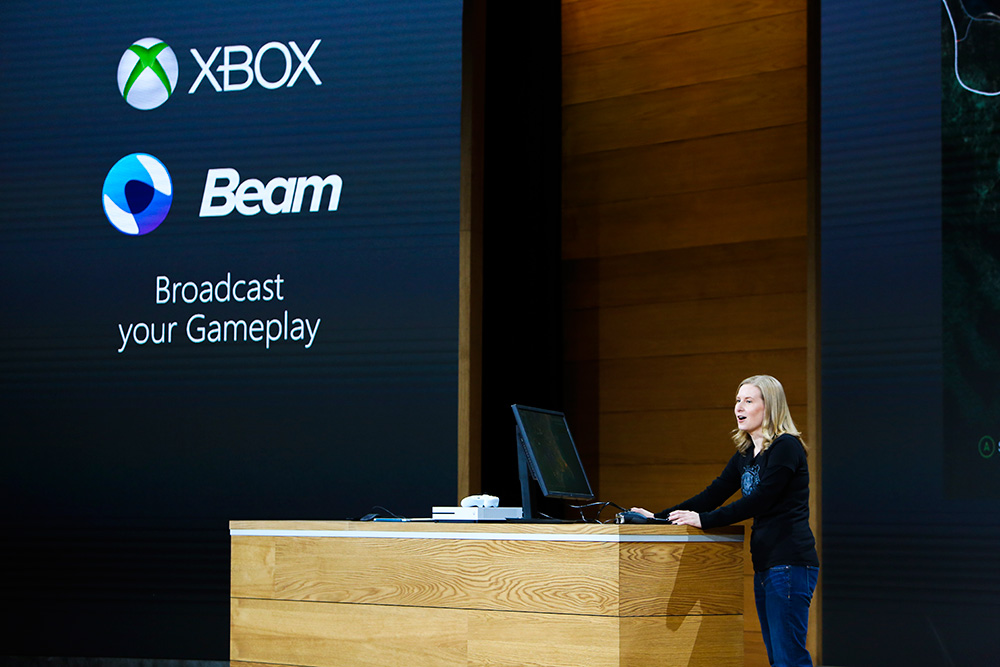
Why the latest Windows 10 Update is called the Creators Update beam

Beam is an in-built alternative to Twitch, which allows gamers to broadcast their gameplay without having to run a third party app. On top of Beam, Windows 10 will have its very own “Game Mode” which automatically makes your machine work as well as it can for the game that you’re playing. All in all this means Beam will offer a lag free experience for content creators. Beam will also be available on Xbox enabling crossover viewing between the two gaming platforms.

Best of the Rest

Everything else gets minor tweaks. The Windows 10 web browser, Edge, gets an improved tab system that allows you to view thumbnails of your open tabs and save groups of tabs for later use. Maps gets a nice update if you’re using a touchscreen device that’ll allow you to draw out roots and then have the distance calculated.

Microsoft have stated that they want Windows 10 to be a constantly evolving operating system rather than a finished product that only receives minor tweaks. Although the Creators update is classed as the 3rd major update the OS has received it keeps with this philosophy. It doesn’t mess with the basics but adds new features to an already solid operating system. As to whether The Creators update title is grounded in the tweaks made to make certain creative people’s lives easier or is more a marketing ploy aimed at the Apple users Microsoft have in their sights is for you to decide.

The Microsoft 10 Creators Update rolls out on April 11 and you can get all the info you could possibly need about it here.

How to stream your gaming with Beam in the Windows 10 Creators Update

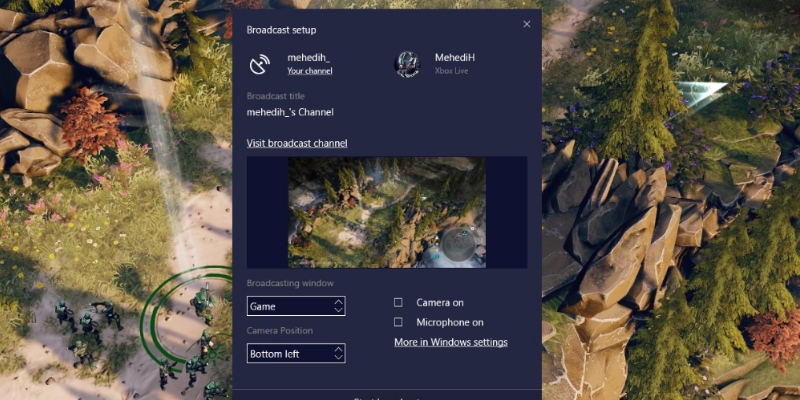
Microsoft’s latest Windows 10 operating system update includes a handy feature all gamers who like broadcasting their gameplays. Beam is a very simple to use yet powerful feature that should enable lag free streaming to anybody who wants it. Once you’ve installed the Creators Update you won’t need to install any other software.

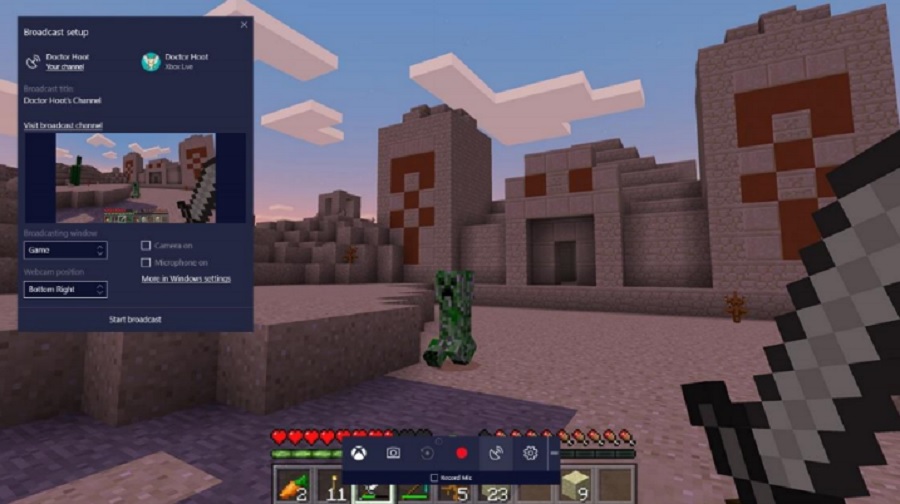
Beam also includes an integrated chat window, which means if you’re broadcasting your gameplay you’ll be able to interact easily with anybody who is watching. If you want to check whether the game you’re playing is compatible for broadcasting via beam you need to check if tit will work with the game bar. To do so simply press Win + G whilst playing. If the game bar appears then you shouldn’t face any further problems.

How to stream your gaming with Beam in the Windows 10 Creators Update

To start broadcasting your gameplays simply follow these steps:

  1. Go to your privacy settings and make sure broadcasting is enabled.
  2. Start the game you want to play and press the Windows button + G, as was mentioned above.
  3. Select the broadcasting icon.
  4. Agree to the terms and conditions
  5. Select your broadcasting configuration and press Start Stream.

Couldn’t be easier. Do you think you’ll be taking advantage of this new Windows 10 feature?

Massive brute force attack on WordPress sites continue

wordpress-logoA massive series of brute force attacks on WordPress sites began early Saturday and is still ongoing. The attacks are part of a massive botnet (a network of infected computers) that is trying to crack administrative accounts in order to plant a virus that gives attackers complete control of a site, even if the password is changed. Massive botnets are a pain, because they are not easy to tackle. The botnet has enough power to test up to 2 billion passwords per hour. CloudFlare, a content delivery network, blocked about 60 million requests to its customers’ sites running WordPress. In this case it is vital to have safe WordPress themes that don’t contain virus, like the ones at Template Monster.

The coordinated attack is using over 100,000 different IP addresses, making it extremely difficult to block repeated requests from one single IP. This means the most basic security layer is rendered useless by this type of attack. Using so many different IP addresses also makes it extremely difficult to track down the origin of the attack.

iStock_cyber_burglar

It is recommended that WordPress users update their passwords with stronger ones containing letters, numbers, symbols, and longer length. There are also extensions that WordPress users can install to enable two-step verification, meaning users will have to enter a randomly generated code to access their account.

Matt Mullenweg, the creator of WordPress has released a statement telling users to create a custom administrator name instead of leaving it the default “admin.” He also recommends users creating stronger passwords and enabling two-factor authentication on WordPress.com sites. Of course, WordPress users should upgrade to the latest version to ensure they get the most up to date security patches.

While there’s no obvious motivations behind the attacks, Matthew Prince, the CEO of CloudFlare, speculates that the attackers could be trying to add web servers to its massive botnet. Web servers are typically much more powerful than consumer computers, making them a potent tool for leveraging large distributed denial of service attacks, which has the potential to take down websites by flooding servers with fake visitor requests. Learn more about DDoS attacks.

We are sure that this will happen again in the near future, so stay tuned.

Source: The Next Web | Matt Mullenweg

How to easily install Photoshop CS6 Full Version

Got a license key for Adobe Photoshop CS6 and need to know how to properly install it? That’s exactly what our computer experts are showing you here.

If you have arrived here that means that you are looking for an image editing suite. We are sure that there’s 99% chance that you were looking to download a free full version of the great Adobe Photoshop CS6. And we understand that. Adobe Photoshop is the clear choice when you want an image editing suite, no matter if you are using Windows or Mac OS or if you have a 32 bit machine or a 64 bit machine. The bad news is that Adobe Photoshop CS6 was released back in 2012 and it runs on old systems such as Windows XP, Windows 7, Windows 8 and Mac OS X v10.6.8. You won’t find Adobe Photoshop CS5 anymore. At least not legally.

button_get-the-adobe-photoshop-cc-latest-version

Don’t worry. Adobe is still going it is just that nowadays it runs as a subscription based service. This means that you don’t need to buy the program anymore and you don’t need an installer or a setup exe file. This also means that you’ll always have the most advanced Adobe Photoshop version ready for your service.

How to install Adobe Photoshop CS6

Was it Worth it to Download and Install Adobe Photoshop CS6 Full Version?

A download of the full version of Adobe Photoshop CS6 gives you access to a plethora of cool Photoshop features. CS6 has a number of great features and tools including:

  • Content-Aware Patch
  • Adobe Mercury Graphics Engine
  • New and Re-engineered Design Tools
  • Intuitive Video Creation
  • Blur Gallery

Post-launch patches included additions to Photoshop CS6 such as:

  • Vector Shapes
  • Updated User Interface
  • “Liquify” filter
  • Layer styles/Blending Options dialog

Also, the Adobe Photoshop CS6 Extended version included exclusive features like the Mercury Graphics Engine, which is a powerful engine for optimizing 3D imagery; new controls for more efficient 3D workflows and new effects such as reflections and dragable shadows.

So, was it worth it to download Adobe CS6? Yes, yes and ten thousand times yes.

Adobe Photoshop CS6 New Features

button_get-the-adobe-photoshop-cc-latest-version

Adobe Photoshop CS6 System Requirements

Windows

  • Intel® Pentium® 4 or AMD Athlon® 64 processor
  • Microsoft® Windows® XP with Service Pack 3 orMicrosoft Windows 7 with Service Pack 1. Adobe® Creative Suite® 5.5 and CS6 applications also support Windows 8 and Windows 8.1. See the CS6 FAQ for more information about Windows 8 support
  • 1 GB of RAM
  • 1 GB of available hard-disk space for installation; additional free space required during installation (cannot install on removable flash-based storage devices)
  • 1024 x 768 display (1280 x 800 recommended) with 16-bit color and 512 MB (1 GB recommended) of VRAM
  • OpenGL 2.0–capable system
  • DVD-ROM drive
  • This software doesn’t operate without activation. Broadband Internet connection and registration are required for software activation, validation of subscriptions, and access to online service

Mac OS

  • Multicore Intel processor with 64-bit support
  • Mac OS X v10.6.8 or v10.7. Adobe Creative Suite 3, 4, 5, CS5.5, and CS6 applications support Mac OS X v10.8 or v10.9 when installed on Intel-based systems
  • 1 GB of RAM
  • 2 GB of available hard-disk space for installation; additional free space required during installation (cannot install on a volume that uses a case-sensitive file system or on removable flash-based storage devices)
  • 1024 x 768 display (1280 x 800 recommended) with 16-bit color and 512 MB (1 GB recommended) of VRAM
  • OpenGL 2.0–capable system
  • DVD-ROM drive
  • This software doesn’t operate without activation. Broadband Internet connection and registration are required for software activation, validation of subscriptions, and access to online service

Adobe Photoshop CS6 Links

Adobe Photoshop CS6 Review

Adobe Photshop CS6 Tutorials

Adobe Photoshop CS6 Official Resources