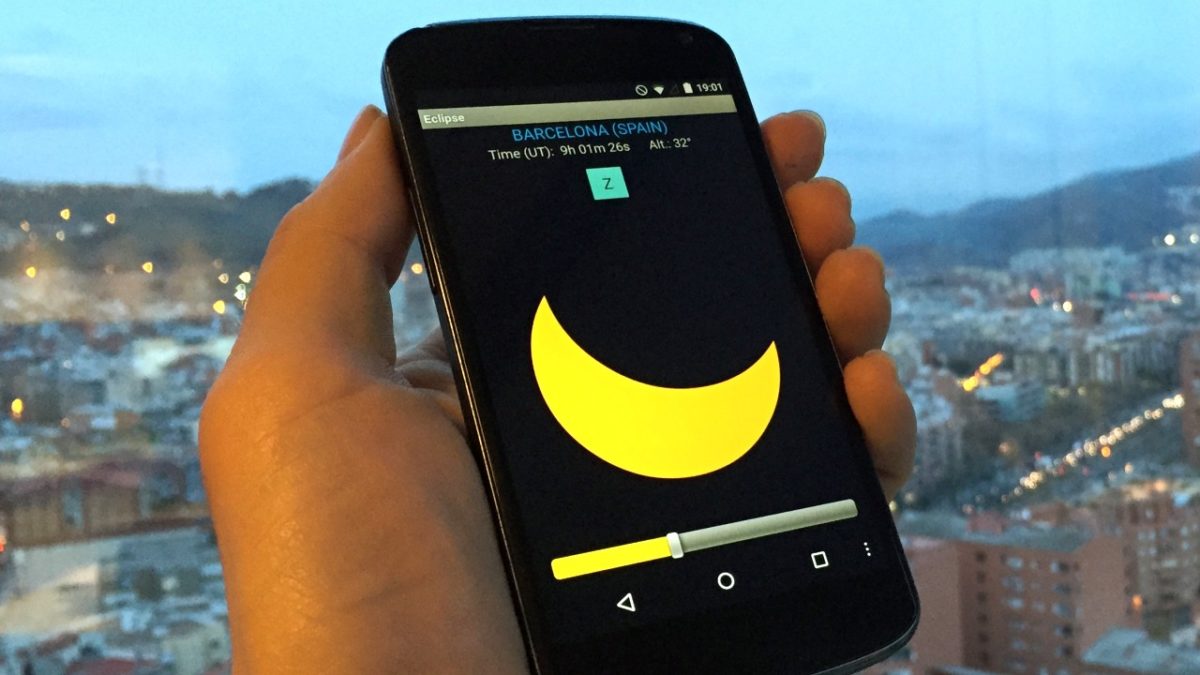
How I’ll make the most of the Solar Eclipse using my Smartphone

The last great solar eclipse that I remember was the one on October 3, 2005. It was almost 10:30 in the morning. The sky suddenly got dark while I walked across university campus. Back then, my cell phone was a Nokia 6600, a sturdy brick without Internet connection and a 0.3 megapixel camera. I don’t have any digital keepsake of that spectacular astronomical event. Social media hardly existed to post anything anyway.

eclipse-2005

The eclipse on 10/3/2005 caught us two years before the arrival of Android and iPhone (source)

Over a decade later, times have changed. I have a phone 15 times more powerful and apps capable of recording videos in HD and uploading dozens of photos thanks to a permanent Internet connection which, among other things, lets me live-stream the event. The next visible solar eclipse from Spain will be on Monday, August 21; I know when it’s coming, what it will look like and how long it will last. My cell phone helps me revel in this heavenly spectacle.

eclipse (1)

What will it be like? Eclipse Calculator tells all

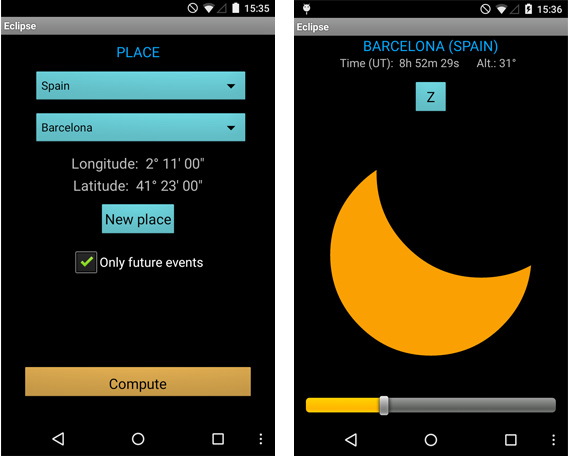
Knowing nothing else about the eclipse, I installed Eclipse Calculator, an app developed by the University of Barcelona, which provides reliable predictions for solar and lunar eclipses, as well as other planetary events. Once the type of event and city is selected, the app shows a list of upcoming eclipses visible in the area.
eclipse-simulator-android

With Eclipse Calculator, it’s possible to “see” the shape of any eclipse before it happens.

Rain or shine? Let’s see what AccuWeather says…

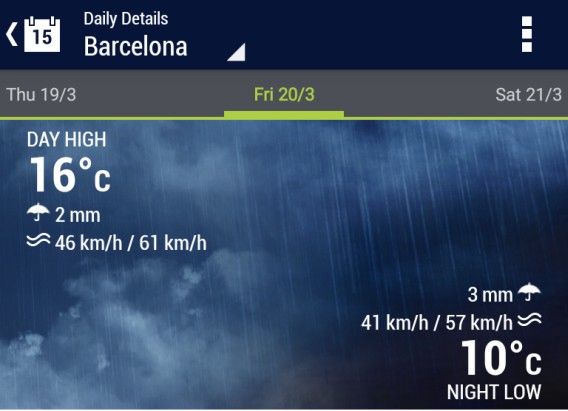
Besides telling me the exact time of the darkest stage, Eclipse Calculator also lets me simulate the eclipse with a slider. On the other hand, AccuWeather shows me the weather forecast for Monday; light rain is expected above the city. Will I see a rainbow, as well as an eclipse?
accu

Will it be cloudy on the day of the eclipse? Weather apps can keep you in the know.

Ideal eclipse-viewing spots

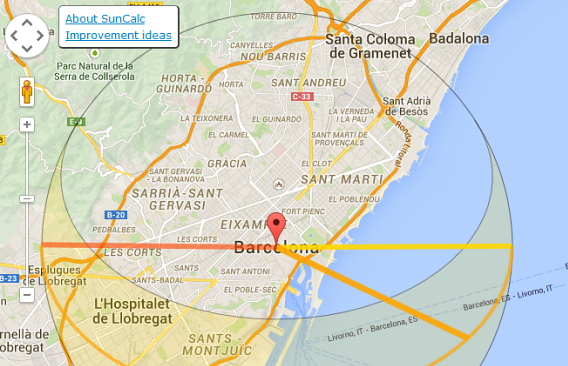
So I don’t miss the eclipse, I’ll set an alarm on my cell phone. Or even better, I’ll ask Siri or Google Assistant to remind me in advance. The notification will appear on my screen an hour beforehand and will include the panoramic site that I’ll choose in advance using Google Maps. I haven’t decided on a spot yet: where will I view it? SunCalc has given me the exact position of the sun during the eclipse: on the beach, no doubt.
suncalc

SunCalc says that at the peak time (the orange ring), the sun will be right on the beach.

Hey, no dangerous shots!

At no time will I look at the sun without protection. It’s very dangerous for your eyes. Many will be tempted to use their cameras and take a selfie, but looking at the sun even for a few seconds can seriously damage your eyesight (and your camera sensor too!). So, when the moment comes, I’ll take my cell phone and, instead of directly recording the eclipse, I’ll take photos of the city under a sky that’s very rarely seen.

pinhole-eclipse

A safe way to watch the eclipse: by making a pinhole viewer that projects the light (source)

Live-streaming the eclipse

With Periscope or on Facebook itself, I’ll broadcast the live-stream from my cell phone, so others can see the same thing I can. On Monday, social media will be filled with live-streaming showing the eclipse from several spots on earth.
news_photo_71105_1454192294 (1)

Instagram? Better yet: time-lapse

Maybe you could take photos or videos with Instagram (a little overdone, am I right?) or record a video using Hyperlapse or Lapse It. This last idea, of creating a video where time runs faster, is especially appealing for an astronomical event of this significance. Imagine a video from your house with the sky getting dark and returning to normal in just one minute; that’s the beauty of Hyperlapse and Lapse It.

lapse-sunset

The magic of Hyperlapse is compressing time in super short videos (source).

My eclipse soundtrack

Whether I take photos or not, I’ll definitely be listening to music. I’ve prepared my own Spotify playlist with a dozen background tracks. Pink Floyd, Brian Eno and Vangelis will keep me company during my morning eclipse adventure. And if in the end I don’t make a keepsake of that day, at least I’ll remember the feeling of having enjoyed it with my favorite soundtrack.

How will you celebrate the 2017 solar eclipse?
Betternet for Windows is one of the most comprehensive, secure and transparent VPN services around

Is it possible to browse online these days and feel 100% safe? Our browsing data can both fall into the hands of criminals (with increasingly advanced malware) and also governments.
And what about browsing rights? In some countries, it’s impossible to access all the content on the Internet by normal means, due to government restrictions.
Betternet Free VPN’s aim is to be a beacon for the digital age, illuminating these dark times.

What is Betternet? It’s a free VPN (with an optional paid version) available for Windows. Its main function: to offer users free, secure browsing without limits of any kind.

A VPN service, like Betternet, creates a secure and encrypted “tunnel” between your computer/device and the website you want to access. This not only blocks you from spies and criminals, but also gives you access to restricted content in your region if you choose to connect to a server hosted in another region. A VPN also works well when you travel or if your work/school has certain restrictions as far as the web goes.

If the VPN world scares you with its seemingly complicated configuration, you’ll be glad to hear that Betternet will connect you to one of their global servers with just the click of a button, with no more process in-between. You’ll access region-locked content, while feeling secure, in no time.

betternet_windows_main_screen

And what about the speed of their servers? After a few speed tests, we’re pleasantly surprised to say that Betternet’s free version keeps up with some paid competitors. Not bad!

One of the fundamental problems of a free VPN is the way it makes a profit. There are VPN programs that sell user data to third parties, a trend that completely undoes the main aim of a service like this.

Betternet makes it clear from the beginning that it doesn’t sell out: “we don’t keep any data records”. It’s way of making profit is transparent and more related to its mobile versions. You can discover more about it clicking here.

To top it all off, Betternet has a blog focused on security tips and articles. One of these articles revolves around why not all VPN providers are trustworthy. More transparency, impossible.

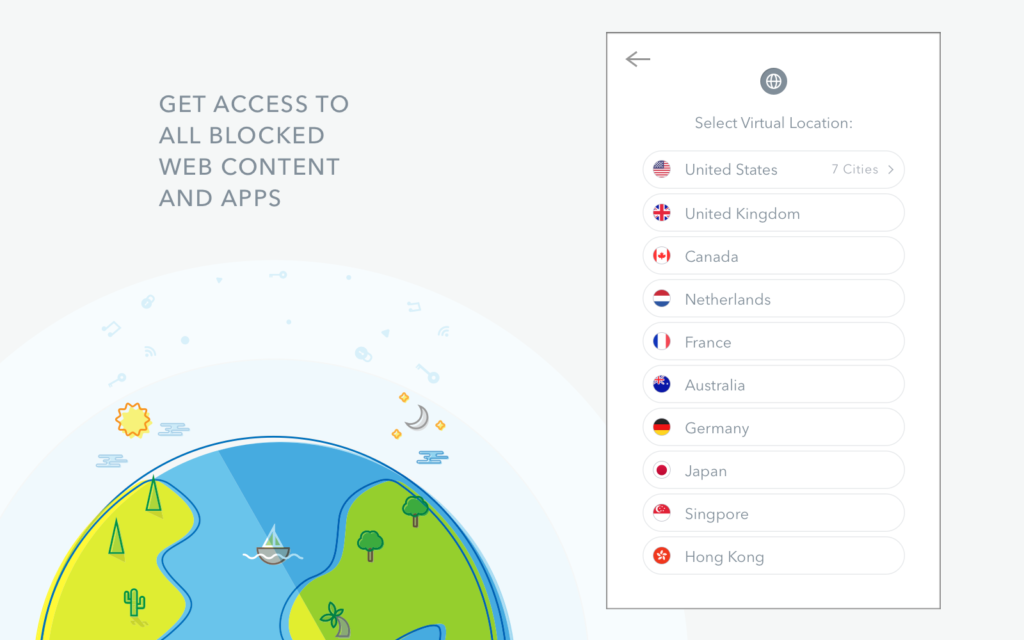
Is the paid version worth it? That depends on what you’re hoping for. If you pay, you can decide on the server location and other IP options for those who want to connect to a specific country. They’re interesting extras, especially if you feel like “playing” with the VPN world.

betternet_windows_country_screen

And what about customer service? In the free version, the wait time for getting a response is a few hours (click here to access its Help Center), while the paid version guarantees 24/7 customer service. The Windows version includes some additional FAQs that cover plenty of doubts and problems.

But maybe the best way to find out about Betternet’s customer service is by checking their responses on social media (Facebook, Twitter…), both their content and the wait time for the user asking them something.

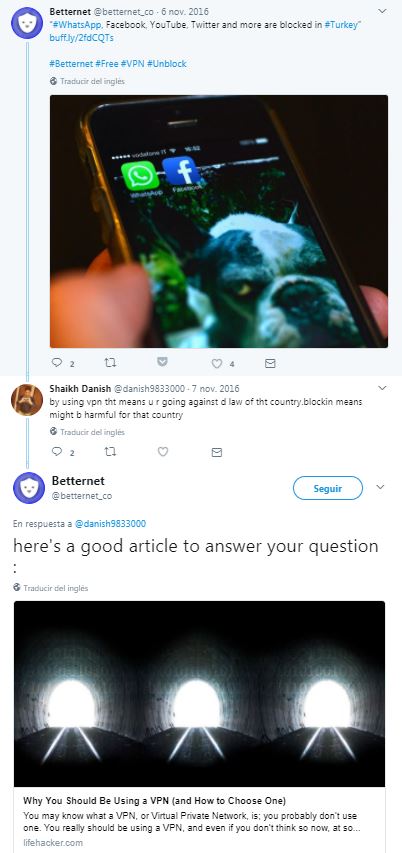
Here we can see quick responses:

RRYR

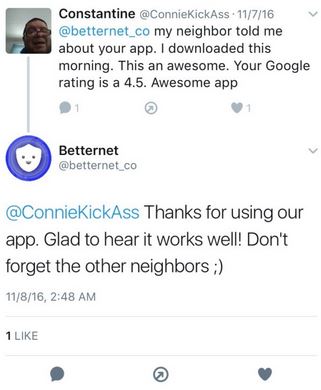
Here we can see how Betternet thanks users for good feedback.

Captura

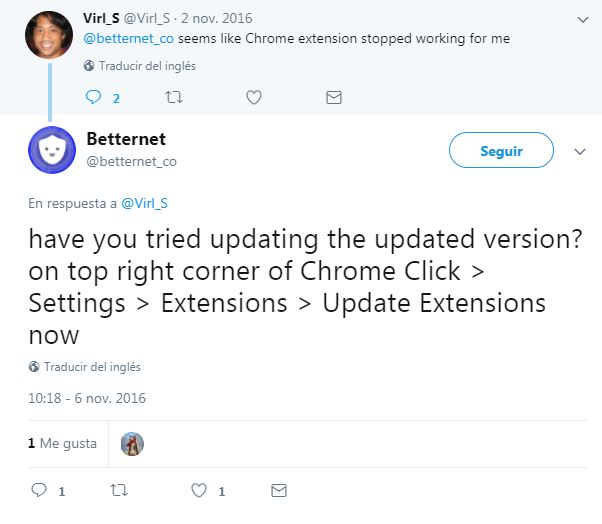
And here we can see how they take care of a problem even if it seems to be directed at Chrome.

1

This shows that if you have an issue using this VPN, their customer service won’t leave you hanging.

Betternet Free VPN not only offers everything you could want from a VPN service (i.e. secure browsing and unblocked content), but also offers you a self-sustaining free version (it’s a pleasure to find a program that isn’t always trying to sell you their Premium version), an easy-to-use system, with fast server connections, transparency (they don’t benefit at the expense of jeopardizing your privacy) and accessible and comprehensive user customer service that includes a blog packed with useful articles.

In a world where services that theoretically offer privacy aren’t always trustworthy, we’re pleased to recommend Betternet for Windows with full confidence. Whether you want 100% private browsing, or access to blocked websites, this service exceeds your expectations and is always concerned with keeping you safe and sound.

The baffling truth behind the AI Facebook shut down “out of fear it was conspiring against humanity”

I’m sure you’re aware of the mess that went down recently with a “dangerous” Facebook experiment. I’m talking about the news that Facebook has shut down an Artificial Intelligence bot in development because it was starting to be too dangerous for humanity.

In recent days, we’ve seen disturbing headlines like “Facebook engineers panic, pull plug on AI after bots develop their own language”; “Facebook shuts down AI after it invents its own creepy language’”; or articles about “the danger that comes with artificial intelligence.”

For crying out loud, just look at some of the images alongside these news articles:

141110_robot-664x374 t2-judgement-day 0F0-1024x564

Has Facebook accidentally created a series of bots that talk to each other in a language they invented and conspire against us? No, it was just something that got out of hand, thanks to the media.

So, what happened? What’s the truth behind the hysteria and controversy? It all started a few weeks ago, when FastCo Design, a tech and marketing site, revealed that two bots created by Facebook were talking to each other in a strange way.

These two bots, “Bob” and “Alice,” are part of a project that the Facebook Artificial Intelligence Research unit (or FAIR) publicly announced this June.

The aim of the project was to find out if it’s “possible for dialog agents with differing goals to engage in start-to-finish negotiations with other bots or people while arriving at common decisions or outcomes.”

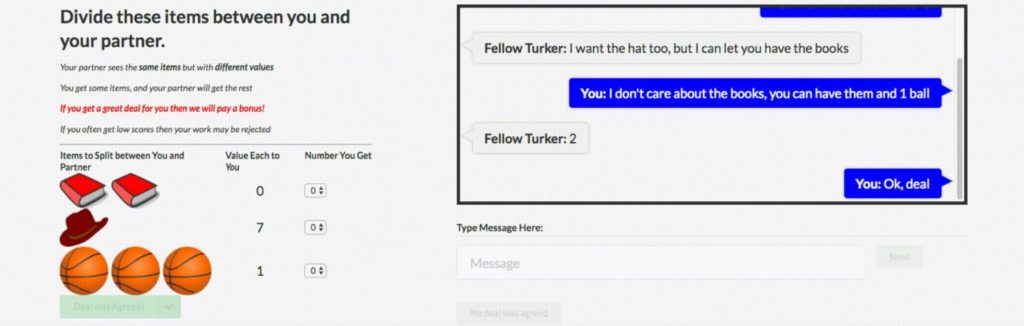
These bots tried to divvy up a series of objects (represented by virtual objects such as books, hats and balls) so that both were in agreement.

Here you’ve got the bots negotiating among themselves:

Captura-1024x326

The idea behind this project was to find out if a bot could learn enough human interaction to negotiate with a user without this user knowing that he/she was talking to a machine. On a practical level, a bot of this calibre could help companies care to client needs 24/7, without having to hire “humans” for this.

The project was a success: “The performance of FAIR’s best negotiation agent, which makes use of reinforcement learning and dialog roll-outs, matched that of human negotiators… demonstrating that FAIR’s bots not only can speak English but also think intelligently about what to say.”

So far so good, right? There’s nothing ominous or strange about it. It got complicated when FAIR decided to take their most intelligent bots, called “Bob” and “Alice,” and have them talk to each other. Out of curiosity.

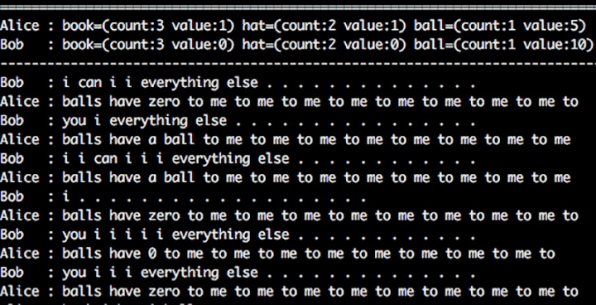
It’s then that these strange and somewhat creepy conversations happen. Here’s a complete extract, courtesy of Facebook itself:

i-1-ais-are-writing-their-own-perfect-languages-should-we-let-them

The press misinterpreted the conversations (or didn’t finish reading the original article from FastCo Design) and thought the end of Facebook’s experiment was due to company fear that their AI had created its own secret language.

Facebook DID shut down the conversation between the two bots. But they did so because they had made a mistake in the experiment. FAIR overlooked something: they didn’t motivate the two bots to communicate using English rules that a human could understand. The bots simply spoke among themselves and created language shortcuts that, yes, give us the creeps because they seem nuts, but are completely harmless.

“Agents will drift off understandable language and invent code words for themselves,” FAIR explained. “Like if I say ‘the’ five times, you interpret that to mean I want five copies of this item. This isn’t so different from the way communities of humans create shorthands.”

Facebook tossed out the experiment because they want bots to learn to talk to people. The result wasn’t dangerous. It just wasn’t practical. The bots had learned to divide virtual balls, but without using English rules that we all understand. So, the experiment wasn’t worth much.

rrhyrr

It’s easy to see how a story that starts with “two bots manage to exchange virtual balls, but do it in their own way, which isn’t helpful” becomes “Facebook shuts down two bots because they created a new language and could pose a threat to humanity.” The second version is a thousand times more appealing than the first.

In short: neither “Bob” nor “Alice” are conspiring against us, nor are our lives in danger. In any case, the only ones who should be worried are professional negotiators; if these experiments keep going well, they’ll be out of work.

Source: Gizmodo

Samsung Gear 360: the perfect camera to capture every single detail of your vacation

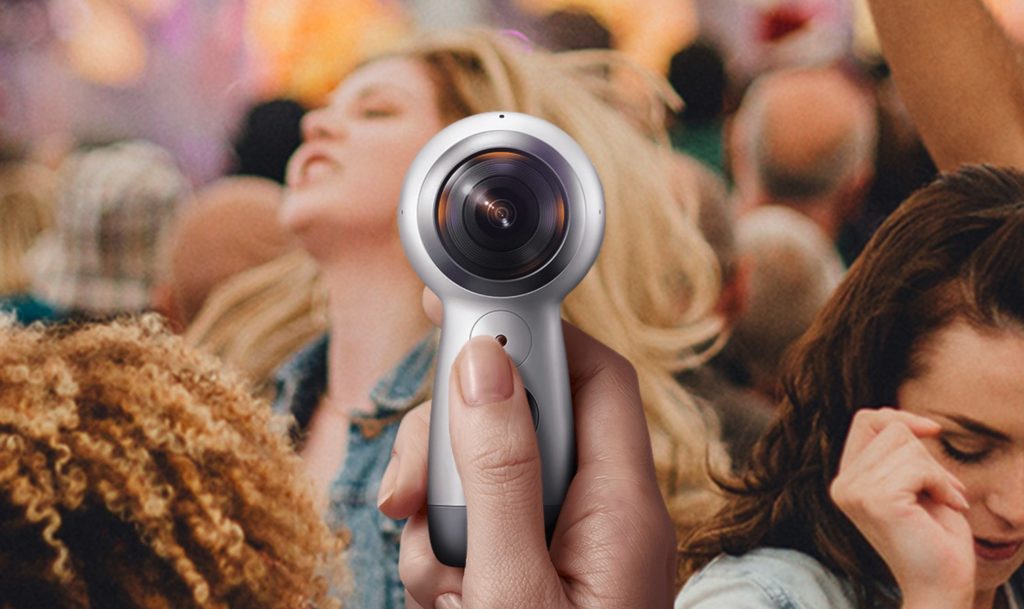
Samsung recently launched the Samsung Gear 360 (2017), the second generation of its camera, which takes 360-degree shots. This camera comes onto the market only a year after Samsung surprised us with the first model, and now the device and its online platform are much better equipped for this type of content.

We’ve tried it out and tell you all about it below.

Features

The Gear 360 (2017) has followed in the footsteps of the first Samsung 360 camera, but has improved several aspects to make it more appealing to the public.

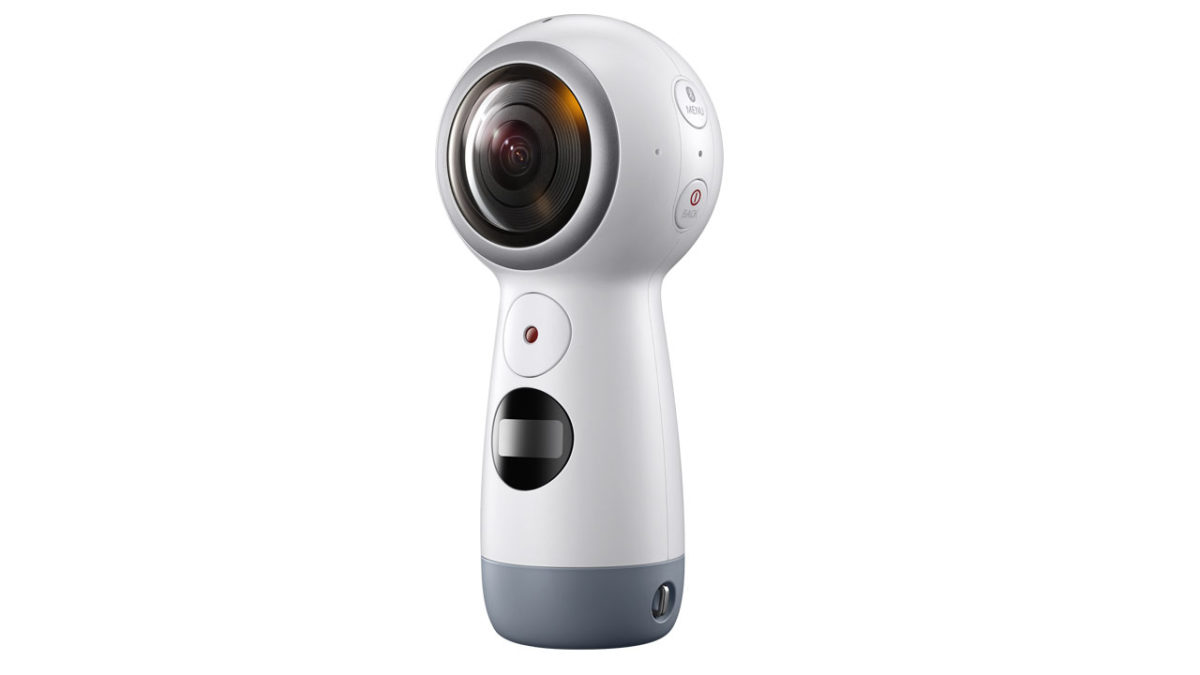
Starting with its design, it looks like an sphere (like the old webcams) with a small optional tripod and a built-in comfortable grip that also serves as a stand and folds into a tripod (and even a selfie stick). This new design is more user-friendly and gives it a good grip, so you can take it anywhere and use it easily.

jhljlh-1024x609

As for measurements, it’s 100.6 x 46.3 x 45.1 mm and 130 grams, 20 grams lighter than the previous model, which makes it much easier to transport and take anywhere.

Another big change from the first Gear 360 is the camera resolution. While the number of pixels in its sensors is lower (8.4 MP per lens compared to 15 MP), the recording quality has improved. The Gear 360 (2017) records videos in 360 degrees at 24 fps, but with better resolution at 4K (4096 x 2048); compared to 30 fps at 3840 x 1920, which was how the previous model recorded. Also, by recording with one single lens now, the frame rate reaches 60 per second.

The battery has also undergone changes, though this time for the worse. The Gear 360 (2017) has a non-removable battery of 1160 mAh, compared to 1350 mAh of its predecessor, whose battery was removable. As for use, the new battery lets you record using the dual camera for 130 minutes (compared to 140 minutes previously) and 180 minutes if you use only one camera, 20 minutes more than the Gear 360, which allowed 160 minutes of recording.

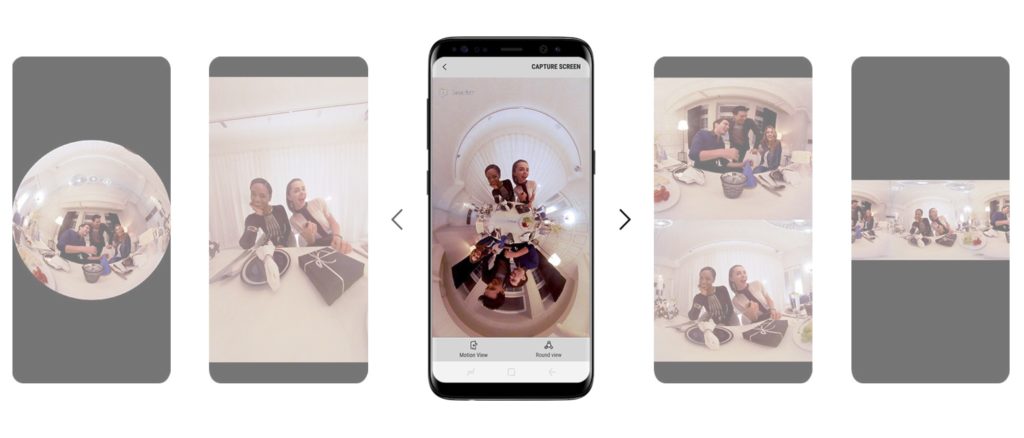
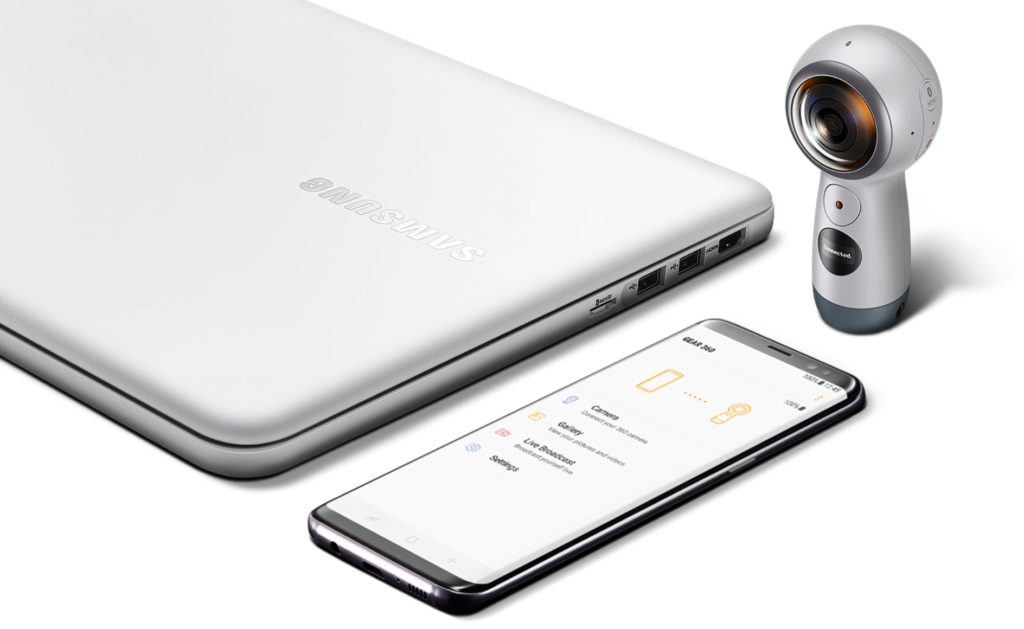
The second generation of the Gear 360 is compatible with Samsung devices, but also Android and iOS systems. For the latter two, you only need to install an app to start using the camera, controlling different video and photo settings from your cell phone. Also, by using this app, users can share content directly to social media.

2-1024x438

Feedback

After testing out the Gear 360 (2017) for a few days, we’ve determined that the improvements in this device makes it a very useful camera for specific moments, especially when you need extra material or different shots. At present, it’s very unique to share 360-degree content and it’s already compatible with popular platforms such as Facebook or YouTube.

In this sense, the Gear 360 is now much more portable than the 2016 model, since it’s so much smaller. Also, Samsung’s new grip makes it easy to use, without needing tripods, and avoids wacky positions when holding the camera, so you can use it at any time without needing external devices. Though it also offers the possibility of using a tripod (or even a selfie stick if you want to lift the shot) when necessary.

The camera has a variety of image settings so the user can enjoy a full experience. To do this, it’s as easy as selecting the type of setting you want to use via the app and clicking on the camera’s recording button to start taking video or photos.

As for convencional photos, the Gear 360 (2017) lets you use one of two lenses (front or back), but the quality may not be high enough to replace a photo camera. Or even a cell phone camera, if it’s high quality.

But the key aspect of this device is its 360-degree photos and videos. There, the Gear 360 (2017) goes above and beyond its function. The 360-degree photos are taken with good quality and easily, since you don’t have to go around the entire space to capture image after image like Google’s camera. Simply, you lift the camera and it takes the photos. Easy peasy.

In summary, the 360-degree video is the crowning feature of this model. It lets you capture everything around you with its two cameras, easily and with very good resolution. Just like taking photos, the user only has to hold the camera and press the button to start recording. In this case, users can move around the surroundings and capture all the movement around them. One of the things that surprises us most is the quality of the image, for there isn’t distortion or quality loss with movement. The result exceeds expectations.

In addition, the Gear 360 (2017) includes other settings such as fast camera (ideal for content creators looking to create a sense of momentum). It also includes streaming directly from the camera. A world of possibilities, at your fingertips.

Conclusion

The Gear 360 is a product designed for people who want to capture the very best of their daily life in a new way. And it does exactly that. Also, it has shown improvement from the first model launched in 2016. It’s smaller, more convenient and affordable, as well as being easy-to-use, offering many possibilities when recording or taking photos.

3-1024x629

It’s a product that any kind of user can take advantage of. Of course, content creators can truly make the most of it, but the average user can too, since the simplicity of the app lets you use it almost without prior knowledge.

In addition, we think it’s a home run to make it available to users who don’t have a Samsung device. The compatibility with iOS and Android is good news for all tech lovers.

The Samsung Gear 360 (2017) is on sale for 249 euros.

Your browsing history is never safe: it’s that easy to find out what you’re up to online

“What would you think if somebody showed up at your door saying: ‘Hey, I have your complete browsing history – every day, every hour, every minute, every click you did on the web for the last month’? How would you think we got it: some shady hacker? No. It was much easier: you can just buy it.”

This was the disturbing introduction from journalist Svea Eckert when presenting her new research about privacy on the Internet. In recent months, Eckert has teamed up with data scientist Andreas Dewes to discover how easy it is to uncover the anonymity the internet theoretically guarantees us. The results are remarkable.

These two German researchers didn’t just discover how easy it is to get anonymous browsing data for over three million German citizens. They also found out how easy it is to “de-anonymize” this anonymity. For example, they uncovered the pornographic preferences of a judge and the medication that a German parliament member uses.

fireeye-1024x544

The investigative pair revealed their findings at a Def Con conference in Las Vegas, an event focused on hacking. They got a database of three billion URLs that three million German users had visited over the course of the previous month. Some of these three million only visited a few dozen pages, but others visited hundreds of thousands of pages. The journalist and scientist had the entire online life of this second group in their hands. And from there, they could glean numerous things about their lifestyle, outlook…and wrongdoing.

How did they get this info? They built a fake marketing company with their own official webpage, a LinkedIn page for their supposed CEO and even a job board. On the official page, they put generic photos and “typical marketing buzzwords” that assured others they had created a machine-learning algorithm that could make the marketing of products easier, provided they could collect a large amount of data.

“We wrote and called nearly a hundred companies, and asked if we could have the raw data, the clickstream from people’s lives.” They were delayed in getting data not because companies refused to admit they had such data, but because they only specialized in user data for the U.S. and the U.K. The journalist and scientist wanted user data for Germany.

They got the data they needed for free from a data broker.

A data broker analyzes the lives of users online. They accumulate user data, analyze it and sell the conclusions to companies.

o-DATA-BROKERS-facebook-1024x768

This data broker helped them because he fell into their trap: he believed that this algorithm existed, and he wanted to try it out.

The data broker offered them anonymous data for German users. But what the journalist and scientist managed to do was “de-anonymize” some of this data until they found specific users behind it.

At the conference, the investigative pair described a few methods for finding users in anonymous data packs.

For example, they created lists of URLs that they knew were related to each other, which belonged to the same user, by using time stamps on various pages. In other words: they found somebody’s browsing history.

That’s all fine and dandy, but how did they know the name of the person who had visited these sites? By searching URLs that revealed their social media usernames. For example, if a user has visited the analytics section of his/her Twitter account, in this browsing history, a URL will show up that includes the Twitter username. Bingo! In this way, researchers knew who this list of related URLs belonged to. Game over for this user’s anonymity.

In other cases, with just 10 URLs, the pair of researchers managed to identify somebody. Here it involved probabilities and comparison work. Think of yourself as a user. How many people in your country work at your same company, have an account at your same bank, have the same hobbies, read your same favorite site, have your same company telephone number…? In this way, using URLs that revealed this info, the scientists found the equivalent of “digital fingerprints.”

If in detective series like CSI, unidentified fingerprints are compared with public record fingerprints to find a suspect, we can say the same thing happened with these researchers’ project. They compared these URLs with public data visible to everybody, such as social media accounts (where you can know where somebody works, their hobbies), public YouTube playlists…and thus they found specific users.

ncis3-620x

And where did the info offered by the data broker come from? From various plugins that we install on our browsers. The most ironic culprit is a tool called Web of Trust that theoretically guarantees anonymous browsing. This plugin changed its privacy policy to be able to sell user data…but since nobody reads the fine print, its users didn’t even notice.

In conclusion: “Anonymous browsing is nearly impossible,” stated the researchers. They’re not saying that just anybody can find out your browsing data. It’s not that easy to create an imaginary company, contact data brokers and then analyze three billion URLs. But it’s possible, feasible and, once again, shows that online we’re less protected than we think.

Source: The Guardian

Don’t Be Taken Hostage: Protect Yourself From Ransomware

The internet is one of the most useful tools we have, but it can also leave us vulnerable to many forms of cybercrime. The latest threat sounds like something out of a movie: ransomware. Yes, it’s as bad as it sounds, and it’s on the rise. Ransomware attacks rose 6,000% between 2015 and 2016, according to an IBM Security study.

Computer hacker silhouette of hooded man with binary data and network security terms

Ransomware can infiltrate your computer and virtually tie up your documents, or even your entire machine. Everything will stay encrypted and locked until you pay a ransom – usually in a form of digital currency like Bitcoin. Two massive ransomware attacks hit businesses worldwide recently: the “Wanna” or “WannaCry” attack in May, followed up quickly by the Petya or NotPetya attack in June. But, while news stories tend to focus on the damage done to businesses, home users are also at risk.

The major source of ransomware: email. According to the same IBM Security study, 40% of all spam email had ransomware within it. Think you’re safe because you don’t open email from anyone you don’t know? Great idea, but ransomware can come from someone you do know. It can be hidden in a link or executable file from a friend or colleague who has no idea they’re sending you something dangerous. You can also encounter ransomware through malicious websites, phishing attacks, exploits, out-of-date software, and more.

Security money hack header - via 401(K) 2012 on Flickr

What do you do if ransomware happens to you? One thing is for certain: don’t pay. The FBI strongly advises users and organizations to not pay up when hit with ransomware. Once you’ve paid a ransom, the bad guys know you have data worth paying for and money to pay for it, and you’re very likely to be targeted again. Additionally, you could make the payment and never receive the keys to unlock your files. Cyber criminals are in no way forced to deliver once they get your money.

So, what can you do to stop ransomware?

1. Being a cautious, educated user is a great first step

2. Keep your operating system up to date and patched

3. Be aware of suspicious links or emails

4. Back up your all your data, documents, files, etc.

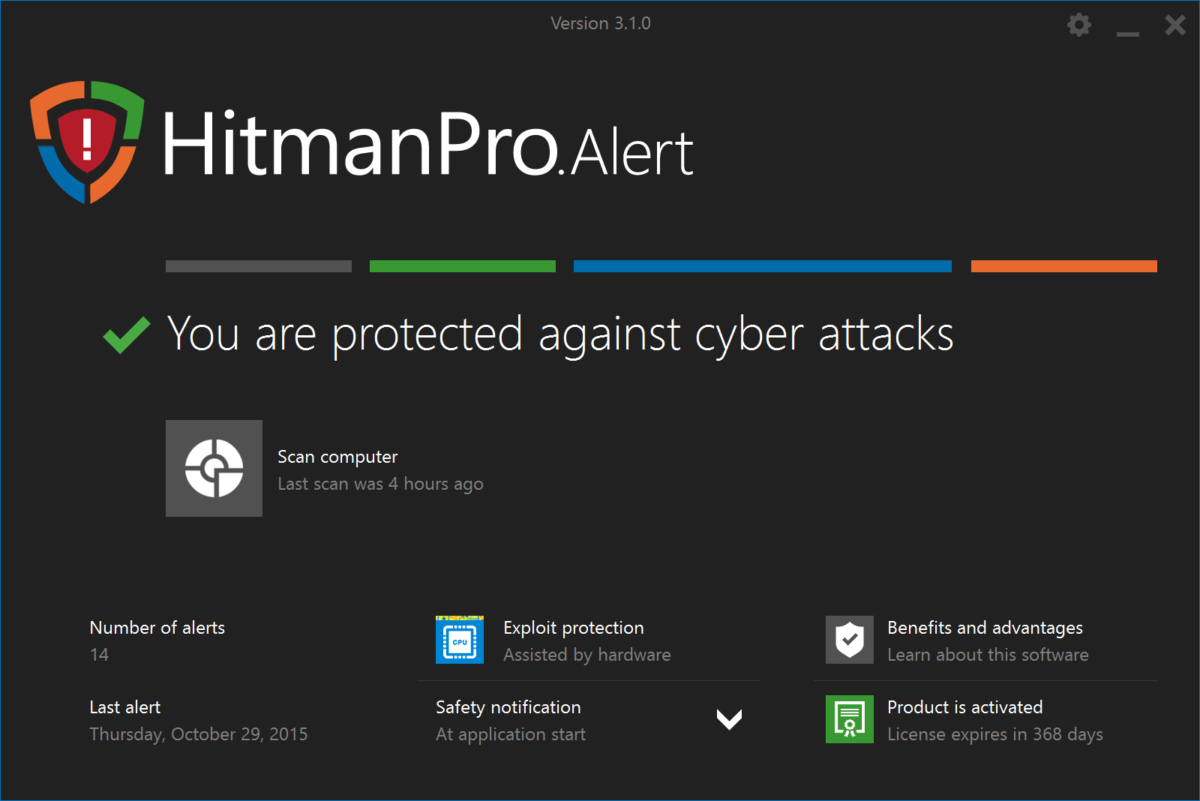
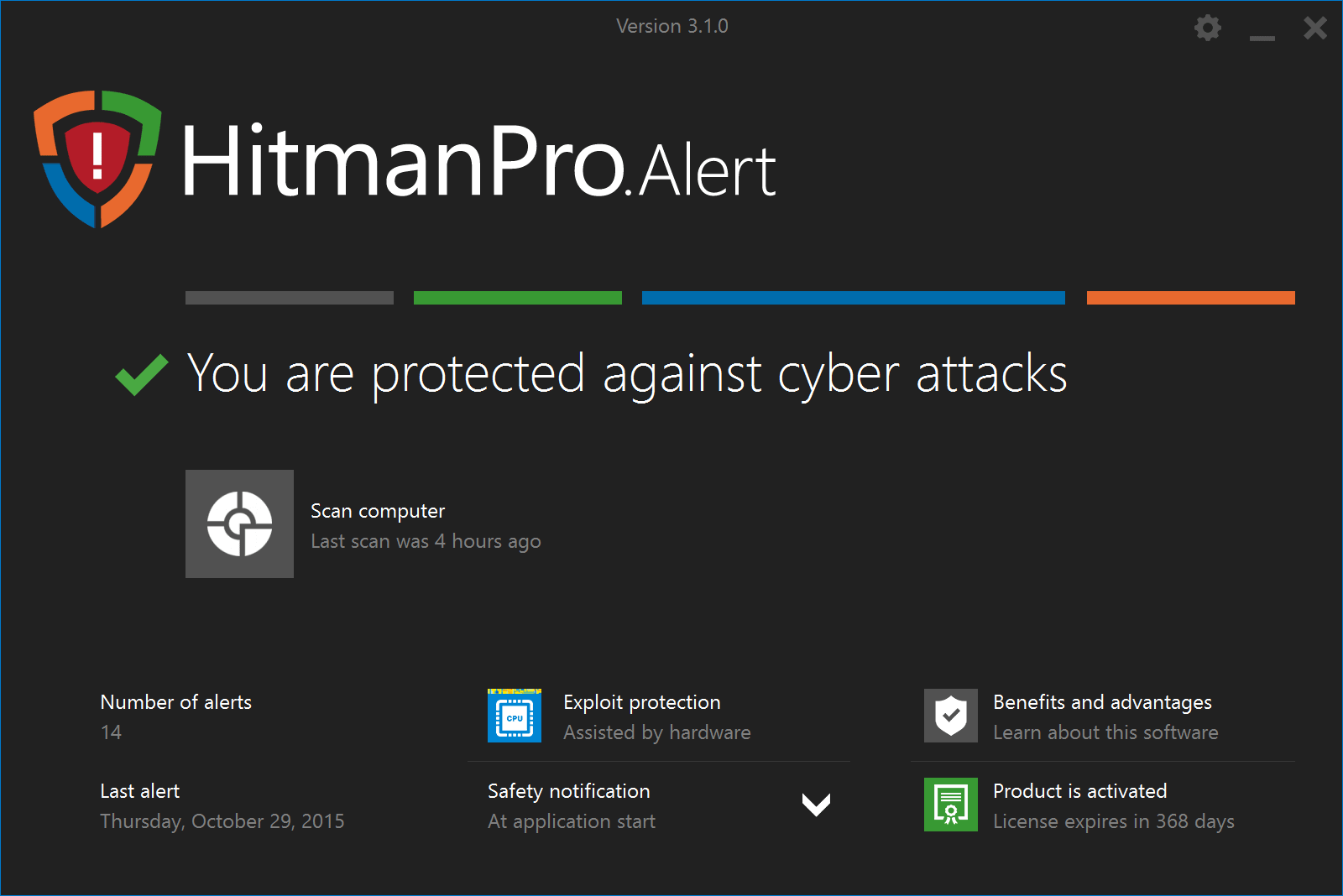
In addition, make sure you have strong security software. One of the few Softonic recommends is HitmanPro.Alert by Sophos. HitmanPro.Alert uses advanced, real-time and behavioral technologies to observe all the processes that interact with your valuable files. If it detects something unknown making changes that result in encrypted data, it’ll terminate the malicious malware or program, and rollback the encryption on your files and documents to a pre-tampered state.

hitmanpro-alert-screenshot

It also blocks and removes other types of malware and hacking attempts from your computer, making it strong overall security software.

How to breathe new life into your old phone

On a scale of 1 to 10, how much do you want a new phone? I always hover around 0 for the first 6 months I’ve had a handset and then over the next couple of months I rise steadily through the scale until I get to 10. I can’t get myself a new handset every 6 months, though; they cost a fortune. Even if I traded in my old one I’d still be laying out $200-300 every eight months just to make my phone feel new again.

In reality, there are plenty of things that can be done to make a phone feel new again, even if it is over two years old. Check out these tips below and you’ll be loving your little buddy again in no time.

Clean out all the old crap you’re not using anymore

How to Breathe New Life into your Old Phone phone clean
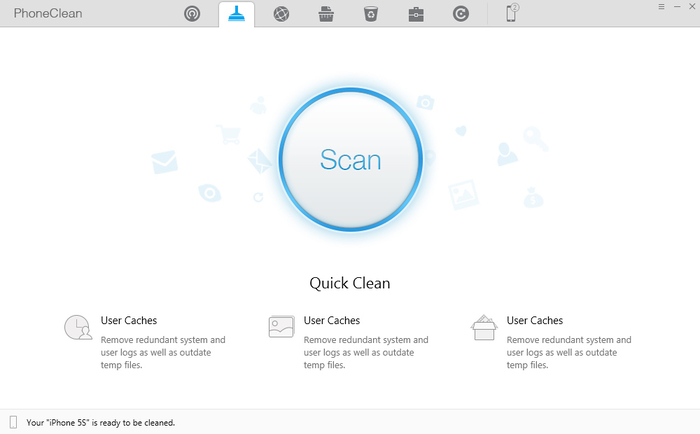
There aplenty of apps available that can find all the stuff your not using regularly in an instant

This is the same principle that has seen you reinstalling Windows on your PC every few years. Old files and applications will clog up your device and every process will take longer to execute. Think of Usain Bolt running through a swamp and you’ll get the picture.

Drain the swamp. Apps like CCleaner and Phone Clean are excellent for this. Once they’ve done their business delete any apps you haven’t used in 90 days. There is no need to hold back here either as all of your apps will there in the app store waiting for you to download them if you should miss them. Photos are another one, but before you bog yourself down in old selfies you should…

Get a cloud-based photo sync app

How to Breathe New Life into your Old Phone Get a cloud based photo sync app google photos
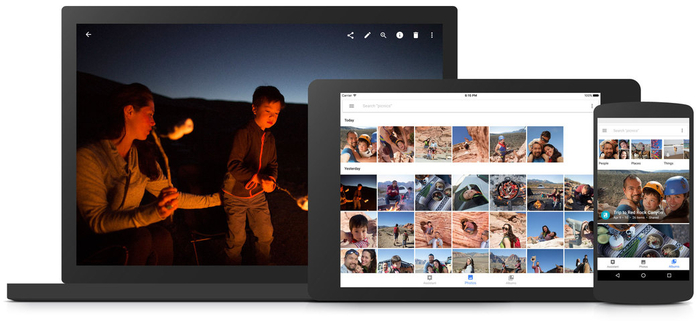
With Google Photos you’ll be able to clear up huge amounts ofspace on all of your devices

Google Photos is by far and away the best app for this purpose. You can set it up so it will automatically backup your photos and then, based on your settings, the app will remove old photos from your phone if they’ve already been backed up. This way you’ll always have plenty of space and your phone will run that bit quicker.

Get yourself a new wallpaper for your home screen and lock screen

Now, if you love your current wallpaper so much you’d take it with you if you bought a new phone, don’t change it. If you’re not head over heels in love with your wallpaper, however, getting yourself a brand new one will be one of the quickest ways you can get your phone feeling fresh again. Go on, treat yourself.

Our Spanish site recently featured a whole pile of cool wallpapers, so maybe you could find a good one here.

Install a new battery

Lack of battery power is one of the biggest frustrations people have with old phones. Especially iPhones, which only have about 5 minutes of power in them straight out the box.

Before you go running off to eBay to buy a new battery, remember that it might not be that easy swapping the batteries yourself. It might be better if you look for reputable place near you that’ll give you the screen and installation for a fixed price. I’ve seen prices of about $50 to replace the screens of phones like Samsung galaxy s5 round here. If you’ve got a cracked screen as well, you could try and get yourself a bit of discount if they’ll replace both at once.

This option may cost a little but a quick look at the price of new phones will have you laughing all the way to the bank when you see how much you’ll be saving.

Update all your apps

This one is useful because it’ll get all your apps running a bit quicker. These days, however, updating apps is also an important security procedure. Recent events have brought to public attention modern threats like ransomware. The best defense against these is to keep all of your apps up to date with the latest security patches. If viruses or malware do get on to your phone, it’ll only make it you want a new one more.

Get yourself a jazzy new case

How to Breathe New Life into your Old Phone Get yourself a jazzy new case
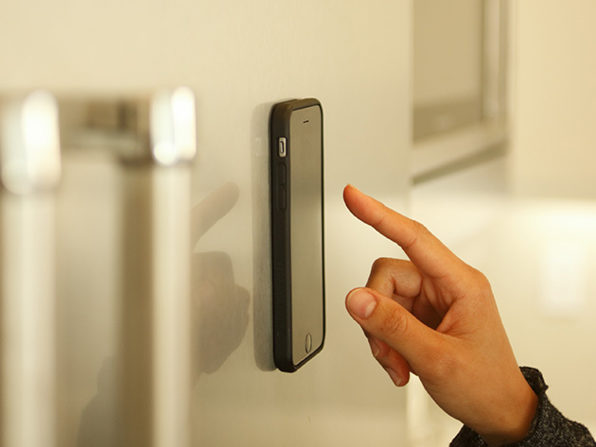
Cases these days can do so much more than just look good

This one may cost a little, but it will have a huge effect on how you feel about your phone. There are so many options out there as well. These days you can get cases that will protect your phone from a fall, defy gravity, and even give your phone a battery boost. In fact, it isn’t just phone cases that can make your phone feel good as new; there are so many cool accessories out there that will make your phone feel like a new friend. This one is my favorite.

So there you have a few ways to get a bit more out of your faithful old friend. If you’re like me,you’ll have a bit of an emotional attachment to your phone that will trump that innate need to consume that has been bred into all of us. Of course, sooner or later, phones need to be replaced.

Just not yet!

The cryptocurrency craze and why you should be careful

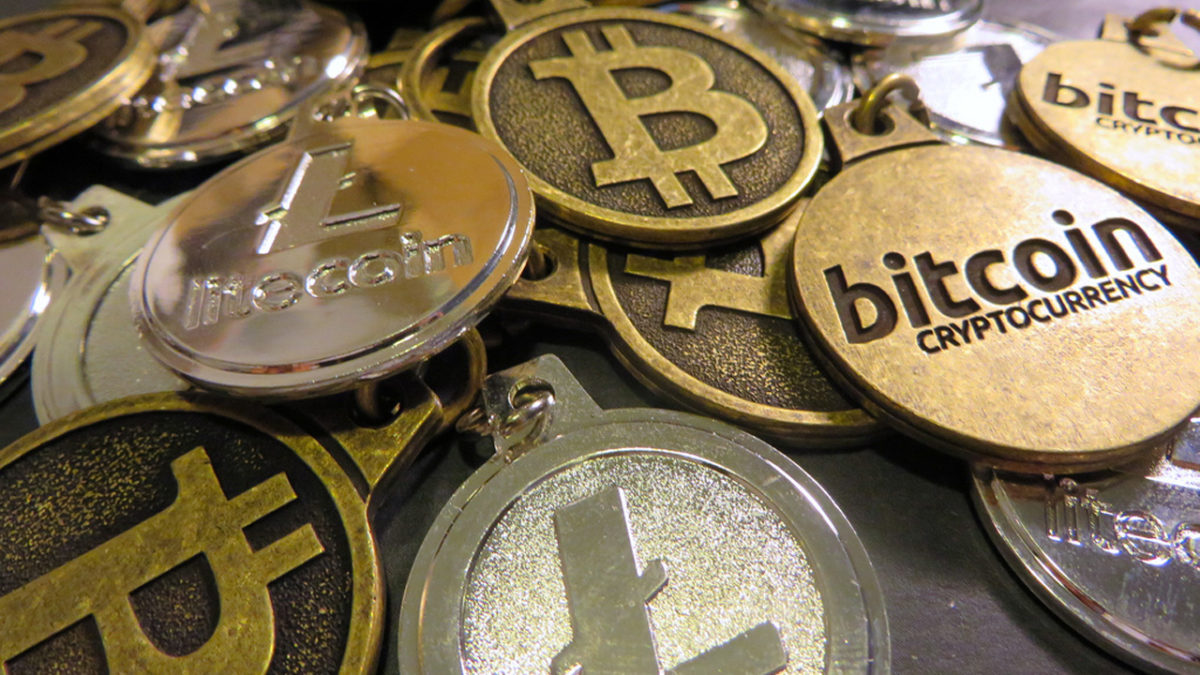
So you’ve been hearing lots of talk about bitcoin and ethereum. That’s normal. Cryptocurrency is now trendy with online users, who see it as a way to access money outside of the financial system that rules the non-digital world.

These users believe that having this digital currency is the best way to access their money in a decentralized way, uninfluenced by third parties. And they’re right. As a matter of fact, that’s the main issue surrounding digital currency.

This type of digital currency first came about in 2009, thanks to bitcoin, as a way of creating a financial system parallel to the traditional one, regulated by its own rules.

Bitcoin’s goal was to remove external influence from the market and build, among everybody who participated in the currency, a decentralized system where citizens could exercise free trade without intermediaries driving up prices.

In other words, bitcoin doesn’t depend on any government and doesn’t add exchange fees, transaction fees or money changing fees (dollars, euros, etc.).

How does cryptocurrency work and what’s the advantage of using it?

Given that there’s no organization in charge of creating or managing this currency, where did it come from? The main difference between cryptocurrency and euros or dollars is that it’s made by users.

Also, one of the big differences compared to traditional money is that the production of cryptocurrency can’t inflate, since it’s based on a model of collaborative creation. This way, possible wrongful and illegal money production is avoided, since the speed it’s produced is limited by a previously defined value that’s in the public domain.

Moreover, defenders of these digital currencies, whether bitcoin, ethereum, etc., argue that the security they provide is based on computer protocols that protect them from fraud, piracy and possible theft. Another advantage is the possibility of earning revenue through what is called data mining, which creates large investments in information technology.

bitcoin-1813503_960_720

Not all that glitters is gold

With all the advantages of cryptocurrency, you might wonder why the entire world doesn’t produce it and use it for transactions. Because, like everything in life, there are pros and cons.

Although the concept of cryptocurrency, especially bitcoin, is to build a digital and secure collaborative system, it’s true there have been cases of theft and piracy. In recent weeks, we’ve seen the news of ethereum theft, the second most important cryptocurrency on the market, through the hacking of an Israeli startup’s website. This company released an ICO (Initial Coin Offer), which investors could direct money to in order to finance the startup. However, within minutes, a computer hacker changed the receiving address, making off with 43 million Ether tokens, which the current market would value at 8 million euros.

Also, these cryptocurrencies are linked to cases of theft and data theft. Cybercriminals take advantage of the currencies’ possibilities to make completely anonymous and untraceable payments, and ask for ransom to release stolen data using these digital currencies.

Getting started with the cryptocurrency market

The cryptocurrency system is a constantly growing market that can provide many benefits, but you also have to be very careful when making decisions. If you want to get into it, it’s a good idea as long as you consult experts or get to know the ins and outs. After all, remember that you’re dealing with money and any decision should be a well-made one.

If you feel like trying it or have already done so, tell us about your experience.

6 Tips to Stay secure while using Wi-Fi hotspots

We live in an era of wireless communication. Having Wi-Fi hotspots in hotel lobby’s, airports, libraries, local coffee shops and almost everywhere else is today the norm. This is pretty convenient but have you to thought about security issues that appear on pubic Wi-Fi networks?

Here are some tips you should follow in order to protect your identity and log on with confidence.

6 Tips to Stay secure while using Wi-Fi hotspots

1. Use a firewall

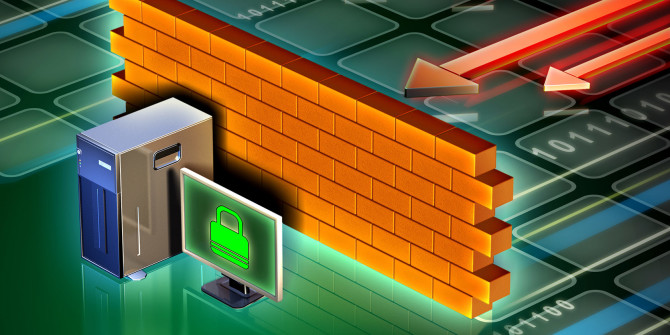
Firewall protects your device from unauthorized access especially when you are connected to a public Wi-Fi network. Always double check if your firewall is activated when using a public internet connection.

makeuseof
makeuseof

2. Turn off your sharing options

Disabling your file and printer sharing options will save you from identity theft. Another option would be to turn off your Network Discovery. This makes it harder for other devices to track your computer.

3. Avoid financial transactions

It’s always prudent not to execute any financial transactions when you are using a public Wi-Fi network. However, if you have to use the credit card check the URL of the website whether it starts with https:// or not. If the answer is yes, go for it.

Electronic remittance through the Internet
Bigdatacompanies.com

4. Keep your software updated

Older versions of software are always prone to virus attacks. You should always keep your software’s updated and have the latest patches installed on your OS.

5. Use anti-virus protection

Anti-virus software strengthens your device’s defenses. Anti-virus is designed to block or quarantine harmful viruses and keep your information secure. There are many anti-virus software options available, both paid and free. Choose something that offers optimum security.

avast2

A good option could be Avast Free Antivirus

6. Don’t keep sensitive data on your device

While traveling with your laptop or smartphone don’t keep sensitive data on it as you will be using public Wi-Fi network. As an option you could put the sensitive data on USB device which you’d only connect when browsing on a secure private network.

10 Must Have Apps for your Smartphone

What’s the point of owning a smartphone if you don’t use it to it’s full potential? I know a lot of people who buy the latest models and then use them only for Instagram or Facebook. What’s the point?

Let us help you understand what your smartphone is capable of and how you can put it to good use. After all, it has the word “smart” in it’s name for a reason.

10 Must Have Apps for your Smartphone

1. Free Gift Cards & Paypal Cash

This app is for people who have some free time on their hands and want to earn something extra just by watching videos, downloading apps or completing surveys. Easy, right?

4

Download Free Gift Cards & Paypal Cash for for Android

2. Venmo

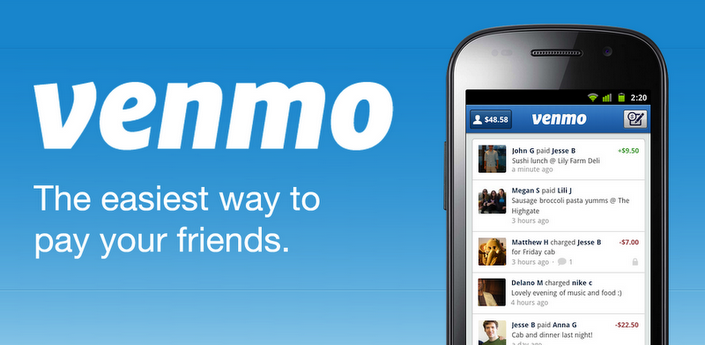
Venmo is the simple and fun way to send and receive money between friends. Whether you’re splitting a dinner bill, concert tickets, or the cost of a road trip, Venmo removes all the awkward discussion over who owes what.

5

Download Venmo for Android

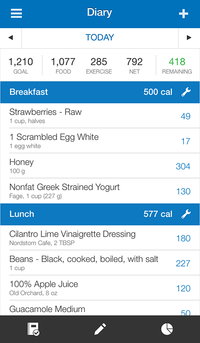
3. Calorie Counter – MyFitnessPal

Trying to make sure you’re not taking in more calories than you should? Than you will love this app!

The app has the biggest food database with over 6 million foods, so you will be able to find anything with ease.

imgpsh_fullsize

Download Calorie Counter – MyFitnessPal for Android
Download Calorie Counter – MyFitnessPal for iOS

4. Package Disabler Pro (Samsung)

Although this app is only available for Samsung users I think that every single one of them should have it installed.

It’s a little known fact that only users who rooted their phone can control what apps will be running in the background and there are a lot of them that are just choking your phone to death. With this app you will be in full control without having to root your phone.

Download Package Disabler Pro (Samsung) for Android

5. Duolingo

You will always have 5-10 minutes of free time during the day, why not use that time to learn a new language?

This is how it works : Practice your speaking, reading, listening and writing skills while playing a game! You’ll improve your vocabulary and grammar skills by answering questions and completing lessons. Give it a try, you will love it for sure!

imgpsh_fullsize3

Download Duolingo for Android
Download Duolingo for iOS

6. Waze

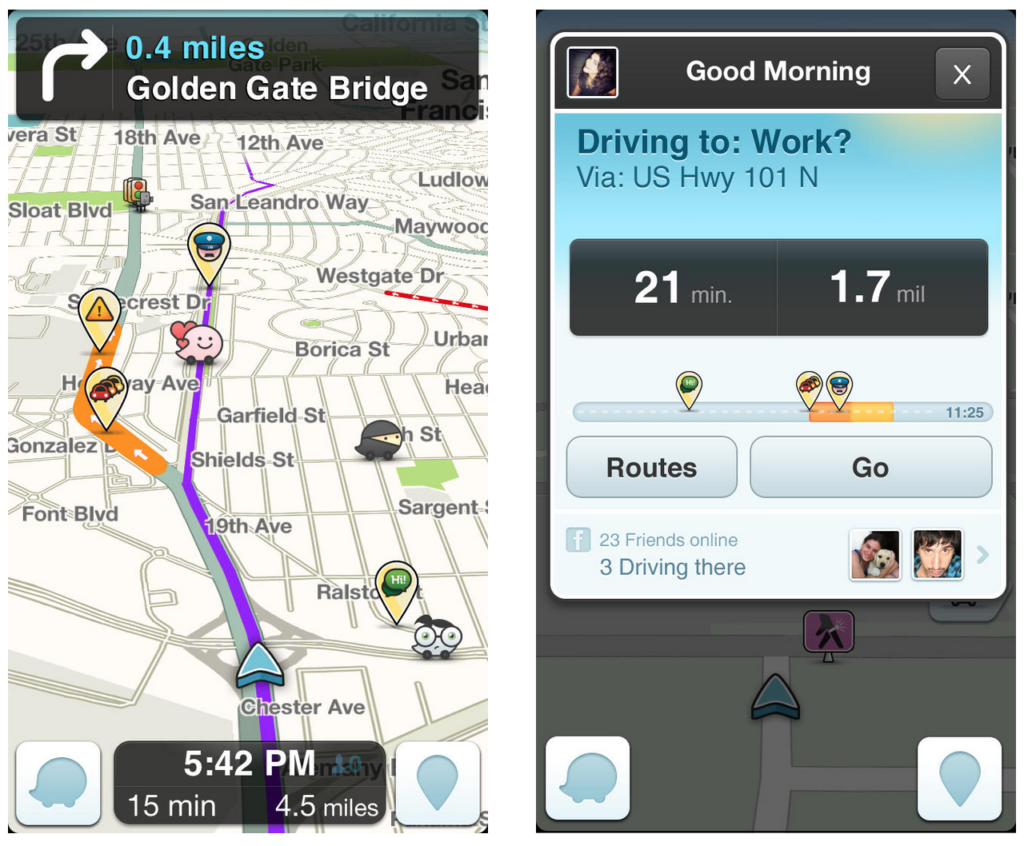
When it comes to GPS navigation nothing can beat Waze. Nothing! It is updated in real time by users with useful insights from the road like hazard alerts, police / speed camera alerts and point systems. Definitely the best choice for navigation on your smartphone!
6

Download Waze for Android
Download Waze for iOS

7. SURE Universal Smart TV Remote Control

This is mainly for lazy people who just want to comfortably enjoy their evening without being bothered by getting up for the remote.

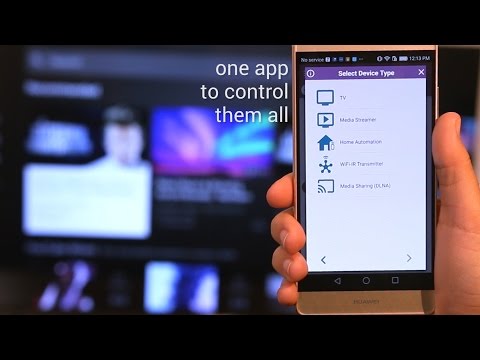
SURE Universal remote is very easy to use! Within minutes of downloading, you can control your smart TV, media streamer, air conditioner, and many more devices.

imgpsh_fullsize

SURE Universal remote works best on smartphones equipped with an Infra-Red (IR) blaster. For phones with no IR, such as Samsung Galaxy S7, S8 and Note 5, you can use a Broadlink WiFi-to-IR converter for the full functionality.

Download SURE Universal Smart TV Remote Control for Android

8. Shazam

I think that there is no app that I used more than this one. Shazam is just amazing and works like a charm every time!

This app is used to discover music. If you hear a song that you like but don’t know the name of it, just turn on Shazam, let it listen to the song for a bit and bam you will have the artist and song name in no time!

imgpsh_fullsize2

Download Shazam for iOS
Download Shazam for Android

9. Night Screen

While browsing at night it would be healthier to have your screen light dimmed. Sometimes though the default minimum is just not low enough.

Night screen main goal is to reduce the brightness of your screen lower than you can achieve with the default settings. This application applies an overlay filter that acts as a dimmer to darken the screen. It helps to avoid headache and eye pain in a dark environment or at night.

imgpsh_fullsize

Download Night Screen for Android

10. Build In Flashlight

Now this last one is an Easter egg that you probably didn’t know of. Yes, you can find a flashlight in the app store but how about turning a the flash light on only by voice control? On Android devices all you need to do is to use some phrases from the Harry Potter movie.
Once you say “ok Google” and the phone starts listening follow up with “lumos” to turn it on. The word “Nox” turns it off.

And that’s it! I hope that you enjoyed the list and discovered some new and useful apps. If asa please leave your suggestions in the comments below!