Is your password as secure as you think? Test it out with this tool

We all use several passwords for the different web services we use daily. The issue is, are these passwords as secure as we think, or have they ever been hacked? The answer to this question is found on Pwned Passwords.

Pwned Passwords is a website created by security expert Troy Hunt. What he’s done is compiled all the passwords that have ever been compromised and, thus, have led to potential victims of data theft by hackers.

This information has been turned into a simple search engine where by entering any sequence of characters, you’ll know if it has been compromised before or not.

03-08-2017 15-30-57

Does your result pop up in red? That’s because this password appears in the database of affected passwords. If you’re using it for any service, change it immediately.

03-08-2017 15-30-39

Does your result show up in green? Great, this password hasn’t been compromised, but don’t trust it quite yet: this doesn’t mean it’s secure or it hasn’t ever been compromised, just that it’s not on the list.

Besides offering this useful tool, Troy Hunt has published some tips about passwords on this same website. Here’s the lowdown:

  • Try not to reuse your passwords too much.
  • Check out this guide with tips.
  • Download pwned’s password list that you can find on Hunt’s same page. Keep in mind that this list takes up over 5GB zipped and 11GB unzipped… Consider it if you have data!

Do you think your passwords are secure?

Yes, of course!
No, I admit I can improve them…

iPhone users can share their location with those they trust: Google’s Trusted Contacts comes to iOS

Smartphones let us stay constantly connected to our loved ones thanks to social media and messaging apps. Setting this aside: smartphone location systems go one step further by knowing where the device is at all times and, thus, the user.

There are apps that let us share our location with certain people, but they usually fail during the sharing process if different operating systems are used. Or they’re integrated into other features and go by unnoticed.

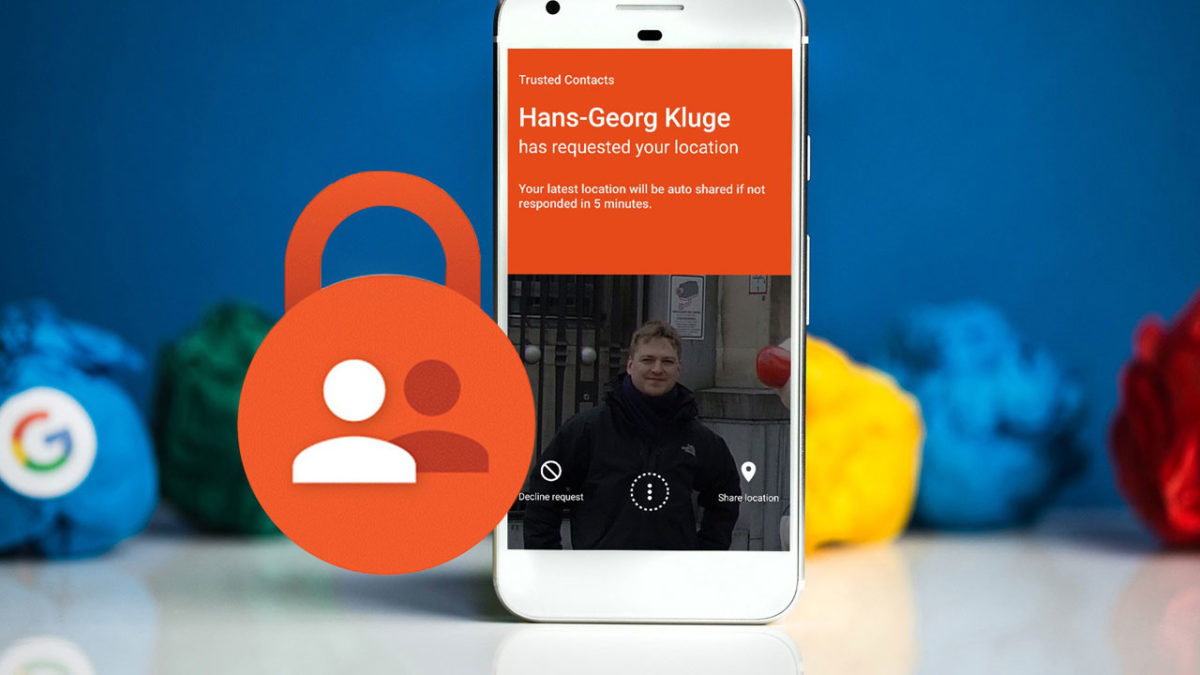
That’s why Google released its app Trusted Contacts, now available for iOS. This app already has a year under its belt, but until now, only Android users have been able to enjoy it.

Trusted Contacts lets you share your location at any time with trusted contacts of your choice who will know where you are at the time. The release of this app for iOS means removing a barrier and allowing family members and loved ones to share their location at certain times without worrying about whether it’s accurate or not. Also, users also can select the frequency that their location is updated. iOS provides a similar app, Find My Friends (and even Find my iPhone), but it’s exclusively for that operating system.

We’re sure to keep seeing examples like this where our phone location is used as a search tool. For example, take the functionality that Facebook implemented on its platform where users can let their loved ones know that they’re safe after a natural disaster or attack. Not to mention WhatsApp’s feature for location sharing. We’re sure there’s still a lot to learn in this field and we’ll keep seeing improvements in the future.

WhatsApp: check out all the updates coming to Android

WhatsApp has recently added interesting changes and more updates are coming soon. Specifically, the Android version of the app will soon benefit from some improvements, according to what the guys at WABetaInfo have leaked. Keep reading to find out more!

First of all, timed with the release of Android O next month, WhatsApp will be updated for this version of Google’s operating system, offering specific features. For example, if we make a video call, we can put the video screen in one of the new pop-up windows.

whatsapp-ventana

Other new WhatsApp features will be available for all Android versions. On one hand, we’ll have new icons for choosing the type of text (cursive, bold and strikethrough) and on the other hand, we’ll have shortcuts on the home screen, which we can see if we hold down the app icon on the home screen.

whatsapp-android-accesos


In addition to these changes for Android, WhatsApp for iOS also anticipates updates, such as a feature that will show how much space your archived chats take up and will let you delete several archived chats in one go. Perfect for freeing up space!

whatsapp-ios-storage

And that’s not all the latest on WhatsApp! Recently, they’ve announced that they’ve reached 1 billion users. 

A buggy chip leaves billions of cell phones at the mercy of hackers

If you haven’t updated your Android phone or iPhone lately, you should do so RIGHT NOW. A bug in the Wi-Fi chip lets hackers take over any of the billions of affected devices. This bug is resolved with the latest updates, so get those updates going before reading on!

What is surprising about finding a vulnerability of this size? Normally, Apple and Google invest millions of dollars to make sure their Operating Systems are as secure as possible. The problem is that they can’t control for those parts produced by third-party companies.

The chip in question that’s causing so much trouble is a Broadcom module that helps the vast majority of current devices connect to Wi-Fi. It’s not a chip created by Apple or Google. They never suspected that it was hiding such a dangerous bug until security researcher Nitay Artensein told them about it.

Artenstein has named this bug Broadpwn. If you don’t have an updated cell phone, a hacker within your Wi-Fi area could not only hack it, but also infect all nearby cell phones. Broadpwn has the potential to create the first Wi-Fi computer bug. A computer bug infects a computer and then spreads to connected PCs.

Though the latest updates resolve Broadpwn, this incident shows that Apple and Google need to be a lot more careful with the security of their cell phones. A similar bug could happen in another popular component of cell phones… and we might not realize it until it’s too late.

Don’t forget to tell your friends to update their cell phones ASAP!

Google’s new secret is the most bizarre yet

Google has a reputation for hiding unusual secrets in all its products, but this latest one takes the cake.

Heard of Android O? It’s the code name for the next version of Android’s cell phone Operating System. It’s already in testing phases. Many details are already known but there’s still one to find out: What does the “O” stand for?

The answer may be found in a quirky secret that Google has hidden in the latest update of the Android O beta version. The O could stand for “octopus.”

In the new Android O version, if you go to Settings – System – About this phone, and then press the item “Android Version” a few times, a giant version of the “O” logo will appear. Once again, by pressing the logo for a good long while, a dynamic image will appear where you can control a rather creepy octopus.

Captura

In this video you can see the trick and the octopus in action.

Google has repeated this secret in each new Android version to give a sense of what the official name might be. This time, the usual part is that so far each Android version was named after a dessert or sweet. At least in my house, we don’t consider octopus dessert.

So, we’re facing two possibilities: either Android O breaks the tradition of dessert names, or Google is using red herrings to confuse everybody.

What do you think?

WhatsApp Business: a glimpse of the paid version of WhatsApp

We’ve long predicted that WhatsApp has been looking for ways to connect users to businesses, and it seems this is coming about with a new app: WhatsApp Business, a version of the app specifically for businesses.

After a lot of rumors, thanks to WaBetaInfo, we now know the details of this new app version, exclusively for professionals. The first thing to know is that it will be a paid version of the app, and it can be used on your phone in combination with the traditional WhatsApp app. So, if you have a business, you can use the regular app for personal use and the Business app to stay in touch with your clients.

perfiles-empresas-wa

WhatsApp Business will help companies send messages via WhatsApp to their potential clients. These messages may be more advanced than classic WhatsApp messages and may include text, images, action items and also translation into different languages, all at once.

WhatsApp Business wants to position itself as an exclusive option for companies by offering quality information, not mere advertising. For example, it will allow banks to confirm our transactions or airlines we’re flying with to let us know of flight delays.

WhatsApp Business users can choose between two types of profiles: Verified and Unverified. Verified businesses will have a green badge next to their names and a verification symbol.

WhatsApp will require a lot of information from companies who want to register as Businesses and will carefully regulate the creation of Verified profiles.

For now, WhatsApp Business will start to roll out soon in emerging markets such as Brazil and India, countries where they’re also experimenting with a payment platform via WhatsApp.

Does the arrival of WhatsApp Business mean that individual WhatsApp users will start receiving unwanted messages from companies? Not at all: each user can choose if he/she wants to receive this type of business messaging, which will never be spam or unwanted advertising.

So, although WhatsApp will start earning money this way, it’s far from becoming an app overrun by ads

5 tips for charging your phone and extending its battery life

Our smartphone’s battery is one of our most prized possessions. Its good health depends on us using our phones correctly. Besides tips to improve its battery life, it’s good to know best practices for making its lifespan longer.

Based on our battery usage, our cell phones wear out more and more, making them mere shadows of what they once were.

Want your cell phone battery to stay healthier for longer? Then follow the expert tips we’ve compiled here, which apply to any current cell phone (Android, iOS, Windows Phone/Mobile).

1. Keep up a good charge level

They say the ideal for lithium ion batteries (the most common today) is keeping them at a 50% charge or higher for most of the time. If it goes below that percentage, try to charge it, even for a little bit (you can always bring along a portable charger, or leave a charging cable at work). In any case, aim for it to never go lower than 20%.

Now, although it’s recommend that the battery goes as low as possible until 50%, try not to keep it charged at 100% all the time, for this also reduces battery life a lot.

battery-1688883_960_720

2. Fully charge your phone once a month

This rule has an exception: experts recommend fully charging your battery from 0% to 100% once a month. This makes your battery recalibrate, the equivalent of “restarting” for PCs.

3. Watch out for the heat… but also the cold!

Do everything you can to avoid the heat + smartphone combo, especially when you’re charging it. So, don’t even think about charging your cell phone in your car if it’s directly in the sunlight. Also it’s a bad idea to charge it beside a heat-generating source, such as behind the TV or next to the oven.

Careful, your smartphone doesn’t like cold either, so don’t directly expose it to low temperatures. It sounds crazy, but until recently many people believed that it was a good idea to put your cell phone in the fridge to cool it down.

battery-2286442_960_720

4. Use the right charger

We don’t recommend using just any charger for your cell phone. Always try to use the original charger and, if it stops working or you don’t have it on you, buy one that has at least a basic warranty.

Many chargers sold on Amazon, eBay or Aliexpress don’t meet this warranty requirement and, although they will charge up your smartphone, they’ll wear it down more. So, with chargers, it’s better to spend a little more and buy one from a reliable brand (no worries if it’s not the same brand as your cell phone).

5. Keep in mind that unused batteries also wear out

Do you have a cell phone that you don’t use that’s turned off? Even if you charged it before you turned it off, keep in mind that batteries continue to wear out after a while. So, if you plan to use it again, make sure you charge it first.

This also applies to power-banks or external batteries: if you’re going on a trip and you’re taking one along, be sure to have it charged beforehand.

If you liked this article, you can learn much more about your smartphone battery with “ 7 unreal myths about your cell phone battery that you still believe are true.” Click here to read it.

The Coolest Gadgets That Will Change Your Life

Technology is becoming an essential part our lives. It’s evolving at such a fast pace that you can’t even keep up with all the new gadgets. Every now and then you discover something you thought will never exist. These things even have the potential to improve your life.

You can’t imagine how many of these small things hit the market on a daily basis. Therefore we picked out the 7 best ones for you:

7 Coolest Gadgets That Will Change Your Life

1. Wall Socket Safe

It’s vacation season and most of you will be away on vacation soon. You know that there is always a risk when you leave the house for that long, right? No burglar on earth though will suspect there is something behind an electrical outlet.

articlesexternal005

2. Automatic Toothpaste Dispenser

Mornings are hard and people usually don’t like putting that much effort in their morning routine. It was hard enough getting out the bed at 6 AM. This dispenser will make your mornings way easier for sure!

articlesexternal004

3. Hands-free Bag Holder

Now this one is really for lazy people (like me). It can also be used by busy people who want to eat chips or snacks while working on their computer. We all know that it will be the lazy ones who will find real joy while using it.

articlesexternal007

4. Can Caps

As a person who never finishes his canned drink, I have to put this one in my top 5 gadgets of all time. It will mean less waste and also keep your last night drink fresh!

articlesexternal008

5. Fidget Cube

I know that you heard about fidget spinners, those things that just took over the world. What if we there was an upgraded version? Well, it turns out that way before fidget spinners became popular this genius idea was on Kickstarter and it gathered a whopping $6,465,690 and the goal was only set to $15K. It was the best thing I ever bought and I am clicking the buttons while I am writing this article.

articlesexternal003

6. Aqua Thoughts

We all know that all great ideas come while taking a shower. Unfortunately by the time we are done they just fade away, gone forever. Never let those ideas go away. Just write them down, even while showering!

articlesexternal001

7. Remote Control Mop

This last one is the ultimate solution to cleaning for everyone! Could it get any better than this?

articlesexternal006

I am sure that we included something for everyone. As always though, if you think that we should add something else to the list leave your ideas in the comments below!

The Best Bitcoin Apps

It’s not surprising to see that bitcoin apps are becoming increasingly popular.  All over the world, people are using this cryptocurrency and digital payment system. Let’s take a look at the best Bitcoin apps out there!

1. Wallets

Mycelium Bitcoin Wallet

Mycellium is one of the best wallets out there. With this app you can easily send and receive Bitcoins using your mobile phone. The app has unique features to manage your keys. It allows for cold-storage integrations with hardware bitcoin wallets like Trezor or KeepKey.

Download Mycelium Bitcoin Wallet for Android

Copay (iOS)

Captura

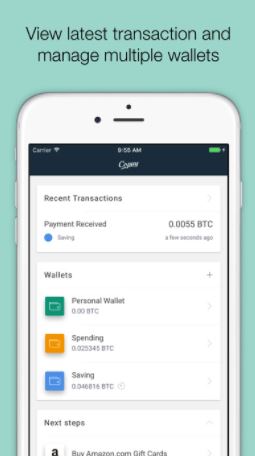
Copay is an open source, multi-signature wallet from BitPay. The Multi-signature technology allows bitcoin wallets to be controlled by multiple private keys and users. Authorization of each transaction can require one, some, or all of these private keys.

Download Copay for Android

Download Copay for iPhone

Bitcoin Wallet – Coinbase

Coinbase is one of the most popular Bitcoin exchange services used globally where merchants and consumers can transact with new digital currencies like bitcoin, ethereum, and litecoin.

Download Coinbase for Android

BreadWallet

Breadwallet is open source and user-friendly wallet. Their core design principle: easy and intuitive for anyone to use makes it a great option for anyone getting started with Bitcoin.

Download BreadWaller for Android

Airbitz

Airbitz is an easy to use bitcoin wallet. It is completely decentralized which means neither the company behind it nor any third-party can access your money or data.

Download Airbitz for Android

Bitcoin Wallet

Bitcoin Wallet is the first mobile Bitcoin app. With this app you can quickly pay by scanning the QR-code.

Download Bitcoin Wallet for Android

GreenBits

Captura2

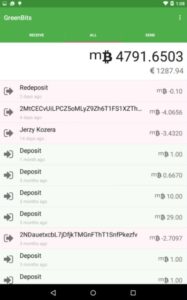
GreenBits is a fast and easy to use wallet that supports multi-signature features and has strong security and privacy features.

Download GreenBits for Android

Samourai Wallet

The Samourai Wallet claims to be a modern highly secure bitcoin wallet. It is currently available through an alpha release on Android

Download Samourai Wallet for Android

2. Payment

BitPay – Secure Bitcoin Wallet

BitPay is a free and open source app which with  you can buy, convert, and spend your bitcoin.

Download BitPay – Secure Bitcoin Wallet for Android

3. Tools

Bitcoin Checker

Captura3

Bitcoin checker is an app for monitoring the major cryptocurrencies from more than 80 stock exchanges worldwide.

Download Bitcoin Checker for Android


The best “Back to School” apps

Going back to school? In today’s tech world with so many apps being launched the question we asked ourselves was: Are there any apps that could help young kids and students learn efficiently whilst having fun? Well, of course there are so let’s not waste any more time and have a look at some of our favorite picks:

Kindergarten to 2nd Grade

Teach me – Kindergarten

TeachMe: Kindergarten is an app that introduces children to the basics of math, reading, and writing. To keep them engaged and wanting to play and “win” they receive coins for correct answers, which they can use to buy in-app stickers.

Download Teach me – Kidergarter for iOS

Starfall ABC’s

As the name of the app suggests Starfall ABC’s is designed to help children learn the alphabet. It includes various games that will turn the learning experience into fun and games.

Download Starfall ABC’s for iOS

girl

Juana la Iguana goes to the Beach- Learn Spanish

Juana la Iguana Goes to the Beach is a fun app that helps children learn Spanish. The main character, Juana la Iguana, explores the beach not only teaching Spanish but also introducing children to the environment and the importance of protecting it.

Download Juana la Iguana Goes to the Beach for iOS

Early Elementary

A+ Spelling Test

A+ Spelling helps children improve their spelling through various tests that are easy to set-up. It also has a pretty cool multiplayer option so that your little one can practice spelling with a friend.

Download A+ Spelling Tests for iOS

Todo Math

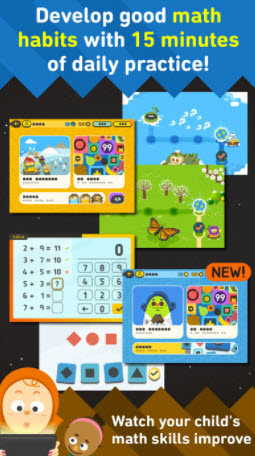
Todo Math is a free app that is designed for kids between the ages of 3 and 8. Maths is everywhere and Todo Math takes advantage of this universality by packing maths problems into all sorts of fun and entertaining scenarios. Your kids will love it.

Download Todo Math for iOS
todomath

iTooch Elementary School App

With the iTooch Elementary School app children can learn the basics of Math, Language Arts, Science and even living a healthy lifestyle. As they progress they’ll gradually move on to more detailed lessons. If you live in the US, this app is perfect as it covers the official U.S Elementary curriculum.

Download iTooch Elementary School App for iOS

Late Elementary

Lightbot : Code Hour

Coding can be a mysterious scary world for some of us but Lightbot: Code Hours easily introduces children to programming by simply requiring them to solve puzzles that require logic.

Download Lightbot: Code Hour for Android

4th – Grade Reading Comprehension Social Studies

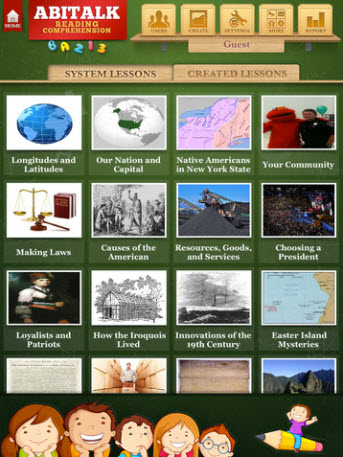
This app includes a selection of 22 stories about social studies. Students will not only practice reading and vocabulary but they’ll also learn about science. Stories have around 400-800 words and kids can take a test after reading each one.

Download 4th Grade Reading Comprehension Social Studies for iOS
ABI

Reading Train Full STEAM Ahead Books, Songs, Games

The Reading Train Full STEAM Ahead Books, Songs & Games app is designed to help children learn to read. With a library of more than 200 playful picture books, 20 sing-along song books and unlimited train game quizzes kids have access to a huge amount of reading and listening material.

Download Reading Train Full STEAM Ahead for iOS

Junior High

iTooch Middle School

iTooch Middle School is a perfect fit for children studying in the U.S. as it includes over 10.000 exercises that are based on the US National Common Core Standards. It is well suited for students from 6th to the 8th grade who want to practice and learn Math and Language Arts.

Download iTooch Middle School for iOS

Code Adventures: Programming Game For Kids

Code Adventures is a game about Aurora, a fuzzball that wants to go home, who needs help. This mission requires children to solve various puzzles that utilize programming concepts. This means they’ll have fun whilst learning about basic coding principles.

Download Code Adventures for iOS

programming

Stack the Countries

What better way to learn about the world we live in is there than by playing a game? With the Stack the Countries app students will discover all the countries of the world and also learn about their capitals, landmarks, languages, flags and other fun facts and trivia.

Download Stack the Countries for iOS

High School

myHomework Student Planner

In today’s tech world it’s no wonder that a student’s physical agenda can be easily replaced by a digital one. A great example is the myHomework Student Planner app which students can use to keep track of classes, homework, tests, and assignments.

Download myHomework Student Planner for Mac

Download myHomework Student Planner for iOS

Duolingo – Learn Languages for Free

With the Duolingo app children can start learning one of 22 languages included just by taking fun, short and easy lessons. It covers basic common phrases and vocabulary as well as grammar lessons.

Download Duolingo for iOS

Download Duolingo for Android

SAT Prep by Ready4

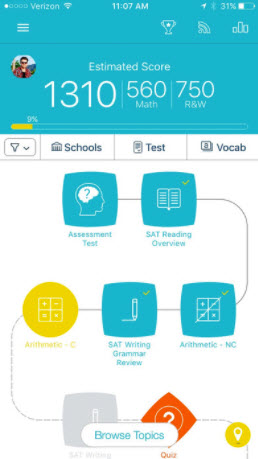
Are you preparing for the SATs? Then why not practice on your phone too? The SAT Prep by Ready4 includes over 1000 questions and flashcards as well a question of the day to help students get ready for the test.

Download SAT Prep for iOS
prep

College

edX

Would you like to learn a new skill or take courses on a specific subject from top universities professors (Harvard University, MIT, UC Berkeley) at any time and from anywhere? The edX app offers these courses for free on their app.

Download eDX for iOS

Download eDX for Android

My Study Life

Trying to be better organized while also staying on top of your studies? The My Study Life app has been specifically designed for students to help them keep track of their homework, assignments and their class schedule. All this data is also available on the web app just in case you run out of battery on your phone.

Download My Study for iOS

Download My Study Life for Android

TED

The TED app will give you access to over 2000 TED Talks that are held by expert speakers on various topics such as education, technology, design, business or creativity to name just a few. It’s a great resource for students who want to get specific information or who are just looking for some inspiration.

Download TED for iOS

Download TED for Android