The Google Play Store is now a Safer Place

Recent security threats have seen smartphones becoming the new target of choice for cyber-criminals. One prominent technique is for malicious developers to submit apps to trusted app stores and then add malware code to the apps through later updates. Potentially, this means that apps downloaded from places like the Google Play store could turn against you. The good news, however, is that these trusted app stores are fighting back.

Engineering and Technology have recently reported that Google has removed over 500 apps, that were secretly installing spyware onto their user’s devices, from the Play Store. These legitimate looking apps had clocked up a staggering 100 million downloads but they all held a dark secret.

Researchers, Lookout, alerted Google to the danger presented by apps that contained a malicious version of an advertising plugin called lgexin. Lgexin is a third party plugin that is added to apps by virtuous developers as a way to monetize their apps. This is a new development, Lookout said:

“Igexin is somewhat unique because the app developers themselves are not creating the malicious functionality, nor are they in control or even aware of the malicious payload that may subsequently execute,”

The malicious version of lgexin allows hackers to collect user information including call histories, GPS locations, nearby WIFI and a list of other apps installed on the device. Although not all version lgexin are malicious Google has responded by removing all apps that contained the plugin from the Play Store.

The Google Play Store is now a Safer Place
Source: Lookout

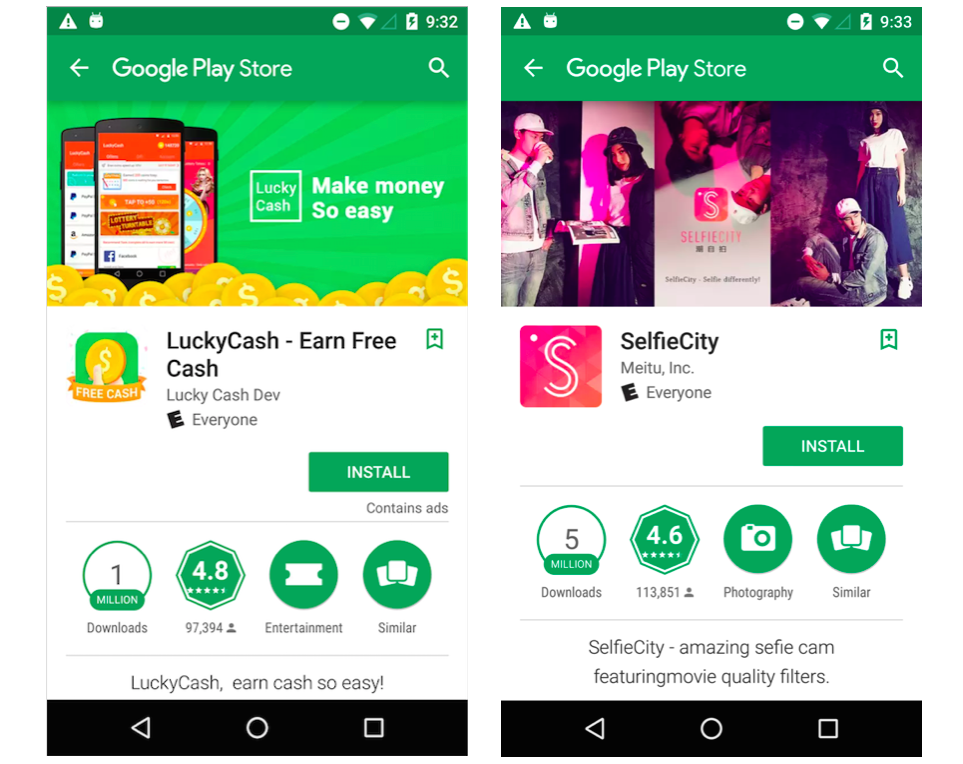
No official list of the apps that have been removed has been released but Lookout included screenshots of the apps SelfieCity and Lucky Cash in their blog post.

All of this underlines the growing threats that are faced by internet users these days and why it is increasingly important to remain vigilant when installing new software onto your devices. To make sure you and your devices are as secure as possible you should check out the links below:


Via: Engineering and Technology, Lookout


Related Links:

HOW TO PROTECT YOUR ANDROID PHONE FROM A RANSOMWARE ATTACK

THIS ONE FILE WILL MAKE YOU SAFE FROM RANSOMWARE ATTACKS

7 TIPS TO EASILY FIGHT THE RANSOMWARE THREAT

RANSOMWARE: THE GROWING GLOBAL THREAT THAT COULD COST YOU BIG

CYBERSECURITY: IF YOU’RE A WINDOWS USER, UPDATE NOW

5 MISTAKES THAT PUT YOUR INTERNET SECURITY AT RISK

PDFelement 6: your flexible and easy-to-use solution for creating and editing PDFs

In May, Adobe announced that on October 15, 2017, support for Adobe Acrobat XI and Adobe Reader XI would end. This means that from that day on, Adobe will no longer offer updates or technical support for these two programs, which are designed to view, create and edit PDF files.

Several companies or individual users may decide to keep using Acrobat XI or Reader XI after October 15. Though you may have your reasons, we don’t recommend it.

Programs that stop receiving security patches become security breaches, allowing viruses and malware to take over. If this is a big headache for an individual in this situation, imagine what would happen when private documents or data for a company is compromised or deleted.

Adobe suggests that Acrobat XI and Reader XI users get the latest versions of Adobe Acrobat DC. A big company can afford the higher monthly subscription for Acrobat DC.

But, what about the medium or small sized businesses? In this case, investing in a program like Adobe is risky because once you can’t keep paying for the subscription, you lose your license. Also, Adobe Acrobat DC isn’t exactly an easy program suite to learn or master.

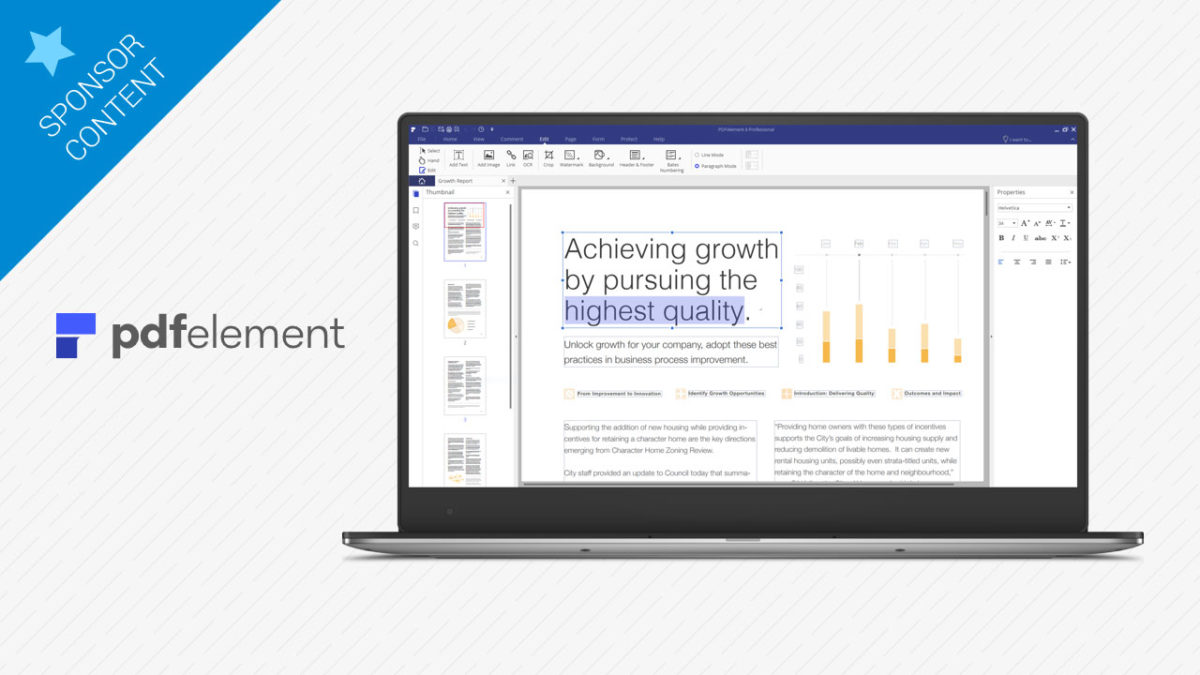
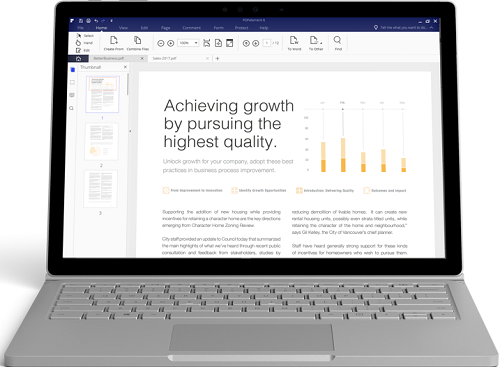
PDFelement 6, to the rescue! An affordable, flexible, easy-to-use alternative that lets users create, edit, combine and even convert PDF documents in a jiffy. If you’re a company that values efficiency, or a student who has to deal with PDFs for schoolwork, you’ll like PDFelement 6.
pdfelement-functions-display-windows

While Adobe makes you conform to its interface and rules, PDFelement 6 uses a similar design and interface to Office 2016, both for Windows and Mac, so this familiarity helps you get to work right away.

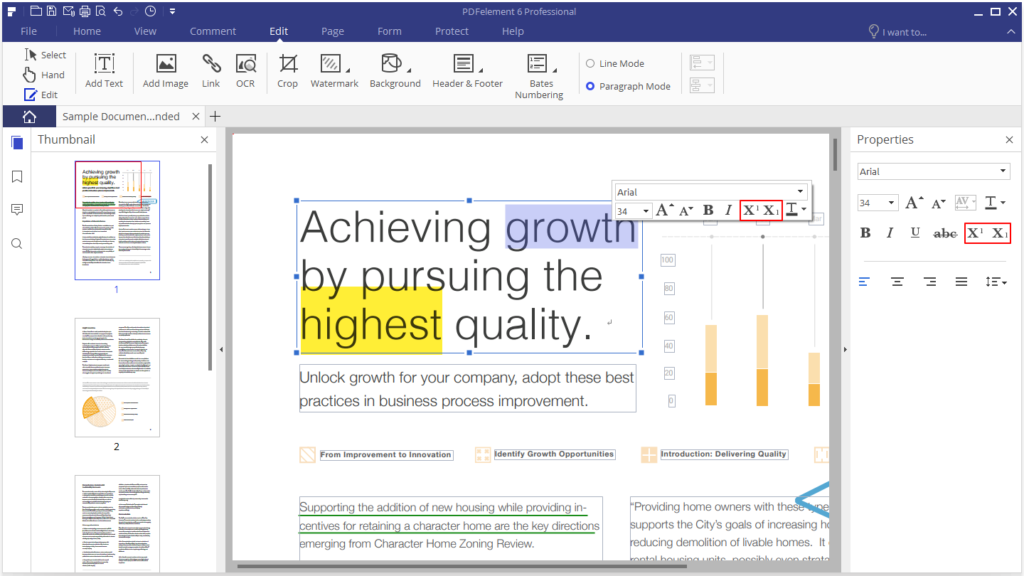
PDFelement 6 lets you directly edit the text. The program recognizes paragraphs and sections, so you just have to click on the area where you want to edit to get started. This option, direct editing, is great for when we want to make small changes. Especially given how hard it can be to change anything in a PDF document.
superscript

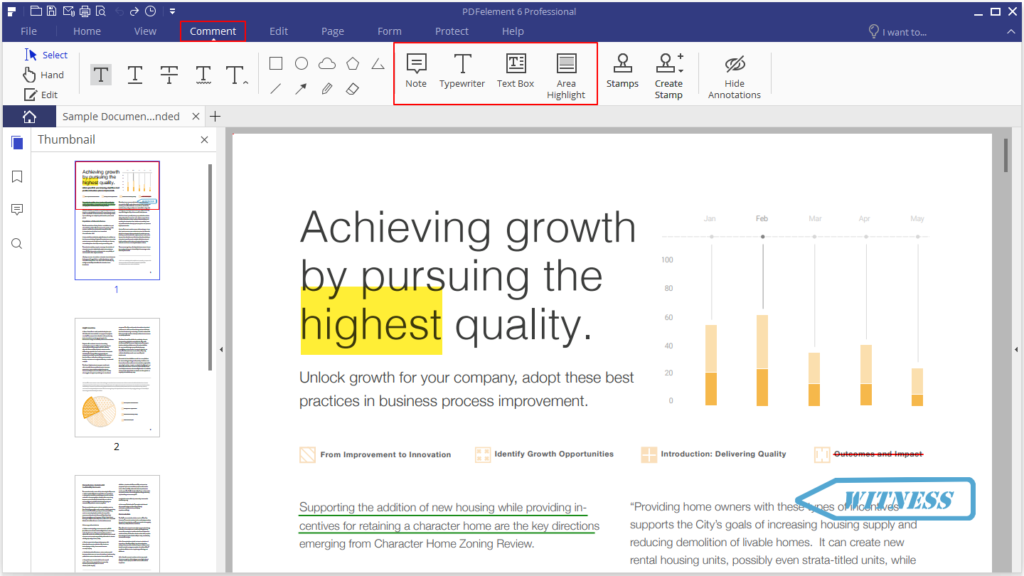
And with small changes, I don’t mean just writing text: you can add or edit notes such as comments, reviews, seals, marks, as well as change the font, or add or edit images… All this without converting the format.
comments

But what if you need to make more extensive changes? You can convert the PDF to Word, Excel, PowerPoint… or other formats such as ePub or HTML. This conversion can be done with the click of a button and you can choose the range of pages you want to convert.
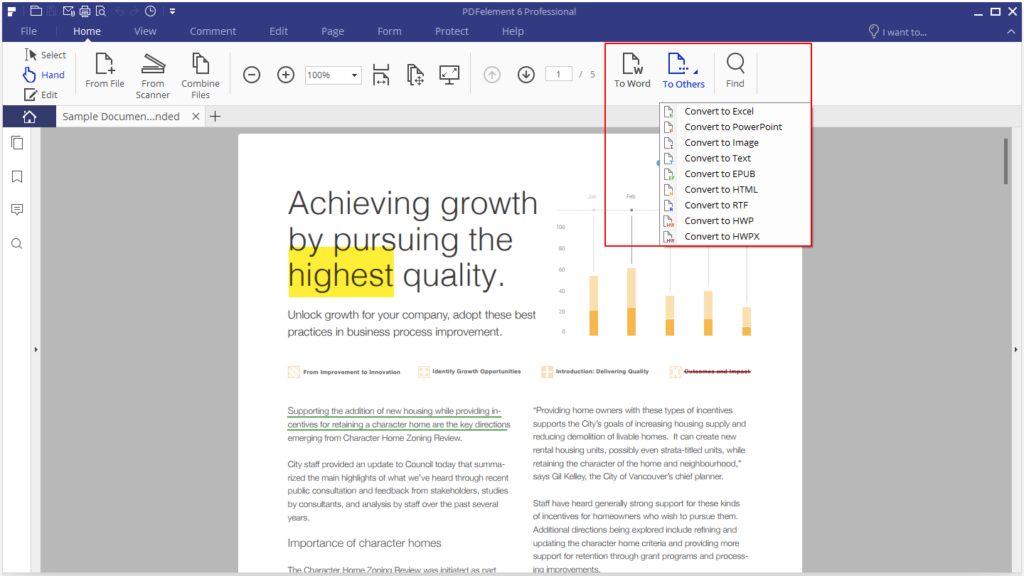
output-format

When the file is ready, you can edit it and then re-convert it to a PDF again by using the corresponding option in PDFelement. The program will convert any PDF document without losing the format or fonts… It’s that easy and effective.

Behind its “magic,” you’ll find advanced character recognition technology (OCR). With this technology, you can scan paper documents and successfully turn them into editable files.

With the click of the recognition button, you’ll mark all the fields that you normally have to fill in by hand to convert them into editable text areas that you can fill in digitally.
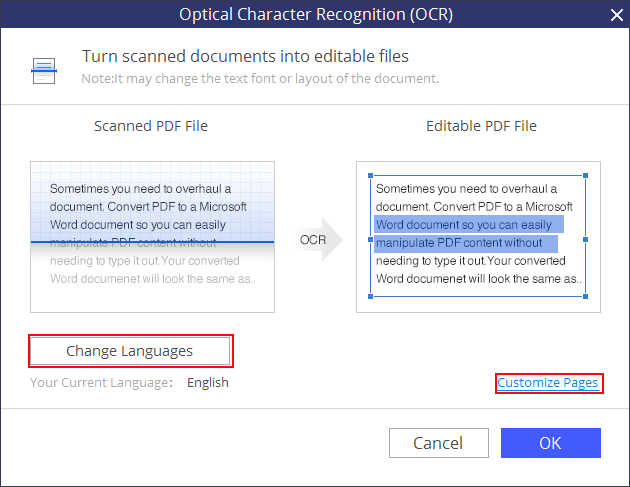
ocr-language

Watermarks, digital signatures, restricted access… all the elements a company needs for preparing documents are available in PDFelement. But that’s not all.

One of the features that saves companies the most time and money is data extraction from scanned PDFs. Instead of having to enter all data manually, a task that could take hours and even days, you only have to create an extraction template for PDFelement and within minutes check if you have all the data you need in a single .CSV file.

With this feature, a company can convert years of manual data entry to 100% editable data, ready to be converted to 300 file and image types. Data extraction, which itself stands out as a unique feature, is even more significant considering the affordable price of the program.

If this feature alone can streamline workflows at a company, imagine the impact of PDFelement once it’s used to its full potential. We’re not talking about the ease of creating forms (which you can make starting from scratch or by taking advantage of the 8,000 available templates), but its option to protect files through AES 265-bit encryption passwords.
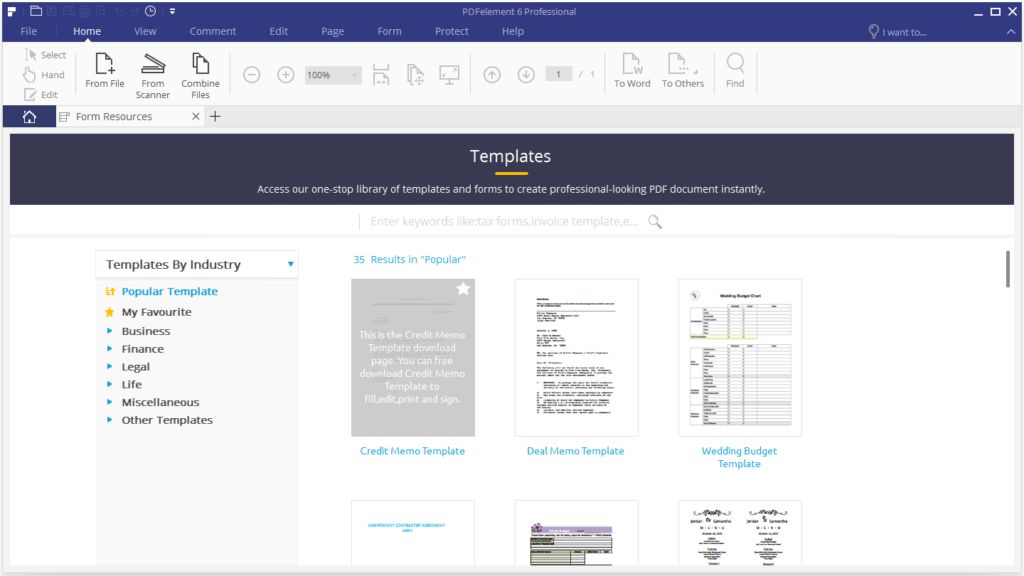
template-2

That’s another difference from Adobe. While Adobe focuses first on its software and then its users, Wondershare wants to help its users through PDFelement 6.

In addition, you’ve got a ton of video tutorials on PDFelement’s YouTube channel. Here’s an example:

Wondershare, its creator, helps users with all possible formats so you don’t miss out on anything the program offers.

PDFelement 6 is constantly updated and adds new features that always are based on real user needs. Without going into too much detail, in one of the most recent versions of PDFelement 6, Wondershare introduced adjustable page size and page labelling. Users had told Wondershare that they needed these two features.

How did they tell them? Through a technical support system with one-to-one communication between the client and Wondershare. Their team usually responds to questions quickly and efficiently so the client can get back to work with the program right away.

Besides user assistance, you’ve got the previously mentioned video tutorials, basic guides and a forum to share questions, tricks and tips.

What about the license model for PDFelement 6? Unlike Adobe, where you pay to access a service, once you have PDFelement, it’s yours, without fear that Wondershare will suddenly stop supporting it to prioritize other programs.

There are two available versions of PDFelement 6: Standard and Professional.
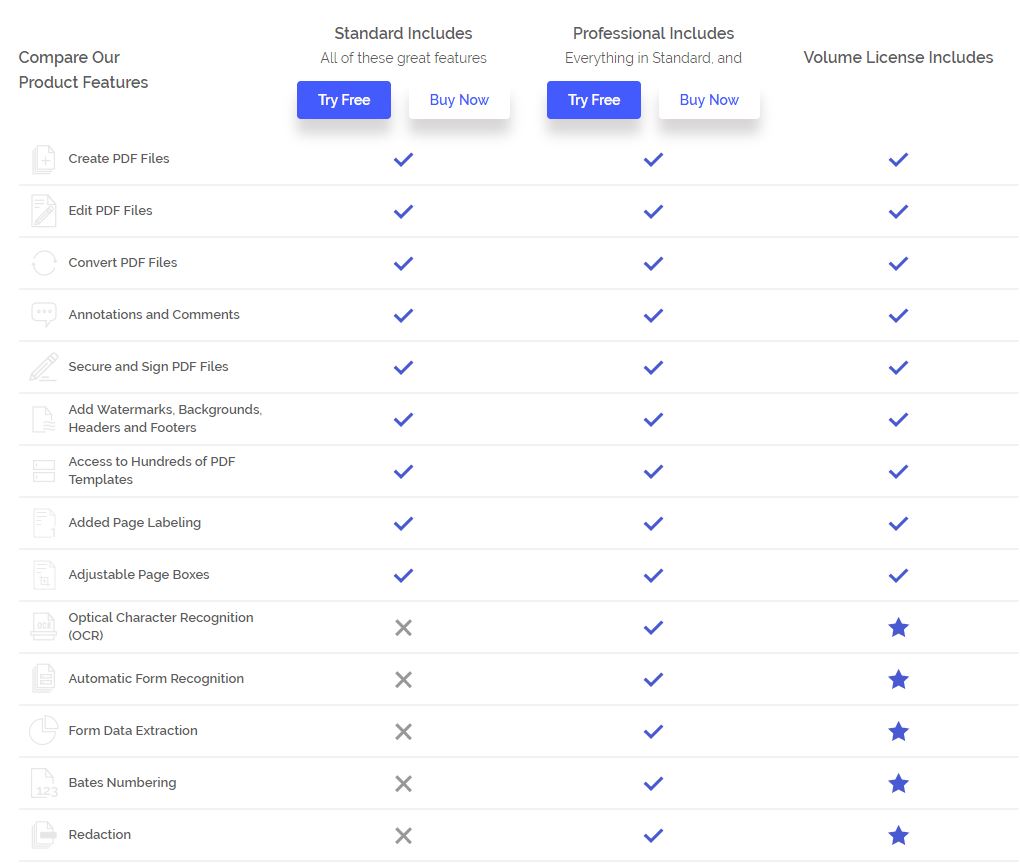
Captura

The first is designed more for personal use (a student could take advantage of this option, for example) while the second is ideal for the business world since it includes previously mentioned features such as PDF scanning and conversion from standard PDFs to PDF/A, a format designed for the long-term storage of electronic documents. You can find all these differences on the official webpage.

Prices start at $99.95 and Wondershare offers volume discounts for companies that need multiple copies. These copies will be available for Mac, Windows and iOS.

You can also try out the two versions, Standard and Professional, for free for an unlimited time to see which of them is better suited for your needs. Just take account that a watermark will appear on the saved output file.

PDFelement 6 is affordable, includes a lifelong license, is easy-to-learn and includes all possible support; if you used to have Adobe Reader XI and Acrobat XI until now, don’t forget about this alternative before “updating” to a more expensive, complex and uncertain option.
Apple kills iOS games: you can’t play them even if you want to

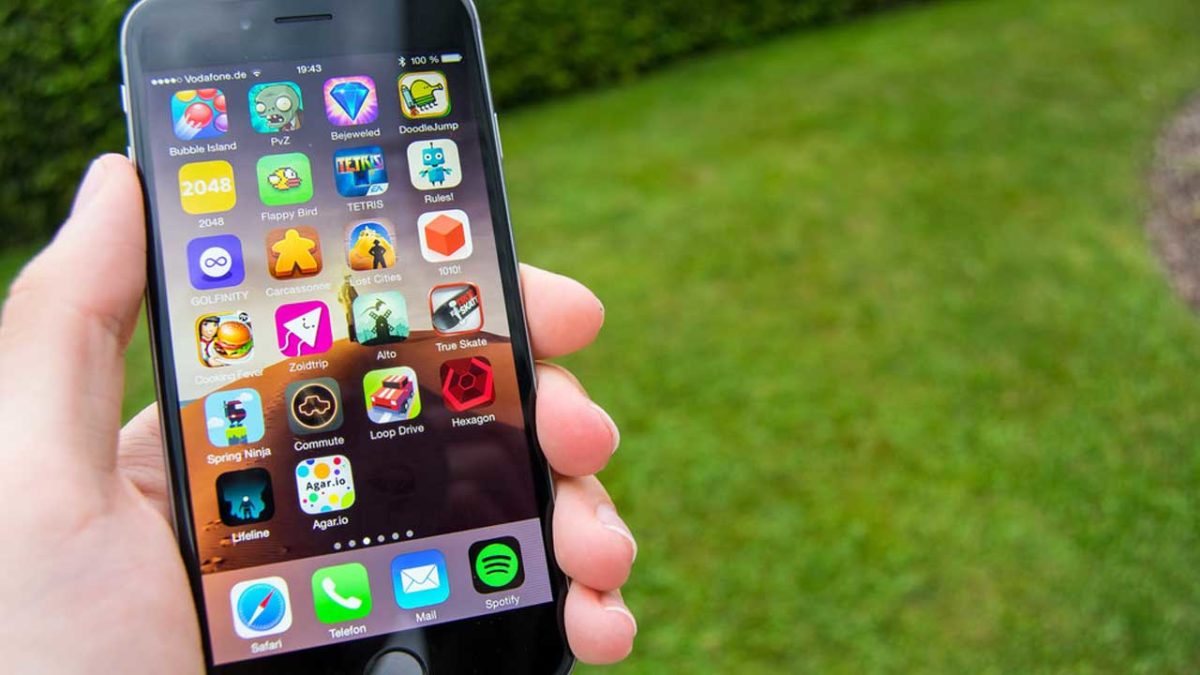
iOS 11, the new operating system for iPhone and iPad now has a new publicly available beta version, which brings us closer to the final version launch that is expected for September/October of this year. iOS 11 has many new features, including no longer supporting 32-bit apps, which will be the final blow for some apps, especially games.

In general, apps are updated and become 64-bit but for games, especially older ones in the App Store, many will simply get the axe. The result? If you have an iPhone or iPad and you update it, you won’t be able to play many of your favorite games.

This measure won’t affect most free online games or Clash Royale-style freemium games, but rather premium games. The that have higher price tags because they’re made to higher standards are the ones facing the chop. We’re not sorry to lose some of the games that will no longer be compatible but there are also a few legendary titles like Infinity Blade, the many LEGO saga titles, the first Xcom and the Doom saga titles.

In short, if you’re an iOS users who has invested money in games for your iPhone or iPad maybe you should think twice before clocking update next time around.

Thanks to Touch Arcade, we’ve got the first list of incompatible games. How many of them do you have?

Check out these Unbelievable Tech Related Yard Sale Finds!

A friend once said that he doesn’t like Yard Sales because they are like walking through the graveyard of a person’s hopes and dreams. Now whereas that dark logic does kind of make sense I have to disagree. I love Yard Sales and all of the nostalgic chaos that they bring with them. If you add to the nostalgia the fact that Yard Sales are a very direct form of recycling it really is wins all round.

You get something cool (and maybe useful for next to nothing), the seller gets a few dollars (and more importantly their garage back) and the world gets a slight reprieve due to the fact that you haven’t bought something that needed to be built brand new.

Now I’m not going to lie. There is a lot of crap that you’ll have to wade through before you get to something good but trust me, there is gold in them there hills. So without further ado let’s have a look at…

Amazing Tech Related Yard Sale Finds

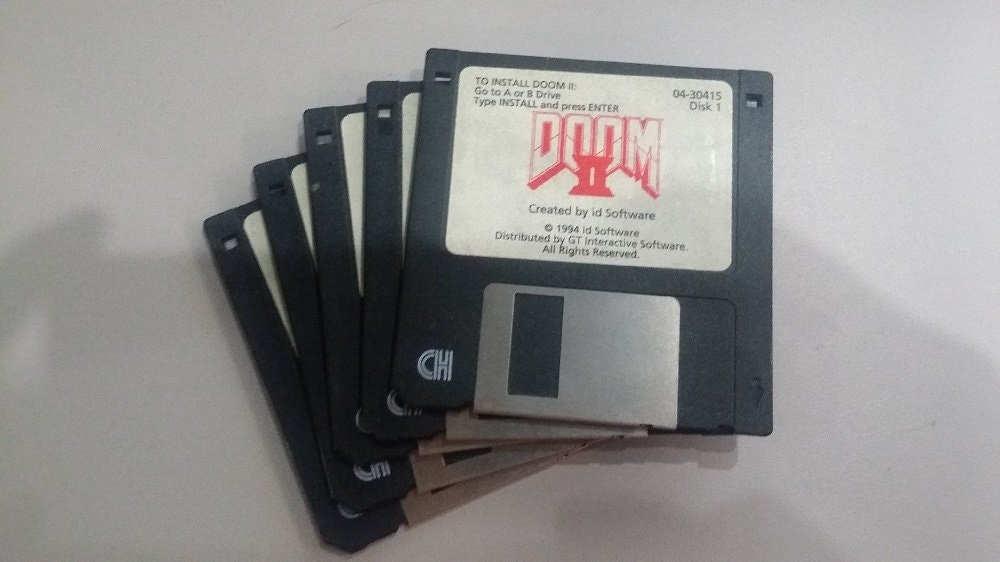
1. Doom 2 on Floppy Disk!

Check out these Unbelievable Tech Related Yard Sale Finds! Doom II on floppy Disk
Source: r/Spkk (with special thanks to his Grandpa)

Now a few of you might have never seen a floppy disk before but, in their day, they were true technological marvels because they held a whopping 1.44mb of data. Not gb but the measly old mb. Often they weren’t write protected, which meant most games that people had on floppy disks were mere copies that only had the title and disk number hand written on the label. That makes this Doom II discovery by Grandpa all the more special.

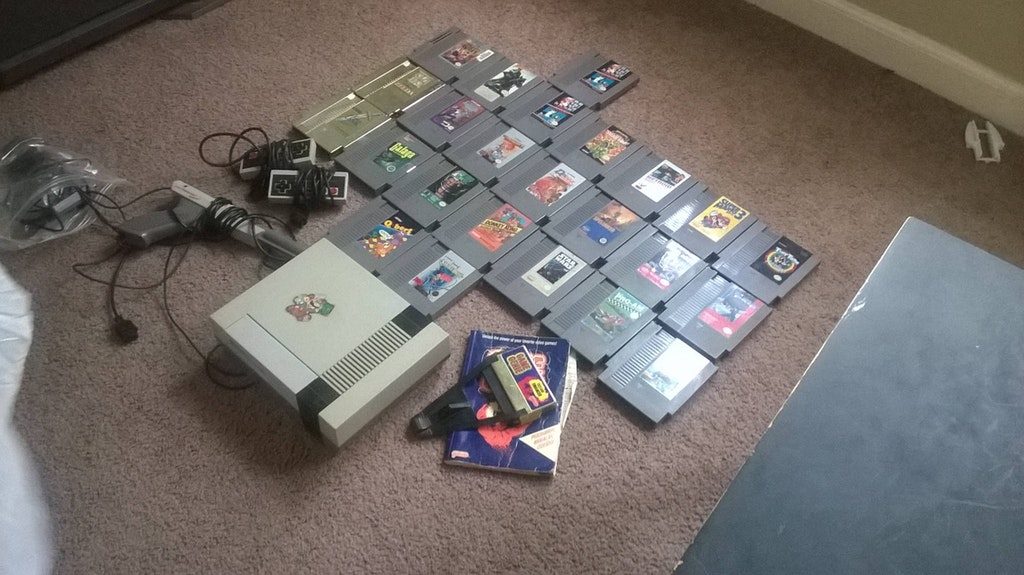
2. The NES Jackpot

Check out these Unbelievable Tech Related Yard Sale Finds! NES Jackpot
Source: Reddit

We all remember the frenzy that erupted last summer when Nintendo released the NES mini classic but didn’t make enough units to meet demand. The little guys started turning up on ebay for thousands of dollars and people were still buying them! Amazing then that local Yard Sales have hauls like this one going for only $10.

3. The Mobile Gaming Motherload

Check out these Unbelievable Tech Related Yard Sale Finds! Gameboy mini
Source: Imgur

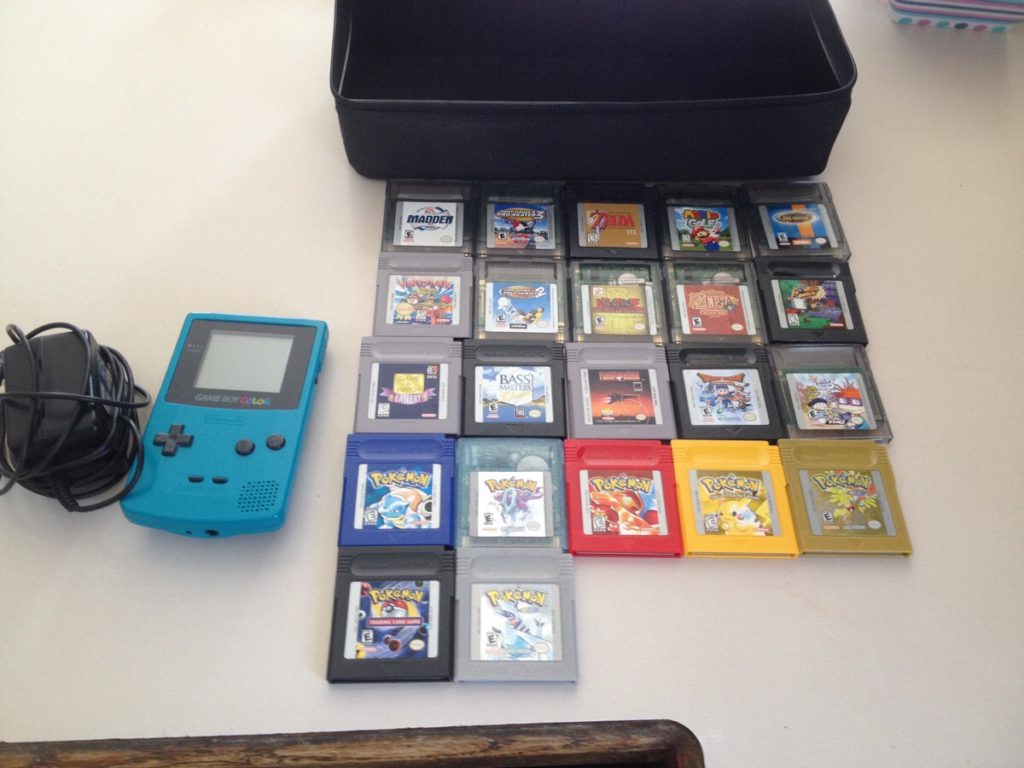
Who knew that a mere $20 could get you so much Pokemon! Some of the other classics bundled in for this low low price include Tony Hawk’s 2 & 3, Madden, Mario Golf and 2 Zelda games. Who needs data and WIFI for their mobile gaming when they have a Gameboy Color. Absolute classic.

4. Wheelchair Tanks

Check out these Unbelievable Tech Related Yard Sale Finds! wheelchair tanks
Source: Imgur and Reddit

Yes these incredible machines were found at a Yard Sale. Unfortunately they cost a little more than a Gameboy Color but still, they are AWESOME! These Tankchairs were designed by a combat vet with indoor and outdoor activities and urban use in mind. Surprisingly, the one with the tracks was much cheaper than the wheeled version. You can see videos of them in action here.

5. Pew Pew Pe Pewww

Check out these Unbelievable Tech Related Yard Sale Finds! Star Trek Phaser MouseSource: Reddit

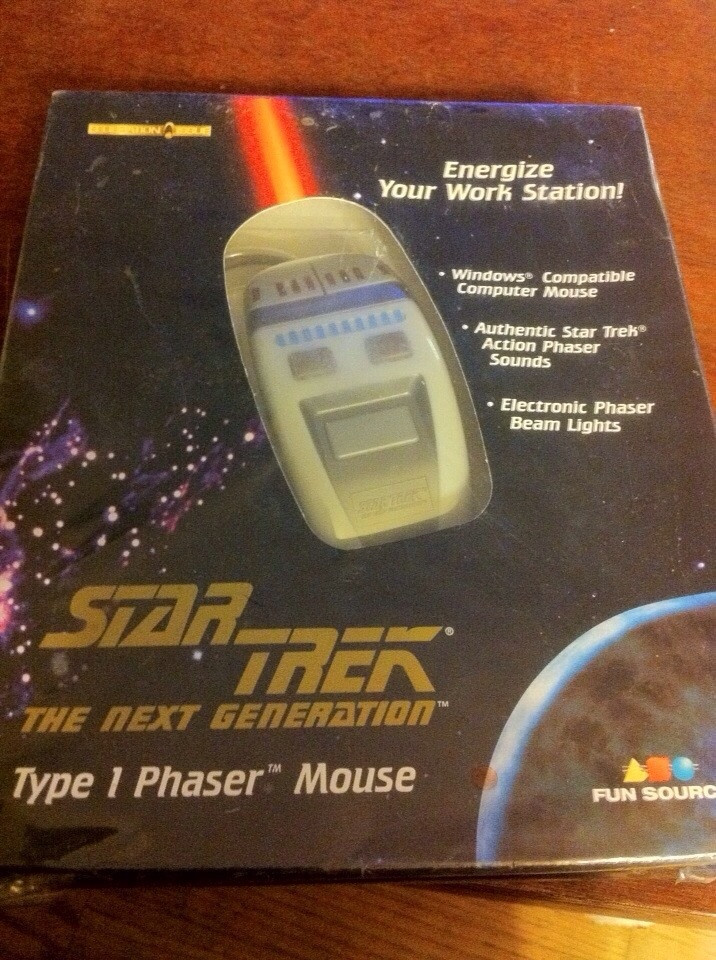
This Star Trek Phaser Mouse looks like one of those items that looks way cooler in the box than it does when in use. You can definitely see that it is a Next Generation phaser but it might be hard to recognize, depending on the shape. Still though, I’d have snapped this right up once I’d read about the “Action Phaser Sounds” and “Electronic Phaser Beam Lights“.

6. The Technics 1200 Turntable for only $25

Check out these Unbelievable Tech Related Yard Sale Finds! Technics 1200
Source: Imgur

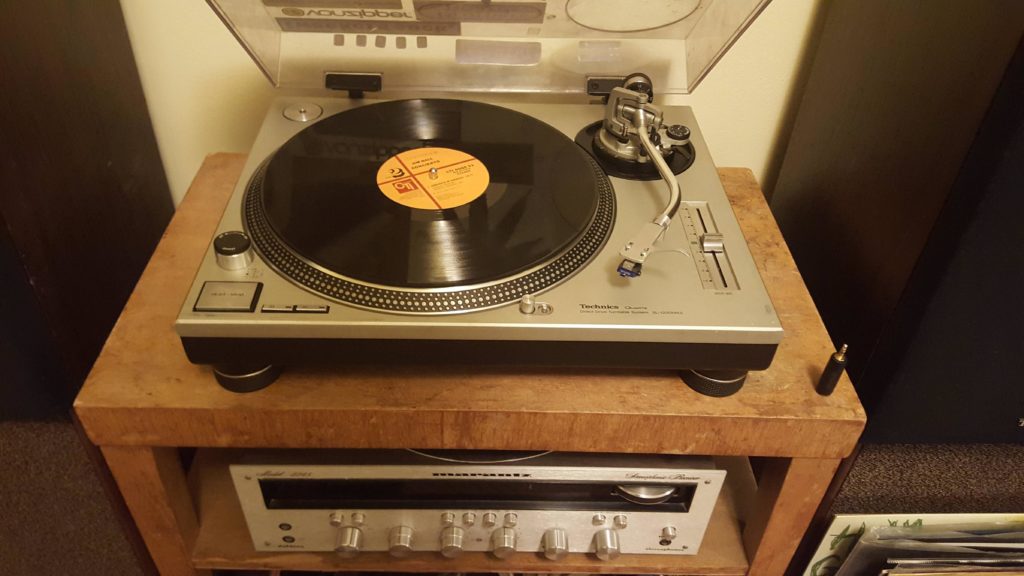
These bad boys are built like tanks. You can literally drop them on the ground and they should be ok. This is why they’ve held their value so well over time. If you wanted to try and buy one now you’d have to pay at least $300 for the privilege. Not down the local Yard Sale though.

7. Somebody had Medical Insurance

Check out these Unbelievable Tech Related Yard Sale Finds! Grandma's femur
Source: Reddit

That right there is an artificial femur bone that was removed from the seller’s grandma before she was cremated. This is the beauty of Yard Sales. People will try and sell literally anything they want to get rid of. Fair play to the seller for getting money for this, even if it is a little morbid, and fair play to the buyer for finding such an ingenious use for it.

8. The Horror, The Horror

Check out these Unbelievable Tech Related Yard Sale Finds! Horror Haul
Source: Imgur

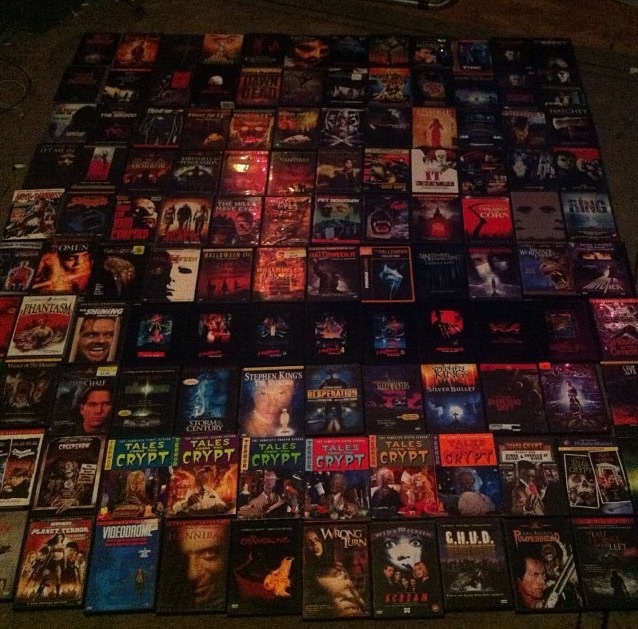
Now that is a hefty haul of horror movies. For $10 this is possibly the best deal I’ve ever seen in my entire life. We’re not talking B-Movies here. Just look at some of the titles included there. They’re all absolute belters. I definitely couldn’t get through all of them without having somebody there to comfort me. If the seller was also selling bed sheets I hope people steered clear.

9. Only the Speakers were bought at a Yard Sale!

Check out these Unbelievable Tech Related Yard Sale Finds! Dump Computer
Source: Reddit

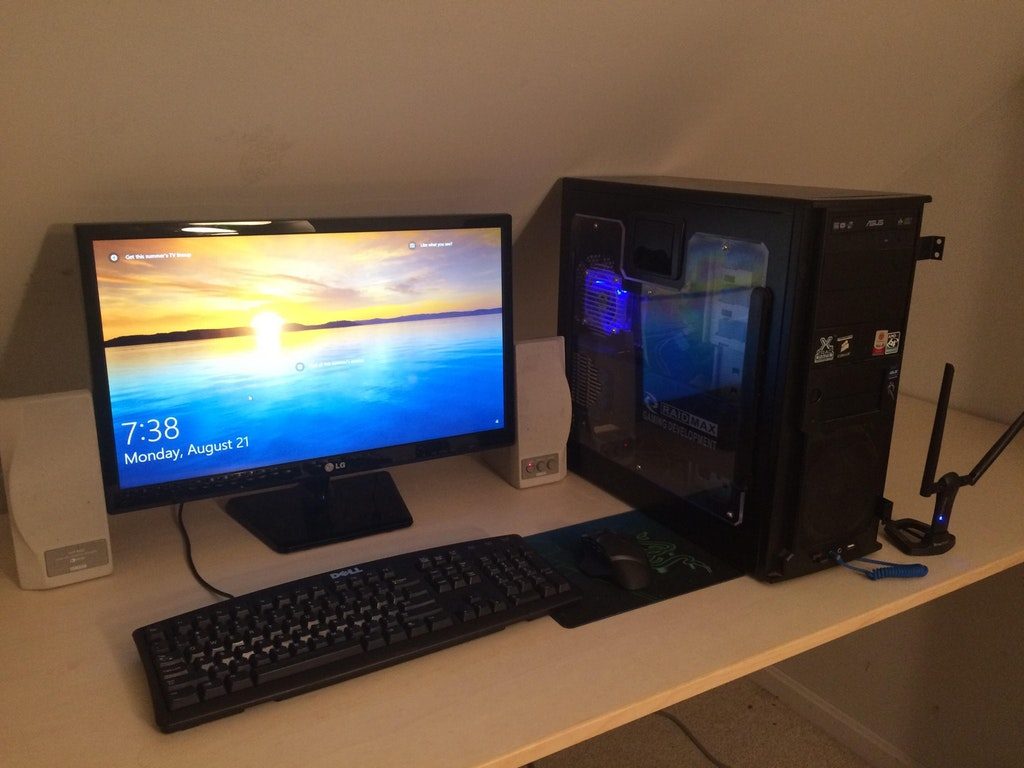
The computer was found at the dump. Yes you read that right, that computer was actually rescued from the dump and is now someones working PC. What a find.

10. Finally, The Fake

Check out these Unbelievable Tech Related Yard Sale Finds! GameCube stuffed with cash
Source: Imgur

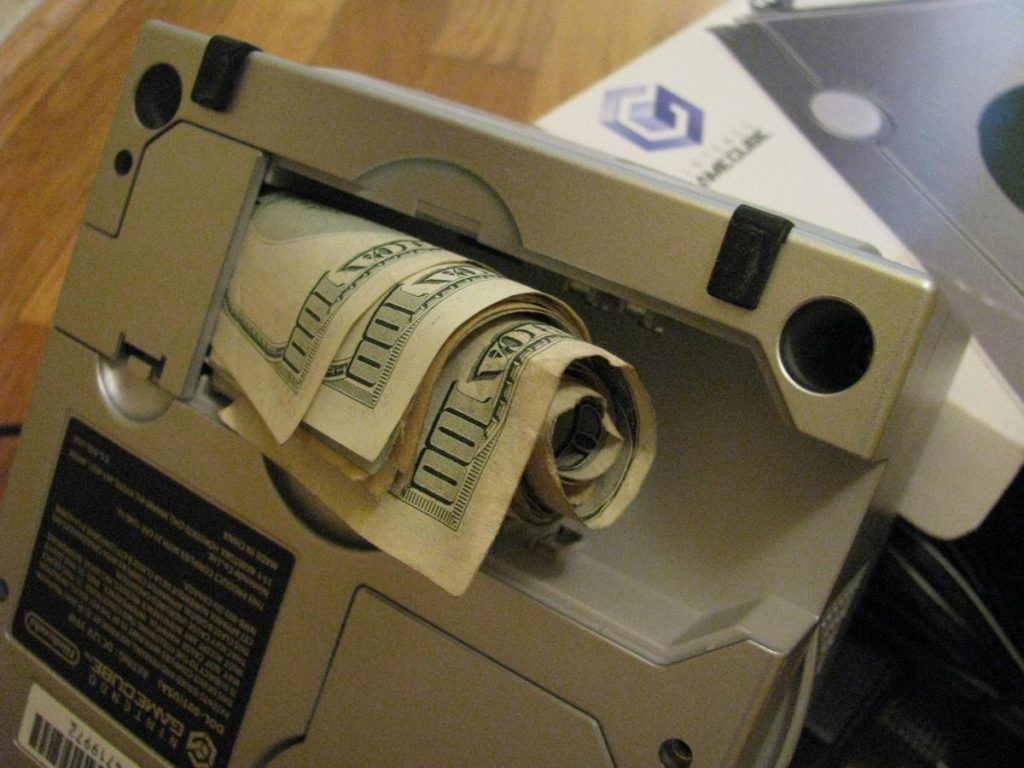
We scoured the internet and online forums to find you these amazing Yard Sale finds but whilst doing so we also stumbled on to a couple of fakes. Our favorite fake Yard Sale find was this guys Nintendo GameCube that came stuffed with cash and other goodies. You can check out everything else that supposedly popped out here.

Now obviously, stumbling on to the deal of a lifetime requires a bit of luck but you will not find that deal if you’re not looking for it.

If you’ve ever found anything amazing at a yard sale make sure you let us know about it in the comments below.

Happy hunting.

The 6 Best apps for Foodies

Being a foodie is like having a life-long dedication to the culinary world. You can’t simply confine yourself to taking pictures of your foods; you must learn to share them as well. Here are 6 best apps that you should have on your smartphone if you are a true foodie!

6 Best Foodie Apps

1. Tender (iOS)

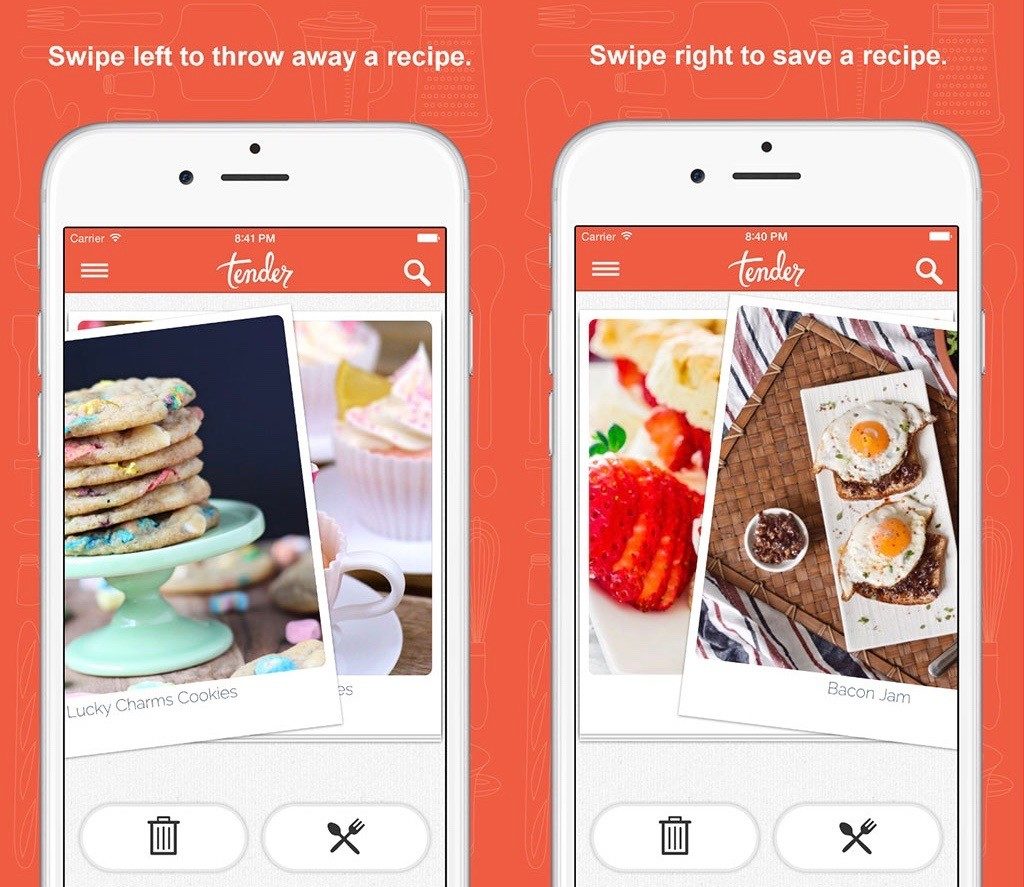
Tender helps people discover food and get excited about cooking. The app curates photos of food from all across the world and then shares it among its users. This means people can then make their own food in the future. There are several filter options like vegan, vegetarian, dessert and drinks to make things easier for foodies.

Best foodie apps tender

Get Tender Now (iOS)

2. Roaming Hunger (iOS)

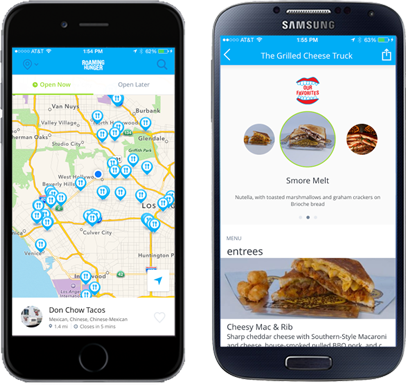
If you are in love with food trucks then this app is right for you. Roaming Hunger helps you to locate nearby food trucks. You can also see the menus and photos of foods before trying them. At present, the app tracks more than 8000 food truck vendors across Canada and the US.

Best foodie apps roaming hunger

Get Roaming Hunger Now (iOS)

3. Foodspotting (iOS)

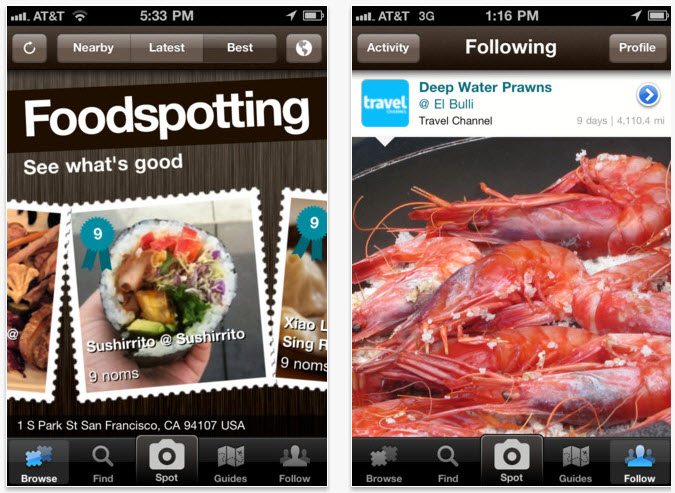
Isn’t it nice to see your food before actually placing the order? Foodspotting provides such a platform for its users and takes food porn to the next level. Foodies can share their meals with friends around the world. Users can also recommend dishes.

Best foodie apps Foodspotting-mobile-app

Get Foodspotting Now (iOS)

4. NoWait

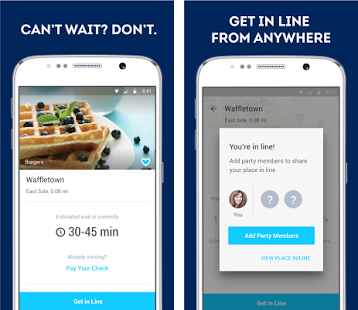
Foodies are very impatient while sitting in a restaurant and waiting for the food to deliver. NoWait eliminates that struggle for you and put you on restaurant’s waitlist irrespective of your location. You can see current wait times for nearby restaurants—it’s something like waiting in line virtually.

Best foodie apps nowait

Get NoWait Now

5. ChefsFeed (iOS)

This app provides you restaurant recommendations based on the reviews made by the chefs. These reviews are made by top chefs from around the world and are very precise in nature. At present, ChefsFeed recommends dishes that are reviewed by chefs across the US, UK and Canada.

Best foodie apps ChefsFeed-Screenshot

Get ChefsFeed Now (iOS)

6. Deliciously Ella (iOS)

This is an app dedicated to vegan foodies. The app provides you around 200 healthy recipes that are gluten free, sugar-free and plant-based. The list of recipes is ever increasing. You will also get Paleo diet and dairy-free recipes in Deliciously Ella.

Best foodie apps Ella

Get Deliciously Ella Now (iOS)

How to check what you share on Facebook

Every now and then we lose control of our privacy settings on Facebook when we allow third party apps to access our most personal data. This is something we rarely think about reviewing. Sometimes we don’t even know which apps we are using on Facebook even though these can cause spam messaging, unwanted advertising, or phishing attacks.

Let’s have a look and make sure you don’t share more than you’d like to.

How to check what you share on Facebook

1. Look at your Facebook’s Privacy Settings

First, let’s look at your Privacy Settings to see if everything is as it should be, in terms of privacy. Go to the Apps page from the General Account Settings page to find out what apps you are currently using with Facebook. You will find the Edit button to the right of each app that displays the detail of permission allowed (by you) for these apps.

As a Facebook user, you will be surprised to discover that over the years, you have acquired a lot of apps and allowed a lot of personal information to be shared by the apps.

facebookprivacyappssettings

2. Decide what apps you allow to use your Facebook Privacy Data

Now, if you decide not to use any particular app anymore just click on the ‘X’ sign on the right of the app. Please note that this will only stop the app from collecting additional data but it still has the info you already shared earlier.

3. Decide what you is shared to your friends

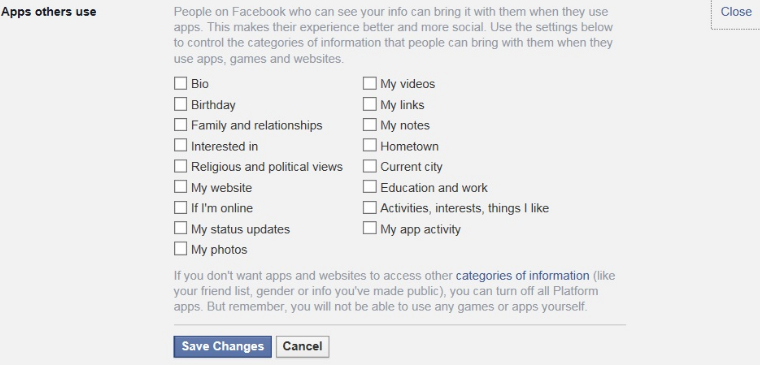
The Apps page also tells you how much information is accessible through your friends’ activities. Go to the Apps others use window and you will find a category page with 17 different types of information. This includes everything from your videos, photos, religious views to relationships and political views. It is always recommended that you only share the basic information to these 3rd party apps.

So, even if you think that you are in full control of your Facebook privacy settings things may go wrong at times. In order to avoid any unwanted incident, you just need to more be careful while using third party apps.

What to do with your Old Phone?


You probably have one or two of them at home right now. Ever since you got that new model they look so useless and inferior in every way, not to mention that they lost all of their market value. So what do you do with your old phone?

We were asking the same question and, as it turns out, there are some really amazing ideas that can be found on the internet. So let’s look at…

What to do with your Old Phone?

 1. Kid Friendly Device

Let us start off with the most common question that yours, or someone else’s kids, will ask you as soon as you pull out your phone or tablet – do you have any games? Well, if you are a kid person make sure that you get as many games as you can on that device to be ready for these types of situations.

What To Do With Your Old Phone? kid friendly

2. Turn it into a security camera

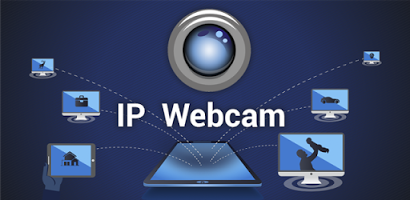
IP Webcam can be a very useful app to use your phone as a security camera at home. If you leave the house and want to watch over the kids there is no better and inexpensive way than this one.

What To Do With Your Old Phone? security3. Help Scientific Research
It came as a surprise to me as well but your old phone can be used for scientific research. BOINC is the app you will need to download to do this. BOINC harnesses the unused computing power of your Android device and runs jobs for scientific research projects. You can choose from projects in several areas of science, including Yoyo@Home, World Community Grid, PrimeGrid, Enigma@Home, OProject@Home, theSkyNet POGS, Asteroids@Home, and Einstein@Home.

What To Do With Your Old Phone? scientific research

4. Turn It Into a Gaming Device

If it’s not that old it can probably run some PSP games, or maybe all of them. Emulators are a real thing now and you can get emulators for almost any console on your app market. For example this one will let you run old games from SNES, GBA, PlayStation One and many more…

If you want to enhance the experience even more and make a handheld console out of your old phone then just head over to Amazon and order a controller of your choice.

What To Do With Your Old Phone? gaming device

5. Donate It

If none of the ideas above inspired you then it is probably best to do a noble thing and donate your phone to those who actually need it. Here are a few options to consider:

  • Verizon runs a service called Hopeline that refurbishes old and used phones and donates them to victims of domestic violence. Your phone can be donated in a Verizon Wireless store or by looking for more solutions on the Hopeline website.
  • Cell Phones for Soldiers is a non profit organization that sends old phones with free international calling service to soldiers serving for US overseas. You can see all donation options by visiting this link.
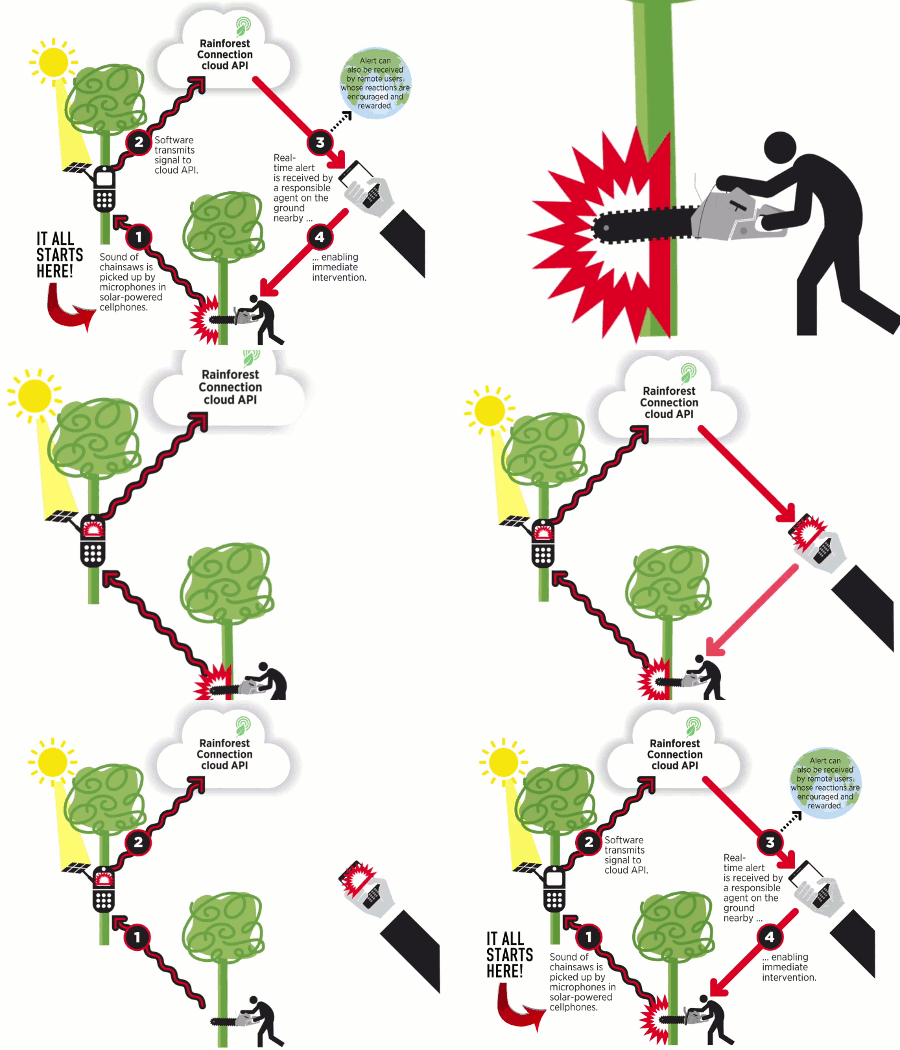
  • Rainforest connection is also a non profit organization that serves a great cause. Rainforest Connection (RFCx) transforms recycled cell-phones into autonomous, solar-powered listening devices that can monitor and pinpoint chainsaw activity at great distance. This changes the game by providing the world’s first real-time logging detection system, pinpointing deforestation activity as it occurs, and providing the data openly, freely, and immediately to anyone around the world.

What To Do With Your Old Phone? donate it

If you want to know more about it and see how you can donate be sure to check out their official website.

And there you have it. As you can see, your old phone isn’t as useless as you thought it was. In fact, it can have many purposes, from gaming to preventing the cutting of rainforests. How cool is that? If you have more ideas that we can add please leave them in the comments below!

Five Things you have to do when you get a New Phone

Getting a new phone is cool but most people don’t really use it to its highest potential even when only talking about the basics. This list will cover the most essential and also most used apps, covering both work and pleasure. You should definitely get them right away. You should also check out our 5 tips to prevent security issues with your phone.

Five Things you have to do when you get a New Phone

1. Microsoft Office (iOS)

Download Microsoft Office (iOS)

Everything related to work nowadays is stored in documents, and those documents are most of the time found in some sort of MS Office format. Microsoft office is available on the app store for free. Of course it contains Word, Power Point, Excell, Outlook. Open any document, spreadsheet or presentation from anywhere at any time.

 Five things you have to do when you get a new phone

6

2. Social Networks

Everyone uses social networks, right? Therefore you will probably want to install some of the popular ones. Here they are:

If you want to save storage space you can install Facebook Lite

Facebook Lite Download Facebook Lite
7

3. Get the best out of your phone’s camera

Today everyone likes photography and likes to experiment with photos by adding some effects to them. A new phone will definitely have a good camera but don’t rely on the default camera app.

Instead you can download Camera Zoom FX and get features like setting certain hardware buttons to trigger the shutter, multi touch gestures, voice- and sound-activated shutter, and much more. It will offer you guidance so you won’t take bad pictures. The horizon indicator will ensure a perfectly flat horizon for your photos and a crosshair will alert you when your subject is moving.

Five things you have to do when you get a New Phone camera

All the options it has can help you better understand photography, become more interested more in it and, who knows, maybe even start a career in photography.

For people who love selfies  YouCam Perfect – Selfie Cam is the perfect app  that has a great editing tool. It has interesting features like beautifying effects, face reshaper, object remover, stylization and ability to beautify all the features of your face.

Camera Zoom FX Download Camera Zoom FC
9

4. Keep your phone clean and protected at the same time with Clean Master

Clean Master will get rid of files that you don’t need on your phone. It’s mostly internet cache that will use up a big chunk of your phone’s memory if not cleaned regularly. The app also works as an antivirus software, no need to install two different apps when you can get both of those with Clean Master.

Clean Master Download Clean Master
7

5. We All Love Games

After you are done installing the essential apps check out some games as well and have some fun. My recommendation would be Hearthstone. Currently the most popular trading card game in the gaming world.

Five things you have to do when you get a New Phone hearthstone

Players take turns in playing cards from their collection. Playing more will get you more cards, in game currency and experience. It’s really a game that you can play anywhere.

Hearthstone Download Hearthstone
7

For racing fans Asphalt 8 (iOS) is a must have. The game is fast paced and the graphics are stunning! I promise that you will be amazed by them as soon as you run the game.

Five things you have to do when you get a New Phone asphalt 8

 Related Articles

The Evolution of Mobile Gaming

Watch out! These 7 apps are killing your mobile battery

Six app settings that are devouring your mobile data – kill them now!

Five apps to learn a second language on your mobile

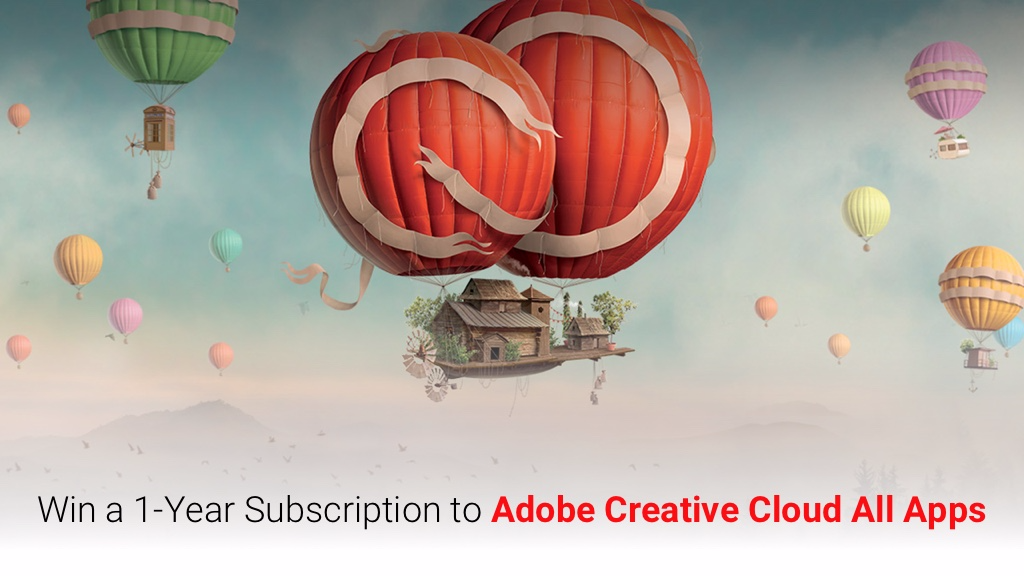
Giveaway: Win a 1-Year subscription to Adobe Creative Cloud worth $599.88/yr!

We’re happy to announce a new giveaway! This time to a 1-year Adobe Creative Cloud subscription! To those of you not familiar with this subscription, it is Adobe’s flagship offering for creatives. We could easily say that almost every visual artist dreams to have these tools at hand.

Adobe CC gives you the entire collection of Adobe desktop and mobile apps, from essentials like Photoshop, Adobe Premiere Pro, Illustrator to innovative new tools like Adobe XD. On top of that if you are a beginner this package includes also hundreds of step-by-step tutorials, so you can get up and running fast. Last but not least 20 GB of cloud storage for file sharing and premium fonts from Typekit are included too.

With these tools at hand, you can make just about anything you want, right? So what are you waiting for? Winning is simple! 

Here’s how to enter the contest:

  1. Download the free trial from Softonic.com
  2. Leave a comment on this post telling us why you want to win this subscription.
  3. Share this post

It’s that simple. The competition will run until 23:59 (GMT) on Thursday, 31 August 2017. Once the competition is closed, we’ll select 1 winner at random from all of the qualifying entries and notify them via Facebook. They’ll be announced on Facebook the following week.

Good luck!

Full terms and conditions are available here.


11 Hidden WhatsApp Features You Should Know About

BY MARIA BAETA

WhatsApp is the most popular messaging app in the world and everybody who uses it knows how it works, right? Well, that’s only half-true. This chat service has numerous features and characteristics, so many that sometimes they’re hidden behind the more striking aspects of the app (voice messages, emojis, group chats…).

Today I’ll list 11 WhatsApp features that are somewhat hidden but worth knowing about… They’ll help you get the most out of the app!

11 hidden WhatsApp features you should know about

We all use WhatsApp but… do we make the most of it? We’re bringing you 11 options that aren’t so visible in the app but are truly useful if you chat regularly.

WhatsApp Messenger Download WhatsApp
8

Save convo sentences to Favorites

Hold your finger over the sentences you want to save and tap the star that appears. They’ll be saved in the main menu. To access them, tap “Starred messages.”

Cancel a voice message

What if in the middle of recording an audio message, you regret what you’re saying? Just slide your finger to the left and the message won’t be recorded or sent to the recipient.

Send messages faster

Save time by having your messages send when you tap the “Enter” key. To do this, go to “Settings” in the main menu, then to “Chats” and activate the “Enter to send” option.

Create shortcuts to your favorite chats

Chat with some friends all the time? Create a convo icon that appears on your phone’s home screen. To do this, go to the settings of that conversation, tap “More” and then “Create shortcut.” Voilà! Shortcut created, now you can get to it like any other app icon.

Send the same message to multiple recipients at once

From the main menu, find “New broadcast” among the options. Select all the recipients you want and now you can send them all the messages you wish: it’s not a group, they’ll receive them separately.

Write texts in bold

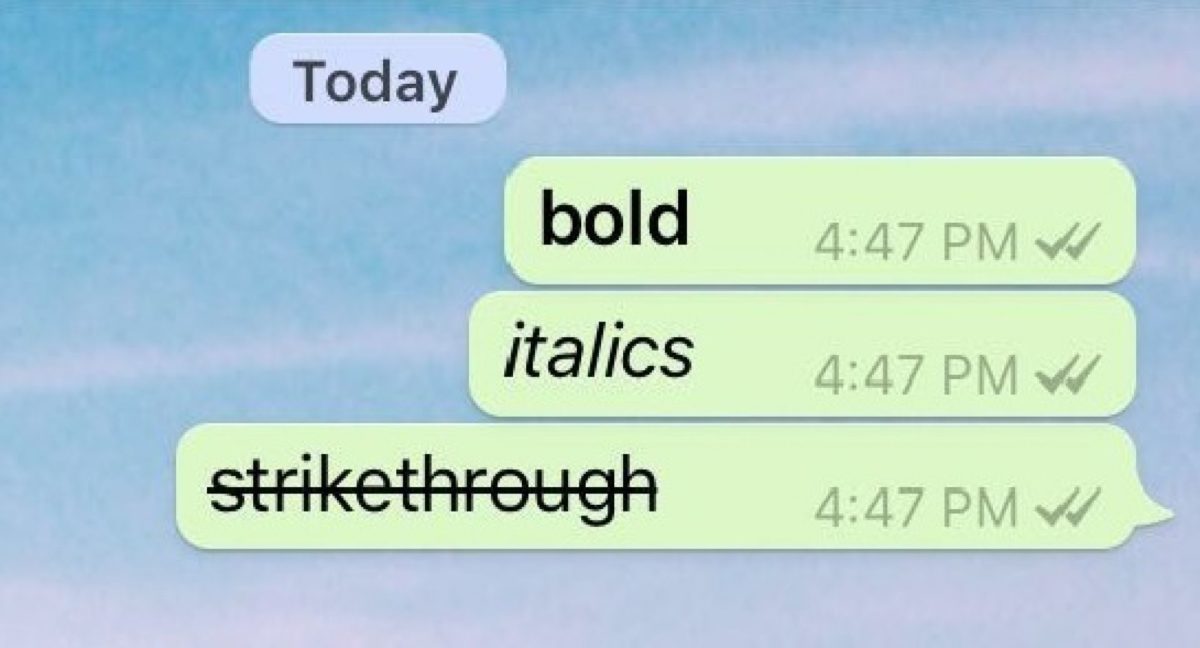
Write the text you want to appear in bold between two asterisks (*), and it will stand out from the rest!

Write texts in italics

Write the text you want to appear in italics between two underscores (_), it’s that easy.

Write texts with strikethrough

Write the text you want to appear strikethrough between two swung dashes (~)… super original!

Change font size

If the font of your chats seems too small… make it bigger! To do this, go to “Settings” and “Chat,” and in “Font size” select the size you want.

10 Send a specific chat history

To send a specific convo via email, tap the menu of that conversation and select “More” and then “Send chat history.” You can send it from your email platform to whoever you want.

11 Get WhatsApp features before anybody else

Want to try the latest WhatsApp features before they’re released to the public? Become a beta tester! (Only available on Android.) Just click on this link and follow the steps.

WhatsApp Messenger Download WhatsApp
8


This article was originally published on April 4th 2017.