Can I use an eSIM and a physical SIM at the same time?

As smartphones evolve, many users wonder whether they can use both an eSIM and a physical SIM simultaneously. The short answer is yes—but it depends on the phone model and mobile operator. In a world where separating personal and work lines or having a local number while traveling is more relevant than ever, dual SIM functionality is becoming a key feature for mobile users.

What is dual SIM hybrid and how does it work?

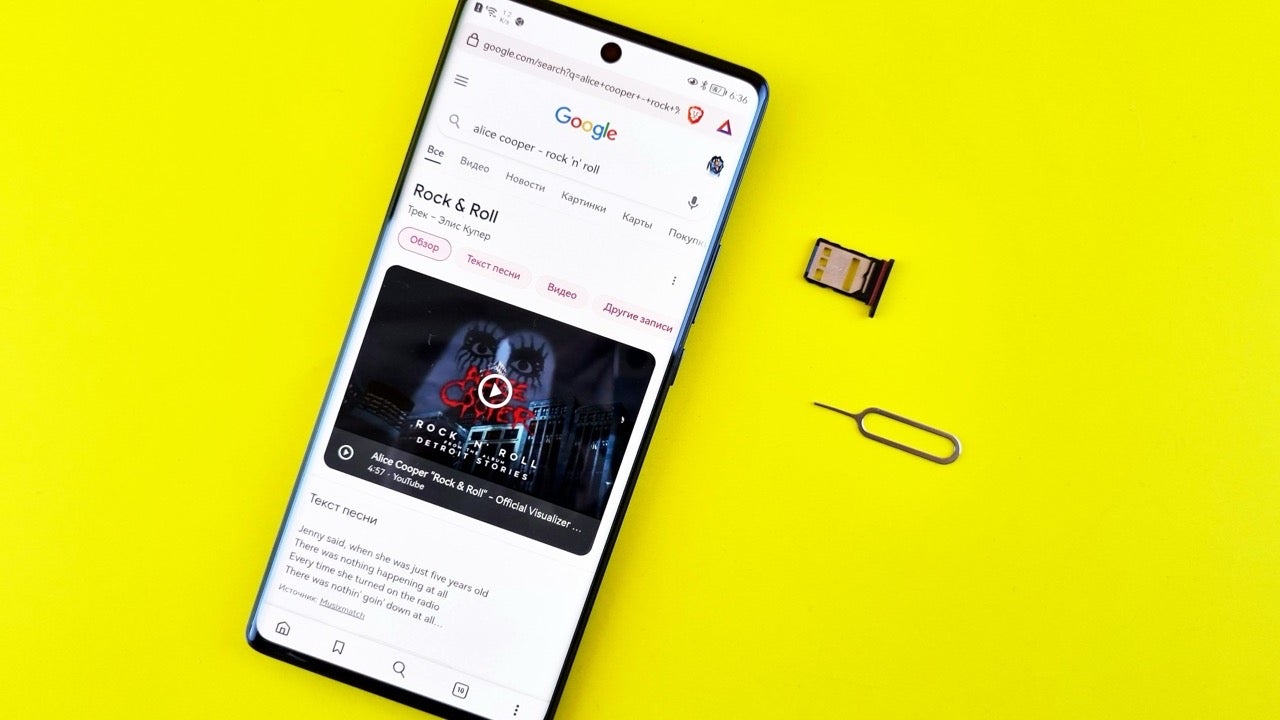
Some smartphones support a configuration called dual SIM hybrid, which allows one physical SIM card and one eSIM to function on the same device. This means users can have two active lines without needing two physical SIM slots. Major brands like Apple, Samsung, Google, and Xiaomi offer models with this capability, though not all devices support it.

Which smartphones support both SIM types?

In Spain, several smartphones support dual SIM hybrid setups. Apple supports this from the iPhone XR onward, Samsung from the Galaxy S20, and Google from the Pixel 2. Other compatible brands include Xiaomi, Oppo, Motorola, Honor, Huawei, OnePlus, Vivo, and Sony, each with select models ready for eSIM use.

Do all carriers support eSIM?

While every Spanish carrier offers physical SIM cardsnot all provide eSIM functionality. Among the major ones that do are Movistar, Vodafone, Orange, O2, and Pepephone. Activation usually involves scanning a QR code or visiting a store. Even with two SIMs, only one can provide mobile data at a time, which can affect app use and data plans.

In short, using an eSIM and a physical SIM together is possible—but it depends on your phone and your provider.

How to try Veo 3 to create videos with Gemini

Google’s AI video generator, Veo 3, is now available through Gemini—but with specific access limitations that require a bit of effort to bypass. While the tool isn’t yet open to all users globally, it is already possible to test it if you meet certain conditions and follow a few strategic steps.

What you need to access Veo 3

To use Veo 3, you must have a Google AI Pro subscription, which gives you access to the latest Gemini tools. However, since the video generation feature is currently limited to the United States, you’ll also need a VPN to simulate a U.S. location. Services like NordVPN are ideal for this.

After connecting your VPN to a U.S. server, open Gemini in a desktop browser—the video option is not yet available in mobile apps. You’ll see a “Video” button; sometimes it vanishes quickly, so be ready to click it fast or press F5 to reloadthe page and try again.

How to generate a video

Once the feature is active, simply type your prompt describing the scene you want to create. Be concise: Veo 3 generates short, 8-second videos in 720p MP4 format. You can suggest visual styles and moods, but avoid overloading it with too many details.

After a few seconds of processing, Gemini will present your video. You can watch it, download it, or even ask Gemini to regenerate it. Keep in mind that usage is limited—you’ll likely be able to create around 10 to 12 videos per week, though Google hasn’t published an exact cap.

Raspberry Pi: This is the list of all the models and what they are used for

Since its launch in 2012, the Raspberry Pi has become a globally recognized name among electronics enthusiasts. With each new release, this single-board computer has evolved to serve a wide range of needs, from simple programming projects to complex industrial applications.

Understanding Raspberry Pi models and their purpose

The original Raspberry Pi Model A kicked things off in 2012 with basic features and just 256 MB of RAM. It lacked Ethernet but supported basic connectivity. The improved Model B and B+ added more ports and Ethernet, doubling RAM to 512 MB.

In 2014, the Raspberry Pi 2 Model B introduced quad-core performance and 1 GB RAM, offering a notable power boost. The Raspberry Pi 3 models (B, B+, A+) followed, adding built-in Wi-Fi and Bluetooth, with speeds up to 1.4 GHz.

With the 2019 launch of Raspberry Pi 4, users saw massive improvements: USB 3.0, dual 4K display support, and up to 8 GB of RAM. The Raspberry Pi 400, integrated into a keyboard, catered to compact educational setups.

For microcontroller projects, the Pico series (Pico, Pico W, Pico 2) delivers low power consumption and embedded storage, ideal for IoT and automation. These are best for simpler applications like sensors and small robotics.

The Zero and Zero 2 W models offer ultra-low-cost options with compact form factors. Despite their limited power, they’re perfect for portable projects, emulators, or discreet installations.

Finally, the Raspberry Pi 5, launched in 2023, brought in cutting-edge performance with a 2.4 GHz Cortex-A76 CPU and LPDDR4X RAM, pushing the device closer than ever to mainstream desktop capability.

Each model serves a different niche, from developers and students to hobbyists and industry pros.

Yes, SteamOS is better than Windows on handheld consoles

When it comes to performance on portable consoles, the debate between SteamOS and Windows 11 is heating up. Lenovo’s Legion Go S, now available with both operating systems, has sparked comparisons that reveal clear advantages for SteamOS, especially in gaming scenarios.

Performance benchmarks favor SteamOS

Tech reviewer Dave2D recently compared the Legion Go S running SteamOS and Windows 11. In tests with games like Cyberpunk 2077Doom Eternal, and Helldivers 2SteamOS consistently delivered higher frame rates. The largest gap was seen in Cyberpunk 2077, where the SteamOS version hit up to 13 more FPS than Windows. Even the lowest gain—5 FPS in Helldivers 2—still underlined SteamOS’s efficiency in gaming performance.

Better battery life and power management

SteamOS not only improves frame rates but also boosts battery life by more than three hours, running the same games. This is critical for portable gaming, where longer sessions without charging are essential. The Lenovo Legion Go S with SteamOS consumes far less power compared to the Windows model, which can peak at 40W while charging—more than double the Steam Deck’s 15W limit.

Windows still offers wider compatibility

Despite the performance edge, Windows 11 remains more versatile, allowing users to install games from platforms like Epic Games and GOG. In contrast, SteamOS restricts access to the Steam ecosystem. However, as compatibility improves, dual-boot options may eventually let gamers choose between power efficiency and broader access.