
Skip to content

Softonic English

Just another Softonic Sites site

How to get the most out of Adobe Firefly’s free daily generations

Create a free Adobe Firefly account and Adobe will give you free daily generations to use on image, video, and audio creations. If all you want is to try Adobe’s AI and see how it feels, that’s the simplest way in. With a free account, you can use those daily generations to make and edit images, videos, and audio.

So what do those free generations actually cover? And how do you use them without wasting them on throwaway tests? Here’s the practical version.

Adobe Firefly
Adobe Firefly Try now

What are Adobe Firefly’s free generations?

Every time you ask Adobe Firefly to create something, it counts as one generation. Even without a paid plan, Adobe still gives you a limited number of free daily generations across several models, including Firefly, Gemini, and more.

  • Your daily generations reset each day, so unused generations don’t carry over.
  • Your daily allowance can vary depending on the model and the type of generation, with image, video, and audio generations having different limits. You also don’t have to install anything. Firefly runs in your browser, on your phone, and in the official iOS and Android app.

To use those free generations, here’s what to do:

  • Go to the Adobe Firefly page and sign in with your account. If you don’t have one yet, you can set one up for free in a few minutes.
  • Choose what you want to generate. Pick Image for images, Video for videos, or Audio for audio. You can write prompts in more than 100 languages, including English and Spanish.
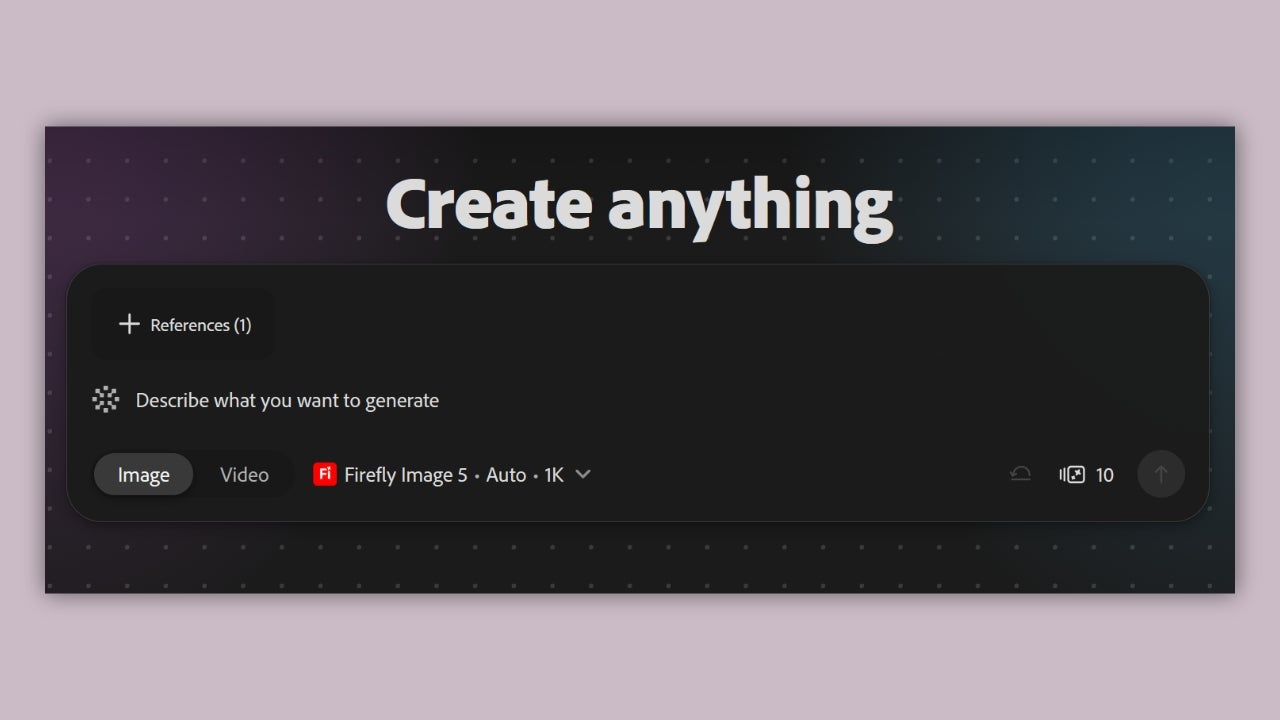
How to easily generate images with Adobe Firefly

If you’re starting with images, the quickest option is Text to Image. The process is pretty straightforward:

  • Once you’re in Adobe Firefly, choose Image, then click Generate Image.
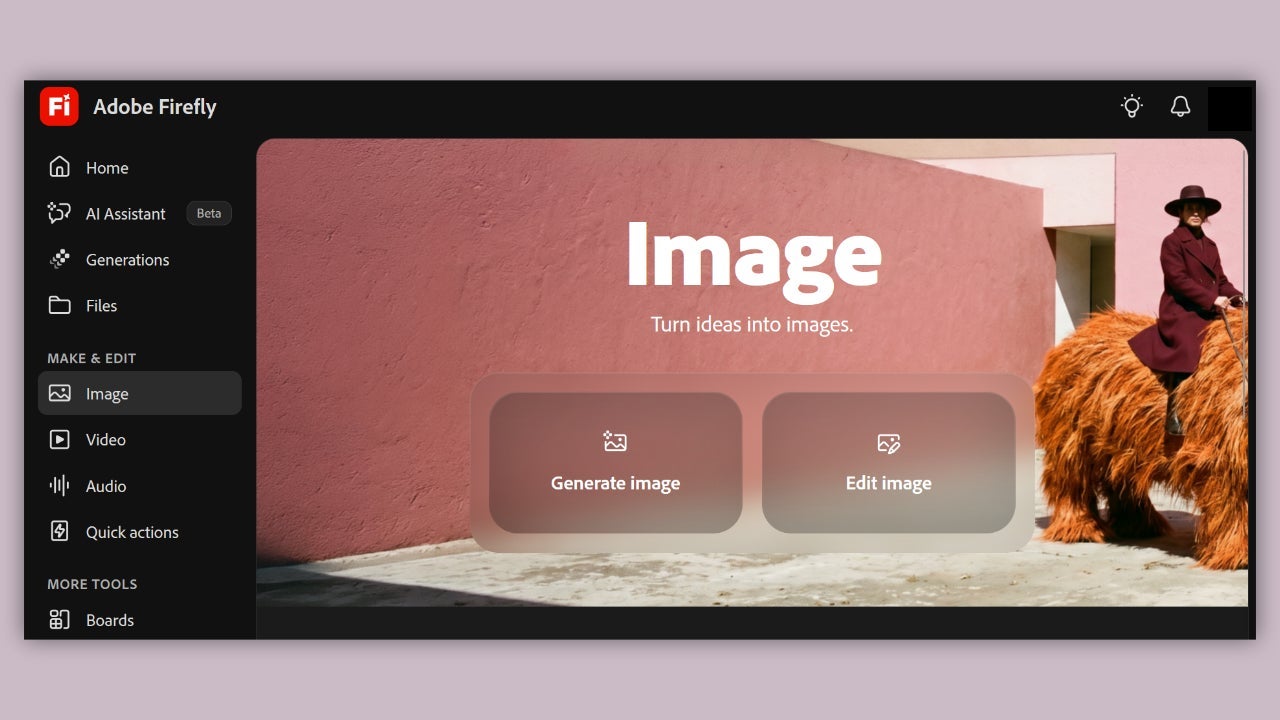
  • Open the drop-down menu and select the generative model you want. Adobe Firefly Image 5 is trained on licensed and public domain content, and safe for commercial use.
  • Write your prompt, and make it specific. Adobe Firefly gives you up to 750 characters.
  • Since you only get a limited number of generations, check your settings before you generate anything.
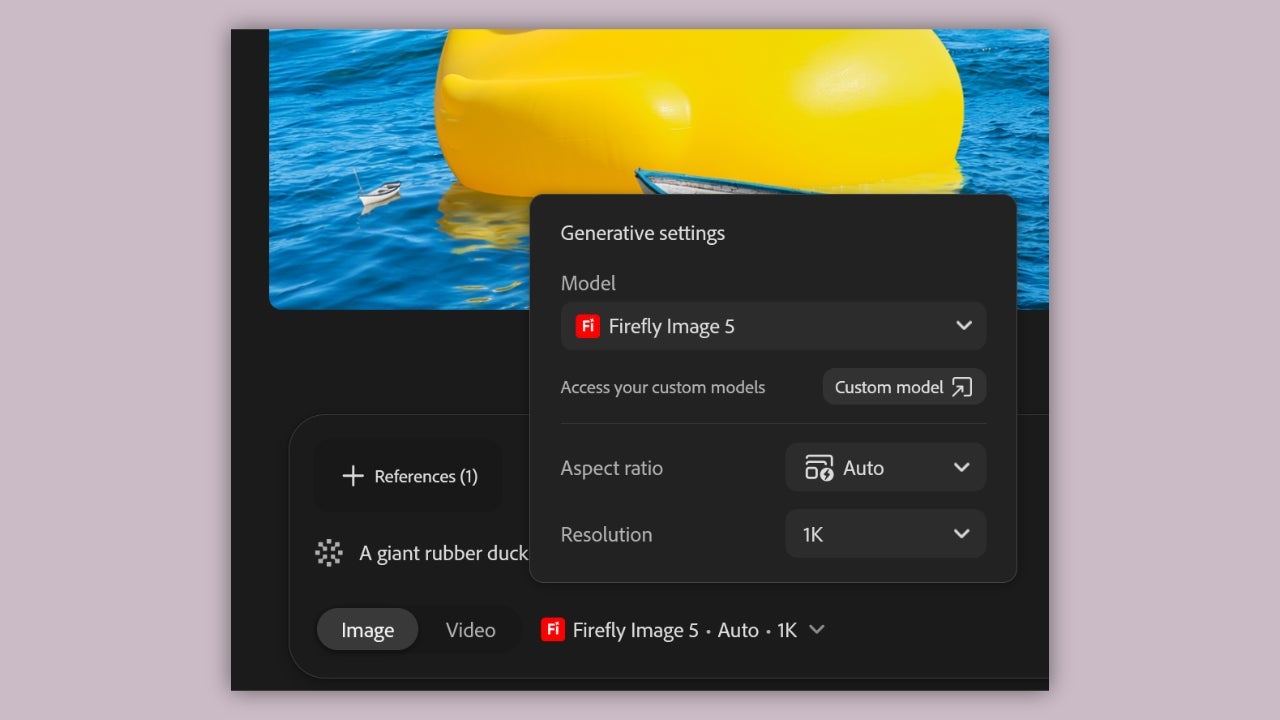
  • Click Generate, then download the version you like best in PNG format. With Adobe Firefly’s limited number of free generations, a well-defined prompt can help you get closer to the result you want on the first try. Include details like what’s in the image, where the scene happens, the style, the lighting, the colors, and the framing.

How to edit images with Adobe Firefly

Adobe Firefly doesn’t only make images from scratch. You can use it to edit images you already have, and it doesn’t take long.

  • To begin, click Image and choose Edit image. Then upload your photo. You can upload JPG, PNG, or WEBP images up to 100 MB, with a minimum resolution of 512 × 512 pixels.
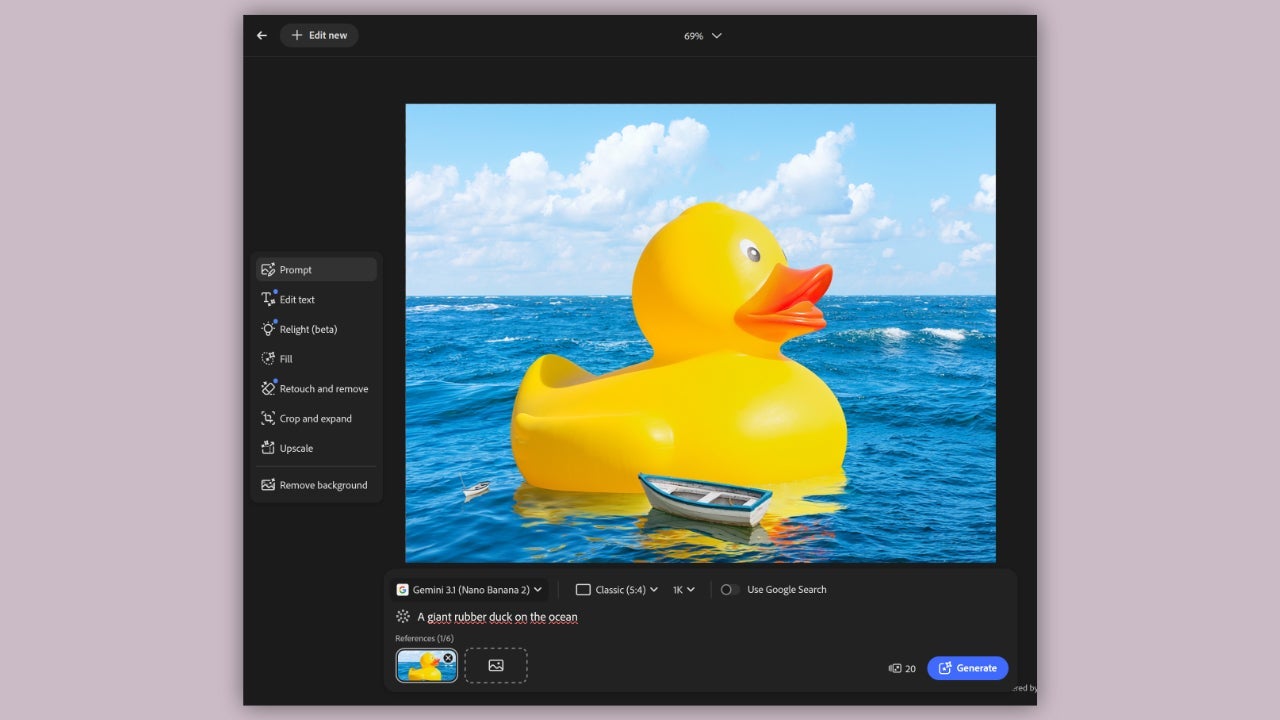
  • Describe the changes you want. As with image generation, more detail usually gets you a better result. Firefly also includes a few tools that are more direct and don’t ask for a written prompt at all. One is Retouch and Remove, which lets you paint over part of an image to erase an object. Another is Crop and Expand, which lets you extend the edges of the image.

How to generate videos with Adobe Firefly

With Text to Video, you describe a scene and Adobe Firefly turns it into a short clip. It’s a simple way to make video assets, build clips for social media, or just visualize an idea.

  • Start by selecting Video, then click Generate video.
  • Then choose the generative model. With a free account, you can pick between Firefly Video, which is Adobe’s own model, and other top partner models.
  • After that, write your prompt and explain clearly what you want to see.
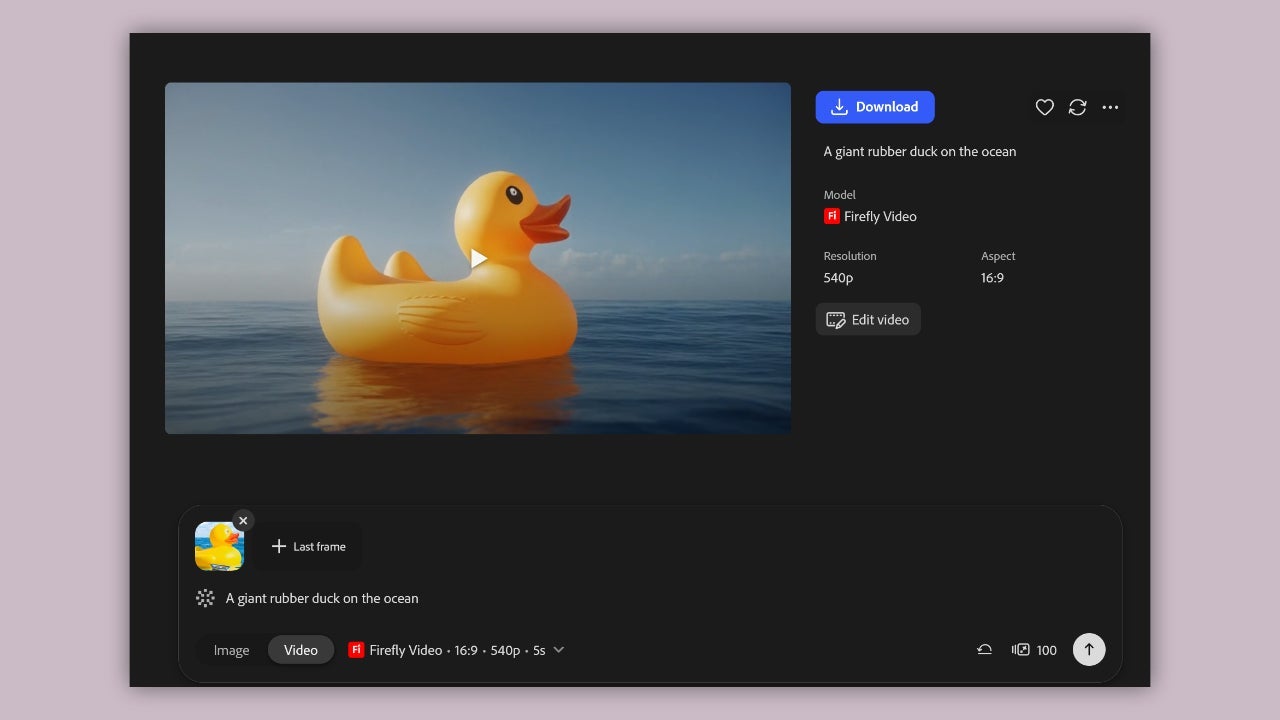
  • Before you go further, set the format correctly. If the video is for YouTube, choose Widescreen (16:9). If it’s for TikTok, Reels, or something similar, you’ll want Vertical (9:16). You can also choose the duration, although that depends on the model you picked at the start.
  • Last step: click Generate and download the result.

How to get the most out of Adobe Firefly’s free generations

Adobe doesn’t spell out exactly how many generations you get each day, so it’s smart to be selective. A few simple habits can help you get more out of your daily generations:

  • Write clear, specific prompts before you generate.
  • Check your settings and format before creating an image, video, or audio.
  • Use Firefly‘s editing tools to refine an image rather than starting from scratch when a targeted change is all you need.

Since your generations reset daily, you can also spread your experiments across several days: try image generation one day, explore editing the next, and experiment with video or audio when you’re ready.

Adobe Firefly
Adobe Firefly Try now

Author: María López

{ "de-DE": "Künstler aus Berufung und Technikliebhaber. Seit ich denken kann, habe ich gerne an allen möglichen Gadgets herumgebastelt.", "en-US": "Artist by vocation and technology lover. I have liked to tinker with all kinds of gadgets for as long as I can remember.", "es-ES": "Artista de vocación y amante de la tecnología. Me ha gustado cacharrear con todo tipo de gadgets desde que tengo uso de razón.", "fr-FR": "Artiste de vocation et amateur de technologie. J'aime bricoler avec toutes sortes de gadgets depuis que j'ai l'usage de la raison.", "it-IT": "", "ja-JP": "", "nl-NL": "", "pl-PL": "", "pt-BR": "", "social": { "email": "", "facebook": "", "twitter": "", "linkedin": "" } } View all posts by María López

Author María LópezPosted on November 6, 2026November 6, 2026Categories News

Post navigation

Previous Previous post: Henry Cavill’s Mustache Protocol launches this month for men’s health
Next Next post: The best noir comic turns 20 and celebrates it with a trailer for its Prime Video series that leaves us speechless

Recent Posts

  • Nintendo Switch 2 hits $499: PS5, Xbox and Steam Deck prices are up too
  • Fortnite reveals Pirate Shop Access odds after backlash: 1 in 137,500
  • Stellar Blade Complete Edition is out on Switch 2: Digital Foundry says it’s better than expected
  • GTA 6 on PS5 could unlock early in New Zealand: play up to 13 hours ahead
  • Clockwork Revolution now targets 2027: the BioShock comparison is real

Archives

  • November 2026
  • October 2026
  • September 2026
  • August 2026
  • July 2026
  • June 2026
  • May 2026
  • April 2026
  • March 2026
  • February 2026
  • January 2026
  • December 2025
  • November 2025
  • October 2025
  • September 2025
  • August 2025
  • July 2025
  • June 2025
  • May 2025
  • April 2025
  • March 2025
  • February 2025
  • January 2025
  • December 2024
  • November 2024
  • October 2024
  • September 2024
  • August 2024
  • July 2024
  • June 2024
  • May 2024
  • April 2024
  • March 2024
  • February 2024
  • January 2024
  • December 2023
  • November 2023
  • October 2023
  • September 2023
  • August 2023
  • July 2023
  • June 2023
  • May 2023
  • April 2023
  • March 2023
  • February 2023
  • January 2023
  • December 2022
  • November 2022
  • October 2022
  • September 2022
  • August 2022
  • July 2022
  • June 2022
  • May 2022
  • April 2022
  • March 2022
  • February 2022
  • January 2022
  • December 2021
  • November 2021
  • October 2021
  • September 2021
  • August 2021
  • July 2021
  • June 2021
  • May 2021
  • April 2021
  • March 2021
  • February 2021
  • January 2021
  • December 2020
  • November 2020
  • October 2020
  • September 2020
  • August 2020
  • July 2020
  • June 2020
  • May 2020
  • April 2020
  • March 2020
  • February 2020
  • January 2020
  • December 2019
  • November 2019
  • October 2019
  • September 2019
  • August 2019
  • July 2019
  • June 2019
  • May 2019
  • April 2019
  • March 2019
  • February 2019
  • January 2019
  • December 2018
  • November 2018
  • October 2018
  • September 2018
  • August 2018
  • July 2018
  • June 2018
  • May 2018
  • April 2018
  • March 2018
  • February 2018
  • January 2018
  • December 2017
  • November 2017
  • October 2017
  • September 2017
  • August 2017
  • July 2017
  • June 2017
  • May 2017
  • April 2017
  • March 2017
  • February 2017
  • January 2017
  • December 2016
  • November 2016
  • October 2016
  • September 2016
  • August 2016
  • July 2016
  • June 2016
  • May 2016
  • April 2016
  • March 2016
  • February 2016
  • January 2016
  • December 2015
  • November 2015
  • October 2015
  • September 2015
  • August 2015
  • July 2015
  • June 2015
  • May 2015
  • April 2015
  • March 2015
  • February 2015
  • January 2015
  • December 2014
  • November 2014
  • October 2014
  • September 2014
  • August 2014
  • July 2014
  • June 2014
  • May 2014
  • April 2014
  • March 2014
  • February 2014
  • January 2014
  • December 2013
  • November 2013
  • October 2013
  • September 2013
  • August 2013
  • July 2013
  • June 2013
  • May 2013
  • April 2013
  • March 2013
  • February 2013
  • January 2013
  • December 2012
  • November 2012
  • October 2012
  • September 2012
  • August 2012
  • July 2012
  • June 2012
  • May 2012
  • April 2012
  • March 2012
  • February 2012
  • January 2012
  • December 2011
  • November 2011
  • October 2011
  • September 2011
  • August 2011
  • July 2011
  • June 2011
  • May 2011
  • April 2011
  • March 2011
  • February 2011
  • January 2011
  • December 2010
  • November 2010
  • October 2010
  • September 2010
  • August 2010
  • July 2010
  • June 2010
  • May 2010
  • April 2010
  • March 2010
  • February 2010
  • January 2010
  • December 2009
  • November 2009
  • October 2009
  • September 2009
  • August 2009
  • July 2009
  • June 2009
  • May 2009
  • April 2009
  • March 2009
  • February 2009
  • January 2009
  • December 2008
  • November 2008
  • October 2008
  • September 2008
  • August 2008
  • July 2008
  • June 2008
  • May 2008
  • April 2008
  • March 2008
  • February 2008
  • January 2008
  • December 2007
  • November 2007
  • October 2007
  • September 2007
  • August 2007
  • July 2007
  • June 2007
  • May 2007
  • April 2007
  • March 2007
  • February 2007
  • January 2007
  • December 2006
  • November 2006
  • September 2006
  • August 2006
  • June 2006
  • May 2006
  • July 2001
  • January 2001
  • November 2000
  • September 2000
  • August 2000
  • July 2000
  • April 2000
  • March 2000

Categories

  • Affiliate post
  • Expert Review
  • Gaming
  • Guides
  • How to
  • Legacy how To
  • News
  • Noticias
  • Software>Security
  • Sponsored
  • Trucos y Consejos
  • Uncategorized
  • Windows software

Meta

  • Log in
  • Entries feed
  • Comments feed
  • WordPress.org
Softonic English Proudly powered by WordPress