
If you are dedicated to retouching images professionally, I don’t need to tell you the great amount of time you can end up investing in it. What initially seemed easy is no longer so, and minutes turn into hours. In this article, we will help you by showing you how you can save a lot of time with Adobe Photoshop and Adobe Firefly.
Why Retouching is One of the Most Time-Consuming Tasks in Creative Work
Photo retouching jobs are generally time-consuming. One of the main reasons is the heavy workload that a creative faces. If you find yourself working on a campaign, for example, you will have dozens or hundreds of images to edit, some with minor changes and others with more significant ones.
Repetitive tasks, such as dusting, removing stains, or eliminating small items can also be draining, especially if you have many to do in a short time. Those who work in creative fields are more than used to quick and last-minute deliveries, so it is essential to have a program that facilitates tasks and does not become a burden. Photoshop, along with Firefly, is one of those programs that does precisely that.

What “faster retouching” really means (and what it doesn’t mean)
Accelerating does not mean doing it worse but faster; it is more about removing the unnecessary. And we can save time on the “mechanical” without cutting quality. In the field of professional retouching, the key is to decide what to change and what to keep. With tools powered by AI, for example, we can speed up processes while maintaining creative control at all times.
How Photoshop and Firefly Work Together in Retouching Tasks
From the outside, many may think that Firefly works like a kind of magic button capable of granting our wishes and retouching photos for us. Fantasies aside, Firefly resembles more of an assistant that can help you speed up tasks.
This can help you quickly remove objects from a scene, extend a background if you need more space, and more, as we will see later. Photoshop acts as the hub from where everything is executed (as you have been doing so far).
If you’re wondering whether using Firefly could be problematic in your work with clients, we clear up the doubt: Firefly is completely commercially safe. Since its inception, Adobe’s AI has been trained with licensed content, like the one we find in Adobe Stock. If you want, you can also attach the so-called Content Credentials to your work. These act as a kind of “digital label” indicating whether AI was used in the image or not.
A practical workflow for retouching with Photoshop + Firefly
Now it’s time to put into practice all the benefits of Photoshop and Firefly that we were discussing earlier.
Let’s start with the basics, an image. Open one of the images you want to edit with Photoshop and begin with the essentials: cropping, color correction, exposure… Our starting point should be solid, as it will make everything much faster later on.
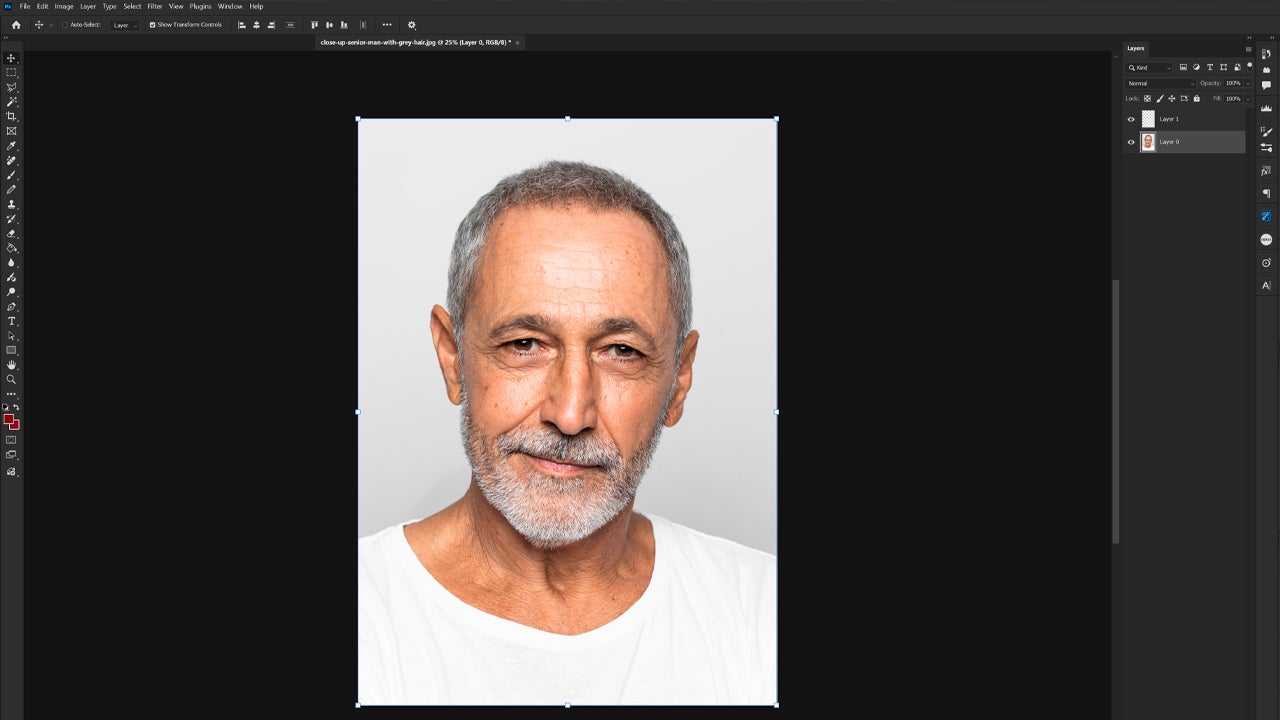
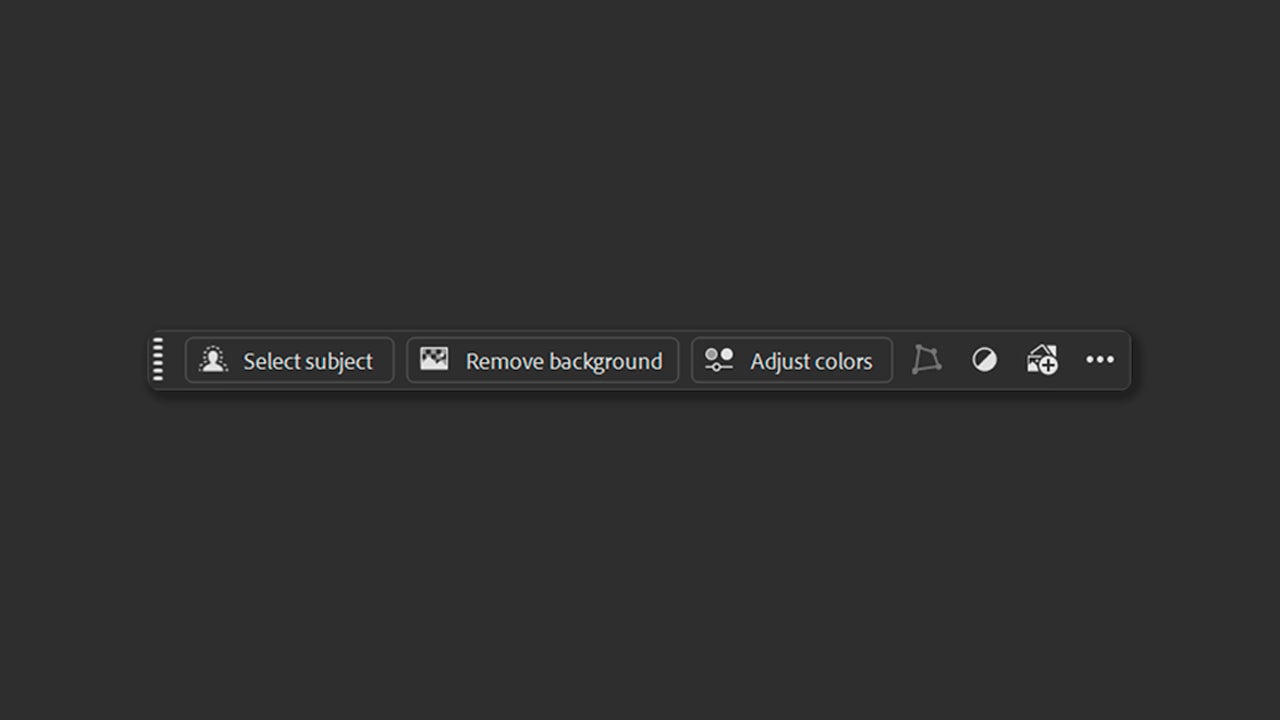
Now we will use Firefly for retouching. Inside Photoshop, we will see a floating menu with several options, such as Select subject and Remove background. With the first option, you can automatically select the main element of the photograph (the portrait, in our case). With Remove background, you can quickly remove the background with very good results.
If you choose the Rectangular marquee tool and select the entire photograph, we will see a new tool in the contextual menu, Generative Fill. Powered by Firefly, it is used to add or remove parts of an image with a prompt. Here, we will click on it and write a prompt to change the image and its background. Finally, we select Generate.
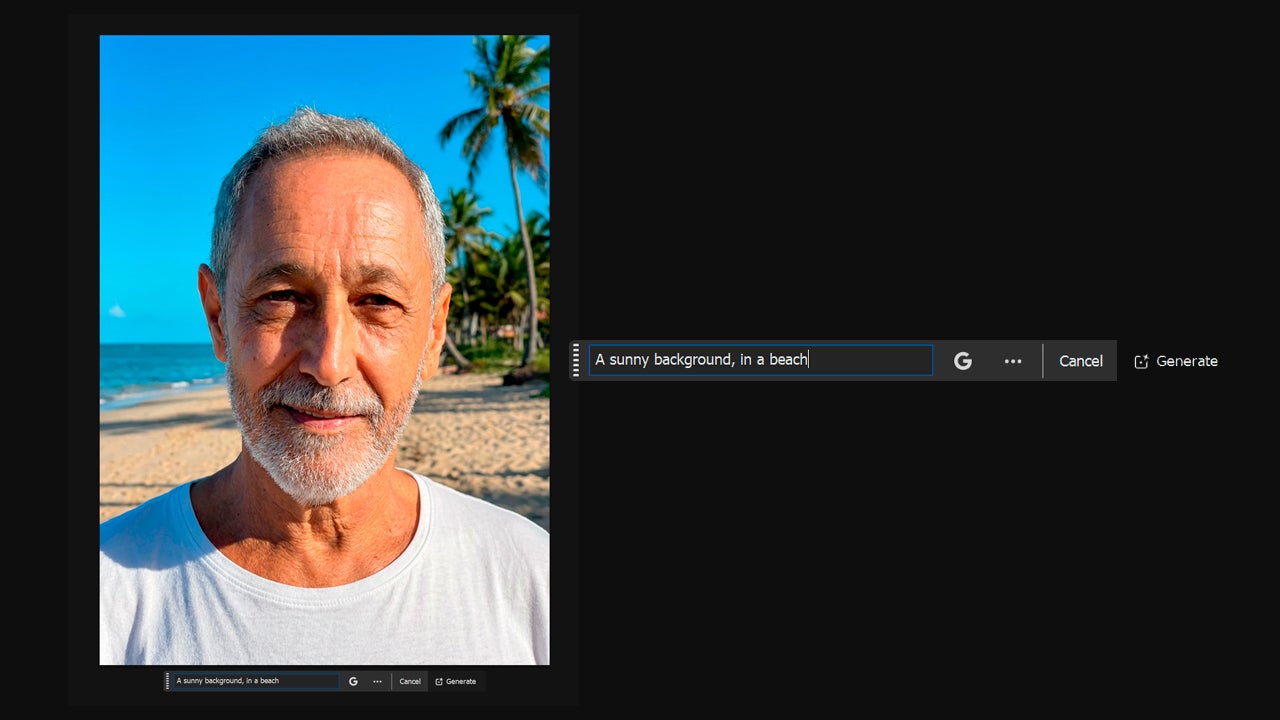
To the right of the text box, you will also see the Google symbol. From there you can switch generative AI models between the proprietary one, Firefly, or other third-party models (Nano Banana, GPT Image, etc). Each model will give you a different result. If you use Firefly, you will have multiple generations to choose from in the Properties panel.
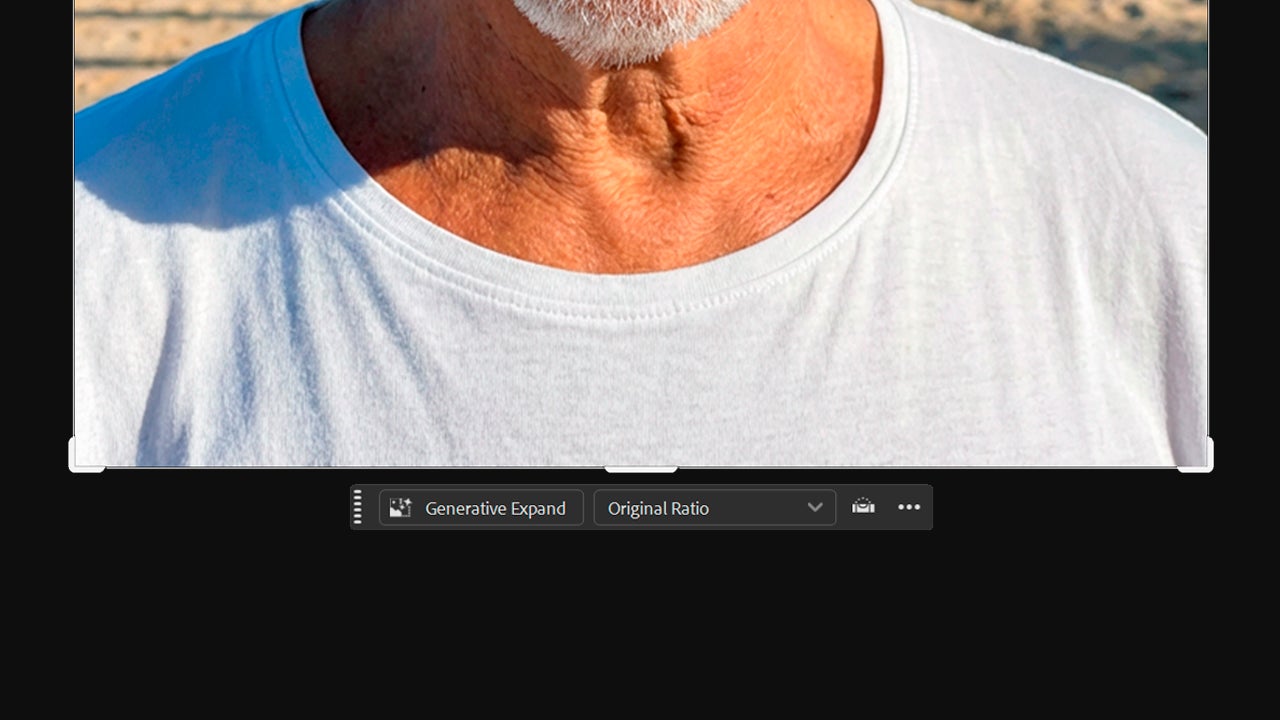
If we wanted to expand the background of our image, for example, we have another very useful tool, Generative extend. To use it, click on the Crop tool. With it, stretch the image to enlarge the canvas and click on Generative Expand.
Who benefits the most from this workflow?
Photoshop and the built-in functions with Firefly are usually available within the Creative Cloud ecosystem, making it easier to maintain shared material libraries, for example. With Adobe, teamwork becomes much easier for everyone, both for the executor and the reviewer.
Common mistakes when retouching with AI
Although AI accelerates processes, you shouldn’t go crazy either. When editing with AI in Photoshop, avoid unrealistic effects or losing the fidelity of the product you are working with. Don’t forget to check with your own eyes; what “looks good” at a small size can be a complete disaster when enlarged.
If you find it necessary, create a list of things to review before moving to another image: Is the product still the same? Does it look natural? Does it fit with the visual identity I am looking for?

Creative Cloud Offers
If you still don’t have Photoshop and want to try it, Adobe offers you many options to access it. When we talk about Creative Cloud, we refer to the Adobe ecosystem, which includes your account, Adobe applications, and their services (the cloud, libraries with resources, and more).
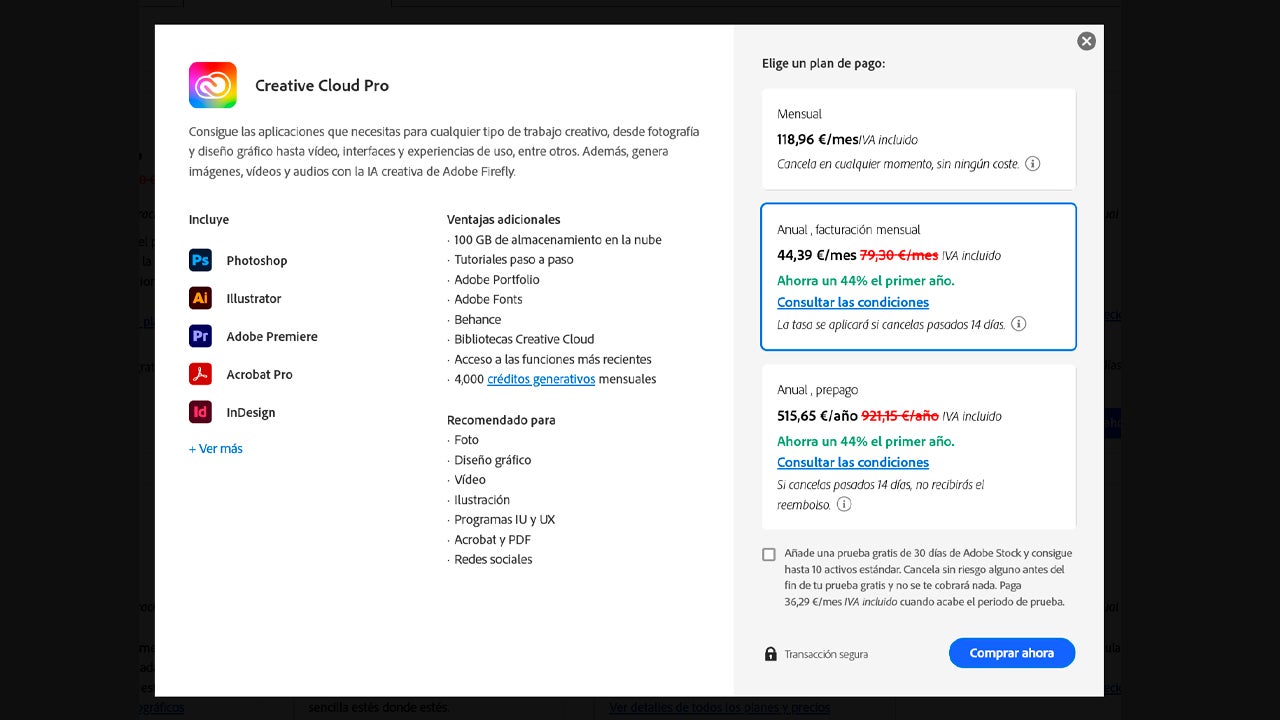
In the case of individuals, you can use Creative Cloud Pro, Creative Cloud Standard, or use individual applications. Creative Cloud Pro includes more than 20 Adobe applications, such as Photoshop or Illustrator. Additionally, it has access to more advanced Firefly AI features.
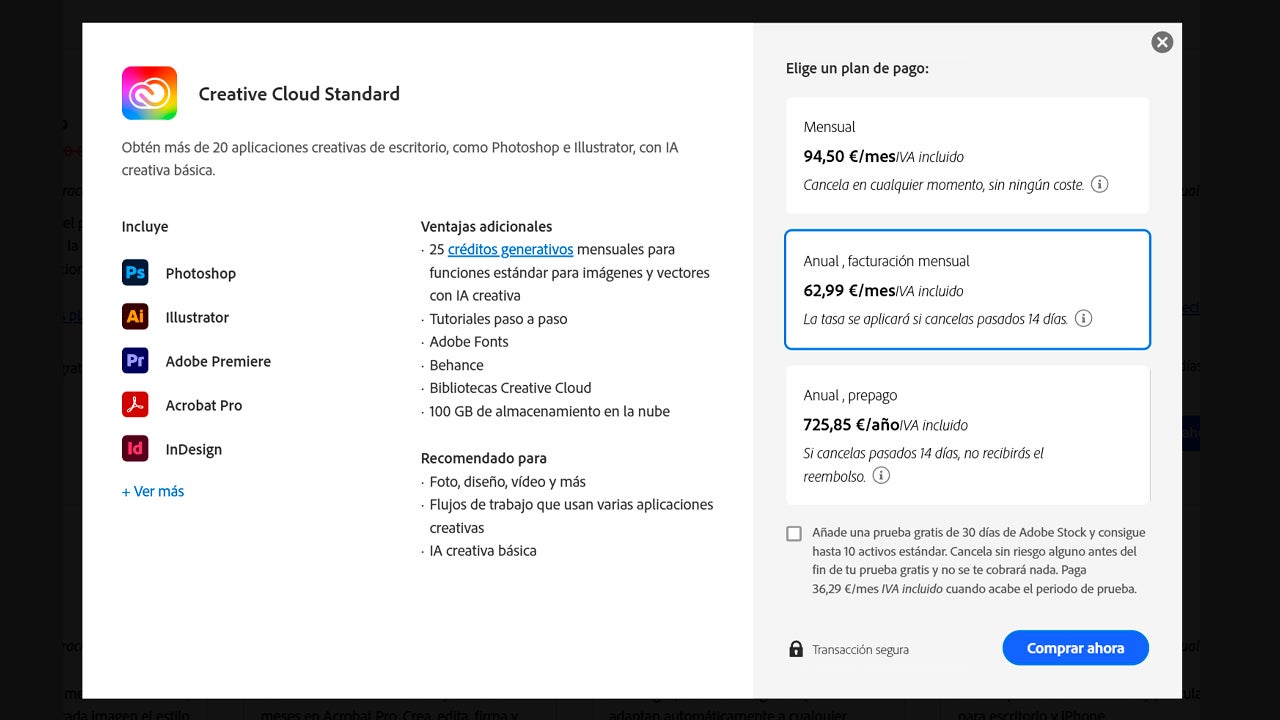
Creative Cloud Standard is very similar to the Pro plan, as it also includes the same number of applications. The difference is that it comes with fewer AI features. If you are only interested in a specific program, you can subscribe to that program at a lower price.
Teachers and students have access to a special Creative Cloud Pro plan with a great discount, ideal for use in your classes or for learning. Teams and businesses also have another type of plan, with various options to choose from based on their needs.
Faster retouching without losing quality
The speed of truth does not come from “automating the touch-ups,” but from automating the repetitive, without neglecting your visual judgment. Using Firefly as an aid within Photoshop takes away the most mechanical tasks (distractions, small imperfections, backgrounds that need space) and gives you more time for what is necessary: consistency, product fidelity, and good finishes. In that balance lies the key.
