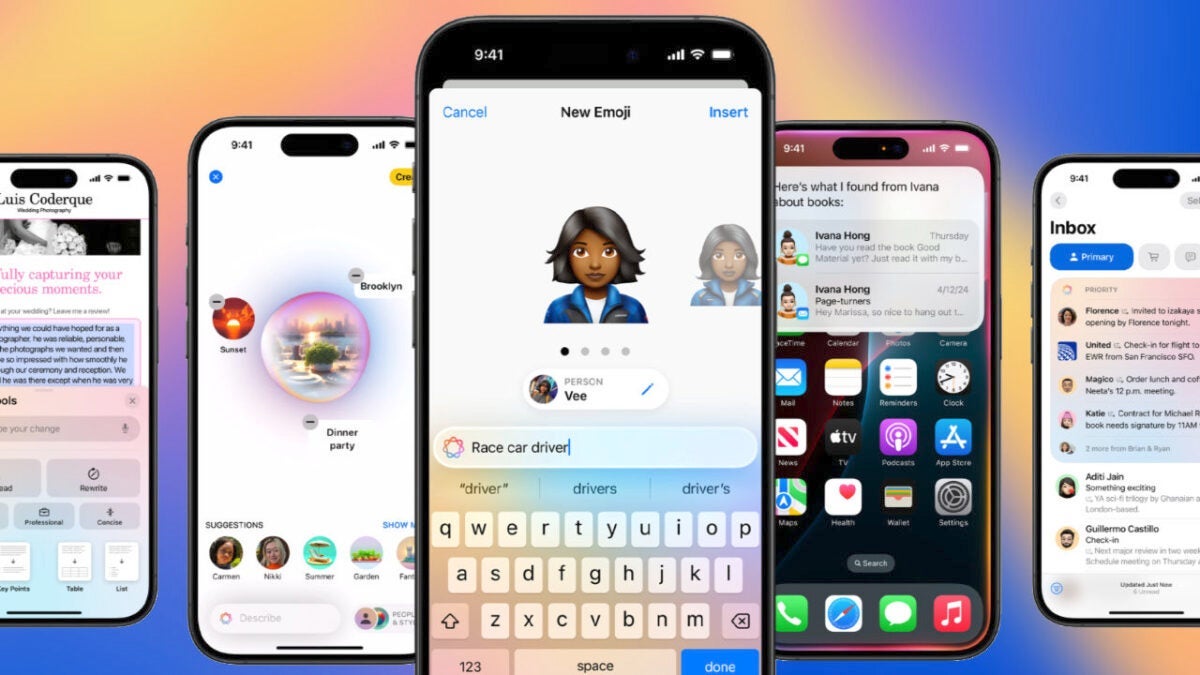
Apple has released the first beta of iOS 18.2 for developers, and with it come numerous new features, especially focused on Apple Intelligence and various details, changes, and improvements throughout the system. Although for now it is only available on devices compatible with Apple Intelligence, such as the iPhone 15 with the Pro suffix and the iPhone 16, it is expected that a subsequent beta will expand the new features to the rest of the devices. In the meantime, let’s see what they are.

Genmoji
One of the most outstanding features of iOS 18.2 is Genmoji, which takes the concept of emojis to a whole new level. With Genmoji, we can create personalized emojis based on text descriptions of what we want.
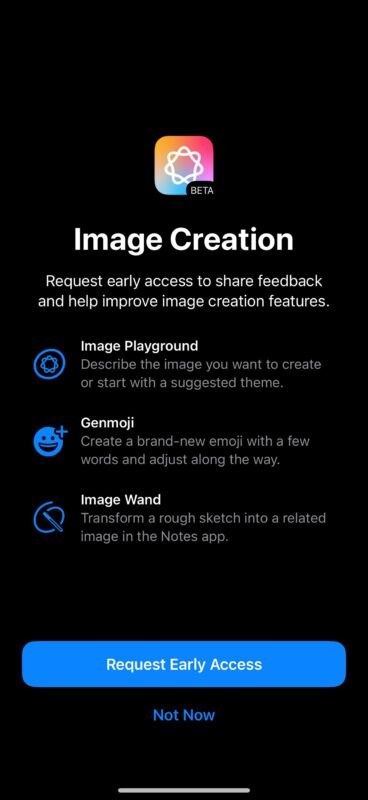
We can generate an emoji that represents us or represents friends and family from a photo or directly describe a flying car. These Genmoji can be added to messages, shared as stickers, or even used as quick reactions.
Integration of ChatGPT with Siri
Now, when Siri cannot answer a query, we can choose to have ChatGPT take over. Extremely useful for questions that require broader knowledge or for generating images and text based on our query.

Additionally, in this first beta, the option to disable the permission request that appears every time Siri tries to transfer a query to ChatGPT is now available, making the interaction smoother.
New Writing Tools
Another improvement in iOS 18.2 is the update of the Writing Tools. Now, we can be much more specific about the changes we want in a text. Simply by writing, we can, for example, request specific words to be added, change how a word is written, or even turn it into a poem.
Writing Tools also take advantage of integration with ChatGPT to generate texts and images in different styles, if needed.
Image Playground and Image Wand
iOS 18.2 brings two new tools for image creation: Image Playground and Image Wand. Image Playground allows us to create images based on text descriptions or photos. The application, in addition to being a dedicated app, will also be integrated into Messages and Mail, allowing images to be generated directly in the app.
For its part, Image Wand is a tool available in the Notes app that converts hand-drawn sketches into much more detailed images. It can also fill in empty spaces in a drawing using the context of what is around it.
Visual Intelligence
In the new iPhone 16, we can use the new Visual Intelligence feature, which is activated by holding down the Camera Control and allows us to identify objects and places around us in real time. For example, if we point the camera at a restaurant, we can see reviews, hours, or search for related articles on Google. If we focus on a painting or an object, the system describes it and gives us more information.
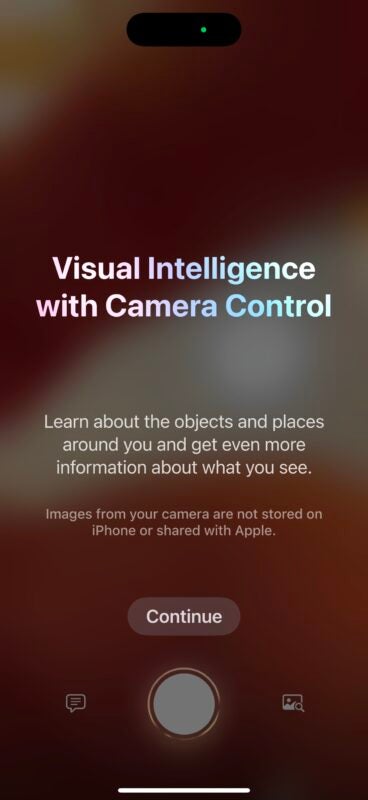
Here, we can send images to ChatGPT to get even more information and start a conversation about the element that concerns us.
Default Applications and changes for the EU
In the Settings app, within Apps, iOS 18.2 introduces a new Default Applications section, which allows us to choose which applications we want to use for email, messaging, calls, call filtering, browsers, and keyboards, among others.
In the European Union, it is now possible to remove the iPhone camera or the Messages app. Also the App Store, Photos, and Safari. Additionally, developers can now work with these and other new features from outside the European Union.
Improvements in the Mail app
The Mail app has received a significant update in iOS 18.2 with the addition of a smart categorization system that automatically organizes emails into four groups: Primary, Transactions, Updates, and Promotions.

There are also larger images for contacts and businesses, as well as a new summary view that groups all relevant emails from a specific source.
Other improvements and changes
Among other novelties, iOS 18.2 brings this considerable list of changes:
- In the Podcast app, we can now mark categories as favorites to receive better recommendations.
- The Voice Notes feature now allows us to overlay two tracks, as well as separate layers and edit mixes.
- The Volume Limit option allows controlling the maximum volume of the iPhone speaker for media content, although it does not affect calls or alarms.
- In Settings > Apps > Safari, we can now import or export browsing history and its data.
- We can now add the option to type to Siri in the Control Center or the iPhone action button.
- In the Shortcuts app, we have the option to “Generate image” using Apple Intelligence.
- In the App Store, we can now disable game previews in Apple Arcade.
- Sleep apnea notifications are available in Canada.
iOS 18.2 arrives full of new features, from the integration of artificial intelligence with Siri and ChatGPT, to tools like Genmoji and Image Playground. Additionally, improvements in default applications and the new email classification system make this version one of the most anticipated. While Apple Intelligence will have a waiting list, although we can skip it, here we are facing a version that now begins its journey in beta form and will be officially available before the end of the year.
