
If you’ve ever felt that your designs are good but need a little push to come to life, Adobe Express might be what you’re looking for. As simple as it is powerful, Adobe’s tool allows us to easily animate our creations, perfect for standing out on social media platforms like Instagram or TikTok.
Next, you will discover how to turn static images into dynamic and eye-catching content, even without any prior knowledge of animation.
Simple yet striking: this is how effects will bring your projects to life
Animating any type of object with Adobe Express has become easier than ever. There are three categories of effects that you can use to bring your designs to life and give them a unique touch:
- In: These will be used to make an image or text appear.
- Out: Here the opposite effect is replicated; from Out we will make any image or text disappear, either completely or letter by letter.
- Looping: The word itself says it; with Looping you can make a background move continuously or make an image move non-stop.
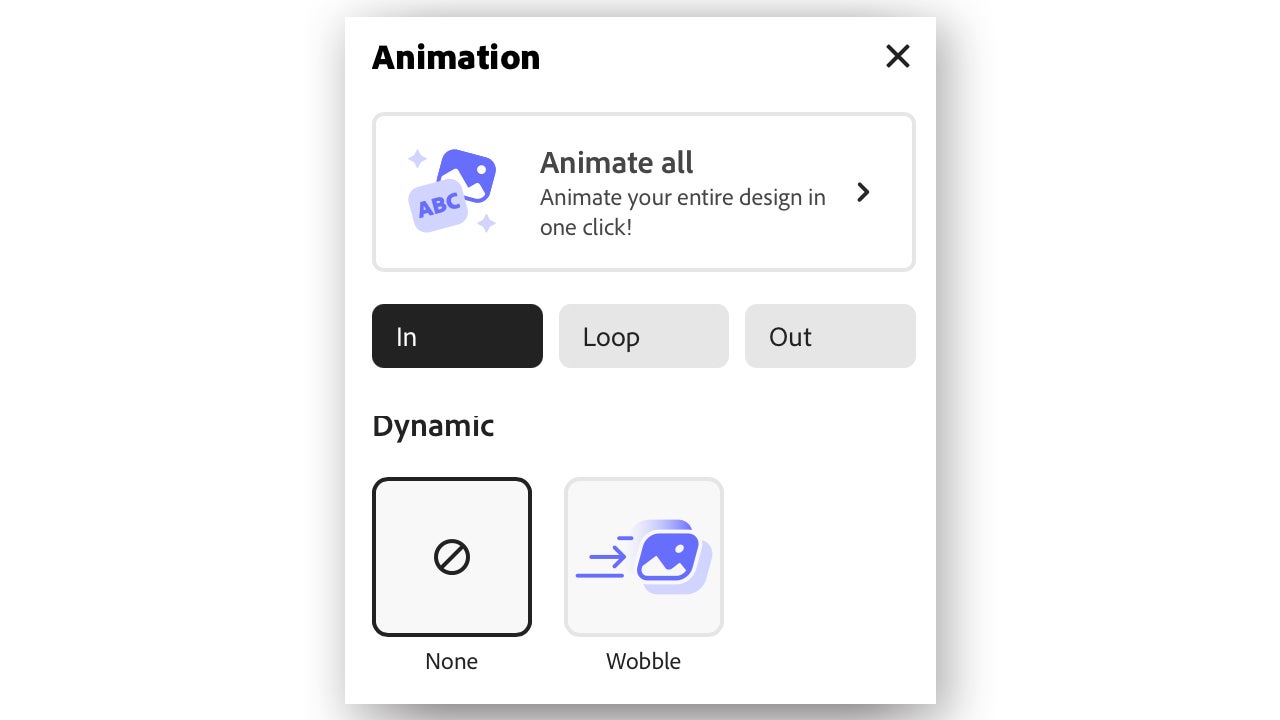
Animate any design in a couple of clicks
With Adobe Express, you can ensure that the most important elements stand out. Here’s how you can customize your animations, modify timing and speed, and more:
- Open Adobe Express. We will do it from the web platform.
- Create a new project. If you already have one saved that you want to animate, open it.
- Go to the toolbar located at the top and select Animation. Here you will see all the animation effects that you can apply to the objects in your image: size, movement, etc.
- If you want an element of your image to perform an animation, select it first and then apply one of the available effects.
- You can make objects come in and out of the image with the Start outside page. Click on the animation itself to activate the function.
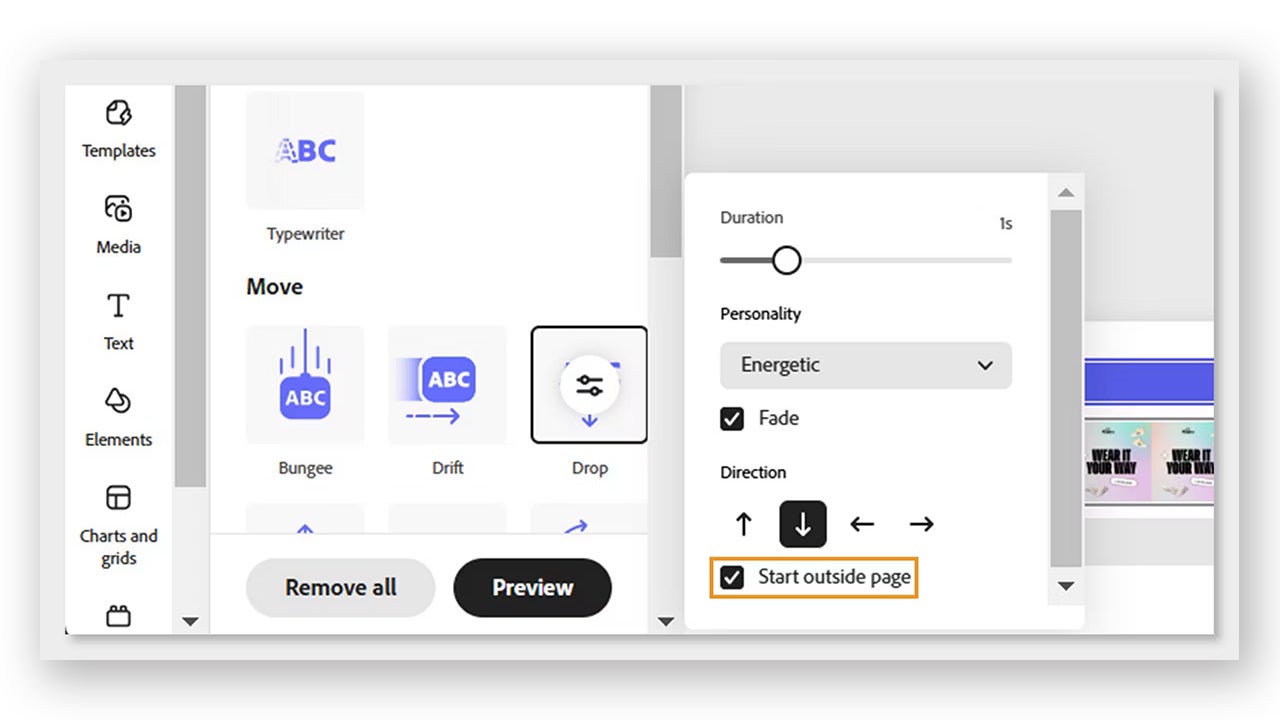
From here we can do two things: the first is to animate each element individually. The second involves using a function from Adobe Express that allows us to animate the entire design at once:
- To do this, select the Animate All option.
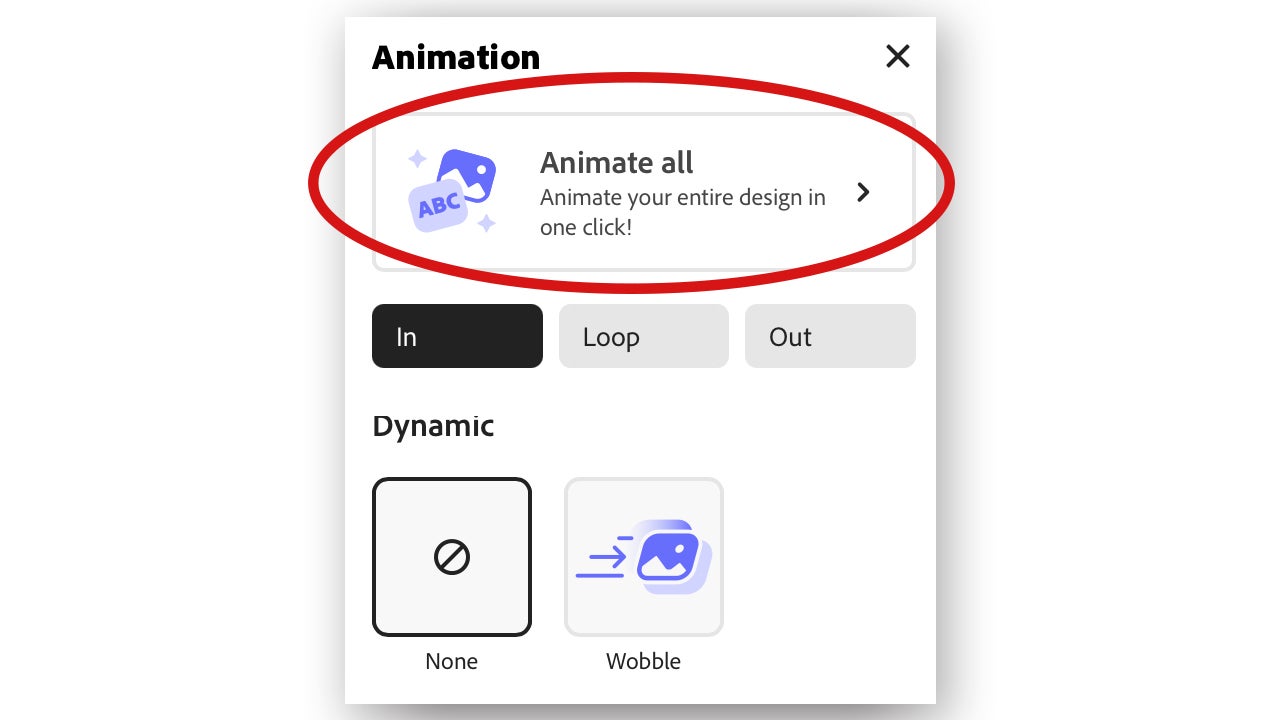
- A series of effects will appear: Bloom, Glide, Popping… You can see what each one looks like by simply selecting it from the panel.
- Once you’ve chosen your animation, click Download to download your animated design.
Easily save your projects
Well, we already have our animation done, what now? From Adobe Express we can share our designs and videos both publicly and for ourselves.
In the options bar at the top, you’ll see two large buttons on the right: Download and Share. The first will allow you to download your creation directly to your PC.
- By clicking on Download, we will first have to choose the format we want our file to have. This will change depending on whether it is a video, a presentation, or a static image.
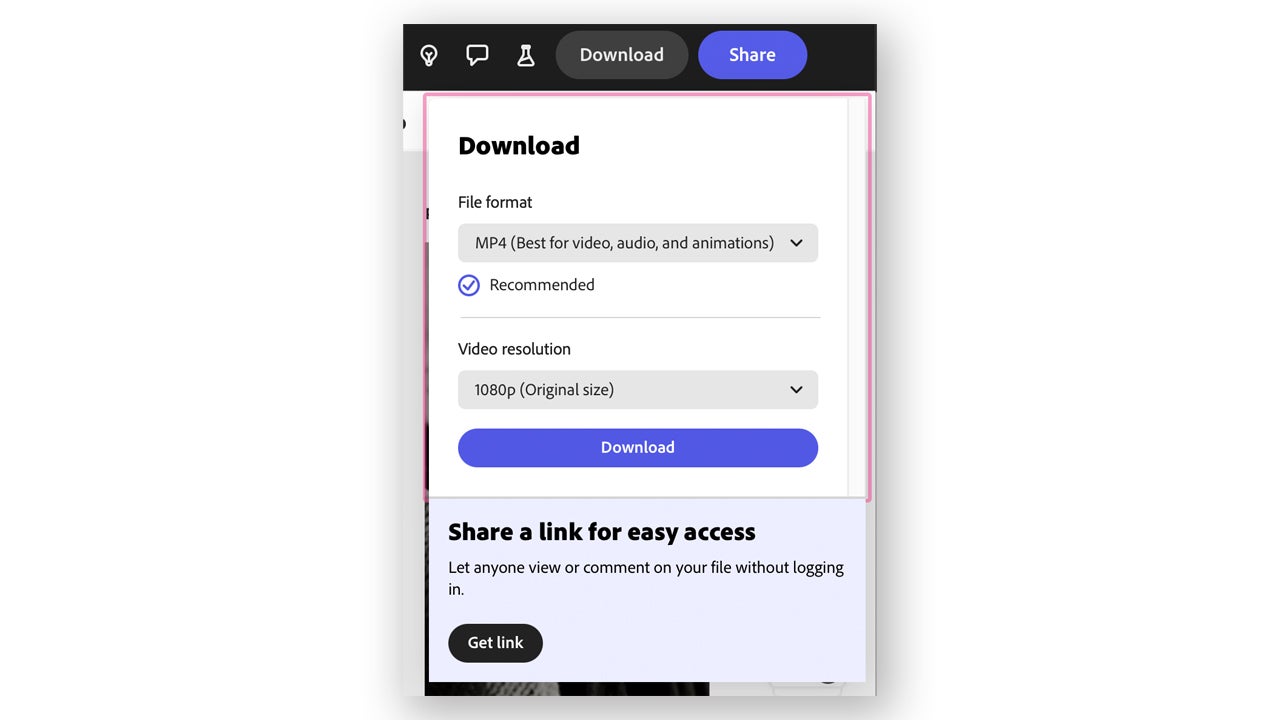
- From Share, we can generate a private or public link from which our project can be accessed. In Share, we can also sync content with other cloud-based platforms, such as Google Drive, OneDrive, or Dropbox.
Boost your account with ads on TikTok from Adobe Express
Adobe Express allows us to export videos and animations through a link that syncs with TikTok Ads Manager. It is ideal for those who edit their ads with Adobe Express and want to share them directly from the platform.
If you want to use this functionality, you will only need to meet two requirements: the video resolution must be 1080 x 1920 pixels and its duration must be between 5 and 60 seconds. Additionally, you will need to have a TikTok for Business account.
- Go to Adobe Express and select the + icon. Search for TikTok ad and select it.
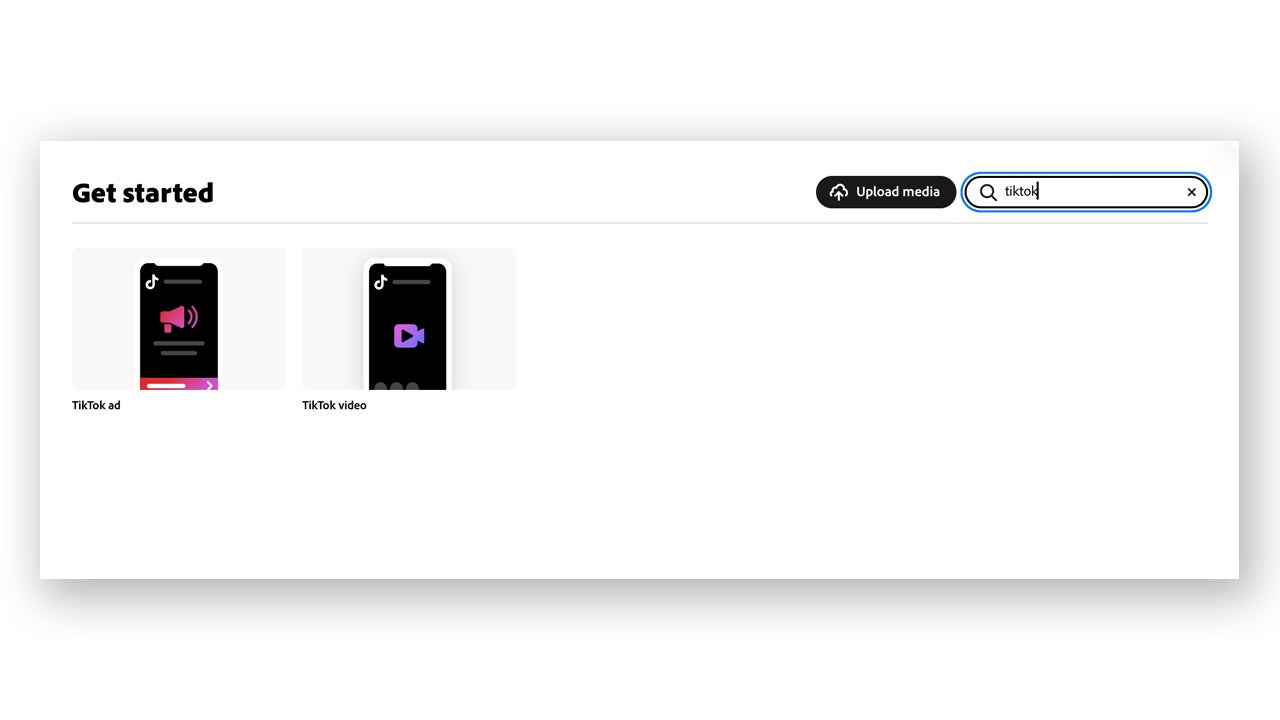
- Adjust your video according to the limitations above and edit it to your liking: add animations, music, images, etc.
- To export your video as a public link, click Share > TikTok Ad Manager.
- When the export is complete, select Copy Link and then Open Link in the Export Complete dialog box.
When you share TikTok ads with TikTok Ads Manager, the ads are located in a public link hosted on TikTok Business. If you want to remove it, you can request deletion or wait 30 days for it to automatically expire.
Remember that anyone with access to the public link can view, download, and sync their TikTok ads with their own TikTok Ads Manager account.
