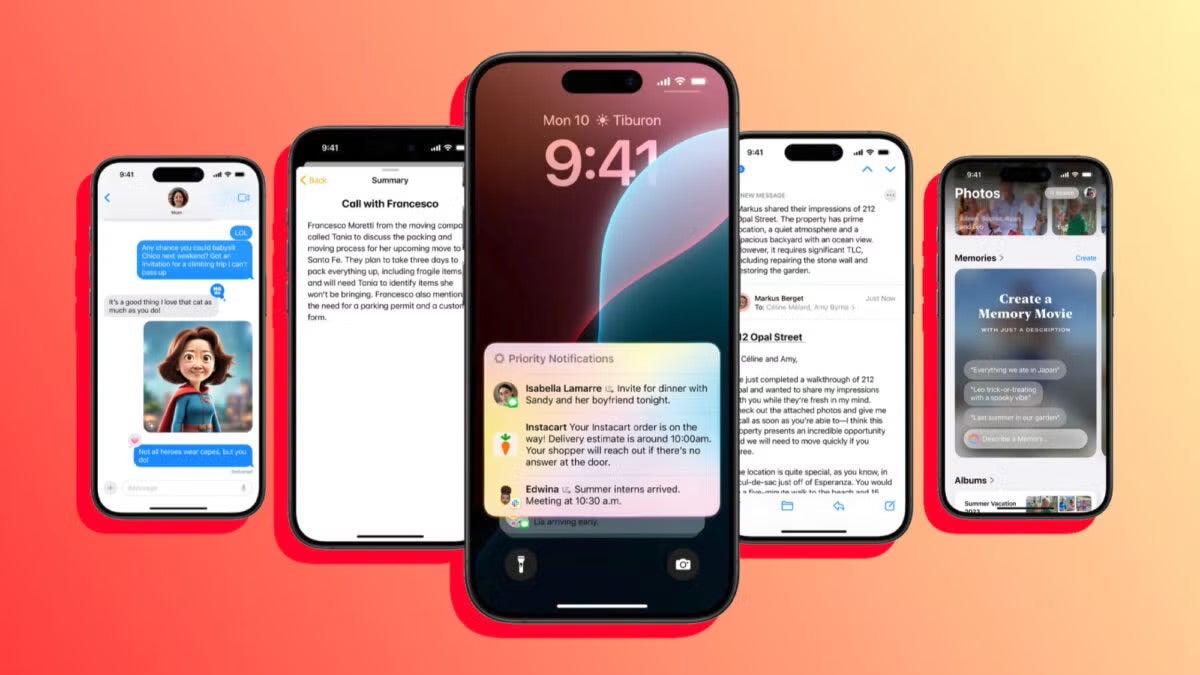
The arrival of Apple Intelligence in Europe is proving to be quite a challenge. Initially, due to the DMA, Apple’s AI was not going to arrive on the continent during its launch. Later on, we saw that it did arrive, although not as we expected, as it only did so on the Mac. Now, with the arrival of the second beta of iOS 18.1, Apple has started allowing access to Apple Intelligence from the European Union.
Although we still don’t know anything about the company’s plans for the official launch, what is true is that right now, with the installed beta and the appropriate configuration, we can test Apple Intelligence on our iPhone or iPad from Europe.
How to install iOS 18.1 beta to test Apple Intelligence
To test Apple Intelligence, the first step is to install the iOS 18.1 developer beta on a compatible device. Once we have logged in to the Apple developer website with our Apple ID and have obtained a free account, the option to install the beta will appear in Settings > General > Software Update. With this, we can now proceed to configure our iPhone or iPad to be able to test Apple Intelligence.
We open the Settings app and go to General > Language & Region. We tap on Add Language and choose “English (United States)”. We drag it to the top of the list and wait for the iPhone SE to restart. We tap on Region and select “United States”.
Now, in order to use Apple Intelligence, we need to have a United States Apple ID. If we don’t have one, we can easily open an account from appleid.apple.com.
If our Apple ID is not American, we must make an extra adjustment. Again in the Settings app, we tap on our name at the top and enter Media & Purchases. We tap on Sign Out and then log in with the American Apple ID.
With this done, we can now go back to the main Settings menu and enter “Apple Intelligence & Siri”. Here, we set the language to “English (United States)”.
Ready, now we can join the waiting list for Apple Intelligence and, usually within a few minutes, we will have Apple’s AI on our iPhone or iPad.
It is worth noting, however, that purchases, services, and subscriptions associated with our original Apple ID, which we have modified in Media & Purchases, will not be available. This means that access to Apple Music, Apple TV+, and Apple Arcade, among other subscriptions we may have active, will disappear. When we exchange the Apple ID in this section again, our services will be restored.
The possibility of using Apple Intelligence in Europe, although it currently has several drawbacks, opens the doors for Apple’s AI to make its way despite the DMA. Excellent news for what is one of the biggest changes in Apple’s operating systems since its launch.
