4 alternatives to Microsoft Publisher

Design better business cards with these alternatives to Microsoft Publisher!

Microsoft Publisher is often peoples’ go-to program when they want to create brochures and other printed presentations. Unfortunately, many users feel as though its usability could be greatly improved, particularly for beginner designers.

If you find creating printed material with Publisher a little too complex, there are alternatives available that might make your creation process a little easier.

What is Microsoft Publisher?

As the name suggests, Microsoft Publisher is a desktop program that you can use to create things that are meant to be published. Typically, you use it to make things like business cards, greeting cards, and newsletters. For these reasons, it is a better option than anything else in the Microsoft Office Suite. 

Here are four great alternatives to Microsoft Publisher if you’re looking to make a switch.

PagePlus Starter Edition

PagePlus Starter Edition is a free alternative that lets you create dynamic marketing materials. It is a phenomenal desktop publishing software. You can make things like stationery, posters, brochures, flyers, newsletters and business cards. With a handy pop-up that lets you pick and choose what you want to create, PagePlus is pretty intuitive for beginners. If you don’t want to start from scratch, the program comes with a good variety of ready-made templates. Even better, PagePlus supports drag and drop design, making it a breeze to move around different content quickly during the creation process.

The Starter Edition of PagePlus is free upon registration on Serif’s website. After registering, you will be sent a product registration key via email, but remember, not all of the pay-for features will be available to you.
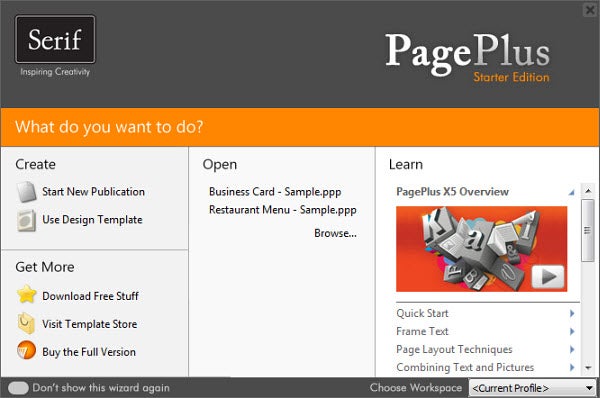
PagePLus

Scribus

If you’re looking for an open-source alternative to Microsoft Publisher, Scribus is one good option. Scribus is a free desktop publishing tool that works cross-platform. This makes it convenient for people who like to hop between multiple computers and operating systems. Scribus offers a lot of great features, such as the ability to export and import PDF documents, as well as drag and drop designs. Formatting can be a little tricky in some instances though, and some scripting knowledge is required to access a few of the features.
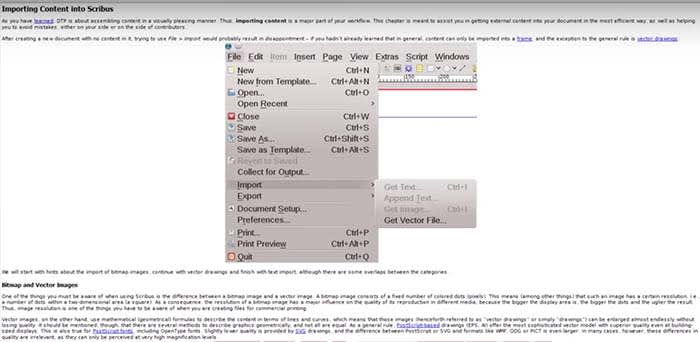
Scribus

Apache OpenOffice

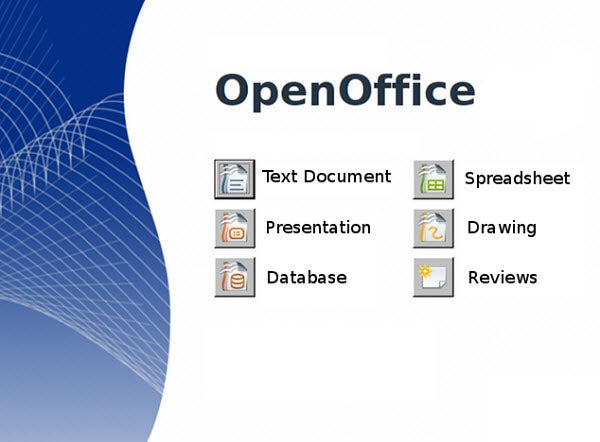
Formerly known as OpenOffice.org, Apache OpenOffice is another open-source alternative to Publisher. Instead of one program to make your creations with, OpenOffice comes with five. You can create content as text documents, using the presentation app, or with the drawing program. OpenOffice is a really great way to explore how more than one app within an office suite can create customizable content exactly to your specifications.
Adobe InDesign

If you want every option known to man and one of the most professional publishing tools available, Adobe InDesign is unquestionably the program to go with. It is available on both Windows computers and Mac OS. It is a great design tool that is used by small businesses and even professionals in the newspaper and magazine biz. For the up-and-coming graphic designer, it’s going to be your bread and butter. It comes with extensive tutorials and documentation, as well as great integration with other Adobe products.

If you’re familiar with other Adobe apps, InDesign has a similar interface and should be relatively easy to navigate. There are a few advanced  features that are a bit hard to grasp. If this is your first time using an Adobe product though, InDesign might present a rather steep learning curve. Since it’s a part of Adobe’s Creative Cloud suite, however, this professional app comes with a monthly subscription fee.  Also, if you’re looking for a web-based design tool, we would recommend another Adobe product: Adobe XD.
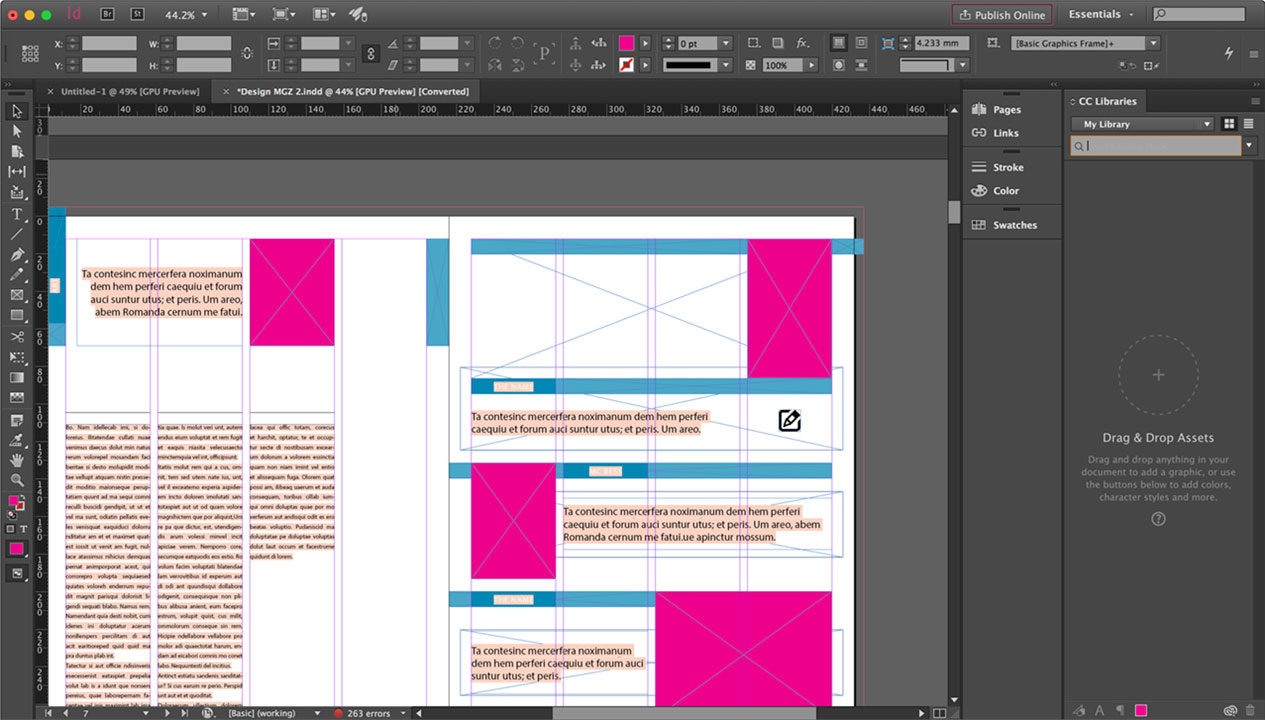
Adobe InDesign Screenshot

Wrapping up

Regardless of which program you use, one of the best things you can do to improve the quality of your work is to learn design. You may just be a few quick tricks away from taking your work from the amateur level to the pro level.


Instagram begins to roll out web profiles

Instagram, the insanely popular photo editing and sharing mobile app, announced today that web-based profiles will begin rolling out incrementally to users this week. These web profiles will bring with various features previously only accessible via the mobile app.

There are other third party sites like Webstagram that already offer Instagram users the ability to view their own picture feeds and those of other users, of course. This latest news is likely Instagram’s response to a growing user demand for at least a minor web presence in which to show off the photos they’ve taken. Continue reading “Instagram begins to roll out web profiles”

Google’s Voter Information Tool offers US election facts

The US election is tomorrow. In a past blog post, I provided an offering of tools that could help you keep up with where each presidential candidate stood on the issues that matter most to Americans.

But for this election, do you know about various other offices, plus state referenda? Some states have a lot of other issues for voters to decide on this November 6. If you’re not sure how to determine what to vote for or against, or even where the closest polling place is to your home, Google’s new Voter Information Tool might be able to help you out with that. Continue reading “Google’s Voter Information Tool offers US election facts”

Slenderman visits Softonic

Here at Softonic, we really love Halloween. In the past, we’ve dressed up in costume, carved pumpkins, and decorated both the San Francisco and Barcelona offices. Earlier today, we did a video comparison of scary Slender spin-offs. So what better way to continue the Halloween spirit this year than to stage our own version of Slender?

If you’ve ever wanted to know what happens after business hours in our office, well, this isn’t usually it. Strange things are bound to occur on Halloween though, and this year was no different. Check it out, and let us know what you think! Continue reading “Slenderman visits Softonic”

How to: Install a plugin in Photoshop

In a previous post, I highlighted some really fun and useful plugins for Photoshop. Plugins are convenient ways to add more functionality to your Photoshop experience. You can add filter options, or even help optimize your image’s appearance in other ways.

Plugins are completely useless to you if you don’t know how to install them though. They often don’t even come with installers or instructions on how to set them up.

Fortunately, it’s a fairly straightforward process. I’ll walk you through how to install your newly downloaded plugin to Photoshop in three simple steps.

Continue reading “How to: Install a plugin in Photoshop”

Windows 8 vs. Windows RT: Which version is right for you?

versions of windows 8Windows 8 was released today. If you want to be at the forefront of trying out Microsoft’s latest operating system, you’re going to want to purchase and install the version that best suits your needs. There’s been some mention of Windows RT among various tech and software blogs, including our own, but what exactly is Windows RT? How is it different from the standard Windows 8 operating system?

Here’s a primer on Windows RT and how it differs from Windows 8 so you can choose the right version for you. Continue reading “Windows 8 vs. Windows RT: Which version is right for you?”

Windows 8 Guide: Add a Start menu to Windows 8

One thing that may surprise those new to Windows 8 is its lack of a traditional Start menu button at the bottom left of your desktop screen.  Sure, you can learn to use hotkeys or figure out the Charms Bar, but a lot of people aren’t going to want to re-learn how to use Windows.

If you fall into the latter category, you’re in luck. There are a lot of third party apps that will give your desktop the look you want, which are also easy to download and install.

Here are five options that will get the Start menu back in Windows 8. Continue reading “Windows 8 Guide: Add a Start menu to Windows 8”

MSN.com’s new design is tailored for Windows 8 users

Microsoft is certainly gearing up for the release of Windows 8 on October 26. To show just how invested it is in Windows 8’s new design language, Microsoft has announced a Metro inspired redesign for MSN.com, available exclusively to Windows 8 users of Internet Explorer 10. Originally planned to go live on Friday in tandem with the Windows 8 release, Microsoft actually launched it today, two days in advance of the Windows 8 release.

The new MSN.com design has been completely reimagined and incorporates a look very similar in appearance to the Windows 8 Modern/Metro UI. Microsoft also claims that Internet Explorer 10 is able to increase page load speeds as a result of its design, which compliments the architecture of Windows 8.

Continue reading “MSN.com’s new design is tailored for Windows 8 users”

How to: prepare for a Windows 8 upgrade

Windows 8 iconWindows 8 will be released this Friday, October 26. If you’ve already made the decision to upgrade, you have two new user interfaces and Windows Store apps to look forward to.

You’re supposed to be able to effortlessly upgrade older versions of Windows to Windows 8, according to Microsoft. In a perfect world, operating system upgrades work without issue. If you have important programs or files on your computer that you don’t want to lose, you’ll want to be prepared for the possibility of an upgrade failing.

Here are helpful tips to help you prepare for an upgrade to Windows 8. Continue reading “How to: prepare for a Windows 8 upgrade”

Firefox Marketplace released for Firefox Aurora on Android

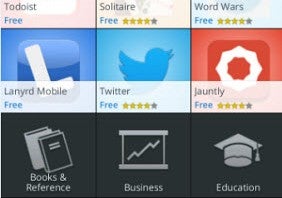
If Google Play isn’t enough for your Android app store needs, you’ve now got another option. Firefox Marketplace is now available through the latest Firefox pre-beta for Android.

This comes only a handful of days after the launch of Firefox 16 on desktop PCs, and was an anticipated element of Mozilla’s development of its popular web and mobile browser platforms.

Let’s take a look at the Firefox Marketplace. Continue reading “Firefox Marketplace released for Firefox Aurora on Android”